1. Bambu Lab H2C vs Prusa XL: Automation Platform or Engineering Tool?
Choosing between the Bambu H2C and the Prusa XL isn’t a normal “which printer is better” question. At this level, both machines are fast and can handle multi-material printing, also cost enough that a wrong choice hurts.
No products found.
The real difference is how they expect you to work.
One is built to decide things for you. The other is built to show you exactly what it’s doing.
If you’re comparing these two printers, you’re not buying your first machine.
You’re choosing a long-term workflow—and that choice affects how you print, how you troubleshoot, and how much attention the printer demands from you over time.
This comparison assumes you already understand the basics of multi-material 3D printing. We won’t explain what a nozzle is or why enclosure matters.
Instead, we’ll focus on the things that only show up after weeks or months of ownership. If that’s what you care about, you’re in the right place.
Pick This If…
- Pick Bambu H2C if you want an automated multi-material platform that scales colors and materials with minimal thinking.
- Pick Prusa XL if you want a mechanically honest, serviceable, multi-tool printer built for long-term engineering work.
2. Multi-Material Philosophy
Most comparisons start by counting colors. That’s the wrong place to begin.
Multi-material printing isn’t about how many spools you can load.
It’s about how the machine treats different materials when things get difficult—heat, flexibility, abrasion, and long print times. This is where the H2C and Prusa XL quietly diverge.
| Aspect | H2C | Prusa XL |
|---|---|---|
| Active tools | Up to 7 hotends | Up to 5 toolheads |
| Flexible materials | Limited | Excellent |
| Purge behavior | Very low | Near-zero |
What “multi-material” means on the H2C
On the H2C, multi-material is designed to scale complexity through automation.
The system focuses on:
- Managing temperature transitions
- Keeping materials consistent across long jobs
- Reducing waste while switching between materials or colors
In practice, this works best when materials share similar behavior:
- PLA with PLA
- ABS with ASA
- Nylon with Nylon blends
The machine handles the transitions for you. You don’t think much about how the switch happens—only that it does.
This makes the H2C strong at:
- High color counts
- Repeating material profiles
- Long, unattended jobs where consistency matters more than flexibility
The limitation shows up when materials behave very differently.


What “multi-material” means on the Prusa XL
The Prusa XL treats multi-material as a physical separation problem, not a software one.
Each toolhead is its own complete system:
- Its own nozzle
- Its own filament path
- Its own thermal behavior
That changes everything.
Instead of asking one system to adapt, the XL assigns each material a dedicated role. A flexible filament stays in one toolhead. An abrasive filament lives in another. Structural material and support material never share hardware.
This approach shines when:
- Materials fight each other
- You mix hard and soft filaments
- You need predictable behavior over long prints
Nothing is optimized automatically—but nothing is compromised either.

Why color count is a misleading metric
Yes, the numbers look different:
- H2C can scale to more active materials
- Prusa XL caps out at five toolheads
But real-world usefulness doesn’t scale linearly with color count. Most users don’t fail because they needed a sixth color. They fail because a material behaves differently halfway through a long job.
That’s the real divide:
- H2C optimizes scale
- Prusa XL optimizes separation
Once you see that, the color numbers matter a lot less.
A quick reality check
If your work is mostly:
- Visual
- Color-driven
- Based on similar materials
The H2C’s approach feels natural and efficient.
If your work involves:
- Flexible parts
- Structural components
- Mixed material behavior in the same print
The Prusa XL’s philosophy feels safer and more predictable. Neither approach is wrong. They simply assume very different problems.
3. Large Prints, Long Jobs, and Failure Cost
Big printers change how you think about failure. When a small print fails, you lose time and a bit of filament.
When a large, multi-day print fails, you lose money, momentum, and trust in the machine.
This is where the difference between the H2C and the Prusa XL becomes very real.
Why size changes everything
The Prusa XL’s large build volume isn’t just about printing bigger objects. It’s about printing fewer parts.
Fewer parts mean:
- Fewer seams
- Less post-processing
- Fewer chances for assembly errors
For engineering parts, jigs, fixtures, or functional enclosures, this matters more than raw speed. If a single part replaces three smaller ones, the printer only needs to succeed once, not three times.
Long jobs expose different kinds of risk
On long prints, the question isn’t “how fast can it go?”
It’s “what happens if something drifts after 10 hours?”
- On the H2C, the system relies on automation and correction. If something goes wrong, it may compensate, pause, or require a restart. For many users, that’s acceptable—especially when running unattended jobs overnight.
- On the Prusa XL, problems tend to appear in clearer, more localized ways. A toolhead misbehaves. A nozzle clogs. A filament path fails. You usually know where the issue is.
Neither approach prevents failure.
They just change how predictable failure feels.
Failure cost is not just material
When a long print fails, the real cost isn’t filament.
It’s:
- Lost machine time
- Missed deadlines
- Reprints that block other jobs
For users printing one-off engineering parts or low-volume production, predictability matters more than optimization. Knowing why something failed makes it easier to trust the next run.
This is where many Prusa XL users feel more comfortable pushing the machine harder.
Which machine handles risk better?
That depends on what you’re printing.
- If you value automation and recovery, the H2C can feel reassuring. The system is always watching, adjusting, and trying to finish the job for you.
- If you value clarity and control, the Prusa XL often feels safer on long, high-stakes prints. When something breaks, it usually breaks in a way you can understand and fix.
4. Materials Reality: TPU, Nylon, CF, and Mixed Parts
Material support looks simple on spec sheets. In real use, it’s one of the fastest ways to expose a machine’s limits.
The difference between the H2C and the Prusa XL is how confidently they can do it again—and again—without babysitting.
Flexible materials: where the split is obvious
Flexible filaments are where the two machines separate most clearly.
On the Prusa XL, flexible materials feel natural. Each toolhead has its own direct filament path and dedicated nozzle. TPU stays where it belongs, tension stays predictable, and switching away from it doesn’t contaminate the next material.
This makes the XL comfortable for:
- TPU seals and gaskets
- Flexible hinges
- Parts that mix rigid and soft sections in the same print
You don’t have to fight the system. The hardware layout already matches the material’s behavior.
On the H2C, flexible materials are possible—but less forgiving. The system is optimized around materials that behave consistently during feeding and retraction. Very soft filaments push against that assumption.
For occasional TPU prints, it can work.
For frequent or mixed-material TPU jobs, it’s simply not what the machine is best at.
Engineering materials: where the H2C feels easier
High-temperature and reinforced materials tell a different story.
ABS, ASA, Nylon, and carbon-fiber blends benefit from:
- Stable chamber temperatures
- Consistent thermal control
- Automated profiles that reduce tuning effort
This is where the H2C feels more relaxed.
The enclosed environment and system-level tuning make it easier to trust long prints without constant adjustment. You spend less time chasing warping, layer adhesion issues, or edge cases between materials.
For users printing functional parts in engineering plastics, that reduction in friction matters.
Mixed-material parts reveal the real tradeoff
The hardest jobs are not pure TPU or pure Nylon.
They’re mixed parts.
- Rigid structure + flexible insert
- Structural body + soluble or breakaway support
- Abrasive filament paired with standard material
The Prusa XL handles this by separation. Each material lives in its own toolhead, with its own wear pattern, temperature range, and behavior.
The H2C handles this by coordination. The system tries to manage transitions cleanly and efficiently, assuming materials are compatible enough to share the same overall workflow.
Both approaches work—but they fail differently.
The question that actually matters
- If your work depends on flexible materials or sharply different material behaviors, the Prusa XL usually feels safer.
- If your work centers on engineering plastics and long, enclosed prints, the H2C tends to feel easier to live with.
This difference shows up quietly over time—but once you notice it, it’s hard to ignore.
| Dimension | Bambu H2C | Prusa XL |
|---|---|---|
| Core philosophy | Automation platform | Engineering tool |
| How complexity is handled | System decides and optimizes | User controls and understands |
| Multi-material approach | Coordinated switching | Physical separation (toolheads) |
| Max active materials | Higher (scales with system) | Lower (fixed by toolheads) |
| Flexible materials (TPU) | Possible, not ideal | Natural and reliable |
| Engineering plastics (ABS, Nylon, CF) | Easier, more forgiving | Requires more setup |
| Large / long prints | Optimized through automation | Optimized through predictability |
| Failure behavior | Tries to correct or recover | Fails clearly and locally |
| Troubleshooting style | Replace modules, rely on system | Diagnose and repair directly |
| Maintenance over time | Low effort, ecosystem-dependent | Higher effort, user-controlled |
| Noise & presence | Louder, more enclosed | Quieter, physically larger |
| Mental load | Low — set and forget | Higher — stay aware |
| Best fit for | Designers, studios, automation-first users | Engineers, makers, long-term owners |
5. Maintenance, Repair, and Ownership Over 3 Years
Most comparisons stop at what a printer can do on day one. What matters more is how it behaves after hundreds of hours.
Living with the H2C over time
The H2C is designed to minimize hands-on maintenance. When something goes wrong, the expectation is simple:
- Identify the affected module
- Replace it
- Get back to printing
This approach works well for users who value uptime over tinkering. You don’t need to understand every mechanical detail to keep the printer running. Firmware updates, material profiles, and system calibration handle much of the complexity in the background.
Over time, ownership feels streamlined:
- Less troubleshooting
- Fewer manual adjustments
- More reliance on the official ecosystem
The tradeoff is dependency. Replacement parts, fixes, and long-term upgrades are tied closely to the manufacturer’s roadmap. You gain convenience, but you give up some independence.
Living with the Prusa XL over time
The Prusa XL assumes a different relationship with the owner. Maintenance is more visible. Repairs are more manual.
But nothing is hidden.
Each toolhead can be serviced independently. Wear parts are easy to identify. If something drifts, you usually know what drifted and why. The machine rewards users who are willing to learn its mechanics.
Over years of use, this creates a different kind of confidence:
- Problems feel understandable
- Fixes feel permanent
- The machine ages in a predictable way
You spend more time maintaining it—but less time guessing.
Ownership is a philosophy choice
Neither approach is cheaper in the long run.
They just spend cost differently.
- The H2C spends cost on convenience, automation, and reduced attention.
- The Prusa XL spends cost on transparency, serviceability, and long-term control.
If you plan to use the printer as a production tool with minimal downtime, the H2C’s approach can feel more efficient. If you plan to keep the same machine running and evolving for many years, the XL’s approach often feels safer.
The three-year test
A useful way to frame the decision is this:
After three years, would you rather have:
- A printer that mostly worked without asking much from you?
- Or a printer you fully understand and can still repair yourself?
There’s no universal answer.
But once you know which one you prefer, the right choice becomes much clearer.
6. Hidden Costs: Space, Noise, and Attention
The real cost of a 3D printer isn’t just the price tag. It’s how much space, noise, and attention it takes from you over time.
These costs don’t show up on spec sheets, but they shape daily use more than most features.
Space: how much room the printer really needs
The Prusa XL is physically large. Not just the build volume, but the footprint, clearance, and working space around it.
You need room to:
- Access toolheads
- Change filaments
- Service components comfortably
In a workshop or lab, this is usually fine.
On a desk or in a shared room, it can become a constant constraint.
The H2C is more compact and self-contained. It fits more easily into smaller studios or home setups, and its enclosed design keeps most interactions on the front side of the machine.
Space doesn’t decide performance—but it often decides where the printer can live.
Noise: what you hear during long prints
Noise matters more than people expect, especially on long jobs.
The H2C prioritizes speed and airflow. Fans work harder, motion is more aggressive, and the machine is generally more noticeable while running. In a dedicated workspace, this is rarely an issue. In a living area, it can become tiring.
The Prusa XL, running at more conservative speeds, is usually quieter and more consistent in sound. It doesn’t disappear, but it’s easier to ignore over time.
If you print overnight or work in the same room, this difference adds up.
Attention: the mental load of ownership
This is the most overlooked cost.
Some printers demand frequent check-ins. Others fade into the background.
- The H2C is built to reduce attention. You set the job, trust the system, and step away. When it needs you, it tells you.
- The Prusa XL asks for more awareness. You’re closer to the machine, more aware of its state, and more involved when something changes.
Neither is better. They just suit different working styles.
If you want a printer that runs while you focus on other work, H2C’s approach feels lighter.
If you prefer knowing exactly what your machine is doing at all times, the XL feels more comfortable.
7. Which One Should You Buy?
At this price and capability level, choosing between the Bambu H2C and the Prusa XL depends on what role the printer plays in your work.
Below is the simplest, most honest way to decide.
Product designers & visual creators
If your work is:
- Color-driven
- Iterative
- Focused on form, fit, and presentation
Pick the H2C.
It removes friction. You spend less time tuning and more time producing. The system handles transitions and consistency, which matters when you’re iterating fast and deadlines are tight.
This is especially true if:
- You print many variations
- You rely on unattended runs
- You value speed of iteration over deep mechanical control
Engineering labs & functional parts
If your work is:
- Functional
- Load-bearing
- Sensitive to material behavior
Pick the Prusa XL.
The XL’s strength is predictability. When prints are long, expensive, or critical, knowing exactly how the machine behaves matters more than automation.
This is where:
- Toolhead separation
- Clear failure modes
- Serviceability
become real advantages, not just technical talking points.
Creative studios (mixed workloads)
If you do:
- Client work
- Both visual and functional prints
- Short runs mixed with long jobs
This one depends.
Choose H2C if your studio prioritizes throughput and consistency.
Choose Prusa XL if reliability under pressure matters more than speed.
In studios, printer downtime costs more than filament. Pick the system that fails in a way your team can recover from fastest.
Small manufacturing & low-volume productio
Ask one question:
Is failure more expensive than setup time?
- If yes, lean toward Prusa XL.
- If no, and automation keeps things moving, H2C makes sense.
Neither is a true mass-production machine, but both can handle low-volume workflows—just with different risk profiles.
Tinkerers vs “just print” users
This is the clearest split.
- If you enjoy understanding, maintaining, and improving your machine: Prusa XL
- If you want the printer to work while you focus elsewhere: H2C
This isn’t about intelligence or experience.
It’s about what you want your time to be spent on.
The simplest decision rule
If you want a printer that behaves like a system, choose the H2C.
If you want a printer that behaves like a tool, choose the Prusa XL.
Once you frame it that way, most of the uncertainty disappears.
8. FAQs
Is the Prusa XL overkill for most users?
For casual hobby use, yes.
The Prusa XL makes the most sense when prints are large, expensive, functional, or hard to reprint. If your work rarely pushes size, material limits, or reliability requirements, much of the XL’s strength may go unused.
That doesn’t make it a bad choice—it just means you’re paying for headroom you may never need.
Is the Bambu H2C reliable long-term?
So far, yes—within the scope it’s designed for.
The H2C is built around automation and module-based maintenance. For users who stay within supported materials and workflows, long-term reliability has been strong. The tradeoff is dependency on the manufacturer’s ecosystem for parts and updates.
If you’re comfortable with that model, reliability is not a concern.
Which printer is easier to repair?
The Prusa XL.
Its open design, independent toolheads, and clear mechanical layout make diagnosis and repair more straightforward. Most issues can be traced, understood, and fixed without replacing entire assemblies.
The H2C favors replacement over repair. This is faster, but less flexible.
Which handles flexible materials better?
The Prusa XL.
Flexible materials like TPU benefit from direct, dedicated filament paths. The XL’s toolhead separation avoids many of the feeding and transition issues that can appear in more automated systems.
For frequent or mixed-material flexible prints, the XL is the safer choice.
Which is better for engineering plastics?
The Bambu H2C.
Its enclosed design, thermal stability, and automated profiles make it easier to run ABS, ASA, Nylon, and fiber-reinforced materials with fewer adjustments.
For long, enclosed prints in engineering plastics, the H2C generally requires less manual tuning.
Which printer is quieter?
The Prusa XL is usually quieter during operation, especially on long prints.
The H2C prioritizes airflow and speed, which results in more noticeable fan and motion noise. In a workshop this rarely matters, but in shared or home spaces it can.
Which holds value better over time?
Historically, Prusa machines tend to hold value well, supported by long-term firmware updates and strong community demand. The XL follows this pattern.
The H2C’s value is more closely tied to the manufacturer’s update cycle. As new models appear, resale value depends more on ecosystem relevance than hardware longevity.
Final takeaway
The H2C and Prusa XL are both excellent printers—but they reward different ownership styles.
If you want automation, scale, and reduced mental load, the H2C fits better. If you want transparency, control, and long-term mechanical confidence, the Prusa XL is hard to beat.
Once you decide which of those matters more, the choice becomes straightforward.
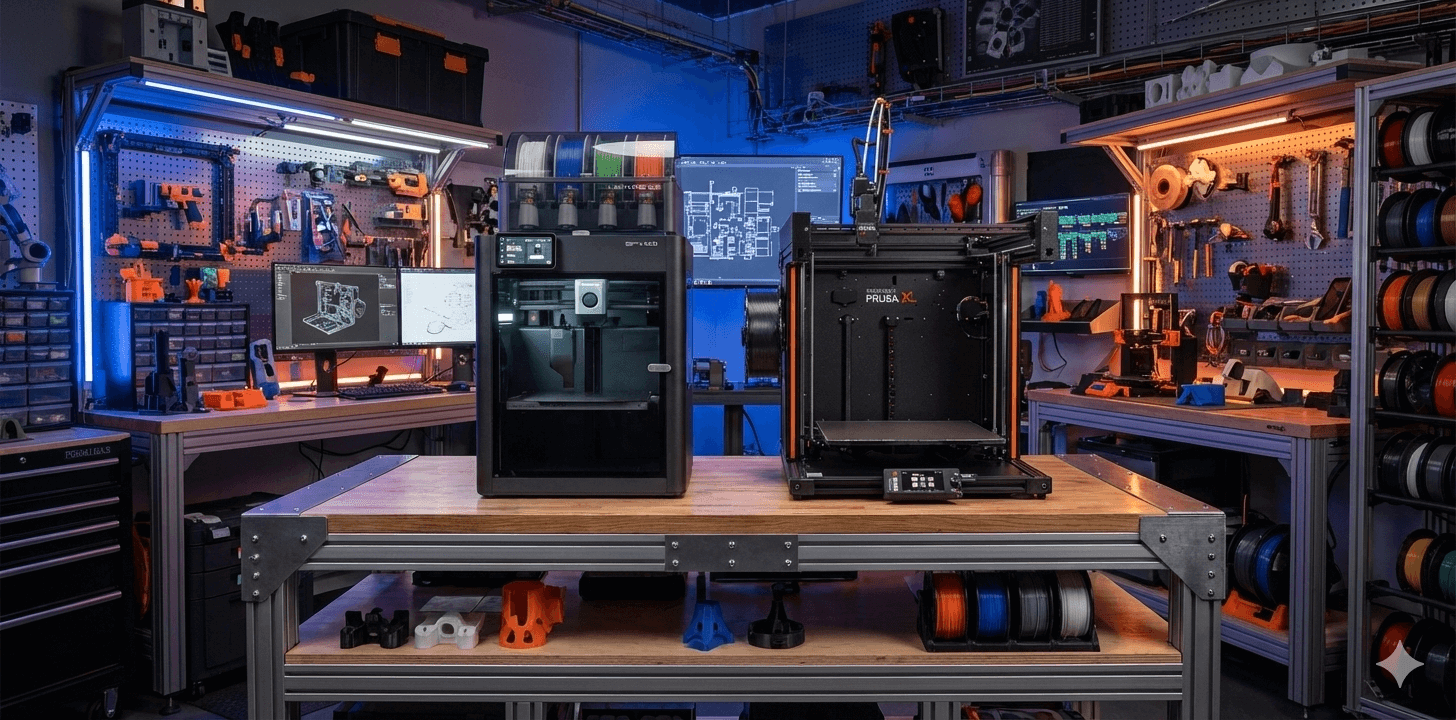
Tips: Some images in this article are AI-assisted illustrations, created solely to help explain technical concepts and system differences.