Table of Contents
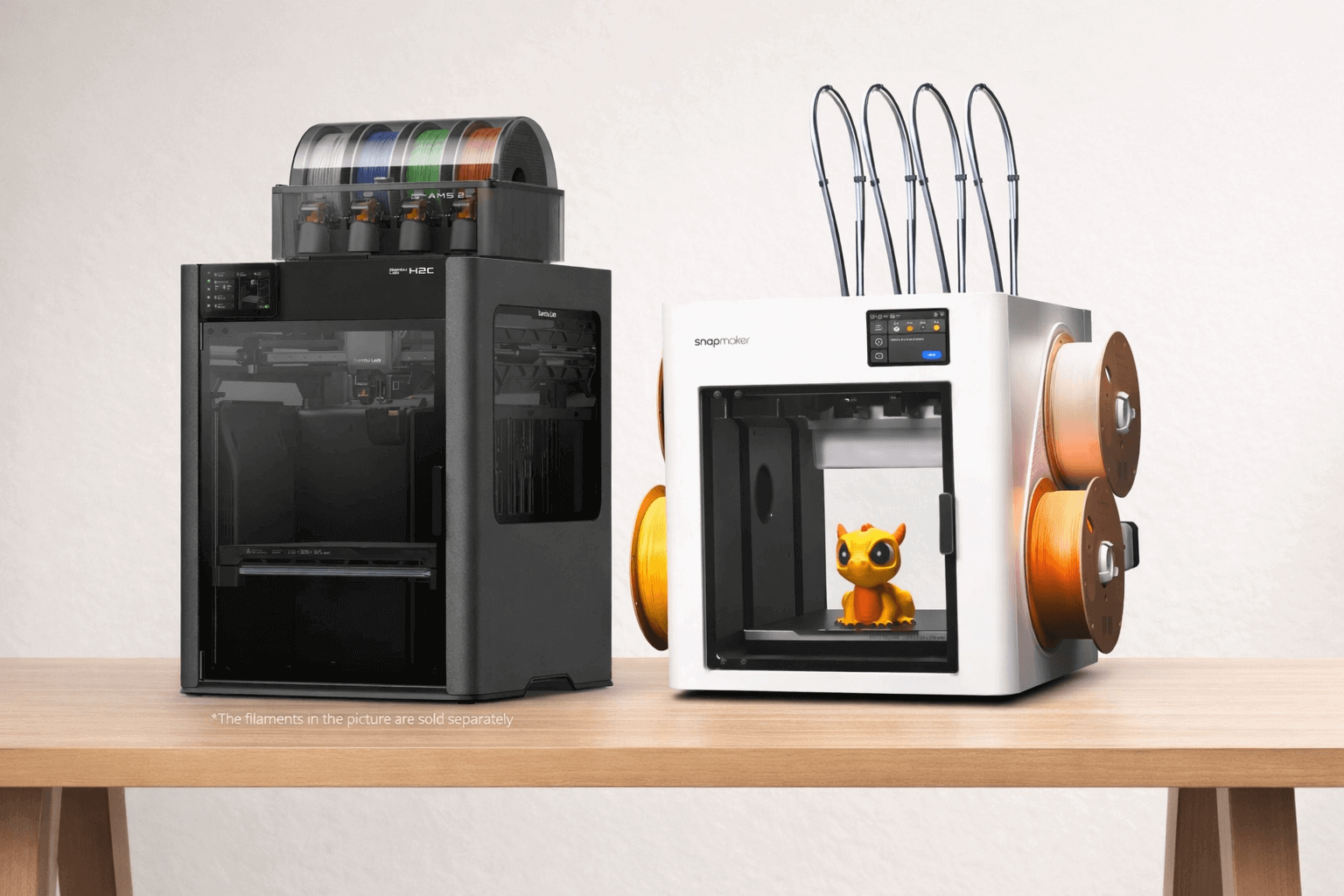
Bambu Lab H2C vs Snapmaker U1
If you’re stuck choosing between the Bambu H2C and the Snapmaker U1, you’re not alone.
On paper, both look fast, advanced, and powerful enough that picking the wrong one feels expensive and frustrating. Here’s the part most comparisons skip:
This decision isn’t really about specs. It’s about system limits.
Tool-changer printers like the Snapmaker U1 are always faster when switching colors or materials. That isn’t tuning, software, or brand preference—it’s physics. Swapping a full toolhead takes only a few seconds. Swapping hotends, even very advanced ones, takes longer every single time.
The Bambu H2C isn’t trying to win that speed race. Its real advantage is scale. Once you move beyond four colors, or start mixing many materials in a single print, tool-changer systems hit a hard ceiling. H2C doesn’t.
With its hotend-swapping Vortek system and AMS integration, it can handle color and material combinations that tool-changers simply can’t.
So the real verdict looks like this:

So the real verdict looks like this:
- If your prints use 1–4 colors and you care about finishing faster → Snapmaker U1 wins.
- If your prints regularly exceed 4–5 colors, or you want extreme multi-material flexibility → Bambu H2C becomes the only realistic option.
This difference doesn’t disappear with firmware updates or slicer tricks.
It’s a structural trade-off: speed vs scalability.
That’s why some experienced users will tell you the Snapmaker U1 is the more rational choice, yet still buy the H2C anyway. They aren’t contradicting themselves but choosing which limitation they’re willing to live with.
Once you understand that, the rest of this comparison becomes much easier to follow.
1. Speed vs Waste: Why Toolchangers Are Still Faster
When people argue about speed between the H2C and the Snapmaker U1, they usually miss one key detail:
Print speed is not the same as completion speed.
Both machines can move fast. The real difference shows up when a print starts switching colors or materials, again and again.
Why toolchangers stay ahead in real-world jobs
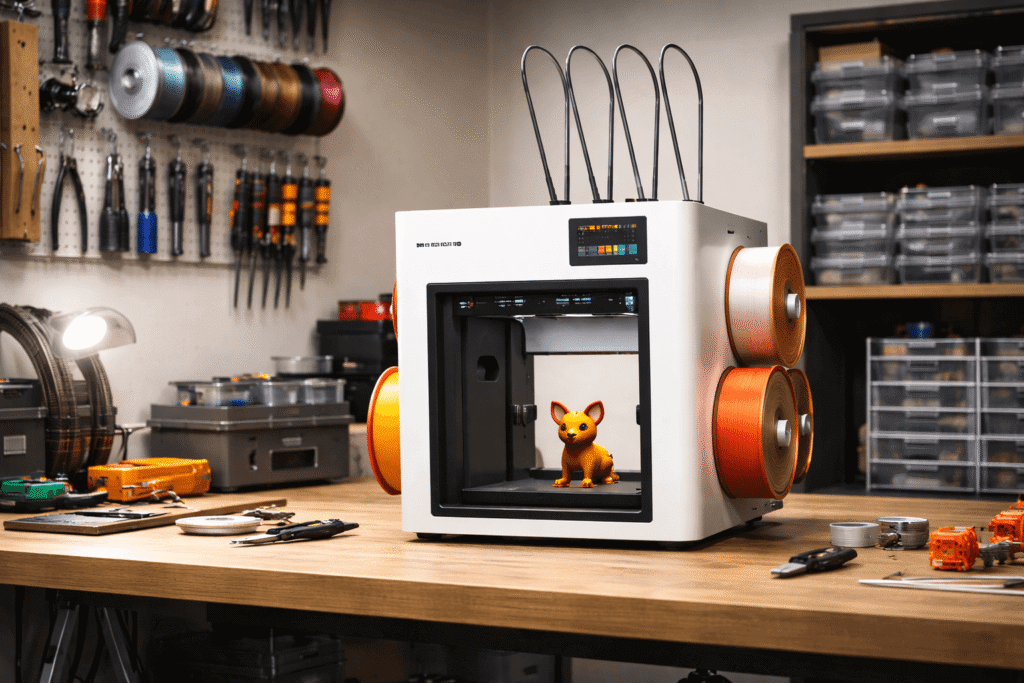
On the Snapmaker U1, each color or material lives on its own complete toolhead. When the printer needs to switch, it parks one toolhead and grabs another. The entire process takes only a few seconds, and there’s almost no purge waste because nothing has to be flushed out.
On the H2C, the Vortek system swaps hotends instead of full toolheads. This is far more efficient than traditional AMS-style filament purging, but it still isn’t instant.
Each swap takes longer, and when a print includes hundreds or thousands of color changes, those seconds add up.
This isn’t a tuning issue or something software can “fix.”
It’s a physical difference in how the machines are built.
When speed differences become impossible to ignore
In simple prints with one or two color changes, the gap barely matters.
But as color changes increase, the math becomes brutal:
- A 20-second difference per swap
- Multiplied by hundreds of swaps
- Turns into hours of extra print time
That’s why users who print multi-color models with frequent layer-by-layer color changes consistently report that toolchangers finish sooner—even if the raw movement speed looks similar on paper.
Waste tells a different story
Here’s where the H2C earns real credit.
Compared to traditional AMS systems, the Vortek hotend swap dramatically reduces filament waste. As long as each color has its own hotend, there’s little to no purging.
In prints with moderate color counts, the H2C can come surprisingly close to toolchanger efficiency while keeping waste extremely low.
So the trade-off looks like this:
Bambu H2C
Snapmaker U1
The honest takeaway
If your goal is to finish multi-color prints as quickly as possible, and you stay within a small number of colors, the Snapmaker U1 has a structural advantage that doesn’t go away.
If your goal is to print complex, multi-color or multi-material parts without turning half a spool into trash, the H2C’s approach starts to make sense, even if it costs you some time.
This is the point where the comparison stops being about “which printer is faster” and starts being about what kind of speed actually matters to you.

2. They Solve Different Problems
Before we get into speed charts or spec tables, we need to be clear about one thing:
H2C and Snapmaker U1 are trying to solve different problems.
That’s why people can watch the same review, read the same specs, and still disagree about which one “wins.” They’re often judging with different goals in mind.
Snapmaker U1’s core idea: finish multi-color prints faster (with less mess)
The U1 is built around a simple promise: tool changing is the cleanest way to do multi-material work. Each color or material has its own full toolhead.
So when the printer needs to switch, it swaps the whole toolhead instead of pushing filament back and forth through a shared path.
In practice, this makes the U1 feel very “direct”:
- switching is quick
- waste stays low
- the workflow is easy to understand
If your typical prints live inside a limited number of colors/materials, this approach is hard to beat.
Bambu H2C’s core idea: scale multi-color and multi-material beyond toolhead limits
The H2C isn’t mainly trying to be the fastest toolchanger-style printer.
It’s closer to a next-generation answer to the classic AMS problem: how do you scale color and material variety without drowning in purge waste?
Instead of swapping full toolheads, it swaps hotends and leans into the Bambu ecosystem (AMS workflow, software automation, and the broader platform). The result is a system that’s designed to handle more complex combinations—especially once you move beyond “a few colors” and start thinking in bigger palettes or multi-material builds.
That’s why the H2C can look “overkill” to some buyers and “exactly what I need” to others.


3. Color Count Is the Real Divider (4 Colors vs 7 vs 24)
Once you understand how these systems work, one divider becomes impossible to ignore: Color count is where the real line is drawn. Not speed. Not brand. Not price.
Why 4 colors is a hard ceiling for toolchangers
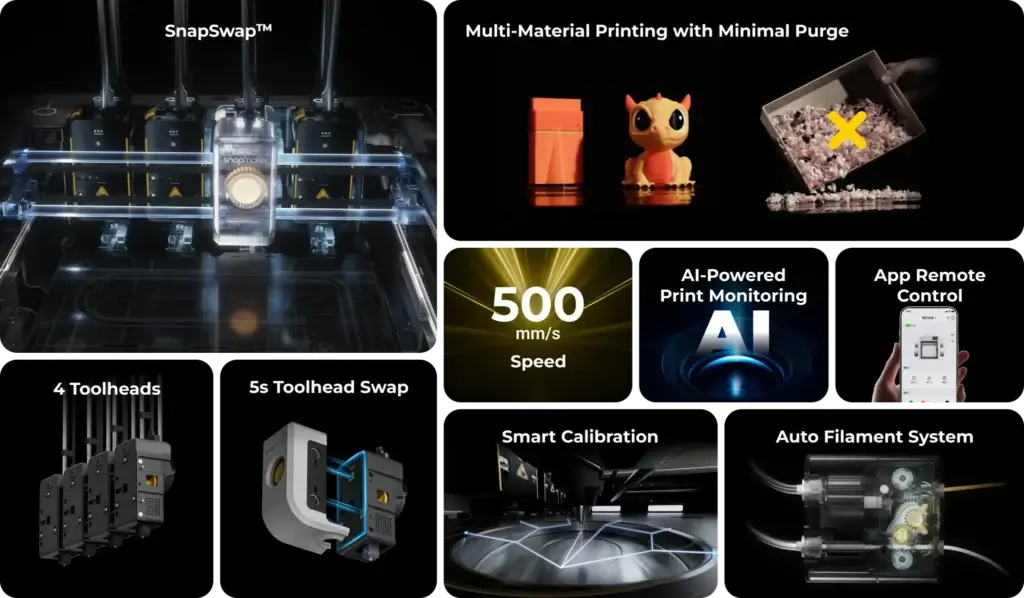
On printers like the Snapmaker U1, each color or material needs its own dedicated toolhead. That design is incredibly efficient, but it also comes with a fixed limit.
In practice, this means:
- Up to 4 colors or materials, the workflow is fast and clean
- Beyond that, the system simply can’t scale without adding more toolheads
This isn’t a software limitation. It’s a physical one. Once all toolhead slots are filled, that’s it.
For the vast majority of multi-color prints—logos, figurines, functional parts with accents, this limit is perfectly reasonable. Many users never need more than 3 or 4 colors in a single model.
Where H2C starts to separate itself
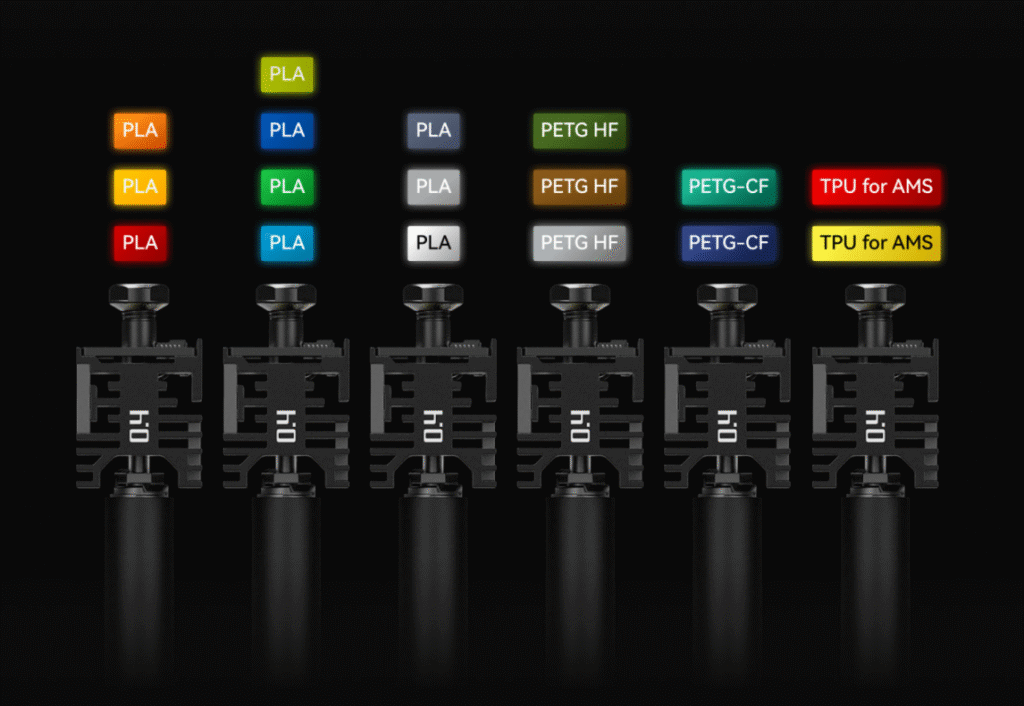
Instead of tying one color to one full toolhead, it separates the problem:
- Colors and materials live in hotends
- Hotends are swapped as needed
- AMS handles feeding and storage
This lets the H2C scale in ways toolchangers can’t:
- 5 colors
- 7 colors
- Even extreme cases with far more than that
At that point, the question is no longer “which printer is faster,” but which printer can even run the job.
The hidden cost of extreme color counts
Of course, this flexibility isn’t free.
As color counts rise:
- Preparation time increases
- Calibration takes longer
- Each swap adds a small time penalty
That’s why H2C doesn’t magically become faster than a toolchanger at 6 or 7 colors. It becomes possible, while other systems hit a wall.
This distinction matters more than most buyers realize. Many people assume they’ll “maybe use more colors someday,” without asking whether they actually plan to design or print models that demand it.
4. Materials Reality: TPU, ABS, and Engineering Plastics
Once you move past color count, materials are where these two machines feel fundamentally different in daily use.
This isn’t about whether a material is “supported” on paper. It’s about how easy it is to print it without babysitting the machine.
TPU and flexible materials: a clear split
This is the most straightforward difference and the one many buyers underestimate.
On the Snapmaker U1, flexible materials like TPU are part of the normal workflow. Each toolhead has its own direct filament path, which makes feeding soft materials far more predictable. You load it, tune once, and print.
On the Bambu H2C, TPU is a known weak point. The combination of AMS-style feeding and the hotend-swapping system introduces too many variables for soft filaments. Even experienced users often describe TPU on the H2C as unreliable or simply not worth the effort.
If flexible materials matter to you, this alone can be a deciding factor.


ABS, ASA, and high-temperature materials
This is where the balance shifts. The H2C is built for heat:
- A fully enclosed chamber
- Strong thermal stability
- Higher maximum nozzle temperatures
In real use, this makes ABS, ASA, and fiber-filled engineering filaments feel far less stressful. Warping is easier to control, layer bonding is more consistent, and long prints are more predictable.
The U1 can print many of these materials, but it’s more sensitive to setup and environment. You may need extra tuning, enclosure considerations, or material-specific compromises to reach the same level of reliability.
Multi-material combinations
What often gets overlooked is how these printers behave when materials mix.
The H2C shines when you start combining:
- PLA with PETG
- Structural material with soluble or breakaway support
- Multiple rigid materials in one part
This is where its ecosystem-driven approach. Separate hotends, AMS handling, and software coordination starts to feel intentional rather than excessive.
The U1, by contrast, handles multi-material jobs best when the materials themselves are easygoing. Once you introduce strong differences in temperature, stiffness, or flow behavior, you’re more likely to feel the limits of a toolhead-based approach.
The practical takeaway
Here’s the most honest way to think about materials:
- If TPU or other flexible filaments are important to your work → Snapmaker U1 is the safer choice.
- If your focus is ABS, ASA, or demanding engineering plastics → Bambu H2C offers a more forgiving environment.
- If you mix materials often and care about long-term reliability → H2C’s system design starts to justify its complexity.
This isn’t about which printer supports “more” materials. It’s about which one lets you use those materials with less friction and fewer surprises.
5. Workflow & Mental Load (What Specs Never Tell You)
After speed, color count, and materials, there’s one factor that quietly decides whether you enjoy a printer or resent it: mental load. This isn’t something you’ll find in a spec sheet, but it shows up every time you start a print.
How the Snapmaker U1 feels day to day

The U1’s workflow is very direct.
You load a toolhead, slice the model, start the print—and it goes. There’s little system overhead before printing actually begins. Color and material changes are fast, predictable, and easy to understand because each toolhead is self-contained.
For many users, this creates a sense of confidence:
- Short setup time
- Minimal waiting before printing
- Fewer “background processes” happening out of sight
If something goes wrong, troubleshooting is usually straightforward. You know which toolhead is involved, and recovery is quick.
How the Bambu H2C feels day to day
The H2C is more complex and you feel that complexity upfront.
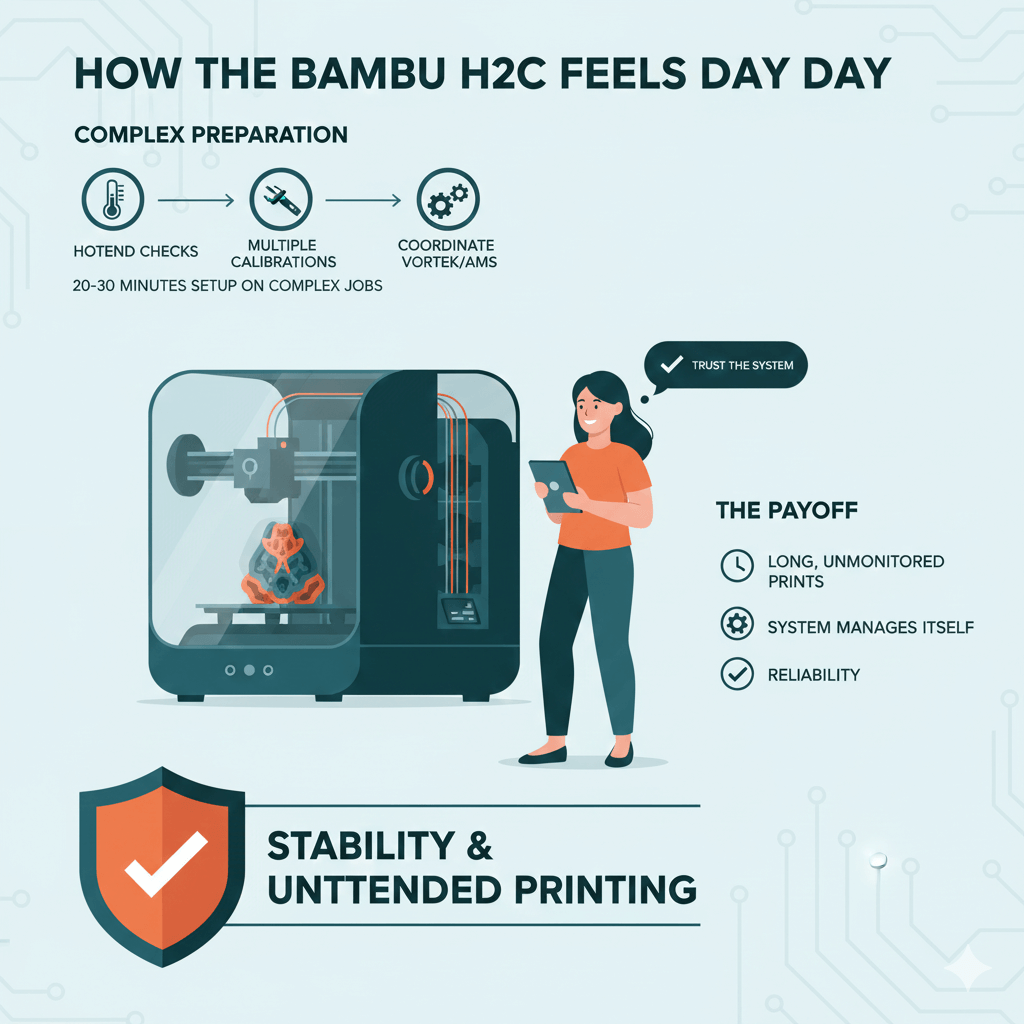
Before the first layer even starts, the machine may:
- Run hotend checks
- Perform multiple calibrations
- Coordinate between the Vortek system and AMS
On complex jobs, this can mean 20–30 minutes of preparation before any filament is laid down.
The payoff is stability. Once printing begins, the H2C is designed to run unattended. Many users are comfortable starting long, multi-material prints and walking away, trusting the system to manage itself.
But that trust comes at a cost: you have to accept that the machine is doing a lot for you, mostly invisibly.
Recovery speed matters more than people expect
One of the biggest differences shows up when something goes wrong.
- On the U1, failures tend to be localized. A clogged nozzle or misfed filament usually affects one toolhead, and getting back to printing is fast.
- On the H2C, issues can involve interactions between hotends, AMS feeding, and software logic. Recovery is still possible—but it often takes longer and requires more system awareness.
This doesn’t mean the H2C fails more often. It means that when it does, the path back to “printing again” is less immediate.
The mental trade-off
This is where buyer preference really shows.
- U1 rewards users who value simplicity and quick feedback. It feels responsive and hands-on.
- H2C rewards users who value automation and are willing to tolerate upfront complexity for smoother long runs.
Neither approach is wrong. They simply suit different working styles.
If you enjoy understanding and managing a system, the H2C can feel powerful and reassuring.
If you prefer a printer that gets out of your way, the U1 often feels lighter to live with.
6. Hidden Costs: Time, Waste, and Desk Space
When people compare the H2C and the Snapmaker U1, price is usually the first thing they look at. But after months of real use, most owners realize that money isn’t the only cost that matters.
Time cost: not just print time, but waiting time
We’ve already talked about completion speed, but there’s another layer that’s easy to overlook.
With the Snapmaker U1, time cost is mostly visible:
- You start a print
- Toolheads swap quickly
- The job finishes when you expect it to
With the H2C, time cost often hides upfront:
- Pre-print calibration
- Hotend checks
- AMS coordination
On complex jobs, this can add tens of minutes before printing even begins. Over time, that waiting becomes part of the workflow—something you mentally budget for whether you notice it or not.
Neither approach is “wrong,” but they feel very different day to day.
Waste cost: when efficiency actually saves money
Filament waste isn’t just annoying—it adds up.
Traditional multi-color systems are infamous for purge waste, and this is where the H2C clearly improves on older AMS designs. As long as each color has its own hotend, waste stays low even in multi-color jobs.
The U1, by design, also keeps waste minimal. Independent toolheads mean there’s little need to flush filament at all.
So the real difference isn’t “who wastes less,” but how waste scales:
- At low color counts, both systems are efficient
- At higher color counts, H2C avoids the explosive waste problem that older systems suffer from
- Toolchangers simply cap out instead of scaling further
Space cost: the part most buyers ignore
Desk space is a hidden cost almost no one calculates early enough.
The U1 is relatively self-contained. Toolheads live on the machine, and the footprint is predictable.
The H2C, especially when paired with AMS units, expands outward:
- Multiple filament boxes
- Extra clearance
- Cable routing and airflow considerations
This doesn’t matter if you have a dedicated workshop.
It matters a lot if you’re printing on a desk, shelf, or shared space.
The long-term cost equation
When you add everything together, the trade-off becomes clearer:
- U1 trades maximum scalability for simplicity, speed, and compactness.
- H2C trades time, space, and complexity for flexibility and long-term capability.
Neither machine is “cheaper” in the long run by default.
They’re cheaper in different ways, depending on how you actually print.
Understanding these hidden costs upfront saves you from buyer’s remorse later—and that’s exactly what this comparison is meant to do.
7. Which One Should You Buy?
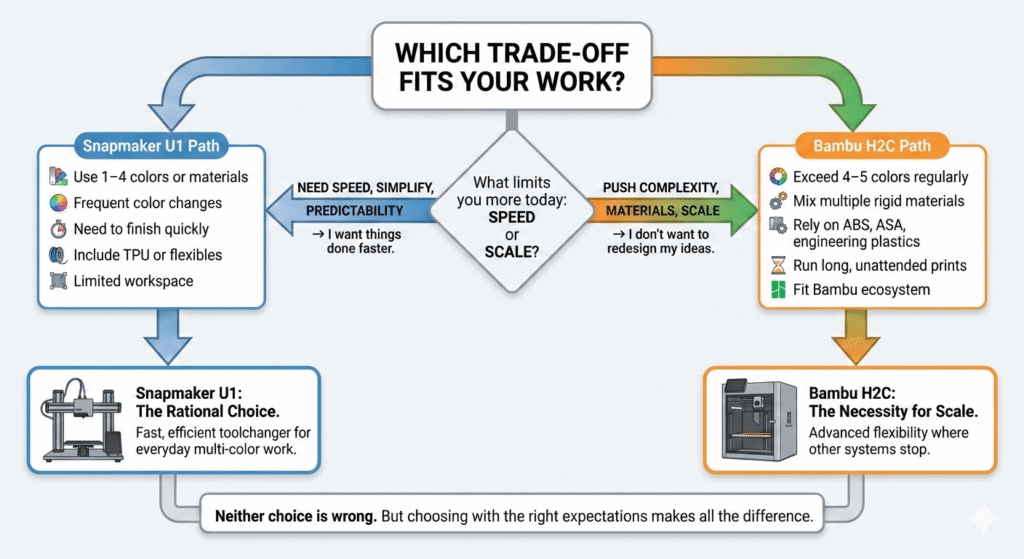
At this point, the choice between the Bambu H2C and the Snapmaker U1 should feel less confusing, because it’s no longer about “which printer is better.”
It’s about which trade-off fits your work.
If you value speed, simplicity, and predictable results → Snapmaker U1
Choose the U1 if most of your prints:
- Use 1–4 colors or materials
- Involve frequent color changes
- Need to finish as quickly as possible
- Include TPU or other flexible filaments
- Happen in a limited workspace
For these users, the U1’s toolchanger system is hard to argue with. It’s fast, efficient, and easy to live with. You spend less time waiting, less time troubleshooting, and more time printing.
This is why many experienced users describe the U1 as the more rational choice—especially for everyday multi-color work.
If you push color count, materials, or complexity → Bambu H2C
Choose the H2C if your prints:
- Regularly exceed 4–5 colors
- Mix multiple rigid materials in one job
- Rely on ABS, ASA, or engineering plastics
- Run long, unattended prints
- Fit into the broader Bambu ecosystem
The H2C isn’t trying to be the fastest machine in every scenario. It’s designed to scale where other systems stop. If your designs demand more flexibility than a toolchanger can offer, the H2C becomes less of a luxury and more of a necessity.
This is where many advanced users accept the extra complexity—and why some still choose the H2C even after admitting it isn’t the most time-efficient option.
If you’re still unsure
Here’s the simplest way to decide:
- Ask what limits you more today: speed or scale.
- Buy the printer whose limits you’re least likely to hit.
If your answer is “I want things done faster,” the U1 will feel right.
If your answer is “I don’t want to redesign my ideas to fit the printer,” the H2C makes sense.
Neither choice is wrong. But choosing with the right expectations makes all the difference.
7. FAQs
Which printer is faster for multi-color printing?
For prints with 1–4 colors, the Snapmaker U1 usually finishes faster. Its toolchanger swaps entire toolheads in seconds, which keeps color changes quick and predictable. As color changes increase, the time advantage becomes more noticeable.
Does the Bambu H2C waste less filament than the Snapmaker U1?
Both machines keep waste low compared to traditional multi-color systems. The difference is how they scale. The U1 minimizes waste by design but stops at a fixed number of toolheads. The H2C keeps waste low even as color count increases, instead of relying on heavy purging.
Which one is better for TPU and flexible filaments?
The Snapmaker U1 is the safer choice for TPU. Its direct, independent toolheads handle flexible materials more reliably. TPU on the H2C is possible in limited cases, but it’s widely considered one of its weaker areas.
Which printer is better for ABS, ASA, or engineering plastics?
The Bambu H2C has the advantage here. Its enclosed chamber and higher temperature capability make high-temperature materials easier to print consistently, especially on longer jobs.
Is the H2C overkill for most users?
For many users, yes. If you rarely print more than four colors or don’t mix materials often, you may never reach the limits where the H2C’s flexibility matters. That’s why some buyers find it impressive—but unnecessary for their actual workflow.
Which printer is easier to live with day to day?
The Snapmaker U1 generally feels simpler and lighter to manage. It has shorter setup time and clearer cause-and-effect when something goes wrong. The H2C offers more automation, but that comes with extra preparation time and system complexity.
Which one is better for small business or Etsy printing?
It depends on what you sell. If you produce many small, multi-color items quickly, the U1’s speed can be an advantage. If you sell complex, high-detail, or multi-material parts where flexibility matters more than speed, the H2C can make sense.
Are these printers quiet?
Both are relatively quiet compared to older desktop printers. Noise levels depend more on print speed, enclosure, and material choice than on the printer itself. Neither stands out as dramatically louder or quieter in normal use.
Tips: Some images in this article are AI-assisted illustrations, created solely to help explain technical concepts and system differences.