Table of Contents
If this is your first time using 3D printing filament, don’t worry. You don’t need to read a whole textbook to get started. Here is the fastest, safest way to make your first good print today.
Read This First: Your 2-Minute Filament Quick Start
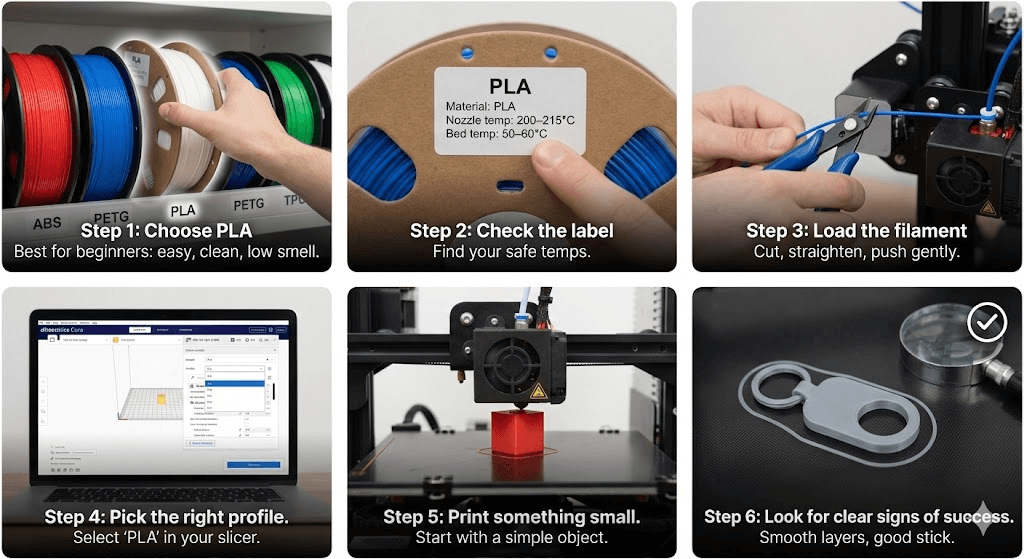
step
1
Choose PLA.
PLA is the easiest filament for beginners. It prints clean, sticks well to the bed, has a low smell, and fails less than other materials. If you just got your printer, start here—no debate needed.
step
2
Check the label.
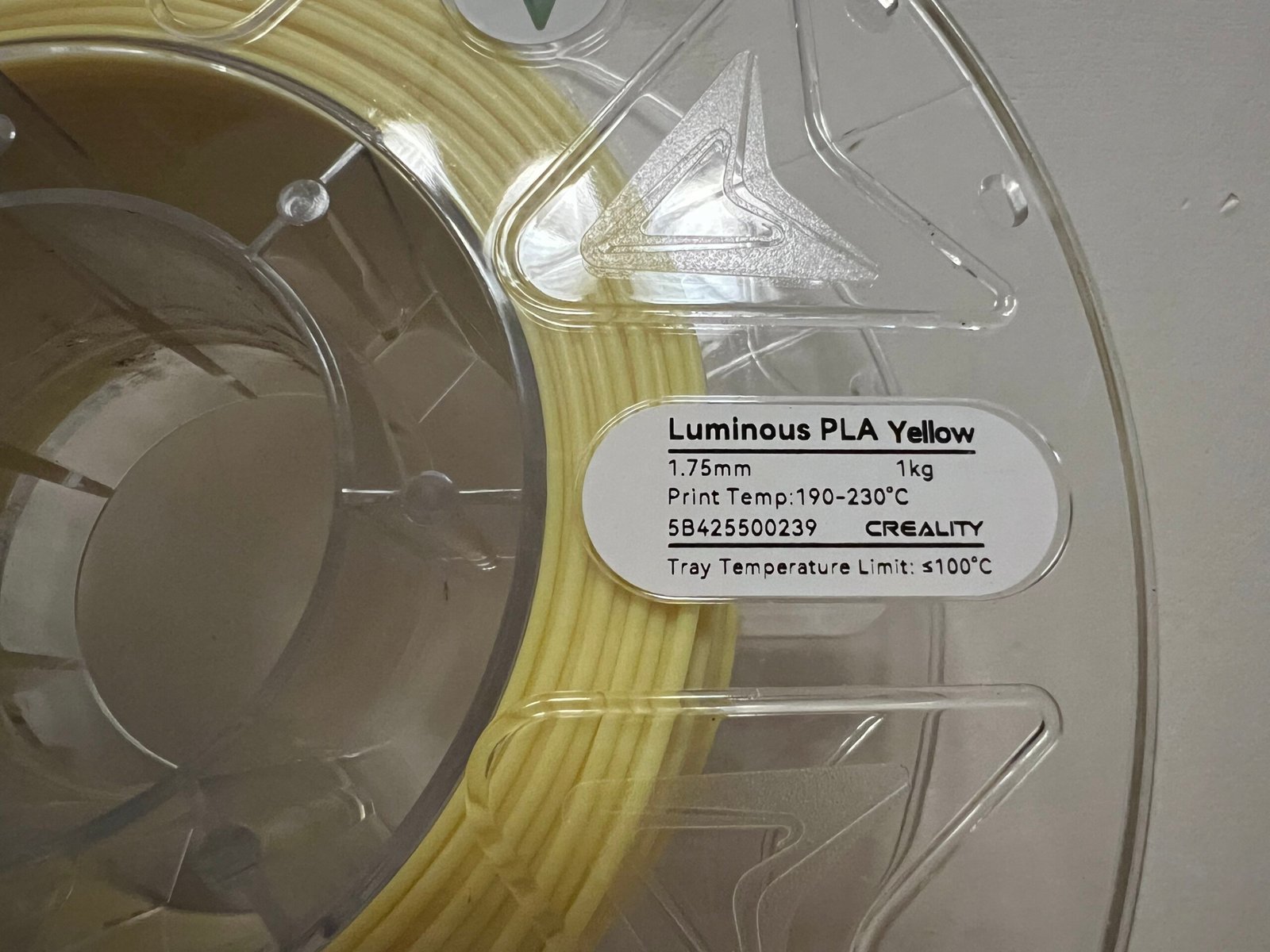
Look at the box or the spool. You will see simple info like: Material: PLA |Nozzle temp: around 200–215°C |Bed temp: around 50–60°C|This is your safe zone.
step
3
Load the filament.
Cut the tip at an angle, straighten the first few centimeters, and gently push it into the extruder until you see it melt through the nozzle. Don’t rush it.
step
4
Pick the right profile.
Open your slicer and select “PLA.” Do not touch advanced settings yet. These built-in profiles work great for almost every new user.
step
5
Print something small.
Start with a simple cube, a keychain, or a cable clip. Small prints heat evenly, stick better, and show you how your printer behaves—without wasting filament.
step
6
Look for clear signs of success.
You’re doing it right if: Lines look smooth|Corners stay flat on the bed|No strange popping or bubbles|No heavy stringing between parts
If you hit one or two small issues, don’t panic—every new user does. We’ll fix them later in the guide.
One last thing:
Don’t try ABS or other tricky filaments on day one. PLA will give you quick wins, build confidence, and teach you how your printer reacts.
Once you get a few clean prints, moving on to PETG, TPU, or ASA will feel much easier.
Take a breath. Load the spool. Let your first print begin.


What Is 3D Printing Filament, Really?
Filament is the “ink” of your 3D printer.
But instead of liquid ink, it’s a long plastic string that your printer melts and draws with—just like holding a hot glue gun that can draw perfect lines.
Here’s the simplest way to understand it:
- The printer heats the filament.
- The filament becomes soft, like warm cheese.
- The printer moves in tiny paths and lays the melted material down.
- Layer by layer, those lines stack up into a real object.
That’s it. No magic. No complicated science needed.
Different filaments act like different kinds of “drawing tools”:
- Some are soft and easy (like crayons)
- Some are strong and tough (like markers on thick paper)
- Some bend (like rubber bands)
- Some need a warm room to behave (like clay)
This is why choosing the right filament really matters.
A small change in the material can change everything: how strong your print is, how shiny it looks, how easy it sticks to the bed, or how likely it is to fail halfway.
But here’s the good news:
You don’t need to remember all the science behind it. You only need to know how each filament behaves, and that’s exactly what the next sections will teach you, in plain language.
Ready? Let’s meet the four filaments every beginner should know.
3D Printing Filament Guide 2025: PLA, TPU, PETG, ABS, ASA Compared
The 4 Filaments Every Beginner Should Know
There are many types of filaments out there, but beginners don’t need to learn them all.
You only need to understand four of them.
These four cover almost every beginner project—from toys, to organizers, to strong parts for daily use.
Think of them as four different “personality types.”
PLA — The Easy, Friendly One

PLA is the filament almost everyone starts with.
It prints clean, sticks well, and gives you good results without fighting your printer.
Why people love it:
- Very easy to print
- Low smell
- Great for models and cute things
- Works on almost every printer
What to watch out for:
- Soft in heat (car interior, sun, hot rooms)
- Not the strongest
Best for: toys, gifts, display models, learning the basics
Typical settings: ~200–215°C nozzle / 50–60°C bed
If you’re brand-new, start here. PLA is the one that helps you win early.


PETG — The Strong, Reliable One
PETG feels like the older sibling of PLA.
It’s tougher, more durable, and handles outdoor use better.
Why people choose it:
- Stronger than PLA
- Good for outdoor or wet environments
- Slight shine looks nice
What to watch out for:
- Can “string” between gaps if too hot
- Slightly harder than PLA but still beginner-friendly
Best for: phone stands, brackets, garden items, storage tools
Typical settings: ~230–250°C nozzle / 70–80°C bed
If you want your prints to survive rough use, PETG is your next step.


TPU — The Soft and Bendy One
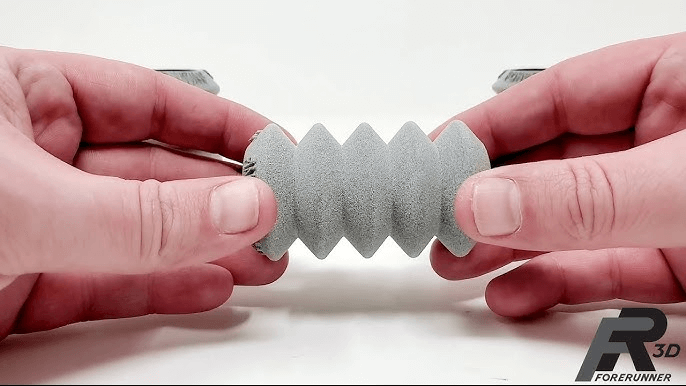
TPU is stretchy, rubbery, and super fun once you get used to it.
Why it’s unique:
- Flexible and strong
- Great for impact-proof parts
What to watch out for:
- Prints slower
- Not ideal for Bowden-style printers (can squish in the tube)
Best for: phone cases, wheels, bumpers, protective parts
Typical settings: ~210–230°C nozzle / slow speed (20–40 mm/s)
If you want something that bends instead of breaks, TPU is the star.


ABS / ASA — The Heat-Proof, Tough One
ABS and ASA are strong, durable materials used for real functional parts.
But they are not ideal for day one.
Why people use them:
- Heat-resistant
- Tough and long-lasting
- ASA survives sunlight very well
What to watch out for:
- Can warp if not printed in a warm, closed space
- Has a noticeable smell
- Needs an enclosure to print well
Best for: RC parts, car mounts, outdoor fixtures, mechanical brackets
Typical settings: ~230–260°C nozzle / enclosure recommended
Important:
If your printer is open-frame, skip ABS/ASA for now.
PLA and PETG will give you far fewer headaches.


How to Choose the Right Filament
With so many materials out there, picking the right filament can feel confusing.
But it doesn’t have to be.
Here’s a simple, fast way to choose the best filament for your project—without overthinking.
Quick Pick Table: Choose in 10 Seconds
| Your Goal | Best Filament | Why |
|---|---|---|
| First-ever print | PLA | Easy, stable, low fail rate |
| Strong everyday part | PETG | Tough and durable |
| Something soft or bendy | TPU | Rubber-like flexibility |
| Heat or outdoor use | ASA/ABS | Heat-proof and weather-safe |
If you still feel unsure, choose PLA first.
It gives the most “quick wins” for new users.
Match Filament to Your Printer
Not every printer handles every material well.
Here’s the simple rule:
- Open-frame printers → stick to PLA or PETG
- Direct drive printers → better for TPU
- Printers with enclosure → can handle ABS/ASA
If your printer looks like a box with a door, it’s usually enclosure-friendly.
If it’s open on all sides, avoid ABS for now.
Match Filament to Your Project
Think about how the printed part will live in the real world:
- Stays on desk → PLA
- Used outdoors → PETG or ASA
- Needs strength → PETG
- Needs to bend → TPU
- Inside a hot car → ASA / ABS
- Kids’ toys → PLA (safe and easy)
This little mental map will save you hours of trial and error.
Match Filament to Your Life Setup
This is the part many guides forget—but it matters a lot.
If you print in your bedroom:
- Use PLA or PETG (low smell)
- Avoid ABS/ASA unless you have strong ventilation
If you print near kids or pets:
- PLA is the safest and most forgiving
If you care about eco-friendly materials:
- PLA and recycled PLA are your top choices
If you don’t want noise or long prints:
- Avoid TPU—it’s slow and can squeak on some rollers
If You Still Don’t Know What to Pick…
Here’s a simple sentence to remember:
“Start with PLA. Move to PETG when you want strength. Try TPU when you want fun. Use ABS/ASA only when you’re ready.”
This rule fits 95% of beginner situations.

Step-by-Step: How to Use Filament from Box to First Print
Using filament for the first time can feel scary, but it’s actually very simple once you break it down.
Follow these steps in order, and you’ll get your first clean print without stress.
Step 1 — Check the Label
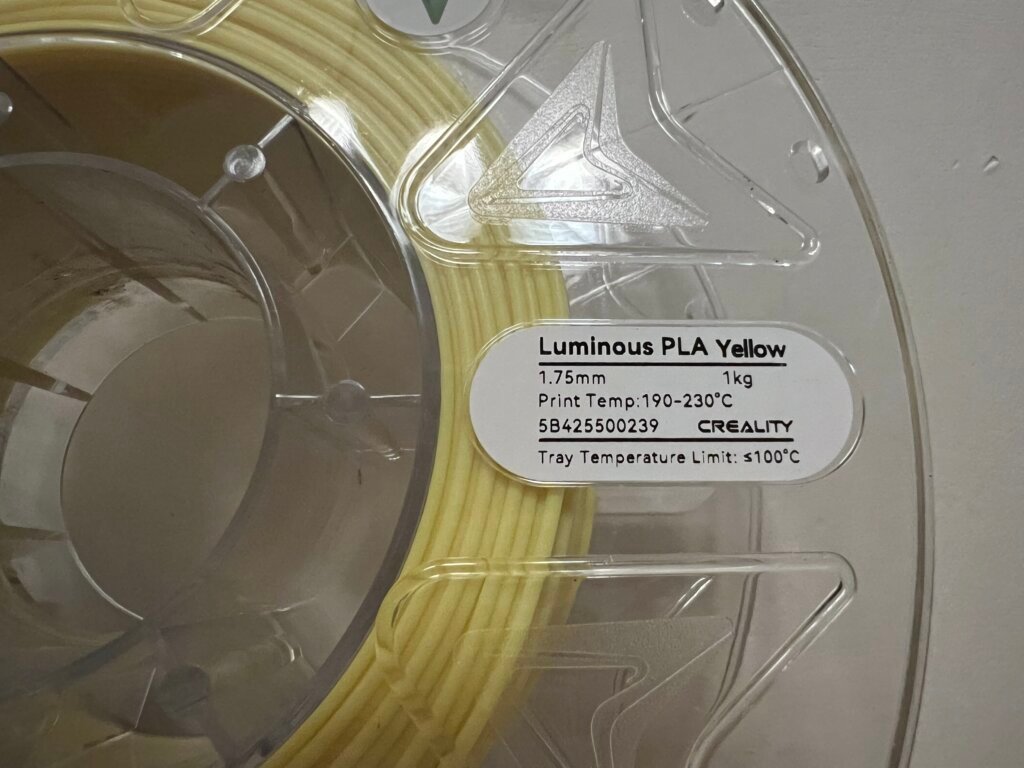
Before you load anything, look at the spool or the box. You should see three key details:
- Material: PLA, PETG, TPU, ASA, etc.
- Nozzle temperature: a safe range (like 200–215°C for PLA)
- Bed temperature: usually 50–60°C for PLA, higher for other filaments
These numbers tell your printer how to melt the material the right way.
Step 2 — Open the Spool and Inspect
Take the spool out of the bag and check a few things:
- Is the filament wrapped neatly?
- Is the color even?
- Does it look dusty or rough?
If everything looks clean and smooth, you’re good to go.
If the filament feels soft or shows tiny bubbles, it might be slightly wet. We’ll talk about drying later.
Step 3 — Cut and Prepare the Filament
Cut the tip of the filament at a small angle, about 45 degrees.
This makes loading easier.
Then gently straighten the first 10–15 cm.
A straight end helps the filament slide into the extruder without bending or jamming.
Step 4 — Load the Filament into the Printer
Every printer is a little different, but the steps feel the same:
- Heat the nozzle to the recommended temp
- Press the loading lever on the extruder
- Insert the filament until you feel it grab
- Keep pushing gently
- Wait until melted filament flows out cleanly
Once the color coming out matches your new filament, you’re ready to print.
Step 5 — Select the Right Material Profile
Open your slicer (Bambu Studio, OrcaSlicer, Cura, PrusaSlicer, etc.) and choose:
PLA / PETG / TPU / ABS — whichever matches your spool.
Don’t change advanced settings yet.
The default profiles are designed for real beginners and work surprisingly well.
Step 6 — Start With a Small Test Print
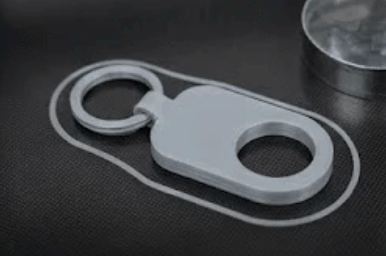
Your first print should be something tiny and simple:
- A cube
- A keychain
- A name tag
- A small organizer clip
Small prints warm up evenly and stick to the bed better.
They also tell you quickly if your settings are correct — without wasting time or filament.
Step 7 — Watch the First Layer Only
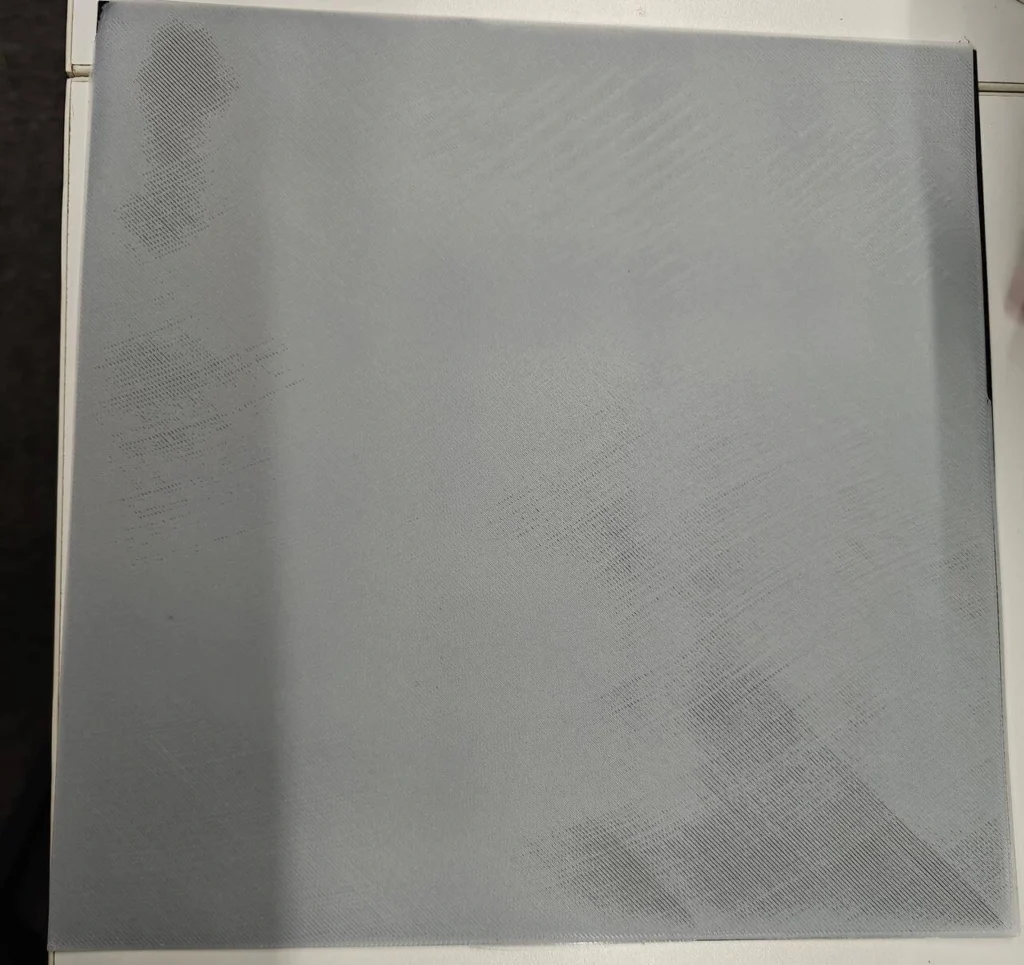
You don’t need to watch the whole print.
But you should watch the first 1–2 layers.
You’re looking for:
- Smooth lines
- No gaps
- No peeling corners
- Even spacing between lines
If the first layer looks good, the rest of the print usually finishes without issues.
Step 8 — Let the Print Cool Before Removing
After the print finishes:
- Let the bed cool
- Don’t peel the part too early
- Most parts release easily once the bed drops below room temperature
Trying to remove the part while hot can warp it or damage your build plate.


Step 9 — Check Your Result and Celebrate
If the print looks clean and smooth, congratulations — you just used your first 3D printing filament correctly.
If you see tiny problems (like rough sides or a little stringing), don’t stress.
These are normal beginner issues, and we’ll fix them in a later section.
Core Print Settings for Beginners
Printers come with a lot of settings, but beginners don’t need to learn them all.
Here are the only four settings you must understand to get clean, reliable prints with any filament.
Temperature: The Most Important Setting
Every filament melts at a different temperature.
If the nozzle is too cold:
- Layers won’t stick
- The print feels weak
- You may hear clicking from the extruder
If the nozzle is too hot:
- You’ll see blobs
- Details look “mushy”
- PETG may string everywhere
Simple rule:
Start with the temperature printed on your filament’s box. If the print looks rough, adjust by 5°C at a time.

Typical ranges:
- PLA: 200–215°C
- PETG: 230–250°C
- TPU: 210–230°C
- ABS/ASA: 230–260°C
Bed Adhesion: Getting the First Layer to Stick
If the first layer fails, the whole print fails.
Good adhesion is the secret to stress-free printing.
To improve bed adhesion:
- Clean the bed with alcohol
- Slow down the first layer
- Make sure the bed is level
- Adjust the Z-offset slightly lower if lines look too thin

- 99.9% Isopropyl Alcohol
- 2-Propanol CAS # 67-63-0
- For External Use Only
- Technical Grade – Highest Purity / Quality
- Packaged in 32 oz Bottle
Quick visual check:
If the lines look like noodles sitting on top → too high
If they look squished like pancake batter → too low
If they look smooth and flat → perfect
Cooling: How Strong Your Fan Should Be
Cooling changes how the plastic behaves while it hardens.
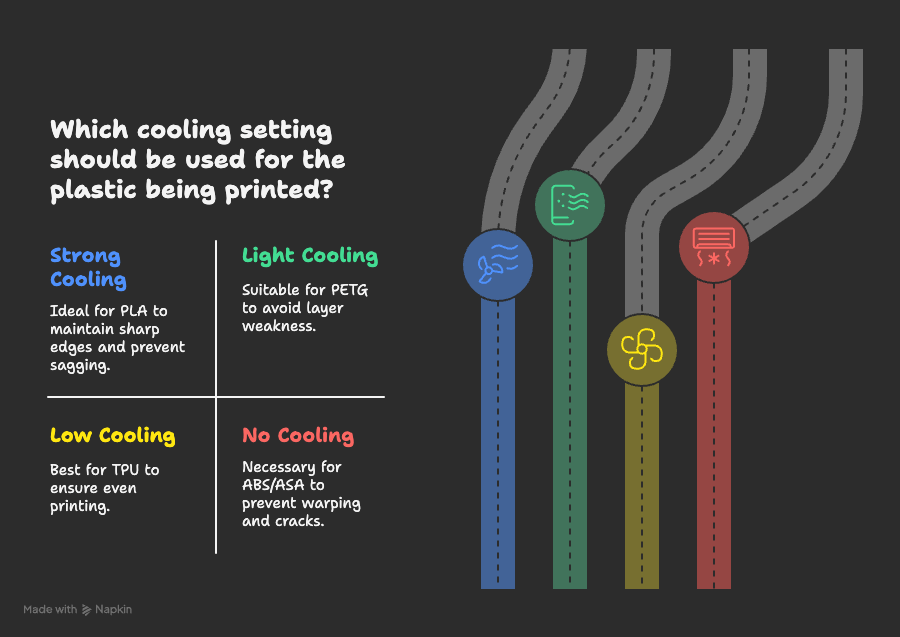
PLA → loves strong cooling
- Helps keep edges sharp
- Prevents sagging
PETG → likes light cooling
- Too much fan can make layers weak
- A gentle breeze is enough
TPU → low cooling
- Extra fan can make it print unevenly
ABS/ASA → almost no cooling
- Fan will cause warping or cracks
- Needs warm, stable air
If you feel lost, stick to your slicer’s default cooling settings.
They’re designed to be beginner-safe.
Speed: Slow Is Smoother
Printers can move fast, but beginners shouldn’t.
Why slow helps:
- Better detail
- Fewer failed prints
- Less wobble
Start with 40–60 mm/s for almost everything.
TPU prints even slower, usually under 40 mm/s.
If your print looks shaky or messy, lowering speed is often the fastest fix.
A Simple Truth to Remember
You don’t need to touch every setting.
Just get these four right:
Temperature → Bed → Cooling → Speed
When these are in sync, your prints will look good—no matter which filament you use.
Top 7 Beginner Mistakes with Filaments (and How to Avoid Them)
Most beginners make the same mistakes when they start 3D printing. It’s not because they’re doing something wrong—it’s because no one told them what to expect.
Here are the seven most common “new user traps,” what they look like in real life, and the easy fixes that actually work.
You may read: 3D Printing Filament Guide 2025: PLA, TPU, PETG, ABS, ASA Compared
Mistake 1 — Starting With a Hard Filament
Many beginners open their printer, see the sample spool, and jump straight into ABS or TPU because they think “stronger must be better.”
What happens:
- ABS curls up at the corners
- TPU feels like pushing a noodle through a straw
Real example:
A Reddit beginner printed ABS on an open printer and thought their machine was broken. It wasn’t. The filament was just not beginner-friendly.
Fix:
Start with PLA for your first 5–10 prints.
It teaches you everything gently.
When to move on:
Once you get smooth PLA prints with no lifting corners, try PETG next.


Mistake 2 — Printing a Huge Model on Day One
Everyone wants to print something cool, like a big vase or a full helmet.
But large prints show every weakness of your setup.
What happens:
- Edges lift
- Layers shift
- Halfway through, the print fails
Better way:
Begin with small things—cable clips, mini stands, a simple cube.
You learn faster with less pain and zero waste.
Why it works:
Small prints heat evenly and stick better.
They reveal problems early before wasting hours.
Mistake 3 — Changing Too Many Settings at the Same Time
You see a flaw and start adjusting: temperature, flow rate, speed, fan, Z-offset…
Suddenly the print looks worse, and you don’t know which change caused it.
Fix:
Change only one setting at a time, and change it by a small amount.
Example steps:
- Look rough? Increase temp by 5°C
- Too stringy? Lower temp by 5°C
- Corners lifting? Increase bed temp by 5°C
One change → one result → clear cause.
Mistake 4 — Ignoring Filament Moisture
Filament doesn’t like water.
It absorbs moisture from the air, especially PETG, TPU, and nylon.
What you’ll see:
- Tiny bubbles in the print
- Popping sounds
- Rough, fuzzy surfaces
Real beginner thought:
“My printer is broken.”
No—it’s the filament.
Fix:
- Keep filament in a sealed bag
- Add desiccant
- Dry it if prints look “hairy” or weak
Drying rule:
PLA: sometimes
PETG/TPU: often
Nylon: always


Mistake 5 — Loading Filament Without Preparing the Tip
Beginners often push a curved, blunt filament end into the extruder, causing it to bend or jam.
Fix:
Cut the tip at a 45° angle.
Straighten the first 10–15 cm.
What this prevents:
- Jams
- Grinding
- “Why won’t my printer grab the filament?!” moments
Mistake 6 — Pulling Prints Off the Bed Too Early
When the bed is hot, your model grips tightly.
Pulling early can warp the part or damage the surface.
Fix:
Let the bed cool.
Most parts will “pop” off by themselves.
Tip:
If your bed is removable (like the Bambu textured plate), bend it gently—don’t force it.
Mistake 7 — Leaving Filament Loose and Letting It Tangle
This is one of the most frustrating beginner mistakes because it looks harmless.
What happens:
A loop slips off → wraps under another loop → causes a sudden lock → print stops and you think your extruder died.
Fix:
Always hook the filament end into the spool hole or use a clip.
Tiny habit, huge savings.
Pro Tip: Most Beginner Problems Are Simple Problems
If your print looks strange, remember this order:
- Temperature
- Bed level
- Moisture
- Speed
Storing and Drying Filaments the Simple Way
Filament doesn’t stay perfect forever. It absorbs moisture from the air—sometimes slowly, sometimes very quickly.
Wet filament prints poorly, makes noise, and creates weak parts. The good news? Keeping filament dry is simple once you know what to do.
Why Moisture Matters
When filament absorbs water, here’s what happens inside the printer:
- The water boils inside the nozzle
- Tiny bubbles form
- The melted plastic gets rough
- Layers don’t bond well
- Surface turns fuzzy or “hairy”
You might hear popping sounds or see steam.
Don’t worry—your printer isn’t breaking.
The filament is just wet.
Easy Ways to Store Filament at Home
You don’t need an expensive setup. These simple methods work well for beginners:
1. Zip Bags + Desiccant Packs
Put your spool in a large zip bag and add a small pack of silica gel.
This is cheap and works surprisingly well.
![Dry & Dry [2 LBS] Blue Indicating Silica Gel Beads Desiccants (Industry Standard 3-5 mm) - Reusable Desiccant Beads Silica Beads(Blue to Pink)](https://m.media-amazon.com/images/I/41CcFbaYiqL._SL160_._SL160_.jpg "Beginner’s Guide to Filaments Usage 2025 40")
2. Plastic Storage Box
A clear box with a tight lid can hold several spools.
Add desiccant inside, and you have a mini dry room.

3. Dry Box (Optional Tool)
A dry box gently warms the filament while you print.
This helps sensitive materials like TPU or Nylon stay stable.
If you live in a humid place, a dry box or sealed container is a game changer.


How to Know If Your Filament Is Wet
Here are the signs:
- Popping or sizzling noises
- Rough or uneven walls
- Stringing everywhere
- Weak parts that break easily
- PETG turns slightly cloudy
If you see two or more of these, your filament might need drying.
How to Dry Filament (Beginner-Friendly)
Drying helps restore filament that’s been left out too long.
You can use:
Option 1: Filament Dryer (Best)
Set the temperature based on your material:
- PLA: 45–55°C
- PETG: 55–65°C
- TPU: 45–55°C
- Nylon: 70–80°C
Dry for 4–6 hours or follow the dryer’s instructions.
Option 2: Oven (Only if you can control temperature well)
Some people use the lowest oven setting.
But be careful—some ovens jump above safe temperatures.
If you’re not sure, skip this method.
Option 3: Dehydrator
A food dehydrator also works, as long as it stays within safe temps.
Quick Drying Guide (At a Glance)
| Filament | Needs Drying? | Notes |
|---|---|---|
| PLA | Sometimes | Dries fast; biggest signs = fuzzy walls |
| PETG | Often | Gets stringy and cloudy when wet |
| TPU | Yes | Very sensitive to humidity |
| ABS | Sometimes | Less sensitive but still benefits |
| Nylon | Always | Absorbs moisture extremely fast |
One Simple Habit to Save Your Prints
When you finish printing, put the spool back in a bag immediately.
This tiny habit prevents 90% of wet-filament problems.
Safe and Smart Filament Use at Home
3D printing is fun and creative, but it’s still a machine that gets hot and uses melted plastic.
Here’s how to use filament safely at home—whether you print in a bedroom, office, or small workshop.
Keep Your Space Fresh and Ventilated
Most common filaments are safe to use, but melted plastic always gives off a little smell.
Simple rules:
- Keep a window slightly open
- Run a small fan near the printer
- Don’t print in a completely closed room for long periods
For PLA and PETG:
The smell is mild and usually not a problem.
For ABS or ASA:
They smell stronger and need better ventilation.
If you smell it strongly, open a window or wait until you have an enclosure.
Be Careful Around Kids and Pets
Printers look cool and make fun noises, which can attract curious hands and paws.
Do this:
- Keep the printer out of reach
- Tell kids, “The printer is HOT—don’t touch”
- Avoid leaving moving parts exposed
Remember:
The nozzle and the bed can reach 200–250°C.
Even adults can forget this, so make it a habit: don’t touch the printer while it’s running.
Mind the Heat — Printers Get Very Hot
Every print involves high heat:
- Nozzles can burn skin instantly
- Beds stay hot after the print finishes
- Filament being extruded is melted plastic
Let the printer cool down naturally.
If you need to remove a print, wait until the bed temperature drops—most parts release easily once cool.
Store Filaments Away From Sun and Heat
Filament lasts a long time if stored properly.
But sunlight and heat can damage it.
Keep spools:
- Away from windows
- In a cool, dry place
- Sealed in bags or boxes
PLA, in particular, can become brittle if left in hot rooms for too long.
Clean and Handle Filament Safely
A few simple habits make a big difference:
- Cut filament cleanly with sharp cutters
- Keep your spool edges tidy
- Don’t let the end of the filament snap back into the spool
- Avoid breathing in filament dust if sanding finished parts
If you do sand a print, do it outside or wear a simple dust mask.
Know When Not to Print Indoors
You should avoid printing inside small rooms if:
- You’re using ABS/ASA without good airflow
- You have asthma or strong smell sensitivity
- The room gets too warm during long prints
If that’s the case, move the printer to a larger space or add ventilation.
Good First Projects for Each Filament Type
Picking the right “first project” makes a huge difference.
The goal isn’t to print something big.
The goal is to print something simple, useful, and almost guaranteed to succeed.
Here are beginner-friendly ideas for each filament type—so you can learn how the material behaves without wasting time or filament.
PLA — Simple, Fun, and Stress-Free
PLA is your training ground.
Everything below prints fast and shows you how your printer handles corners, walls, and small details.
Easy PLA project ideas:
- Keychain — tiny, cute, great first win
- Name tag — helps you check text sharpness
- Cable clip — teaches first-layer adhesion
- Small desk organizer — simple walls + practical
- Miniature or toy figure — great for testing details
Why these work:
They’re small, stick well, and finish fast.
Perfect for learning the basics safely.
PETG — Strong Parts That Last
PETG teaches you how to handle strength and durability.
These projects help you learn how PETG behaves with heat, speed, and stringing.
Beginner PETG project ideas:
- Phone stand — simple shape, solid strength
- Garden hooks — tests outdoor stability
- Drawer handle or knob — quick but useful
- Plant pot or planter ring — PETG loves moisture
- Wall clip or tool holder — checks layer bonding
Why these work:
They show you how PETG performs under stress without complex shapes.
TPU — Soft, Stretchy, and Fun
TPU is flexible, which means you need slower speeds and a calmer print.
These simple designs help you understand TPU without causing jams.
Beginner TPU project ideas:
- Phone case — flexible and forgiving
- Cable strain relief — tiny, bendable, practical
- Small wheel or roller — great for testing bounce
- Desk feet or vibration pads — shows elasticity
- Key fob bumper — soft, safe, fun to squeeze
Why these work:
They’re small enough to print slowly and safely, letting you learn TPU step by step.
ABS / ASA — For When You’re Read
ABS/ASA are tougher and need an enclosure or steady environment.
Choose simple shapes first—no thin walls, no tall towers.
Beginner ABS/ASA project ideas:
- Car dashboard mount — tests heat resistance
- Tool handle or grip — strong and durable
- RC car part — real-world toughness
- Outdoor clip or bracket — ASA shines in sunlight
- Small enclosure case — teaches warping control
Why these work:
They’re functional, sturdy, and don’t require tiny details that warp easily.
A Simple Rule for First Projects
Start with something small.
Start with something simple.
Start with something you actually want to use.
This one choice—choosing a friendly first project—keeps you excited and helps you learn faster.
When You’re Ready: A Quick Look at Advanced Filaments
Once you’ve made a few good prints with PLA, PETG, and maybe TPU, you might feel curious about “the next level” of materials.
These advanced filaments are powerful, but they need better hardware, more tuning, and a bit more patience.
Here’s a simple, beginner-friendly look at what comes next—only when you feel ready.
Nylon — Strong, Tough, and Very Absorbent
Nylon is famous for its strength and flexibility at the same time.
It’s great for real mechanical parts, gears, and anything that takes real stress.
Pros:
- Very strong
- Slightly flexible
- Great layer bonding
Cons:
- Absorbs moisture fast
- Needs high temps
- Requires a dry box
Good for: functional parts, brackets, gears, hinges
When to try it:
When you can handle PETG without issues.
PC (Polycarbonate) — Very Strong + Very Heat Resistant
PC is a serious material used for engineering.
It can handle high heat, heavy force, and long-term wear.
Pros:
- One of the strongest filaments
- Excellent heat resistance
Cons:
- Needs very high temps
- Needs an enclosure
- Can warp if the room is cold
Good for: car parts, structural pieces, mounts, tool parts
When to try it:
When you own an enclosed printer and feel confident adjusting temps.
Carbon Fiber Filled Filaments — Strong but Stiff


These are not pure carbon fiber.
They are PLA, PETG, Nylon, or PC mixed with tiny carbon fibers.
Pros:
- Very stiff
- Great for accurate parts
- Nice matte surface
Cons:
- Abrasive — can damage brass nozzles
- Needs a hardened nozzle
- More brittle than pure materials
Good for: drone frames, brackets, parts that must not bend
When to try it:
When you have a hardened steel or ruby nozzle installed.
Wood, Metal, and Other Filled PLAs — Fun but Not for Precision
These special PLAs look fun and print easily, but they’re mainly for art, not strength.
Pros:
- Beautiful surface finishes
- Smooth and warm look
- Easy to print (mostly)
Cons:
- Can clog small nozzles
- Not strong
- Sometimes rough on the extruder
Good for: decorations, gifts, artistic prints
When to try it:
Anytime you want a unique look and feel.
ASA (Compared to ABS) — Better Outdoors
You’ve already seen ASA earlier, but here’s why many advanced users prefer it:
- Less warping than ABS
- UV-resistant
- Great for outdoor use
- Durable and predictable
If you ever want to print something that lives outside—ASA is your best friend.
A Simple Rule for Advanced Filaments
Before trying any advanced filament, ask yourself:
“Can I print PLA and PETG smoothly with no basic issues?”
If the answer is yes, you’re ready.
If not, stick with the simple stuff a little longer—it will save you a lot of stress.
Filament Usage Cheat Sheet & Daily Checklist
Here’s your one-page cheat sheet—the fast, simple set of rules you can follow for almost every filament and every printer.
Bookmark it, save it, or print it out. This small guide will prevent most mistakes before they happen.
Quick Filament Guide (At a Glance)
| Filament | Easy to Use? | Strength | Flexibility | Heat Resistance | Best For |
|---|---|---|---|---|---|
| PLA | ⭐⭐⭐⭐⭐ | Medium | Low | Low | Toys, models, learning |
| PETG | ⭐⭐⭐⭐ | High | Low | Medium | Strong parts, outdoor items |
| TPU | ⭐⭐⭐ | Medium | High | Low | Phone cases, pads, soft parts |
| ABS | ⭐⭐ | High | Low | High | Heat-proof parts, enclosures |
| ASA | ⭐⭐ | High | Low | High | Outdoor use, sunlight exposure |
Simple rule:
Start with PLA → move to PETG → try TPU for fun → use ABS/ASA when confident.
Basic Print Settings (Safe Starting Points)
| Setting | PLA | PETG | TPU | ABS/ASA |
|---|---|---|---|---|
| Nozzle Temp | 200–215°C | 230–250°C | 210–230°C | 230–260°C |
| Bed Temp | 50–60°C | 70–80°C | 30–60°C | 90–110°C |
| Cooling | High | Low–Medium | Low | Off |
| Speed | 40–60 mm/s | 40–60 mm/s | 20–40 mm/s | 40–60 mm/s |
Tip: If something looks wrong, change temperature first.
One small change (5°C) can fix most problems.
Signs Your Filament Is Wet
Look for these early warnings:
- Popping noises
- Tiny bubbles
- Rough, fuzzy walls
- Sudden stringing
- Weak, brittle parts
If you see these signs, dry the filament before printing again.
Drying Guide
| Filament | Drying Needed? | Typical Temp |
|---|---|---|
| PLA | Sometimes | 45–55°C |
| PETG | Often | 55–65°C |
| TPU | Yes | 45–55°C |
| ABS | Sometimes | 60–70°C |
| Nylon | Always | 70–80°C |
Reminder: Nylon is the thirstiest filament in 3D printing.
FAQ: Quick Answers New Users Always Ask
New 3D printing users often have the same questions, and many of them show up on Reddit, YouTube comments, and beginner forums.
Here are the clearest, easiest answers—no tech talk, no confusing terms.
1. What is the best filament for beginners?
PLA.
It sticks well, prints cleanly, and fails less than other materials.
If this is your first time printing, start with PLA for at least a few projects.
2. Can I use any filament on any printer?
Not always.
Some materials need special hardware.
Simple guide:
- PLA → works on almost all printers
- PETG → works on most printers
- TPU → best on direct-drive printers
- ABS/ASA → needs enclosure and ventilation
Check your printer’s manual before trying new materials.
3. Why does my filament keep snapping?
It might be old or dried out.
PLA, in particular, becomes brittle when stored in heat or sunlight.
Fix:
Try drying it or switching to a newer spool.
4. Why won’t my first layer stick to the bed?
This is the #1 beginner problem.
Common reasons:
- Bed not clean
- Z-offset too high
- Bed too cold
- First layer too fast
Clean the bed, slow down the first layer, and check your Z-axis height.
5. Why is my print stringy?
Stringing happens when the filament is too hot or the printer retracts too slowly.
Fix:
- Lower the nozzle temp by 5–10°C
- Increase retraction slightly
- Make sure the filament is dry
PETG is known for stringing—don’t worry, it’s normal.
6. Is PLA food-safe?
Not fully.
Even if PLA itself is non-toxic, the printed surface has tiny gaps where bacteria can hide.
Best rule:
Don’t use printed items for food unless you coat or seal them.
7. How long does filament last in storage?
If kept dry and away from heat, most filaments last years.
Good storage:
- Sealed bags
- Desiccant packs
- No sunlight
PLA is the most sensitive to heat; keep it in a cool spot.
8. Why does my print peel or warp?
Corners lift when the print cools unevenly.
Fix:
- Use PLA
- Raise bed temp slightly
- Use an enclosure for ABS/ASA
- Avoid drafts or cold rooms
9. Should I dry new filament before using it?
Usually no.
Most new spools come dry.
But if you live in a humid place, drying can help PETG and TPU print smoother.
10. How do I know if my filament is good quality?
Good filament feels smooth, prints evenly, and has consistent color.
Signs of poor-quality filament:
- Lumps or flat spots
- Rough surfaces
- Diameter unevenness
- Frequent clogging
If something looks wrong, try a small test print before committing to a big project.
11. Can I leave filament on the printer?
Yes, but only for short periods.
For longer storage:
- Remove the filament
- Seal it in a bag with desiccant
- Keep it away from heat
Leaving it on the printer for weeks can lead to moisture problems or brittleness.
12. What’s the easiest way to improve my prints?
Slow down.
Most beginners print too fast.
Start with 40–60 mm/s, and adjust from there.
13. Does color affect print quality?
Sometimes.
Darker colors often need slightly higher temperatures.
Silk or shiny PLA prints softer and may need slower speed.
It’s small, but it helps to know.
Note: Some illustrations in this post were created with the help of AI.