
Table of Contents
Introduction
A few years ago, owning a 3D scanner as a home maker felt unnecessary.
They were expensive and hard to use.
And most of the time, the scan results looked impressive on screen but fell apart once you tried to 3D print them.
That’s no longer the case in 2025.
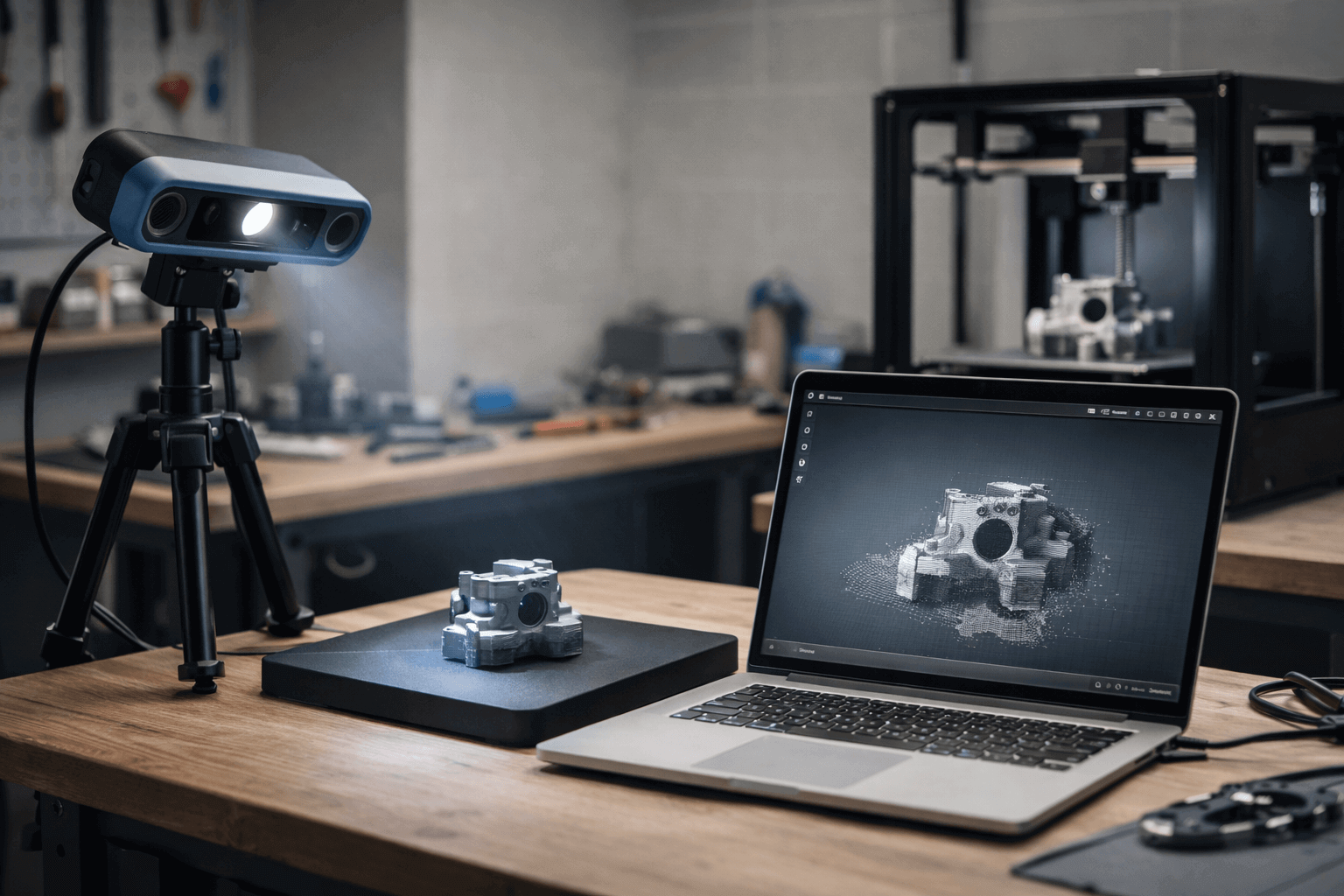
Today’s 3D scanners are cheaper, faster, and far more practical for everyday maker projects. More importantly, they finally fit into a real-world workflow: scan → clean → print.
You don’t need an engineering background, and you don’t need perfect accuracy to get useful results.
That said, here’s the uncomfortable truth most articles won’t tell you:
Most 3D scanners are still not good for most makers.
They look great in spec sheets and promise sub-millimeter accuracy. But in real use, they often fail at the things makers actually care about:
- quick setup
- repeatable results
- models that are easy to clean and print
This guide is written to fix that gap.
Instead of ranking scanners by lab specs or marketing claims, this article focuses on one simple question:
Which 3D scanners actually work for makers in 2025?
That means:
- scanning parts you want to repair or redesign
- capturing real objects for 3D printing
- working in a home or small workshop, not a lab
For most makers, the goal isn’t a “perfect” scan but a usable model — one that saves time instead of creating more work.
In the sections below, we’ll break down what really matters when choosing a 3D scanner as a maker, explain the trade-offs no one talks about, and recommend scanners based on how you plan to use them, not just how they look on paper.
If you’ve ever wondered whether a 3D scanner is actually worth it or which one won’t end up collecting dust, you’re in the right place.
What Makes a “Good” 3D Scanner for Makers?
If you read most 3D scanner reviews, you’ll see the same things over and over again: accuracy numbers, resolution charts, and long lists of technical specs.
For makers, that information is often misleading.
A “good” 3D scanner for a maker is not the one with the smallest accuracy number on paper. It’s the one that fits into your workflow and actually helps you finish projects faster.
Here are the factors that matter most.
Accuracy vs Usability: The Trade-Off Makers Should Understand
Accuracy sounds simple. Smaller numbers feel better. But in real maker projects, ultra-high accuracy comes with a cost.
Highly accurate scanners usually:
- take longer to set up
- require careful scanning paths
- produce heavy files that are harder to clean
For most home makers, accuracy below a certain point brings very little real benefit.
If your goal is:
- repairing a broken part
- recreating a bracket or housing
- printing a replacement piece
then a clean, consistent scan is far more valuable than chasing tiny detail you’ll never see after printing.
For most makers, stability and repeatability matter more than raw accuracy.
Setup Time and Learning Curve Matter More Than You Think
A scanner you rarely use is worse than a scanner that’s slightly less capable but easy to start.
Many makers give up on 3D scanning for one simple reason: the process feels frustrating. Long calibration steps, confusing software, or scans that fail without clear feedback quickly kill motivation.
A maker-friendly 3D scanner should:
- be ready to scan in minutes, not hours
- give clear visual feedback during scanning
- recover gracefully if tracking is lost
If your first successful scan takes a whole afternoon, that scanner is not beginner-friendly — no matter how good it looks in reviews.
Scan Quality Is Only Half the Story: Cleaning Matters
This is the part many buying guides ignore.
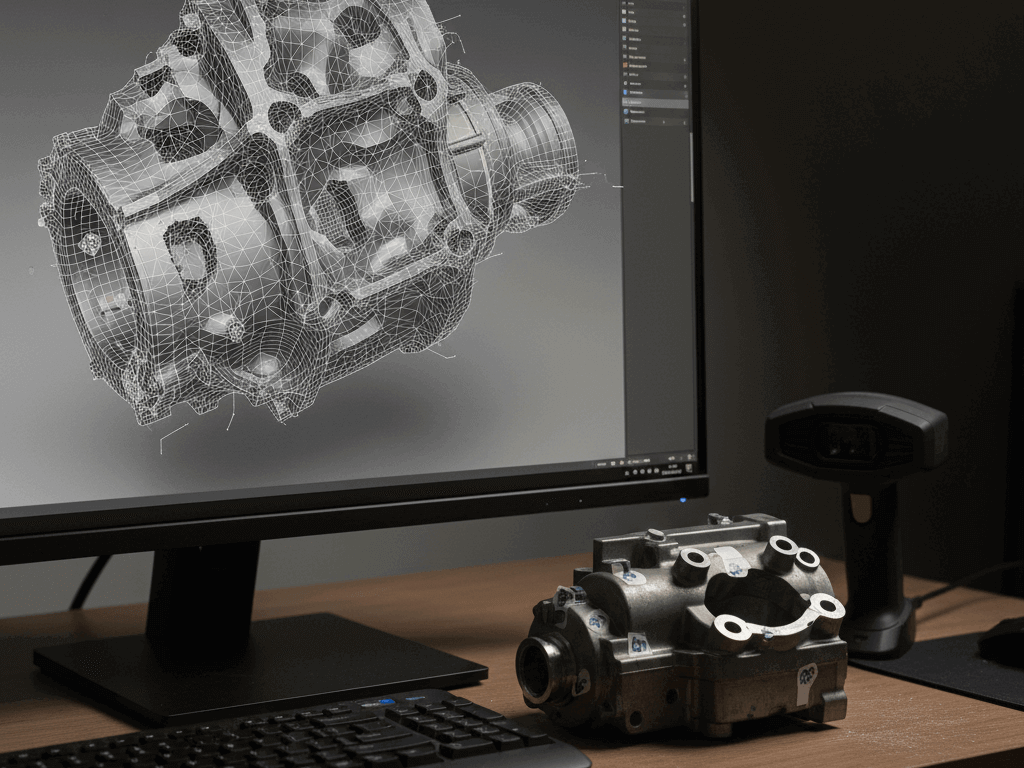
Scanning creates a raw mesh, not a printable model. Holes, noise, and uneven surfaces are normal — even on expensive scanners.
What separates a good maker scanner from a frustrating one is how easy it is to clean the result.
Look for:
- simple hole-filling tools
- basic smoothing that doesn’t destroy geometry
- clean export to STL or OBJ
If cleaning a scan takes longer than modeling the part from scratch, the scanner isn’t doing its job.
Tracking and Stability Beat Peak Resolution
Makers rarely scan in perfect conditions. Lighting changes. Hands shake. Objects move slightly.
A scanner with excellent tracking will produce better real-world results than one that only performs well in ideal demos.
Strong tracking means:
- fewer broken scans
- less re-scanning
- more confidence when scanning larger objects
This matters far more than headline resolution numbers.
Software and Ecosystem Matter More in 2025
In 2025, hardware is only half the product.
Regular software updates, active user communities, and clear tutorials can dramatically improve your experience over time. Many scanners get better after launch — but only if the company keeps supporting them.
Before buying, it’s worth checking:
- how often the software is updated
- whether tutorials exist beyond marketing videos
- if real users share workflows and fixes
For makers, a strong ecosystem often matters more than small hardware advantages.
The Bottom Line for Makers
A good 3D scanner for makers is not the most precise or the most expensive.
It’s the one that:
- fits your space
- fits your patience level
- produces models you can actually print
Once you understand this, choosing the right scanner becomes much easier — and you avoid buying tools that look impressive but never get used.
Types of 3D Scanners: A Maker-Friendly Overview
Not all 3D scanners work the same way, and choosing the wrong type is one of the most common reasons makers end up disappointed.
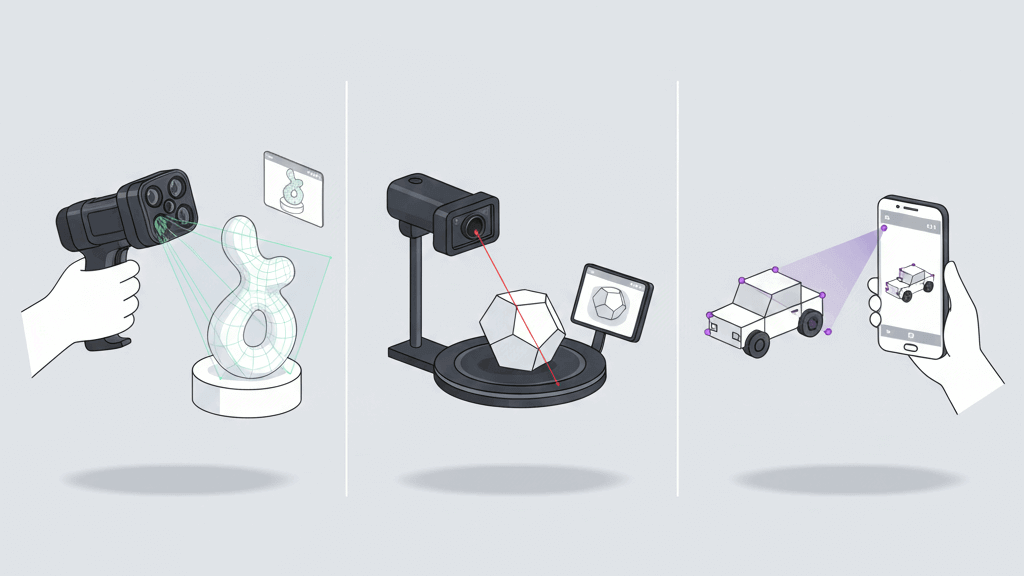
Before looking at specific models, it helps to understand the three main types of 3D scanners most makers will encounter — and what each one is actually good at.
Handheld 3D Scanners
Handheld scanners are the most flexible and the most popular choice for makers today.
You move the scanner around the object while the software tracks its position and builds the model in real time. This makes them suitable for a wide range of projects, from small parts to larger objects.
Why makers like them:
- work with many object sizes
- good for irregular shapes
- portable and easy to store
Where they struggle:
- require steady movement
- tracking can be lost on simple or shiny surfaces
- learning curve is real, especially at first
Handheld scanners reward practice. Once you get comfortable with the scanning motion, they become powerful tools. For beginners, however, the first few scans can feel messy and inconsistent.
Handheld scanners offer freedom, but they demand patience.
Desktop and Turntable 3D Scanners
Desktop scanners usually rely on a fixed camera setup and a rotating turntable. You place the object on the platform, and the scanner captures it from multiple angles automatically.
This approach trades flexibility for stability.
Why they work well for makers:
- very consistent results
- minimal hand movement
- easier for beginners to succeed
Their main limitation:
- object size is strictly limited
- not suitable for large or attached parts
If you mostly scan small objects, miniatures, or detailed parts, desktop scanners can be surprisingly effective. They are often less stressful to use than handheld scanners, especially for first-time users.
Phone-Based and LiDAR Scanning
Modern phones and tablets can scan objects using cameras or built-in LiDAR sensors. This makes them extremely accessible — but also easy to overestimate.
What they’re good for:
- rough shape capture
- large objects and spaces
- quick reference models
What they’re not good at:
- fine detail
- clean edges
- parts meant for precise 3D printing
Phone-based scanning can be useful for planning, scaling, or visualization. But if your goal is to produce a printable part that fits well, these scans usually fall short.
Phone scanning is convenient, not precise.
A Quick Reality Check
No scanner type is perfect.
Handheld scanners offer flexibility but require practice.
Desktop scanners are stable but limited in size.
Phone-based scanning is easy but rarely accurate enough for printing.
Understanding these trade-offs upfront saves you money and frustration. Once you know what kind of objects you want to scan, choosing the right type becomes much simpler.
Why This Matters Before You Buy
Many buying mistakes happen because makers compare scanners across types without realizing they’re designed for different problems.
In the next section, we’ll move from scanner types to real maker use cases — and recommend specific scanners based on how you actually plan to use them, not just how the technology works.
Best 3D Scanners for Makers by Use Case (2025 Picks)
There is no single “best” 3D scanner for every maker.
What works well for scanning a broken bracket may completely fail when scanning a human body or a large prop. That’s why choosing a scanner based on how you actually plan to use it matters far more than chasing specs.
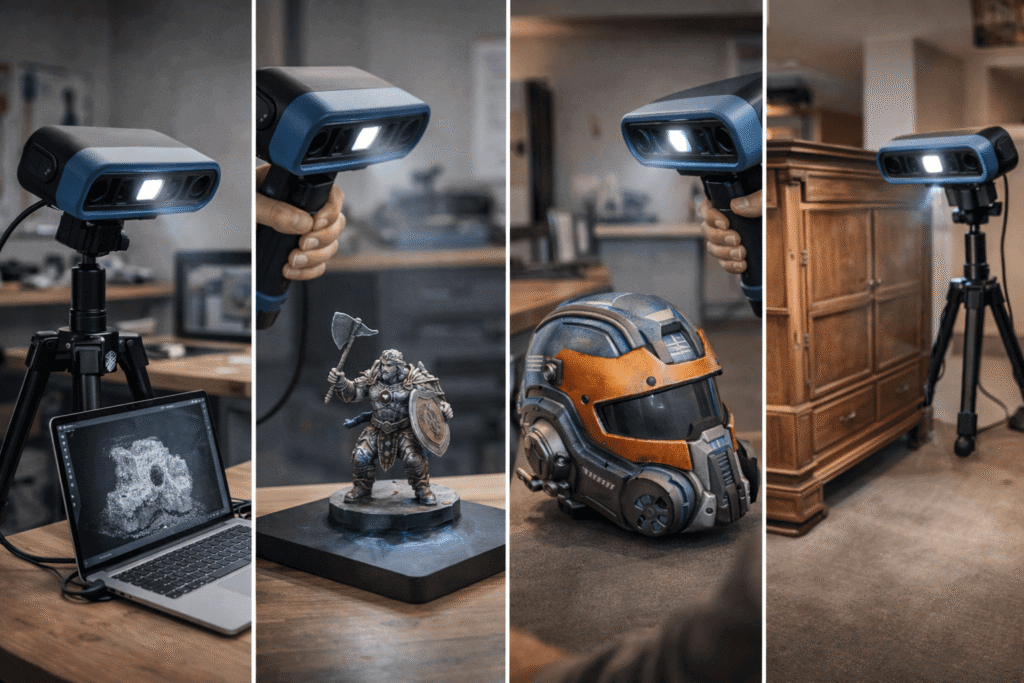
Below are the most common maker use cases in 2025 — along with the types of scanners that make sense for each one, and a few real-world examples that fit those roles well.
Best 3D Scanners for 3D Printing & Part Repair
Best for:
- broken plastic parts
- brackets, clips, housings
- reverse modeling for functional prints
For makers focused on 3D printing, the goal is simple: a scan that’s easy to clean and dimensionally consistent.
You don’t need extreme surface detail. What you need is:
- stable geometry
- clean edges
- predictable scale
Scanners that work well here tend to prioritize tracking stability and workflow reliability over chasing the smallest accuracy numbers.
Reality check:
Even with a good scan, most functional parts still benefit from light CAD cleanup. A scanner saves time, but it doesn’t replace basic modeling skills.
Examples that fit this use case in 2025:、


- Revopoint POP 3 Plus — balanced performance, easy to start with, and well suited for part repair workflows
- Einstar — stronger tracking and consistency, especially for medium-sized functional parts
Verdict:
For functional 3D printing, choose scanners that produce usable meshes rather than ultra-detailed ones.
Best 3D Scanners for Miniatures & Small Objects
Best for:
- miniatures
- figurines
- small mechanical parts
Small objects are deceptively hard to scan. Fine details, sharp edges, and limited surface area make tracking errors more likely.
For this type of work, stability matters more than flexibility. Fixed setups reduce hand movement and produce more consistent results.
Reality check:
If you expect a perfect miniature straight out of the scanner, you’ll be disappointed. Fine details often need manual cleanup or reinforcement before printing.
Examples that fit this use case in 2025:
- Desktop or turntable-style scanners with controlled lighting
- Entry-level fixed scanners like 3DMakerpro Seal Lite for learning and casual miniature scanning
No products found.
Verdict:
When scanning small objects, a stable setup usually beats a more powerful handheld scanner.
Best 3D Scanners for Cosplay & Human Scanning
Best for:
- cosplay armor
- helmets and masks
- wearable parts
Human scanning looks impressive, but it’s one of the most demanding use cases.
Movement, changing posture, and uneven lighting all introduce errors. Scanners that perform well here focus on fast capture and strong real-time tracking, not maximum resolution.
Expect to:
- scan in multiple passes
- merge scans afterward
- spend time smoothing and reshaping
Reality check:
There is no such thing as a perfect human scan. Every cosplay project involves interpretation and adjustment.
Examples that fit this use case in 2025:
- Creality CR-Scan Raptor — strong tracking and better tolerance for movement
- Revopoint MetroX — higher precision for wearable parts when the subject can stay relatively still

No products found.
Verdict:
For cosplay, tracking reliability and workflow flexibility matter far more than headline accuracy.
Best 3D Scanners for Large Objects
Best for:
- furniture
- vehicle parts
- large props
Large objects introduce challenges that don’t show up in small scans: distance changes, tracking loss, and inconsistent lighting.
Handheld scanners with reliable tracking systems work best here, especially those that can recover quickly when tracking is interrupted.
Reality check:
Large scans are rarely one-and-done. Breaking the object into sections and merging later often produces better results.
Examples that fit this use case in 2025:
- Creality CR-Scan Raptor — designed for larger scanning volumes and longer sessions
- Handheld scanners with proven outdoor or mixed-light performance
Verdict:
For large objects, tracking stability matters more than resolution.
Best Budget 3D Scanners for Makers
Best for:
- beginners
- occasional scanning
- learning scanning workflows
Budget scanners in 2025 are far more capable than they used to be — but expectations still matter.
At lower price points, you should expect:
- more noise in raw scans
- more cleanup work
- narrower ideal use cases
Reality check:
A budget scanner works best when matched to one clear task, not as an all-purpose solution.
Examples that fit this use case in 2025:
- Creality CR-Scan Ferret — affordable entry point for simple scanning needs
- 3DMakerpro Seal Lite — suitable for learning and small-object scanning with a fixed setup

Verdict:
A focused budget scanner is better than an ambitious one that frustrates you.
A Simple Way to Choose
If you’re unsure where you fit, ask yourself one question:
What object do I plan to scan most often?
Once that’s clear, the right scanner category — and the right product — usually becomes obvious.
Common 3D Scanning Problems
Almost every maker’s first 3D scan fails.
Not because they did something wrong but because 3D scanning is less forgiving than it looks in videos. Understanding the common problems upfront saves a lot of frustration and helps you get usable results faster.
Why Your First Scan Will Probably Fail
This is normal.
New users often move too fast, lose tracking, or stop the scan too early. Others expect the scanner to “figure things out” automatically.
In reality, good scans come from:
- slow, steady movement
- consistent distance from the object
- overlapping passes
Most scanners need visual reference points to stay locked on. When tracking is lost, the model breaks or warps.
What makers do instead:
They rescan in shorter sections and merge later. Smaller, controlled scans almost always work better than one long pass.
Black, Shiny, and Transparent Objects
These surfaces are a nightmare for almost every scanner.
Dark objects absorb light. Shiny surfaces reflect it unpredictably. Transparent materials confuse depth detection entirely.
Common symptoms:
- missing areas
- floating noise
- warped geometry
What actually helps:
- improving ambient lighting
- changing the scan angle
- using removable surface treatments designed for scanning
Reality check:
Some objects will never scan cleanly without preparation. That’s a limitation of the technology, not your skill.
Holes, Noise, and “Messy” Meshes
Raw scans are rarely clean.
Expect:
- small holes
- uneven surfaces
- extra geometry where the scanner lost confidence
This is where cleanup tools matter more than raw scan quality.
What makers focus on:
- filling large holes first
- smoothing only what affects function or fit
- keeping sharp edges where needed
Trying to make a scan “perfect” usually wastes time and removes important detail.
Scaling and Fit Issues
Even good scans can print poorly if scaling isn’t handled correctly.
Common causes include:
- unit mismatches
- uneven scan coverage
- slight tracking drift
What makers do:
They test-fit early. Printing a quick low-resolution prototype often reveals problems before committing to a long print.
When Photogrammetry Is the Better Option
A 3D scanner is not always the best tool.
For large, static objects — or when fine surface detail matters more than dimensional accuracy — photogrammetry can be a better choice.
It works well when:
- the object doesn’t move
- lighting is controlled
- many photos can be taken
The downside is longer processing time and more cleanup. But for some projects, the results are worth it.
Reality check:
Knowing when not to use a scanner is just as important as knowing when to use one.
The Big Takeaway
3D scanning is not magic. It’s a tool that rewards patience and realistic expectations.
Once makers accept that:
- cleanup is normal
- rescanning is part of the process
- perfection isn’t required
3D scanners become far more useful — and far less frustrating.

Is a 3D Scanner Worth It for Makers in 2025?
This is the question most makers are really asking.
Not “Which scanner is best?”
But “Is a 3D scanner actually worth my money and time?”
In 2025, the answer is: it depends on what you make and how often you scan.
When a 3D Scanner Is Worth Buying
A 3D scanner makes sense if you regularly work with real-world objects and want to turn them into printable models.
It’s especially worth it if you:
- repair or replace broken parts
- recreate objects that are hard to measure manually
- work with organic or complex shapes
- want to speed up reverse modeling
In these cases, a scanner doesn’t replace CAD — it shortens the path to a usable design. Even imperfect scans provide a strong starting point and save hours of measuring and guessing.
For many makers, that time savings alone justifies the cost.
When a 3D Scanner Is Not Worth It (Yet)
A scanner may not be the right investment if:
- you mostly design simple parts from scratch
- you scan objects only once or twice a year
- you expect finished, print-ready models with no cleanup
If your projects are mostly:
- boxes
- brackets
- flat or symmetrical parts
manual measurement and basic CAD are often faster and more reliable.
A scanner becomes frustrating when expectations don’t match reality.
Scanner vs Manual Measuring vs Redesigning
For many maker projects, there are three ways to approach an object:
Manual measuring:
- best for simple geometry
- lowest cost
- most control
Redesigning from reference:
- good balance of accuracy and flexibility
- ideal when exact copies aren’t required
3D scanning:
- best for complex or organic shapes
- fastest way to capture real-world form
- requires cleanup and adjustment
The best makers don’t rely on only one method. They choose the tool that fits the problem.
The Hidden Cost: Time and Learning
Buying a scanner is not just a hardware purchase.
There is also:
- time spent learning the software
- time spent cleaning scans
- time spent redoing failed attempts
For some makers, this is part of the fun. For others, it becomes a barrier.
A scanner is worth it only if you enjoy — or at least tolerate — the learning curve.
A Simple Rule of Thumb
If scanning real objects is a core part of your projects, a 3D scanner is worth considering in 2025.
If it’s just a curiosity, it’s often better to:
- borrow one
- use a service
- experiment with photogrammetry first
That way, you learn the workflow before committing.
The Bottom Line
A 3D scanner is not a must-have tool for every maker.
But for the right person, it can:
- unlock new project ideas
- reduce modeling time
- make reverse engineering far less painful
Understanding where you fall on that spectrum is the key to making a smart purchase.
Buying Tips: What to Check Before You Pay
By the time makers reach this point, most already have one or two scanners in mind.
This section isn’t about pushing you toward a specific model. It’s about helping you avoid the small but costly mistakes that turn an exciting purchase into a regret.
Software Matters More Than Hardware Specs
In 2025, a 3D scanner is only as good as its software.
Hardware improves slowly. Software changes everything.
Before buying, check:
- how often the software is updated
- whether updates add real features or just bug fixes
- if the interface looks usable without a manual
A scanner with average hardware and strong software support often ages better than a powerful scanner with neglected software.
Community and Learning Resources Are a Hidden Advantage
Scanners with active user communities are easier to live with.
When something goes wrong — and it will — having access to:
- real user workflows
- shared scanning tips
- troubleshooting discussions
can save hours of frustration.
If most content around a scanner is marketing material, that’s a warning sign.
Make Sure It Fits Your Computer and Workspace
This sounds obvious, but many makers overlook it.
Check:
- operating system support (Windows / macOS)
- GPU requirements
- USB or power needs
- physical scanning space
A scanner that technically works but feels awkward in your space quickly becomes something you avoid using.
Export Formats and Workflow Compatibility
Always confirm what file formats the scanner can export.
At minimum, you should expect:
- STL for 3D printing
- OBJ or PLY for mesh editing
Also think about where the model goes next. If your workflow involves specific slicers or modeling tools, compatibility matters more than fancy features.
Don’t Overpay for Features You Won’t Use
Many scanners advertise advanced modes that sound impressive but rarely get used by makers.
Ask yourself honestly:
- Will I scan this type of object often?
- Do I need this level of detail?
- Am I willing to learn this feature properly?
Paying for unused features doesn’t improve results — it only increases expectations.
Consider Support and Long-Term Updates
3D scanners are not disposable tools.
Look for signs that the company:
- supports older models
- releases firmware or software updates
- responds to user issues publicly
A scanner that improves over time is worth more than one that peaks on launch day.
A Practical Final Check
Before you click “buy,” answer these three questions:
- What object will I scan most often?
- Where will I use the scanner?
- How much cleanup am I willing to do?
If the scanner you’re considering fits those answers, you’re likely making a good choice.
Why This Section Matters
Most buyer’s remorse doesn’t come from poor scan quality.
It comes from mismatched expectations.
Thinking through these points takes minutes — and can save months of frustration.
Final Recommendations: Choose the Right 3D Scanner in 30 Seconds (2025)
If you don’t want to think too much, start here.
This section is not a summary of use cases.
It’s a decision shortcut — designed to help you move from “I understand” to “I know what to pick.”
If you mainly scan functional parts for 3D printing
→ Choose a balanced handheld scanner with stable tracking and clean STL output.
→ This gives you usable geometry without overcomplicating the workflow.
Good examples: Revopoint POP 3 Plus, Einstar
If you want the easiest learning curve
→ Choose a fixed desktop or turntable-style scanner.
→ Less hand movement means fewer failed scans and faster confidence building.
Good examples: entry-level fixed setups like Seal Lite–type scanners
If you scan people, cosplay parts, or wearables
→ Choose scanners that prioritize tracking reliability over extreme detail.
→ Fast capture and tolerance for movement matter more than resolution.
Good examples: Creality CR-Scan Raptor, Revopoint MetroX
If you mostly scan small objects or miniatures
→ Prioritize stability and controlled lighting, not flexibility.
→ Handheld scanners often struggle more than fixed setups at this scale.
Good examples: desktop or turntable-based scanners for small objects
If you just want to experiment on a budget
→ Pick one clear use case, not an all-in-one promise.
→ Budget scanners work best when expectations are narrow.
Good examples: Creality CR-Scan Ferret
How to Use This List
If more than one line fits you, start with the first one.
That usually reflects what you’ll scan most often — and that matters more than features.
Editor’s Final Note
A 3D scanner is not about owning better hardware.
It’s about removing friction from your workflow.
The right scanner feels boring in the best way:
you set it up, you scan, you move on.
That’s the one worth buying.
FAQ: 3D Scanners for Makers (2025)
Is a 3D scanner accurate enough for 3D printing?
Yes — for most maker projects, it is accurate enough.
What matters more than raw accuracy is consistency. A stable scan with clean geometry is far more useful than a highly detailed scan that’s hard to clean or scale. Many makers use scans as a starting point and refine dimensions in CAD before printing.
Can I scan objects for 3D printing using my phone?
You can, but with limits.
Phone-based scanning works well for:
- rough shapes
- large objects
- visual reference
It usually struggles with:
- sharp edges
- tight tolerances
- small details
For functional 3D prints, phone scans are often not precise enough on their own.
Do I still need CAD skills if I use a 3D scanner?
Yes — but usually less than before.
A scanner captures shape, not design intent. Most makers still:
- clean meshes
- adjust dimensions
- add or remove features
Basic CAD skills make scanning far more useful and reduce frustration.
What size objects are hardest to scan?
Very small and very large objects are both challenging.
- Small objects require stable setups and careful lighting.
- Large objects need strong tracking and often multiple scans.
Mid-sized objects with surface detail are usually the easiest to scan.
Why do my scans have holes or messy surfaces?
This is normal.
Holes and noise appear when the scanner:
- loses tracking
- can’t read the surface properly
- misses angles
Most scans require cleanup. A “perfect” raw scan is rare, even with expensive hardware.
Is photogrammetry better than a 3D scanner?
Sometimes.
Photogrammetry works well for:
- large, static objects
- detailed surface textures
It takes longer to process and clean, but it can be a good alternative when scanning conditions are right. Many makers use both methods depending on the project.
How much cleanup should I expect after scanning?
Some — almost always.
Cleanup is part of the workflow:
- filling holes
- smoothing surfaces
- fixing edges
If a scan needs zero cleanup, it’s the exception, not the rule.
Is a 3D scanner worth it for beginners?
It can be, if expectations are realistic.
Beginners who:
- enjoy learning new tools
- work with complex shapes
- accept trial and error
tend to get the most value. For simple parts, manual modeling is often faster.
How long does it take to learn 3D scanning?
Most makers get usable results within a few sessions.
Becoming consistent takes longer. Like 3D printing, scanning rewards practice more than theory.
Final Note for Readers
3D scanning is a skill, not a magic button.
Once makers understand its limits and strengths, scanners become far more useful — and far less frustrating.
*Note: Some images shown here were generated using AI and are intended for illustration only.







One response to “Best 3D Scanners for Makers (2025): What Actually Works for 3D Printing”
I am genuinely glad to read this webpage posts which contains tons of useful
information, thanks for providing these information.