
Quick Answer
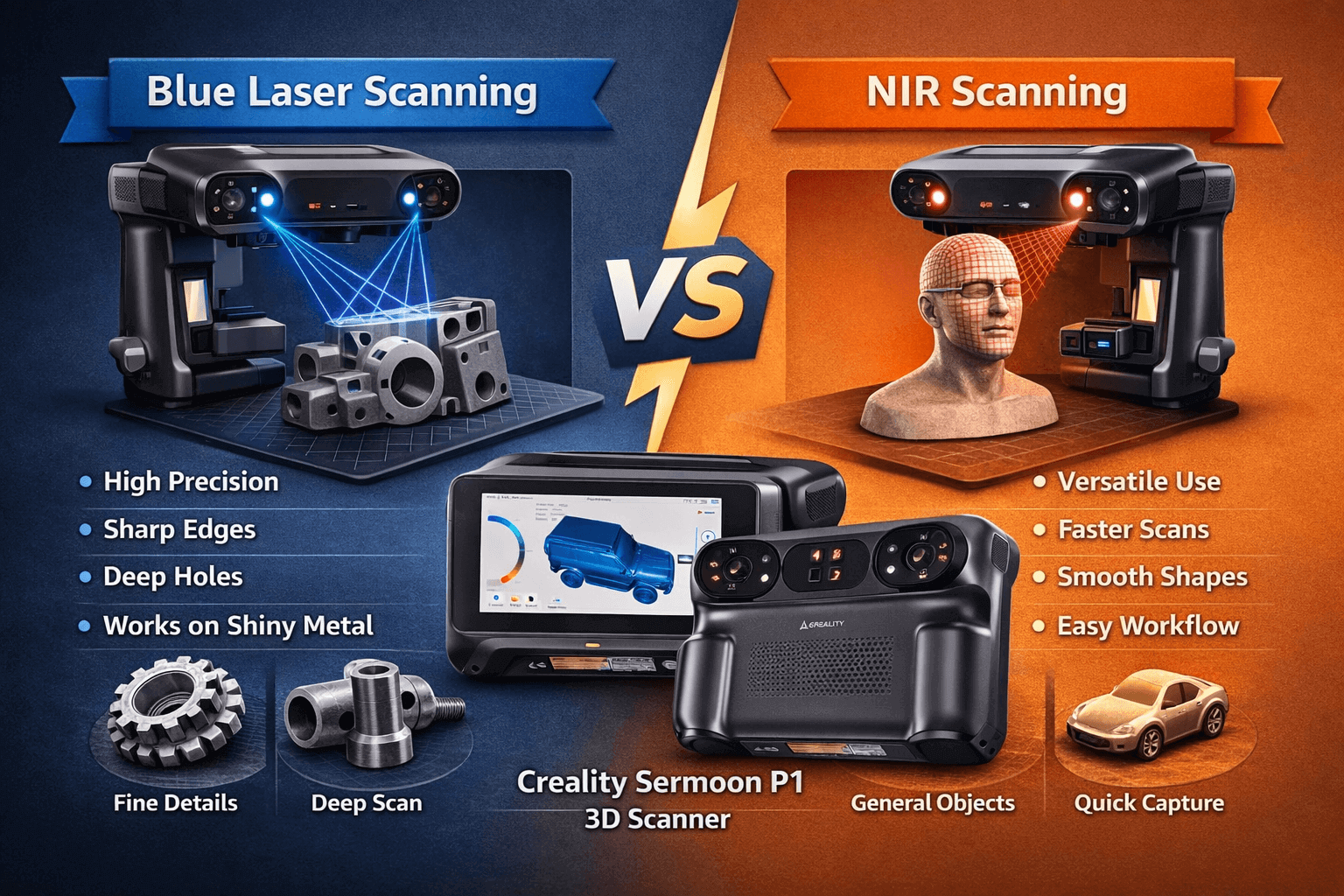
If you’re scanning mechanical parts, sharp edges, holes, or dark/shiny surfaces, start with Blue Laser. It’s the mode designed for maximum detail and difficult geometry.
If you want a more flexible, general-purpose scan (and especially if you’re scanning “softer” shapes or you simply want an easier workflow), use NIR—it’s typically more forgiving, though usually less precise than laser.
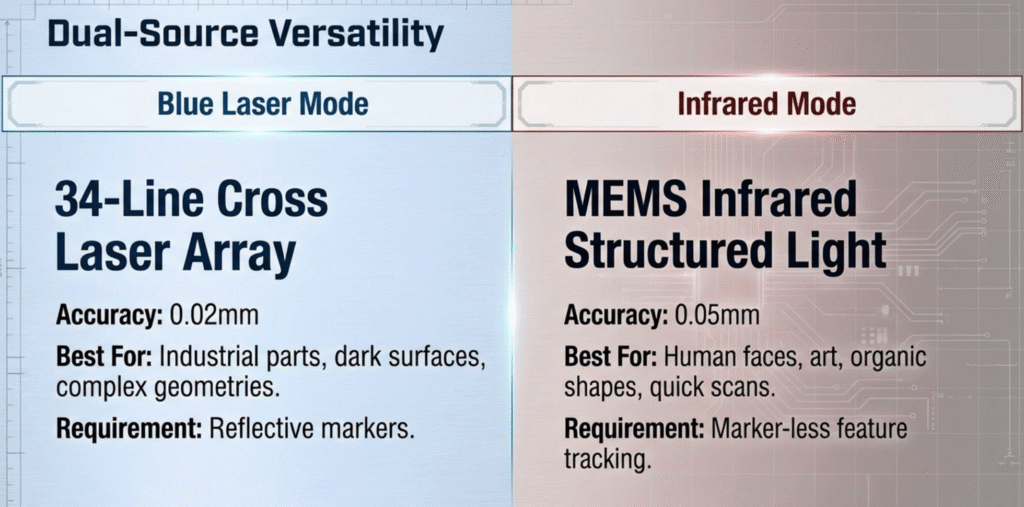
Numbers to keep in mind (as announced): Creality has mentioned up to 0.02 mm accuracy in blue laser mode and around 0.075 mm in NIR mode for the Sermoon P1. In real use, your results still depend a lot on technique (steady movement + overlap) and the object’s surface.
No products found.
What “Blue Laser” and “NIR” Actually Mean
Blue Laser (laser line scanning)
The scanner projects blue laser lines onto the object and uses cameras/sensors to measure how those lines bend across the surface. This method is great at capturing tiny shape changes, which is why laser scanning is often used for parts, edges, and detailed surfaces.
On the Sermoon P1, blue laser scanning is also tied to different laser line patterns (like cross/parallel/single-line modes), which are meant to balance speed vs detail vs deep features.
NIR (near-infrared structured light)
NIR mode uses near-infrared light (invisible to your eyes) to project a pattern and calculate depth from how the pattern lands on the object.
Structured light is commonly used for smoother scanning on a wider range of objects, and it can be more comfortable in normal environments because you don’t see bright visible light.


The Practical Differences
1) Detail and edge sharpness
- Blue Laser: Better at crisp edges, thin ridges, and tiny engravings.
- NIR: Can look slightly softer on very fine edges (still good, just not usually as sharp).
If your goal is “this replacement part needs to fit,” Blue Laser tends to be the safer choice.
Key Takeaway: For “precision fit” projects, Blue Laser is usually the first pick.
2) Deep holes, recesses, and tricky geometry
This is where mode choice matters most.
- Blue Laser (especially single-line / deep feature mode when available) is typically better for:
- bolt holes
- slots
- grooves
- recessed logos
- cavities
- NIR can struggle with very deep recesses depending on angle and occlusion (because the projected pattern can’t “see” into the hole as easily).
If you scan parts like brackets, housings, or anything with cavities: start with Blue Laser.
Key Takeaway: If it has holes or recesses, choose Blue Laser first.
3) Dark, shiny, or metallic surfaces
Many scanners hate shiny or dark surfaces. Blue Laser is often chosen specifically to improve capture here.
- Blue Laser: Usually better on dark/metallic objects, sometimes reducing your need for spray.
- NIR: Can be more sensitive to surface reflectivity and lighting conditions.
That said: if the object is extremely mirror-like, any scanner may still need surface prep (matting spray or a removable coating). Don’t assume “no spray ever.”
Key Takeaway: Blue Laser increases your chances of scanning difficult surfaces, but it’s not magic.
4) Lighting & environment tips (why results change)
- Avoid direct sunlight if you can. Strong, changing light can make tracking less stable.
- Keep lighting consistent (workshop lights are fine).
- If the surface is very reflective, change your scanning angle and slow down—reflections can look like “fake geometry.”
- For best results, keep the scanner at a consistent distance and avoid sudden rotations.
Key Takeaway: Consistent lighting and controlled movement matter more than people think—most “messy scans” come from environment + technique, not the scanner.
4) Speed and workflow feel
Even if raw FPS numbers exist, what you care about is: “Does it feel easy to scan without losing tracking?”
- Blue Laser can be fast, but may require you to be more deliberate on featureless areas.
- NIR can feel smoother for general shapes and easier “walk-around” scanning, depending on the object.
If you’re a beginner scanning random household objects, NIR can be an easier starting point.
Key Takeaway: NIR can feel easier for casual scanning; Blue Laser is more “precision-first.”
Which Mode Should You Use?
Use these rules and you’ll be right most of the time:
Choose Blue Laser if:
- you’re scanning mechanical parts
- accuracy matters for fit and function
- the object has holes/recesses/grooves
- the surface is dark or metallic
- you need crisp edges and fine detail
Choose NIR if:
- You want a quick first pass to capture the overall shape before doing detail work.
- The object is larger or smoother, and you don’t need ultra-sharp edges everywhere.
- You’re still learning and want a mode that can feel more forgiving for casual scanning.
- You plan to do a two-pass workflow (NIR for shape → Blue Laser for critical details).
Key Takeaway: NIR is great for a fast “base scan,” then Blue Laser can refine the parts that actually need precision.
Best Beginner Workflow (Fast + Safe)
If you’re unsure, do this:
- Start with NIR for an easy first pass (capture the overall shape).
- Switch to Blue Laser for detail passes on:
- edges
- holes
- critical surfaces
- Export and clean up the mesh once at the end.
This “two-pass” approach saves time and gives better results than trying to force one mode to do everything.
Key Takeaway: A quick NIR pass + a Blue Laser detail pass is a beginner-friendly combo workflow.


Common Mistakes
Mistake 1: Using only one mode for everything
Solution: treat modes like tools. Use the right tool for the job.
Mistake 2: Scanning shiny metal and expecting perfection
Solution: if tracking or noise is bad, lightly prep the surface (removable matting options) and rescan.
Mistake 3: Moving too fast around deep holes
Solution: slow down and change angles. Give the scanner time to “see” inside.
Mistake 4: Ignoring alignment and overlap
Solution: always keep overlap between passes. Think “paint strokes,” not random movements.
Key Takeaway: Most “bad scans” are workflow problems, not hardware problems.

FAQ
Q: Is Blue Laser always more accurate than NIR?
A: In most cases, Blue Laser is used for higher precision and sharper edges, while NIR is more about flexibility. But final accuracy also depends on technique, object material, and scan settings.
Q: Can NIR scan dark metal well?
A: It depends. NIR can struggle on difficult reflective surfaces. If you’re scanning dark/shiny metal, Blue Laser is usually the better first attempt.
Q: Should beginners avoid Blue Laser?
A: No. Beginners can absolutely start with Blue Laser—just move slower and scan with good overlap. If you want the simplest first experience, start with NIR and then switch to Blue Laser for detail.
Key Takeaway: Beginners don’t need to fear Blue Laser—just use it deliberately.






Leave a Reply