
Table of Contents
Makers101 Quick Take: The Falcon T1 is a beast for batch production. If you need speed and versatility (Metal + Wood + Glass), this is the one. If you need to cut large furniture, stick to the Falcon 2 Pro.
Prefer listening? Hear the key takeaways
This is a quick audio version of the guide — same advice, just easier to consume.
This audio is an AI-generated narration based on an original podcast-style discussion and the author’s original analysis, using publicly available product information.
If you’ve been following the laser engraving scene as long as I have, you know the struggle: The “One Machine” dilemma. For years, we’ve had to choose.
You buy a gantry diode laser for cutting wood and acrylic, but it’s too slow for bulk production. Or, you buy a fiber laser for deep metal engraving, but it costs a fortune and can’t touch wood.
Your workshop ends up cluttered with three different machines, and your wallet ends up empty.
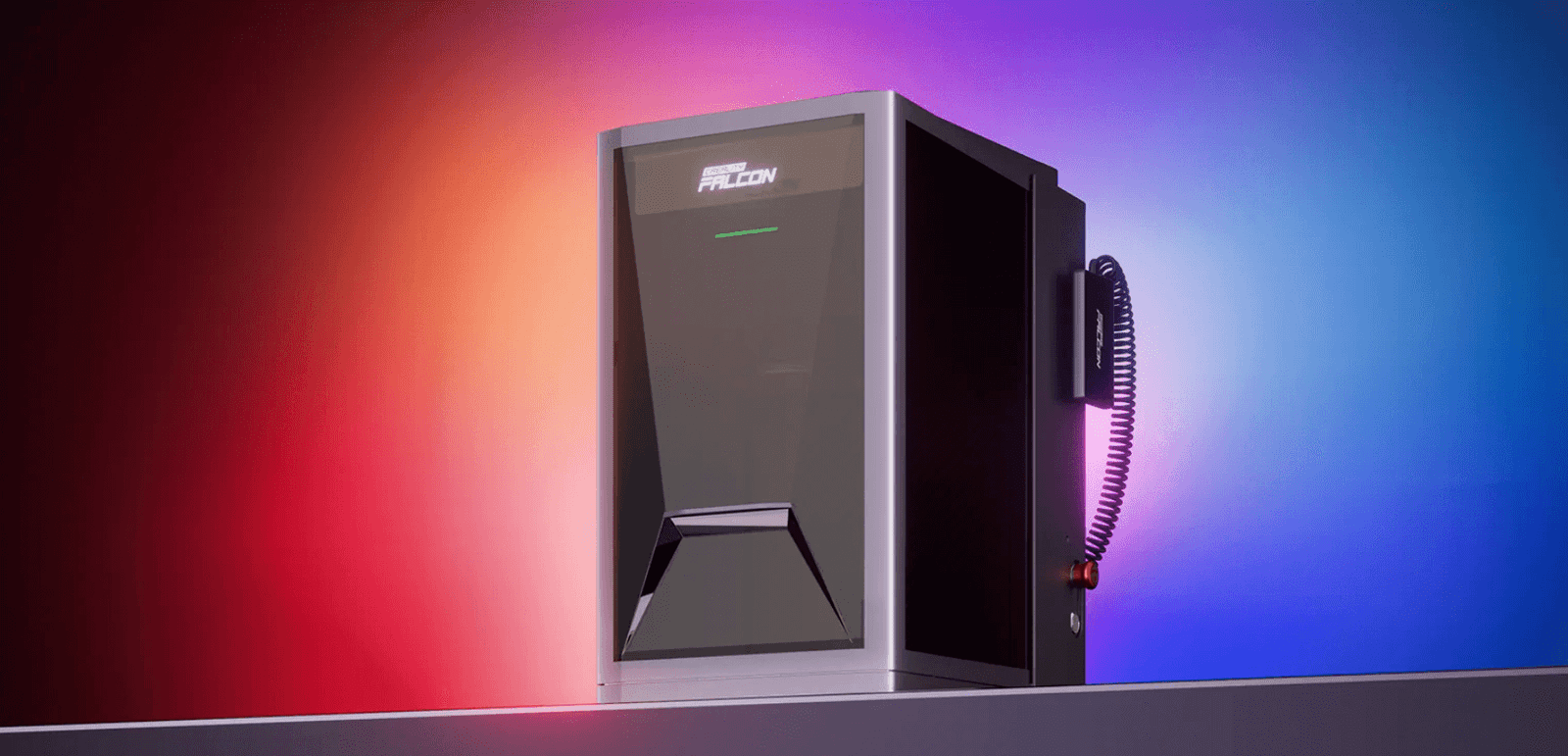
Creality is promising to end this fragmentation with what looks to be the most versatile desktop machine we’ve seen in 2026. The Falcon T1 isn’t just another laser; it’s a modular galvanometer (galvo) powerhouse that claims to be a “5-in-1” solution.
By swapping the laser module, it transforms from a wood-cutting blue diode to a metal-marking fiber beast, and even a color-engraving MOPA machine.
On paper, the specs are aggressive. We are talking about speeds that leave traditional diode lasers in the dust (thanks to the galvo system), fully enclosed safety features, and the holy grail of compatibility: LightBurn support right out of the box.
It’s clearly aiming to take a bite out of the market currently dominated by the xTool F1 Ultra and LaserPecker.

Note: The Creality Falcon T1 is currently in the Pre-order phase (Check official page). This guide is a comprehensive deep dive into the technical specifications, feature breakdown, and value proposition based on the latest release data. I will order my unit, and this page will be updated with real-world tests (and smoke!) as soon as it lands on my workbench.

Creality Falcon T1 — Technical Specification
Machine Overview
| Item | Specification |
|---|---|
| Product Name | Creality Falcon T1 |
| Machine Type | Modular Laser Engraver |
| Laser Architecture | Galvo (Galvanometer System) |
| Safety Class | Class 1 |
| Enclosure Type | Fully Enclosed |
| Cooling System | Integrated Active Cooling |
Working Area & Precision
| Item | Specification |
|---|---|
| Standard Working Area | 175 × 175 mm |
| Internal Engraving Area | 70 × 70 mm |
| Positioning Accuracy | ±0.01 mm |
| Engraving Accuracy | < 0.01 mm |
Performance
| Item | Specification |
|---|---|
| Maximum Engraving Speed | Up to 10,000 mm/s |
| Beam Control Method | Galvo Mirror Steering |
Laser Module System (5-in-1)
| Module | Power | Wavelength |
|---|---|---|
| Blue Diode Laser | 20 W | 455 nm ±5 nm |
| Blue Diode Laser | 40 W | 455 nm ±5 nm |
| Fiber Laser | 20 W | 1064 nm ±5 nm |
| MOPA Fiber Laser | 60 W | 1064 nm ±5 nm |
| UV Laser | 5 W | 355 nm ±2 nm |
Material Compatibility
| Material | Supported Laser Module |
|---|---|
| Wood | Diode (20W / 40W) |
| Leather | Diode (20W / 40W) |
| Paper / Cardboard | Diode |
| Coated Materials | Diode |
| Stainless Steel | Fiber / MOPA |
| Aluminum | Fiber / MOPA |
| Brass | Fiber / MOPA |
| Anodized Metal | Fiber / MOPA |
| Color Engraving on Metal | MOPA |
| Glass / Crystal | UV |
| PCBs | UV |
| Plastics | Fiber / MOPA / UV (material dependent) |
Software & File Support
| Item | Specification |
|---|---|
| Official Software | Falcon Design Space |
| Third-Party Software | LightBurn (compatibility promoted) |
| Supported File Formats | JPG / JPEG / PNG / BMP / SVG / DXF / PDF |
| Supported Operating Systems | Windows, macOS |
Application Scope
| Category | Description |
|---|---|
| Engraving Type | High-speed engraving, serial marking |
| Product Size | Small to medium items |
| Production Mode | Batch and repetitive engraving |
| Material Range | Wood, metal, glass, plastics |
The Module Breakdown: One Machine, Infinite Possibilities
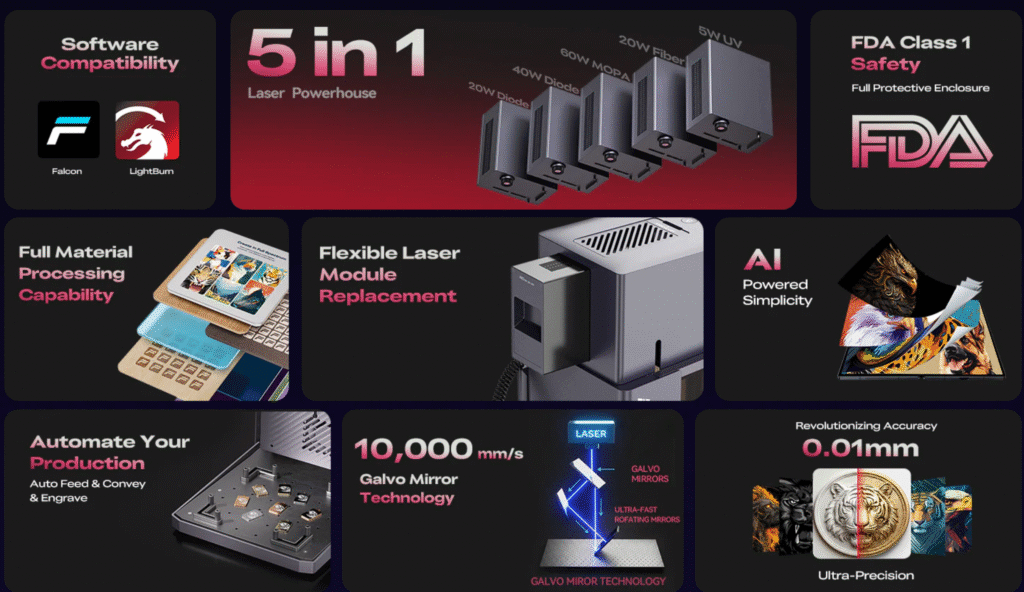
The “secret sauce” of the Creality Falcon T1 is its “5-in-1” modular DNA. In the past, if you wanted to transition from cutting wood to color-engraving stainless steel, you had to buy two entirely different machines.
The T1 changes the game by allowing you to swap laser heads in seconds.
Here is a deep dive into the four primary modules and why each one deserves a spot on your workbench:
1. The Blue Diode Module: The Versatile Foundation
- Primary Function: Cutting and engraving organic materials.
- Best Use Cases: Wood, plywood, leather, black acrylic, cardboard, and fabric.
- Makers101 Expert Take: This is the “bread and butter” for most makers. While Galvo systems are traditionally known for engraving, the T1’s diode module still maintains impressive cutting capabilities. If you are making leather wallets, wooden puzzles, or custom patches, this is your go-to tool.
2. The Infrared Fiber Module: The Metal Specialist
- Primary Function: High-speed, permanent engraving on metals and hard plastics.
- Best Use Cases: Stainless steel, aluminum, gold, silver, brass, and dark-colored polymers.
- Makers101 Expert Take: If you’re serious about jewelry customization or EDC (Every Day Carry) gear engraving, you need the Fiber head. Unlike Diode lasers that merely “mark” metal surfaces (often requiring spray), the Fiber laser physically alters the surface for a permanent, high-contrast finish that won’t rub off.
3. The MOPA Module: The “Color Printer” of Lasers
- Primary Function: Creating color markings on stainless steel and high-contrast marks on plastics.
- Best Use Cases: Colorized art on steel, high-end branding, and electronic component marking.
- Makers101 Expert Take: This is the T1’s most premium feature. Unlike standard Fiber lasers, a MOPA (Master Oscillator Power Amplifier) source allows you to adjust pulse frequency and duration. By precisely controlling the heat, you can create various oxide layers on stainless steel that reflect different colors (reds, blues, greens). For artists, this is the ultimate upgrade.
4. The UV Module: The Precision Cold Source
- Primary Function: Marking delicate or highly reflective materials without heat damage.
- Best Use Cases: Clear glass, crystal, delicate plastics, silicone, and PCBs.
- Makers101 Expert Take: UV lasers are often called “Cold Lasers.” Standard Diode or Fiber lasers often shatter glass due to thermal stress. The UV module’s 355nm wavelength is absorbed much better by transparent materials, allowing you to engrave glass perfume bottles or wine glasses with incredible precision and zero cracks.
Galvo vs. Gantry: Which One Should You Choose?
When deciding between the Creality Falcon T1 (Galvo) and a traditional gantry-style laser like the Falcon 2 Pro, it really comes down to one question: Production Speed vs. Project Size.
Here is the breakdown to help you decide which one belongs in your workshop.
The Case for the Falcon T1
If your primary goal is efficiency and precision on a smaller scale, the T1 wins hands down. Because the laser beam is moved by high-speed mirrors rather than a heavy mechanical gantry, the T1 can complete engraving tasks in a fraction of the time.
- Speed: Up to 10x faster than gantry lasers.
- Batch Production: Ideal for engraving 50 localized logos on metal business cards or pens in minutes.
- Accuracy: Higher repeatability and finer detail for jewelry and small electronics.
- Best for: Etsy sellers, craft fair vendors, and jewelry designers.
The Case for the Falcon 2 Pro
If you are looking to cut large-scale projects, the Falcon 2 Pro is still the king. Gantry systems offer a much larger physical workspace, allowing you to handle massive sheets of plywood or acrylic.
- Workspace: Usually 400x400mm or larger, compared to the T1’s standard 110x110mm area.
- Cutting Power: Since gantry lasers focus on raw power (up to 60W diode), they are better suited for thick wood cutting.
- Best for: Furniture makers, architectural modelers, and large signage creators.
The Verdict
- Choose the Falcon T1 if: You value speed, work mostly on small-to-medium items (phones, jewelry, tumblers), and want the versatility of 5 different laser sources.
- Choose a Gantry Laser if: You need to cut large parts for assembly or work on oversized canvases that a Galvo lens simply cannot reach.
Software Compatibility & Ease of Use
One of the biggest concerns for any laser enthusiast is software. Creality has hit the mark here by ensuring the Falcon T1 is fully compatible with LightBurn, the industry standard for laser engraving.
- LightBurn Integration: For professional users, the T1 supports LightBurn via a dedicated device profile. This gives you granular control over layers, frequency (for MOPA), and Galvo-specific settings like “Wobble” and “Cylinder” engraving.
- Falcon Design Space: For beginners, Creality’s proprietary software offers a more streamlined, “one-click” experience. It’s perfect for those who want to drag-and-drop a photo and start engraving immediately without a steep learning curve.
- Safety First: Since the T1 is a powerful Galvo machine, safety is paramount. The machine features a fully enclosed design with an emergency stop button and an interlock sensor that pauses the laser if the lid is opened.
Final Verdict: Is the Creality Falcon T1 Worth It?
The Creality Falcon T1 is a bold step forward in the desktop laser market. It successfully bridges the gap between affordable hobbyist tools and high-end industrial fiber lasers.
The Pros:
- Unmatched Versatility: The 5-in-1 modular system is a game-changer for makers who work with varied materials.
- Blazing Speed: The Galvo system saves hours on batch production.
- Space-Saving: One machine replaces three, freeing up valuable workshop space.
The Cons:
- Work Area Limitations: Like all Galvo lasers, the engraving area is smaller than traditional gantry machines.
- Module Costs: While the base machine is affordable, acquiring all five modules can be a significant investment.
Makers101 Final Thought: If you are an Etsy seller, a jewelry designer, or a tech hobbyist who wants to “do it all” without owning a fleet of machines, the Falcon T1 is currently the most versatile choice on the market. It’s a productivity beast that pays for itself through time saved. This is NOT for you if you only engrave 40cm large wooden signs once a month.”
Frequently Asked Questions
Q: Can the Falcon T1 cut wood and acrylic?
A: Yes, the Blue Diode module is designed specifically for organic materials. However, for thick cutting (over 10mm), a dedicated gantry laser might be more efficient due to the larger work area.
Q: Does the Falcon T1 support color engraving on metal?
A: Yes, by using the MOPA module, you can achieve vibrant colors on stainless steel by adjusting the pulse frequency and duration.
Q: Is the T1 safe for home use?
A: Absolutely. The T1 is a Class 1 laser product when fully enclosed, meaning the laser beam is contained, making it safer for home offices or classrooms compared to open-frame lasers.
Q: Can I upgrade my T1 with new modules later?
A: Yes, the modular design is intended for future-proofing. You can start with the basic Diode setup and add the Fiber or UV modules as your business grows.







Leave a Reply