
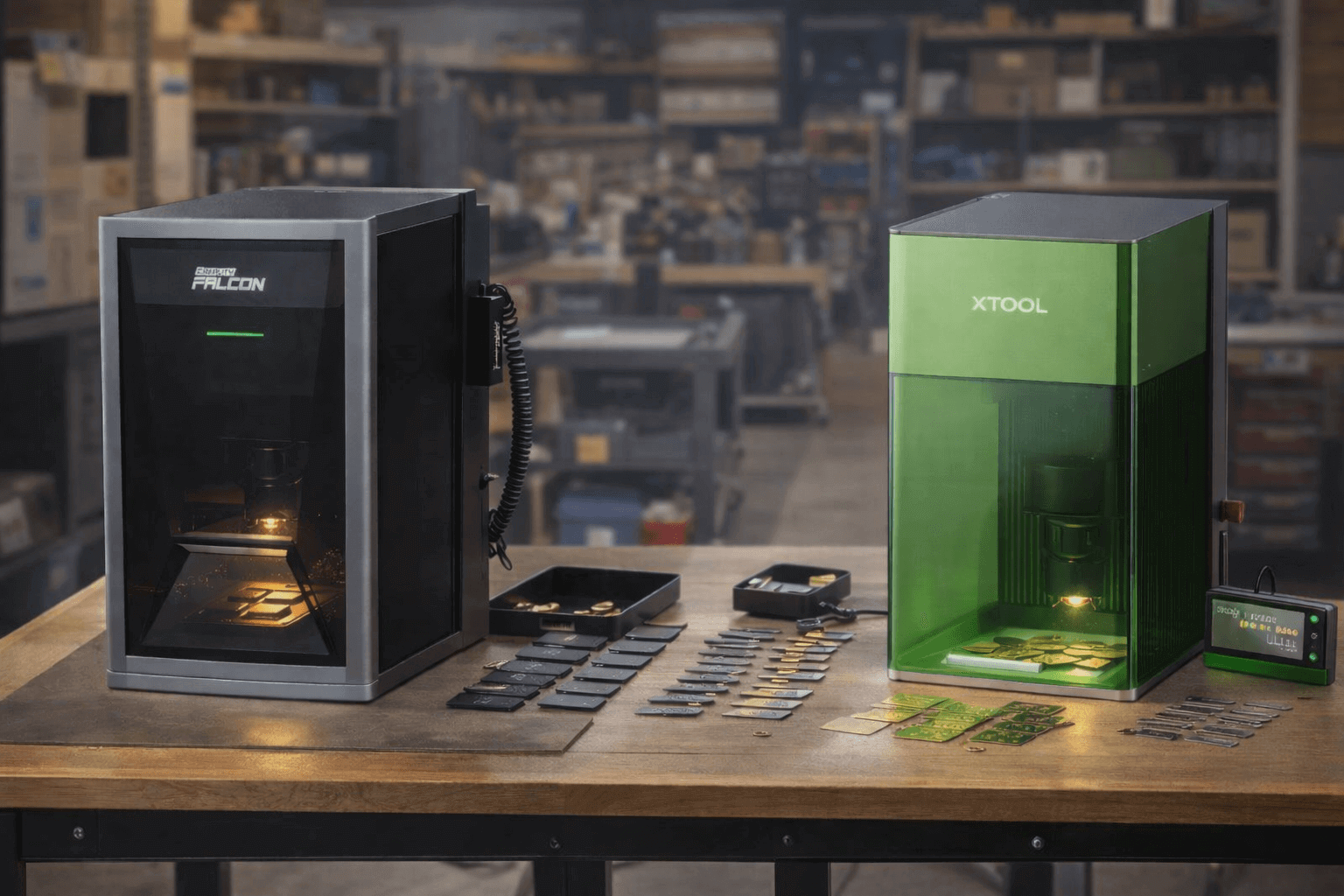
If you’re running paid orders, you already know the truth: the “best” machine isn’t the one with the biggest spec sheet but the one that keeps your week calm. The one that doesn’t turn a normal Tuesday into rework, wasted blanks, and late messages to customers.
That’s why this comparison isn’t about chasing the most impressive headline. It’s about picking the machine that fits how you actually produce: repeat jobs, quick changeovers, and results you can trust.
On paper, these two are built around different ideas:
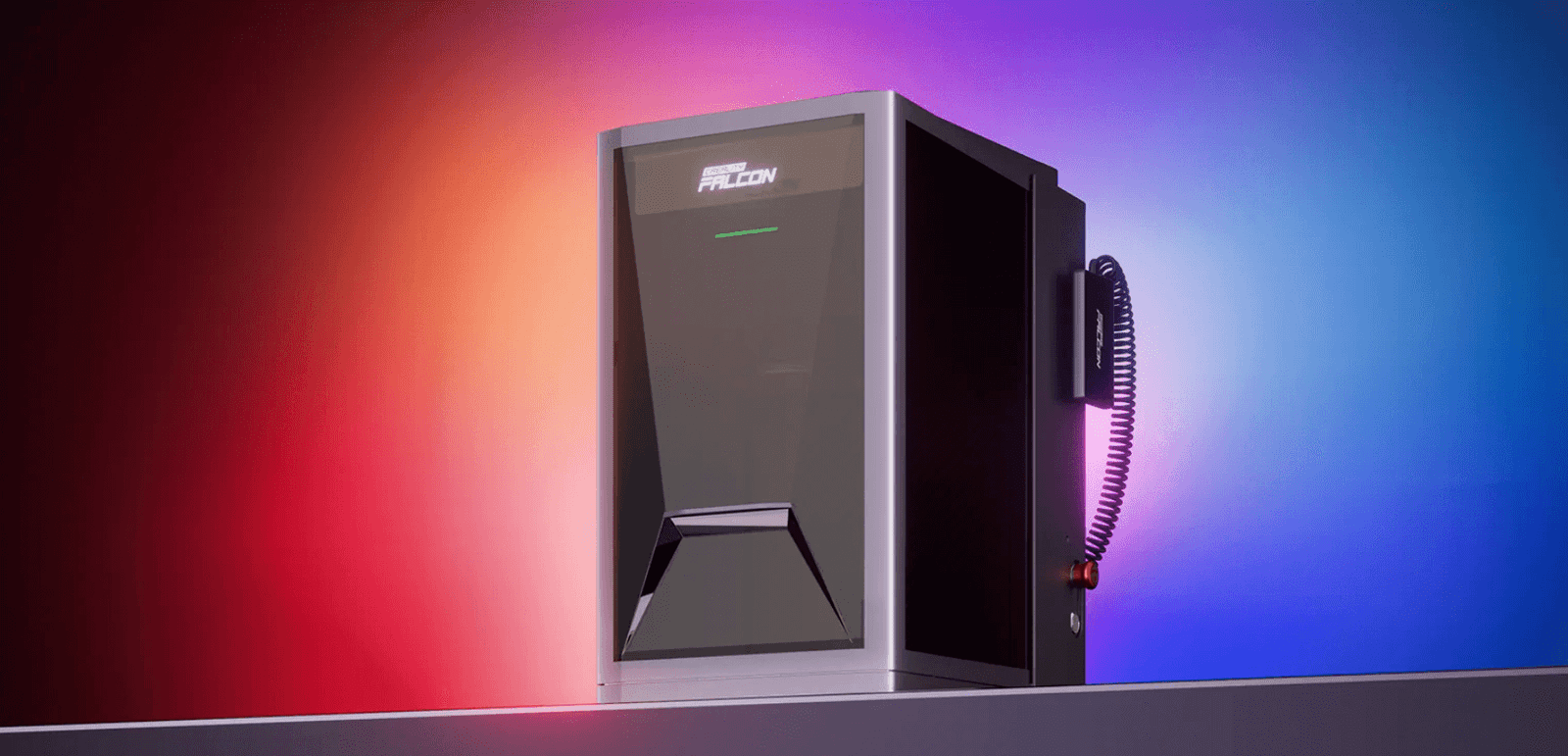
- Falcon T1 leans into a 5-in-1 / modular direction — more routes, more room to grow into different job types.
- xTool F1 Ultra leans into a dual-laser, all-in-one workflow — designed to make batch production smoother (camera-assisted placement and a production-focused pitch on the official page).

Quick note: these are serious laser machines. If you’re operating one, treat safety as part of the workflow — follow the manual, use proper ventilation, and don’t treat “enclosed” as “risk-free.

Recommendations by Business Model
Below are the most common small-shop setups I see in real batch work and how each machine fits based on specs (laser routes, work area, spot size, software, and workflow basics).
Model 1 — “Same product, many orders”
What you care about: repeatability, fast setup, low rework, easy handoff to anyone on the team.
Lean: xTool F1 Ultra
- More straightforward daily setup: one box, one routine.
- Larger listed work area in your sheet (220×220 mm) which helps when you’re laying out batches.
- Easier SOP building because you’re not choosing among multiple laser routes/modules for the same SKU.
When Falcon T1 still makes sense here:
If your “one product” is actually two materials (e.g., wood + coated metal) and you know you’ll expand into specialty finishes later.
Model 2 — “Personalization shop”
What you care about: changeover speed, layout efficiency, consistent placement, avoiding “one-off mistakes.”
Lean: xTool F1 Ultra
- It supports xTool Creative Space + LightBurn, and also has mobile/desktop OS coverage (Android/iOS/iPad/Windows/macOS), which can make a small team’s workflow smoother.
- The spot sizes listed (diode 0.08×0.10 mm, fiber 0.03×0.03 mm) are a good fit for small text and consistent marks when your designs vary order to order.
When Falcon T1 wins in this model:
When your “personalization” includes requests that jump between very different materials and effects — the modular routes give you more headroom if you’ll actually use them.


Model 3 — “Mixed materials + upsells”
What you care about: capability range, keeping high-margin jobs in-house, not turning away requests.
Lean: Falcon T1
T1 has five laser routes:
- Diode 20W / 40W (455nm)
- Fiber 20W (1064nm)
- MOPA 60W (1064nm)
- UV 5W (355nm)
That spread matters because it’s not just “power”; it’s different wavelengths for different materials and finishes. If your shop wants to charge more for specialty work, this is where the modular approach has a real business argument.
Reality check (important):
This model only pays off if you’re willing to invest in process management: settings, testing, material notes, and keeping your workflow organized.
Model 4 — “Metal-first business”
What you care about: crisp results, fine details, repeat positioning, low scrap.
Both can fit, but the decision usually comes down to your product mix:
- If your work is mostly standard metal marking + a bit of wood/acrylic, F1 Ultra is the simpler production path (dual laser, one workflow).
- If you plan to offer more finish variety over time, T1 gives more room to expand your “metal menu.”
Summary
- Pick F1 Ultra if you want the fastest path to a repeatable SOP and steady batch throughput.
- Pick T1 if your revenue depends on capability breadth and you’re building toward higher-margin variety.
Workflow Reality Check: Why “Max Speed” Rarely Equals Throughput
On spec sheets, it’s easy to get hypnotized by one number — max engraving speed. The problem is: in batch work, your day isn’t one long engraving run. It’s dozens of short cycles, and the “hidden minutes” add up faster than any top speed can save.
So instead of asking “Which one is faster?” a better question is:
Which one gets you from “blank on the bed” to “packed and shipped” with fewer slowdowns?
Here’s the lens I use for small-business batch production:
1) Setup time
This is everything before the laser even starts: placing the item, framing/previewing, aligning the design, confirming you’re not about to ruin a batch.
- F1 Ultra leans hard into a camera-driven, production-style workflow on its official page (including conveyor/batch language), which is aimed squarely at reducing setup friction when you’re doing many similar pieces.
- Falcon T1’ emphasizes it as a 5-in-1 platform with advanced use-cases (like 3D relief / AI workflows), which is a different kind of value: broader capability and room to grow into more job types.
If your team’s pain is “setup takes forever and mistakes happen early,” workflow design matters more than peak speed.
2) Engraving time
Yes, F1 Ultra markets 10,000 mm/s speed, but even on the official page it’s framed as part of a bigger “batch production” promise, not a standalone win.
What actually affects real engraving time in a shop setting is less glamorous:
- how often you need to pause,
- how often you adjust,
- how consistently you can hit the same result across many pieces.
3) Changeover time
Changeover is the time between jobs: swapping items, switching designs, moving from one material to another, restarting the flow.
- If your business runs on many small, similar orders, you want a routine that’s easy to repeat and hard to mess up. That’s exactly the production story F1 Ultra is selling (camera + batch language + standard work area).
- If your business runs on variety, changeover isn’t just physical — it’s also mental (different materials, different expectations, different “what works” rules). That’s where a modular, multi-route platform like Falcon T1 can pay off, but only if you’re organized enough to turn that flexibility into a repeatable process.
4) Rework rate
Two shops can own the same machine and report totally different “speed,” because one has:
- clean placement habits,
- consistent job templates,
- a simple SOP anyone can follow.
The other doesn’t — and ends up “fast” only on the days nothing goes wrong.
That’s why, before specs, I like this quick check:
If you’re losing time to rework, buy the workflow you can standardize. If you’re losing revenue because you turn away jobs, buy the capability you can monetize.
Core Difference That Actually Changes Your Orders: Modular Platform vs. Dual-Laser All-in-One
Most “vs” articles get stuck on power and speed. For batch work, the bigger divider is simpler:
Do you want a machine that stays the same every day — or a machine that can become different machines over time?
Falcon T1: modular routes = more doors you can open
Falcon T1 is a platform with multiple laser routes: Diode (20W/40W), Fiber (20W), MOPA (60W), and UV (5W), with wavelengths listed as 455nm, 1064nm, and 355nm depending on the module.
That’s not just “more options.” It changes how you run a shop:
- Quoting becomes more flexible: when a customer asks for something outside your usual material, you’re not automatically forced to say no — you can decide whether it’s a “new route” you want to add.
- Upsells become part of the plan: if you’re the kind of shop that grows by offering more finishes/materials, modularity gives you a clean narrative: add capability when the demand proves itself.
- But workflow discipline matters more: more routes also means more SOPs (settings, tests, material notes). If you don’t document, the flexibility turns into inconsistency.
xTool F1 Ultra: fixed dual lasers = a tighter daily routine
F1 Ultra is a 20W diode + 20W fiber all-in-one unit, and it’s clearly aimed at a predictable production loop:
- One stable workflow: fewer decisions per job. That matters when you’re doing repetitive batches or delegating tasks.
- Smoother team handoff: the worksheet lists broad OS support (Android/iOS/iPad/Windows/macOS) and both xTool Creative Space + LightBurn, which fits a “get it running anywhere” shop setup.
- More of your day becomes repeatable: you’re not managing “what module are we on today?”—you’re managing order flow.
The practical takeaway
- If your shop is built on a few proven products and you mainly want to reduce mistakes and speed up the routine, the all-in-one approach is usually the calmer choice.
- If your shop wins by taking stranger requests and pushing into higher-margin variety, modular capability can make sense — as long as you’re willing to run it like a system, not a hobby bench.
Key Specs That Matter in Batch Work
| Feature | Creality Falcon T1 | xTool F1 Ultra |
|---|---|---|
| Laser Sources | Modular (Swappable): Diode (20W/40W), Fiber (20W), MOPA (60W), and UV (5W). | Fixed Dual-Source: 20W Diode Laser + 20W Fiber Laser. |
| Max Processing Speed | 10,000 mm/s. | 10,000 mm/s. |
| Working Area | 175 x 175 mm (70 x 70 mm for internal engraving). | 220 x 220 mm. |
| Processing Accuracy | < 0.01 mm. | 0.01 mm. |
| Spot Size | Varies by module: 0.014 mm (UV), 0.05 mm (Fiber/MOPA), 0.12-0.18 mm (Diode). | 0.08 x 0.1 mm (Diode), 0.03 x 0.03 mm (Fiber). |
| Safety Class | Class 1 (Fully enclosed with protective shielding). | Class 4. |
| Weight | ~20 kg. | 14.7 kg. |
For small-batch production, specs are only useful when they answer one question: what will slow you down (or save you time) in real orders?
Here are the few numbers that actually move the needle.
1) Work area decides how you batch jobs
- F1 Ultra: 220 × 220 mm
- Falcon T1: 175 × 175 mm
Why it matters: a larger work area usually means you can lay out more items per run, which reduces the “load → run → unload” cycle count across the day.
2) Spot size is the difference between “clean” and “just okay”
- Falcon T1 spot size
- Diode 20W: 0.12 × 0.14 mm
- Diode 40W: 0.14 × 0.18 mm
- Fiber / MOPA: 0.05 mm
- UV: 0.014 mm
- F1 Ultra spot size
- 20W Diode: 0.08 × 0.10 mm
- 20W Fiber: 0.03 × 0.03 mm
Why it matters in paid work: spot size shows up as small text legibility, edge sharpness, and how forgiving a job is. When you’re shipping orders, “forgiving” often beats “theoretical max.”
3) Accuracy affects rework more than speed does
- Falcon T1 : processing accuracy < 0.01 mm, positioning accuracy ±0.01 mm
- F1 Ultra : processing accuracy 0.01 mm
Why it matters: on repetitive batches, your time loss isn’t the engraving—it’s the one piece that’s off, and the domino effect after that.
4) Max speed is not a tie-breaker here
Both are at 10,000 mm/s.
So don’t use speed as the deciding headline. If two machines share the same “max” number, the practical difference usually comes from setup + placement + changeover habits, not from that top-line spec.
5) Footprint and weight shape how “shop-friendly” it is
- Falcon T1 size: 464 × 312 × 503 mm; 20 kg
- F1 Ultra size: 273 × 373 × 492 mm; 14.7 kg
Why it matters: lighter/smaller generally makes it easier to move, clean around, and reconfigure your workspace—which matters more than people expect once you’re doing this every week.
6) Software + file formats decide whether your workflow stays smooth
- Falcon T1 software : Falcon Design Space (LightBurn noted); OS: Windows / macOS; formats: jpeg/jpg/png/bmp/svg/dxf/pdf/etc
- F1 Ultra software : xTool Creative Space / LightBurn; OS: Android / iOS / iPad / Windows / macOS; formats: SVG/DXF/JPG/JPEG/PNG/BMP/TIF
Why it matters: this affects how quickly you can go from customer file → final output, and whether you can standardize on one set of tools across a small team.
7) Safety class
- Falcon T1: Class 1
- F1 Ultra: Class 4
Real-World Scenarios (Batch Work): Which One Fits Your Orders?
You don’t buy a machine for “capability.” You buy it for the kind of orders you can produce smoothly—week after week.
Below are the three scenarios that cover most small shops, using only what your sheet supports.
Scenario 1: Metal-first batches (tags, plates, small text, repeat jobs)
What makes or breaks your day: clarity on small text, consistent placement, fewer “one piece is off” moments.
Both directions clearly support a metal-focused path via 1064nm routes:
- Falcon T1 includes Fiber 20W (1064nm) and MOPA 60W (1064nm) modules.
- F1 Ultra is as 20W Fiber (1064nm) + 20W Diode (455nm) in one machine.
Where this becomes practical is detail and consistency:
- F1 Ultra’s fiber spot as 0.03 × 0.03 mm, and Falcon T1’s fiber/MOPA spot as 0.05 mm.
- Falcon T1 also positioning accuracy ±0.01 mm (and processing accuracy <0.01 mm).
How to interpret that as a shop owner:
- If most of your metal work is the “repeatable, standard kind,” the all-in-one dual-laser setup tends to be easier to standardize around.
- If your metal work is where you plan to grow range over time, the presence of MOPA in the T1 lineup is a meaningful business signal in your sheet: it implies a path to more advanced metal outcomes, assuming you’re willing to develop the process.
Scenario 2: Gift-first batches (wood/acrylic, frequent changeovers, lots of files)
What makes or breaks your day: fast setup, clean layout, smooth handoffs, less friction with customer files.
Batch layout capacity
- F1 Ultra work area: 220 × 220 mm
- Falcon T1: 175 × 175 mm That difference shows up as “how many pieces can I place per run,” which is a real throughput lever when your orders are small and frequent.
Workflow flexibility
- F1 Ultra: support for xTool Creative Space + LightBurn, plus Android/iOS/iPad/Windows/macOS.
- T1: Falcon Design Space (LightBurn noted) and Windows/macOS.
How to interpret that:
If your week is 80% “new names, new designs, same products,” software + file handling and quick batch layout tends to matter more than chasing extra headroom you won’t use.
Scenario 3: Mixed materials + upsells
What makes or breaks your day: the ability to take unusual requests without outsourcing—or turning them down.
This is where Falcon T1’s hard to ignore:
It’s has multiple routes/modules including UV (355nm) and MOPA (1064nm) in addition to diode and fiber.
Even if you don’t use every route immediately, that spread changes your business options:
You can build a roadmap: start with the work you already sell, then add capability when demand shows up.
The trade-off:
More routes means more process management—more settings, more material notes, more “this job needs that setup.” If you don’t document, variety becomes friction.
What to Watch Before You Buy
In a small shop, the expensive mistakes aren’t dramatic — they’re the quiet ones that drain an hour here, waste a few blanks there, and slowly wreck your margins.
1) Buying for “max speed” instead of your real bottleneck
Both can look fast on paper, but if your slowdown is setup, placement, and changeovers, speed won’t save you.
What to check: think through your last 20 orders — how many minutes were “laser running” vs “getting it ready”?
2) Work area mismatch
A slightly larger usable area often means fewer runs, fewer reloads, fewer chances to misplace items.
What to check: take your top SKU and lay it out in your head: how many pieces do you want per batch without crowding?
3) Detail expectations vs spot size reality
If you sell small text, QR codes, fine line art, or tiny logos, “close enough” becomes rework fast.
What to check: choose one “worst-case” design (smallest text you actually ship) and make sure your machine choice isn’t forcing you to overslow jobs just to keep edges clean.
4) Underestimating the cost of variety
A more flexible platform is only profitable if you turn it into a system: presets, material notes, repeatable templates. Otherwise, flexibility becomes hesitation and inconsistency.
What to check: are you the kind of shop that documents and standardizes, or do you need something that stays simple by design?
5) Software + file flow friction
In batch work, most mistakes are file-related: wrong size, wrong layer, wrong placement, wrong export. The smoother your file flow, the fewer “oops” moments.
What to check: where do your customer files come from most often (Etsy PNGs, AI/SVG, DXF, PDFs)? Make sure your workflow won’t require constant conversion or workarounds.
6) Safety assumptions
Even enclosed machines can still demand careful handling. The cost here isn’t just damage — it’s downtime and liability.
What to check: you can run a safe, repeatable routine in your workspace (proper ventilation, following the manufacturer’s guidance, and not relying on assumptions).
FAQ
1) Which one is better for batch production?
If your goal is smooth fulfillment — repeat jobs, fast resets, fewer variables — F1 Ultra is usually the cleaner fit. If your goal is expanding the kinds of jobs you can accept as your shop grows, Falcon T1 makes more sense.
2) If I mainly engrave metal, do I need anything beyond fiber?
Not always. For many shops, a solid fiber workflow covers the core “metal marking” business. The question is whether you plan to sell more than standard marking over time. If yes, Falcon T1’s lineup in your sheet includes MOPA as a route you can grow into.
3) I do wood/acrylic gifts — what should I prioritize?
Prioritize the things that keep orders moving: usable work area for batching, clean file handling, and a workflow that doesn’t create new mistakes when you’re tired. That matters more than chasing a headline spec.
4) Does “10,000 mm/s” tell me how fast my shop will be?
Not really. It tells you an upper bound. Your real output depends more on setup, placement, changeovers, and how often you re-run jobs.
5) Do I need LightBurn?
If you’re doing paid work and want repeatable templates and a consistent workflow, LightBurn compatibility is a meaningful plus. Your sheet lists LightBurn for both directions (noted for Falcon T1 and listed for F1 Ultra).
6) Why does the safety class differ in the table?
Safety classifications can vary by testing standard, region, enclosure configuration, or the specific version being sold. Treat the table as a flag to double-check — use the official documentation for the unit you’re actually buying.
7) If I can only buy one machine, what’s the safest choice?
The safest choice is the one you can standardize into a routine. If your work is mostly repeat batches, that usually points to F1 Ultra. If your work is mixed and your growth depends on saying “yes” to more job types, that usually points to Falcon T1.
8) What’s the biggest mistake buyers make?
Buying for future fantasies instead of current orders. Choose based on what you’ll run this month — then build toward expansion once demand is proven.
Note: Some images are AI-generated and used solely for illustrative and conceptual purposes.

Leave a Reply