
Table of Contents
Creality Sermoon P1 3D Scanner – All-in-One Blue Laser & NIR Scanning System
- Best for: makers and prosumers who want high-accuracy scans without bringing a laptop, especially for mechanical parts, textured objects, and tricky geometry (holes/recesses).
- Not ideal for (yet): anyone who needs confirmed price, shipping date, or verified real-world results today (those details are still TBA and will be updated here as soon as they’re official.)
- Big idea: Sermoon P1 is an all-in-one 3D scanner (built-in screen + computing + batteries) that combines blue laser for precision and NIR for flexibility, plus modern connectivity like Wi-Fi 7.
- If you’re deciding now:
- Want the most portable “serious” scanner workflow → shortlist it.
- Want the best value → wait for official price and first independent tests.
- Quick links:
What It Is?
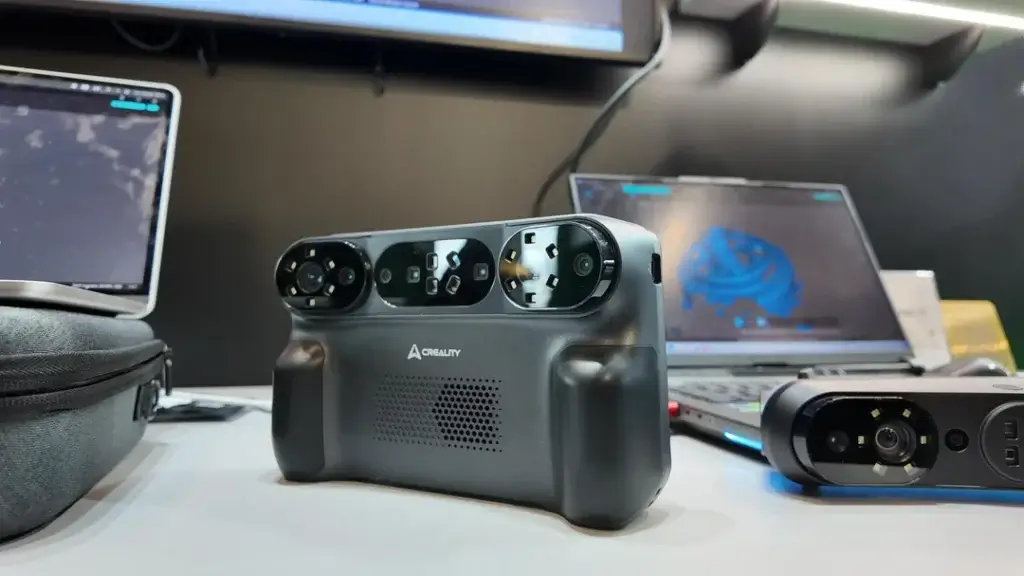
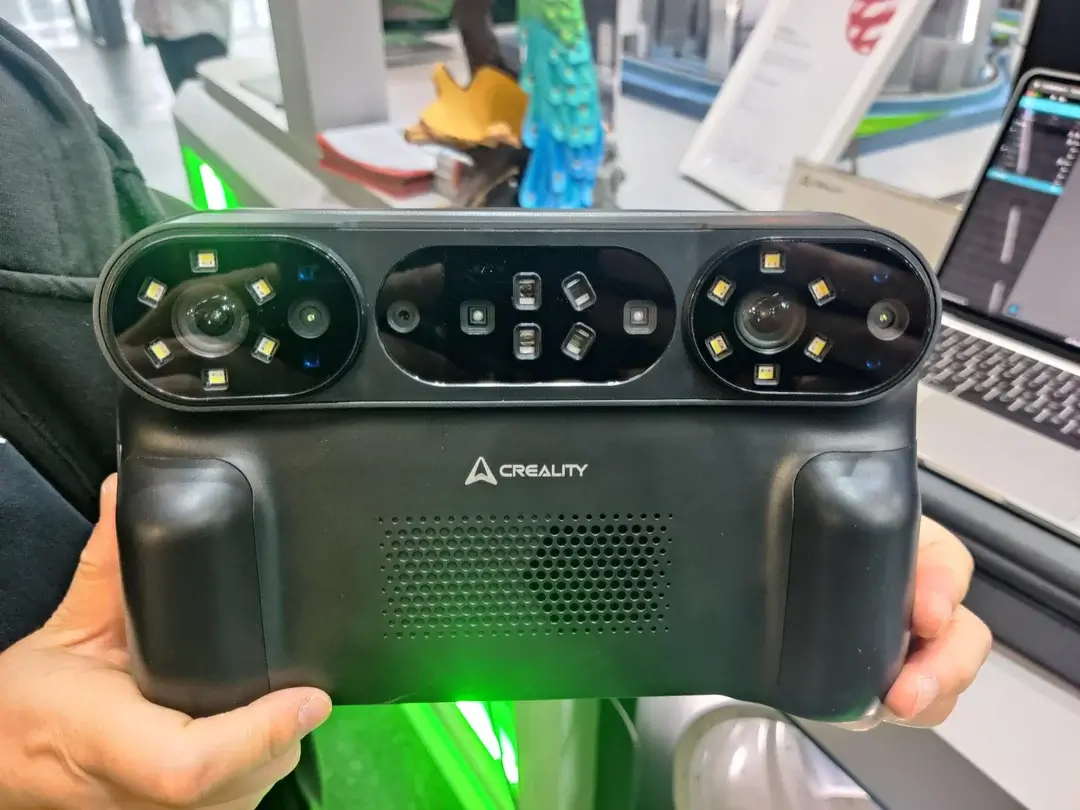
The Creality Sermoon P1 is a next-generation all-in-one 3D scanner – essentially a handheld device that includes its own computing unit and display.
Unlike traditional 3D scanners that tether to a laptop, the Sermoon P1 has an integrated 6-inch touchscreen and onboard processor, so it can run entirely standalone without an external PC.
Creality describes it as a “blue laser precision + NIR versatility” scanner with Wi-Fi 7 connectivity for professional-grade performance. In other words, it uses a blue laser for capturing objects (with very high accuracy) and also supports near-infrared (NIR) structured-light scanning – all in one portable unit.
Designed for ease of use, the P1 is aimed at users who want to create 3D scans without a separate computer.
The device includes everything needed (scanning optics, processing, battery, screen) in a single package, enabling field use or quick setup anywhere. At the same time, its specs (like up to 0.02 mm accuracy) suggest it targets professional and prosumer applications that demand fine detail.
It’s part of Creality’s expanding 3D scanner lineup and represents their first fully standalone scanner (previous models often required a PC or phone).
In summary, the Sermoon P1 is a handheld 3D scanning system that prioritizes portability, precision, and user-friendliness for beginners and intermediate makers, while still offering the performance needed for more advanced projects.

- ➤【High-Precision Dual-Technology Scanning】-Master any scanning challenge with dual-engine precision. The Sermoon P1 combines Blue Laser and…
- ➤【Flexible Standalone & PC Connected Modes】-Work freely anywhere. Operate completely independently using the built-in 6-inch touchscreen and…
- ➤【Complete All-in-One Portable Kit】-Ready to scan right out of the box. The package includes: the scanner, high-precision glass calibration…
- ➤【Smart & Simplified Data Processing】-Transform scans into models in just a few steps. Use intuitive built-in tools to seamlessly fuse, align,…
- ➤【Professional Hardware for Unmatched Performance】-Powered by pro-grade specs to handle complex data with ease. Featuring 24GB RAM, 256GB…
Who Should Buy It
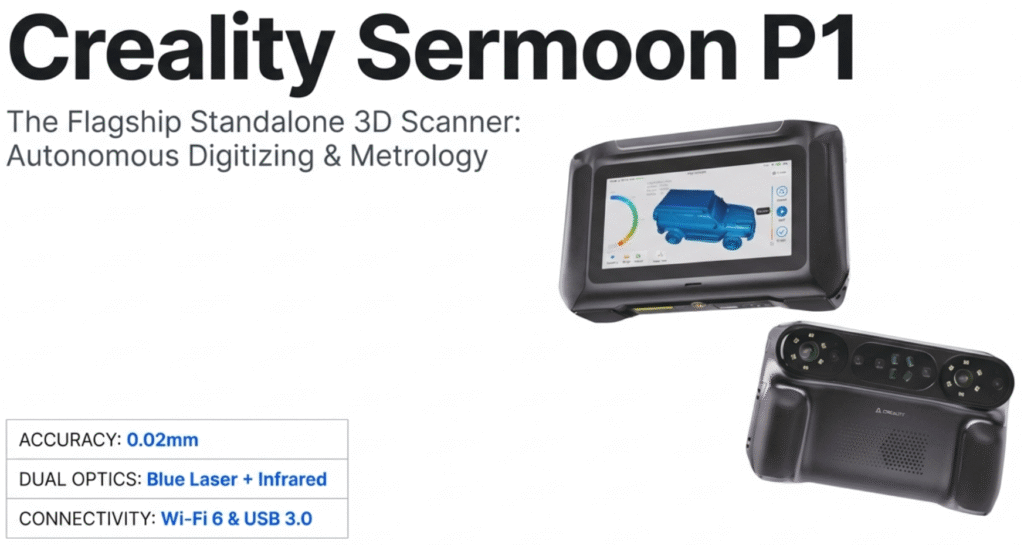
You should consider Sermoon P1 if…
- You want an all-in-one workflow: scan, preview, and save without a PC.
- You scan mechanical parts or objects with holes, recesses, and fine edges.
- You often scan in workshops or on-site and care about portability (batteries + lighter kit).
You should wait (or look elsewhere) if…
- You need a confirmed price and in-stock US retailers today (both are still TBA).
- Your main goal is full-color texture capture (not confirmed for P1 yet).
- You only scan occasionally and your budget is under $1,000 (P1 appears positioned higher-end based on specs).
Sermoon P1 looks strongest for people who want serious accuracy in a portable setup, but if price is your #1 factor, waiting for official pricing is the smart move.


Specs Table of Sermoon P1
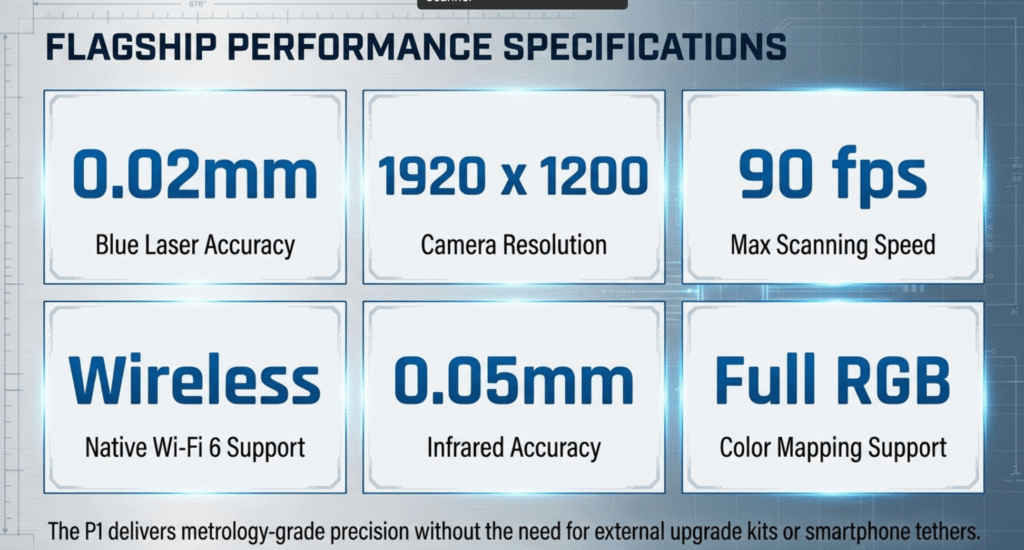
Below is a summary of the confirmed specifications and parameters of the Creality Sermoon P1 3D scanner, based on official information and credible reports:
| Specification | Creality Sermoon P1 Details |
|---|---|
| Scanning Technology | Blue laser lines (22-cross, 7-parallel, 1-single) + NIR structured-light combo. Enables multiple scan modes (fast, fine, deep-hole). |
| Accuracy | Up to 0.02 mm accuracy with blue laser mode (high precision); up to 0.075 mm in NIR mode. (Higher accuracy for fine detail scans using laser) |
| Resolution | Point resolution ~0.05–2 mm (laser mode); 0.1–2 mm (NIR mode) depending on scan mode. |
| Scan Modes | – Cross Laser (22 lines): Fast scanning for larger areas.<br/>- Parallel Laser (7 lines): Higher detail scanning for finer features.<br/>- Single Laser Line: For recesses & deep holes (captures hard-to-reach geometry).<br/>- NIR Structured Light: Alternate mode (infrared pattern projection) for versatility in scanning. |
| Frame Rate (FPS) | Up to 60 FPS in standalone mode; 100 FPS in PC-tethered mode (via USB); 30 FPS in wireless NIR mode. (Higher FPS = faster capture of objects.) |
| Onboard Hardware | Qualcomm Octa-core 3.36 GHz processor (Snapdragon-class) with Adreno 740 GPU and dedicated DSP (48 TOPS AI engine) for real-time scan processing. Runs an Android-based OS. |
| Memory & Storage | 24 GB LPDDR5X RAM for handling large scan data; 256 GB UFS 4.0 internal storage for saving scan files on the device. |
| Display | 6-inch touchscreen (for live preview and device controls). Users can view the scan in real time on the device. |
| Connectivity | Wi-Fi 7 wireless connectivity built-in (for transferring scans or optional wireless PC streaming). USB-C port for wired data transfer and charging (PC mode uses USB). |
| Power Supply | 2 × 3500 mAh removable batteries. Batteries are swappable for extended use; each is a rechargeable lithium pack. (Supports portable operation without outlet for several hours – exact battery life TBA.) |
| Physical Weight | ~850 grams (1.87 lbs) including batteries. Lightweight for a handheld scanner, making it easy to carry and maneuver. |
| Special Capabilities | Marker-free scanning: likely supports geometry tracking without markers (common to Creality’s scanners) – can scan most objects without attaching targets. Also scans dark/metal surfaces without spray due to blue laser tech. |
| Included Software | Dedicated scanning software (Creality) running on the device; output likely compatible with standard 3D file formats (OBJ/STL/PLY). PC software or app support for additional editing is expected (Creality has a Scanapp/Studio for other models). |
| Price | TBA – Price has not yet been announced. (Expected to be a prosumer range price; will be updated once official.) |
| Release Date | Late January 2026 (expected) – availability is scheduled for end of Jan 2026 according to Creality. (Exact release date TBA; subject to change.) |
Editor’s Take: Where Sermoon P1 Fits in 2026
Sermoon P1 is interesting because it tries to solve a real pain point in 3D scanning: great scans usually come with a messy setup (laptop, cables, power, software quirks).
By putting the screen, computing, and batteries into the scanner, Creality is aiming for a “grab-and-scan” workflow.
Based on the announced specs, P1 looks positioned above entry-level handheld scanners (which trade detail for price) and closer to prosumer/pro territory—especially with the blue laser modes and the focus on scanning difficult geometry.
The big unknown is still price. If Creality prices it aggressively, it could become a default recommendation for makers who scan parts. If it lands too high, it becomes a niche tool for people who scan frequently.
Makers101 would say that P1’s real advantage is workflow simplicity + laser precision. The deciding factor will be official price and real-world results once units ship.
Key Features
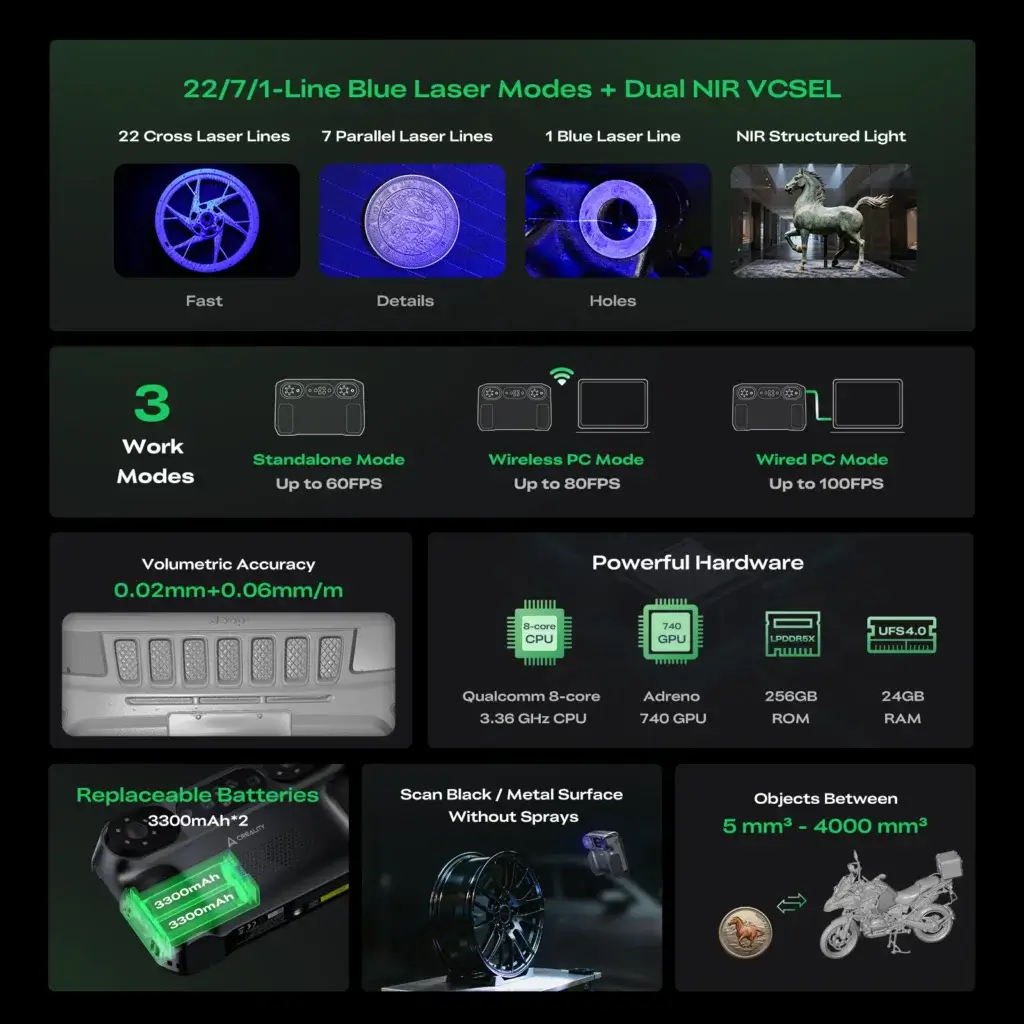
All-in-One Standalone Scanning
One of the hallmark features of the Sermoon P1 is its all-in-one design. The scanner has an integrated computing unit and a built-in 6″ touchscreen, allowing it to operate independently.
You don’t need a laptop or phone attached during scanning – the P1 can scan, process, and display results on its own device. This is a major plus for beginners or anyone who wants a simple setup.
For example, you could take the P1 to a garage or a museum, scan objects on-site, and see the 3D model instantly, without hauling a computer. (Of course, you can still export the data later or connect to a PC if needed.)
The inclusion of dual batteries furthers this independence – you can run the scanner on battery power in the field. In short, the P1 offers true standalone 3D scanning, making the process more accessible and portable.
Key Takeaway: Standalone capability means the Sermoon P1 is plug-and-play – ideal for users who want to avoid complex equipment. Everything needed for scanning (hardware and software) is built-in, lowering the barrier for entry into 3D scanning.
Blue Laser Precision
The Sermoon P1 uses a blue laser as its primary scanning method. Blue lasers have a shorter wavelength than typical red or infrared light, which generally allows for higher scanning precision and better performance on dark surfaces.
Creality leverages this with multiple laser line configurations (22 lines, 7 lines, or single line) to adapt to different scanning needs.
In its high-detail mode, the P1 can achieve up to 0.02 mm accuracy – a very fine precision suitable for capturing small details. Another benefit: the blue laser can scan black or shiny metal objects without requiring spray powder, which is a common nuisance in 3D scanning.
This is because the blue laser’s light can be picked up even on darker materials that normally absorb other wavelengths. In practice, blue laser scanning is great for mechanical parts, carvings, or any object where you need sharp accuracy and the ability to handle difficult surfaces.
Key Takeaway: Blue laser scanning gives the P1 its edge in precision – delivering very fine detail (20 micron accuracy) and scanning challenging materials (like dark or reflective surfaces) without needing any surface prep spray.
NIR Structured-Light Mode
In addition to lasers, the Sermoon P1 includes a near-infrared (NIR) structured light scanning mode. This means the device can project an infrared light pattern onto the object and capture it with an IR sensor, similar to how some depth cameras work.
The NIR mode provides versatility – for example, it might be used in scenarios where laser scanning is less ideal (perhaps for scanning people or certain textures).
The accuracy in NIR mode is slightly lower (around 0.075 mm), but still very good for many purposes. One advantage of NIR structured light is that it’s generally eye-safe and invisible to human sight, which could make it more comfortable if scanning faces or bodies (though Creality has not specifically advertised face-scanning, it’s a typical use of IR in other scanners).
The P1’s ability to do both laser and NIR means you essentially get two scanning technologies in one device. You can choose the mode best suited for the task: use the blue laser for maximum detail, or switch to NIR for faster scans or specific use cases. (See our Blue Laser vs NIR guide for a deeper comparison of these technologies.)
Multi-Mode Laser Scanning (Cross, Parallel, Single Line)
Within its laser scanning capability, the P1 offers three configurations of laser lines: 22 cross-hatch lines, 7 parallel lines, and 1 single line. These correspond to different scanning strategies:
- 22 Cross Lines (Fast Scan): In this mode, the scanner projects a grid of 22 intersecting laser lines. This covers a lot of area quickly, allowing for faster scans of larger objects or initial passes. It’s useful for capturing the overall shape rapidly.
- 7 Parallel Lines (High Detail): Here, the P1 uses fewer lines that are parallel, focusing on a smaller area at a time. This mode is slower but captures finer details on the object’s surface. You might use this after a cross-line scan, to rescan areas where you need extra detail (for example, intricate carvings or textures).
- Single Line (Deep-Hole Scan): This is a unique mode where just one laser line is projected. It’s specifically meant for scanning recessed features – such as deep holes, slots, or internal geometries that the other wide patterns might miss. By using a single line, the scanner can reach into narrow gaps and capture data there. (For more on this, see our Deep Hole Scanning explainer.)
These multi-mode options essentially let the user balance speed vs detail and ensure that even tricky geometry (like the inside of a cylinder or a hard-to-see recess) can be scanned. Switching between modes is likely done through the software interface on the touchscreen.
High Accuracy & Resolution
When it comes to measurement capability, the Sermoon P1 promises high accuracy in its scans. The blue laser mode can attain up to 0.02 mm accuracy (20 microns) and a point resolution as fine as 0.05 mm.
In practical terms, this means the scanner can distinguish very small features – for instance, fine engravings or the edges on a coin.
Even the NIR mode, at ~0.075 mm accuracy, is quite precise for a handheld scanner. The overall scan resolution (the distance between points in the output point cloud or mesh) ranges from 0.05 mm to 0.2 mm in its highest settings, up to a coarser ~2 mm for faster, lower-detail scans.
This adjustable resolution lets you choose a lower density for big objects (to keep file sizes manageable), or a high density to capture tiny details.
It’s worth noting that achieving the highest accuracy likely requires good technique – stable scanning, proper calibration, etc., and might apply to smaller volumes.
But on the whole, the P1 is specced to produce professionally detailed 3D models that retain even minute features of the original object.
Fast Scanning Speed
High accuracy doesn’t slow the Sermoon P1 down. Thanks to its advanced hardware, the scanner can capture frames at a high rate: up to 60 FPS (frames per second) when used standalone.
If you connect it to a PC via a cable, it can even reach 100 FPS, presumably by offloading some processing or just leveraging a direct high-bandwidth link.
These frame rates are quite high for 3D scanning – they indicate the device can gather a lot of data very quickly, which helps when scanning moving the scanner around an object.
A higher FPS means smoother coverage and less risk of tracking loss as you sweep around the target. Even in the wireless mode (likely using the NIR structured light over Wi-Fi), it manages ~30 FPS, which is still decent.
What this means for the user is that the P1 can scan objects rapidly.
For example, you might be able to scan a medium-sized object in a matter of seconds, and an entire human-sized object in a minute or two (depending on complexity). The speed, combined with the accuracy, suggests a very efficient workflow – you spend less time scanning and waiting, and more time getting results.
Powerful Onboard Processing
Unlike many handheld scanners that rely on an external computer for processing, the Sermoon P1 carries a high-end processor and ample memory inside its shell.
It’s reportedly built on an octa-core Qualcomm chipset (3.36 GHz) with an Adreno 740 GPU, similar to the brains of a flagship smartphone.
Additionally, it has a dedicated DSP (digital signal processor) rated at 48 TOPS, which likely aids in handling the heavy computations of point cloud generation and alignment. With 24 GB of RAM available, the P1 can hold and manipulate large sets of scan data in memory.
This hardware allows the device to perform complex tasks like feature tracking, point cloud merging, and mesh reconstruction on the fly, in real time. Essentially, the P1 is a scanner and a computer in one, and a pretty powerful computer at that – far beyond typical embedded systems. For the end-user, this means you don’t sacrifice performance when going standalone.
The device should be able to process scans quickly and accurately on its own, giving near-immediate feedback and results on the touchscreen. It also suggests that the P1 might support advanced features down the line (possibly AI noise reduction or scan alignment algorithms) thanks to that beefy DSP and GPU.
Wi-Fi 7 Connectivity
The inclusion of Wi-Fi 7 is a forward-looking feature of the Sermoon P1. Wi-Fi 7 (802.11be) is the latest generation of wireless networking, offering significantly higher bandwidth and lower latency than previous Wi-Fi standards.
In the context of the P1, Wi-Fi 7 enables high-speed wireless data transfer – this could be used in a few ways.
First, it allows the scanner to stream scan data to a computer or cloud in real time without a cable, if you prefer to monitor or post-process on a bigger screen. The high throughput ensures even heavy point clouds can transmit with minimal lag.
Second, Wi-Fi can be used for quick file transfers or offloading completed scans from the device to your PC or network storage. Creality also mentions a wireless NIR mode (30 FPS) which likely leverages Wi-Fi for the scanner to work untethered while still using a PC for processing.
Essentially, Wi-Fi 7 gives you the flexibility of going wire-free without sacrificing speed or reliability. For a beginner or intermediate maker, this means less cable clutter and the option to easily share scans or perhaps control the scanner remotely via an app.
It’s worth noting that to take full advantage, your receiving device (PC/router) should also support Wi-Fi 7, but it’s backward compatible if not. Even so, including this latest-gen Wi-Fi makes the P1 somewhat future-proof.
Portable & Battery-Powered
Portability is a core feature of the Sermoon P1. The device weighs under 1 kg (~850 g), which is relatively light for a scanner with built-in computer and batteries.
It’s designed to be handheld comfortably. The form factor hasn’t been fully described in text, but from context it likely has a grip or similar ergonomic design to hold while scanning.
The power system – dual 3500 mAh batteries – means you can use it cord-free for extended periods. Having two swappable batteries is great: you can charge one while using the other, minimizing downtime if you have a spare.
For many users, this portability means you’re not confined to a desktop or a studio. You could bring the Sermoon P1 to a client’s site, outdoors to scan a statue, or simply move around your workshop without worrying about power outlets.
Beginners will appreciate that it’s not intimidating to handle – it’s like holding a camcorder or similar device. Also, by being self-powered, it avoids the mess of power cords and allows free movement around the object, which is crucial for good scanning coverage.
In summary, the P1 is built to scan on the go, wherever the object is, rather than forcing the object to come to the scanner.
Use Cases
Who is the Sermoon P1 3D scanner for, and what kind of projects can it be used for? Given its capabilities, this scanner can serve a broad range of uses, especially for those who need precision scanning in a convenient package. Here are some key use cases and application examples:
- Product Design & Reverse Engineering: Capture accurate 3D models of machine parts, prototypes, or gadgets to either redesign them or ensure they match design specs. For example, an engineer could scan a broken component to create a perfectly fitting replacement. The P1’s high accuracy (0.02 mm) is useful for engineering-grade scans where measurements matter in CAD software.
- DIY Projects & 3D Printing: Makers and hobbyists can scan objects to duplicate or modify them with a 3D printer. Have a handmade sculpture or a discontinued spare part? Scan it with the P1 and print a copy. The device’s ease of use (no complex setup) makes it suitable for home workshop projects and creative experimentation, even for those relatively new to 3D scanning.
- Art & Cultural Heritage: Artists, museums, or archivists could use the Sermoon P1 to digitize sculptures, artifacts, or fossils. The portable form means you can bring it to a museum or excavation site. Its detail can preserve fine textures of a sculpture or engraving. This is key for cultural heritage preservation, where you want a digital record of artifacts without touching or moving them excessively.
- Education & Research: In classrooms or labs, the P1 can serve as a teaching tool for STEM education, allowing students to scan objects and learn about 3D technology. Because it’s beginner-friendly and marker-free, students can focus on the concepts rather than troubleshooting equipment. Research labs could also use it for quick measurements or to digitize experimental setups in fields like biology or archaeology.
- On-Site Scanning Services: For professionals who provide scanning as a service (for instance, scanning a client’s artwork or interior decor for design purposes), the P1 offers an all-in-one solution. You can arrive at the client’s location with just this device in a case, perform the scan on the spot, and show the result immediately. The Wi-Fi connectivity even allows you to send the model to a laptop or cloud in real time to discuss with the client.
- Quality Control & Inspection: Small manufacturing businesses could employ the P1 to scan produced parts and compare them against CAD models for quality control. The scanner’s precision and ability to capture without spray make it feasible to check metal parts, for example. Its portability means it could be brought right to the production line or warehouse for spot checks.
Key Takeaway: The Sermoon P1’s versatility and portability open it to many applications – from home-based maker projects to professional design, art preservation, and educational uses. Essentially, anyone needing to turn physical objects into precise digital models – without a heavy, tethered setup – can find value in what the P1 offers.
Comparisons Hub
In the landscape of 3D scanners, how does the Sermoon P1 stack up? This section provides quick links to comparisons between the Sermoon P1 and other related scanners or alternatives. These comparisons help illustrate the P1’s strengths, differences, and ideal use cases relative to other models:
- Sermoon P1 vs. Creality Sermoon S1: A comparison of Creality’s all-in-one P1 against the S1 model. (The Sermoon S1 is another scanner in the lineup, known for fast scanning speeds.) This will highlight differences in scanning modes, accuracy, and whether a PC is needed, helping you decide which suits your needs.

- Sermoon P1 vs. Creality CR-Scan Raptor Pro: How does the all-in-one P1 compare to Creality’s Raptor Pro, a high-end handheld scanner that uses similar laser tech but requires a PC? This comparison focuses on standalone capability vs. raw scanning specs, and considerations like workflow and price.

- Sermoon P1 vs. Creality Sermoon X1: A look at the P1 versus the Sermoon X1 scanner. Since the X1 offers deep-hole scanning mode (single laser) and wireless operation with a PC, this comparison will cover what extra the P1’s built-in computer and blue/NIR dual-mode bring to the table.

- Sermoon P1 vs. 3D Makerpro Toucan: Comparing the P1 to a similar all-in-one scanner from 3D Makerpro (Toucan). This gives an idea of how the P1 stands against another portable scanner in terms of accuracy, price, and features like markerless tracking.

(More comparisons coming soon – e.g., against other popular scanners in its class.) Each comparison goes in-depth on performance, usability, and results, so you can make an informed decision.
FAQ
Q: What exactly is the Creality Sermoon P1 – is it a printer or a scanner?
A: The Sermoon P1 is a 3D scanner, not a 3D printer. This means it captures the shape of real objects and turns them into digital 3D models. (By contrast, a printer would create objects.) The P1 uses lasers and cameras to scan an object’s geometry; you can then use that 3D model for analysis, editing, or 3D printing on a separate machine. In summary, it’s a device for digitizing physical objects into 3D data.
Q: Does the Sermoon P1 require a computer to use?
A: No – you can use it standalone. The P1 has an onboard computer and a touchscreen, so it works by itself out of the box. You can start a scan, view the model, and save files all on the device. However, it also can connect to a PC if you want. For example, you might export the scan to a computer for further editing, or you could tether via USB for a slightly higher 100 FPS scan mode. It also has Wi-Fi, so you have the option to stream or transfer data wirelessly. But needing a PC is not a requirement for normal scanning operations – that’s a key selling point of the P1.
Q: How accurate are the scans from the Sermoon P1?
A: Very accurate for a handheld scanner. Creality specifies up to 0.02 mm accuracy (20 microns) in its blue laser mode. This is a best-case, high-detail scenario. In its other mode (NIR structured light), accuracy is about 0.075 mm. In practical terms, 0.02 mm means it can capture extremely fine details – for instance, the engraved text on a coin or the subtle curves of a small mechanical part. Keep in mind, achieving this level may depend on good scanning technique and possibly scanning smaller objects; but overall, the P1’s accuracy is on the order of hundredths of a millimeter, which is at the professional scanner level.
Q: What is the difference between using the blue laser and the NIR mode on this scanner?
A: The blue laser mode uses blue laser lines for scanning, offering the highest precision and ability to scan challenging surfaces (like dark or shiny objects). The NIR mode uses near-infrared structured light, which has slightly lower accuracy but could be useful in scenarios where infrared is preferable (for example, scanning humans or certain materials). Blue laser mode gives up to 0.02 mm accuracy, whereas NIR mode is ~0.075 mm accurate. Also, the blue laser mode has two sub-modes (22-line and 7-line) plus a single-line option for deep features, whereas NIR likely uses a broader light pattern. Essentially, use blue laser when you need maximum detail or have tricky surfaces, and use NIR if you need a possibly faster or eye-safe option. (For more details, see our Blue Laser vs NIR comparison page.)
Q: Do I need to put markers on the object, or spray it with anything before scanning?
A: No markers or spray are needed in most cases. The Sermoon P1, like Creality’s other recent scanners, uses marker-free tracking – it relies on the object’s geometry and the scanner’s vision system to align scans. The blue laser system is also capable of scanning dark/metal surfaces without matte spray, which is a big advantage (many scanners struggle with those surfaces unless they’re dulled with powder). The only time you might consider markers is if you are scanning a very large, flat object with little detail – markers can help alignment in those edge cases, but for typical objects, you can just scan them as-is. The P1 is designed for convenience, so setup is minimal: no targets or coatings required for the vast majority of projects.
Q: How large of an object can the Sermoon P1 scan?
A: Creality hasn’t published a specific maximum scan size yet in the info we have. Generally, handheld scanners like this can scan objects ranging from a few centimeters in size up to something as large as an entire car, by moving around and capturing multiple passes (though very large objects may require merging multiple scans). The P1’s 22-line laser mode suggests it can cover a decent area quickly, so medium to large objects (e.g. furniture, engines) should be feasible. Its markerless tracking will be the limiting factor on huge objects – very big scans might need some added alignment aids. We’ll update when official scan volume specs are provided. But rest assured, for common use (from a small figurine to a machine part or a person), the P1 should handle it. Its high resolution can capture small items with detail, and you can move around bigger items to capture them piece by piece.
Q: Does the Sermoon P1 capture color textures of the object?
A: There’s no indication of full-color scanning in the current specs. The P1 appears to capture geometry only (shape and details, not surface color). Many laser/structured-light scanners in this class do not include a color camera for texturing, and Creality hasn’t mentioned texture in any release. So, assume it produces uncolored 3D models (meshes or point clouds). If you need color, you would have to apply photos or use photogrammetry separately. The focus of the P1 is on precision shape capture. (If Creality announces a texture camera add-on or mode, we’ll update this answer.)
Q: What is the price of the Sermoon P1 and when can I buy it?
A: As of now, the price has not been announced (TBA). Creality has kept pricing under wraps, which is not uncommon for a new product pre-release. The availability is expected around end of January 2026. This suggests that by late January, we might see official sales or pre-orders begin – but it’s not a fixed date yet. We recommend checking Creality’s official store or makers101.com updates for the price once it’s revealed. We will update our page’s Changelog (see below) once the price becomes official. For now, be prepared that the Sermoon P1 is a high-end piece of gear (some have speculated a few thousand USD, given the tech, but again, no confirmation yet). If you need a number, stay tuned – we’ll bold it here as soon as Creality confirms it.
Q: Is Sermoon P1 likely to be overpriced?
A: It’s too early to judge without official pricing. The announced hardware and laser scanning modes suggest it’s not an entry-level product. The best way to evaluate value is to compare price vs your alternative cost (renting scanning services, outsourcing, or buying a cheaper scanner and spending extra time in cleanup). We’ll update this section the moment Creality confirms MSRP.
Q: Should I buy now or wait?
A: If your work depends on scanning right away, you should compare available scanners today. If you can wait, Sermoon P1 is worth watching until official price + first independent tests are out, because those two things decide real-world value more than spec sheets.
Changelog
We will keep a running log of updates to this Sermoon P1 pillar page as new information is confirmed. This includes product announcements, spec changes, pricing info, or major events related to the P1’s release. Below is the history of what’s known so far:
- January 10, 2026: CES 2026 Debut – Creality officially unveiled the Sermoon P1 at CES 2026, providing full specs and demonstrations. Key details confirmed at launch included the all-in-one design, blue laser + NIR dual modes, 0.02 mm max accuracy, Wi-Fi 7, and other specs. The price remained unannounced at launch, with availability stated as “end of January 2026” (exact date TBA). Early hands-on reports from CES were positive, and the device garnered significant interest.
- January 8, 2026: Award Recognition – The Sermoon P1 was named a TechRadar Pro Picks Award winner at CES 2026, highlighting it as one of the standout tech products of the show. This award, presented in conjunction with industry outlets TWICE and Residential Systems, recognized the P1 for its innovation in 3D scanning technology.
- November 19, 2025: Formnext Preview – Creality first revealed the Sermoon P1 concept at Formnext 2025 (Frankfurt). Teased as a “next-generation all-in-one laser system” combining blue laser precision, NIR versatility, and Wi-Fi 7 speed, the P1 preview generated buzz in the 3D printing/scanning community. At this stage, only preliminary details were shared (no hands-on), but it set the stage for the full launch at CES.






Leave a Reply