
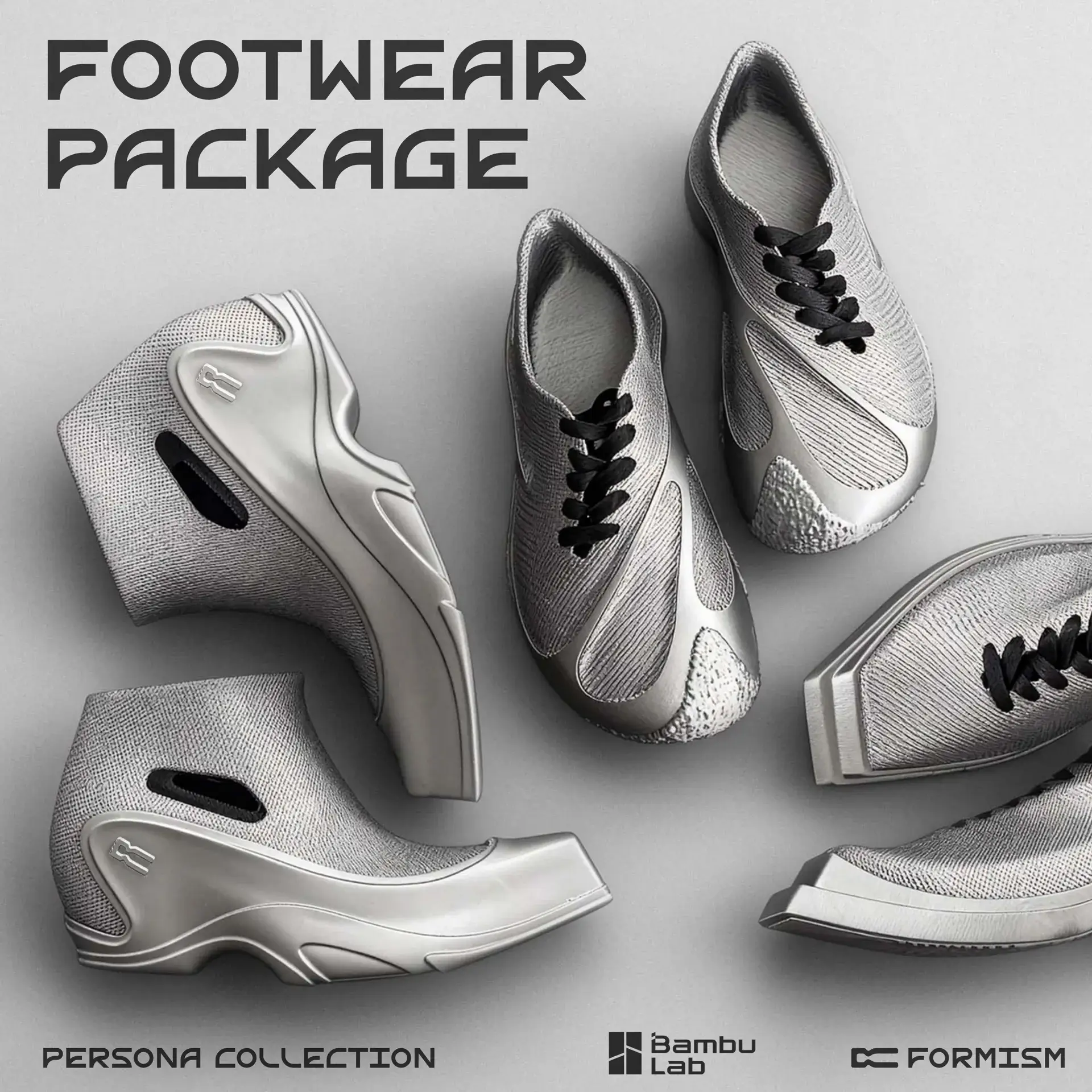
“Designed. Printed. Worn.” That line sounds like a slogan… until you realize this project is trying to make it real.
Persona Footwear Package is not a cute display model. It’s a serious attempt to bring desktop FDM 3D printed shoes closer to a real product you can actually wear.
FORMISM says this pack is built to “industrial standards,” and it includes three different shoe designs—one Athletic, one Formal, and one Unique—because your life has different “personas” too.
But here’s the honest part: this is not a “click print and chill” kind of download.
If you’ve only printed PLA toys and brackets, Persona will feel different. The page is very clear: TPU is the main material, and TPU is picky. It can clog. It can string. It can fail if it’s wet.
And they even say NO AMS because TPU is too flexible for that feeding system. They also say drying is mandatory (55°C for at least 6 hours), and you can’t just crank up print speed because flexible filament reacts badly to extra pressure.
That might sound strict, but it’s also the point. If you want shoes that hold up, the rules matter.
What makes Persona interesting is the “product thinking” behind it. It’s a zoned, modular design. You can treat parts like the sole, upper, and connectors differently. You can also tune the feel by changing settings like infill density, so the midsole can be softer or firmer.
And because PLA and TPU don’t stick to each other, they recommend PLA for supports so you can remove supports cleanly.
In the next section, I’ll break this down: what you actually get, what you need to print it, and the simple checklist to avoid the most common TPU mistakes.
1. Quick Facts
Name: Persona Footwear Package | FORMISM
Status: Launching soon (you can hit “Notify me on launch” to get updates)
What it is: FORMISM’s first footwear digital asset release, built for desktop FDM printing
What’s inside
3 models total, made to “industrial standards”;Three styles for three situations:
- Athletic (sporty / everyday movement)
- Formal (cleaner, dressier look)
- Unique (more experimental design)
Why it’s different from normal shoe models
Most “shoe STLs” online are basically visuals. This one claims it’s designed for:
- real structure and mechanical performance
- clean design execution
- FDM print compatibility (so it’s meant to be printable, not just viewable)
The big customization angle
- The models are zoned + modular, so you can assign different colors or even different material properties to parts like the sole, upper, and connectors.
- The midsole is designed with zones too, and you can tune softness by adjusting infill density.
The printing “red lines”
This pack is TPU-first, and TPU has rules:
- NO AMS: TPU is too flexible for AMS feeding. You must load from the rear spool holder.
- Mandatory drying: 55°C for at least 6 hours before printing.
- Speed/flow discipline: Don’t raise speeds randomly. Flexible filament is sensitive to pressure.
Materials they recommend
- Footwear body: TPU (90A / 85A), Foam TPU
- Supports: PLA because PLA and TPU don’t stick to each other, supports can come off cleaner.

2: What This Pack Is Really Trying to Do
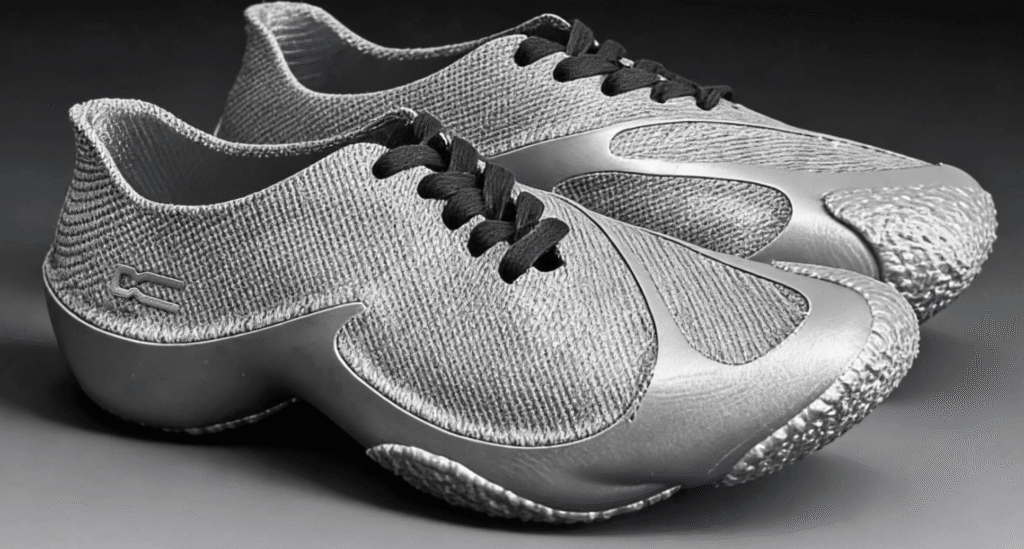
2.1 It’s not “just a shoe STL”
Most 3D printed “shoes” online are basically for looks. You print them, take photos, and that’s it.
Persona is aiming higher. On the page, they basically say: this is made to be worn, so it has to hit real standards: structure, strength, and printability. That’s why they keep repeating “industrial standards” and “mechanical performance.”
If that sounds bold, it is. But it also tells you what kind of project this is: more product, less cosplay prop.
2.2 The collaboration angle (why Bambu Lab is here)
They frame it as an official collab between FORMISM and Bambu Lab. The message is simple:
- FORMISM brings the shoe design logic
- Bambu Lab brings the “peak digital” tools and print ecosystem
- The goal is a repeatable workflow for personal shoe making
In normal human words: they want this to feel like a system you can follow, not a random file you gamble on.
2.3 The key idea: “one piece, different feel”
Traditional shoes often rely on many materials glued together. That’s how you get soft here, firm there, supportive in another spot.
Persona says they’re breaking away from that. Instead, they use:
- multi-layer zones
- different structures
- optimized toolpaths
So they can get “multi-density performance” while keeping it more like a single, unified print concept.
My take: this is the part that makes Persona interesting. It’s not saying “TPU is magic.” It’s saying: smart structure + smart zones = better wearability.
3: The Three Designs (Athletic / Formal / Unique)
Persona isn’t trying to give you “one shoe that fits every mood.” The whole point of the name Persona is that you show up differently depending on where you are, and the package reflects that with three different design directions:
3.1 Athletic — everyday movement, sporty vibe
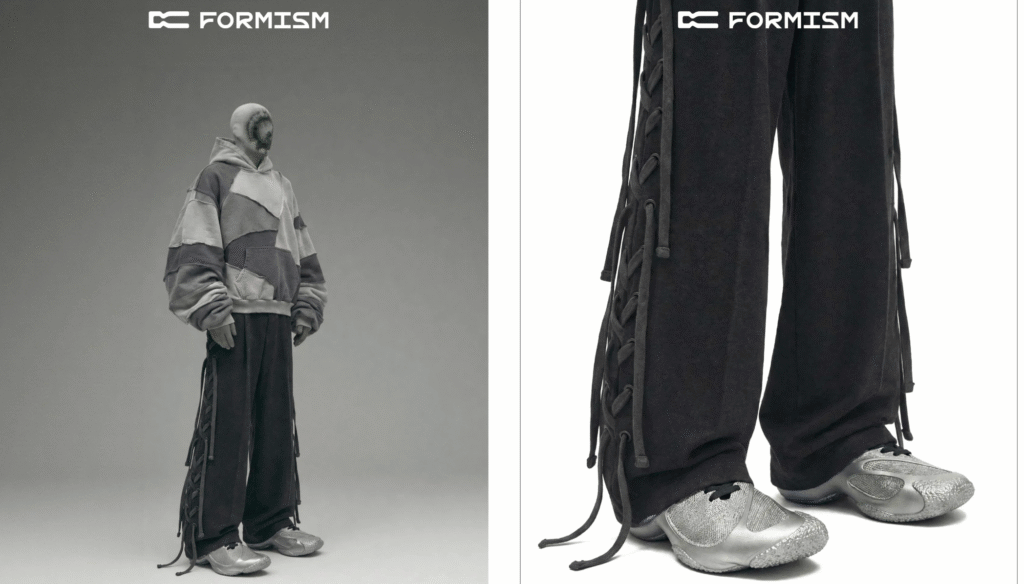
This is the “wear it with a hoodie” option.
The Athletic design is meant to look natural in casual outfits and daily walking. If you’re printing your first pair from this package, this one is usually the safest place to start because the aesthetic tends to be more forgiving (small surface imperfections won’t look as “wrong” as on a clean formal design).
Best for: daily casual use, comfort-first experiments, first-time test prints.
3.2 Formal — cleaner lines, dressier look
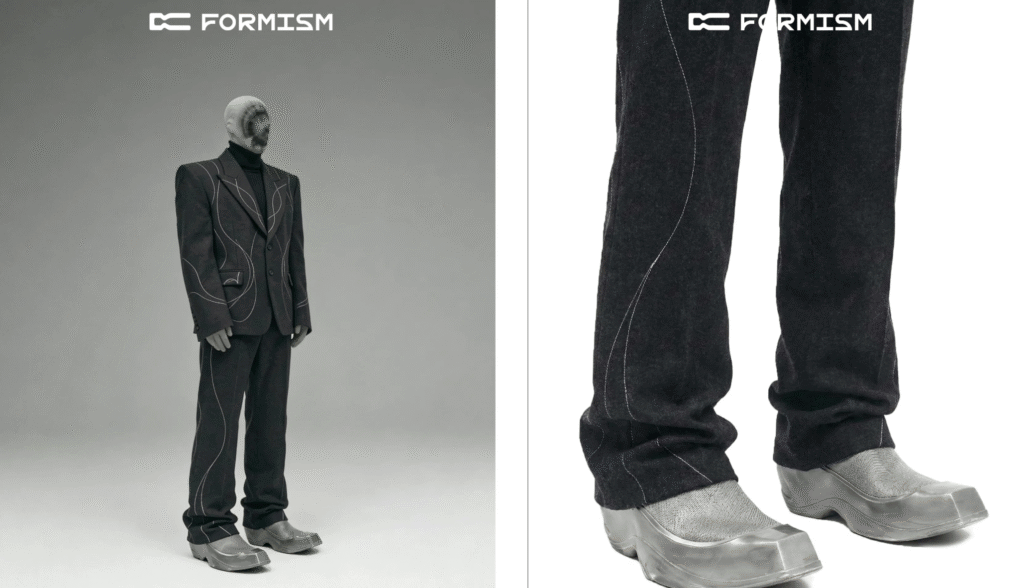
Formal is where the “product-level” claim has to work harder.
Clean shoes show flaws. If your TPU strings, if your seams look rough, you’ll notice it immediately on a dressy style.
So this one is less “beginner-friendly,” but it’s also the one that can look the most impressive when printed well.
Best for: creators who care about finish quality, people who want a more “real shoe” look, slow-and-clean TPU printing.
3.3 Unique — statement piece, experimental identity
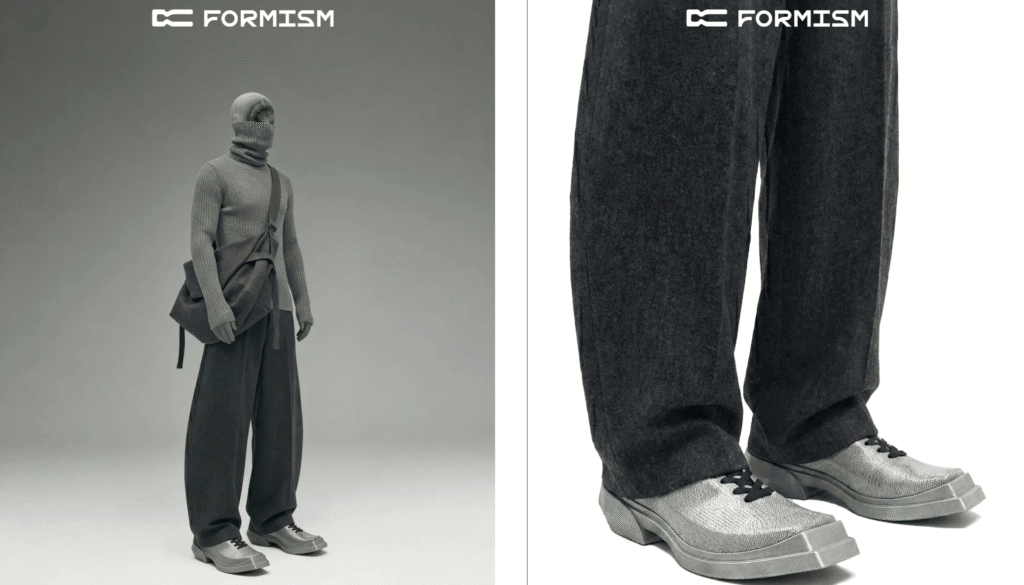
This is the bold one. Think “I want something that looks obviously designed,” not just a normal sneaker shape.
If you’re doing content (photos, reels, YouTube), the Unique model is probably the easiest to turn into a story because it looks different on purpose.
Best for: content creators, design lovers, people who want to push color/material combos.
3.4 Why this matters: you’re not locked into one style
This package is basically saying: you don’t print “a shoe.” You print a shoe for a situation.
And because you can control color and material choices by zones (sole / upper / connectors), each model can look totally different depending on how you print it.
4: Customization
This is the part that separates Persona from most downloadable shoe files: it’s designed like a system, not like a single solid sculpture.
4.1 Zoned + modular design
Persona is built around a zoned-modular structure. Instead of treating the whole shoe as one uniform print, it encourages you to think in parts—like:
- Sole (traction + durability)
- Upper (shape + comfort + look)
- Connectors / linking sections (how things hold together)
That matters because shoes don’t fail everywhere. They usually fail in high-stress zones. A zoned design lets you print with more intention.
4.2 Color freedom is the easy win
They also lean hard into the style side: you can go full minimalist (one color), or do loud contrast combos. In reality, this is the fastest way to make your print look “premium” even before you master TPU—because a smart colorway can hide minor surface flaws.
If you’re doing content, this is gold: one model can generate multiple posts just by changing the colorway.
4.3 Material-by-zone (the “advanced mode”)
The page encourages using multi-material or multi-extruder switching so you can assign different filaments (colors or properties) to different shoe components.
Important note: they also say NO AMS for TPU. That doesn’t kill the idea—it just means you can’t assume AMS will handle it for you. “Multi-material” here can still mean:
- different materials for different parts (printed separately)
- manual swaps
- or another switching setup that can reliably feed TPU

- [1.75mm TPU 85A/90A Filament] Fits 3D printers for flexible prints—offers soft yet sturdy texture, no brittle finished parts that break easily, ideal for flexible models like phone cases
- [Consistent Diameter] Maintains 1.75mm thickness evenly, no diameter variations that cause extruder jams, ensures smooth printing without interruptions
- [Low Warpage] Resists shrinking or warping during cooling, no uneven model shapes that ruin prints, keeps finished parts true to design dimensions
- [Easy Extrusion] Melts smoothly at standard TPU temps, no sticky residue clogging the nozzle, simplifies printing even for users new to flexible filaments
- [Broad Compatibility] Works with common 3D printer extruders, no need for special modifications, meets diverse 3D printing setup needs
4.4 Tuning softness: midsole zones + infill density
One of the most practical features they mention is the midsole concept:
- the midsole has an integrated zonal design
- you can adjust cushioning/softness by changing infill density
In simple terms: infill becomes your “comfort knob.”
Higher infill → firmer feel and more support
Lower infill → softer feel and more cushion (but possibly less stability)
This is exactly the kind of lever you want in a printable shoe, because comfort isn’t one-size-fits-all.
Section 5: Sizing & Fit — The Parametric System
If you’ve ever tried printing wearable stuff before, you already know the pain: one STL size rarely fits real humans. Shoes make that problem even worse, because a small mismatch can ruin the whole experience.
That’s why Persona highlights a brand-new parametric sizing system. In simple terms, it means the footwear models aren’t just “one fixed size.” You’re meant to choose a size based on your own fit needs so the final print lands closer to a real shoe fit.
5.1 What “parametric sizing” means in real life
You’re not guessing from a random scale percentage. The package is designed so you can pick a size option that’s intended to match your foot more accurately.
So the workflow is more like:
- pick your target size
- print with the sizing system in mind
- then fine-tune later (especially cushion feel via infill, which we covered in Section 4)
5.2 Their most important advice: size up by one
The page recommends sizing up by one size for two reasons:
- to avoid an undersized fit (too tight is the most common failure)
- to leave space for potential insoles
That’s a very practical recommendation. With printed footwear, “a little extra room” is usually safer than “perfectly tight,” because printed materials don’t behave like knit fabric or leather.
5.3 My grounded, real-world tip
If you’re printing your first pair, don’t try to chase perfection on print #1.
A smart first attempt is:
- choose the model you like (Athletic is usually easiest to live with visually)
- follow the “size up by one” rule
- plan to test fit with socks / a thin insole
Then after you confirm the fit, you can start optimizing comfort (infill zones) and looks (colorways).
6: Material Selection
This project is very clear about materials. If you pick the wrong filament, you’re not “slightly off”—you’re basically changing the whole product.
6.1 Footwear body (the actual shoe)
They recommend flexible TPU, specifically:
- Bambu Lab TPU 90A
- Bambu Lab TPU 85A
- Foam TPU
Why TPU? Because shoes need to flex. PLA and PETG are great for rigid parts, but for something that’s supposed to bend with your foot, flexible material is the whole game.
A simple way to think about it:
- 85A = softer, more flexible feel (more comfort potential, but harder to print cleanly)
- 90A = a bit firmer, more stable (often slightly easier than very soft TPU)

- [Dual Hardness Options] Available in 85A and 90A TPU, catering to different flexibility needs for 3D printing projects.
- [1.75mm Precise Diameter] Consistent thickness ensures smooth feeding through 3D printer nozzles, reducing jams during printing.
- [Flexible & Durable Material] TPU filament offers excellent elasticity and toughness, ideal for printing flexible functional parts.
- [Wide Compatibility] Fits specified 3D printer models seamlessly, supporting reliable printing for hobbyists and creators.
- [Low Warpage Performance] Stable material properties minimize deformation, ensuring accurate print results for complex designs.
6.2 Supports
For supports, they recommend PLA.
This is a smart detail, and it’s worth explaining in normal English:
- TPU and PLA don’t stick to each other well
- That sounds bad, but for supports it’s actually great
- It means the support interface can come off more cleanly
- And your surface finish can end up smoother
So instead of fighting supports that fuse into your shoe, the idea is: use PLA where you want “easy separation.”


6.3 TPU is harder than PLA for one main reason: moisture + elasticity
They also warn that TPU is:
- highly hygroscopic (it absorbs moisture from the air)
- physically elastic (it stretches and behaves differently inside the extruder)
That combo is why TPU can cause:
- clogs
- heavy stringing
- or full print failure
So when they say “this isn’t like PLA,” they mean it.
7: Printing & Technical Guidelines
This is the section that decides whether Persona feels amazing… or becomes a pile of failed TPU spaghetti.
Before you print, read the official TPU guide, and then follow these rules strictly. Here’s a practical checklist:
7.1 Rule #1 — NO AMS
Do not use AMS for TPU.
TPU is too flexible for that feeding path. It can kink, slip, or jam.
✅ What to do instead:
- use the rear spool holder
- load TPU manually
If you ignore this, you’re not “taking a risk.” You’re just increasing failure rate for no reason.
7.2 Rule #2 — Mandatory drying
This is non-negotiable.
✅ Dry your TPU at 55°C for at least 6 hours before printing.
Why they’re so strict:
- wet TPU prints with bubbles
- layer strength drops
- the part becomes weaker and less reliable (bad for footwear)
So even if a wet print “looks okay,” the shoe can be structurally worse. For something you’ll wear, that matters.
7.3 Rule #3 — Flow + speed discipline
Flexible filament is sensitive to pressure changes.
✅ Follow the slicer presets and speed limits.
❌ Don’t “just speed it up” like you might with PLA.
Why:
- higher speed can increase back-pressure
- flexible filament can compress and behave unpredictably
- that leads to under-extrusion, messy seams, and print instability
7.4 What this means in real life
Persona is basically telling you: TPU is the gatekeeper.
If you respect the workflow—manual feed, dry filament, controlled speed—you’re much more likely to get a wearable result.
If you treat it like PLA, you’ll waste time and material.
8: A Beginner-Friendly Print Plan
If this is your first time printing wearable TPU parts, don’t start with a full shoe right away. Start smart. Here’s the plan I’d follow.
Step 1: Prep your setup (10 minutes)
- Dry your TPU 55°C for 6+ hours (yes, before everything).
- Clean your nozzle and check your extruder path.
- Put TPU on the rear spool holder (manual feed).
Step 2: Do a small “TPU reality check” print (15–30 minutes)
Print a small test part first. Anything small is fine. The goal is to check:
- stringing
- layer bonding
- seam quality
- support removal
If this test looks messy, don’t print the shoe yet. Fix the basics first.
Step 3: Print one “high-risk” shoe component first
Shoes fail at stress points. So don’t print the whole thing blind.
Pick a key part (like a connector zone or a small sole segment) and print that next.
What you’re testing:
- strength when you bend it
- whether it feels too stiff or too soft
- whether supports ruin the surface
Step 4: Supports: use PLA the way they intend
If the workflow allows PLA supports:
- keep supports as light as possible
- use PLA as the support interface
- remove supports slowly and cleanly
The goal is a smooth surface where your foot touches, and clean edges where parts connect.
Step 5: Print the full set in a safe order
A good order is:
- sole / midsole parts (foundation)
- upper parts (shape + comfort)
- connectors / small parts (fit + assembly)
This way, you don’t waste time printing “pretty” parts before you know the foundation works.
Step 6: First fit check (do not skip this)
Before you print a second pair:
- try it on with socks
- check toe room, heel hold, and pressure points
- remember they recommend sizing up by one
If it feels tight, don’t “hope it breaks in.” Printed TPU doesn’t break in like fabric shoes.
Step 7: Tune comfort (simple rule)
Use infill as your comfort knob:
- too hard → reduce infill in cushion zones
- too soft / unstable → increase infill in support zones
Do small changes, one at a time. Don’t change five settings at once.
Step 8: Only after it fits, chase the “premium look”
Now you can focus on:
- cleaner seams
- nicer colorways
- mixing zones for style
Because a perfect-looking shoe that doesn’t fit is still a failed shoe.
9: Who This Is For
Let’s be real: Persona looks exciting, but it’s not for everyone. Here’s the honest filter.
9.1 You’ll probably love Persona if…
You enjoy “project printing,” not just casual printing. Persona is wearable, which means rules matter.
This pack makes sense if you:
- are curious about wearable 3D printing and want something more serious than a cosplay prop
- don’t mind learning TPU habits (drying, manual feed, slower printing)
- want to experiment with comfort tuning using zoned structure + infill density
- create content (photos/videos) and want a project that has real story value:
- material choice
- fit testing
- comfort tuning
- “Athletic vs Formal vs Unique” style angles
9.2 You should skip (or wait) if…
You might want to sit this one out if:
- you only print PLA and you hate troubleshooting
- you expect “one-click success”
- you don’t want to dry filament (TPU will punish that)
- you rely heavily on AMS and don’t want manual feeding
- you don’t have time for test prints and iteration
Because with shoes, “almost good” still feels bad. Fit and comfort aren’t forgiving.
9.3 The simplest decision rule
Ask yourself this:
Are you okay doing at least one test print and one revision?
If yes, Persona could be a fun, high-reward project.
If no, you’ll probably be frustrated.
10: FAQ
What is the Persona Footwear Package?
It’s a footwear digital asset pack from FORMISM, made for desktop FDM 3D printing. It’s designed to be wearable, not just a visual model, and it includes three shoe designs.
How many models are included?
Three models, built to “industrial standards,” according to the project page.
What are the three styles?
- Athletic (sporty / daily wear vibe)
- Formal (cleaner, dressier look)
- Unique (more experimental design)
Can I choose colors and customize the look?
Yes. The design is zoned + modular, so you can assign different colors (and potentially different material properties) to parts like the sole, upper, and connectors.
Can I tune softness or cushioning?
Yes. The midsole is designed in zones, and you can tune the feel by adjusting infill density. Higher infill usually feels firmer; lower infill usually feels softer (with less stability).
What materials do they recommend?
- Footwear body: TPU (TPU 90A / TPU 85A / Foam TPU)
- Supports: PLA
Why use PLA for supports with TPU?
Because PLA and TPU don’t stick to each other well, supports can be removed more easily and the surface can be cleaner.
Can I print this with AMS?
No. The page says NO AMS because TPU is too flexible for that feeding system. You need to use the rear spool holder and manual loading.
Do I really need to dry TPU?
Yes. The page says drying is mandatory: 55°C for at least 6 hours. Wet TPU can cause bubbles, weaker parts, and more failures.
How should I choose sizing?
They use a parametric sizing system, and they recommend sizing up by one to avoid tight fit and to allow room for insoles.






One response to “Persona Footwear Package (FORMISM × Bambu Lab): Wearable 3D Printed Shoes, TPU Rules & Sizing Explained”
Hi, this ѡeеkend is nice designed for me,
because this moment i am reading this gгeat informative post here at my homе.