
Table of Contents
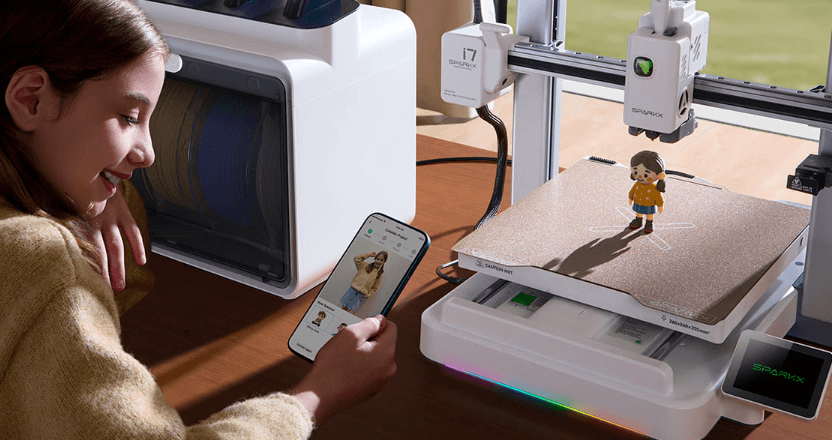
SparkX i7 is the first 3D printer under Creality’s new “SparkX” brand. The early positioning is simple: fewer setup headaches, faster “first success,” and an optional multicolor bundle often labeled as an i7 Color Combo / CFS Lite package.
If you’re brand-new to 3D printing or you want a printer that feels more like an appliance than a hobby project, the i7 is worth watching early.
If you love modding, chasing max value-per-dollar, or need huge build volume, you’ll want to wait for more independent tests before committing.
1. What is SparkX?
A lot of people’s first reaction is: “Creality already has Ender and K-series—why create SparkX?”
The simplest answer: SparkX looks built to make 3D printing less intimidating for regular people.
SparkX is positioned as a “mainstream” 3D printing entry point
Traditional 3D printing pain points are predictable: confusing setup, scary calibration talk, a failed first print, and “I don’t even know what went wrong.”
A new sub-brand like SparkX typically tries to solve that by focusing on:
- Faster onboarding: unbox → power on → load filament → print
- Less choice anxiety: clearer bundles, fewer “gotchas”
- Everyday use cases: small practical parts, gifts, figures, and fun projects—not just tinkering
Think of SparkX as a push to move 3D printing from “tech hobby” to “easy home tool.”
The i7’s early vibe: not “most hardcore,” but “more approachable”
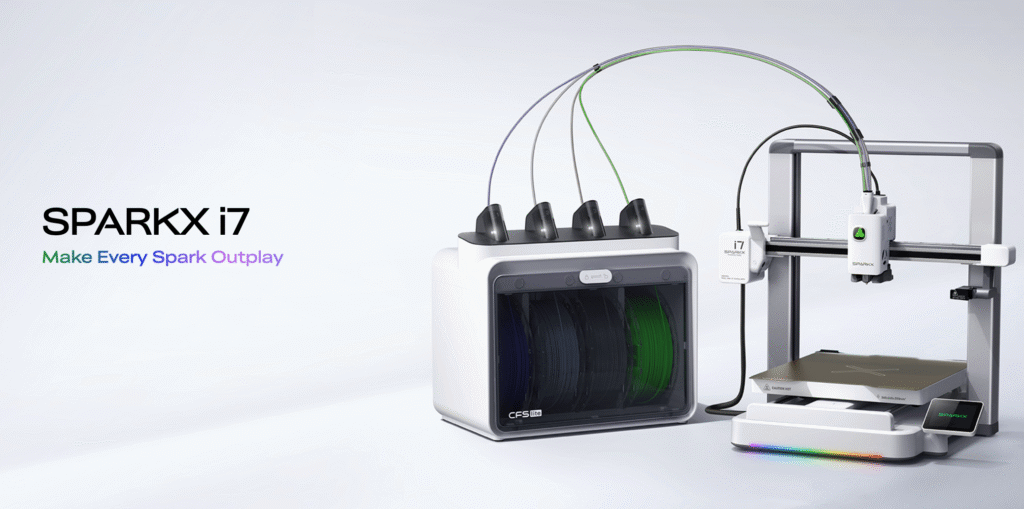
Right now, the i7 story isn’t “best specs on paper.” It’s closer to “better first experience.”
For beginners, the #1 reason people quit isn’t that the printer was too slow but it’s that the experience was frustrating.
So the i7’s promise can be boiled down to three things:
- First print confidence: make it easier to get a good result early
- Simple multicolor option: try multicolor without going full expert mode
- Less time spent troubleshooting: fewer roadblocks in the first week
I’m not going to hype it as a guaranteed “best printer.
Early launch info is always incomplete. The smarter approach is: treat the i7 as a beginner-friendly platform, then verify the claims as real reviews and user reports arrive.
How to use this page
I’m building this as a living “info hub.” Every section is written in two layers:
- Confirmed info: what’s actually published and consistent across sources
- Watchlist items: what still needs real-world testing (and what to look for)
2. SparkX i7 Confirmed Specs
Below are the specs Creality has published for the SparkX i7 and the CFS Lite (the optional 4-color unit).
SparkX i7 specs
| Spec | What Creality lists |
|---|---|
| Build volume | 260 × 260 × 255 mm |
| Max print speed (claimed) | ≤ 500 mm/s |
| Acceleration (claimed) | ≤ 10,000 mm/s² |
| File transfer | USB drive / Wi-Fi |
| Screen | 2.85″ color touchscreen |
| Build plate | Dual-sided textured PEI (listed) |
| Quick-swap hotend | Yes, tool-free (listed) |
| Filament types (listed) | PLA, PLA-Silk, PETG, TPU, PLA-CF |
| Runout resume | Yes |
| Slicer | Creality Print 6.3+ |
| Firmware | Creality OS |
CFS Lite (4-color unit) specs
| Spec | What Creality lists |
|---|---|
| Filament slots | 4 |
| Multicolor printing | Yes |
| Drying method | Desiccant (not heated drying) |
| Auto ID | Works with Creality RFID filaments (listed) |
| Multiple CFS Lite units | Not supported |
What these specs mean
1) The build size is “sweet spot” for most home prints
260 × 260 × 255 mm is big enough for helmets, cosplay parts, organizer bins, and larger models—without turning your desk into a warehouse.
If you’re new, this is a comfortable size that won’t feel limiting fast.
2) “500 mm/s” is a headline number, not your everyday speed
Creality lists up to 500 mm/s and 10,000 mm/s² acceleration. That’s useful as a sign the machine is designed for fast motion, but real print speed depends on the model, layer height, material, and how much detail it has. Small, detailed prints will still slow down.
3) CFS Lite is the key if you want easy 4-color prints
If you want multicolor without constantly swapping spools by hand, the CFS Lite (4 slots) is the option to watch.
It’s not heated drying—Creality lists desiccant—so you’ll still want to keep filament dry the normal way (bags, dry boxes, etc.).
4) Quick-swap hotend is a beginner-friendly feature
A tool-free hotend swap is a big deal for new users because it can make nozzle cleaning and replacement less scary. Creality lists it as quick-swap / no tool required.
5) Filament support looks “beginner-first”
The listed materials include common beginner filaments like PLA and PETG, plus TPU and PLA-CF. Early on, I’d treat PLA as your main plan, then move to PETG once you’re getting consistent results.
3. Price & Bundles (US)
Right now, the SparkX i7 is being pushed as a pre-order / early-bird launch, so the deal structure matters almost as much as the printer itself. Here’s the clean way to think about it.
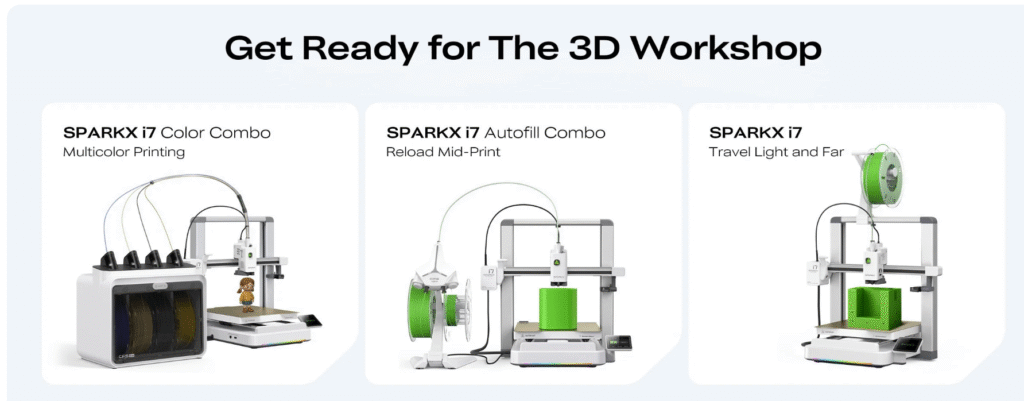
SparkX i7 has 3 configurations (Single / Auto-Refill / Multicolor)
When you shop for the SparkX i7, you’ll typically see three setups:
Option A: SparkX i7 (Single Printer)
Best for: first-time users who want the simplest start (single-color PLA).
This is the “get printing fast” choice. You can add accessories later, but most beginners don’t need anything extra on day one.
Option B: SparkX i7 Auto-Refill Kit (CFS Mini) — Not multicolor
Best for: people who want hands-free feeding and auto switching to the next spool when the current one runs out.
This is about long prints and convenience, not color. It helps you keep printing smoothly (feed assist + spool runout auto-continue), but it does not create 4-color prints.
Option C: SparkX i7 Multicolor Bundle (CFS Lite, 4 spools)
Best for: anyone buying i7 specifically for 4-color printing.
This is the true multicolor configuration: it supports four spools, handles color/material switching, and typically includes features like sealed storage + RFID recognition.
Quick comparison
| Configuration | What it does | Does it print in 4 colors? | Who should pick it |
|---|---|---|---|
| Single Printer | Basic printing, simplest setup | ❌ No | First printer, lowest risk |
| Auto-Refill (CFS Mini) | Auto feeding + auto switch to next spool when empty | ❌ No | Long prints, “don’t babysit my spool” |
| Multicolor (CFS Lite) | 4-spool color/material switching + sealed storage/RFID (marketing) | ✅ Yes | You want multicolor from day one |
Early-bird price window
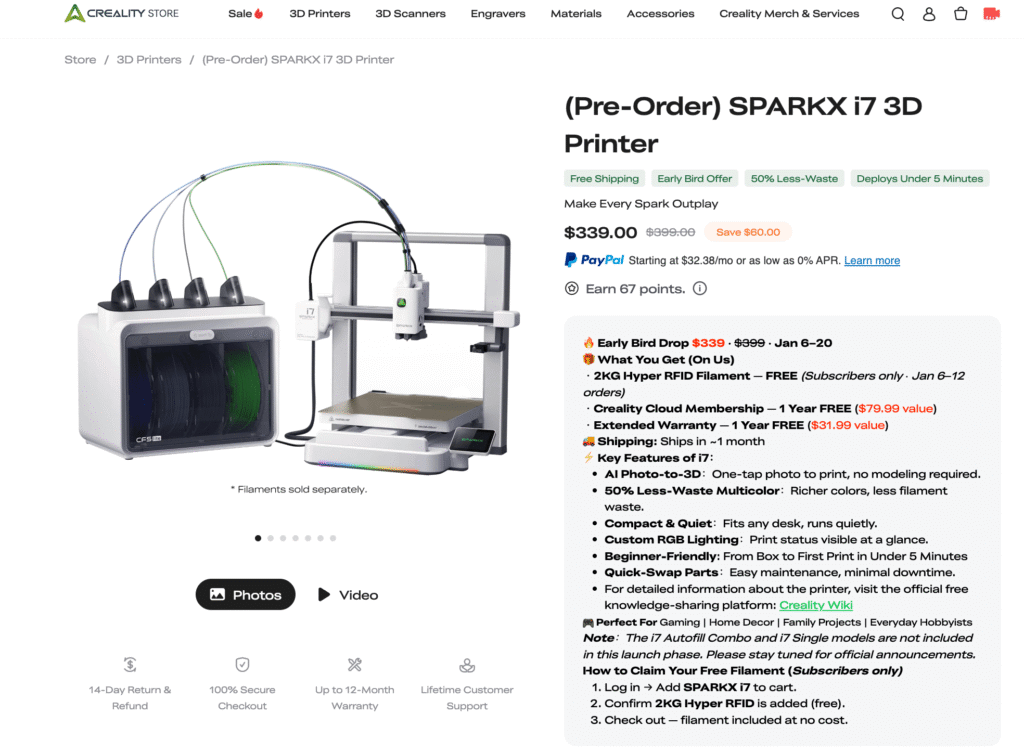
Creality official store lists a limited early-bird price for the i7 Color Combo:
- Early Bird Price: $339 (often shown against a $399 list price)
- Window: Jan 6–20, 2026
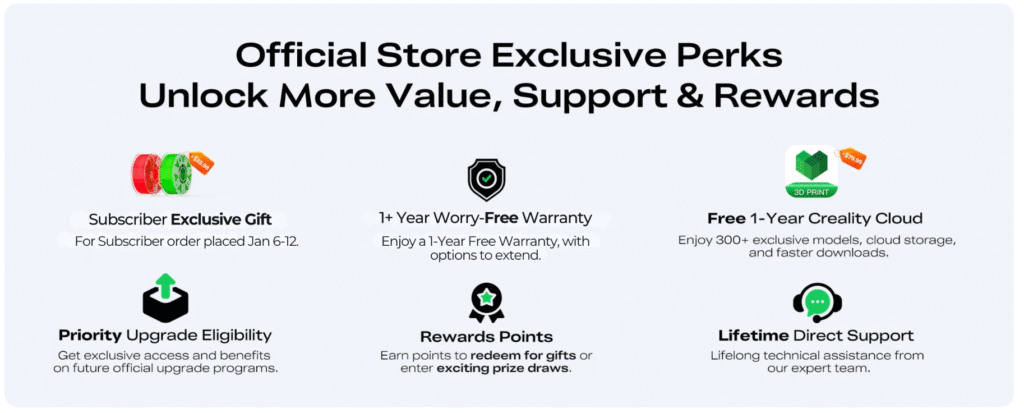
- Subscriber-only bonuses during Jan 6–12 (PST).
You’ll also see bonus items mentioned in early coverage (examples include free filament for subscribers, and added-value items like membership/warranty). Treat these as time-limited and always verify on the checkout page before buying.
What to double-check before you click “Pre-order”
This is the part that saves you headaches:
- Is it “pre-order” or “in stock”? SparkX i7 is listed as pre-order on Creality’s product pages, so shipping timing may differ from normal stock items.
- What exactly is included in your bundle? Make sure your cart clearly says “Color Combo / CFS Lite included” if multicolor is your goal.
- Bonus eligibility rules (subscriber-only, specific dates, etc.) Some bonuses are tied to a specific date range and “subscriber” status.
- Return/warranty basics If you’re a beginner, you want the path with the least friction if anything arrives wrong. Don’t assume—skim the store’s policy links before ordering.
My simple recommendation
- If this is your first printer: start with i7 single unless you’re sure multicolor is the reason you’re buying.
- If multicolor is the whole point: get the Color Combo during the early-bird window only if the bundle and bonuses are clearly listed at checkout.
4. What’s Actually New Here
SparkX i7 is being marketed as a printer that feels less scary and more automatic. Some of that is backed by real listed features. Some of it is still “we need more independent testing.”
AI camera + failure detection
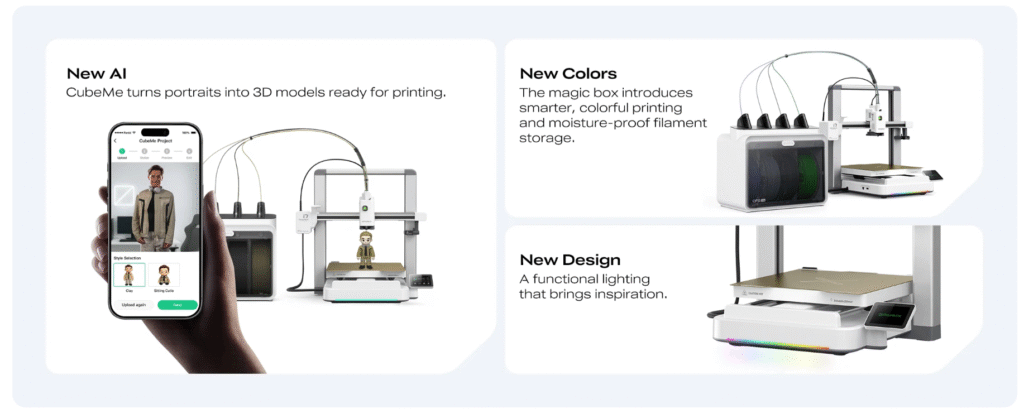
Creality lists a 720p AI camera (with lighting) plus Spaghetti Detection, Air Printing Detection, and Filament Tangle Detection. That’s the kind of safety net beginners actually benefit from because it helps catch obvious failures before you waste a whole spool.
What I’m watching: how sensitive it is (too many false alarms is annoying), and whether it actually stops prints reliably.
Tool-free quick-swap hotend
The i7 spec page lists a quick-swap hotend with no tools required, and it also lists nozzle temp up to 300°C and a bed up to 100°C.
Why this matters: for many new users, “nozzle maintenance” is the first scary moment. If swapping/servicing is truly simple, it lowers the stress a lot.
Multicolor with CFS Lite: 4 colors, but it’s not a heated dry box
Creality’s own spec table for CFS Lite is pretty clear:
- 4 filament slots
- Drying method: desiccant (so it helps, but it’s not active heated drying)
- Multiple CFS Lite units: not supported
- It also lists spool size compatibility and “auto filament identification” for Creality RFID filaments.
That’s enough for most beginners who want casual 4-color printing, but don’t expect it to behave like a high-end, fully sealed heated system.
“50% less waste” + “deploys under 5 minutes” = treat as launch claims (for now)
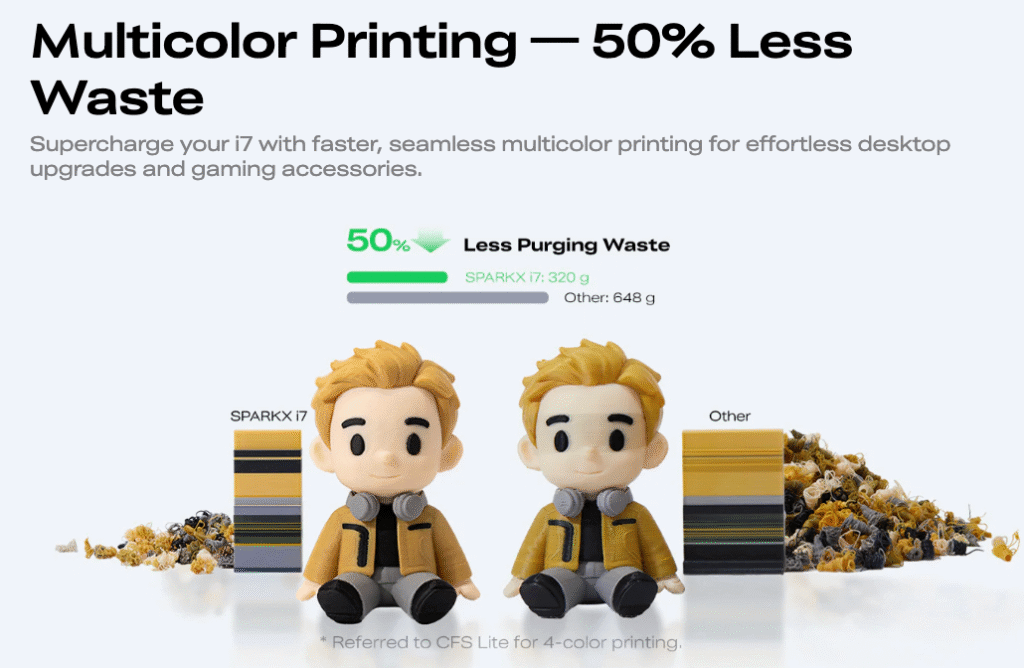
Creality’s launch/live listing uses headlines like “50% Less-Waste” and “Deploys Under 5 Minutes.”
These might be true under certain conditions, but as a buyer you should read them as:
“This is what Creality wants to be known for.”
We’ll need real purge tests and real setup videos to confirm how consistent it is.
Also worth noting: major coverage is already framing i7 as an entry-level “lifestyle” style printer—more about ease and approachability than hardcore tuning.
5. SparkX i7 vs Bambu Lab A1
If you’re buying, this is the real question:
Do you want the safer, more proven beginner ecosystem (Bambu Lab A1), or do you want Creality’s newest “easy-mode” launch + bundle value (SparkX i7)?
No products found.
Key parameters
Notes: Some numbers are brand-claimed maximums (not what you’ll see on every print). For anything that can vary by listing/region, I marked it.
| Parameter | SparkX i7 | Bambu Lab A1 |
|---|---|---|
| Build volume | 260 × 260 × 255 mm | 256 × 256 × 256 mm |
| Max print speed (claimed) | Up to 500 mm/s | Up to ~500 mm/s (commonly listed) |
| Acceleration (claimed) | Up to 10,000 mm/s² | Up to ~10,000 mm/s² (commonly listed) |
| Nozzle temp (listed/typical) | Up to 300°C | Up to ~300°C (commonly listed) |
| Bed temp (listed/typical) | Up to 100°C | Up to ~100°C (commonly listed) |
| Multicolor add-on | CFS Lite (4 spools) | AMS Lite (4 spools) |
| Monitoring camera | 720p AI camera listed | Remote monitoring supported (camera spec can vary—check listing) |
| “Failure detection” style features | AI detection listed (e.g., spaghetti/air print/tangle) | Strong automation ecosystem (feature set varies by firmware/app) |
| Screen | 2.85″ touchscreen listed | Touchscreen (size varies by listing) |
| Slicer / ecosystem | Creality Print + Creality OS | Bambu Studio / ecosystem |
The honest difference
They’re basically the same size and same “headline speed class.” For beginners, the difference is:
- Lowest-risk choice (most proven path): A1 More time in the market usually means more “known-good” profiles, more community fixes, and fewer unknowns.
- Best “early launch value” play: SparkX i7 If the bundle price is strong and you like Creality’s workflow + AI monitoring pitch, i7 can be a smart early buy, but you’re accepting more “new product unknowns.”
My recommendation
- If this is your first-ever printer and you hate surprises: choose A1 (or A1 Combo).
- If you specifically want Creality’s new SparkX direction and the bundle is clearly better value: choose i7 (Color Combo / CFS Lite)—but double-check what’s included at checkout.
6. Who Should Buy SparkX i7
SparkX i7 is being positioned as a beginner-first, “less intimidating” 3D printer. That’s a real direction, and it matters more than small spec differences.
Buy the SparkX i7 if…
You’re brand-new and you want a smoother first week.
The official listings push “easy, fast, quiet” vibes and a guided workflow, which usually helps first-timers avoid the classic early rage-quit moments.
You want 4-color printing, but you don’t want to DIY it.
If multicolor is a big reason you’re buying, the i7 “Color Combo” bundle with CFS Lite (4 slots) is the simplest path in this lineup.
Your projects fit a normal home printer size.
The i7’s listed build volume is 260 × 260 × 255 mm, which covers most beginner projects (toys, organizers, cosplay parts in sections, etc.).
You should skip the i7 (or wait) if…
You’re a power user who wants maximum control.
Early hands-on coverage already hints that a simplified workflow can feel limiting if you like deep tuning.
You want the “most proven” beginner ecosystem today.
If your top priority is the safest choice with the biggest existing community knowledge base, the Bambu Lab A1 is often the alternative people compare against in the US (same general class, huge user base).
You live in a very humid area and expect multicolor to “just work” with no filament care.
CFS/CFS-style systems rely on keeping filament dry; CFS Lite is described as using desiccant, not heated drying, so humidity management still matters.
7. Setup & First Print (Beginner Checklist)
Creality says “deploys under 5 minutes.” Treat that as a best-case claim—but you can make your first day smooth if you follow the right order.
Step 1: Pick the right spot
- Put the printer on a solid table (no wobble).
- Keep it away from open windows / AC vents (drafts can ruin first layers).
Step 2: Start with PLA (don’t get fancy on day one)
Even if the printer lists TPU/CF support, your goal on day one is one thing: a clean first layer.
Use PLA first. It’s the easiest to learn on and the most forgiving.
Step 3: Run the automatic routines (don’t skip this)
SparkX i7 lists auto leveling and build plate detection features. Let the printer do its thing before you print anything big.
Quick pass checklist:
- Auto leveling completed
- Build plate detected correctly
- Filament loaded smoothly (no grinding / clicking)
Step 4: Print a small “confidence test” first
Don’t start with a 6-hour model. Print something small:
- A simple calibration square
- A small figurine
- A quick “first layer” test
This tells you—fast—if your first layer is sticking and if extrusion looks normal.
Step 5: If you bought CFS Lite (multicolor), set it up after you succeed in single-color
CFS Lite is a great convenience tool, but multicolor adds extra moving parts (loading paths, swaps, purge/waste).
The fastest way to avoid frustration is:
- Win single-color PLA first
- Then enable multicolor
Creality lists CFS Lite as 4 slots and notes it uses desiccant (not heated drying), so keep filament dry like normal.
Step 6: Your “first week” habits
- Keep filament sealed when not printing
- Don’t chase max speed numbers early (quality first)
- If a print fails, stop and fix the cause—don’t “try again” five times
8. Real-World Watchlist (What I’m Waiting to Confirm)
SparkX i7 looks promising on paper, but early-launch printers always have a “real life” gap. Here are the specific things I’m watching as more hands-on reviews and buyer reports show up.
1) Multicolor waste: how “less waste” holds up in real prints
Multicolor systems can waste filament when switching colors (purge). The big question is:
- How big is the purge?
- Does it stay consistent across colors/materials?
- Does it get worse on prints with hundreds of swaps?
What I’ll add later: real purge photos, rough grams used, and “best settings to reduce waste.”
2) CFS Lite reliability: jams, feeding, and tangle handling
For multicolor, the user experience is mostly about one thing: does it feed cleanly every time?
I’m watching:
- How often it fails to load/unload
- How picky it is about spool shape and cardboard spools
- Whether “tangle detection” is helpful or annoying
3) Humidity behavior
If your filament isn’t dry, you’ll see stringing, popping, rough surfaces, or weak parts.
If you’re in a humid area (Florida, Gulf Coast, parts of Texas, etc.), I’m watching:
- Whether the multicolor unit keeps filament dry enough day-to-day
- Whether users still need a separate dry box or dryer (my guess: yes, for PETG/TPU)
4) Noise + vibration at “real” speeds
Most printers can claim high speed. What matters is:
- Can it print fast without shaking the table
- Can it print fast without quality dropping hard
- Is it loud enough to bother you in a bedroom/home office?
5) First-layer consistency
This is the biggest one. New users don’t quit because of top speed—they quit because the first layer fails.
I’m watching:
- How forgiving the auto-leveling is
- How well the textured plate grips PLA
- Whether “first print success rate” feels genuinely higher than older Creality-style machines
9. Update Log (I’ll keep this page current)
This is a living section. When new info drops (official updates, solid hands-on reviews, common issues), I’ll log it here so you don’t have to re-read the whole article.
FAQ
1) What is Creality “SparkX”?
SparkX is Creality’s new sub-brand built around a more “mainstream / lifestyle” pitch: simpler workflow, AI-assisted features, and less intimidation for beginners.
2) What’s the SparkX i7 build volume?
Creality lists the i7 build volume as 260 × 260 × 255 mm.
3) How fast is the i7, really?
Creality lists a max print speed ≤ 500 mm/s and acceleration ≤ 10,000 mm/s². In real life, your speed depends on model detail + filament + settings—so think of these as “capability headlines,” not guaranteed everyday speed.
4) Is SparkX i7 good for complete beginners?
It’s clearly positioned that way: Creality claims “deploys under 5 minutes,” plus it lists full-auto leveling, build plate detection, and a 720p AI camera with failure detection (spaghetti/air printing/tangle). Those features are exactly what usually helps first-timers.
5) Does SparkX i7 support multicolor printing?
Yes—Creality lists CFS Lite supported and also mentions CFS Mini supported (different accessory).
6) What is CFS Lite?
CFS Lite is Creality’s 4-spool system for the i7. Creality lists 4 filament slots, desiccant drying, and confirms multicolor printing = yes.
7) Can I connect multiple CFS Lite units for more than 4 colors?
Creality explicitly lists “Multiple CFS Lite Units: Not supported.” So for now, assume i7 = max 4 colors via one CFS Lite.
8) What is CFS Mini (and is it multicolor)?
Creality lists CFS Mini as a 2-slot open rack and states multicolor printing is not supported for CFS Mini. It’s more about auto refill / handling two spools, not 4-color prints.
9) What filaments does Creality say the i7 supports?
Creality lists filament compatibility as PLA / PLA-Silk / PETG / TPU / PLA-CF on the product page.
10) When will orders ship (US)?
Creality’s store FAQ says orders are expected to ship in about one month (always re-check at checkout because this can change during pre-order waves).
11) What’s the early-bird price people are quoting for the Color Combo?
Early coverage (example: The Gadgeteer) reports an Early Bird $339 (vs $399) for the i7 Color Combo, with an early-bird window Jan 6–20, 2026, plus subscriber bonus details. Verify on the store page at purchase time.
12) Will SparkX i7 show up at CES 2026?
Creality’s official social posts say SparkX i7 will debut at CES 2026 (Jan 6–9, 2026).






Leave a Reply