

The A1 Mini is worth it. Just not for every beginner.
Most reviews of this printer were written in 2023, the week it launched. It’s now 2026 — the A1 Mini has dropped to $219 on sale, Bambu just released the P2S, and patent filings suggest an A2 is in development. The buying calculus has changed. The reviews haven’t.
So here’s an updated take: who should actually buy this printer right now, who shouldn’t, and whether waiting makes any sense at all.
What You Actually Get for $219
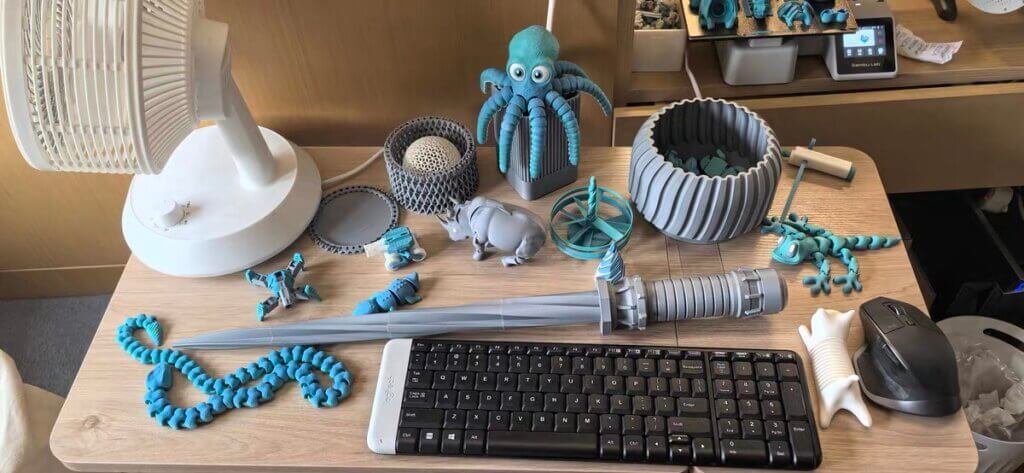
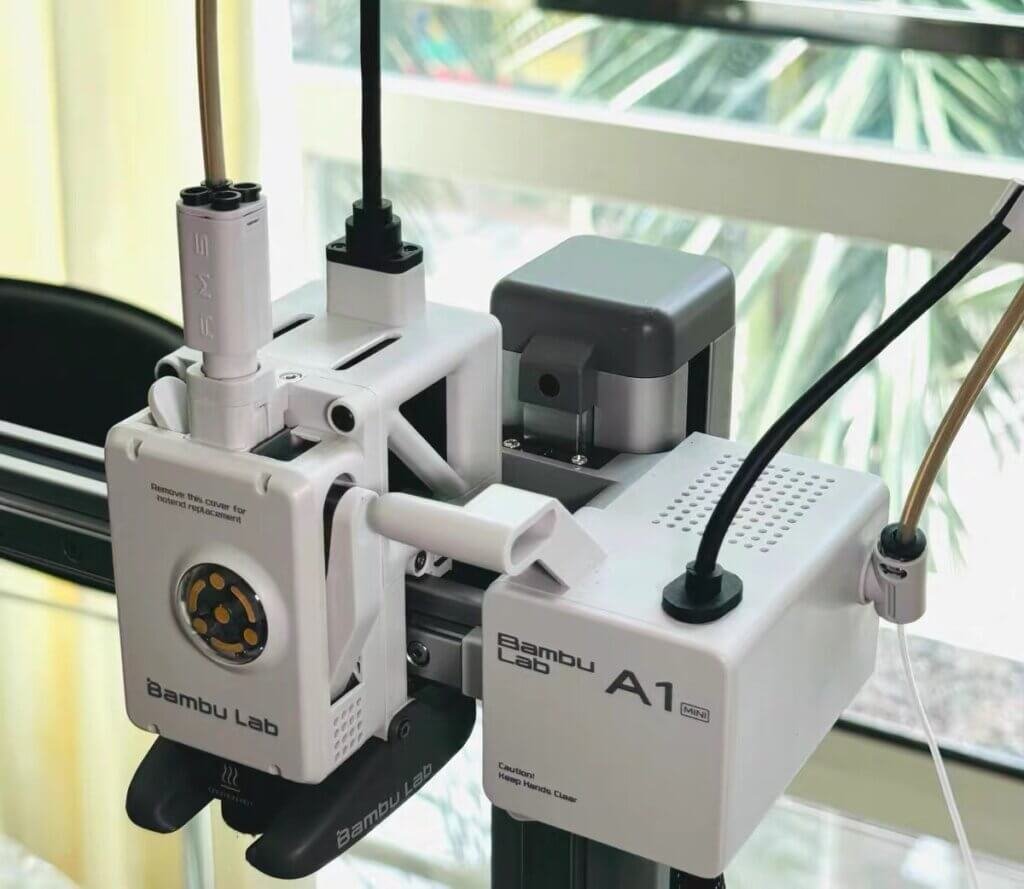
Forget everything you know about 3D printer setup. The A1 Mini is ready to print in 15 minutes out of the box — zip ties off, two tubes plugged in, done. No bed leveling ritual. No forums at midnight.
The build volume is 180×180×180mm. A useful reference point: that’s roughly the size of a cantaloupe. Toys, phone stands, small tools, decorative prints — all fine. A cosplay helmet, a full-size vase, anything longer than your hand — you’re splitting it into pieces and gluing it together.
Speed is where this machine genuinely surprises. At up to 500mm/s, it prints a standard Benchy test boat in 44 minutes. Most budget competitors take two hours.
One hard limit: it’s open-frame with no enclosure, so PLA, PETG, and TPU are your materials. ABS and Nylon need controlled ambient heat to print reliably — and this machine can’t provide that.
At $219 standalone or $329 with the AMS Lite multi-color system, it’s the cheapest entry point into Bambu’s ecosystem by a significant margin.
The 3 Things That Will Actually Bother You
Cheap entry point doesn’t mean no trade-offs. Here’s what the positive reviews tend to gloss over.
The build volume ceiling hits faster than you think.
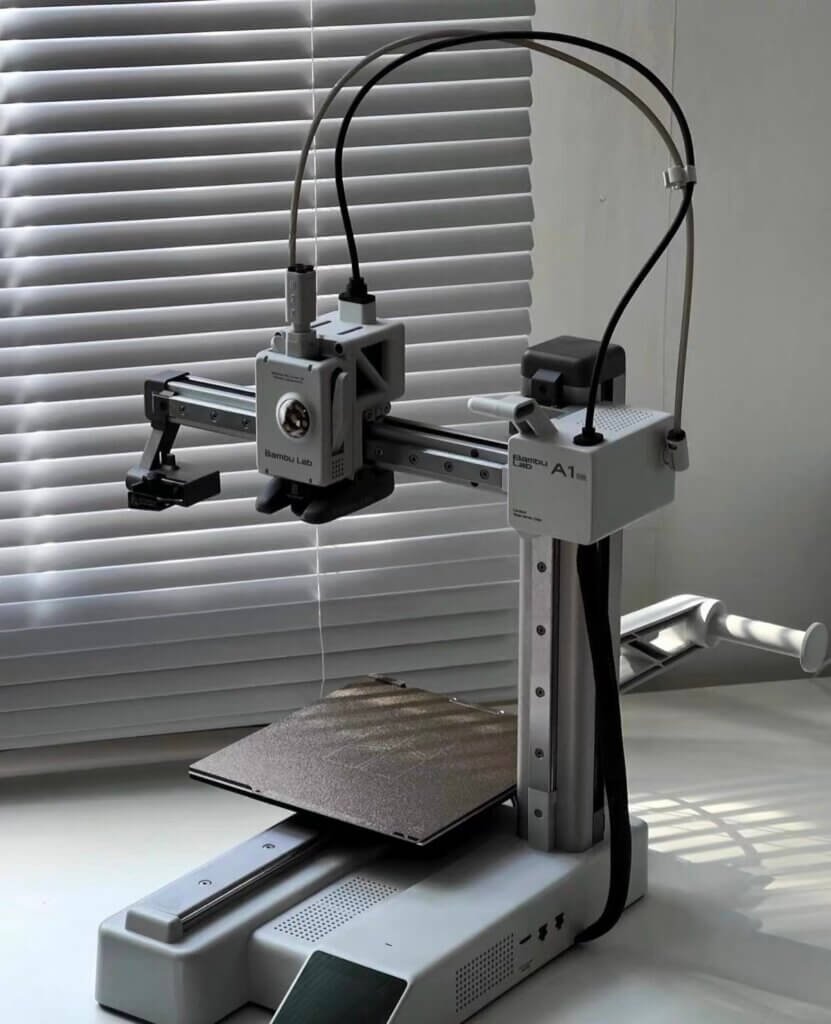
180mm sounds fine until the third week, when you want to print something slightly bigger and realize you can’t. A standard water bottle is too tall. A tablet stand won’t fit. A dice tower for your board game needs to be split into four pieces.
None of this is a dealbreaker on day one — but it becomes a quiet frustration by month two. The full-size A1 gives you 256mm for $100 more. That extra 76mm removes the most common complaint beginners have after their honeymoon period ends.
The AMS Lite footprint is not mini.
Add the multi-color unit and your “compact” printer becomes an 85cm-wide setup. That’s wider than most monitors.
The AMS Lite sits on a stand beside the machine, with bowden tubes running between them — functional, but visually chaotic.
If your desk is genuinely small, budget the full footprint before you buy, not after.
You don’t fully own this printer.
Bambu’s ecosystem is closed by default. Prints route through their cloud. The slicer is theirs. Firmware updates are controlled by Bambu, and the company has already made changes that frustrated power users — restricting third-party access in ways nobody voted for.
If you’re a beginner who just wants things to work, this won’t bother you at all. If you ever want to tinker, modify firmware, or run fully offline without workarounds, this machine will feel like a leash.
Who Should Actually Buy This — And Who Shouldn’t
Now that you know the real limitations, the decision gets simpler.
Buy it if:
You’re a complete beginner who wants to print things, not learn how printers work. The A1 Mini is the closest thing to a plug-and-play 3D printer that currently exists under $300. You open MakerWorld, pick a model, hit print, and something comes out. That loop works — consistently, quietly, without drama.
You have a genuinely small desk and mostly print small objects. Miniatures, cable organizers, small toys, replacement parts for household items — the 180mm build volume covers a surprising amount of everyday use cases if you’re not trying to print large-format pieces.
You’re buying this for a kid or teenager. Setup is fast, the app is intuitive, MakerWorld has thousands of age-appropriate models pre-sliced and ready to go. A 12-year-old can run this printer independently within a week.
Don’t buy it if:
You already know you want to print large objects. Helmets, cosplay props, full-size organizers, architectural models — save the money and buy the A1 instead. The $100 difference will feel cheap the first time you hit the size wall.
You care about open-source or tinkering. The Bambu ecosystem rewards compliance, not curiosity. If Klipper, custom firmware, or full offline control matter to you, look at Prusa or Creality’s open-frame options instead.
Consider the A1 instead if:
You’re on the fence about build volume and have an extra $100. Almost every A1 Mini owner who upgrades to the A1 says the same thing: they wish they’d just bought the A1 first. The footprint difference is minimal. The print space difference is not.

- High-Speed Precision: Experience unparalleled speed and precision with the Bambu Lab A1 3D Printer. With an impressive acceleration of 10,000 mm/s², the A1 delivers blazing-fast printing while maintaining exceptional accuracy and detail in your prints.
- Multi-Color Printing with AMS lite: Unlock your creativity with vibrant and multi-colored 3D prints. The Bambu Lab A1 3D printers make multi-color printing accessible and reliable for everyone, bringing your designs to life in stunning detail. Note: AMS lite required, get A1 Combo or buy AMS lite seperately.
- Full-Auto Calibration: Say goodbye to manual calibration hassles. The A1 3D printer takes care of all the calibration processes automatically, ensuring optimal performance for every print. Enjoy a seamless printing experience with precise Z-offset, bed-leveling, and more.
- Active Flow Rate Compensation: Achieve consistently smooth prints with active flow rate compensation. The algorithm actively compensates the flow rate according to the readings to extrude with accuracy, ensuring flawless prints.
- Easy and Quiet 3D Printing: Experience effortless printing with the Bambu Lab A1 FDM 3D printer. Its user-friendly interface and simplified touchscreen make it easy to use. The 1-Clip quick swap nozzle ensures convenient maintenance and provides versatile printing options. Enjoy a quiet printing environment with active motor noise canceling, allowing you to focus on your work while the A1 FDM 3D printer brings your ideas to life
A1 Mini vs A1 — Is $100 More Actually Worth It?
Most comparison articles will tell you “it depends.” I’ll be more direct: for most beginners, the A1 is the better first printer. Here’s why the math works out that way.
| Features | A1 Mini | A1 |
|---|---|---|
| Build volume | 180×180×180mm | 256×256×256mm |
| Price (standalone) | $219 | $299 |
| Price (with AMS Lite) | $329 | $399 |
| AMS Lite mounting | Side stand (wide footprint) | On top of printer (compact) |
| Bed max temperature | 80°C | 100°C |
| Best for | Small prints, tight desks | Most beginners |
The build volume difference is almost 3x by volume — not 40% bigger, nearly three times the printable space. That changes what you can make, not just how big you can make it.
The AMS Lite situation alone tips the balance. On the A1, the multi-color unit mounts on top of the printer. On the A1 Mini, it sits on a separate stand beside it. Same price difference, but the A1 setup is physically cleaner and takes up less horizontal desk space.
The A1 Mini makes sense in two specific cases: your desk is genuinely small and you’ve measured it, or you’re buying this as a starter printer for a child who won’t push the size limits for years.
Everyone else? Spend the extra $70.
Should You Wait for the Bambu A2 Instead?
Maybe. And it’s a more serious “maybe” than usual.
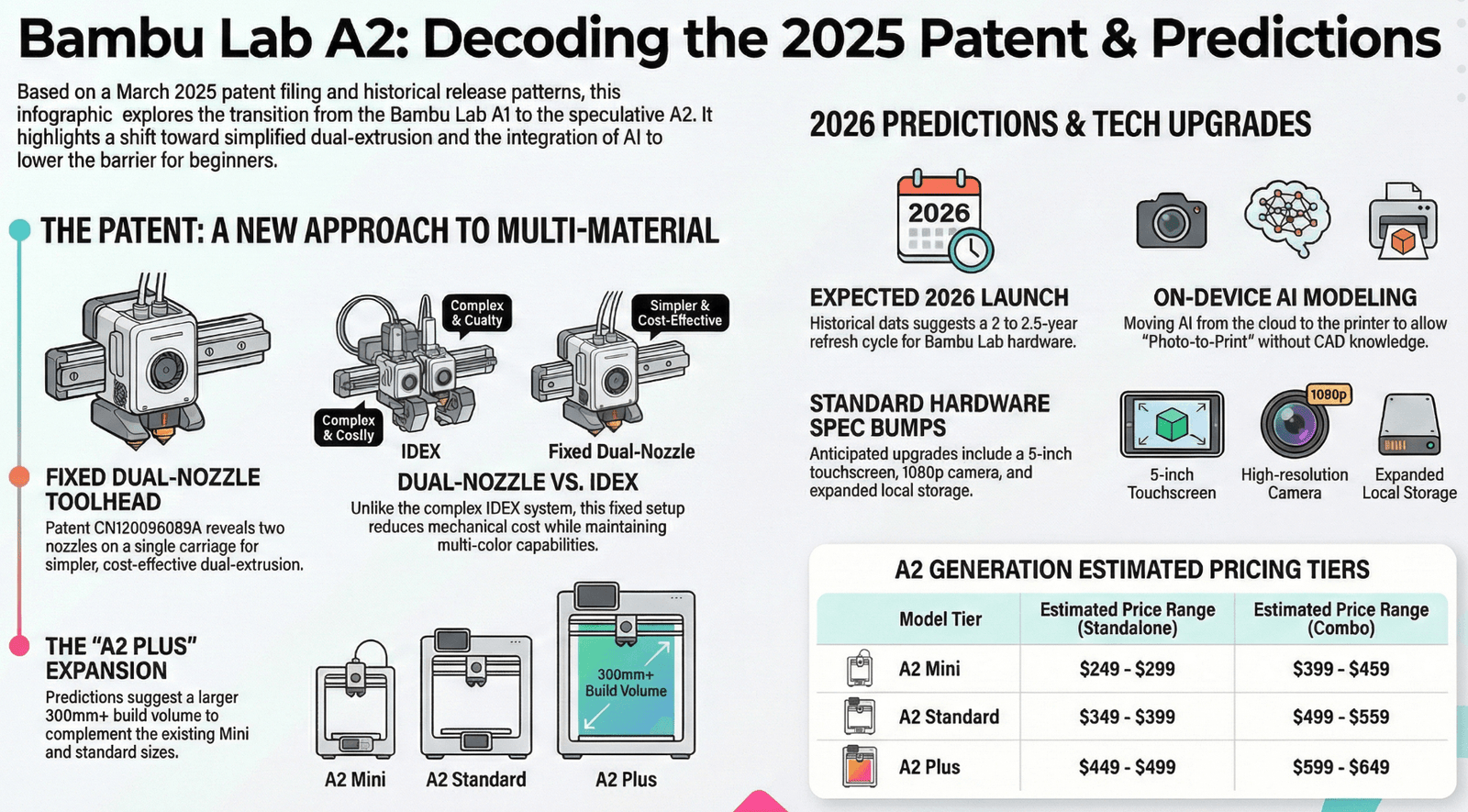
A patent filed by Bambu Lab in March 2025 (CN120096089A) shows a dual-nozzle version of the A1-style printer. Patents aren’t product announcements — companies file patents for things they never build.
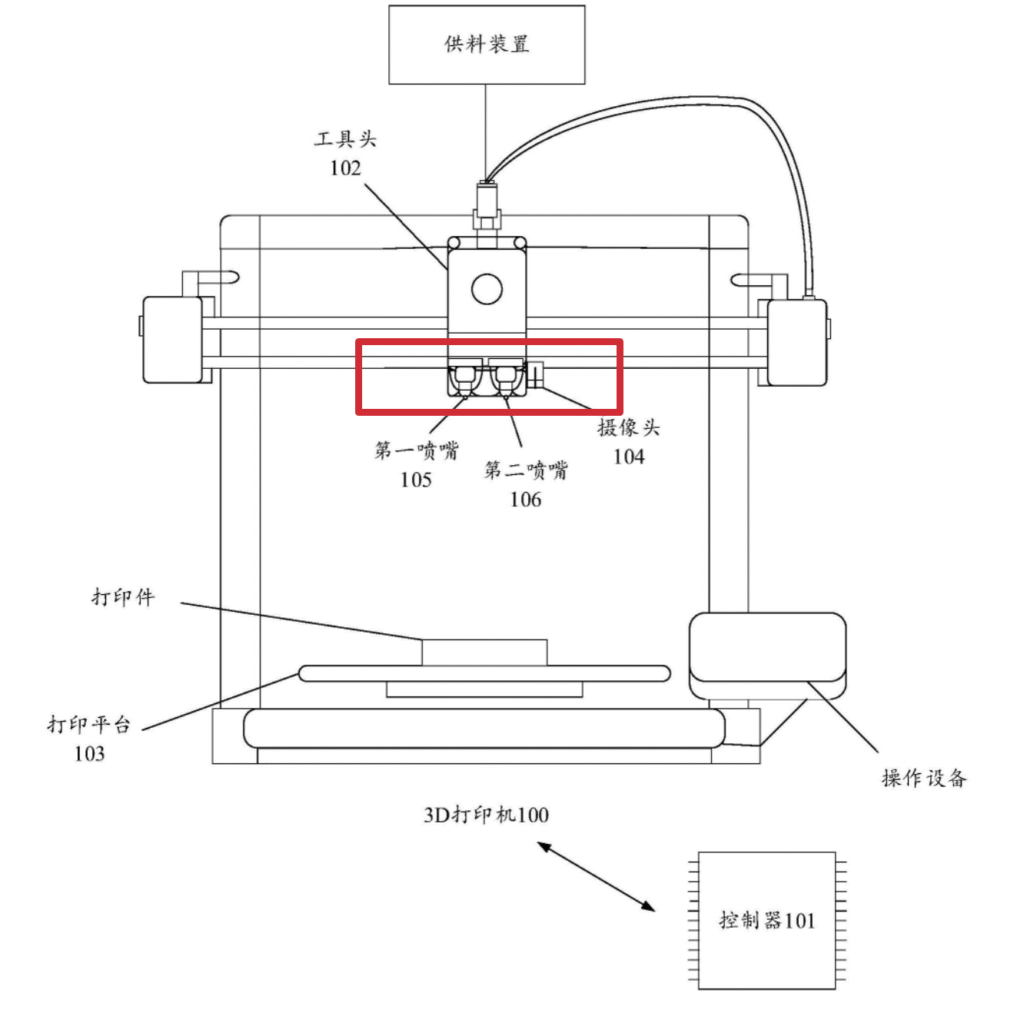
But combined with Bambu’s release cadence — the A1 launched late 2023, the P1S got its P2S successor roughly two years later — an A2 announcement in 2026 fits the pattern.
We’ve covered the full patent breakdown and what it could mean for the A series in detail here: [Bambu Lab A2: What the 2025 Patent Reveals →]
What that means for your buying decision right now comes down to three scenarios.
Buy the A1 Mini now if you need a printer in the next few weeks and the current price is at or below $219. At that price, the value is hard to argue with regardless of what comes next.
Buy the A1 now if you want more build volume and don’t want to wait. The A2 will almost certainly push A1 prices lower — but that’s a future discount, not a current one.
Wait if you’re genuinely not in a rush and dual-nozzle printing sounds useful to you. If Bambu does release an A2 with multi-material capability at A-series pricing, it changes the entry-level calculus entirely.
The one thing I’d avoid: buying at full price right now and then watching an A2 announcement drop two months later.
The Pricing Reality in 2026
Full price is rarely what people actually pay for this printer.
The A1 Mini launched at $299 in 2023 and has held that MSRP since. But Bambu runs sales consistently — Black Friday 2025 saw it drop to $219, and promotional pricing through their site has occasionally gone lower. If you’re not in a rush, $219 is the price worth waiting for.
The combo question is more straightforward than it looks. The AMS Lite costs $199 if purchased separately. The combo — printer plus AMS Lite — runs $329. That’s $90 cheaper than buying both individually.
If there’s any chance you’ll want multi-color printing within the first year, buy the combo upfront. The math doesn’t get better later.
One thing Bambu doesn’t advertise loudly: you don’t need Bambu-branded filament to use the AMS Lite. Third-party PLA from brands like PolyMaker or Overture works fine and costs significantly less per spool. The RFID chip on Bambu filament is convenient, not mandatory. Check Best Filaments for Bambu Lab, Creality & Prusa (2025-2026 Expert Guide).
| Configuration | MSRP | Sale price (seen) |
|---|---|---|
| A1 Mini standalone | $299 | $219 |
| A1 Mini + AMS Lite combo | $459 | ~$329 |
| A1 standalone | $399 | ~$299 |
| A1 + AMS Lite combo | $559 | ~$399 |
Bottom line: never buy this printer at full price if you can avoid it. Bambu discounts regularly and predictably.


Frequently Asked Questions
Is the Bambu Lab A1 Mini good for absolute beginners?
Yes — it’s the most beginner-friendly printer under $300 right now. Setup takes 15 minutes, calibration is fully automatic, and MakerWorld gives you thousands of pre-sliced files you can send to the printer directly from your phone. You don’t need to understand 3D printing to get your first print out.
What’s the biggest downside of the Bambu A1 Mini?
Build volume. At 180×180×180mm, you’ll hit the size ceiling faster than you expect — usually within the first month. If you already know you want to print larger objects, buy the full-size A1 instead.
Is the AMS Lite worth buying with the A1 Mini?
Buy the combo upfront if there’s any chance you’ll want multi-color printing. The AMS Lite costs $199 separately — the combo saves you $90 versus buying both individually. That math doesn’t improve later.
Can the Bambu A1 Mini print flexible filament like TPU?
Yes. TPU prints reliably on the A1 Mini. Bambu officially supports PLA, PETG, and TPU on this machine. What it can’t handle well is materials that require an enclosure for heat control — ABS, Nylon, and PC are off the table unless you DIY a solution.
A1 Mini vs A1 — which should a beginner buy?
The A1 for most people. The build volume is nearly 3x larger by volume, the AMS Lite mounts on top instead of beside the printer, and the price difference is $100. Almost every A1 Mini owner who later upgrades to the A1 says they wish they’d started there.
Should I wait for the Bambu A2 or buy the A1 Mini now?
Wait if you’re genuinely not in a rush and multi-material printing interests you. A March 2025 patent filing suggests Bambu is developing an A2 with dual-nozzle capability. Buy now if the A1 Mini is on sale at $219 or below — at that price, the value holds regardless of what comes next.
How long does A1 Mini setup actually take?
About 15 minutes for the printer alone, 25 minutes if you’re adding the AMS Lite. It arrives mostly pre-assembled — you’re removing zip ties, attaching a spool holder, and plugging in tubes. No tools required beyond what’s included in the box.
Is Bambu’s closed ecosystem a real problem for beginners?
Not for most beginners. If you want to download models, print them, and move on with your life, the closed ecosystem is invisible — everything just works. It becomes a problem only if you want to modify firmware, run fully offline without workarounds, or use third-party slicers without restrictions. In that case, Prusa or Creality’s open-frame options are worth considering instead.
The Decision, Simplified
Stop overthinking it. Here’s where you actually land:
You’re a complete beginner with a small desk and a tight budget → A1 Mini at $219 or below. Don’t pay full price.
You’re a complete beginner with a normal desk and $300 to spend → Buy the A1. You’ll thank yourself in month two.
You want multi-color printing from day one → Either machine with the AMS Lite combo, bought together. Never separately.
You care about tinkering, open firmware, or full offline control → Neither. Look at Prusa or Creality instead.
You’re not in a rush and dual-nozzle printing sounds interesting → Wait. A 2025 patent suggests something is coming. The A1 series isn’t going anywhere in the meantime.
The A1 Mini is a genuinely good printer. But “genuinely good” and “right for you specifically” are two different things — and most reviews don’t bother making that distinction.


Leave a Reply