Table of Contents
Introduction: Budget 3D Printing Has Leveled Up in 2025
Just a few years ago, getting into 3D printing on a tight budget meant one of two things: assembling a kit that barely worked or spending hours tweaking settings to make a basic cube stick to the bed.
That’s no longer the case in 2025.
Today, beginner-friendly 3D printers under $300 and $500 can rival or even outperform machines that used to cost twice as much.
With modern features like auto bed leveling, silent stepper drivers, input shaping, and even multi-color printing now available in entry-level models, the game has changed.
But with so many options flooding the market, which budget 3D printer actually delivers the best value?
To answer that, we tested some 3D printers and also analyzed hundreds of posts on Reddit (r/3Dprinting, r/FixMyPrint, etc.), watched dozens of YouTube reviews from trusted creators like Maker’s Muse and Teaching Tech, and gathered real feedback from users who actually own and print with these machines.
Whether you’re a total beginner, a casual hobbyist, or someone looking to build props, tools, or toys — this guide breaks down the top choices under $300 and $500 for 2025.
You’ll get honest pros and cons, comparisons, and smart buying tips based on what’s actually working for people right now.
What’s New in Budget 3D Printers
If you haven’t looked at the entry-level 3D printing market in a year or two, you might be shocked by how far things have come.
In 2025, the sub-$500 category is no longer filled with noisy, fiddly machines — it’s packed with fast, reliable printers that are almost effortless to use.
Here’s what’s changed:
1. CoreXY Speed Becomes Affordable
CoreXY used to be a premium feature seen in $700+ machines.
Now? Printers like the Elegoo Centauri Carbon and Bambu A1 Mini bring CoreXY motion (which is faster, quieter, and more stable) to the $250–$300 range.
2. True Plug-and-Play Printing
For years, “easy to use” meant “easy to calibrate manually.”
That’s over.
The best beginner printers today feature auto-bed leveling, pre-tuned slicer profiles, and smart sensors that get you printing minutes after unboxing with no need to level a bed or guess filament temps.
3. Multi-Color Printing Hits the Budget Tier
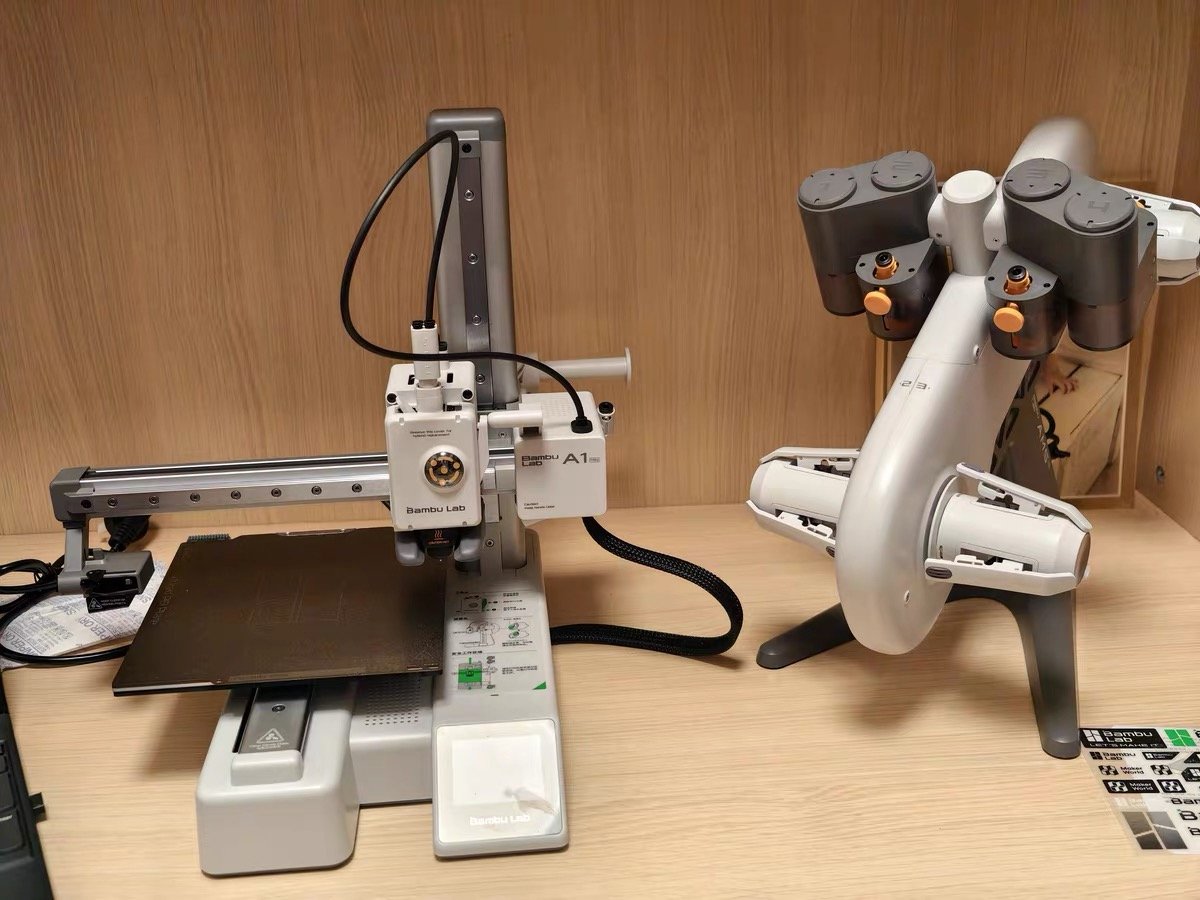
Bambu Lab’s A1 Combo with AMS Lite has completely changed the game by enabling automatic 4-color printing at under $400.
This kind of convenience used to require expensive add-ons or complex workflows — now it’s beginner-friendly and affordable.
4. Beginner vs Tinkerer Paths Are Clearer
In 2025, the divide between “tool” and “hobby” machines is sharper.
Want a reliable, set-and-forget experience? Go for printers like the A1 Mini or Prusa Mini+.
Want full control and modding flexibility? You’ve got Sovol, Creality, and Elegoo’s open systems ready to explore.
5. Premium-Level Print Quality for Less
Thanks to input shaping, Klipper firmware, and improved extruders, even printers under $300 can now produce layer lines and details that used to require flagship machines.
Beginners are regularly achieving professional-looking results with zero tuning.
At a Glance: Quick Recommendations
If you’re short on time or want a quick shortlist to work from, here are our top picks categorized by use case
| ⭐ Use Case | 🖨️ Printer | 💰 Price |
|---|---|---|
| Best Overall | Bambu Lab A1 Combo | ~$399 |
| Best Under $300 | Bambu Lab A1 Mini | ~$299 |
| Best for Tinkerers | Sovol SV06 | ~$279 |
| Best Multi-Color Option | Bambu Lab A1 Combo | ~$399 |
| Best for Beginners/Kids | Creality Ender 3 V3 SE | ~$199 |
| Best for Classrooms | Prusa Mini+ | ~$449 |
| Best for Large Prints | Sovol SV06 Plus | ~$349 |
These printers offer a great mix of performance, ease of use, and reliability at their respective price points — and the best part is, every one of them comes highly recommended by actual users in the 3D printing community.
Top Budget 3D Printers Under $300 (Beginner-Friendly Picks)
You no longer need to spend a fortune to get a reliable 3D printer that delivers great results out of the box.
In 2025, there are multiple sub-$300 machines that rival mid-tier models from just a year or two ago. Many with features like automatic leveling, fast printing speeds, and direct-drive extruders.
Below are the most recommended entry-level printers under $300.
1. Bambu Lab A1 Mini

- High-Speed Precision: Experience unparalleled speed and precision with the Bambu Lab A1 Mini 3D Printer. With an impressive acceleration of 10,000 mm/s², the A1 Mini delivers blazing-fast printing while maintaining exceptional accuracy and detail in your prints.
- Multi-Color Printing with AMS lite: Unlock your creativity with vibrant and multi-colored 3D prints. The Bambu Lab A1 Mini 3D printers make multi-color printing accessible and reliable for everyone, bringing your designs to life in stunning detail. Note: AMS lite required, get A1 Mini Combo or buy AMS lite seperately.
- Full-Auto Calibration: Say goodbye to manual calibration hassles. The A1 Mini 3D printer takes care of all the calibration processes automatically, ensuring optimal performance for every print. Enjoy a seamless printing experience with precise Z-offset, bed-leveling, and more.
- Active Flow Rate Compensation: Achieve consistently smooth prints with active flow rate compensation. The algorithm actively compensates the flow rate according to the readings to extrude with accuracy, ensuring flawless prints.
- Easy and Quiet 3D Printing: A1 mini 3D printer offers easy printing with a user-friendly interface and simplified touchscreen. Setup for your first print takes just 20 minutes thanks to its pre-assembled design. The 1-Clip quick swap nozzle allows for convenient maintenance and versatile printing options. Plus, enjoy a quiet printing environment with active motor noise cancellation, ensuring ≤48 dB noise levels.
💰 Price: ~$199
🌟 Best for: Absolute beginners who want speed, quality, and zero hassle
The A1 Mini has become a Reddit favorite for one simple reason: it just works.
This compact CoreXY machine delivers ultra-smooth prints with blazing-fast speeds and zero manual calibration.
Out of the box, it’s ready to go — no leveling, no guesswork, no tinkering.
Pros
Cons
💬 What Users Say:
“Fastest, easiest printer I’ve ever used — even my 10-year-old figured it out.“
“This thing prints better than my $700 Prusa and needs zero tweaking.“
If your priority is speed, simplicity, and results, nothing in this price range beats the A1 Mini.
2. Elegoo Centauri Carbon

- Print Right Out of the Box: ELEGOO Centauri Carbon arrives fully assembled and pre-calibrated, ready to go right away. With auto bed leveling, intuitive touchscreen controls, and 256x256x256 mm/10”x10”x10” build volume, it’s built for users of all skill levels. Whether you’re a beginner or seasoned maker, enjoy smooth, frustration-free printing from the start
- Built for High-Speed Printing: Unlock ultra-fast printing with it’s advanced CoreXY structure, achieving up to 500 mm/s print speeds and 20000 mm/s² acceleration. Combined with a high-flow hotend and powerful heated bed, you can produce large, detailed parts rapidly and reliably
- High-Performance Material Ready: Equipped with a 320°C brass-hardened steel nozzle and enclosed chamber with enhanced cooling, Centauri Carbon is optimized for advanced filaments like carbon fiber reinforced filament and more. Create parts that are strong, lightweight, and heat-resistant, ideal for drones, automotive, and athletic applications
- Rock-Solid Die-Cast Frame for Precision: Centauri Carbon 3D printer features a rigid, integrated die-cast aluminum frame that minimizes vibrations and maintains exceptional stability, even at high speeds. Combined with automatic vibration compensation and pressure advance, it ensures smooth first layers, and consistent, high-quality prints
- Smart Monitoring & Flawless Printing: Monitor your prints in real time with the built-in chamber camera and dual LED lighting. Capture time-lapse videos and make remote adjustments with ease. The upgraded dual-sided plate features a new PLA Specific Surface with excellent adhesion and minimal warping, ensuring perfect PLA printing even at lower heatbed temperatures
💰 Price: ~$299
🌟 Best for: Users who want fast, strong prints and open-material flexibility
The Centauri Carbon is Elegoo’s surprise hit: a CoreXY speedster with a large enclosed build area, direct drive extruder, and Klipper-style performance — all for under $300.
It’s capable of printing not just PLA but tougher materials like ABS and ASA thanks to its rigid frame and higher temp support.
Pros
Cons
If you want to experiment with engineering-grade materials or print fast without joining a closed ecosystem, the Centauri Carbon is a top-tier choice.
3. Creality Ender 3 V3 SE

- 【250mm/s High-speed Printing】Creality Ender 3 V3 SE 3d printer supports a maximum printing speed of 250mm/s, 2500mm/s² acceleration.The speed has been greatly improved while maintaining the printing quality, saving 73% of the time compared with other printers.
- 【Powerful “Sprite” Direct Extruder】Ender 3 V3 SE is the upgrade of ender 3, ender 3 v2, ender 3 pro, ender 3 neo, ender 3 v2 neo, ender 3 s1, ender 3 s1 pro etc 3d printer, comes with the new upgraded “Sprite” full metal dual-geardirect extruder, more powerful extruder pushing force and lightweight, the extruder realizes smooth feeding and discharging of flaments without slipping. Works extremely well in printing flaments like PLA, TPU, PETG, etc.
- 【Worry-free CR Touch Auto Leveling & Strain Sensor】Creality Ender 3 upgraded 3d printer features a CR Touch sensor for auto leveling and a strain sensor for auto z-offset. Just lay back and enjoy the print success, there is no need to participate manually throughout the process, making leveling much easier
- 【Stable Dual Z-axis & Y-axis Linear Shafts】High-precision dual Z-axis lead screws reduce Z wobbling effectively, avoid printing deviation in single-axis printing. This creality 3d printer Y-axis features two 8mm linear shafts made of strong and wear-proof steel, ensuring printing stability and higher printing accuracy over a long-lasting time
- 【Quick Assembly & Easy to Use】Preassembly has solved those hassles and worries of parts assembly, It only takes 3 steps to complete the assemble the ender-3 v3 se 3d printer, it only takes 20 minutes from the unpacking to the first printing
💰 Price: ~$199
🌟 Best for: New users who want value + community support
Creality’s latest refresh of its iconic Ender line finally feels like a proper beginner machine.
The V3 SE adds auto bed leveling, a direct-drive extruder, and dual Z-axis support — all major upgrades — while keeping its sub-$200 price tag.
Pros
Cons
For DIY-friendly users who want maximum flexibility and community resources at a rock-bottom price, this one’s hard to beat.
4. Sovol SV06

- 【Classic I3 Structure Combines with Sovol New Design】Now you can upgrade the print speed of SV06 from 50mm/s to 150mm/s by updating firmware. Please download the updated firmware and get more details from Sovol official website. Different from most 3D printers run by wheels in the market, SV06 has a classic I3 structure which avoids wear and tear of wheels and multiple replacements and it is widely applied into industry. We did something new to make it more applicable for household use. Modular design allows you to assemble SV06 within 5 steps easily.
- 【Planetary Dual Gear Direct Drive】Sovol self-developed All Metal Direct Drive Extruder with planetary dual gear set, provide SV06 with higher drive ratio and a lighter motor, helps to achieve more accurate extrusion. Add large external knob for easy feeding.
- 【300℃ High Temp Printing】All metal Hotend Setup makes it possible to print up to 300℃. No need to deal with PTFE replacement anymore, and even no need to flash the firmware, you can print with different materials better and more easily. ( Enclosure is still needed if you want to print over 260℃.)
- 【25-point Auto Leveling】With inductive sensor, detect the metal print bed through 25 points automatically and compensate the unevenness of the heated bed. The fast, smart, precise detection and compensation help you to get the bed leveled perfectly and get an fantastic first layer. Note: Set the height of initial layer to 0.3mm when you slice that would help you to printer better initial layer and make the filament stick to the plate better.
- 【PEI Build Plate】The flexible PEI-coated build plate with mesh surface design makes the prints can be removed easily without any tools. 220*220*250mm print size, enough for daily use and household use.
💰 Price: ~$279
🌟 Best for: Tinkerers who want Prusa-style quality without the price
The Sovol SV06 borrows heavily from the Prusa Mini design — direct drive, all-metal hotend, and auto bed leveling — but delivers it at nearly half the price.
It’s a great machine for hobbyists who enjoy learning and tweaking, but still want clean, consistent prints from the start.
Pros
Cons
Perfect for those who want a strong, mod-friendly base machine with great print quality and open firmware flexibility.
5. Elegoo Neptune 3 Pro / Neptune 4

- Reliable Printing with Ideal Build Size: ELEGOO Neptune 3 Pro offers a standard 225x225x280 mm/8.85×8.85×11 inch build volume, ideal for daily projects. STM32 motherboard and silent stepper motors ensure smooth, accurate movement with noise levels as low as 47dB. Ready to print in minutes with pre-assembled main parts and a full toolkit
- Powerful Direct Drive Extruder: The Neptune 3 Pro features a dual-gear direct drive extruder with a 3:1 gear ratio, built from durable SUS303 stainless steel. It provides consistent filament feeding and fewer clogs, supporting PLA, TPU, PETG, and ABS with ease
- Smarter Printing, Less Worry: ELEGOO Neptune 3 Pro includes 36-point auto bed leveling, making setup effortless while ensuring a perfect first layer. Filament runout sensor and power-loss resume function give you peace of mind during large or complex prints
- Upgraded Nozzle System, Fewer Clogs: The nozzle system includes a titanium throat tube, brass nozzle, and widened aluminum heat sink. Combined with a front-mounted cooling fan, it enhances heat dissipation and helps prevent clogs during longer or faster jobs
- Precision Z-Axis for Stable Results: Dual lead screws with dual motors ensure steady, accurate Z-axis movement. Durable POM V-guide wheels provide smooth motion and long-term reliability, ensuring consistent performance for every project
💰 Price: $229–$299
🌟 Best for: Beginners who want a fast, quiet, dependable printer
Elegoo’s Neptune line is often described as the “no-drama Ender killer.”
The Neptune 3 Pro, in particular, has earned a reputation as one of the most beginner-friendly printers in its price range. Its successor, the Neptune 4, adds Klipper support for faster prints.
Pros
Cons
💬 What Users Say:
“Best $200 I’ve spent — it just prints perfectly every time.“
“Neptune 4 is like a budget Klipper printer out of the box.“
If you want a beginner-friendly machine that prints fast and consistently without headaches, the Neptune series is a solid bet.
6. Anycubic Kobra 2 / Vyper

- 【Amazing Multicolor Printing】1x ACE Pro → Enables 4-color printing, 2x ACE Pro + 8-Color Filament Hub →Enables 8-color printing
- 【Top-of-the-line Nozzle Technology】Anycubic Kobra 3 V2 Combo is equipped with the same advanced nozzle as the Kobra S1, significantly reducing the material leakage during printing, making the surface of the model smoother and enhance its exquisite appearance
- 【Active Filament Drying for Optimal Performance】 Adjustable Drying Temperature (35-55℃), maintains the filament’s ideal printing condition for optimal printing results. It supports continuous operation for up to 24 hours without the need to purchase additional filament dryer box, providing you with printing convenience
- 【600mm/s Higher Printing Speed】At speeds of up to 600 mm/s, Anycubic Kobra 3 V2 Combo sets the standard for high-speed printing. Max acceleration is 20,000mm/s. Recommended speed is 300mm/s. Compared to regular FDM 3D printers, the speed has improved 12 times, and it just only takes 11min30s to print a boat. Faster speeds help you save valuable time
- 【Comes Standard with a 720p Camera】With a high-definition camera that offers 720P video streaming, you can now monitor your printing progress anytime, anywhere, and share your time-lapse recording of the printing process.
💰 Price: ~$250
🌟 Best for: Beginners who want a clean setup and sturdy performance
The Anycubic Kobra 2 and Vyper are often overlooked, but both offer direct drive extruders, reliable auto-leveling, and decent speeds at a great price. They don’t have the same massive community as Ender, but they’re known for printing well straight out of the box.
Pros
Cons
💬 What Users Say:
“I set it up in 10 minutes and was printing models within an hour.“
“Not as hyped as Bambu or Ender, but super reliable for the price.“
If you want a dependable machine that works well out of the box and don’t care about brand hype, the Kobra 2 or Vyper is worth considering.
Best 3D Printers Under $500 (Upgraded Beginner Picks)
If your budget can stretch beyond $300, you unlock a tier of machines that offer much more than just basic printing.
In this range, you’ll find printers with larger build volumes, better motion systems, higher speeds, enclosed designs, and even multi-color functionality — all while still being beginner-friendly.
Below are the most recommended sub-$500 printers for 2025 that strike a perfect balance between power, usability, and price.
1. Bambu Lab A1 Combo (with AMS Lite)

- High-Speed Precision: Experience unparalleled speed and precision with the Bambu Lab A1 3D Printer. With an impressive acceleration of 10,000 mm/s², the A1 delivers blazing-fast printing while maintaining exceptional accuracy and detail in your prints.
- Multi-Color Printing with AMS lite: Unlock your creativity with vibrant and multi-colored 3D prints. The Bambu Lab A1 3D printers make multi-color printing accessible and reliable for everyone, bringing your designs to life in stunning detail. Note: AMS lite required, get A1 Combo or buy AMS lite seperately.
- Full-Auto Calibration: Say goodbye to manual calibration hassles. The A1 3D printer takes care of all the calibration processes automatically, ensuring optimal performance for every print. Enjoy a seamless printing experience with precise Z-offset, bed-leveling, and more.
- Active Flow Rate Compensation: Achieve consistently smooth prints with active flow rate compensation. The algorithm actively compensates the flow rate according to the readings to extrude with accuracy, ensuring flawless prints.
- Easy and Quiet 3D Printing: Experience effortless printing with the Bambu Lab A1 FDM 3D printer. Its user-friendly interface and simplified touchscreen make it easy to use. The 1-Clip quick swap nozzle ensures convenient maintenance and provides versatile printing options. Enjoy a quiet printing environment with active motor noise canceling, allowing you to focus on your work while the A1 FDM 3D printer brings your ideas to life
💰 Price: ~$399
🌟 Best for: Beginners who want multi-color printing, speed, and reliability
The Bambu A1 Combo takes everything great about the A1 Mini and steps it up: larger build volume, better cooling, and an automatic material system (AMS Lite) that lets you print with up to four colors seamlessly.
Despite its advanced features, it remains one of the most beginner-friendly printers on the market.
Pros
Cons
💬 What Users Say:
“If you can afford it, skip the budget range and start with this. You won’t regret it.“
“Multi-color prints are a breeze — no more filament swaps or manual pausing.“
If you want a printer that looks, feels, and performs like a premium machine without any tuning, the A1 Combo is hands-down the best entry point under $500.
2. Sovol SV06 Plus

- Speed up to 500mm/s with Enhanced Precision: Harnessing advanced technology to deliver Sovol SV06 Plus ACE rapid printing without compromising on intricate details, resulting in impeccable, high-quality print models. Fast print enhanced overall production efficiency greatly. The Z-axis is reinforced with diagonal rod supports, forming a sturdy triangular structure to minimize wobbling during high-speed printing and enhance printing precision
- Everything at Your Fingertips: 4.3 inch capacitive touch screen as easy as your smart phone. You don’t have to be a 3D printing expert to use the SV06 Plus ACE. Complete all settings with a simple tap on the screen, including auto-leveling the bed, previewing prints, and one-click printing. The leveling sensor of Sovol SV06 Plus ACE automatically measures Z-axis offsets and adjusts the Z-offset to ensure precise leveling and no more leveling issues. Adaptive probing adjusts probing area based on the prints’ footprint, reducing preparation time. Dual Z-axis Motors ensures efficient and stable leveling
- Built-in Camera: Defect Detection makes Sovol SV06 Plus ACE automatically stop printing (with Obico App) when a “spaghetti monster” is detected, based on real-time camera monitoring. You can also monitor the printing status in real-time via Obico and control the printer remotely. Timelapse Photography helps you capture stunning printing processes and create condensed videos of the print, ready to share on your social media
- Dual Axis Core Metal Bearings And Rails: The X and Y axis of SV06 Plus ACE are equipped with Sovol’s new dual axis core metal bearings and all-metal rail system, significantly improving the reliability and lifespan of the 3D printer. Compared to traditional V-shaped POM wheels, this not only enhances structural strength and extends lifespan, but also reduces noise during printing, making it smoother and more efficient
- Advanced Planetary Dual Gear Extruder: Sovol SV06 Plus ACE is equipped with a planetary dual gear extruder featuring a 1:7.5 gear ratio, ensuring lightweight construction and powerful, consistent output. With a 300℃ high-temperature nozzle, the SV06 Plus ACE supports a wide range of materials: PETG, TPU, PLA, ABS, etc. The robust 4020 high-speed ball bearing fan generates strong airflow for the rapid cooling of printing materials. This effective cooling solution minimizes warping and enhances layer adhesion, ensuring high-quality prints with precision and consistency
💰 Price: ~$329–$349
🌟 Best for: Large prints, cosplay props, functional parts
The SV06 Plus is essentially the “big brother” to the SV06, with a generous 300×300×340 mm build volume, upgraded motion system, and Volcano-style hotend for high-speed, high-flow printing.
It’s ideal for users who want to make larger items or print more parts in one go.
Pros
Cons
If you need print size without sacrificing quality, this machine delivers serious bang for your buck.
3. Prusa Mini+

- With a 7″ x 7″ x 7″ (18 x 18 x 18 cm), the MINI plus is a 3D printer with full functionality. From sensorless homing, automatic mesh bed calibration, interchangeable nozzles, network connections, USB printing, full color LCD screen, MINI plus has a large printer on a small body.
- It’s packed with many of the features you can find in its larger siblings – super-fast printing thanks to Input Shaper and Pressure Advance, remote print management via Prusa Connect, OTA firmware updates, advanced safety features, and support for advanced materials – even PA-11 (280 °C nozzle and 100 °C heatbed). It’s open-source, easy to maintain, and open to mods, tweaking and tinkering.
- The packaging includes a Free sample of Prusament PLA ~ 2×25 g.
- This listing is a DIY KIT for self-assembly, we also offer a semi assembled variant of the printer.
💰 Price: ~$449 (kit) / $499 (assembled)
🌟 Best for: Reliability-first users, schools, and quiet environments
The Prusa Mini+ isn’t flashy — but it’s built like a tank. With one of the best support ecosystems in the business, Prusa’s Mini+ is known for consistent print quality, safety, and longevity, making it ideal for classrooms or anyone who just wants reliable results every time.
Pros
Cons
💬 What Users Say:
“My Prusa just prints. That’s it. No tweaks, no drama.“
“If you’re buying for a kid or a school, this is a no-brainer.“
Ideal if you value trust, long-term support, and zero surprises — the Prusa Mini+ still earns its place in 2025.
4. Elegoo Neptune 4 Plus

- 500MM/S LIGHTNING-FAST SPEED: Neptune 4 Plus is equipped with powerful Klipper firmware, enable impressive printing speeds of up to 500mm/s (default 250mm/s) and up to 12000mm/s accelerations. Rapid filament is recommended for high speed mode
- BIGGER BUILD VOLUME: 12.59”x12.59”x15.15”/320x320x385mm larger build volume, Neptune 4 Plus help you create larger models or multiple smaller objects in a single print, expanding your creative possibilities
- PRECISE & EXCELLENT PRINTING: Support input shaping and pressure advancing, and acceleration sensors on the X and Y axes for automatic calibration, reduce impact of vibration on the printing accuracy. You can get precise details, amazing quality and fast printing all at the same time
- DIRECT DRIVE EXTRUDER: Self-developed dual-gear direct drive extruder has a 5.2:1 reduction ratio, providing powerful extrusion and smoother filament feeding. Paired with metal throat pipe and unique air duct design to reduce nozzle clogging risk
- 300°C HIGH-TEMP NOZZLE: High-temp nozzle with extended hot end design, 60W ceramic heating element and PID parameters automatic calibration, ensures faster and smoother melting and extrusion, can handle various filament materials as PLA, PETG, ABS, TPU and nylon
💰 Price: ~$370
🌟 Best for: Beginners who want fast prints and a huge build volume
If you’re looking for a large-format printer that doesn’t break the bank, the Neptune 4 Plus stands out.
It offers an enormous 420×420×480 mm build space, pre-installed Klipper firmware for high-speed printing, and a solid, quiet motion system.
It’s a dream for printing cosplay props, helmets, or multi-part assemblies in one go.
Pros
Cons
💬 What Users Say:
“It’s like having a mini industrial printer at home.“
“Setup takes a bit more patience, but worth it for the size.“
If space isn’t an issue and you want serious print capacity without jumping into the $600+ tier, the Neptune 4 Plus is an excellent value.
5. Creality K1 / K1 SE

- Faster and More Efficient: Creality K1 3d printer, equips 600 millimeter per second printing speed and 20000 millimeters per square second acceleration, it is 12 times faster than the other normal 3d printer. Give good printing experience to customers and get a good model in short time
- Efficient Printing: With flow max 32 millimeters per square second, K1 3d printer has a new ceramic heater, encircling the entire hotend, it can heat to 200 degree in 40 seconds quickly and melts the filament instantly. Its max heating temperature is 300 degree
- Easy Start to Print: With one-tap self-inspection, K1 3d printer helps you start the printing job easily. Also, there is a strain sensor in the heatbed for more precise auto leveling without any operation or attention. Which can help to level the hot bed easily and quickly, saving much time in this process
- Dual-gear Extruder: Enables smooth feeding, it supports a wide range of filaments and performs well even when printing with flexible filaments, such as TPU. The Creality K1 all-in-one 3d printer incorporates a specialized direct extruder called the “Sprite,” which is designed to handle flexible filaments with precision. This all-metal extruder is equipped with dual gears. It allows for a powerful and uniform extrusion force of 80 Newtons, ensuring smooth and consistent filament feeding
- Upgraded Design: K1 3d printer can print via USB drive or Lan, different printing mode meets different customers demands. Smart G-sensor to resolve ringing for high-speed printing. Accurate Z-axis positioning for less Z-banding. The dual fans keep models cool with directional air ducts on the printhead and an auxiliary fan in the build chamber for prompt cooling
💰 Price: ~$399–$499
🌟 Best for: Users who want high speed and hands-free printing out of the box
Creality’s K1 and K1 SE are designed to compete directly with Bambu Lab by offering CoreXY architecture, fast printing speeds, and auto-calibration features in a slick, enclosed package.
The K1 is the flagship, while the K1 SE trims a few premium features to stay under $500.
Pros
Cons
💬 What Users Say:
“Speed is insane — prints a Benchy in under 15 minutes.“
“Good machine, but Bambu still wins on polish and ecosystem.“
If you find a good deal on the K1 SE, it’s a great middle ground. But at full price, many users still lean toward Bambu for its smoother experience and ecosystem support.
Best 3D Printers by Use Case (Find Your Perfect Match)
Not every beginner is looking for the same thing.
Some want multi-color toys, others need large prop-making machines, and some just want something that works quietly in a classroom or home office.
To help you choose faster, here’s a breakdown of the best budget 3D printers in 2025 by specific needs and goals:
For Total Beginners
🏆 Recommendation:
Why: Auto-calibration, excellent print quality, cloud printing, and zero setup frustration. Just slice, send, and print.
For Multi-Color Prints (Cosplay, Toys, Models)
🏆 Recommendation:
Why: Currently the only sub-$500 printer with automated 4-color printing built in. Great for visual projects and detailed parts.
For Tinkerers and Modders
🏆 Recommendation:
Why: Open-source, easy to upgrade, strong community. Great for learning how 3D printing works under the hood.
For Large Prints and Props (Cosplay, Helmets, Big Prototypes)
🏆 Recommendation:
Why: Build volumes over 300mm³ without compromising print quality. Print large parts in one go.
For Families, Kids, or Quiet Environments
🏆 Recommendation:
Why: Reliable, safe, quiet, and easy to maintain. Ideal for home learning, supervised student use, or non-tech-savvy users.
For Classrooms or Small Educational Labs
🏆 Recommendation:
Why: Durable, documented, and supported by strong user communities. Ideal for multi-user environments where uptime and consistency matter.
FAQs About Budget 3D Printers in 2025-2026
Whether you’re buying your very first 3D printer or upgrading from an older model, it’s normal to have questions.
Below are the most common ones beginners ask — with honest, no-fluff answers based on actual user experience and 2025 printer capabilities.
What’s the best 3D printer under $300 in 2025?
Bambu Lab A1 Mini is the top choice. It prints fast, needs no tuning, and works right out of the box. For those who want a more modifiable machine, the Creality Ender 3 V3 SE or Sovol SV06 are solid alternatives.
Is the Bambu A1 Mini really beginner-friendly?
Yes — possibly the most beginner-friendly printer ever released. It auto-calibrates everything, uses reliable slicer profiles, and prints very well even if you’ve never touched a 3D printer before.
Can I print ABS, ASA, or TPU with a budget printer?
Yes — but not all models are suitable. For ABS/ASA, you’ll need good bed adhesion and preferably an enclosure (like on the Elegoo Centauri Carbon or K1). For TPU, choose a direct drive printer like the SV06 or A1 Mini, and print slowly.
Is multi-color printing possible under $500?
Yes. The Bambu A1 Combo with AMS Lite offers true automatic multi-color printing — up to four filaments in a single print — all under $400. No manual swaps, no purge towers needed (unless color precision is important).
Are Ender printers still a good choice for beginners?
The newer models, yes. The Ender 3 V3 SE is actually one of the best value printers in 2025. But older versions (like the V2 or Pro) often require lots of mods and time — not ideal for first-timers.
What’s the fastest printer under $500?
Speed-wise, the Bambu A1 (Combo) and Creality K1 are top picks. Both use CoreXY architecture and input shaping for speeds up to 300–500 mm/s. For fast, strong prints, the Elegoo Centauri Carbon is also a great option.
Do I need to assemble these printers myself?
Most models now come 90–95% pre-assembled. You’ll still attach a few parts and check screws, but it’s not like the old DIY kits. Bambu A1, Neptune 3 Pro, and Prusa Mini+ (pre-built) are nearly plug-and-play.
Are budget 3D printers noisy?
Not anymore. Most 2025 models use silent stepper drivers. The quietest picks are the Prusa Mini+, Bambu A1 Mini, and Elegoo Neptune 3 Pro — all suitable for home or office use.
What’s the first upgrade I should buy?
If your printer doesn’t come with one, invest in a PEI flexible build plate — it makes removing prints so much easier. Other good upgrades: a filament dry box, bed scraper, and good calipers for dimensional accuracy.
Real Advice from Makers101 (What Beginners Should Know)
Spec sheets are helpful. Brand promises are… sometimes true.
But if you want to know what owning a 3D printer is really like and what mistakes to avoid, you need to listen to people who’ve lived through it.
Here are the most important lessons shared by experienced Redditors and YouTubers in 2024–2025, distilled into honest, practical tips for beginners:
1. Don’t Buy Too Cheap
“Anything under $150 is usually a waste unless you’re into fixing printers more than using them.”
Very cheap printers often cut corners on quality control, support, and reliability. Stick to trusted brands like Bambu, Sovol, Elegoo, Prusa, or Creality — even if it means spending $50 more.
2. Know Whether You Want a Tool or a Hobby
“If you want a tool that just works, get a Bambu. If you want a hobby where you tweak and tinker, get an Ender or Sovol.”
This is the key mindset shift. Are you buying a 3D printer to print things — or to learn how 3D printers work? There’s no wrong answer, but the right machine depends on which path you choose.
3. Skip Manual Bed Leveling if You Can
“Auto bed leveling is non-negotiable in 2025. Don’t suffer for no reason.”
Manually leveling a bed with paper and knobs is outdated and frustrating. Every top-rated printer on this list includes automatic leveling, and it’s worth every penny.
4. Start with PLA — Master the Basics First
“People rush into ABS or flex filaments and get discouraged. Start with PLA, get your first 10 prints right.”
PLA is easy to print, forgiving, and works on every machine. Once you’re confident with PLA, you can branch into PETG, TPU, or ABS.
5. Use Stock Settings Before Tuning
“Don’t touch retraction or speed until you’ve run a temp tower and a flow test.”
Most slicing software (like Bambu Studio, Cura, or PrusaSlicer) comes with good default profiles. Stick with those at first. If you tweak too early, you’ll chase problems that didn’t exist.
6. Join a Community — Don’t Print Alone
“Every time I hit a weird issue, someone on Reddit had the exact same problem — and the fix.”
r/3Dprinting, r/FixMyPrint, Discord servers, and YouTube comment sections are gold mines for support, hacks, and ideas. Just be specific when asking for help (share photos and settings).
7. First Upgrades: Flex Plate, Better Nozzle, Filament Storage
- PEI build plate = painless print removal
- Hardened nozzle = longer life, especially with PETG or carbon fiber filaments
- Dry box or zip-lock bags with desiccant = keeps filament printing clean
None are required on day one, but they’re top of the list once you’re ready to go beyond stock.
Conclusion: The 3D Printing Revolution Is Finally Beginner-Friendly
Getting into 3D printing used to be a slow, frustrating, often expensive process. In 2025, that’s changed — dramatically.
You can now buy a printer for under $300 that:
- Auto-levels itself
- Prints with speed and precision
- Runs quietly in your living room
- Produces professional-grade parts with zero mods
And for under $500? You’re looking at machines that offer multi-color printing, Klipper-level speeds, and large build volumes — once reserved for serious hobbyists or pros.
If you’re new to the world of 3D printing, here’s the simple bottom line:
- Want something that just works? Get the Bambu Lab A1 Mini
- Want to grow into cosplay, functional parts, or multi-color prints? Grab the A1 Combo
- Want a hobby you can tweak and mod? Start with a Sovol SV06 or Ender 3 V3 SE
- Need something for a classroom or family use? Choose the Prusa Mini+ or Neptune 3 Pro
Whatever your choice, every printer in this guide is battle-tested by real users. And best of all — you don’t need to spend thousands or be an engineer to get great results.