What Is the Difference Between Lubricating Oil and Grease in 3D Printers?
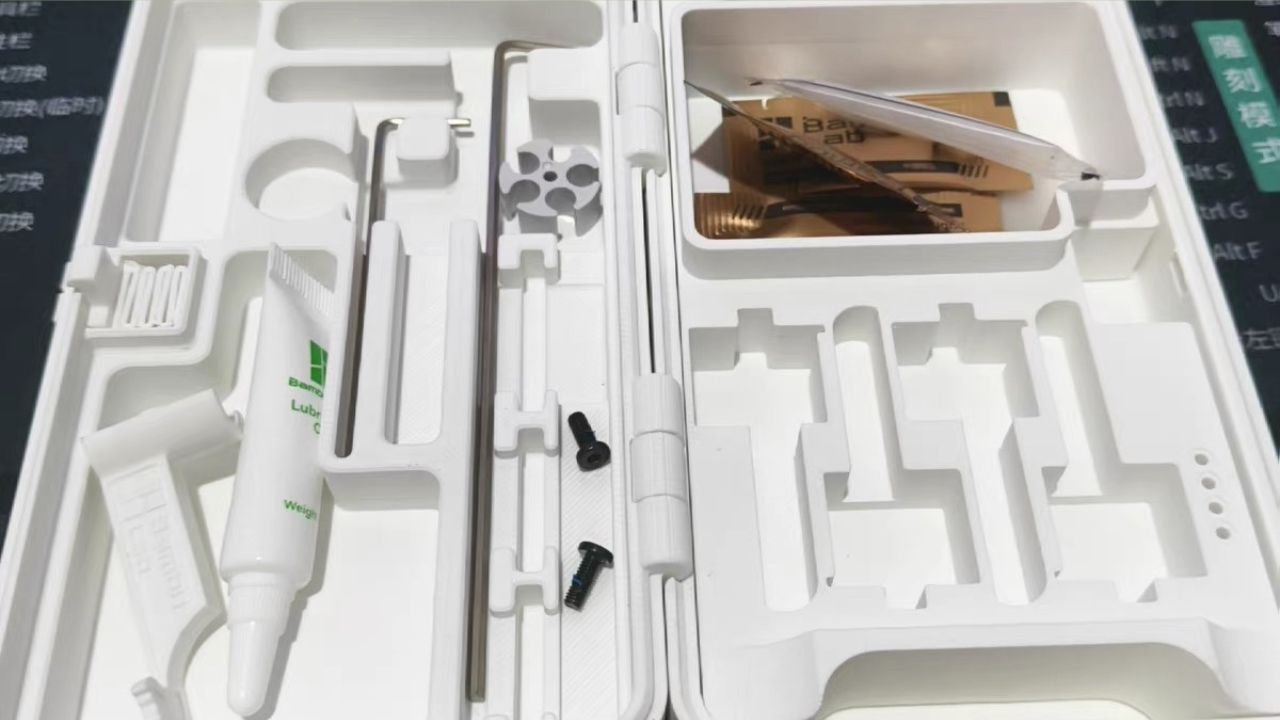
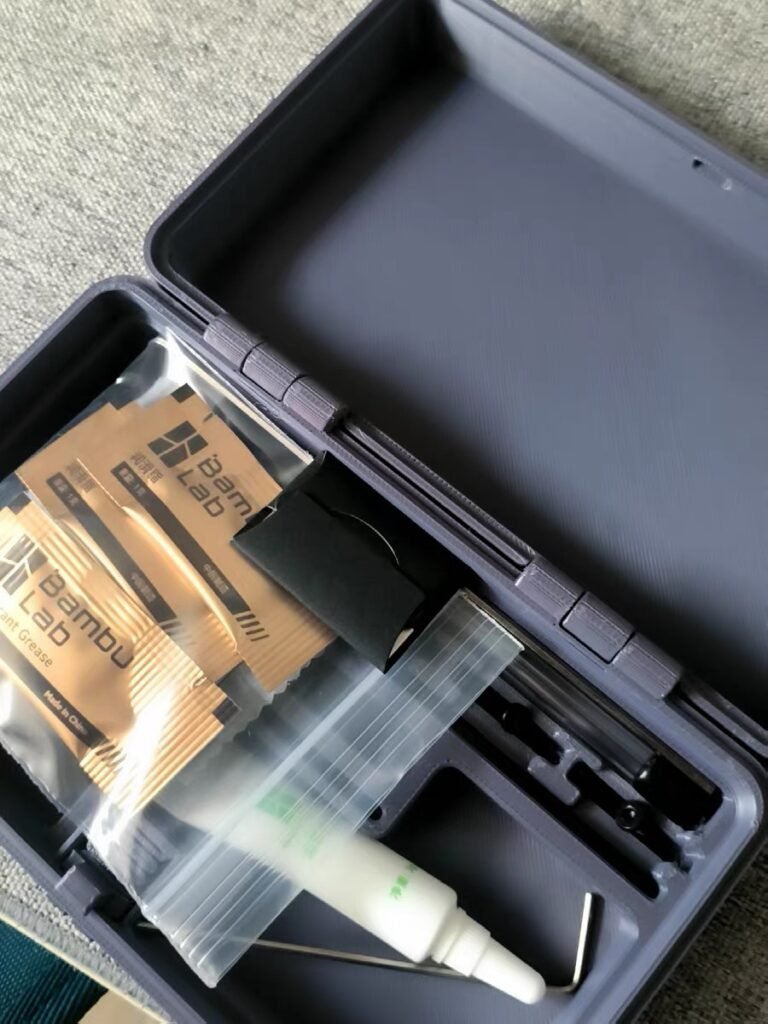
When you first set up your Bambu A1 Mini , you’ll notice two small tubes in the box—one of lubricating oil, one of lubricating grease. At first glance, they look identical. But knowing the difference between lubricating oil and lubricating grease is key to keeping your printer smooth, quiet, and precise.
| Preview | Product | Price | |
|---|---|---|---|

| Bambu Lab A1 Mini 3D Printer, Support Multi-Color 3D Printing, Set Up in 20 Mins, High Speed &… | Buy on Amazon |
Lubricating oil is thin, fast-spreading, and designed for high-speed moving parts such as X/Y rails or bearings. It helps the print head glide freely across the rods, minimizing friction and noise.
Lubricating grease, however, is thicker and more adhesive. It’s perfect for slow-moving threaded parts like the Z-axis lead screw, where it forms a lasting protective film that reduces wear and prevents corrosion.
In short:
- Oil = movement and agility.
- Grease = stability and long-term protection.
As one Reddit user put it, “Oil for rails, grease for the Z screw.” It’s simple but accurate.
Pro Tip: Less is more. A few drops of oil or a pea-sized dab of grease will do the job—too much can collect dust and cause drag.
Where and When Should You Apply Lubricating Oil or Grease on a Bambu A1 Mini?
Once you understand the difference between lubricating oil and grease, the next question is where each one actually goes.
The Bambu A1 Mini has a precise motion system, and the right lubricant in the right spot keeps it running quietly and accurately for thousands of print hours.
1. Use lubricating oil on fast-moving parts
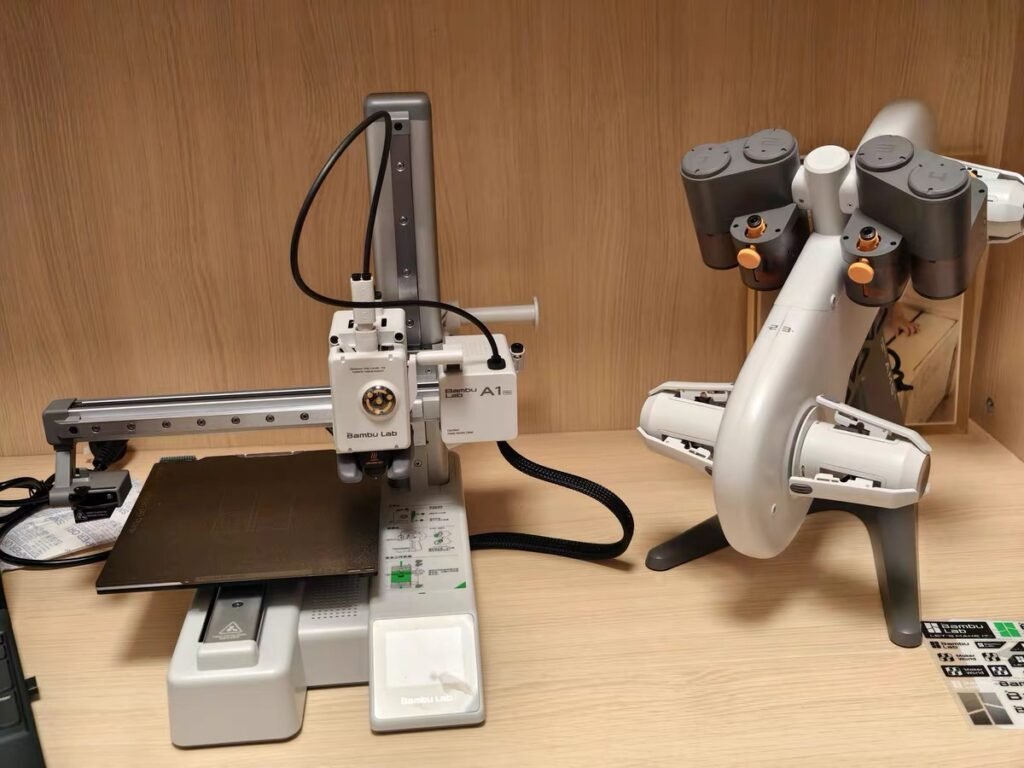
Apply a thin layer of oil to the X and Y axis linear rods and their bearings. These metal rails handle constant back-and-forth motion, and oil helps the print head glide with minimal friction.
Avoid over-oiling—just two or three drops evenly spread with a lint-free cloth are enough.
2. Use grease on slow-moving threaded parts
For the Z-axis lead screw, switch to lubricating grease. The thicker texture clings to the threads, cushioning vertical movement and preventing metal wear.
A pea-sized amount spread evenly along the screw will last several months.
3. Minor components that benefit from light oil
A touch of oil on the idler pulley or AMS roller (if it starts squeaking) can eliminate small friction noises.
Never apply oil to carbon fiber rods (used in P1 or X1C)—they must stay clean and dry.
Some users say their A1 Mini ran over 3,000 hours before needing fresh grease. Still, a light monthly inspection keeps you ahead of problems.
Pro Tip: Always wipe away old dust and residue before adding new lubricant. Layering fresh oil or grease over grime traps debris and shortens part life.
Next, we’ll walk through a step-by-step maintenance routine—from cleaning to applying and testing—to help your 3D printer move like new after every tune-up.

How to Lubricate a 3D Printer: Step-by-Step Maintenance Routine
Keeping your Bambu A1 Mini smooth isn’t complicated—you just need a clean workspace, the right lubricant, and a few minutes of attention.
Follow this step-by-step lubrication guide for 3D printers to maintain consistency and quiet operation.
1. Power off and prepare your tools
Before doing anything, unplug the printer.
Gather a lint-free cloth, tweezers, and your Bambu silent oil or grease. A soft brush or compressed air can help remove dust.
2. Clean before you lubricate
Wipe every rail or screw to remove old oil, grease, or filament residue. If debris builds up, use tweezers to lift it away. This ensures new lubricant bonds to metal surfaces instead of dirt.
3. Apply lubricating oil on X/Y rails
Add two to three drops of oil to the rods. Move the print head manually from side to side to spread it evenly. You should feel smoother motion right away.
4. Apply grease on the Z-axis lead screw
With a small brush or fingertip, coat the threads with a pea-sized amount of grease. Run the Z-axis up and down to let it spread across the screw.
Don’t overdo it—thin and even is perfect.
5. Inspect and test motion
Power the printer back on, perform a short axis movement test, and listen. The motion should feel fluid and silent.
If you still hear friction, check for leftover debris or uneven coverage.
6. Prevent before problems start
Even if the printer doesn’t ask for maintenance, clean exposed rails every 100 hours of printing. It takes less than two minutes and prevents rust, squeaks, and Z-band artifacts.
Pro Tip: Always store lubricants sealed and upright. Dust-contaminated oil or grease can damage bearings faster than no lubricant at all.
How Often Should You Lubricate Your Bambu A1 Mini? (Maintenance Schedule)
To keep your printer running smoothly, consistency matters more than quantity. This quick Bambu A1 Mini maintenance schedule shows how often each part should be cleaned, oiled, or greased.
Stick to it, and you’ll prevent most motion issues before they start.
| Part / Component | Type | Frequency | Action | Recommended Tools |
| X / Y Axis Rails | Lubricating Oil | Every Month | Wipe clean and apply 2–3 drops of oil | Lint-free cloth, tweezers |
| Z-Axis Lead Screw | Lubricating Grease | Every 3 Months | Clean and apply a pea-sized dab of grease | Brush, Bambu silent grease |
| Idler Pulley & AMS Rollers | Lubricating Oil | As Needed (if squeaking) | Apply light oil | Cotton swab or cloth |
| Cooling Fans | — | Every Month | Clean dust using air or soft brush | Compressed air, brush |
| PTFE Tube & Extruder Gears | — | Every 5–6 Filament Rolls | Clean and check for wear | Tweezers, air blower |
| Hotend & Silicone Sock | — | Inspect Every 5 Rolls | Replace if cracked or deformed | Gloves, replacement parts |
Tip: For heavy users running 24/7 print farms, shorten these intervals by 30%.
Some users report going thousands of hours before grease is needed, but Bambu Lab officially recommends refreshing the Z-axis grease every three months to keep movement precise.
Pro Tip: Mark maintenance dates on a label near your printer or log them in Bambu Studio. Regular tracking prevents over-lubrication and saves troubleshooting time later.
Now that you know when to maintain your printer, let’s cover how to recognize early signs of poor lubrication—and what to do before small noises turn into print defects.
How to Tell If Your 3D Printer Needs Lubrication (Troubleshooting Signs)
Even the best-maintained printer gives clues when it’s time for care. Recognizing early signs of poor lubrication helps you fix small issues before they affect print quality or cause mechanical wear.
1. Squeaking or grinding noises
If your A1 Mini starts to squeal or hum during movement, the linear rails or bearings may be dry. Wipe the rods clean and reapply a few drops of lubricating oil.
Never add oil on top of old grime—always clean first.
2. Jerky or uneven Z-axis motion
When the toolhead moves in short, uneven jumps, the lead screw grease might have dried up or collected dust.
Clean the threads gently and spread a thin new layer of lubricating grease.
3. Layer shifts or vibration lines
Small, horizontal ridges on printed surfaces often mean inconsistent rail motion. Check belt tension and confirm the X/Y rails are lightly oiled.
4. Filament feed issues
If extrusion becomes irregular or the printer reports “load failed,” inspect the extruder gears and PTFE tube for friction or residue.
Cleaning these can solve what feels like a hardware problem.
5. Noisy or slowing fans
Fan noise after long use is common. Power off, then blow dust away with compressed air. Never spin the fan directly with air pressure—it can backfeed voltage and damage the board.
Experienced Bambu users note that 90% of “weird noises” vanish after a 5-minute clean-and-oil routine. The key is light, regular care—don’t wait for the printer to remind you.
Pro Tip: If lubrication doesn’t fix the issue, check for mechanical blockage or worn belts before re-greasing. Sometimes the noise isn’t from dryness but from misalignment.
Next, let’s switch from fixing problems to preventing them altogether with a simple checklist that keeps your A1 Mini running at peak condition year-round.
How Can You Prevent Lubrication Problems Before They Start? (Preventive Maintenance Tips)
Good maintenance isn’t about reacting — it’s about staying ahead. With a few simple habits, you can avoid most lubrication-related problems on your Bambu A1 Mini before they ever show up.
1. Clean regularly, even without prompts
Don’t wait for a pop-up reminder. After every 100 hours of printing, gently wipe exposed metal rails and the Z screw with a lint-free cloth. Removing fine dust early prevents friction and rust.
2. Store lubricants properly
Keep your lubricating oil and grease sealed tight, upright, and away from heat or dust. Contaminated lubricants are a leading cause of bearing damage—sometimes worse than running dry.
3. Control your environment
Dust, moisture, and temperature swings shorten lubricant life. If possible, run your printer in a clean, stable room and cover it when idle for long periods.
4. Avoid mixing oil and grease
Oil can thin grease, washing away its protective film. Stick to each type’s designated part—rails get oil, lead screws get grease.
5. Check after transport or long idle time
If your printer has been moved or unused for months, inspect motion components before your first print. A quick re-oil or re-grease can prevent motor strain or Z wobble.
Many users who print daily say “light and frequent” beats “heavy and rare.” Consistent micro-maintenance adds months to mechanical life.
Pro Tip: Add maintenance reminders in your slicer or calendar—small routines prevent big repairs.
What Are the Most Common Lubrication Mistakes in 3D Printer Maintenance?
Even seasoned makers can slip up when maintaining their printers. The wrong oil, too much grease, or skipped cleaning can all shorten your machine’s lifespan. Here’s what to avoid when caring for your Bambu A1 Mini.
1. Over-lubricating the rails or screw
More isn’t better. Extra oil or grease traps dust and turns into sticky sludge. Always apply a thin, even layer—just enough to create a clean sheen on the metal surface.
2. Mixing oil and grease
Each has a distinct purpose. Adding oil on top of existing grease dissolves its thickness and weakens protection. If you must switch from grease to oil, clean the part completely before reapplying.
3. Forgetting to clean before re-lubricating
Dust and filament debris build up fast. Always wipe the area first, otherwise you’re sealing grime into your bearings and threads.
4. Oiling carbon fiber rods
This one’s critical: on the P1 or X1C models, the carbon rods must stay dry. Lubricant will damage the surface coating and cause print drift. For the A1 Mini, only oil the metal rails.
5. Ignoring fan safety
Never blow compressed air into a powered fan. Spinning it too fast can generate reverse voltage and damage the board. Power off, hold the blades, then clean gently.
A top Reddit comment puts it bluntly — “Most noises come from over-care, not under-care.” Regular but minimal maintenance is the goal.
Pro Tip: Before every lubrication session, visualize: Clean → Apply → Move → Wipe. It’s the simplest habit that guarantees consistent results.
Next, we’ll go over which lubricants are safe for your 3D printer—and what substitutes work in a pinch when you run out of the original kit.
Which Lubricants Are Safe for Your 3D Printer? (Recommended Oils and Grease Alternatives)
Choosing the right product matters just as much as applying it correctly. Using cheap or incompatible lubricants can wear out bearings, attract grime, or even corrode metal parts.
Here’s a quick guide to the best and safest options for your Bambu A1 Mini and other desktop printers.
1. Use official or machine-grade lubricants
The safest choice is always the Bambu Silent Oil and Grease included with your printer. Both are designed for low-noise, high-precision motion systems. If you need to restock, look for machine or sewing-grade mineral oils and lithium-based greases labeled “plastic safe.”


2. Avoid automotive or silicone greases
They’re often too thick, sticky, or contain additives that can degrade plastic components and belts. A good 3D printer lubricant should stay smooth under moderate heat (30–70 °C) without turning gummy.
3. Emergency substitutes
In a pinch, you can use WD-40 or light sewing oil, but only for a short period. These evaporate quickly and don’t provide lasting protection. Always replace them with proper lubricants after a few print sessions.
4. Store and label properly
Keep both lubricating oil and grease tightly sealed and upright. Contamination by dust or metal filings will ruin their performance faster than use.
Pro Tip: Always test a small amount on a spare metal surface first. If it feels tacky or leaves a sticky film after 10 minutes, it’s too thick for fine printer parts.
Frequently Asked Questions About 3D Printer Lubrication
Q1. How much oil or grease should I use?
Less than you think. For lubricating oil, just two or three drops along each metal rail are enough. For lubricating grease, a pea-sized dab evenly spread on the Z-axis lead screw will last for months. Overdoing it only collects dust and causes drag.
Q2. How often should I lubricate my printer?
For the Bambu A1 Mini, apply oil to X/Y rails once a month and grease the Z screw every three months. Heavy users or print farms should shorten that cycle by 25–30%. If you hear squeaks, don’t wait—clean and reapply immediately.
Q3. Can I mix oil and grease or switch between them?
No. They’re chemically different. Mixing breaks down viscosity and protection. If you must switch types, clean the part thoroughly with a dry cloth before adding the new lubricant.
Q4. What if I still hear noise after lubrication?
That’s your printer asking for a deeper check. Make sure rails are clean, belts are properly tensioned, and no debris is trapped near bearings. Persistent grinding could mean worn parts rather than dryness.
Q5. Do I need to lubricate carbon rods on other models?
Never. Models like the P1 or X1C use carbon fiber rods that must remain dry. Only the A1 Mini’s metal rails and lead screw need lubrication.
Recommended Resources and Next Maintenance Guides
Taking care of your Bambu A1 Mini gets easier when you have reliable references. Below are a few trusted sources and related guides that complement what you’ve learned in this lubrication tutorial.
1. Official Resources
- Bambu Lab Wiki: Comprehensive maintenance documentation, step-by-step photos, and model-specific schedules. → wiki.bambulab.com
- Bambu Studio App: Maintenance reminders and real-time prompts for oiling or greasing cycles.
2. Makers101 Related Guides
- Beginner’s Guide to 3D Printer Maintenance — Learn the fundamentals of cleaning, calibration, and long-term care.
- Best 3D Printer Lubricants (2025 List) — Detailed comparison of oils and greases that are plastic-safe and heat stable.
- Troubleshooting Bambu Printer Noises — Diagnose squeaks, hums, and grinding sounds like a pro.
- How to Clean a PEI Print Plate Properly — Keep your print surface adhesive yet residue-free.
3. Community Channels
- Reddit r/BambuLab: The best real-world feedback on maintenance intervals, substitutes, and user-tested tips.