
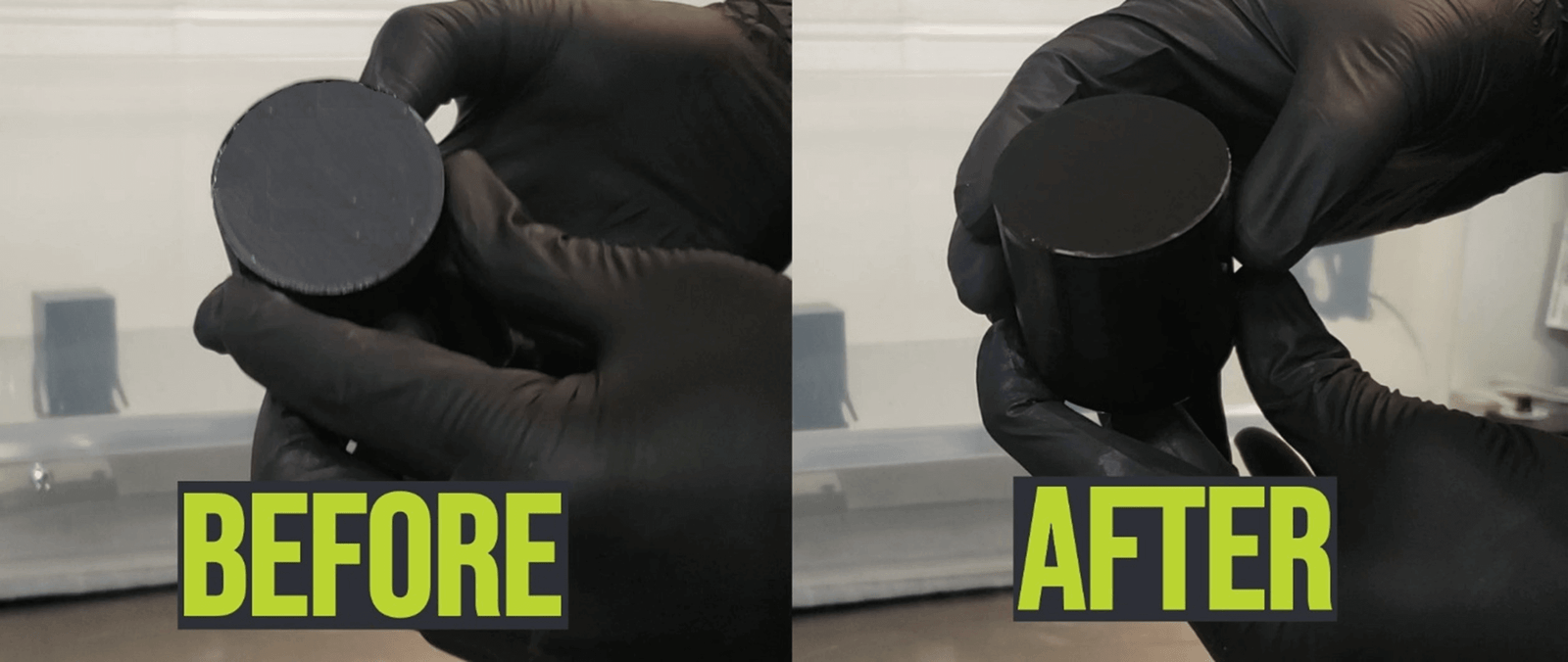
Table of Contents
FDM 3D Print Post-Processing
You just finished a print. It looks cool… but up close you may see lines, rough spots, and support marks. That’s normal for FDM printing.
Post-processing is the simple work you do after printing to make a part look cleaner, feel smoother, and hold paint better. You can do a little bit (fast) or go all the way (showpiece). This guide will walk you through both—step by step.
What “Post-Processing” Means
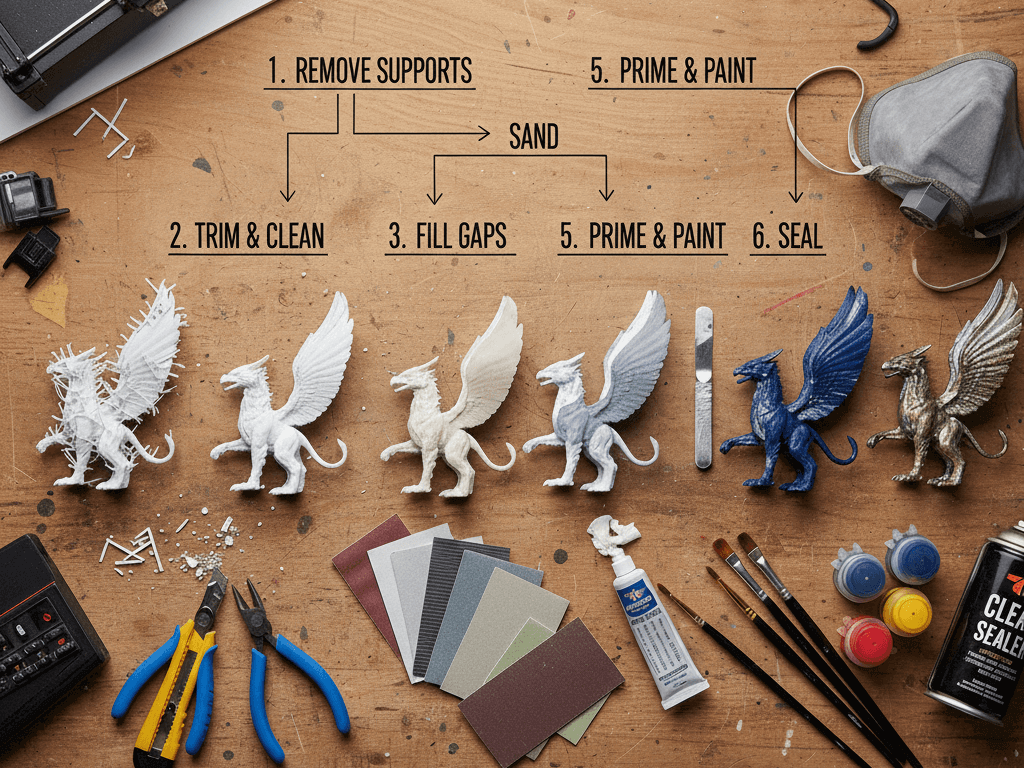
Post-processing is anything you do after the print comes off the bed, such as:
- removing supports
- trimming and cleaning edges
- sanding to reduce layer lines
- filling seams and small gaps
- priming and painting
- sealing the surface so it lasts
You don’t need fancy tools to start. You just need a clear plan.
Why FDM Prints Need It
FDM printers build parts in stacked layers. Those layers are why you can make almost anything—but they can also leave:
- visible “step” lines on curves
- rough support scars
- tiny holes or seams where parts join
- a surface that paint doesn’t stick to very well
Post-processing is how makers turn “fresh off the printer” into “looks store-bought.”
Two Goals
Most people post-process for one of these reasons:
Goal A: Clean and strong (functional parts)
Goal B: Smooth and pretty (display parts / props / gifts)
Both are valid. The “right” workflow depends on what you’re making.
What You’ll Get From This Guide
By the end, you’ll know:
- the safest and fastest order to do things
- which steps matter most (and which you can skip)
- how to choose techniques for PLA / PETG / ABS / ASA
- how to get a paint-ready finish without guessing
Do You Really Need Post-Processing for This Print?
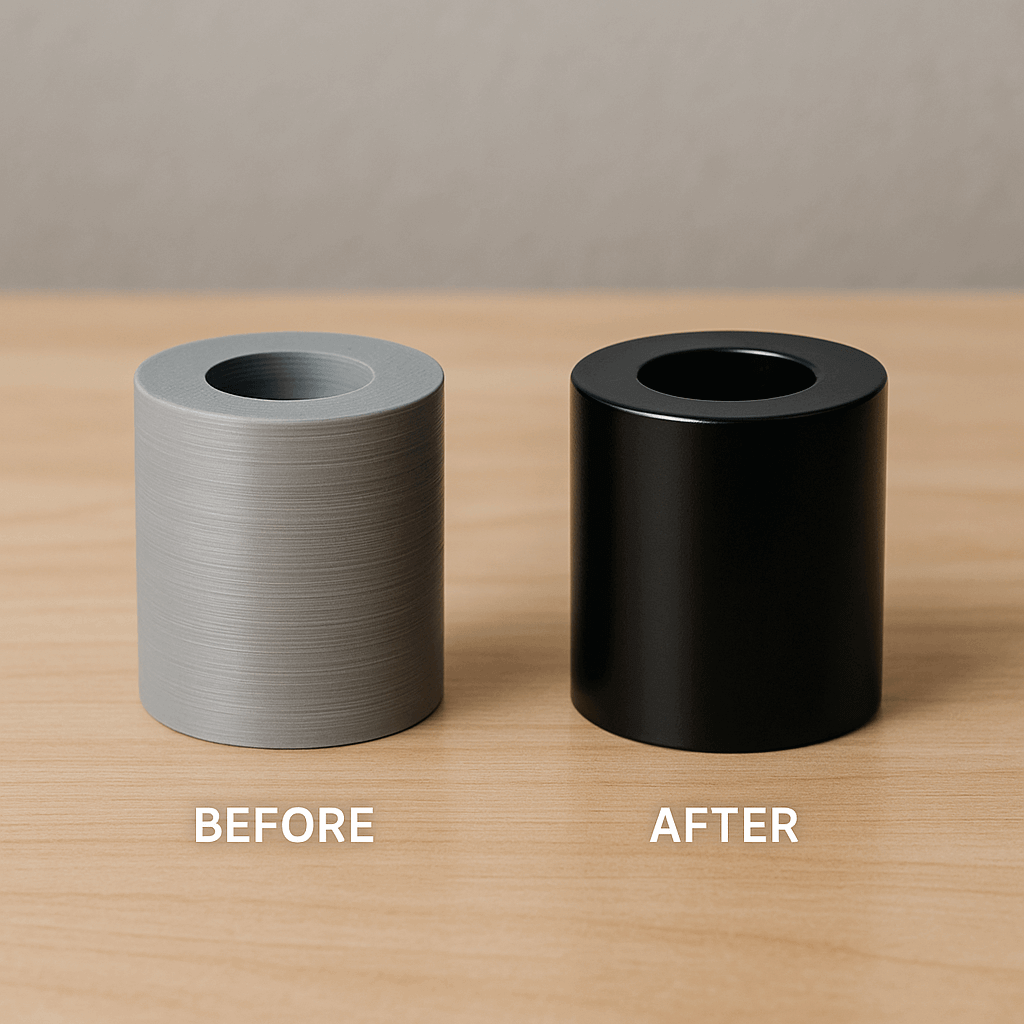
Before you grab sandpaper or paint, pause for a second. Not every 3D print needs full post-processing. Knowing when to do it (and when to skip it) will save you a lot of time.
Start With One Simple Question
Ask yourself: What is this print for?
That answer decides almost everything that comes next.
Prints That Usually Don’t Need Much Work
Some prints are made to do a job, not to look perfect.
These include:
- brackets and mounts
- tool holders
- internal parts
- test prints or prototypes
For these, post-processing is usually very light:
- remove supports
- trim sharp edges
- maybe quick sanding where it touches your hands
If the part works and fits, you’re done.
Spending hours making it “pretty” usually isn’t worth it.
Prints That Benefit a Lot From Post-Processing
Other prints are made to be seen, touched, or painted.
Examples:
- display models
- props and cosplay parts
- helmets and masks
- gifts or sale items
Here, surface quality matters. Layer lines and seams will stand out—especially after paint.
Post-processing helps:
- curves look smooth
- seams disappear
- paint reflect evenly
- the part feel more “real”
If your goal is “looks finished,” post-processing is worth the effort.
Before You Start — Tools, Materials, and Setup
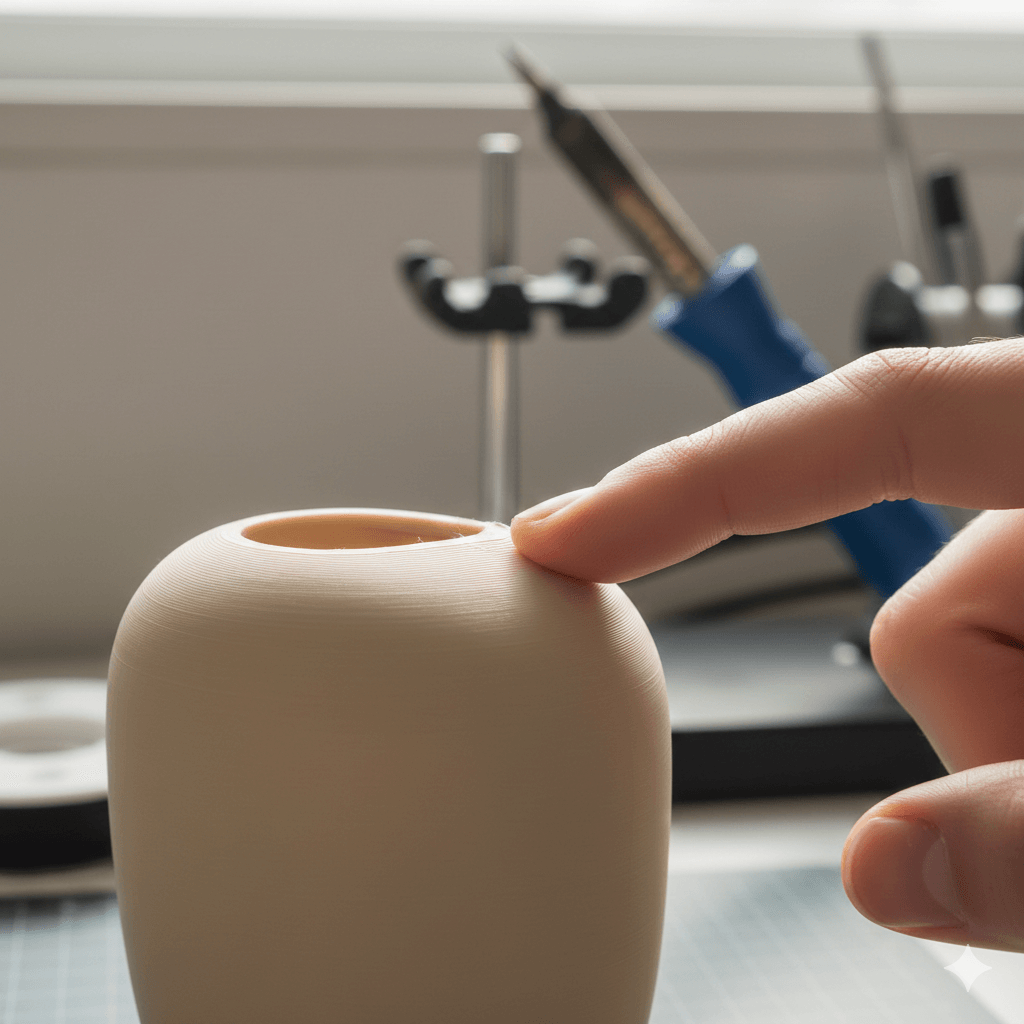
Before you begin sanding or smoothing your 3D print, it helps to have the right tools and workspace ready. This section explains what you need, why it matters, and how to set up a safe and effective environment for post-processing.
Why Preparing Matters
3D prints come straight off the printer with rough surfaces, support marks, or uneven spots because FDM builds layer by layer. Post-processing involves removing or reducing these imperfections so the final piece looks smoother and more finished.
Having the right setup makes every step easier and safer.
Essential Tools You’ll Use Most Often
Here are the main tools that help you clean, smooth, and prepare prints for painting or finishing.
1. Support Removal Tools
- Pliers and flush cutters for snapping off supports
- Hobby knives for trimming hard-to-reach spots
These basic hand tools make it easy to get rid of support structures cleanly before sanding.

2. Sanding Tools
Sanding is the most common post-processing method.
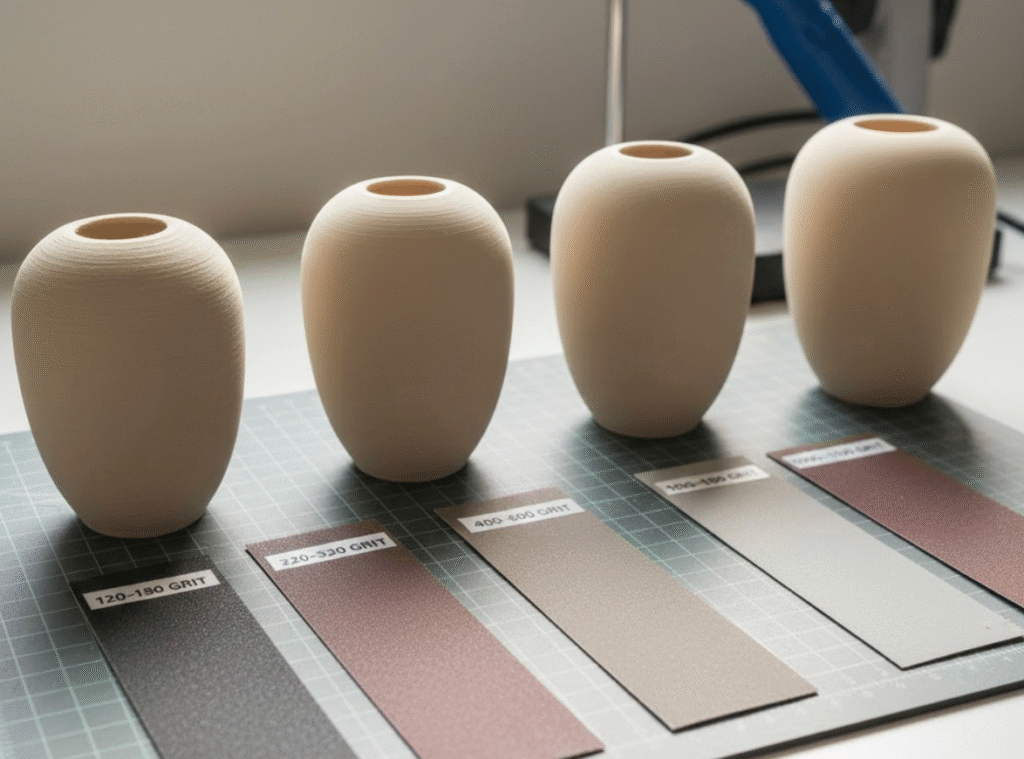
- Sandpaper (various grits): Coarse to fine (e.g., 100–1000+) for progressively smoother surfaces.
- Sanding sticks / blocks: Help apply even pressure.
- Files or needle files: Great for small detailed areas.


3. Fillers and Putty
After sanding, there may still be tiny gaps, holes, or seams. Fillers help fix those before primer and paint.
- Spot putty for small gaps
- Body filler for larger seams
- Epoxy or resin fill for precise smoothing


4. Primer and Paint Supplies
To prepare the surface for paint:
- Filler primer (spray) — a base layer that fills tiny scratches and helps paint stick
- Paints (spray, brush, or airbrush)
- Clear coats for protection and finish
Primer is especially important because it enhances surface quality and reveals flaws before painting.

- Filler and sandable primer is suitable for use on wood, metal and fiberglass surfaces
- Oil based 2 in 1 paint with Stops Rust formula saves time and provides rust resistant base coat for cars, trucks, and other vehicles
- Covers up to 10 sq ft and dries to the touch (and can be recoated) in 10 minutes
- Filler and sandable spray paint fills minor surface imperfections and sands smooth
- Provides superior top coat adhesion and flat finish yields a smooth surface when sanded
5. Optional Tools That Still Help
If you want to speed up or refine the process, these tools are nice to have:
- Electric rotary tool (Dremel) — speeds up sanding in bigger areas
- Sanding attachments (e.g., drums, discs)
- Sanding sponges for curves
- Clamps or small vises to hold parts steady
These are not required but can make your work easier and more consistent.

- High-Performance 3D Print Coating – Clear top coat for smoothing & finishing 3D printed parts.
- Ideal for application to both SLA & SLS prints, as well as PLA, ABS, Laywoo, Powder Printed Parts, and other rigid media.
- Mix Ratio of 2A:1B by Volume -Working time of 10 minutes – Cures to hard, impact-resistant coating in 3.5 hours – 80D Shore Hardness.
- Epoxy top coating self-levels and wets out uniformly without leaving brush strokes; offers excellent coverage.
- Perform a small-scale test of your project materials to determine suitability and compatibility. Refer to the technical bulletin for more information – available on our website
Basic Workspace Setup
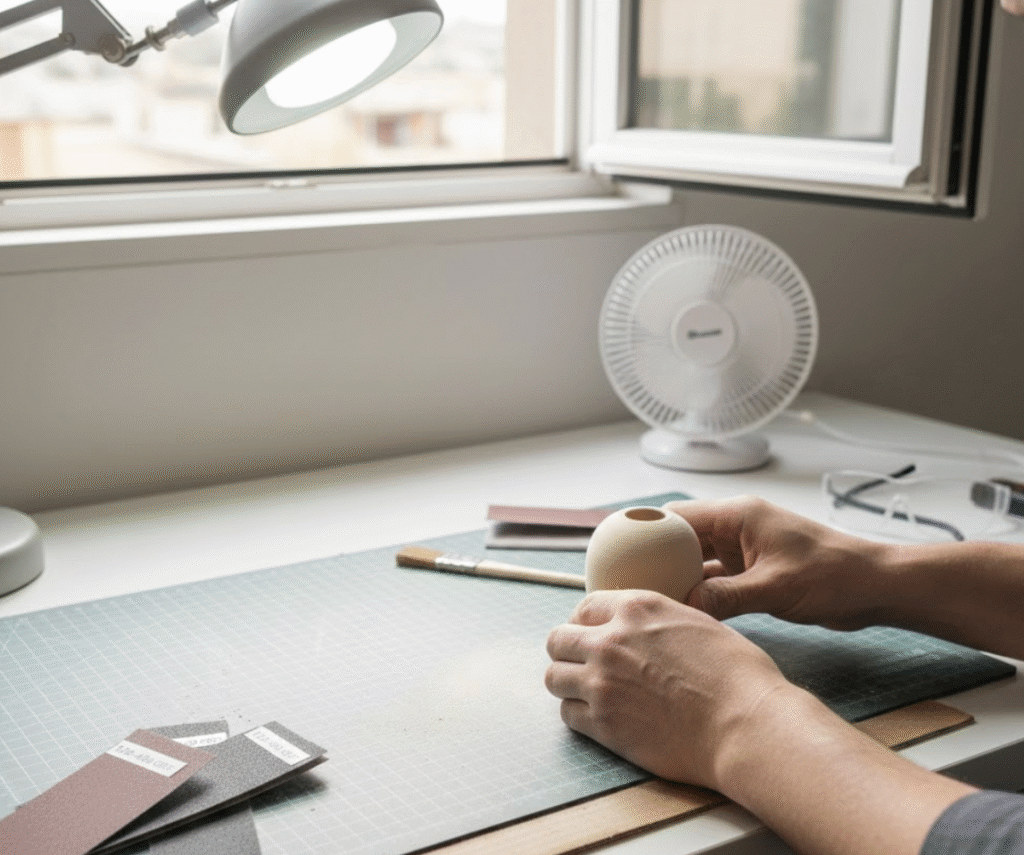
A simple, safe workspace makes post-processing easier and healthier.
1. Good Lighting
Bright light helps you see small surface problems. Try a desk lamp or daylight lamp to reveal uneven areas.
2. Clean Surface
Work on a table covered with:
- cardboard
- craft mats
- a cloth sheet
This protects your prints and catches sanding dust.
3. Ventilation (Important for Safety)
Sanding and primer/paint spraying can release fine dust and fumes. Work in a place with good airflow — open windows, fans, or even outdoors. Proper ventilation reduces health risk from particles and volatile compounds.
Safety Gear You Should Use
Working with sandpaper and paints makes dust and fumes, so safety gear matters:
- Dust mask or respirator — better than a cloth mask
- Gloves — protect from chemicals and irritation
- Safety glasses — keep dust out of eyes
Sanding and chemical exposure can produce fine airborne particles, so PPE is important to protect your lungs and eyes.

The Core Post-Processing Workflow
Now that you know what post-processing is and what tools you’ll need, it’s time to look at the big picture step-by-step process that most people follow for FDM 3D prints.
This workflow gives you a reliable roadmap from “fresh off the printer” to “paint-ready” or “finished look.”
Step 1 — Remove Supports and Clean the Print
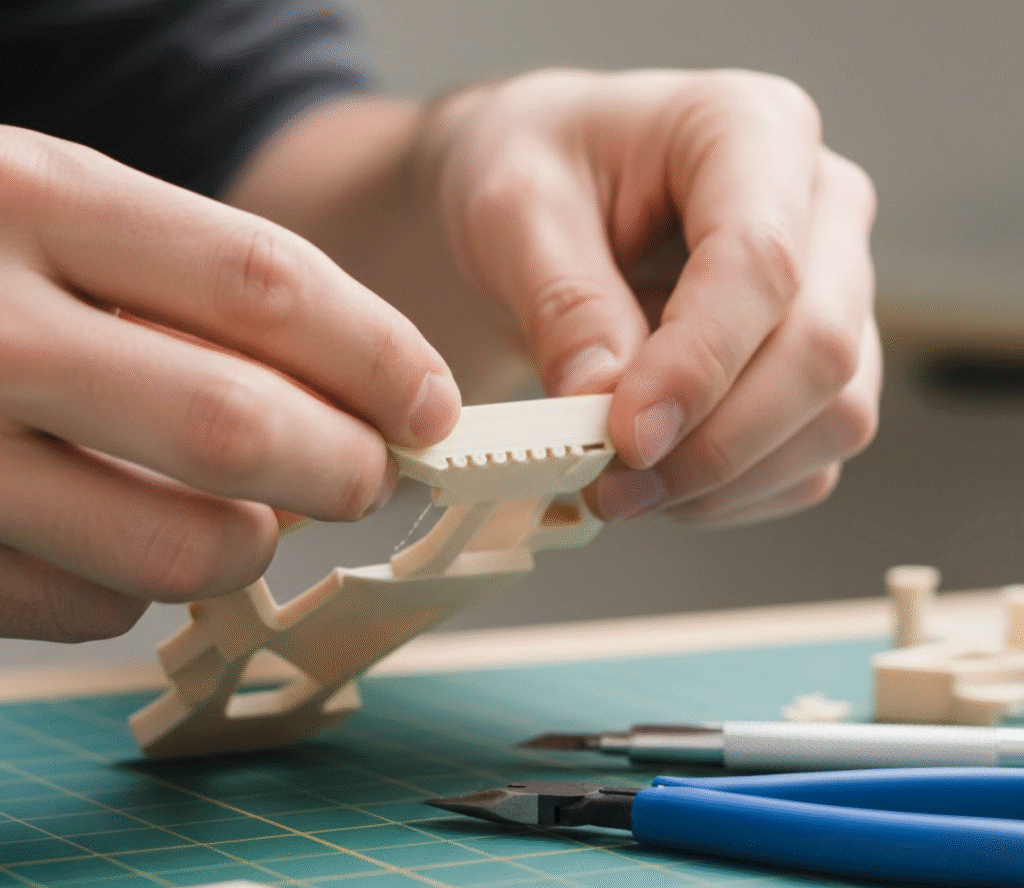
After printing, the first thing you do is remove any support material. Most FDM prints need supports for overhangs or complex geometry, and those supports leave marks where they touch the part.
Key actions:
- Snap off breakaway supports
- Dissolve soluble supports (if used)
- Trim leftover bits with flush cutters or a hobby knife
Try to remove supports cleanly so you don’t create new scratches. Once supports are gone, your print is ready for surface refinement.
Step 2 — Sanding (From Rough to Smooth)
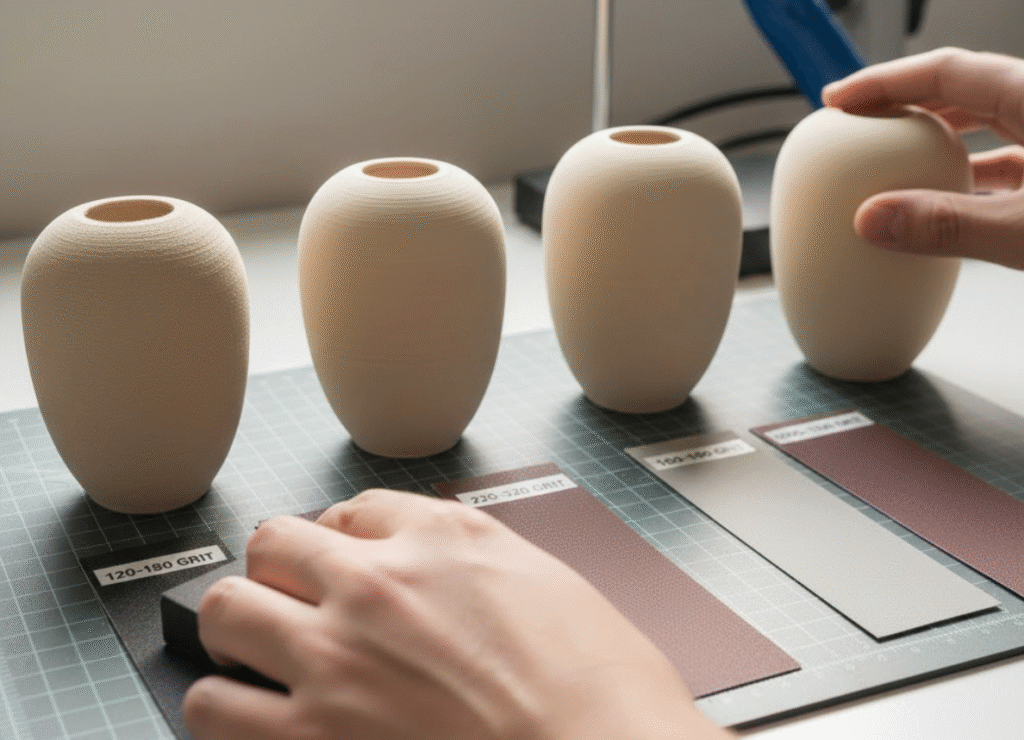
Sanding is the core of most post-processing workflows. It’s how you remove visible layer lines and make the surface feel even.
Typical sequence:
- Coarse grit (80–150) — remove larger imperfections
- Medium grit (220–400) — smooth out sanding marks
- Fine grit (600+) — prepare for primer or finish
Use progressive sanding — start rough and gradually go finer. Circular or even strokes help avoid creating new scratches.
Wet sanding with water can reduce dust and heat, making sanding easier and gentler, especially on heat-sensitive plastics.
Step 3 — Filling and Touch-Ups
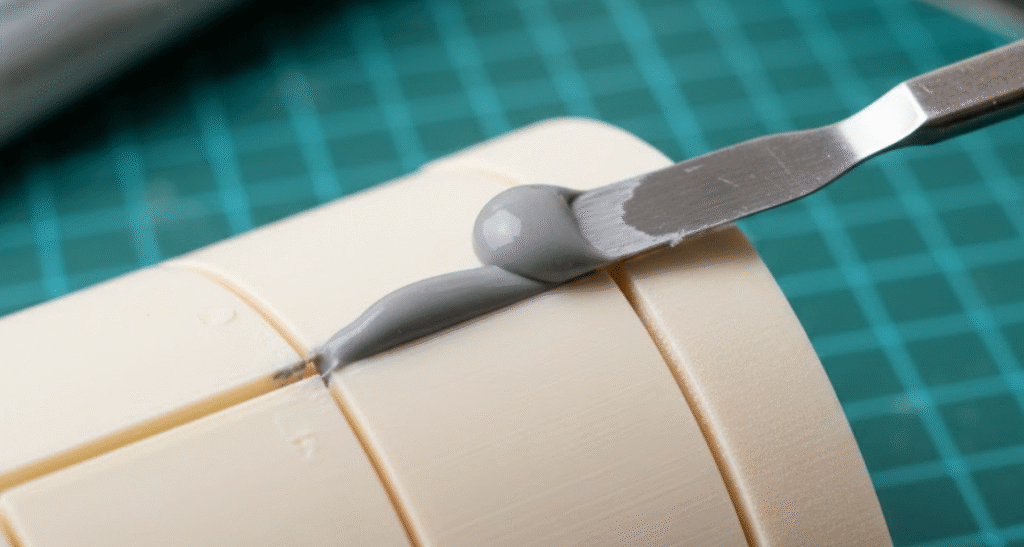
Even after sanding, you may still see small pits, seams, or tiny holes where supports were removed or pieces were joined. Filler materials help you fix these before you apply primer.
Common approaches:
- Spot putty for small gaps
- Body filler for larger seams
- Brush-on resin or specialized filler mixes
After applying, let it fully dry, then sand smooth. Good filling ensures the surface is uniform and free of distractions once painted.
Step 4 — Primer (Surface Foundation)
Primer does two things: it fills very tiny imperfections and creates a surface that paint will stick to better. Start with a light coat, let it dry, then inspect for flaws.
Primer tips:
- Spray several light coats (don’t try to cover in one heavy layer)
- Sand between coats if imperfections appear
- Keep the sprayer 6–10 inches (15–25 cm) away for even coverage
Once you’re satisfied, your print has a consistent surface ready for final finishing or paint.
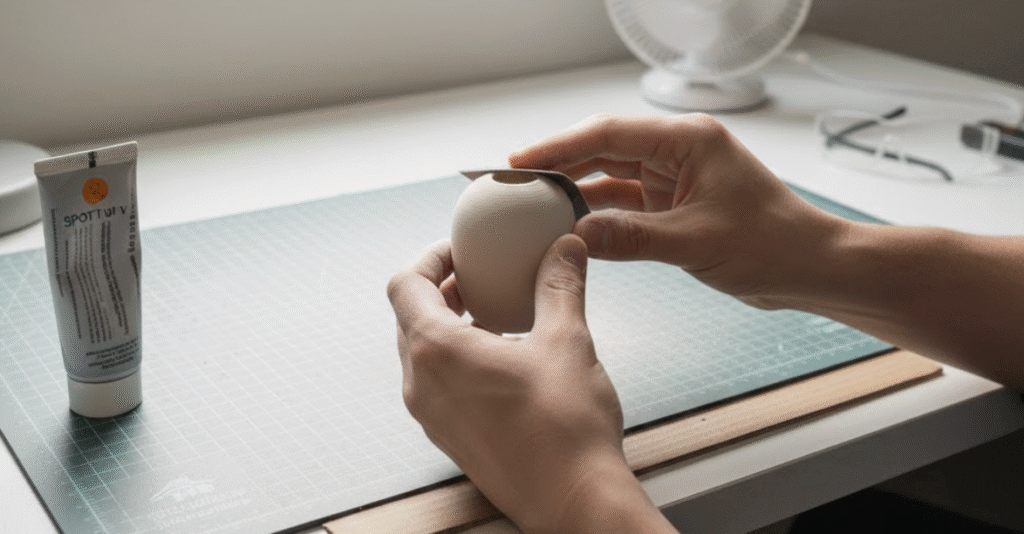
Step 5 — Final Sanding and Surface Prep
After primer, more sanding may be needed to further smooth the surface. This is often done with finer grit sandpaper (400–1000+).
This step helps:
- eliminate primer texture
- refine surface before paint
- make curves and edges feel smooth
Once complete, clean off all dust before moving on.
Step 6 — Painting and Finishing
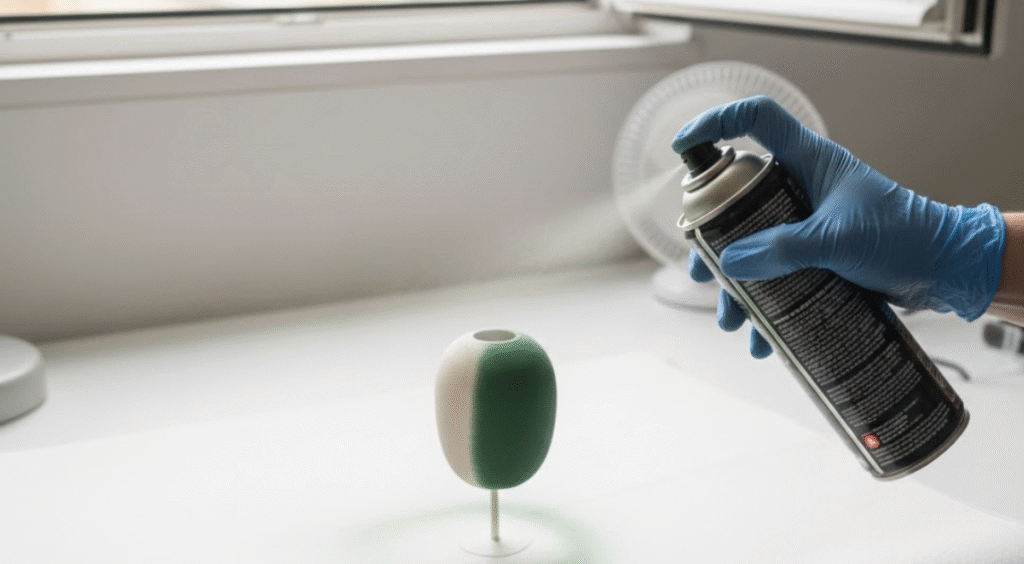
With primer sanded and surface clean, you’re ready to paint. Depending on your goals, you can use:
- spray paint for broad, even coverage
- acrylics or enamels for color detail
- airbrushing for gradients and special effects
The paint stage is where your print goes from prepped to finished. Good color and technique can make a huge visual difference.
Step 7 — Optional Coatings (Protection or Effects)
If your part will be handled, displayed, or used outdoors, adding protective coatings can help. Clear coats (matte, satin, or gloss) protect the paint from scratches, UV, and wear.
This is also where special effects — like weathering, dry brushing, or metallic finishes — can be added if you want something more advanced.
Why This Order Works
This workflow moves from big changes to small detail:
- remove large imperfections
- refine surface progressively
- check work at each step
- apply surface treatments only when the base is smooth
- paint and protect last
Following these steps reliably leads to more consistent results and helps prevent rework later in the process.
Sanding Explained — How to Smooth Prints Without Ruining Them
Sanding is one of the core steps in FDM 3D print post-processing. It helps remove visible layer lines and surface imperfections so your print feels and looks smoother — and gets ready for primer or paint.
Sanding works well on most FDM materials like PLA, ABS, and PETG, and is one of the most effective ways to improve surface finish.
Why Sanding Matter
FDM prints are built layer by layer, and those layers often leave tiny ridges on the surface. Sanding gradually wears down those ridges to:
- eliminate visible layer lines
- remove small blobs or bumps
- smooth support scars
- prepare the surface for filler, primer, or paint
Looking at finished parts from manufacturers, you’ll notice smooth surfaces without layer lines — sanding brings your print closer to that quality.
Start With the Right Sandpaper Grits


Sanding works best when you move from coarse grit to fine grit in stages. A typical progression looks like this:
- 100–150 grit — starts removing big layer lines and rough spots
- 220–400 grit — smooths out scratches from coarser sanding
- 600–1000+ grit — refines surface before primer or finish
- You can even go up to 2000–4000 grit for a very smooth finish before paint or clear coat
Going from coarse to fine prevents deep scratches and helps achieve a polished result.
How to Sand Step-by-Step
Here’s a simple way to sand like a pro:
- Remove supports first so you only sand the main part surface.
- Start with coarse grit (like 100–150) where layer lines are most visible.
- Sand in small, even strokes or gentle circles — this helps avoid new scratches.
- Move up to medium grit (220–400) after large imperfections are reduced.
- Finish with finer grits (600-1000+) before primer.
- Check the surface in good light to make sure the texture is even.
The key is to sand slowly and consistently — too much pressure or staying in one spot can heat the plastic and distort it.
Wet Sanding — Reduce Dust and Heat
Wet sanding is a technique where you sand with a bit of water between the sandpaper and the print. This helps:
- keep sandpaper cleaner longer
- reduce dust in the air
- prevent overheating the plastic
- make sanding smoother and more even
To wet sand:
- soak your sandpaper or spray water while sanding
- keep the surface wet as you work
- rinse the part occasionally so grit doesn’t build up
This works especially well with finer grits (400 and above) and helps give a nice surface before primer or paint.
Common Sanding Mistakes to Avoid
Even though sanding is simple, beginners often make a few mistakes:
Pressing too hard: Plastic can soften and deform if you push too hard. Let the sandpaper do the work.
Skipping grit stages: If you jump from coarse to very fine too quickly, old scratches stay visible. Progress gradually through grits.
Sanding only in one direction: This can create new scratches that show up under paint.
Move in even, gentle circles or a back-and-forth motion.
Not checking the surface often: It’s easy to over or under sand if you don’t look closely.
Frequently wipe and inspect the surface in good lighting.
When Sanding Isn’t Enough
Sometimes sanding alone won’t fully smooth the surface, especially on prints with deep layer lines or rough support marks. In that case, you may want to:
- use filler putty on deeper imperfections
- add primer early to show flaws
- consider surface coatings (like epoxy resin) before final sanding
These techniques help fill small gaps and blend texture so the final surface feels even smoother.
Grit Quick Reference
| Grit Range | What It Does |
|---|---|
| 100–150 | Removes big imperfections and rough spots |
| 220–400 | Smooths sanding marks and preps for primer |
| 600–1000 | Refines surface for finish |
| 2000+ | Extra fine prep before gloss paint or clear coat |
Summary: Sanding is a core skill in 3D print finishing. Start gently, use the right progression of grit, sand evenly, and you’ll get a much smoother surface that’s ready for primer and paint.
Filling Gaps and Small Defects — How to Make Your Print Look Solid and Seamless
After sanding, most prints still have tiny gaps, seams, or pits—especially where supports were removed or parts were joined.
Filling these imperfections is a core part of post-processing and helps ensure a smooth, paint-ready surface.
Why Filling Matters Before Primer and Paint
Even after sanding, small holes and seams can show through primer or paint, especially under bright light. Filling helps:
- hide gaps and surface irregularities
- make edges and joins look seamless
- prevent visible “shadows” under paint
- provide a continuous surface for primer and paint to stick to
It’s easier to fill before primer than fix problems after painting.
Common Fillers and Materials
Here are widely used options for filling imperfections, from easy to advanced:
Spot Putty / Model Filler
A light, air-drying filler that works well for small cracks and shallow imperfections.
- Easy to apply with a small tool or finger
- Sands smoothly once dry
- Great for small layer lines or minor gaps
This is one of the most common approaches for cosmetic fixes.
Body Filler (e.g., Bondo)
A thicker automotive-style filler that’s useful for larger seams or gaps.
- Fills bigger imperfections faster
- Can be sanded once cured
- Often used by prop makers for big pieces
Many hobbyists mix automotive body filler into the workflow when sanding alone can’t fix deep flaws.
Epoxy / Resin Fillers (e.g., XTC-3D)
Thin epoxy or resin coatings can smooth and fill surface micro-imperfections at the same time.
- Often used in thin layers that level themselves
- Can be sanded after curing
- Works well over larger areas
Some makers use epoxy coatings like XTC-3D to fill and smooth surfaces before sanding.
Homemade and Alternative Fills
Community tips often suggest creative alternatives such as:
- mixing wood filler with a solvent like acetone (for some plastics)
- using a soldering iron with filament scraps to “weld” gaps closed
- using modeler clays or milliput for detailed sculpting
These combinations are popular in Reddit and prop-making circles, especially when standard putties aren’t handy.
How to Fill Gaps — Step by Step
Here’s a simple workflow you can follow:
- Clean the area first
Make sure the print is dust-free so fillers stick better. - Apply your chosen filler
- For small cracks, a thin layer of putty works great.
- For larger gaps, body filler or epoxy may be easier.
- Smooth and feather edges
Use a tool or finger to blend the filler into the surrounding surface. - Let it dry fully
Follow the product instructions so the filler hardens before sanding. - Sand smooth
Lightly sand with medium grit to make the filled zone flush with the surface. - Repeat if necessary
Some deeper imperfections need multiple fill + sand cycles.
This iterative process improves uniformity and makes painted surfaces look more professional.
Tips from the Community
- Thin coats dry faster and sand easier. Thick globbing makes sanding harder.
- Wet sanding can help polish filled areas. Especially when sanding between filler layers.
- Some people use UV resin mixed with powder for very fine precision fills. This can work well for tiny defects.
- Thread discussions suggest using body filler mixed with a bit of solvent to get deeper fill without cracking.
After Filling — What Comes Next
Once you’ve filled gaps and sanded them smooth:
- apply primer to check for any remaining flaws
- sand the primed surface again if needed
- move on to paint
Filling is a fine-tuning stage that makes the difference between a part that just looks better and one that looks finished.
Filler Primer — The Step That Changes Everything
Once you’ve sanded and filled your 3D print, the next key step before final painting is applying filler primer.
This is one of the most useful and sometimes under-appreciated parts of post-processing — because it helps catch leftover imperfections and gives paint something solid to stick to.
What Filler Primer Actually Does
Primer isn’t just a base coat — it helps level and unify the surface of your print so paint goes on more evenly. A filler primer goes one step further by:
- Filling tiny layer lines and minor surface texture, reducing sanding effort later
- Creating a uniform base layer where paint will adhere well
- Highlighting imperfections so you can fix them before painting
Many makers report that using a good filler primer can reduce the appearance of layer lines and make overall finishing easier compared to sanding alone.
Why You Use Primer on 3D Prints
Even after careful sanding and filling, your print might still have micro-imperfections that aren’t obvious until you paint. Primer helps by:
- Revealing flaws clearly once applied, so you can re-sand or re-fill before paint
- Improving paint adhesion, preventing flaking or peeling
- Reducing the number of paint layers you need for full coverage
In many 3D printing workflows, primer is considered essential for a professional finish — especially on FDM prints that start with noticeable layer lines.
Choosing the Right Primer for 3D Prints
There are several primer options suitable for different needs:
✔ Filler Primers (Spray Cans)
- Thick and sandable — fills micro-gaps and layer lines
- Common go-to for filament prints
- Rustoleum Filler Primer is often recommended in community discussions as a reliable starter primer for FDM parts.
✔ Plastic or Model Primers
- Designed for plastic surfaces
- Useful for finer, detailed models
✔ Automotive Primers
- Automotive filler primers are popular because they fill and sand well and are made for tough surfaces
✔ Specialty Primers (Acrylic, Epoxy)
- Some primers are designed for stronger adhesion or specific materials
- Epoxy-based primers may be used for industrial or high-wear parts but take longer to dry and can be harder to sand (especially on fine details).
How to Apply Filler Primer (Step-by-Step)
Here’s a simple way to prime your 3D print like a pro:
- Clean your print first
- Wipe away any dust, oils, or leftover sanding residue — paint sticks best on a clean surface.
- Spray light, even coats
- Hold about 6–8 inches (15–20 cm) from the part
- Move in steady passes rather than lingering in one spot.
- Inspect the first coat
- Primer will reveal small flaws you might’ve missed
- Fix with light sanding or spot fill before adding more primer.
- Add a second coat
- A second light coat helps fill micro-texture and gives a more uniform surface
- Avoid heavy coats — too much primer can hide small details or create drips.
What to Do After Priming
After your primer is dry and even:
- Wet-sand with fine grit (e.g., 600–1000) to smooth the surface further
- Repeat primer + sanding if needed — especially on rough prints
- Prepare for paint once the surface feels consistently smooth
Good priming often dramatically reduces final sanding work and makes your paint layers look more solid and even.
Quick Tips from Makers
🌟 Use primer early — not just right before paint, but after your main sanding and filling. It helps show what still needs work before you paint.
🌟 Multiple thin coats beat one thick coat — this avoids runs and keeps surface detail intact.
🌟 Primer can hide small lines, but it won’t fix big gaps — always fill big defects first.
Final Sanding and Surface Prep Before Painting
Now that you’ve applied primer and possibly filled remaining imperfections, the next step is final sanding and surface preparation before you begin painting.
This ensures your part feels smooth, looks even, and allows paint to adhere nicely — a key step for a professional-grade finish.
Why This Final Sanding Step Matters
Primer does a great job of leveling minor surface defects, but it often leaves a slight texture or “orange peel” feel once dry. Final sanding:
- smooths primer texture so paint won’t show grain
- removes small bumps or dust particles that settled on primer
- lets paint lay flatter for better adhesion and even color
This sanding is finer and gentler compared to the earlier stages.
Best Sandpaper Grits for Final Surface Prep
For this stage, you typically want to work with fine to very fine grits:
- 400–600 grit — smooths out primer texture
- 800–1000 grit — further refines surface for paint
- 1000+ grit — optional ultra-smooth finish (great before glossy or metallic paint)
Start with the coarser of these and move to the finer grit. This progression helps avoid new scratches while softening any remaining surface irregularities before painting.
How to Do Final Sanding (Step-by-Step)
- Dry lightly at first:
Use a gentle touch, as you’re smoothing primer — not removing it. - Use circular or gentle cross-hatch motions:
This prevents directional scratches that can show under paint. - Rinse lightly or wipe between grits:
Removing dust between sanding steps keeps grit from clogging sandpaper and scratching the surface. - Move to finer grit:
Progress gradually: 400 → 800 → 1000. This ensures a smooth texture without deep scratches. - Check under light:
Tilt the part in good light to look for shiny “scratched” areas — those may need more gentle sanding before painting.
Wet Sanding for Prime Surface
Wet sanding (adding a few drops of water between paper and surface) is especially useful now:
- keeps dust down
- makes sanding smoother
- reduces heat build-up that might soften plastic
This is particularly helpful on PLA or PETG before you paint. Light wet sanding with 600–1000 grit can remove fine primer texture and helps paint go on flat.
Painting Tips & Techniques
Once your print surface is well prepped (sanded, filled, primed), painting is where your model truly comes to life.
Good paint work doesn’t just add color — it brings out detail, creates depth, and gives your 3D print a professional look. These tips and techniques are beginner-friendly but also help you step up to pro quality.
Start With the Right Painting Environment
Before painting:
- Work in a well-ventilated area — spray paint and primers give off fumes that you shouldn’t breathe in.
- Use good lighting so you can spot flaws and coverage issues.
- Wear protective gear (mask, gloves) to keep paint and dust off your skin.
These simple safety steps also make it easier to paint cleanly and confidently.
Choose Paint Types Based on Your Project
Different paint tools and types give different results:
Spray Paints
- Great for base layers and large surfaces
- Easy to use and fast
- Helps achieve even coats with minimal brush marks
Acrylic Paints
- Water-based and beginner-friendly
- Works well with brush or airbrush
- Dries fast and is easy to blend and layer
Detail Brushes (for accents)
- Best for small details, lettering, or highlights
- Perfect for miniatures, props, and mini details
Most painters use a combination: base coat with spray paint and details with acrylics or fine brushes.
Work in Thin, Even Coats (Not Thick Blobs)
Painting 3D prints is much easier when you:
✔ Apply many light coats
✔ Avoid heavy spraying in one pass
✔ Wait for each layer to dry before the next
Light layers help prevent drips and make color more uniform. Even professional finishing guides emphasize thin, multiple layers instead of heavy paint — this gives depth and avoids pooling or uneven gloss.
Color Strategy — Base Colors and Depth
A strong paint job usually starts with a good base color:
- Use neutral base colors (white, gray, black) after primer — they help your main colors show true.
- Dark undercoat can make rich colors pop.
- Lighter undercoats help pastel or brighter tones look clearer.
Sometimes painters will mist a secondary tone on top of the base to give subtle shading and depth.
Paint Application Techniques That Make a Big Difference
Here are simple techniques that improve how paint looks on your model:
Dry Brushing (Highlight Edges and Texture)
Load a brush with paint, wipe most off, then brush very lightly over raised surfaces. This highlights edges and texture, making details stand out.
Washes (Add Shadows and Depth)
A wash is a very thin layer of darker paint that settles in the recesses of your model. It darkens grooves and creates shadow effects that add depth to your paint job.
Masking for Clean Color Separation
Use masking tape or liquid mask if you want crisp lines or different colors next to each other without bleeding.
These techniques let you add character and realism, especially on props, miniatures, or detailed prints.
Spray Painting Best Practices
When using spray cans:
- Shake the can well before spraying.
- Keep the can 6–8 inches (15–20 cm) from the model.
- Spray in short bursts with smooth back-and-forth passes.
- Rotate the model as you paint to maintain even coverage.
This approach avoids drips and uneven color, and builds up even coats that look smooth when dry.
Let Drying and Curing Happen Between Layers
Patience makes a big difference in the final result:
- Allow each paint layer to dry fully before the next
- Some hobby painters even let paint cure for hours or overnight before adding highlights or sealing.
- Touch up in between layers if you see spots or thin patches
Taking your time here pays off when the finish looks consistent and professional.
Final Protective Coatings
After the paint is done, apply a clear coat to protect your work:
Matte clear coat for a natural flat finish
Gloss coat for shine and pop
Satin coat for a soft glow
Clear coats help paint resist fingerprints, scratches, and fading over time. They also unify the finish and make colors look richer.
Quick Do/Don’t Painting Cheatsheet
DO
✔ Build up color in many light layers
✔ Use primer before paint
✔ Clean surface before painting
✔ Use proper ventilation
DON’T
✘ Spray too close or heavy
✘ Skip drying time between coats
✘ Paint over dust or grease
Following these basic rules makes your painted 3D prints look smoother, richer, and more even.
Painting is both a science and an art — you can start simple and gradually learn techniques like dry brushing and washes to make your prints really stand out. Whenever you start a painting session, preparation and patience are the foundations of a great result.
Material-Specific Post-Processing Methods (PLA, PETG, ABS, ASA)
Not all filaments behave the same after printing.
The way you sand, fill, smooth, or chemically treat a model depends heavily on what material it’s made from. Understanding these differences will save you time — and help you avoid ruining a good print.
This section breaks things down by material, using practical, beginner-friendly guidance.
PLA — Easy to Print, Harder to Finish
PLA is the most common filament, especially for beginners. It prints easily, but it’s not the easiest material to post-process.
What PLA is good at
- Easy sanding with light pressure
- Works well with filler primer + paint
- No toxic fumes during normal sanding
What PLA struggles with
- Melts easily when overheated
- Does not respond to acetone smoothing
- Can soften if sanded too aggressively
Best PLA post-processing approach
- Sand gently (don’t press hard)
- Use filler primer to hide layer lines
- Spot-fill defects with putty
- Paint + clear coat for final finish
💡 Tip: If PLA starts to feel sticky while sanding, stop — it’s overheating. Let it cool and switch to finer grit.
PLA is ideal when your finish relies more on primer and paint, not chemical smoothing.
PETG — Tough but a Little Stubborn
PETG sits between PLA and ABS. It’s stronger than PLA but trickier to finish cleanly.
What PETG is good at
- Strong, flexible parts
- Better heat resistance than PLA
- Sands better than PLA (with patience)
Common PETG challenges
- Can “fuzz” or smear during sanding
- Doesn’t like high-speed sanding tools
- No acetone smoothing
Best PETG post-processing approach
- Use sharp tools for cleanup
- Sand slowly with medium grits (220–400)
- Avoid aggressive power sanding
- Use filler primer generously
- Paint in thin layers
💡 Tip: PETG prefers slow, controlled sanding. Fast sanding builds heat and ruins the surface.
PETG works best for functional parts that still need a clean look, not ultra-gloss cosmetic finishes.
ABS — The King of Post-Processing
ABS is harder to print, but much easier to finish once printed correctly.
What ABS excels at
- Sands extremely well
- Can be chemically smoothed with acetone
- Supports strong chemical bonding
- Ideal for props, helmets, cosplay
ABS post-processing options
- Traditional sanding + primer
- Acetone vapor smoothing
- ABS slurry for seam filling
- Chemical welding instead of glue
Basic ABS finishing workflow
- Light sanding to knock down texture
- Acetone smoothing (optional)
- Filler primer for perfection
- Final sanding
- Paint or clear coat
💡 Tip: ABS slurry (ABS dissolved in acetone) is great for filling seams and recycling scrap filament.
ABS is the best choice when you want a manufactured, injection-molded look.
ASA — ABS, but More Modern
ASA behaves very similarly to ABS, with one major advantage: better UV resistance.
Why people choose ASA
- Same post-processing benefits as ABS
- Better outdoor durability
- Sands and smooths easily
- Acetone smoothing still works
ASA finishing tips
- Treat it almost exactly like ABS
- Use acetone carefully (same safety rules)
- Excellent for outdoor props or parts
If you like ABS finishing but want more durability, ASA is a strong upgrade.
Acetone Smoothing (ABS & ASA Only)
Chemical smoothing uses acetone vapor to slightly melt the outer surface, letting layer lines blend together.
What acetone smoothing does well
- Removes layer lines without sanding
- Creates glossy, molded surfaces
- Improves layer bonding appearance
What it does not do
- It does not fix bad geometry
- It can soften fine details
- It can reduce dimensional accuracy
Safety basics (very important)
- Always work in a ventilated area
- No flames, sparks, or heat sources
- Wear gloves resistant to acetone
- Never leave smoothing unattended
💡 Rule of thumb: Acetone smoothing is a finishing enhancement, not a shortcut for bad prints.
Quick Material Comparison Table
| Material | Sands Well | Acetone Smooth | Beginner Friendly | Best Use Case |
|---|---|---|---|---|
| PLA | ⚠️ Medium | ❌ No | ✅ Yes | Painted display models |
| PETG | ⚠️ Medium | ❌ No | ⚠️ Medium | Functional + cosmetic |
| ABS | ✅ Excellent | ✅ Yes | ❌ Hard to print | Props, helmets |
| ASA | ✅ Excellent | ✅ Yes | ❌ Hard to print | Outdoor props |
Choosing the Right Material for the Finish You Want
Ask yourself:
- Do I want easy printing or easy finishing?
- Is this cosmetic or functional?
- Do I need chemical smoothing?
If finishing quality matters more than print convenience, ABS or ASA often win. If simplicity matters, PLA + primer + paint still delivers great results.
Beginner-Friendly Post-Processing Workflows (Quick Recipes)
This section is designed for real beginners who don’t want theory — they want a clear path to follow.
Think of these as ready-to-use recipes. Pick the one that matches your goal and follow it step by step. You don’t need every technique in this guide for every print.
Workflow A — Clean, Paint-Ready Display Model (PLA / PETG)
Best for: figurines, desk models, decorative parts
Goal: smooth surface, solid color, no visible layer lines
Skill level: beginner
Steps
- Remove supports carefully
- Sand: 150 → 220 → 400
- Spot fill visible gaps or seams
- Light sanding on filled areas
- Filler primer (2 thin coats)
- Wet sand: 600 → 1000
- Paint (multiple light coats)
- Optional clear coat
Why this works
You rely on primer + paint instead of aggressive sanding. This is the safest path for PLA.
Workflow B — High-Quality Prop or Helmet (ABS / ASA)
Best for: cosplay props, helmets, large shells
Goal: injection-molded look
Skill level: intermediate (printing), easy finishing
Steps
- Light sanding (180–220)
- Acetone smoothing (optional, short exposure)
- Inspect and spot fill seams
- Sand filled areas (220–400)
- Filler primer
- Wet sand (600–1000)
- Paint + clear coat
Why this works
ABS and ASA finish beautifully. You spend less time sanding and more time refining.
Workflow C — Functional Part That Still Looks Good (PETG / ABS)
Best for: brackets, tools, enclosures
Goal: smooth enough, not cosmetic perfection
Skill level: beginner-friendly
Steps
- Remove supports
- Sand problem areas only (220–400)
- Spot fill if needed
- Single coat of primer
- Light sanding (400–600)
Why this works
You don’t over-process. Function comes first, appearance second.
H3: Workflow D — Ultra-Smooth Cosmetic Finish (Advanced)
Best for: show pieces, client work
Goal: flawless surface
Skill level: advanced patience, not advanced tools
Steps
- Full sanding cycle
- Fill + sand (multiple passes)
- Primer → sand → primer → sand
- Final wet sanding (1000–2000)
- Paint + gloss clear coat
- Optional polish
Why this works
You use inspection cycles, not brute force.
How to Choose the Right Workflow
Ask yourself:
- Is this decorative or functional?
- Am I painting it?
- What filament did I use?
| If your goal is… | Choose |
|---|---|
| Easy + safe | Workflow A |
| Props / cosplay | Workflow B |
| Tools & brackets | Workflow C |
| Showcase quality | Workflow D |
The One Rule That Applies to Every Workflow
Never move to the next step hoping paint will fix mistakes.
Paint doesn’t hide flaws.
It makes them louder.
FAQ
Do all 3D prints need post-processing?
No. If the part is purely functional (brackets, mounts, internal parts), you can often skip post-processing entirely.
Post-processing is most useful when:
- the print will be painted
- it’s a display model or prop
- surface quality matters
If it works and you don’t care how it looks, you’re done.
What is the easiest way to smooth PLA prints?
The easiest and safest method is: Light sanding → filler primer → light sanding → paint
PLA does not work with acetone. Trying chemical smoothing on PLA will not help and may damage the print. If you’re new, avoid aggressive sanding and rely more on primer.
Can sanding completely remove layer lines?
Sometimes — but not always.
- Shallow layer lines: sanding works well
- Deep layer lines: sanding alone is not enough
For deeper lines, use:
- spot putty
- filler primer
- or both
A good rule: If you can feel it with your fingernail, sanding alone won’t fix it.
What grit sandpaper should I start with?
For most beginners:
- Start with 150–180 grit
- Move to 220–400 grit
- Finish with 600–1000 grit before paint
Starting too coarse can damage the surface. Starting too fine wastes time.
H3: Should I wet sand or dry sand 3D prints?
Both work, but for beginners:
- Dry sanding → early stages
- Wet sanding → final stages (after primer)
Wet sanding reduces dust and helps achieve a smoother finish before painting.
H3: Do I really need primer before painting?
Yes — almost always.
Primer:
- helps paint stick
- reveals hidden flaws
- makes colors look even
Skipping primer usually leads to:
- uneven color
- visible layer lines
- peeling paint later
If you only do one post-processing step, make it primer.
What is filler primer, and when should I use it?
Filler primer is a thicker primer that:
- fills tiny scratches
- reduces fine layer lines
- sands easily
Use filler primer when:
- the surface still looks rough after sanding
- you’re painting a visible or cosmetic part
It is especially helpful for PLA prints.
H3: Can paint hide layer lines?
No.
Paint actually makes layer lines more visible, especially:
- glossy paint
- metallic paint
- dark colors
Paint only looks good if the surface underneath is already smooth.
Can I acetone-smooth PLA or PETG?
No.
- PLA: ❌ does not react to acetone
- PETG: ❌ does not react to acetone
- ABS / ASA: ✅ works very well
Using acetone on PLA or PETG does nothing useful and can cause damage.
Does acetone smoothing make prints stronger?
It depends.
Acetone smoothing:
- improves layer bonding appearance
- increases impact resistance slightly
- reduces tensile strength
It makes prints look better, not structurally stronger for load-bearing use.
Why does my print look smooth until I paint it?
Because paint reveals surface problems.
Primer and paint highlight:
- scratches
- uneven sanding
- leftover seams
This is normal — and why inspection after priming is so important.
How smooth is “smooth enough” before painting?
A simple test:
- Run your finger over the surface
- Look at it under strong light
If:
- it feels even
- light reflects smoothly
- nothing jumps out
You’re ready to paint.
Perfection is not required — consistency is.
How long does full post-processing usually take?
It depends on size and finish level:
- Small part: 1–2 hours
- Display model: several sessions over 1–2 days
- Large prop / helmet: multiple days (with drying time)
Drying and curing time often takes longer than sanding.
What’s the biggest beginner mistake in post-processing?
Rushing.
Most bad finishes come from:
- skipping steps
- painting too early
- sanding too aggressively
- hoping paint will fix mistakes
Slow down. Fix problems early. The result will look much better.
What’s the simplest beginner workflow I can trust?
For most people printing PLA:
- Sand (180 → 400)
- Filler primer (2 light coats)
- Wet sand (600–1000)
- Paint (thin layers)
This workflow is safe, forgiving, and works well for almost all beginners.
*Note: Some images shown here were generated using AI and are intended for illustration only.






Leave a Reply