When it comes to 3D scanning, the right tool can be the difference between frustration and flawless results. Whether you’re working on intricate jewelry designs or large-scale industrial components, you need a scanner that delivers precision, speed, and versatility.
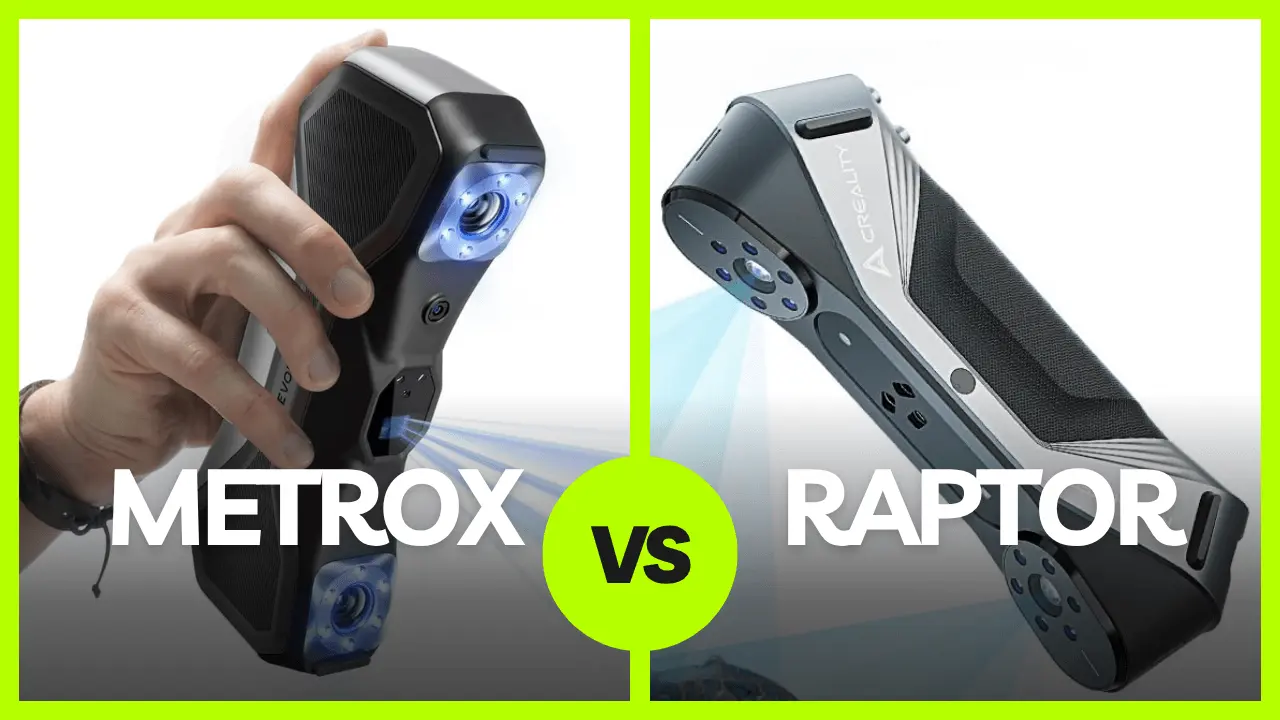
Among the many options available, the Creality Raptor and Revopoint MetroX often come up in discussions. While both are well-regarded, the Raptor consistently stands out as the better choice.
From faster scanning speeds to superior precision and advanced usability, the Raptor delivers a premium experience that leaves the MetroX trailing behind.
Let’s explore exactly why the Creality Raptor outperforms the MetroX and how it can elevate your 3D scanning projects.


1. Speed and Efficiency: Why the Raptor Wins
Time is critical in any scanning project, and this is where the Raptor truly shines.
Its advanced 7-line scanning technology enables it to complete tasks significantly faster than the MetroX.
Scanning an object at 0.3mm resolution takes just 1 minute with the Raptor, while the MetroX needs a full 9 minutes.
This dramatic difference means the Raptor is far better suited for professionals who handle high volumes or need to meet tight deadlines.
Saving 8 minutes per scan adds up quickly, especially in busy industrial or commercial workflows. The Raptor’s speed translates to improved productivity and more time to focus on other tasks.
2. Field of View (FOV): Raptor Covers More with Less Work
The field of view (FOV) determines how much area the scanner can capture at once. The Raptor boasts a wider 51° x 33° FOV, compared to the MetroX’s 43° x 33°.
Fewer interruptions: The Raptor’s larger FOV reduces the need for repositioning or marker placement, simplifying the scanning process.
For large or irregular objects like furniture or sculptures, the Raptor provides a smoother experience, helping you complete scans faster with less effort.
3. Working Distance: Flexibility with the Raptor
A scanner’s working distance determines the range of object sizes it can handle. The Raptor’s superior versatility makes it ideal for both small and large projects.
- Raptor’s range:
- Laser mode: 150–400mm
- Infrared mode: 170–1000mm
- MetroX’s range:
- Laser mode only: 200–400mm
The Raptor’s extended working distance, especially in infrared mode, makes it capable of handling objects as large as vehicles or industrial machinery.
Whether you’re scanning small mechanical parts or large sculptures, the Raptor adapts to your needs, offering unmatched flexibility.
4. Precision and Resolution: Capturing the Finest Details
For projects where detail is paramount, the Raptor delivers a level of precision that the MetroX cannot match.
- Resolution comparison:
- Raptor: 0.02mm
- MetroX: 0.05mm
- Accuracy comparison:
- Raptor: 0.02mm @ 100mm
- MetroX: 0.03mm
With its higher resolution and precision, the Raptor is perfect for intricate tasks like jewelry design, art restoration, and detailed prototyping. The MetroX, while decent for general use, falls short for projects requiring ultra-fine detail.
5. Human Scanning: Raptor’s Advanced Capabilities
The Raptor’s infrared structured light system enables it to scan human faces, bodies, and even hair with incredible accuracy.
- Applications: Perfect for healthcare, animation, wearable tech, and other industries requiring human body scans.
- MetroX limitations: Lacks this capability due to its reliance on blue light technology.
If your projects involve human scanning, the Raptor is the clear choice, offering features that the MetroX simply cannot deliver.
6. Usability Features: Raptor’s Wireless and Marker-Free Scanning
The Raptor includes features that greatly enhance user convenience:
- Wireless scanning: Provides freedom of movement when paired with a wireless handle, perfect for fieldwork or large objects.
- Marker-free mode: Simplifies setup by eliminating the need for excessive markers.
- Outdoor usability: Can scan reflective or black objects without sprays, even in outdoor environments.
The MetroX, on the other hand, requires sprays for reflective surfaces and lacks anti-shake or wireless capabilities, making it less versatile.
The Raptor’s advanced usability features save time and effort, especially for professionals working on diverse and demanding projects.
7. Build Quality and Stability: Engineered for Professionals
The Raptor’s high-quality design ensures reliable performance, even in challenging environments:
- Industrial Powell prisms: Ensure consistent laser brightness.
- All-glass lenses: Provide durability and clarity over time.
- Temperature compensation algorithms: Stabilize performance in varying conditions.
The Raptor is built to handle demanding workflows, offering stability and longevity that make it a worthwhile investment.
8. Object Size Range: More Versatility with Raptor
The Raptor can handle a broader range of object sizes:
- Raptor: 5mm to 2m
- MetroX: 10mm to 1m
Whether scanning tiny components or large sculptures, the Raptor’s versatility ensures it can handle any project.
Quick Comparison Table
| Category | Creality Raptor | Revopoint MetroX |
|---|---|---|
| Light Source | 7 blue parallel laser lines + NIR (structured infrared light) | 14 blue cross laser lines, 7 parallel lines, 62-line full-field blue structured light |
| Technology | Hybrid laser scanning + infrared structured light | Multi-line laser scanning + full-field structured light |
| Scanner Type | Handheld and fixed | Handheld only |
| Scan Modes | Marker / Geometry / Texture | Fixed scan / Mobile scan |
| Alignment Methods | Marker / Geometry / Texture | Feature / Marker / Global marker |
| IMU (Inertial Sensor) | Yes | 9-axis IMU |
| Color Scanning | Yes (built-in white LEDs) | Only in turntable mode |
| Scan Accuracy | Up to 0.02 mm @ 100 mm | Up to 0.01 mm |
| Scan Resolution | 0.02–2 mm | Up to 0.05 mm |
| Precision Tolerance | Up to 0.1 mm | Up to 0.1 mm |
| Scan Speed | Up to 60 fps | – Laser mode: 800,000 dots/s- Full light mode: 7,000,000 dots/s |
| Min. Scan Volume | 5 × 5 × 5 mm | 10 × 10 × 10 mm |
| Scan Range | 270×170 mm @ 300 mm665×574 mm @ 1000 mm | 160×70 mm @ 200 mm320×215 mm @ 400 mm |
| Working Distance | 150–400 mm / 170–1000 mm | 200–400 mm |
| Camera Resolution | 1920 × 1200 | Not specified |
| Supplemental Lighting | 12 white LEDs + 12 blue LEDs | Not specified |
| Buttons | Mechanical button | 4 physical buttons |
| Laser Safety Class | Class I (eye safe) | Class 2M (infrared) |
| Output File Formats | OBJ / STL / PLY | PLY / OBJ / STL / ASC / 3MF / GLTF / FBX |
| Data Interface | USB Type-C / USB 3.0 | USB Type-C |
| Power Input | 12V 2A | Not specified |
| System Requirements | Windows 10/11macOS 11.7+ (Apple M-series) | Windows: i7 10700 / Ryzen 7 5800, 32GB+ RAMmacOS: M1 Pro/Max/Ultra, 16GB+ RAM |
| Recommended Specs | i7 + 16GB + 6GB GPU | i9 + 64GB RAM + RTX 4060 GPU |
| Wireless Scanning | Supported via Scan Bridge | Not supported |
| Dimensions | 215 × 50 × 74 mm | 209 × 88 × 44 mm |
| Weight | 372 g | 508 g |
| Country of Manufacture | China | China |
| Warranty | Not specified | 12 months |
| Special Features | High-precision glass calibration board | Multiple light sources and advanced tracking options |
Conclusion: Why Choose the Raptor?
If you’re looking for a truly professional-grade scanner that balances accuracy, versatility, and real-world reliability, the Creality Raptor is the superior choice. It’s designed not just for benchmark specs, but for consistent, precise results across a wide range of applications—from small part scanning to large object reconstruction, from hobby to industrial production.
Revopoint MetroX is a capable scanner, especially for users focused on variety in light source or demo environments. But for serious creators, engineers, and professionals, Raptor delivers more where it counts.