Table of Contents
The first time I tried printing a helmet, it failed 9 hours in.
The supports collapsed. The brim peeled. I forgot to check my Z-offset. And for a few seconds, I genuinely considered throwing the whole thing out the window. That was three years ago.
Since then, I’ve printed a full Mandalorian kit, helped a friend finish their Fallout armor the night before a con, and turned my tiny spare room into something dangerously close to a print farm.
Along the way, I’ve learned that not all printers are created equal.
Some will test your patience. Some will surprise you. And a rare few will make you wonder how you ever lived without them.
This list is about those few, the ones cosplayers return to again and again, because they just work. Whether you’re printing your first forearm guard or assembling a life-sized Iron Man suit, here are the printers that deserve your time, your trust, and your filament.
Quick Picks — No Hype, Just What Works
Fastest Way to Get Great Prints (Even If You’re New)
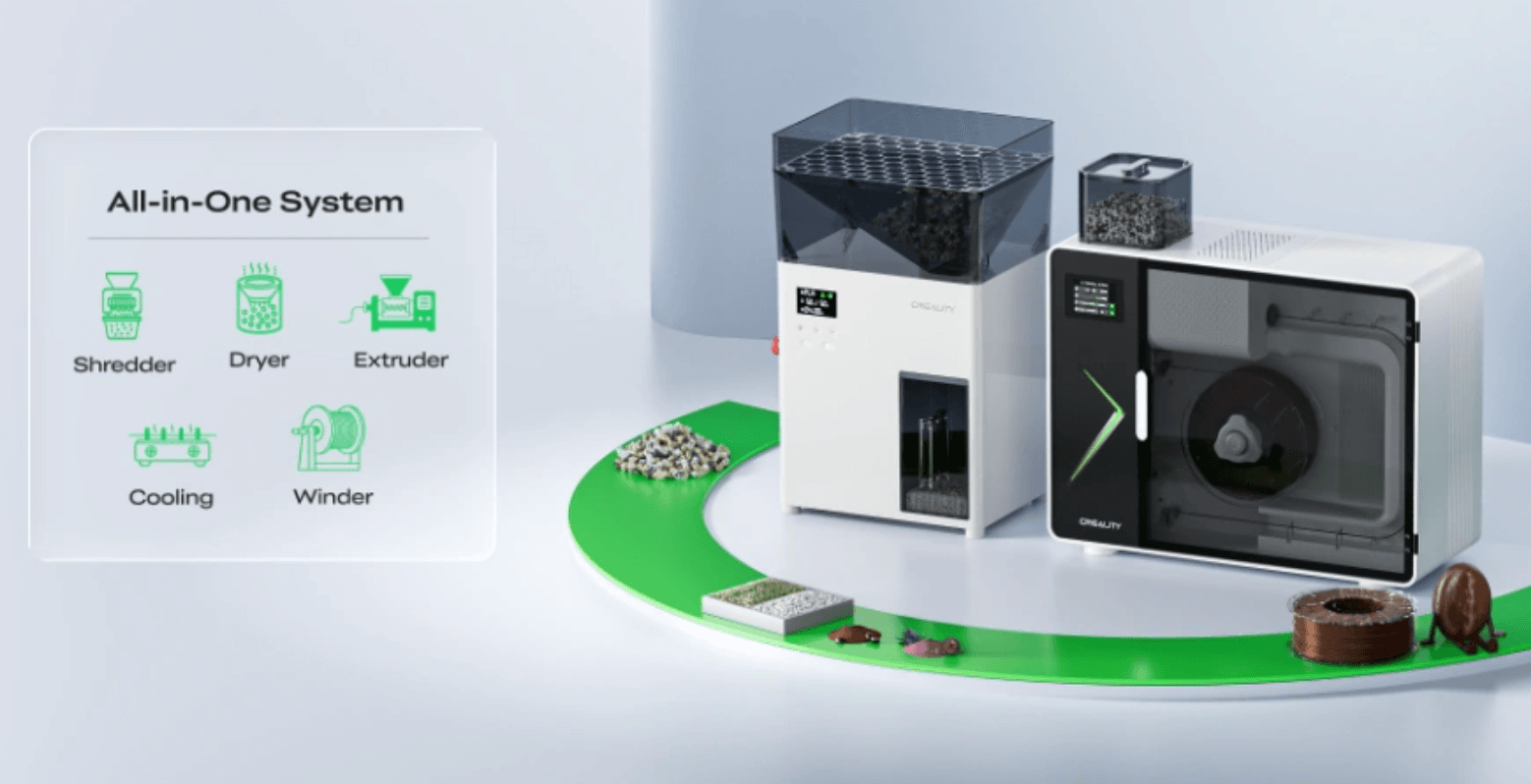
→ Creality K2 combo/ Bambu Lab P1S

If I had to recommend one printer for someone who wants to start printing tonight — no tuning, no firmware flashing, no hand-holding — it’s this one. Fast, reliable, and surprisingly fun to watch.
“I printed an entire Iron Man suit on this thing. Never looked back.”
Best for Big Armor Parts — Helmets, Chestplates, the Works
→ Elegoo Neptune 4 Max

This thing’s huge. And slow. But if you want to print a full Mandalorian helmet in one piece, without slicing and gluing, it’ll do the job. And then some.
“I printed a complete Clone Trooper lid — clean, full-scale, first try.”
Best for Tinkerers Who Want Power + Flexibility
→ Sovol SV08
It’s big. It’s fast. It runs open-source firmware and handles PETG like a champ. Not the easiest printer to start with — but if you want to grow into it, it’ll grow with you.
“This thing flies. I’ve printed full shoulders, helmets, you name it.”
Best First Printer If You’re on a Tight Budget
→ Creality Ender 3 V3 SE

It’s not flashy. But it prints. And when you mess up — because you will — it’s forgiving, fixable, and backed by more community help than any printer on Earth.
“My first build was held together with glue, hope, and this printer. Still proud.”
Best for Crisp, Clean Props That Need to Look Sharp

There are faster printers. There are cheaper printers. But if what you care about is consistency, precision, and print quality you can trust with zero babysitting — this is it.
“Every time I finish a print, I remember why I chose this one.”
Cosplay Printer Comparison Table
Here’s a deeper side-by-side look at the things cosplayers care about most — not just build volume and price, but the real stuff: finish quality, helmet compatibility, bed adhesion, and how much babysitting each printer needs.
| Printer | Build Volume | Speed | Print Quality | Helmet-Compatible | Reliability | Tuning Required | Price |
|---|---|---|---|---|---|---|---|
| Bambu P1S | 256×256×256 mm | ⚡ Very Fast | ⭐⭐⭐⭐½ | ❌ (needs slicing) | ✅ Very high | ❌ Plug & play | $699 |
| Neptune 4 Max | 420×420×480 mm | 🐢 Slower | ⭐⭐⭐⭐ | ✅ One-piece helmet prints | ⚠️ Decent w/ tuning | ✅ Bed leveling learning curve | $470 |
| Sovol SV08 | 350×350×345 mm | ⚡ Fast | ⭐⭐⭐⭐ | ✅ Most helmets | ✅ Once tuned | ✅ Needs firmware familiarity | $549 |
| Ender 3 V3 SE | 220×220×250 mm | ⏱️ Entry-level | ⭐⭐⭐ | ❌ (requires heavy slicing) | ⚠️ Needs upgrades | ✅ Good for learners | $229 |
| Prusa MK4 | 250×210×220 mm | ✅ Stable | ⭐⭐⭐⭐⭐ | ❌ (but flawless multi-part prints) | ✅ Ultra consistent | ❌ Set and forget | $849 |
Which 3D Printer Is Right for You?
Because there’s no “best printer” — only the best printer for where you’re at.
1. “I’m new, but I’m ready to get started.”
You’ve watched the tutorials. You’ve downloaded a few STL files. Now you’re just trying to figure out how to start without dropping half your paycheck or lighting your living room on fire.
Try this:
- Creality Ender 3 V3 SE — affordable, easy to find, tons of community support
- Bambu Lab P1P — a bit pricier, but almost impossible to mess up
Why this makes sense:
You’ll make mistakes. You’ll reprint parts. But these machines will teach you without punishing you.
2. “I like to tinker. I want control.”
You’re the kind of person who watches firmware update videos for fun. You’ve already bookmarked Klipper, and you actually want to calibrate flow rate manually.
What you’ll love:
- Sovol SV08 — CoreXY speed, open-source, runs Klipper beautifully
- Ender 3 + upgrades — classic modder platform with endless parts
Why it fits:
You don’t want a closed box. You want a machine that grows with you — and occasionally gives you a challenge just for fun.
3. “I’m building full suits — helmets, chestplates, the whole thing.”
You’re not here to print cute keychains. You’re going big. Which means you need a printer that can handle massive STLs, long jobs, and full-scale armor parts.
Go for:
- Elegoo Neptune 4 Max — huge bed, fits helmets in one shot
- Sovol SV08 — slightly smaller, but faster and smarter
- Anycubic Kobra Max — another community-tested large-format option
Why these work:
Less slicing. Fewer seams. More time spent painting, less time gluing.
4. “I’m all about finish and detail.”
You care about layer lines, sharp edges, and sanding as little as humanly possible. You want props that look professional straight off the bed.
Look into:
- Prusa MK4 — smooth, clean, consistent
- Bambu X1 Carbon — fast, polished, great for smaller detail-heavy parts
- Resin printers (for small parts) — Elegoo Mars or Anycubic Photon
Why it fits:
You’re not just printing for function. You want it to look right. These machines respect your standards.
5. “I’m buying for a school, workshop, or shared space.”
Reliability matters. So does safety, noise, and the ability for multiple people to use it without breaking it every other day.
Reliable bets:
- Prusa MK4 — legendary uptime, great support
- Bambu P1S — enclosed, intuitive, multi-user friendly
- Flashforge Adventurer 5M Pro — compact, quiet, safe for classrooms
Why they work:
These machines are the kind you can leave printing overnight — and still sleep.
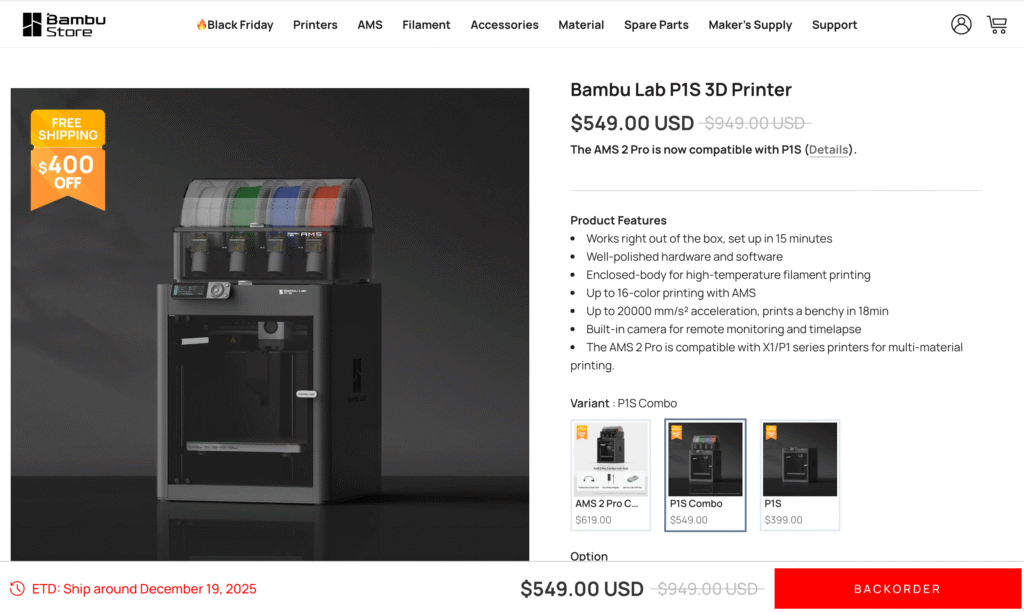
Bambu Lab P1S — Fast. Sharp. Surprisingly fun to use.
What It Is
The P1S is Bambu Lab’s mid-tier CoreXY machine — enclosed, speedy, and nearly foolproof. It prints faster than almost anything in its class, comes pre-assembled, and is designed to be the kind of printer you actually want to leave running overnight.
It’s not perfect. It’s not massive. But for 95% of cosplay projects — especially helmets, props, and armor segments — it’s more than enough.
Real-World Performance
- Build Volume: 256 × 256 × 256 mm
- Top Speed: ~500 mm/s (with slicer tuning)
- Assembly Time: ~15 minutes out of box
- Print Quality: Sharp, consistent, reliable
You can absolutely run PETG, ABS, and even carbon-reinforced filaments (with the hardened nozzle). And while it’s not technically a “large-format” printer, the speed makes up for the smaller size — you’ll be done printing segmented parts before a bedslinger even hits 40%.
What It Nails
- Speed. No exaggeration — prints that used to take 18 hours on my old Ender now take 6–7.
- Print Quality. Clean layer lines, minimal stringing, strong bridging.
- Reliability. It just… runs. Week after week.
- Ease of Use. Great app, auto bed leveling, vibration compensation, clean UI.
What to Know
- Size Limitations. It’s not big enough to print most helmets in one piece. You’ll need to slice or use helmet-specific cut files.
- Cloud features. Some users don’t like the Wi-Fi/cloud dependency. You can run it offline, but it’s not the default.
- Upgrades = None. There’s not much to mod — which is a pro unless you like customizing every piece of your machine.
Who It’s For
- Cosplayers who want speed and reliability
- Makers who prefer printing over troubleshooting
- Anyone who values their time as much as their print quality
What People Are Printing With It
- Full Iron Man suits (in split segments)
- Destiny hand cannons
- Modular Mando helmets (in 2–3 pieces)
- Lightsaber hilts with sharp detail
- Spartan armor thigh and shin parts
Elegoo Neptune 4 Max — Big, heavy, and built for armor.
Sale $113.49 ELEGOO Neptune 4 Max 3D Printer, 500mm/s Fast Printing, Support 300°C Printing, Auto Leveling and Direct Drive Extruder, 420x420x480mm Large Build Volume
- LIGHTNING-FAST 500MM/S PRINTING: Powered by Klipper firmware, Neptune 4 Max reaches speeds up to 500mm/s (default 250mm/s) and 8000mm/s² acceleration. Ideal for use with rapid filament in high-speed mode
- MASSIVE BUILD VOLUME: Spacious 16.53”x16.53”x18.89”/420x420x480mm build area for large models or multiple smaller prints. For high-temp filaments or prints over 300x300mm, bed clips are highly recommended to prevent bed shifting
- PRECISION & QUALITY: Input shaping, pressure advance, and X/Y axis acceleration sensors ensure reduced vibration and enhanced printing accuracy for detailed, high-quality, fast prints
- DIRECT DRIVE EXTRUDER: Self-developed direct drive extruder with 5.2:1 reduction ratio provides powerful extrusion and smooth filament feeding, with a metal throat and optimized air duct to minimize nozzle clogging
- 300°C HIGH-TEMP NOZZLE: The 60W ceramic heating element and extended hot end design ensure smooth extrusion for a wide range of filaments, including PLA, PETG, ABS, TPU, and nylon
What It Is
The Neptune 4 Max is a beast — both in size and in what it unlocks for cosplay printing. With a massive 420 × 420 × 480 mm build volume, it gives you the one thing most machines can’t: the ability to print entire helmets or chestplates in one go. No slicing. No gluing. Just a clean, continuous surface.
It’s not the smartest or fastest printer on the list, and it needs a little care out of the box. But if what you need is sheer build space without breaking the $500 mark? This is it.
Real-World Performance
- Build Volume: 420 × 420 × 480 mm
- Top Speed: Realistically ~80–100 mm/s for quality parts
- Assembly Time: ~45–60 minutes (partial assembly kit)
- Print Quality: Excellent once tuned — consistent layers, solid adhesion
The Neptune 4 Max uses Klipper firmware, so once it’s set up, you’ll get surprisingly good performance — especially for such a large bed-slinger.
But be warned: this printer eats desk space, power, and print hours. It’s a commitment.
✅ What It Nails
- Huge prints. You can print a Mandalorian helmet, a Stormtrooper backplate, or a Halo chestpiece with zero seams.
- Price-to-volume ratio. There’s nothing else at this size under $500 that’s this solid.
- AC heated bed. Heats quickly and evenly, even across a giant surface.
- Klipper support out of the box. Not just a dumb giant — it has smarts too.
⚠️ What to Know
- It’s slow. Big beds need big moves. You can speed it up with tuning, but by default, it’s not a sprint.
- You’ll need space. This isn’t a printer you tuck next to your monitor. It’s huge.
- Firmware quirks. Early units benefited from updates or community tweaks. Bed leveling may take patience.
Who It’s For
- Cosplayers printing helmets, chestplates, or full-scale armor
- Builders who’d rather wait longer than glue more
- Anyone working on 1:1 replica projects that won’t fit on a mid-size printer
What People Are Printing With It
- Mandalorian, Clone Trooper, Halo, and Doom helmets — all single-piece
- Iron Man chestplates
- Fallout shoulder armor
- Titanfall thigh armor
- Full torso prints in fewer pieces
Sovol SV08 — Big, fast, and built for people who like control.

- [Core XY 700mm/s Max Speed] – SVO8 utilizes CoreXY kinematics todecrease moving mass and enhancemotion control, consequently boosting maximum 40000mm/s² acceleration. With a generous printing volume of 350x350x345mm, the expansive space allows for the full expression of creativity, unbounded by the limitationsof smaller printing volumes.
- [Open Source] – Sovol SV08 is based on Voron 2.4. From the beginning of research and development, we decided to make SVO8 open-source. Besides, open-Sourced OrcaSlicer offers arc fitting, variable line width, and spiral ascent. It also includes intelligent cooling, overhang speed reduction, and segmented retraction. The software optimizes nozzle paths for faster printing and features a user-friendly, categorized interface with clear content for easy operation. As an open-source slicer, it supports configurations for various printer brands.
- [Quad-Gantry Auto Leveling] – The entire gantry system can be smoothly leveled with 4 independent Z motors. This process, known as Quad-Gantry-Leveling (QGL), enhances printer accuracy, reducing the possibility of print failures. It can also detect and compensate for wear or damage. Say goodbye to the hassle of manual leveling, SV08 comes with pressure sensor to automatically adjust the distance between the nozzle and the buildplate, ensuring the optimal first-layer print quality right after a quick test print.
- [Refine Details With Klipper] – SV08 adopts the Klipper firmware to elevate printing speed and accuracy to the next-generation standards. This firmware not only enhances processing speed significantly but also enables users to minimize vibration patterns using ‘input Shaping’, ensuring flawless prints from one corner to the other with ‘Pressure Advance’, and helping reduce temperature fluctuations in the nozzle and heat bed through ‘PID Tuning’, etc.
- [Ceramic Heating Block & AC Power Heated Bed] – Our high-performance SV08 3D printer heats up rapidly, reaching 300°C quickly and 220°C in 40 seconds. Using ceramic heating block & AC heated bed reduce heating time by 70%, allowing almost instant printing and easy preheating for nozzle cleaning and leveling. Enjoy precise, high-quality prints with versatile material compatibility.
What It Is
The Sovol SV08 is one of the rare large-format printers that doesn’t feel like a sluggish tank. Thanks to its CoreXY motion system — the same architecture used in high-end speed-focused printers — it’s surprisingly quick, even with a 350 × 350 × 345 mm build volume.
It’s also open, mod-friendly, and well supported by the maker community. Out of the box, it performs well. With some tuning and maybe a Z-probe swap? It shines.
Real-World Performance
- Build Volume: 350 × 350 × 345 mm
- Top Speed: ~300 mm/s (with tuning)
- Assembly Time: ~1–2 hours
- Print Quality: Clean layers, solid walls, great for PETG and PLA+
The SV08 ships partially assembled and gives off strong “Ender killer” vibes — but with far better mechanics. While its stock Z-probe got some early criticism (drift, offset issues), it’s easily swappable, and newer batches seem improved.
✅ What It Nails
- Speed + size combo. Big enough for helmets, fast enough for daily use.
- Open firmware. You want to tweak, customize, or run Klipper? It’s yours.
- AC heated bed. Fast warm-up even on large jobs.
- Community mods. Print farm folks love this thing — for a reason.
⚠️ What to Know
- Assembly takes time. It’s not hard, but it’s not plug-and-play either.
- You’ll want to upgrade the Z-probe. Just do it early and avoid issues later.
- Stock nozzle can struggle at very high temps. Consider upgrading if you run hotter filaments often.
Who It’s For
- Intermediate to advanced builders
- Cosplayers who want big pieces, but hate slow printers
- Anyone who likes a bit of control over their machine — and isn’t afraid of a screwdriver
What People Are Printing With It
- Iron Man helmets (2-part prints)
- Destiny Titan shoulder armor
- Thor’s Stormbreaker (multi-segment build)
- Halo ODST chest and backplates
- Skyrim Dragonborn masks and horns
Creality Ender 3 V3 SE — Your first printer doesn’t have to be your last.

- 【250mm/s High-speed Printing】Creality Ender 3 V3 SE 3d printer supports a maximum printing speed of 250mm/s, 2500mm/s² acceleration.The speed has been greatly improved while maintaining the printing quality, saving 73% of the time compared with other printers.
- 【Powerful “Sprite” Direct Extruder】Ender 3 V3 SE is the upgrade of ender 3, ender 3 v2, ender 3 pro, ender 3 neo, ender 3 v2 neo, ender 3 s1, ender 3 s1 pro etc 3d printer, comes with the new upgraded “Sprite” full metal dual-geardirect extruder, more powerful extruder pushing force and lightweight, the extruder realizes smooth feeding and discharging of flaments without slipping. Works extremely well in printing flaments like PLA, TPU, PETG, etc.
- 【Worry-free CR Touch Auto Leveling & Strain Sensor】Creality Ender 3 upgraded 3d printer features a CR Touch sensor for auto leveling and a strain sensor for auto z-offset. Just lay back and enjoy the print success, there is no need to participate manually throughout the process, making leveling much easier
- 【Stable Dual Z-axis & Y-axis Linear Shafts】High-precision dual Z-axis lead screws reduce Z wobbling effectively, avoid printing deviation in single-axis printing. This creality 3d printer Y-axis features two 8mm linear shafts made of strong and wear-proof steel, ensuring printing stability and higher printing accuracy over a long-lasting time
- 【Quick Assembly & Easy to Use】Preassembly has solved those hassles and worries of parts assembly, It only takes 3 steps to complete the assemble the ender-3 v3 se 3d printer, it only takes 20 minutes from the unpacking to the first printing
“Was it perfect? Nope. Did it get me started? Absolutely. And that’s what mattered.”
What It Is
The Ender 3 has been the cosplay community’s entry point for years, and the V3 SE is the best version of it so far. It’s cheap (under $250), compact, and wildly supported — from printable upgrades to endless YouTube help.
Is it fast? No. Is it fancy? Definitely not. But it’s affordable, teachable, and reliable enough to carry you through your first helmet… even if it takes five sliced parts and a tube of superglue.
Real-World Performance
- Build Volume: 220 × 220 × 250 mm
- Speed: ~60–80 mm/s (realistically)
- Assembly Time: ~20–30 minutes
- Print Quality: Good after tuning, excellent with upgrades
Out of the box, it’ll get you decent PLA prints. Add a better bed surface, tune your slicer, and suddenly you’re printing armor plates and weapon props that feel way more expensive than they are.
✅ What It Nails
- Price. Still the best sub-$300 machine for cosplay hands down.
- Modding potential. You’ll never run out of printable upgrades.
- Huge user base. Every issue you’ll hit has already been solved.
- Beginner-friendly (ish). Especially if you enjoy learning as you go.
⚠️ What to Know
- You’ll need to slice big parts. No full helmets in one piece.
- Bed leveling takes practice. It’s not bad — but it’s not automatic.
- Expect upgrades. You may eventually swap the extruder, springs, fans, and more.
Who It’s For
- Beginners who want a low-cost way in
- Cosplayers printing props, panels, or segmented armor
- Makers who want to learn by doing (and fixing)
What People Are Printing With It
- Iron Man forearms (in 3–4 parts)
- EVA foam add-ons with PLA accessories
- Lightsaber hilts, shoulder badges, cosplay props
- Helmet fragments for resin casting
Prusa MK4 — For makers who don’t want to babysit prints anymore.

- With automatic calibration, always-perfect first layer, one-click printing and many other useful features, the MK4S is the best choice for your home, workshop, or company. All print profiles and configurations are in-house tested ensuring that the MK4S effortlessly delivers top-quality 3D prints at a press of a single button from the very start.
- With automatic calibration, one-click printing and an always-perfect first layer, the MK4S is the best entry into the world of 3D printing. Its open design, the result of more than 10 years of evolution, ensures easy maintenance, upgradability and great accessibility. Plus, a detailed handbook guides you through every aspect of the MK4S. When you get the assembled printer, simply take it out of the box, plug it in and once it finishes the automatic calibration, you can start printing right away
- This listing is a DIY KIT for self-assembly; We also offer a fully built and tested 3D printer.
- The printer includes a Free sample of Prusament PLA 2×25 g; Prusa Research offers lifetime technical assistance and 24 hours professional customer service.
What It Is
Prusa’s MK4 is the culmination of years of reliability-focused design. It’s not the biggest or fastest printer out there — but it’s one of the most consistent, especially if you care about surface finish, mechanical precision, and prints that “just work.”
It’s also one of the few printers I’d recommend to someone who prints for work, or needs near-zero downtime.
Real-World Performance
- Build Volume: 250 × 210 × 220 mm
- Speed: Moderate, very stable
- Assembly Time: ~30 min (pre-built version)
- Print Quality: Excellent — especially for detailed parts and tight tolerances
PrusaSlicer is arguably the best slicer in the business. Pair that with an ecosystem of verified profiles and hardware consistency, and the MK4 feels less like a “printer” and more like a production tool.
✅ What It Nails
- Surface quality. Sharp corners, buttery layers, crisp supports.
- Reliability. It rarely fails — and when it does, you know why.
- Ecosystem. PrusaSlicer + open filament profiles = control without confusion.
- Support. Real humans. Real warranty. Real community.
⚠️ What to Know
- Build volume is mid-size. You’ll still need to split most helmets.
- Not cheap. ~$850+ puts it in premium territory.
- Not flashy. You’re paying for trust, not speed.
Who It’s For
- Cosplayers who care about fit, finish, and functional durability
- Creators selling props or printing for commissions
- Makers who value time saved over dollars spent
What People Are Printing With It
- Mandalorian helmets (in 3–4 clean parts)
- Resin-smooth Iron Man faceplates
- Boba Fett visors with perfect cutouts
- High-detail weapons and accessories
Final Verdict: What Should You Buy?
🥇 Best All-Around 3D Printer for Cosplay
→ Bambu Lab P1S/Creality K2 Combo
If you want to skip the trial-and-error phase, print confidently, and get high-quality results fast — this is it. Even if you eventually upgrade, this one earns its keep from day one.
Best for Full-Scale Helmets and Armor
If size is everything and you don’t mind slower speeds, this beast lets you print like a prop shop — full helmets, full chestplates, and fewer seams.
Best for Tinkerers and Modders
If you know what “CoreXY” means, enjoy firmware tuning, and want power with flexibility, the SV08 hits a sweet spot. Big. Fast. Open. And fun.
Best First Printer on a Budget
It’s not magic. But it works. And when it doesn’t, you’ll find a solution in five minutes because the whole internet has already solved it. Great starter with room to grow.
Best for Finish, Detail & Paid Work
If your props are going on camera or into someone’s hands, this is the printer that won’t let you down. Ultra-clean results with very little fuss.
Our Take?
You don’t need a perfect printer. You need one that helps you actually finish what you start.
Every machine on this list has helped someone go from “someday I’ll build that…” to “I wore it to con and people asked for pictures.”
Pick the one that fits where you are — and just start printing.
Final Note: What Happens After You Click “Buy”
A 3D printer is just a tool. The real magic is what you do with it.
Whether you choose a $250 Ender or an $850 Prusa, what matters most is starting.
Print that first chestplate. Fail a little. Reprint. Learn. And keep going. The suit that gets finished — even if it’s rough — will always outshine the one you almost started.
Because the printer is just the beginning. Let’s build something unforgettable.


FAQ
Can I 3D print a full cosplay helmet in one piece?
Yes — but only with a large-format printer.
Printers like the Elegoo Neptune 4 Max or Sovol SV08 have enough build volume (at least 300×300×300 mm) to print adult-size helmets in one go. Most mid-size printers (like the Bambu P1S or Prusa MK4) require slicing the helmet into parts.
What’s the best filament for cosplay armor?
PLA+ is the sweet spot for most builds.
It’s stronger and less brittle than standard PLA, easier to post-process, and doesn’t require an enclosure like ABS or ASA. For lightweight but strong armor, it’s hard to beat. PETG works too — but expect more stringing.
Is Bambu P1S good for cosplay?
Absolutely — especially for props and segmented armor.
It’s fast, reliable, and produces excellent surface quality with zero fiddling. You can’t print full helmets in one piece, but you’ll fly through forearms, thighs, weapons, and modular parts.
I’m a beginner. Should I buy Ender 3 V3 SE or spend more?
If budget matters, the Ender 3 V3 SE is a great starting point.
It teaches you how 3D printing works and has a massive support community. But if you can stretch your budget to a Bambu P1P or Sovol SV08, you’ll save time (and frustration) long-term.
Which printer gives the best surface finish for props?
The Prusa MK4 is unmatched for clean, consistent prints.
It’s not the biggest or fastest, but for detailed parts — like masks, hilts, or accessories — it gives you prints that need minimal sanding. Bambu printers also come close with the right tuning.
Do I need to assemble these printers?
- Pre-built / minimal assembly: Bambu P1S, Prusa MK4 (prebuilt), Ender 3 V3 SE
- Partial assembly required: Sovol SV08, Neptune 4 Max (takes ~1 hour)
- Fully kit-based: Not covered in this article (but Voron kits fall here)
Can I use ABS or other high-temp filaments for armor?
Yes, but you’ll need an enclosed printer and good ventilation.
ABS, ASA, and PC are strong but tricky. Use an enclosure (like Bambu P1S or a modded enclosure on other printers), and expect warping if cooling isn’t controlled. For most cosplay parts, PLA+ still wins on simplicity and finish.