Every spool of filament you buy costs between $15 and $30. Every failed print, stringy test cube, and discarded support structure goes straight in the bin. If you print regularly, that adds up fast — and it never stops.
A 3D filament maker changes that equation. Instead of buying ready-made spools, you feed raw plastic pellets (which cost a fraction of the price) into a desktop machine, and it extrudes, cools, and winds finished filament ready for your printer. Some makers even let you feed in shredded failed prints and turn waste back into usable material.

This guide covers everything you need to know: how filament makers work, which machines are worth buying in 2026, what materials you can make, and whether the investment actually pays off.
Whether you’re a hobbyist looking to cut costs, a makerspace manager sourcing sustainable materials, or a researcher who needs custom compounds, this is your starting point.
Table of Contents
What Is a 3D Filament Maker?
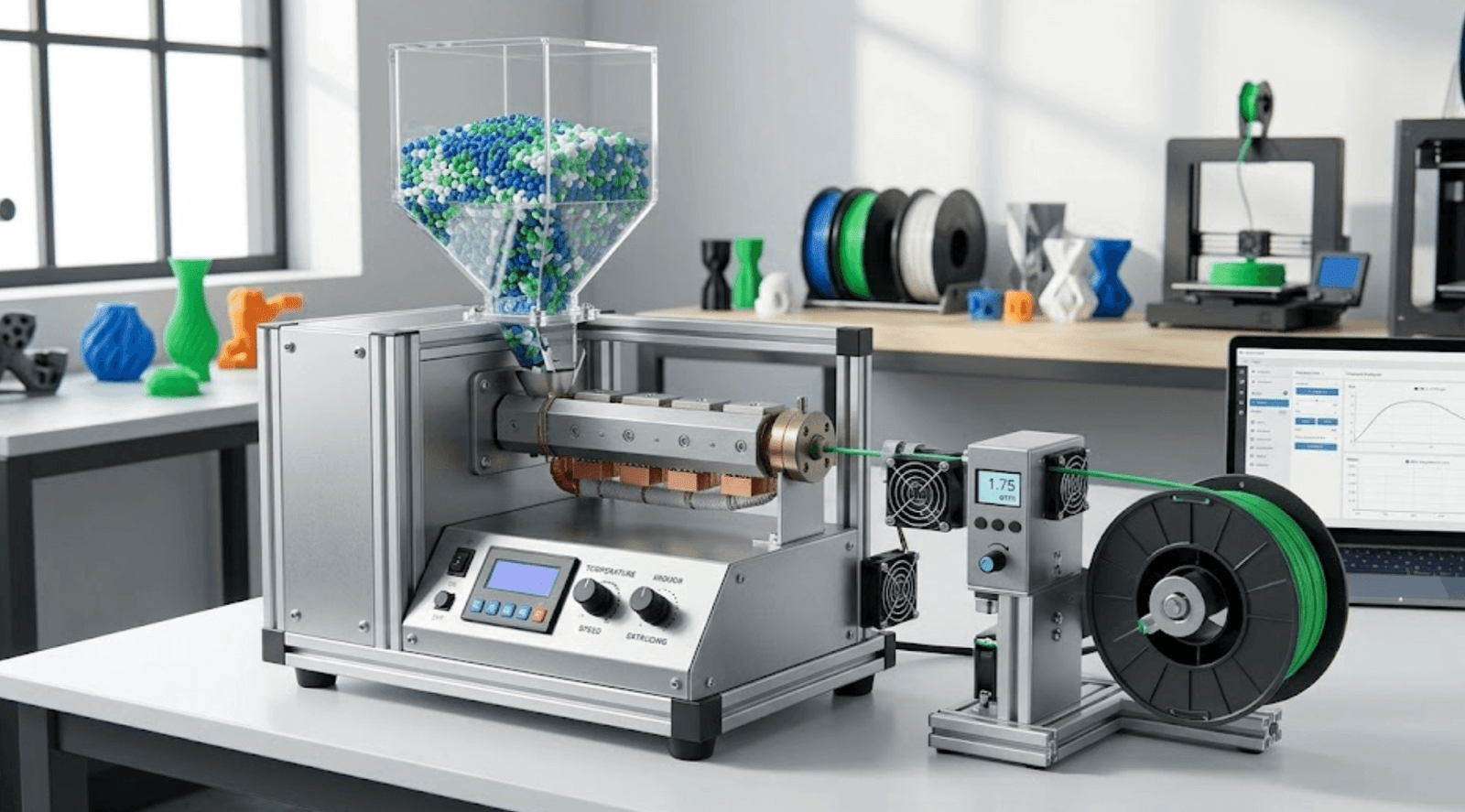
A 3D filament maker is a desktop machine that melts plastic pellets — or shredded recycled prints — and extrudes them into 3D printing filament at a precise diameter, typically 1.75mm or 2.85mm.
Also called a filament extruder or desktop extruder, it gives you direct control over the material that feeds your printer: the source plastic, the diameter, and even the color and composition.
The feedstock is usually one of two things: virgin plastic pellets (small granules of raw thermoplastic, sold by weight) or shredded plastic waste from your own failed prints. You load the material into a hopper at the top of the machine, set your temperature and speed, and the machine does the rest.


How the process works
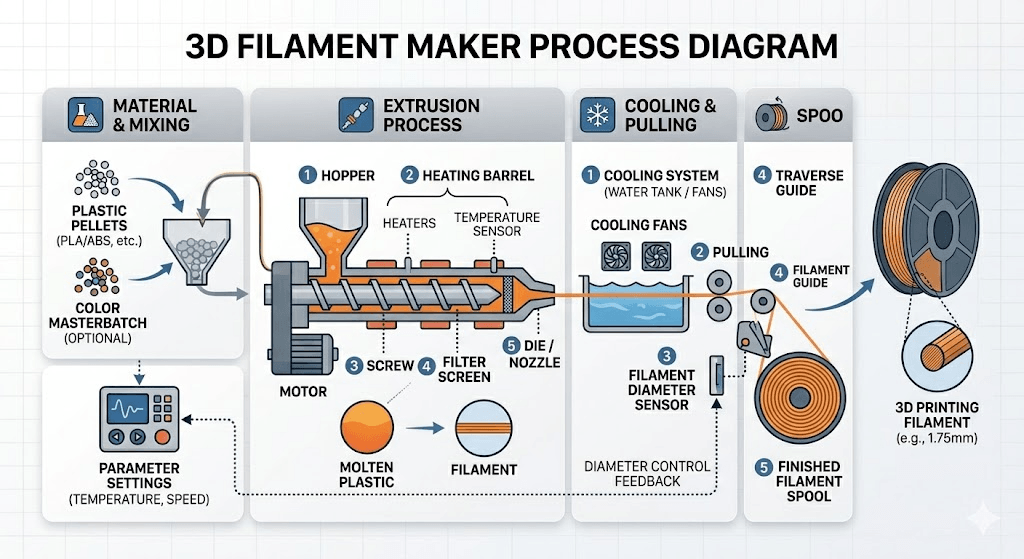
Most desktop filament makers follow the same basic sequence:
- Feed — Plastic pellets or shredded material drop into a heated barrel via a hopper.
- Melt and mix — A rotating screw pushes the material forward through one or more heating zones, where it melts into a consistent viscous flow.
- Extrude — The molten plastic is pushed through a nozzle to form a continuous strand.
- Measure — A laser diameter sensor scans the filament hundreds of times per second, flagging any deviation from your target diameter.
- Cool — The strand passes through a cooling section to solidify and hold its shape.
- Wind — An automatic spooler collects the finished filament onto a spool at a matched speed.
Higher-end machines close the loop between the sensor and the motor — if the diameter drifts, the system adjusts extrusion speed automatically to correct it. The best desktop extruders today achieve tolerances of ±0.03mm, which is on par with commercial filament.
It’s worth clarifying one common point of confusion: a filament maker is not the same as your printer’s extruder. Your printer’s extruder is the mechanism that feeds filament into the hotend during printing.
A filament maker is a standalone machine that creates the filament in the first place — a completely separate piece of equipment.
Why Make Your Own Filament?
The honest answer is: it depends on how much you print. But for the right user, the case is compelling — and it goes well beyond just saving money.
Save money on every spool
Raw PLA pellets typically cost $3–8 per kilogram when bought in small quantities from 3D printing suppliers, bulk industrial orders (100kg+) can go lower, but that’s not the hobbyist reality. A finished 1kg spool of PLA from a reputable brand runs $15–25. The material markup is real, and it compounds quickly if your printer runs daily.


The catch is that a filament maker is an upfront investment — entry-level machines start around $300, and capable mid-range options sit between $1,000 and $3,000. That means you need to print a meaningful volume before the machine pays for itself.
Break-even calculation:
Machine cost ÷ (commercial filament $/kg − pellet $/kg) = kg needed to break even Example: $1,000 machine ÷ ($20/kg − $5/kg) = ~67kg
For a busy makerspace or studio printing 2–3kg per week, that’s around 5–7 months. For a hobbyist printing one spool a month, it’s closer to six years — and probably not worth it on cost alone.
The economics improve significantly when you factor in recycling (more on that below) or when you need specialty materials that cost $50–80/kg commercially but can be sourced as pellets for $10–20/kg.
You May Want to Check : Filament Recycler ROI Calculator
Create filament you can’t buy off the shelf
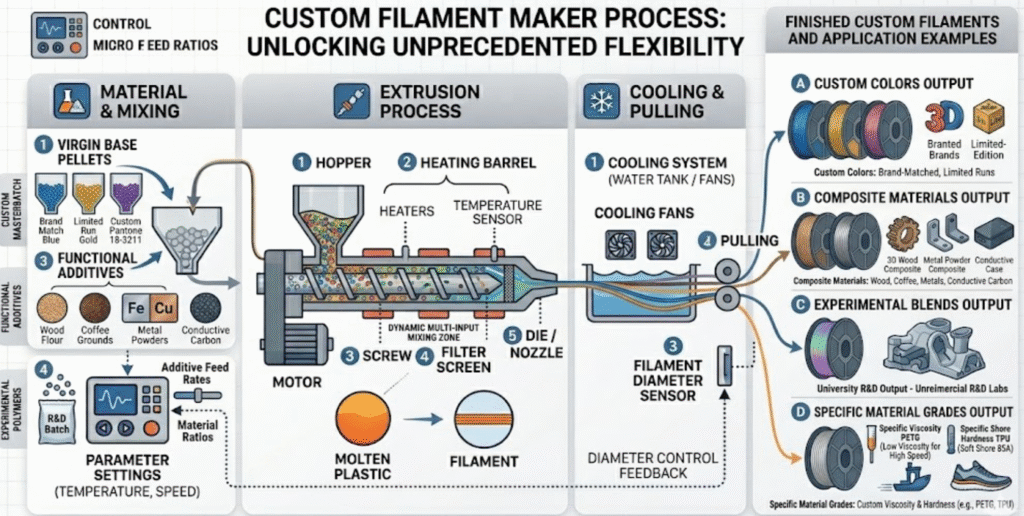
This is where filament makers genuinely open up new territory. With the right machine and pellet stock, you can produce:
- Custom colors by blending masterbatch dye into virgin pellets — useful for brand-matched colors or limited runs
- Composite materials by mixing in additives like wood flour, coffee grounds, metal powders, or conductive carbon
- Experimental blends that don’t exist as commercial products, which is exactly why university R&D labs are among the biggest buyers of high-end filament makers
- Specific material grades — if you need a particular viscosity of PETG or a specific Shore hardness TPU, sourcing it as pellets gives you far more options than the retail filament market
For researchers and product developers, this flexibility is often the primary reason to invest in a filament maker, cost savings aside.
Recycle failed prints and reduce waste
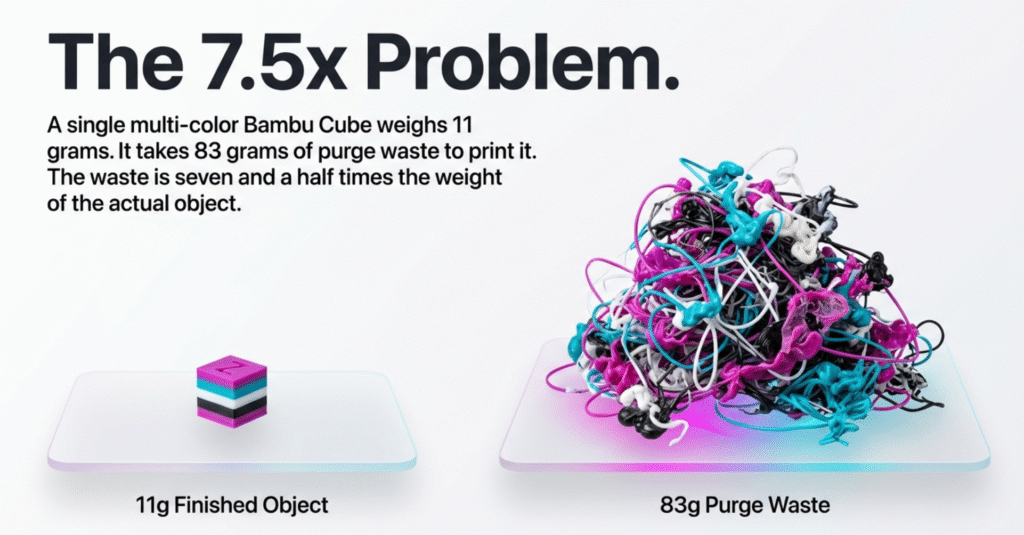
3D printing generates a lot of waste: rafts, supports, purge lines, failed first layers, test prints that didn’t work out. Most of it ends up in general waste.
A filament maker — paired with a plastic shredder — creates a closed-loop system. You shred the failed prints into small granules, dry them, and feed them back through the extruder to make new filament.
The recycled output isn’t quite as consistent as virgin-pellet filament, but for non-critical applications it’s perfectly usable.
Some manufacturers recommend a 50/50 blend of recycled granules and fresh pellets to maintain diameter consistency and mechanical properties. Even at that ratio, you’re significantly reducing material costs and keeping plastic out of landfill — two reasons this approach is increasingly common in schools, makerspaces, and sustainability-focused studios.
Always sort strictly by material type before shredding: mixing different plastics produces unusable output and can damage your equipment.
Recommend read: What to Do With Bambu AMS Filament Poo: 5 Options Ranked for Your Setup
What Makes a Good Filament Maker? The Specs That Actually Matter
Not all filament makers are built the same, and the spec sheet can be hard to parse if you’re new to this. These are the four factors that have the most direct impact on the filament you produce — and on whether your prints succeed or fail.
Diameter consistency: the single most important number
When manufacturers list a tolerance like ±0.03mm or ±0.05mm, they’re describing how much the filament diameter is allowed to drift from your target. This number matters more than almost anything else on the spec sheet.
Here’s why: your printer’s slicer calculates exactly how much material to push through the nozzle based on the assumption that your filament is a consistent diameter.
When it isn’t, the actual amount of plastic extruded varies from what the slicer expects — producing over-extrusion in thicker sections, under-extrusion in thinner ones, and inconsistent layer adhesion throughout the print.
Commercial filament from reputable brands typically holds ±0.05mm, which is the accepted industry standard. Premium brands like Prusament advertise ±0.02mm and independently verify each spool.
The best desktop filament makers today — machines like the 3devo Filament Maker TWO or the 3DPANY C1 — achieve ±0.03mm with virgin pellets, putting them between standard commercial and premium commercial quality. Budget machines and DIY builds often land closer to ±0.1mm or worse, which is where print quality starts to visibly suffer.
If diameter consistency is the goal, look for machines with a laser diameter sensor (not a contact sensor) and a closed-loop control system that automatically adjusts extrusion speed to compensate for drift.
Open-loop machines measure but don’t self-correct — you have to adjust manually, which is fine for experimentation but impractical for production.
Number of heating zones
Cheap filament extruders use a single heating zone. Better machines use three or four. The difference matters for two reasons.
First, different sections of the melt process benefit from different temperatures. The material entering the barrel needs enough heat to soften, but the zone closest to the nozzle needs precise control to maintain a stable melt viscosity. A single heating zone is a compromise across all of these.
Second, some materials — particularly engineering-grade plastics like nylon, PC, or PEEK — are sensitive to temperature gradients. Multiple zones let you ramp the temperature progressively, which reduces thermal stress in the material and improves the uniformity of the melt.
Machines targeting research and industrial use typically offer four heating zones for exactly this reason.
Maximum temperature
Most desktop filament makers top out at 250–300°C, which covers the everyday materials: PLA, PETG, ABS, ASA, and TPU. If you only plan to work with these, that range is sufficient.
If you want to process high-performance engineering materials — PEEK (360–450°C), PEKK, or high-performance composites — you need a machine rated to 400°C or higher. Polycarbonate and most nylons are achievable at 300°C or below on a mid-range machine. Check the maximum temperature for your specific target material before buying.
Hopper design and feeding consistency
This one gets overlooked. A poorly designed hopper causes bridging — where pellets clump together and stop flowing into the barrel — which leads to voids in the filament and unpredictable output. It’s a surprisingly common problem with budget machines.
Better machines use a cooled hopper (to prevent premature softening of pellets at the entry point), a wide feed throat to reduce bridging, and in some cases a motorized agitator.
If you’re processing recycled granules with irregular shapes, a well-designed hopper becomes even more important — shredded material flows less predictably than uniform virgin pellets.
Types of 3D Filament Makers: Which Category Is Right for You?
Filament makers span a wide range of price points and capabilities. Rather than thinking in terms of brands, it helps to first figure out which tier matches your use case — then narrow down from there.
Desktop / hobbyist filament maker machines (under ~$1,500)
These are compact, relatively straightforward machines designed for personal use, small makerspaces, and anyone who wants to experiment with making their own filament without a major commitment.
Output speeds are modest — typically 100–200g per hour — and diameter consistency sits in the ±0.05–0.1mm range, which is workable for most everyday printing.
Machines in this category include the Felfil Evo ($699 for the Complete Kit, $799 assembled — both in stock, ships from Italy with 2–8 week lead time) and the Creality M1 &R1 (~$1,149 MSRP, launched on Indiegogo in 2026).
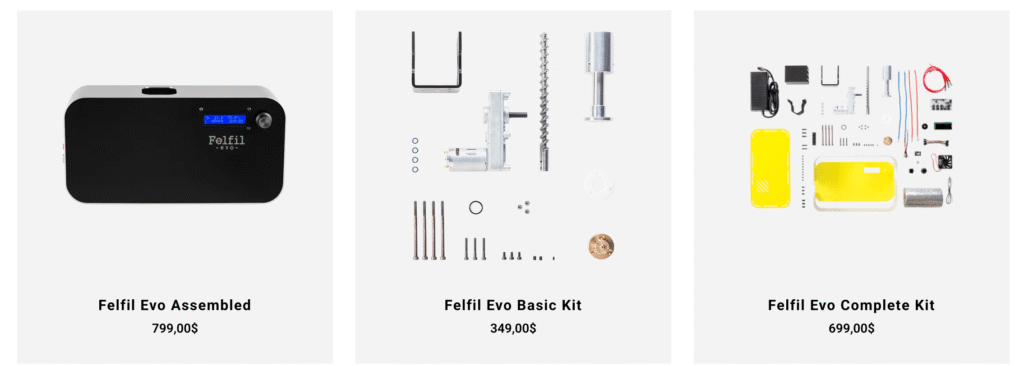
The Filastruder also belongs here historically, but is currently out of stock with no restock date — check availability before planning around it. A separate spooler is often sold as an add-on rather than included in the base price — worth checking before you buy.
This tier is a reasonable starting point if you print regularly and want to reduce costs, experiment with custom materials, or set up a basic recycling workflow. It’s not suited for high-volume output or precision material research.
Mid-range machines (~$1,500–$5,000)
This tier is thinner than it used to be — most serious machines have migrated upward in price. The ProtoCycler V3 (from $9,999) technically lands above this range, and the 3devo ONE starts at €6,930.
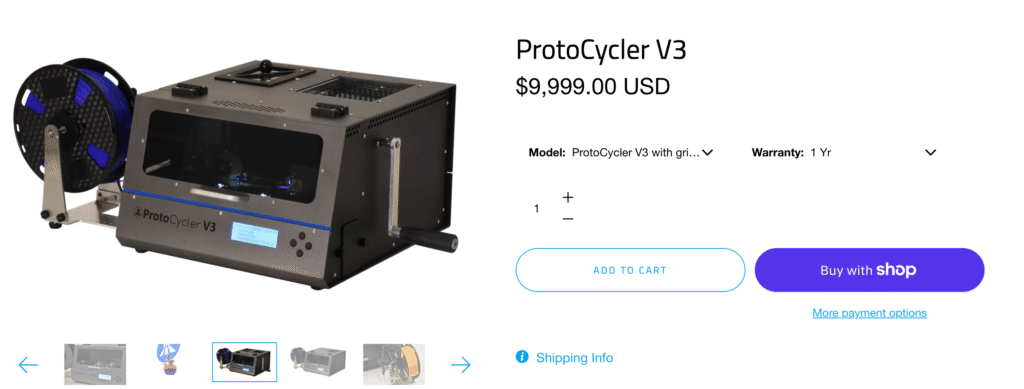
If your budget genuinely tops out around $3,000–$5,000, the honest advice is: wait for the Creality M1 to prove itself in independent reviews, or stretch the budget to ProtoCycler if recycling and institutional certification are your priorities.
Research / industrial machines ($7,500+)
At this level, filament makers are precision instruments. You get four or more heating zones, temperatures up to 450°C, advanced sensor arrays, software data logging, and the ability to process high-performance engineering polymers — PEEK (requires 360–450°C), PEKK, high-performance nylons, and bio-based materials.
Note: standard carbon fiber composites like CF-PLA do not require these machines — only CF-PEEK and similar high-temp variants do.
The 3devo Filament Maker ONE (from €6,930 / ~$7,500+), 3devo Filament Maker TWO (~$18,000), Filabot EX6 (from ~$9,900 for full setup), and ProtoCycler V3 (from $9,999) all sit in this segment.
Note that ProtoCycler grinderless units are currently on backorder due to supply chain constraints — check availability directly. The typical buyers are university research labs, aerospace and medical material developers, and industrial teams who need to produce and test custom compounds in-house.
Top 3D Filament Makers Compared (2026)
Quick picks:
- Best for beginners: Felfil Evo ($699 Complete Kit / $799 Assembled, ships from Italy) — or Filastruder (~$300–$400, currently out of stock — check availability)
- Best budget with recycling: Creality M1 (~$1,149 MSRP) — new in 2026, watch for reviews
- Best for makerspaces / education: ProtoCycler V3 (from $9,999) — UL/CE/FCC/RoHS certified, recycling-focused
- Best for R&D labs (entry): 3devo Filament Maker ONE (from €6,930 / ~$7,500+)
- Best for advanced research: 3devo Filament Maker TWO (~$18,000)
| Machine | Price (approx.) | Diameter tolerance | Max temp | Heating zones | Throughput | Spooler | Best for |
|---|---|---|---|---|---|---|---|
| Creality M1 | $1,149 MSRP ($799 early bird) | ±0.05mm virgin / ±0.1mm recycled | 300°C | 3 | 1kg/hr (claimed) | Yes | Hobbyists, recycling |
| Felfil Evo | $699 (Complete Kit) / $799 (Assembled) | ±0.07mm | 250°C | 1 | ~100g/hr | Add-on | Beginners, open-source |
| Filastruder | ~$300–$400 ⚠️ currently out of stock | ±0.1mm | 260°C | 1 | ~100g/hr | Add-on | Budget DIY |
| 3devo FM ONE | from €6,930 (~$7,500+) | ±0.05mm | 450°C | 4 | ~300g/hr | Yes | R&D, engineering materials |
| ProtoCycler V3 | from $9,999 | ±0.05mm | 250°C | MixFlow™ (1 zone) | 500g/hr | Yes | Education, recycling, labs |
| Filabot EX6 | from $9,900 (setup) | ±0.05mm | 350°C+ | 4 | 4.5kg/hr | Add-on | High-volume, industrial |
| 3devo FM TWO | ~$18,000 (€16,995) | ±0.03mm | 450°C | 4 | ~400g/hr | Yes | Advanced research |
Prices are approximate as of April 2026. Filastruder currently listed as out of stock with no ETA. ProtoCycler V3 grinderless units currently on backorder. Felfil prices exclude VAT and international shipping. Always verify current pricing and availability with manufacturers before purchasing.
Creality M1 R1— the one to watch in 2026
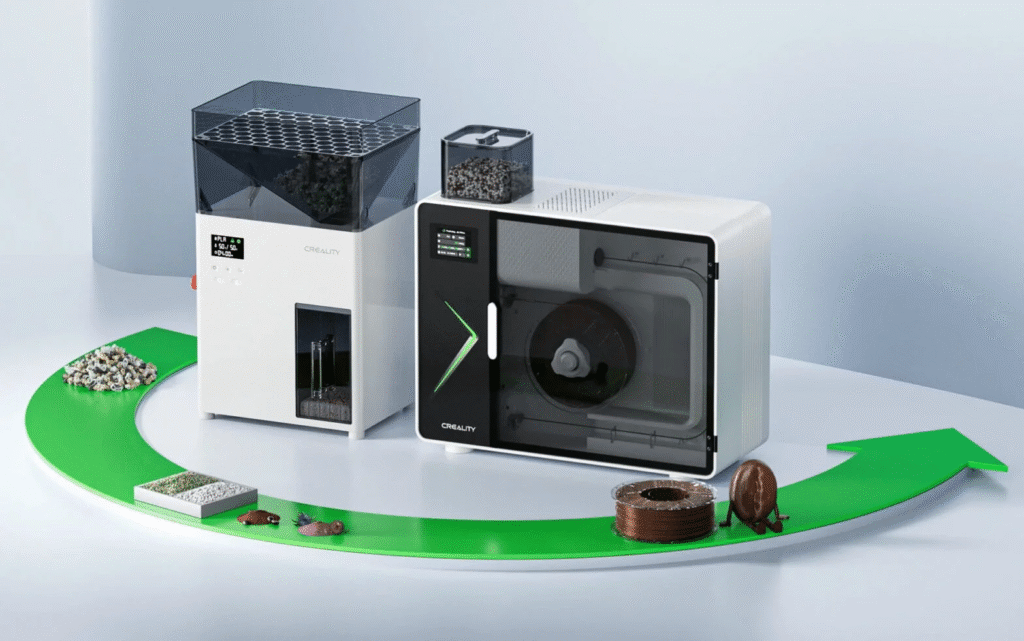
Creality entering the filament maker market is significant. As one of the world’s largest desktop 3D printer manufacturers, they bring supply chain scale and distribution reach that none of the specialist brands can match.
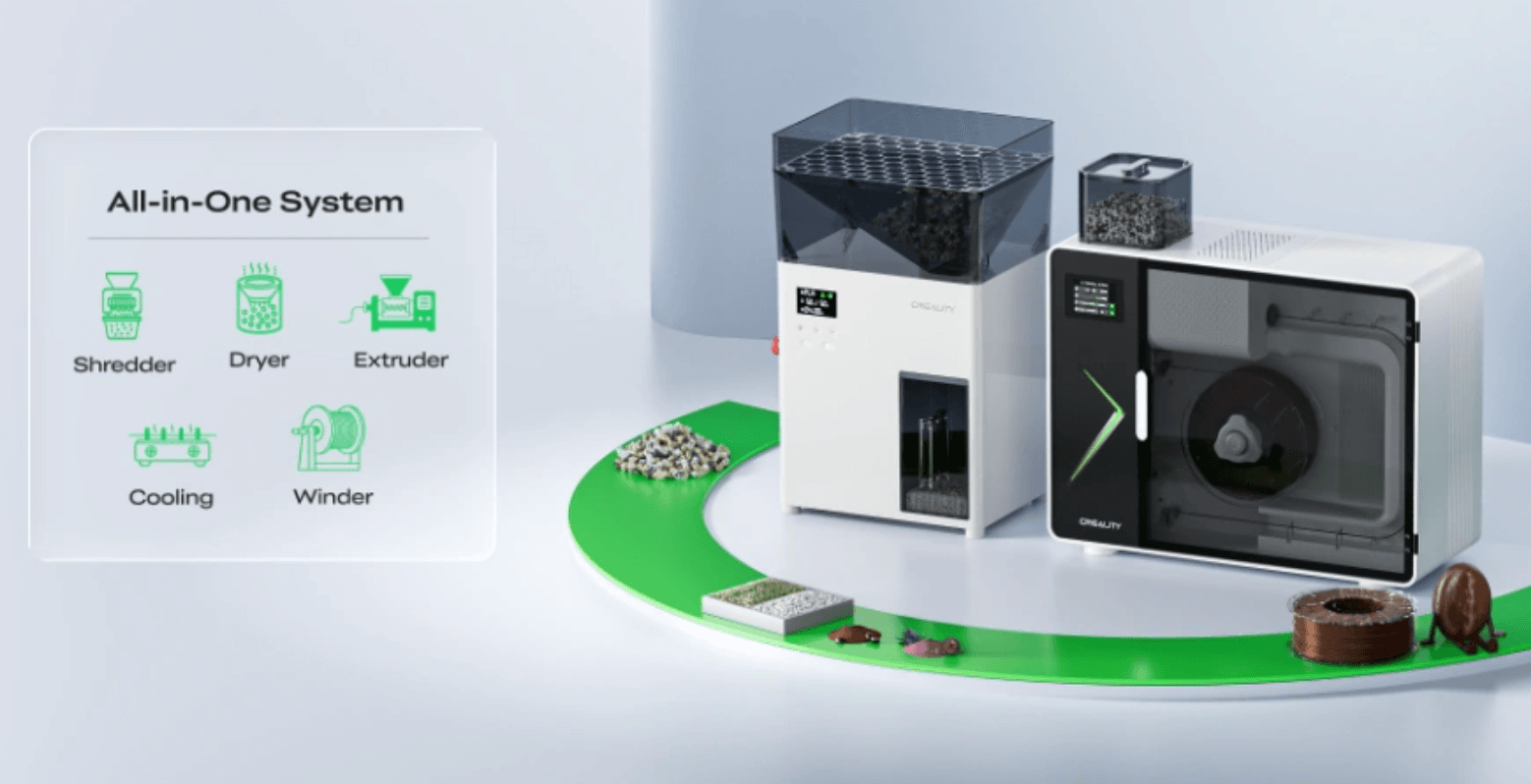
The M1 launched on Indiegogo in late March 2026, with shipping targeted for Q2 2026. It’s designed as part of a two-machine closed-loop system: the R1 shredder reduces failed prints and purge waste into ≤4mm granules, and the M1 extrudes them back into usable filament. It supports eight material families (PLA, ABS, PETG, ASA, PA, PC, TPU, PET) and uses a three-stage heating system with eight air cooling zones, targeting 1kg/h output.
One important nuance on the diameter spec: Creality claims ±0.05mm tolerance when using virgin pellets — competitive for this price tier. However, when using recycled granules from the R1 shredder, that tolerance widens to ±0.1mm. If recycling is your primary use case, factor that into your expectations.
Early prototype testing confirmed the machine produces printable filament, but reviewers noted spool winding and diameter consistency still needed refinement — improvements Creality says are addressed in the production version.
MSRP is $1,149 for the M1 alone and $1,699 for the M1+R1 bundle. Indiegogo early bird pricing was $799 and $1,199 respectively.
→ Creality M1 & R1 Filament Maker Indiegogo: Honest Breakdown for Bambu & Ender Users
Felfil Evo — open-source and community-supported
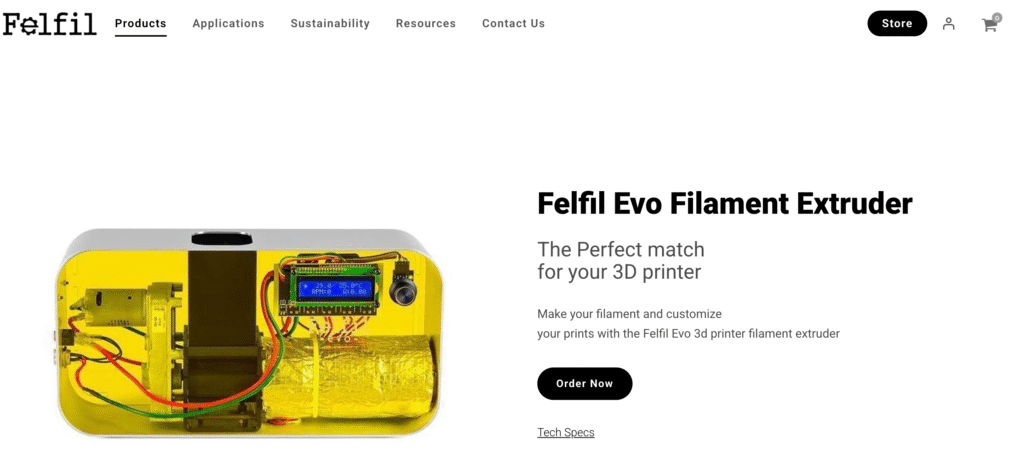
The Felfil is an Italian-made, open-source filament extruder that’s been popular in educational and makerspace settings since its 2015 Kickstarter.
Current pricing direct from the manufacturer: Complete Kit at $699 (requires assembly, 8-week lead time) and the pre-Assembled unit at $799 (2-week lead time). Both are in stock. The open-source design means a reasonable community of users share modifications and tips online.
The maximum temperature is 250°C standard (a 300°C version is available on request), which covers PLA, ABS, PETG, HIPS, PA, TPU, and similar materials but not high-temperature engineering polymers.
Diameter tolerance sits around ±0.07mm in practice — workable for most prints, but noticeably less consistent than closed-loop machines. There is no closed-loop diameter control, so consistency depends on careful manual setup and stable ambient conditions. Best suited to users who enjoy tinkering and don’t need production-level repeatability.
ProtoCycler V3 — the recycling specialist
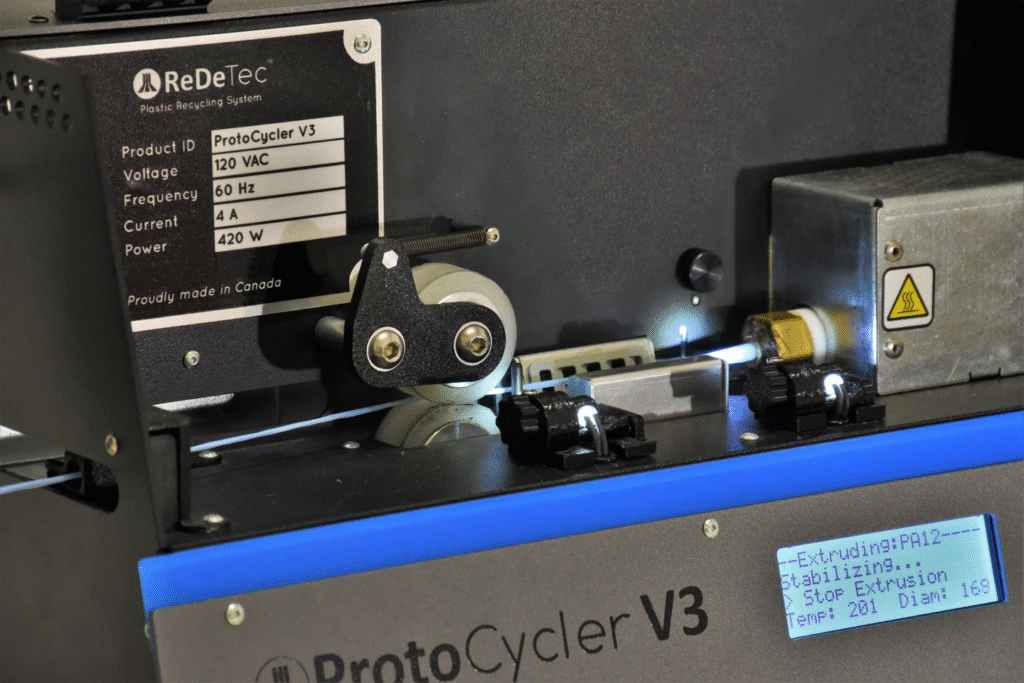
ProtoCycler is purpose-built around the recycling use case. The V3 is the only machine in this roundup with an optional integrated grinder, along with Command Center software — automatic mode tracks 20+ parameters in real time, while manual mode gives access to over 40 parameters for experimental control.
It’s also the only desktop filament maker certified to UL, CE, FCC, and RoHS standards simultaneously — which matters for schools and institutional labs with procurement safety requirements.
Note that maximum temperature is 250°C, which limits it to standard materials (PLA, ABS, PETG, HIPS, Nylon 12). It’s not suited for high-temperature engineering polymers. If recycling and institutional certification are your primary requirements, ProtoCycler is the shortlist choice — but verify current stock availability before ordering.
3devo Filament Maker ONE and TWO — the research standard
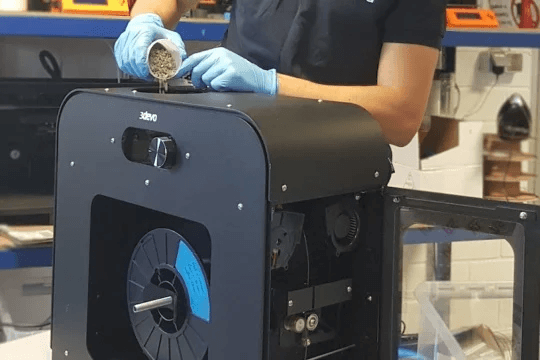
3devo machines are the reference point for university labs and industrial R&D teams worldwide since 2016. Both machines reach 450°C across four heating zones, covering everything from standard PLA to advanced polymers like PEEK, PEKK, and PPSU.
The ONE (from €6,930 / ~$7,500+) is available in two variants — Composer (optimised for material mixing and experimental blends) and Precision (optimised for consistent high-throughput production). It’s the entry point into serious filament R&D.
The TWO (~€16,995 / ~$18,000) adds a more powerful drive system (3× the torque of the ONE), a longer screw for improved melt control, a three-axis optical sensor measuring filament ovality as well as diameter, infrared surface temperature monitoring, and an open-source API — making it a genuine research platform rather than just an extruder.
Both machines come with 3devo’s software for real-time data and profile saving. The TWO also offers a rental option at $600/month for teams needing occasional access. They’re a serious investment, but for institutions where filament quality directly affects research outcomes, the precision is difficult to replicate at any lower price.
→ See our full comparison: Felfil vs ProtoCycler vs 3devo
Filastruder — the original budget benchmark
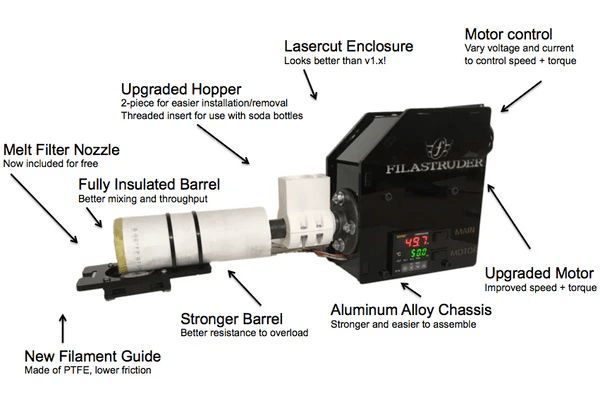
The Filastruder is the machine that proved desktop filament making was viable for hobbyists — its Kickstarter launched in 2013 and it’s been running ever since. It’s a DIY kit that requires assembly and lacks the sensors and automation of newer machines, but it works, has a large long-term community, and at $300–$400 was the lowest barrier to entry available.
Important caveat as of April 2026: the Filastruder kit is currently listed as out of stock with no ETA on the manufacturer’s website. If you’re planning a purchase, check current availability at filastruder.com before budgeting around it. If it’s back in stock, it remains a legitimate entry-level option — just go in with realistic expectations about the level of manual tuning involved.
Is Making Your Own Filament Worth It?
This is the question most people are really asking when they search for filament makers — and the honest answer is: it depends on who you are.
A filament maker is likely worth it if:
- You run a makerspace, school, or studio where multiple printers run continuously and filament consumption is high
- You need materials that aren’t available commercially — specific blends, custom colors, or experimental compounds
- You’re a researcher or product developer who needs to prototype with precise material grades
- You’re already generating significant print waste and want to close the loop rather than buying new spools
- You want to share a machine across a group (a makerspace context cuts the ROI timeline dramatically)
A filament maker is probably not worth it if:
- You print casually — one or two spools a month — and cost is the only motivation
- You need consistent, production-quality results right away and don’t have time to dial in a machine
- You’re only interested in standard PLA and PETG, which are already cheap and widely available
The break-even math covered earlier is the cold version of this answer. But there’s a warmer version too: for a lot of makers, the appeal isn’t purely financial.
Being able to turn a pile of failed prints back into a fresh spool, or dialing in a color you can’t buy anywhere, or understanding the material pipeline end-to-end — that has value that doesn’t show up in a spreadsheet.
If you’re on the fence, the pragmatic move is to start with an entry-level machine — the Felfil Evo ($699–$799, currently in stock) is the most accessible proven option right now, or consider the Creality M1 once it reaches retail and independent reviews come in.
The Filastruder (~$300–$400) is also worth checking, though it’s currently listed out of stock. Keep your expectations realistic, give yourself time to learn the process, and reassess once you have real numbers from your own setup. The community around filament making is active and helpful — you won’t be figuring it out alone.
Frequently Asked Questions
Is making your own filament actually cheaper?
Yes — but only if you print enough. Raw PLA pellets cost $3–8/kg from 3D printing suppliers versus $15–25/kg for commercial spools, so the material savings are real. The problem is the upfront machine cost: a $1,000 extruder requires roughly 67kg of filament production to break even (using average prices of $5/kg pellets vs $20/kg spool). For high-volume users (2kg+/week), that’s achievable within six months. For casual hobbyists printing a spool a month, it’s closer to six years and likely not worth it on cost alone.
What’s the best filament maker for beginners?
The Felfil Evo ($699 Complete Kit / $799 Assembled) is currently the most accessible proven option that’s actually in stock, shipping from Italy with 2–8 week lead times. The Filastruder (~$300–$400) has historically been the go-to budget choice with a large community behind it, but is currently listed as out of stock with no ETA — check filastruder.com for current availability. The Creality M1 (~$1,149 MSRP) launched on Indiegogo in 2026 and is worth watching once independent long-term reviews are available. All entry-level options require time to dial in settings before getting consistent results.
Can you recycle 3D prints into filament?
Yes, with the right setup. You need a shredder to break failed prints into small granules, then a filament extruder to melt and extrude them. The output is less consistent than virgin-pellet filament (typically ±0.1mm vs ±0.05mm), so a 50/50 blend of recycled and fresh pellets is recommended for best results. Never mix different material types — PLA and PETG must not be recycled together, as their different melting points and chemical compositions produce weak, unusable filament.
Can I make any type of filament at home?
Most common thermoplastics are achievable on a desktop filament maker: PLA, PETG, ABS, ASA, TPU, and HIPS are all within reach of mid-range machines. Engineering-grade materials like nylon and polycarbonate require more capable equipment, while PEEK needs a machine rated to 360°C or higher and is generally the territory of research-grade equipment costing $7,500+. Note that carbon fiber composites vary widely: CF-PLA prints at standard PLA temperatures (200–240°C) and is within reach of hobbyist machines, while CF-PEEK or CF-Nylon require higher-end equipment suited to their base material.
Do I need a shredder as well as a filament maker?
Only if recycling is part of your plan. If you’re feeding virgin pellets directly into the extruder, a shredder isn’t necessary. If you want to process failed prints, you’ll need to shred them into roughly uniform granules first — most extruder hoppers can’t handle large irregular pieces. Systems like the Creality M1 + R1 or ProtoCycler V3 with its optional grinder offer matched shredder solutions.
How long does it take to make 1kg of filament?
Desktop hobbyist machines typically run at 100–200g/hr, so 1kg takes 5–10 hours. Mid-range prosumer machines like the ProtoCycler V3 reach 500g/hr (about 2 hours per kg). Industrial machines like the Filabot EX6 can produce 4.5kg/hr. Factor in setup, pellet drying, and spooling time for a realistic picture.
What pellets should I buy to get started?
Start with virgin PLA pellets — they’re forgiving, widely available, and the easiest material to dial in on a new machine. Look for pellets labeled as 3D printing grade or injection molding grade with consistent particle size (2–4mm). Suppliers like Filabot and 3devo sell small quantities suitable for desktop use. Avoid recycled industrial regrind as your first material — the inconsistency makes troubleshooting much harder while you’re still learning the machine.