
Heads up — some of the links below are affiliate links. If you buy through them, I earn a small commission (at no extra cost to you), which helps cover the gear I test. Thanks!
Quick Answer
The best Bambu Lab filament alternatives for most users are Overture PLA, eSUN PLA+, and Polymaker PolyTerra — all AMS compatible, all significantly cheaper than Bambu’s official $15.99/roll price. And if it’s the AMS hardware you want to replace, not the filament, we cover the cheaper AMS alternatives separately.
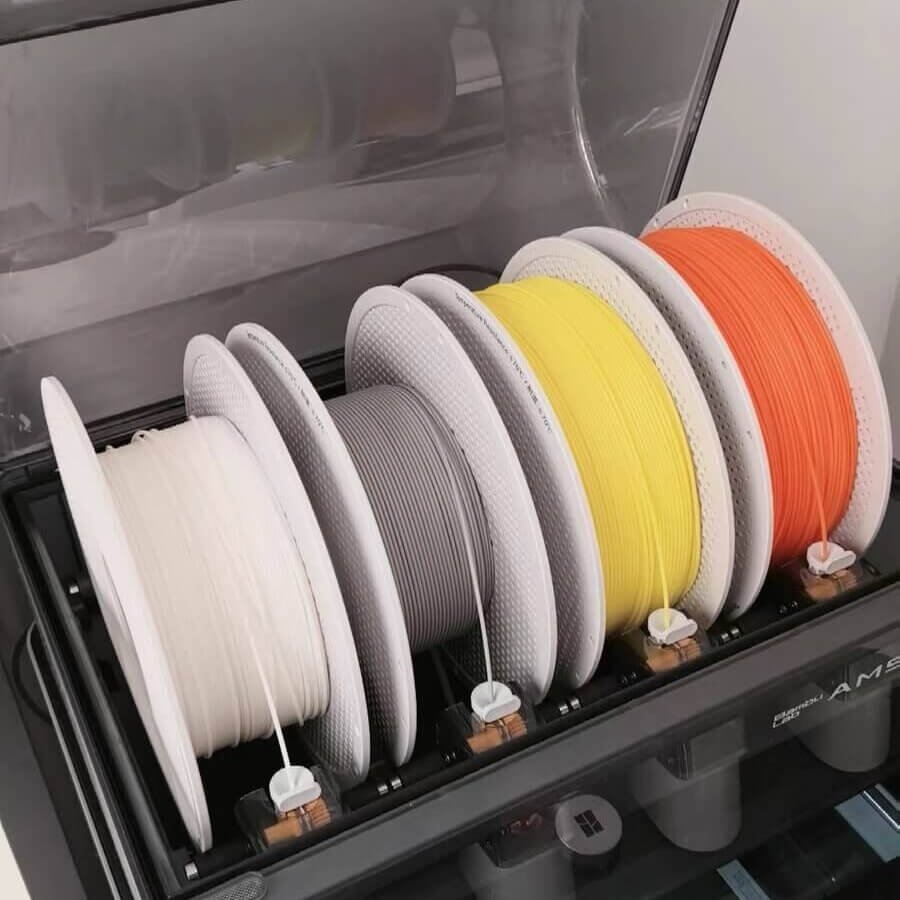
Third-party filament works in the Bambu AMS. No RFID isn’t a dealbreaker — you manually select the material type once, in five seconds, and it runs fine. Still weighing brands? See which filament actually wins on value. Here’s the breakdown by use case:
| Use Case | Brand | Price/kg | Built-in Bambu Studio Profile |
|---|---|---|---|
| Everyday PLA | Overture / eSUN PLA+ | ~$10–13 | ✅ Yes |
| Matte finish | Polymaker PolyTerra | ~$13–15 | ✅ Yes |
| Lowest cost | Elegoo / SUNLU | ~$9–11 | ❌ Use Generic PLA |
| PETG | Overture PETG | ~$16–19 | ✅ Yes |
| High-speed printing | Elegoo Rapid PLA+ | ~$10–12 | ❌ Use Generic PLA |
| Must buy official | Support PLA, PA6-CF | $25–55 | ✅ Yes |
Key Numbers
- Bambu PLA Basic official price: $22.99/roll single; $18.99/roll when buying 4+
- Overture PLA typical price: $10–13/kg
- eSUN PLA+ typical price: $13–16/kg
- Elegoo PLA multi-pack price: ~$9–10/roll
- AMS spool outer diameter range: 197–202mm
- AMS spool width range: 50–68mm
- AMS Lite spool inner diameter: 53–58mm (A1/A1 Mini)
- Generic PLA recommended temp: 220°C nozzle / 60°C bed
- Generic PETG recommended temp: 240°C nozzle / 80°C bed
- Bambu PLA Basic rated speed: 258mm/s (0.4mm nozzle, 0.2mm layer height)
- Elegoo Rapid PLA+ rated speed: 600mm/s (Elegoo-stated)
Table of Contents
Why Bambu Lab Filament Users Switch to Third-Party
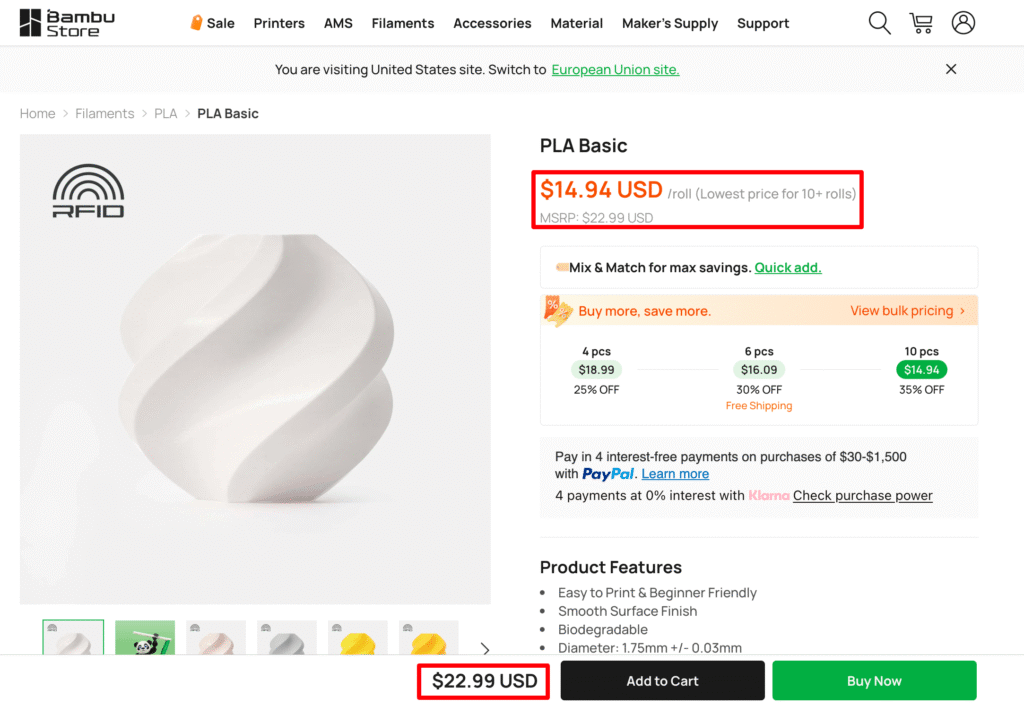
Single spool, official store, no bulk discount: $22.99. If you buy four rolls at once, it drops to $18.99. That’s the deal.
For occasional printing, fine. For anyone running an AMS and burning through multiple spools a week, that math adds up fast.
And here’s the thing most people don’t know: Bambu doesn’t manufacture most of its own filament. Industry reporting and trade show footage point to eSUN, Polymaker, and SUNLU as OEM suppliers for different product lines — though Bambu has never officially confirmed this.
What is confirmed: a journalist at How-To Geek ran Bambu PLA Basic, SUNLU PLA+ 2.0, and Elegoo basic PLA simultaneously in a P2S AMS, all on the same Bambu PLA Basic profile. The print quality difference was, in their words, undetectable.
That’s not an argument that Bambu filament is a scam. It’s an argument that the premium you’re paying buys you RFID auto-detection, guaranteed spool geometry, and Bambu’s QC layer — not a fundamentally different material.
Once you understand that, the decision gets a lot simpler.
Third-Party Filament in Bambu AMS: What Actually Works
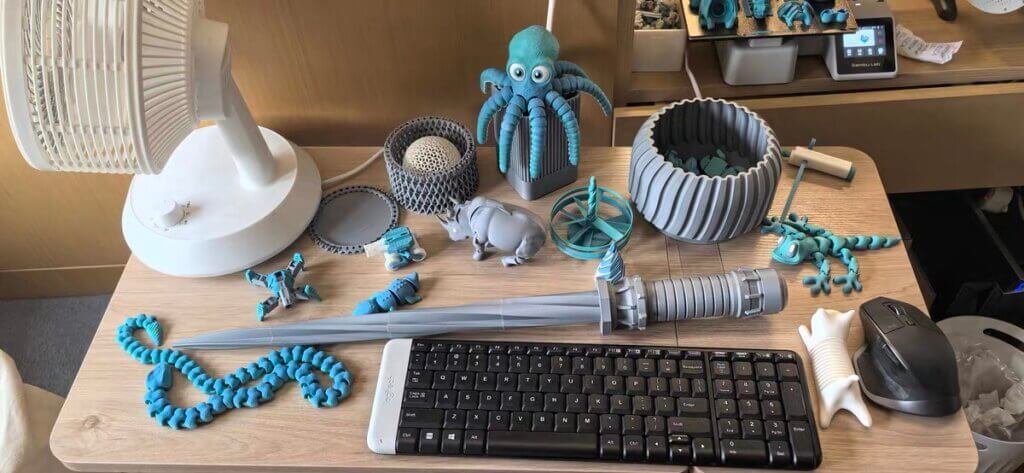
This is where most guides either skip the detail or get it wrong. There are two separate things you need to clear before third-party filament works reliably in your AMS.
1. Physical spool dimensions
The AMS has hard limits on spool geometry:
- Outer diameter: 197–202mm
- Spool width: 50–68mm
- Inner hub diameter: ~52–55mm
Note: AMS Lite (used with A1/A1 Mini) has slightly different specs — inner diameter 53–58mm, width 40–68mm.
Plastic spools are almost always fine. Cardboard spools are where it gets complicated — more on that in a dedicated section below, because it’s the thing that bites most people.
2. RFID — what happens without it
No RFID means the AMS displays a “?” when you load the spool. That’s it. That’s the entire consequence.

You tap through to the filament settings on the printer touchscreen or in Bambu Studio, manually select your material type (Generic PLA, or a brand-specific preset if one exists), and confirm. The AMS then runs exactly as it does with official filament — automatic loading, unloading, multi-color switching, all of it.
One setting, one time per spool. If that’s a dealbreaker for you, I don’t know what to tell you.
Materials that genuinely can’t go in the AMS
This part is real and worth knowing:
Not AMS compatible (any brand):
- TPE
- Generic TPU / Bambu TPU 95A HF (too flexible — buckles in the AMS feed path)
- Damp PVA (softens and jams; must be fully dried before AMS use)
- Any filament containing carbon fiber or glass fiber from third-party brands
AMS compatible:
- PLA, PLA+, PLA variants (matte, silk, high-speed)
- PETG, PETG-HF
- ABS, ASA
- PA (Nylon), PC, PP, POM, HIPS
- PVA — only when fully dried (Bambu officially supports this; damp PVA is a different story)
- Bambu TPU for AMS — Bambu’s dedicated AMS-compatible TPU (68D hardness, different from standard TPU 95A)
- Bambu’s own PLA-CF, PAHT-CF, PETG-CF (official CF only — third-party CF not supported)
For standard TPU (95A), use the external spool path. It works fine direct — just not through the AMS.
Which Third-Party Filament Brands Have Bambu Studio Presets
This is the detail every other guide misses.
Three third-party brands have dedicated presets built directly into Bambu Studio. You don’t need to select Generic PLA, dial in temperatures, or guess. You just pick the profile from the dropdown and print:
- Polymaker — PolyLite PLA, PolyTerra PLA, PolySonic PLA, several PETG variants
- eSUN — PLA+, ABS+, PETG, and others. eSUN also publishes Bambu-specific print parameters on their own website as a separate download.
- Overture — PLA, PETG
For everyone else — Elegoo, SUNLU, Hatchbox, JAYO — use the Generic PLA preset at 220°C nozzle, 60°C bed. It works for the vast majority of standard PLA spools from reputable brands. If you want to see how these brands stack up across Bambu, Creality, and Prusa printers, our best filaments for Bambu Lab guide covers the full picture.
Best Bambu Lab Filament Alternatives by Use Case
Brand ranking lists are useless for making a real decision. Here’s how I’d actually choose.
If you’re burning through PLA fast and want the lowest cost per roll
Buy: Elegoo PLA or SUNLU PLA+

- 【More Colors for More Projects】 Multiple compact 250g mini spools provide practical amounts of…
- 【Upgraded for Tougher, Stronger Prints】 The upgraded PLA+ 2.0 formula provides greater toughness…
- 【Neatly Wound for Reliable Feeding】 Precision winding supports smooth, consistent feeding and…
- 【Consistent Diameter and Steady Extrusion】 A consistent 1.75mm ±0.02mm diameter supports stable…
- 【Fits Most FDM Printers】 Designed for most 1.75mm FDM printers with external, top-mounted, or…
- HIGH QUALITY PLA FILAMENT: Made from premium PLA, lower melting temperature, low warp and shrinkage…
- TOP-NOTCH ACCURACY & CONSISTENT: Advanced measurement procedures used during manufacturing, ensure…
- LESS-TANGLE & NEATLY WOUND: Each spool of filament is neatly wound, prevents tangles and feeding…
- GLOSSY SURFACE & EASY TO USE: Strong layer adhesion, low warp and shrinkage help to achieve…
- NO CLOGGING & NO BUBBLE: ELEGOO PLA Filament is complete dried before packaging and vacuum sealed…
Elegoo refill spools run around $9–10 per roll in a 10-pack on Amazon — that’s $1–2 cheaper per roll than Bambu at bulk pricing, with no minimum of 20 spools to hit the discount.
In a direct head-to-head test on a P1S using Bambu’s default PLA Basic profile, Elegoo performed comparably to Bambu on standard Benchy prints — the two were indistinguishable by eye on surface finish and overhangs.
Where it got interesting: on the torture toaster test, the Elegoo print showed cleaner color consistency and zero color banding, while the Bambu spool showed slight under-extrusion and visible white color striping.
Bambu edged ahead on bridging and overhang geometry. Neither result is a dealbreaker — they’re just different tradeoffs at different price points.
One practical note on the refill format: Elegoo refill spools have a locating notch that fits directly onto the Bambu reusable spool or a printed ABS spool. No adapter needed, no cardboard debris in the AMS.
SUNLU PLA+ 2.0 comes in at around $10–11 per roll in a multi-pack and ships on plastic spools, which matters for AMS reliability. The one honest caveat: SUNLU has occasional diameter inconsistencies on very long prints (8+ hours) that can cause AMS feed errors. For shorter sessions it’s excellent.
Neither has a Bambu Studio built-in profile, so use Generic PLA. That’s it.
If you want matte finish
Buy: Polymaker PolyTerra PLA
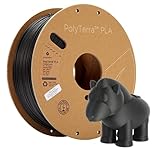
- PolyTerra is now Panchroma: The same great formula is available as Panchroma Matte PLA, offered in…
- Matte Finish: PolyTerra PLA filament is a 3D printing filament that offers an impressive matte…
- Tangle-Free & Moisture-Free: PolyTerra PLA filament is carefully wound to prevent tangling, dried…
- Advanced Properties: PolyTerra PLA filament offers good ductility, making it less brittle than…
- Easy Support Removal: PolyTerra PLA 3D printer filament is designed for easy support, allowing for…
PolyTerra has a Bambu Studio preset. You load it, select Polymaker PolyTerra from the dropdown, and print. No guessing.
The texture is genuinely matte — it hides layer lines well and photographs cleanly, which matters if you’re selling prints or posting work. Multiple community members have noted that PolyTerra and Bambu’s own PLA Matte feel nearly identical to the touch, to the point where some suspect the same OEM source. Bambu has not confirmed this. I’d call it suggestive, not proven.
One real issue: PolyTerra ships on cardboard spools. This is solvable — see the cardboard spool section below — but it’s not zero friction.
If you need strength for functional parts
Buy: eSUN PLA+

- 【 Easy to Print】PLA+ is an enhanced version of ordinary PLA. It has higher strength and better…
- 【High Speed Printing】Meet the demands for high-speed printers. Continues consistently…
- 【Tangle Free & No Plugging】Total Length: 340-350m. Full 1KG 3D printer filament reel, perfect…
- 【Dimensional Tolerance +/- 0.03mm】eSUN PLA+ 3D printer filaments are produced with more precise…
- 【High Compatibility】Compatible with Most of FDM 3D Printers, such as:Bambu Lab P1P / X1 / X1C…
eSUN PLA+ is the go-to for prints that need to hold up — brackets, mechanical parts, anything load-bearing. Layer adhesion is noticeably better than standard PLA, which is why it’s the consistent recommendation across Bambu community forums for functional parts.
It has a built-in Bambu Studio profile. Settings: 220°C nozzle, 60°C bed — no adjustments needed for most prints. eSUN also publishes a separate Bambu-specific parameter sheet on their website if you want to go deeper.
Price: roughly $13–16/kg depending on color and pack size.
One note: some users in the Bambu community forum have reported quality consistency issues with recent eSUN batches and switched to Overture as a result. It’s worth knowing if you’re planning to buy in bulk — order one spool to test before committing to a 10-pack.
If you’re printing PETG
Buy: Overture PETG

- [High Speed Printing Up to 300mm/s] Engineered for high-speed printers like Bambu Lab, Creality K…
- [AMS Friendly & Tangle-Free] Perfect for Multi-Material Systems (AMS). We understand the frustration…
- [High Precision & Toughness] Engineered for functional parts with an industry-leading +/- 0.02mm…
- [Consistent Quality & Vivid Colors] OVERTURE PETG filament bundles are designed for print farms and…
- [Pro Support & Technical Settings] Smooth Printing with recommended parameters: Nozzle Temp…
PETG is where third-party selection actually matters more than with PLA. The material is hygroscopic — it absorbs moisture from the air — and wet PETG stringing in the AMS is a genuine problem. New to how these materials behave? You can see how PLA, PETG, ABS, ASA and TPU stack up.
Overture PETG has consistently been the third-party option with the least stringing out of the box on Bambu hardware. It has a Bambu Studio built-in profile. Settings: Generic PETG, 240°C nozzle, 80°C bed. Wipe the PEI plate with IPA before every PETG print — this matters more with third-party PETG than with PLA. Shopping third-party? We compared the top PETG brands by use case.
If your PETG has been sitting open, dry it first. This isn’t optional advice.
Price: ~$16–19/kg.
If you want to run Bambu’s high-speed mode
Buy: Elegoo Rapid PLA+ — or just use Bambu official
- HIGHER TOUGHNESS & IMPACT STRENGTH: Toughness and impact strength of ELEGOO PLA Plus is apparently…
- LESS-TANGLE & NEATLY WOUND: Full mechanical winding and strict manual inspection ensures that all…
- TOU-NOTCH ACCURACY & CONSISTENT: Precise production process guarantee ELEGOO PLA Plus filament of…
- GLOSSY SURFACE & EASY TO USE: Accurate deposition and strong layer bonding bring a smoother surface…
- NO CLOGGING & NO BUBBLE: Complete dried before packing and well vacuum sealed protect the filaments…
Standard PLA from most brands tops out around 150–200mm/s before you start seeing surface artifacts. Bambu’s own PLA Basic is rated to 258mm/s on their hardware (tested at 0.4mm nozzle, 0.2mm layer height — your real-world speed will vary by print geometry).
Elegoo’s Rapid PLA+ is rated by Elegoo for up to 600mm/s — higher than Bambu’s own speed profiles. Real-world community testing shows clean surface finish and strong layer adhesion at high velocities. I’d verify with a test print before committing to a large batch at max speed, but the results from others are promising.
If you want zero-calibration high-speed printing, Bambu official is still the safest path. But Elegoo Rapid is worth testing if you want to cut costs at speed.
When you should actually buy Bambu official
I’m not here to tell you official filament is a waste of money. There are specific cases where it’s genuinely the right call:
Support PLA / Support W: The way Bambu’s support material releases from prints has no reliable third-party equivalent that the community has consistently replicated. If clean support removal matters, use official.
PA6-CF and PETG-CF: These are engineering-grade materials with proprietary formulations tuned to Bambu’s hardware. The performance difference over generic carbon fiber filaments is real. They also require a hardened nozzle regardless of brand.
| Preview | Product | Rating | Price | |
|---|---|---|---|---|

| 3DTOOLS Bamboo Original 1.75MM PLA-CF Carbon Filament with RFID High Accuracy for Assembly Parts for… | $39.99 | Buy on Amazon |
Specialty colors: Bambu’s metallic and silk color range is extensive and consistent batch to batch. If you need a specific shade for a matched-color project, the official store is worth checking first.


Third-Party Bambu Lab Filament: Brand Comparison
If you want to compare options side by side before deciding:
| Brand | Price/kg | Spool Type | AMS Reliability | Bambu Studio Preset | Best For |
|---|---|---|---|---|---|
| Overture PLA | ~$10–13 | Cardboard (needs adapter) | High with adapter | ✅ Yes | High-volume daily printing |
| eSUN PLA+ | ~$13–16 | Cardboard (adapter recommended) | High | ✅ Yes | Functional parts, load-bearing |
| Polymaker PolyTerra | ~$13–15 | Cardboard (needs adapter) | High with adapter | ✅ Yes | Matte finish, display pieces |
| Elegoo PLA | ~$9–11 | Plastic / Cardboard (varies) | Medium-High | ❌ Generic PLA | Lowest cost, bulk printing |
| SUNLU PLA+ | ~$10–11 | Plastic | Medium | ❌ Generic PLA | Budget bulk printing |
| Bambu Official | ~$12.99–22.99 | Plastic (RFID) | Native | ✅ Auto-detected | Zero-hassle, engineering materials |
The one-line verdict: For most people running an AMS, Overture PLA is the default answer. It has a Bambu Studio preset, reliable feeding, and the price gap over official is real. If you print a lot of functional parts, swap Overture for eSUN PLA+.
Cardboard Spool Compatibility with Bambu AMS: How to Fix It
Polymaker and Overture — two of the most consistently recommended third-party brands — both ship on cardboard spools. This is the one real friction point with third-party filament in the Bambu AMS, and almost no one writes about it clearly.
Here’s what actually happens:
Problem 1: Cardboard absorbs moisture and expands
A spool that fit fine last week can become tight in the AMS after sitting in a humid room. The expanded cardboard increases rotational resistance, which can cause the AMS to fail on retraction — the spool won’t unspool fast enough and the AMS reports a jam.
Fix: Dry the spool in a filament dryer (SUNLU S2 or equivalent) before loading. Important: remove any printed adapter rings before drying — they’ll warp at drying temperatures. After drying, the cardboard contracts and the adapters may temporarily fit loose; this resolves as the cardboard reabsorbs some ambient humidity.

If you’re also dealing with excessive purge waste during AMS color changes, see our guide on reducing Bambu AMS filament waste.
Problem 2: Cardboard edges fray or bend
Shipping and handling can damage cardboard spool edges. A bent or frayed edge catches on the AMS housing and either jams the spool or causes the AMS lid not to close cleanly.
Fix: Print a spool adapter ring. Both MakerWorld and Printables have free STL files specifically for Overture and Polymaker spools. Print two per spool in PLA or PETG (not silk PLA — too low friction). The adapter wraps the edge of the cardboard and gives the AMS a clean, rigid surface to rotate against.
Search “Overture AMS adapter” on MakerWorld. It’s a 10-minute print and it solves the problem permanently.
Problem 3: AMS lid won’t close with adapter attached
Some Overture spools with adapters exceed the 202mm outer diameter limit and prevent the AMS lid from closing fully. Options:
- Print a lid riser (also available free on MakerWorld/Printables)
- Leave the lid unlatched — it doesn’t need to be locked to function
- Use the flat-profile variant of the adapter, which stays within spec
None of these problems mean Overture or Polymaker are bad choices. They’re still two of the best value options for AMS printing. You just need to know the cardboard situation going in.
FAQ
Does using third-party filament void the Bambu Lab warranty?
No — using third-party filament does not void your Bambu Lab warranty. Bambu Lab printers are standard FDM machines designed to use 1.75mm filament from any manufacturer. As of 2026, Bambu Lab has not imposed any warranty restriction based on filament brand.
Can I use filament without RFID in the Bambu AMS?
Yes — filament without RFID works in the Bambu AMS. The AMS displays “?” for unrecognized spools. You manually select the filament type in Bambu Studio or on the printer screen once per spool. After that, automatic loading, unloading, and multi-color switching all work normally.
Does Overture filament work in the Bambu AMS?
Yes — Overture filament works in the Bambu AMS, and Bambu Studio has a built-in Overture profile. The one caveat: Overture ships on cardboard spools, which can expand in humidity or jam if edges are damaged. Printing free adapter rings from MakerWorld solves this reliably.
What’s the cheapest filament that actually works in the Bambu AMS?
Elegoo PLA is the cheapest reliable option — around $9–10 per roll in a multi-pack. It runs on Generic PLA settings with no modifications needed. Community testing shows print quality comparable to Bambu PLA Basic on standard profiles.
Does eSUN make Bambu Lab’s filament?
eSUN is widely believed to be an OEM supplier for some Bambu Lab filament lines, but Bambu Lab has never officially confirmed this. Trade show footage and community forum analysis point in this direction — treat it as well-grounded speculation, not confirmed fact. What is confirmed: eSUN PLA+ performs very closely to Bambu PLA Basic on Bambu hardware, at roughly 20–30% lower cost.
What temperature should I use for third-party PLA on a Bambu printer?
Start at 220°C nozzle, 60°C bed — the Generic PLA default in Bambu Studio. Matte PLA often runs slightly better at 215°C. Silk PLA typically needs 225–230°C. High-speed PLA may need 225°C or higher at extreme velocities. Adjust in 5°C increments if you see under-extrusion or stringing.
The Bottom Line
If I had to pick one brand for someone switching from Bambu official for the first time: Overture PLA. It has a built-in Bambu Studio preset, feeds reliably through the AMS with adapter rings installed, and costs roughly 30% less per roll than Bambu’s single-spool price. Start there.
If you print a lot of functional parts that need to hold up: eSUN PLA+. Stronger layer adhesion than standard PLA, built-in Bambu Studio preset, consistent community track record on Bambu hardware.
If you want matte finish for display pieces or customer prints: Polymaker PolyTerra. Print two cardboard spool adapters first, then load and forget.
The one thing I’d say to anyone who’s been holding off: the RFID convenience gap is five seconds per spool. That’s what you’re paying the premium for. Decide if it’s worth it to you.
Prices referenced in this article reflect Amazon and official store listings as of May 2026. Prices fluctuate — check current listings before purchasing.