
Heads up — some of the links below are affiliate links. If you buy through them, I earn a small commission (at no extra cost to you), which helps cover the gear I test. Thanks!
Last updated: April 2026 | Verified pricing and specs as of April 18, 2026
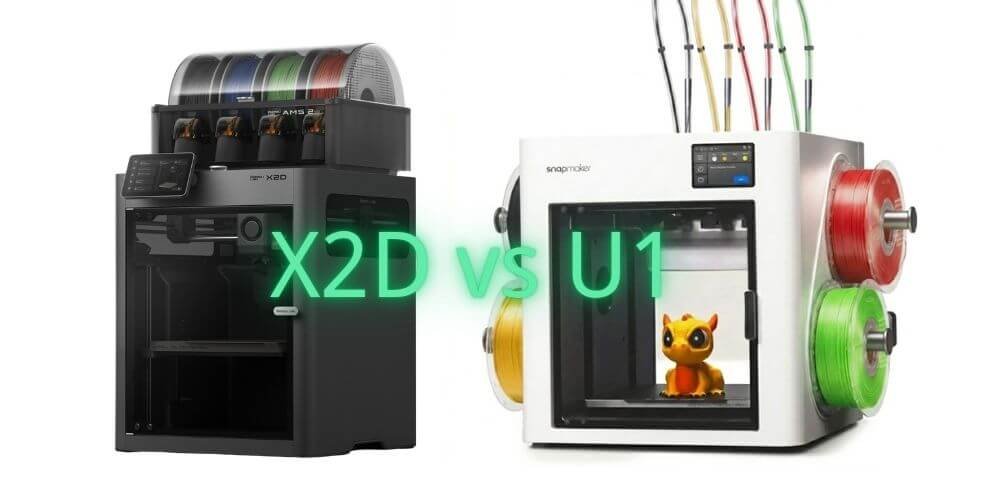
You’ve been purging 60 grams of filament every color change. You’ve watched AMS swap cycles eat 90 seconds per layer. You’ve heard both the X2D and the U1 claim to fix this. Here’s what the spec sheets won’t tell you: they fix completely different versions of the problem.
The X2D fixes what happens when two materials need to coexist in the same print — clean supports, engineering composites, TPU overmolds. The U1 fixes what happens when you need four colors without standing around waiting.
Buy the wrong one and you’ll have a very expensive machine that does nothing you actually needed.
X2D vs Snapmaker U1: Quick Verdict — Who Each Machine Is For
If you need ABS, ASA, PA, or PC today: Buy the X2D. Its 65°C active chamber heating is built in from day one. The U1’s Top Cover — which only reaches 50°C passively — doesn’t ship until November 2026.
If you print 4-color figurines, toys, or decorative models: Buy the U1. SnapSwap swaps toolheads in 5 seconds vs 90 seconds on AMS. Real-world tests show the same color-heavy model printed in 4 hours on U1 vs 9.5 hours on a single-nozzle AMS machine. Creality chases the same fast-swap idea with KliTek. We broke down what it offers.
If you need 5+ colors: X2D with AMS expands to 25 colors. U1 is hard-capped at 4, no expansion path exists.
True total cost: X2D Combo = $899 all-in. U1 with Top Cover for full engineering capability = ~~$1,148~~ $1,048 at current pre-order price — and you wait 7 months to use it.
Bambu X2D vs Snapmaker U1: Specs Side by Side
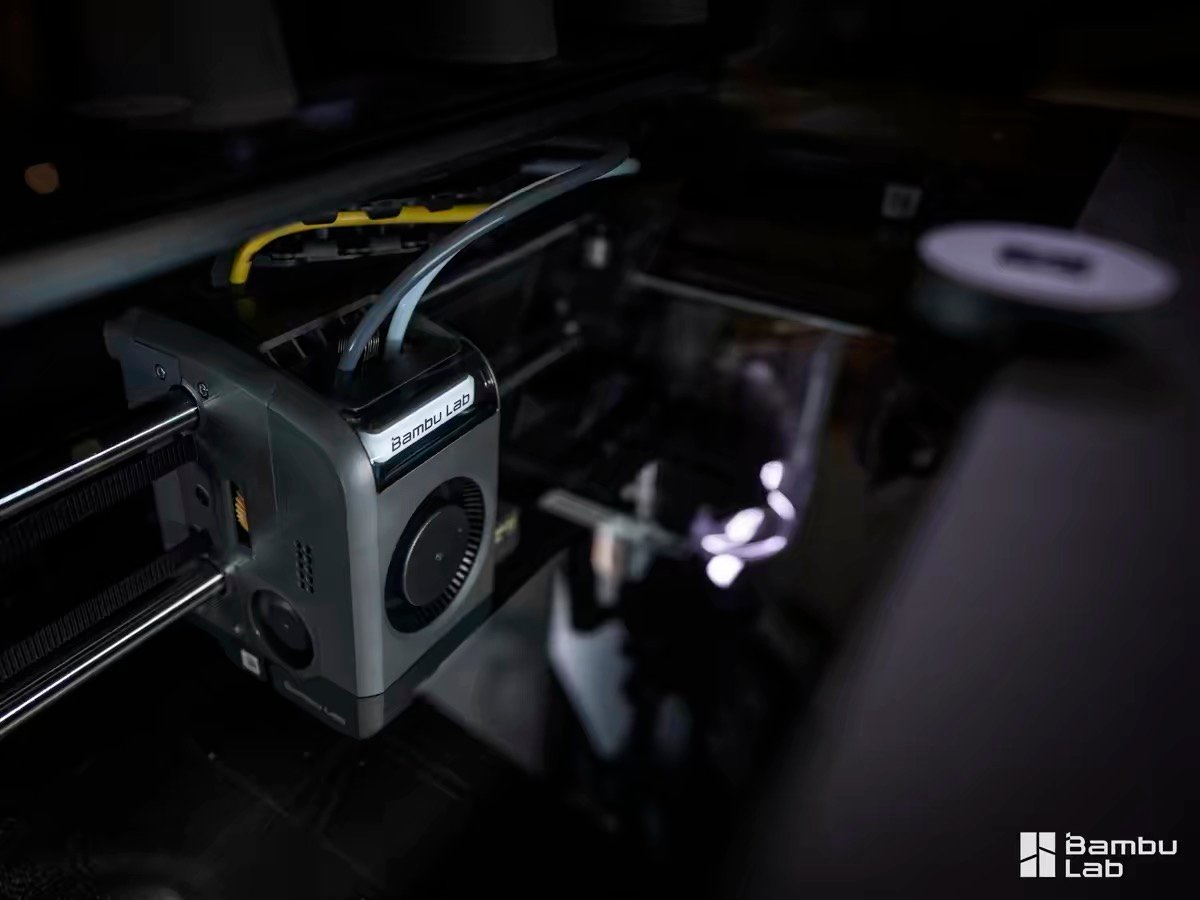
The table below compares both machines across 14 key specifications as of April 2026. Three cells are marked — they represent the decisions that will determine which machine belongs in your workshop.
(Official specs: X2D spec sheet → | U1 spec sheet →)
| Bambu Lab X2D Combo | Snapmaker U1 | |
|---|---|---|
| Price | $899 | $899 |
| Build volume | 256 × 256 × 260mm (single nozzle) / 235.5 × 256 × 256mm (dual nozzle) | 270 × 270 × 270mm |
| Multi-material system | Dual nozzle (direct drive + Bowden) | 4 independent toolheads (all direct drive) |
| Color swap time | ~14 sec (nozzle switch) | 5–12 sec (toolhead swap) |
| Max colors | ⭐ 25 colors (AMS expandable) | ⭐ 4 colors (hard limit, no expansion) |
| Chamber heating | ⭐ Active, 65°C, built-in, day one | ⭐ Passive, 50°C — Top Cover required (~~$249~~ $149, ships Nov 2026) |
| Nozzle max temp | 300°C | 300°C |
| Max speed | 1,000 mm/s (main nozzle) | 500 mm/s |
| Filament waste (multi-color) | ~8g per print | ~4g per print |
| Noise | <50 dB | 55 dB (49 dB with Top Cover) |
| Slicer | Bambu Studio (closed ecosystem) | Snapmaker Orca / Klipper (open source) |
| Air filtration | 3-stage HEPA + activated carbon (built-in) | Top Cover only (ships Nov 2026) |
| Machine release | April 14, 2026 | Global stock from April 10, 2026 |
| Full engineering capability — total cost | $899 | ~~$1,148~~ $1,048 (+$149 Top Cover pre-order) |
Snapmaker U1 True Cost: What You Actually Pay for Full Engineering Capability
| X2D Combo | U1 Base | U1 + Top Cover | |
|---|---|---|---|
| Machine | $899 | $899 | $899 |
| Chamber heating | ✅ Built-in, 65°C active | ❌ None | ~~$249~~ $149 — passive, 50°C max |
| Air filtration | ✅ Built-in | ❌ None | ✅ Included in Top Cover |
| ABS / ASA / PA / PC support | ✅ Today | ⚠️ Very limited | ✅ From November 2026 |
| True all-in cost | $899 | — | ~~$1,148~~ $1,048 |
The U1 markets itself at $899 — accurate if you only print PLA, PETG, and TPU. But engineering materials require the Top Cover: currently ~~$249~~ $149 (on pre-order sale), with delivery in November 2026.
Combo All features
built-in $899 ✅ Ready today
(base only) PLA / PETG / TPU
only $899 ⚠️ No ABS / PA / PC
+ Top Cover ABS / PA / PC unlocked
from Nov 2026 $1,048 🕐 November 2026
And when it arrives, the Top Cover uses passive heating that traps bed heat rather than generating its own, with a ceiling of 50°C. The X2D’s active AC heater reaches up to 65°C. That 15°C gap is the difference between reliable nylon adhesion and warping on complex parts.
Dual Nozzle vs Tool Changer: How the X2D and U1 Approach Multi-Material 3D Printing Differently
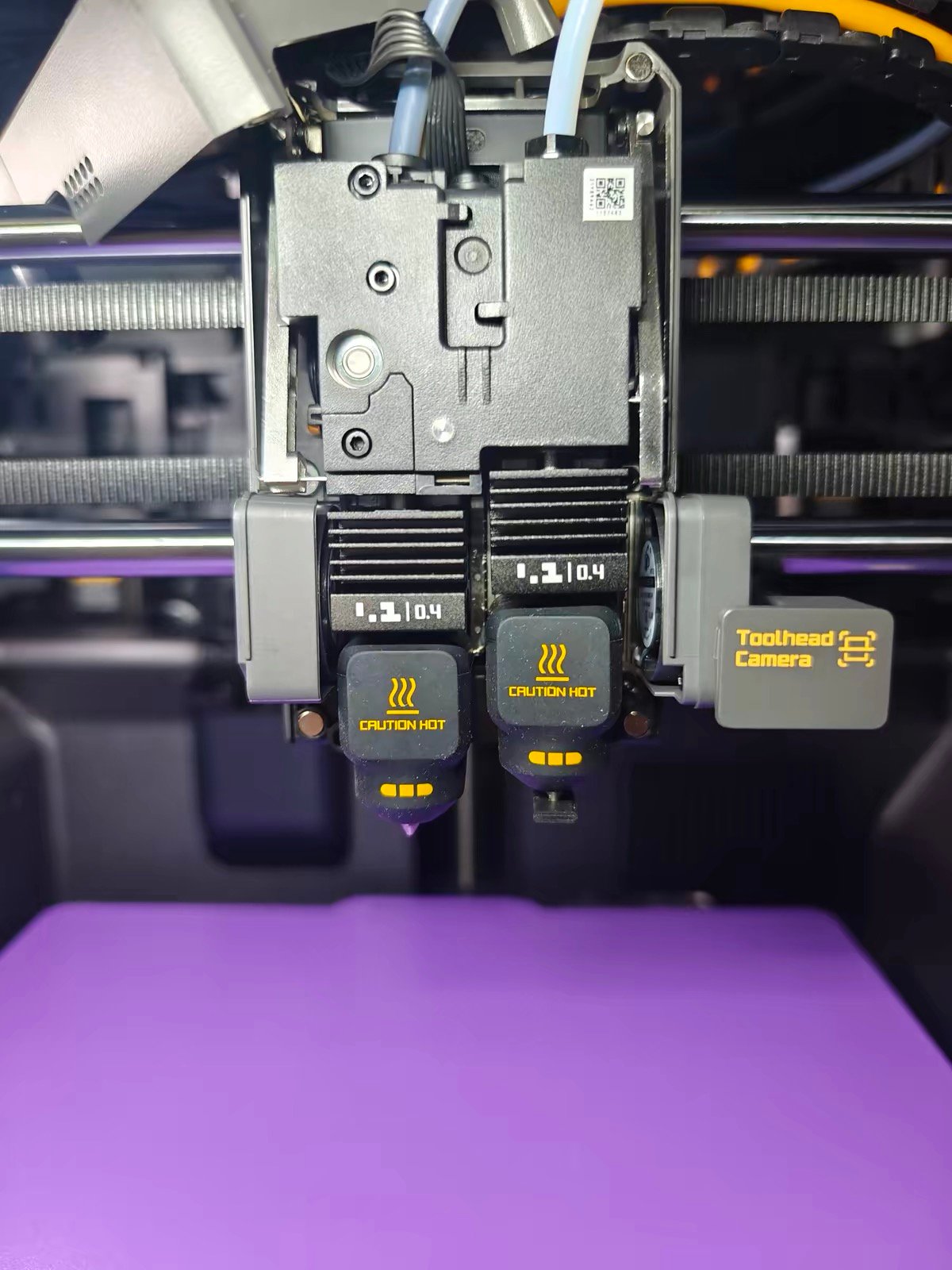
“Multi-material printing” describes two fundamentally different problems. Most buyers don’t realize this until they’ve purchased the wrong machine. The Flashforge Creator 5 is another tool changer chasing the same job — we compared it to the X2D too.
The X2D is solving Problem A: Two materials need to coexist with zero cross-contamination. Support material that peels cleanly. PVA that dissolves without residue. TPU overmolded onto rigid PLA.
The requirement is physical separation — two nozzles that never share a filament path, so there’s no flushing, no contamination at the interface, no compromise in the final part.
The U1 is solving Problem B: Four colors need to switch rapidly without the purge ritual that makes single-nozzle AMS printing so frustrating. Every color lives in its own dedicated toolhead.
When the printer needs yellow, it picks up the yellow head in 5 seconds and extrudes immediately — no flushing needed because there’s nothing to flush. Purging only happens at the very start of a print job, not on every layer.
Here is what the numbers actually show. An independent reviewer who ran both machines across 600+ hours on identical models documented the following (for a deeper look at how the X2D compares to the P2S on swap times, see our P2S vs X2D comparison →):
| Machine | Swap time | Same 3-color model (90 color changes) | Waste |
|---|---|---|---|
| P2S + AMS (single nozzle) | ~90 sec | 4 hours 5 minutes | 62g |
| Bambu X2D (dual nozzle) | ~14 sec | 1 hour 37 minutes | 8g |
| Snapmaker U1 (toolhead swap) | 5–12 sec | ~1 hour (estimated) | ~4g |
The gap between X2D and U1 in this test is small — both operate far above single-nozzle AMS. The decision between them doesn’t come down to who swaps faster.
It comes down to whether you need two materials that can never contaminate each other, or four colors that switch without waiting.
Chamber Heating and ABS Printing: X2D Works Today, U1 Needs a $149 Add-On in November
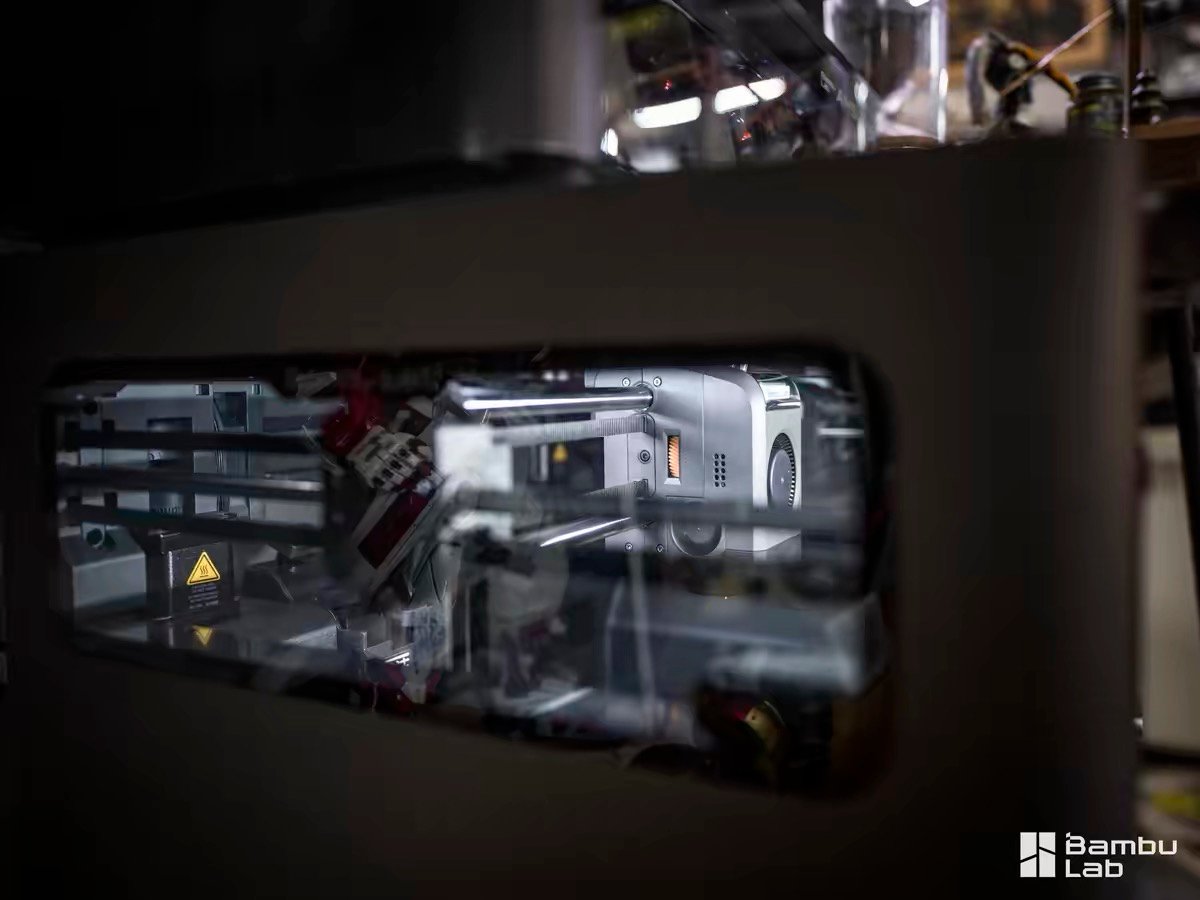
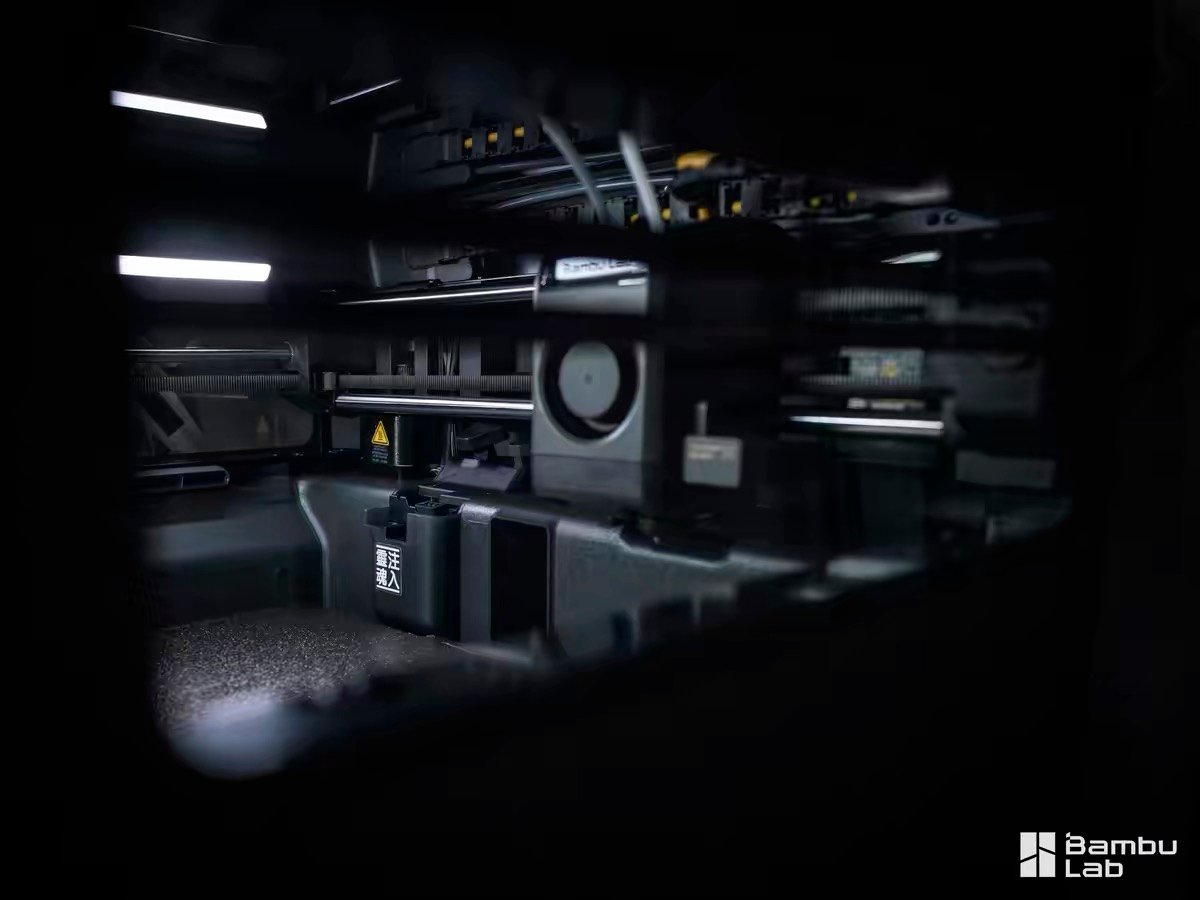
The X2D’s active chamber heater raises temperature to up to 65°C before printing begins. In that environment, ABS prints flat. ASA doesn’t warp. PAHT-CF and PPA-CF produce parts with strong layer adhesion.
Polycarbonate becomes printable. (If you’re specifically choosing a printer for ABS, ASA, and nylon engineering materials →, that guide covers the full field.) CNC Kitchen’s Stefan, who logged approximately 250 hours on the X2D, confirmed successful prints across all of these materials and called the heated chamber the machine’s single most important upgrade over the P2S.
He also noted this as the first time PVA became genuinely usable on an affordable Bambu machine — a dedicated nozzle means PVA is never flushed through a shared path, so it doesn’t carbonize and clog.
The base U1 that ships today is semi-enclosed: side panels, a front glass door, and an open top. No chamber heater. Snapmaker rates the base U1 for PLA, PETG, TPU, PVA, and PCTG. Tom’s Hardware’s reviewer ran ASA successfully on a beta unit without the lid, but was explicit that the machine is “not officially rated for high-temperature filaments without its optional top cover.”
The Top Cover adds passive heating to 50°C, HEPA and activated carbon filtration, and ships from November 1–15, 2026 (currently on pre-order sale at ~~$249~~ $149). The community isn’t waiting — MakerWorld already hosts a popular design that adapts an IKEA SAMLA 45-liter bin into a functional enclosure for $10.
That this workaround exists within weeks of retail launch, before Snapmaker’s own Top Cover has even shipped, tells you everything about how real the gap is. An enclosure add-on that arrives in November is not a selling point — it’s a known hole in the product.
If you need engineering materials this year, buy the X2D.


Snapmaker U1 vs Bambu X2D: Multi-Color Speed Test with Real-World Print Times
SnapSwap’s four toolheads each carry their own filament, direct-drive extruder, and hotend — all preheated before printing begins. When a color change is called, the active head parks and a new one engages in 5 to 12 seconds. Steel-ball kinematic joints hold XYZ alignment within 0.04mm across over one million tested swap cycles. Creality is chasing the same trick for less money with KliTek. Whether it’s worth holding out for is another question.
A user who owned all four machines simultaneously ran identical model files and documented the following:
| Machine | Print time (color-heavy figurine) |
|---|---|
| Bambu P1S + AMS | 23 hours |
| Bambu H2D | 14 hours |
| Bambu H2C (Vortek full setup) | 9.5 hours |
| Snapmaker U1 | 4 hours |
Creative Bloq, after weeks of parallel testing, found U1 and H2C ($2,399) print quality “so similar that it made it difficult to tell them apart.” stlDenise3D documented a 90-color-change print on the U1 with just 4.4 grams of prime tower waste — versus nearly 2.5 hours of additional swap time on a P1P with AMS for the same model. (Full U1 review: Tom’s Hardware →)
The U1’s limit of four colors per print is architectural, not a setting. Snapmaker’s FAQ confirms no expansion plans. If a project requires five or more colors, the X2D with AMS handles up to 25.
Support Material Printing: How X2D’s Dedicated Nozzle Outperforms the U1’s Single-Slot Approach
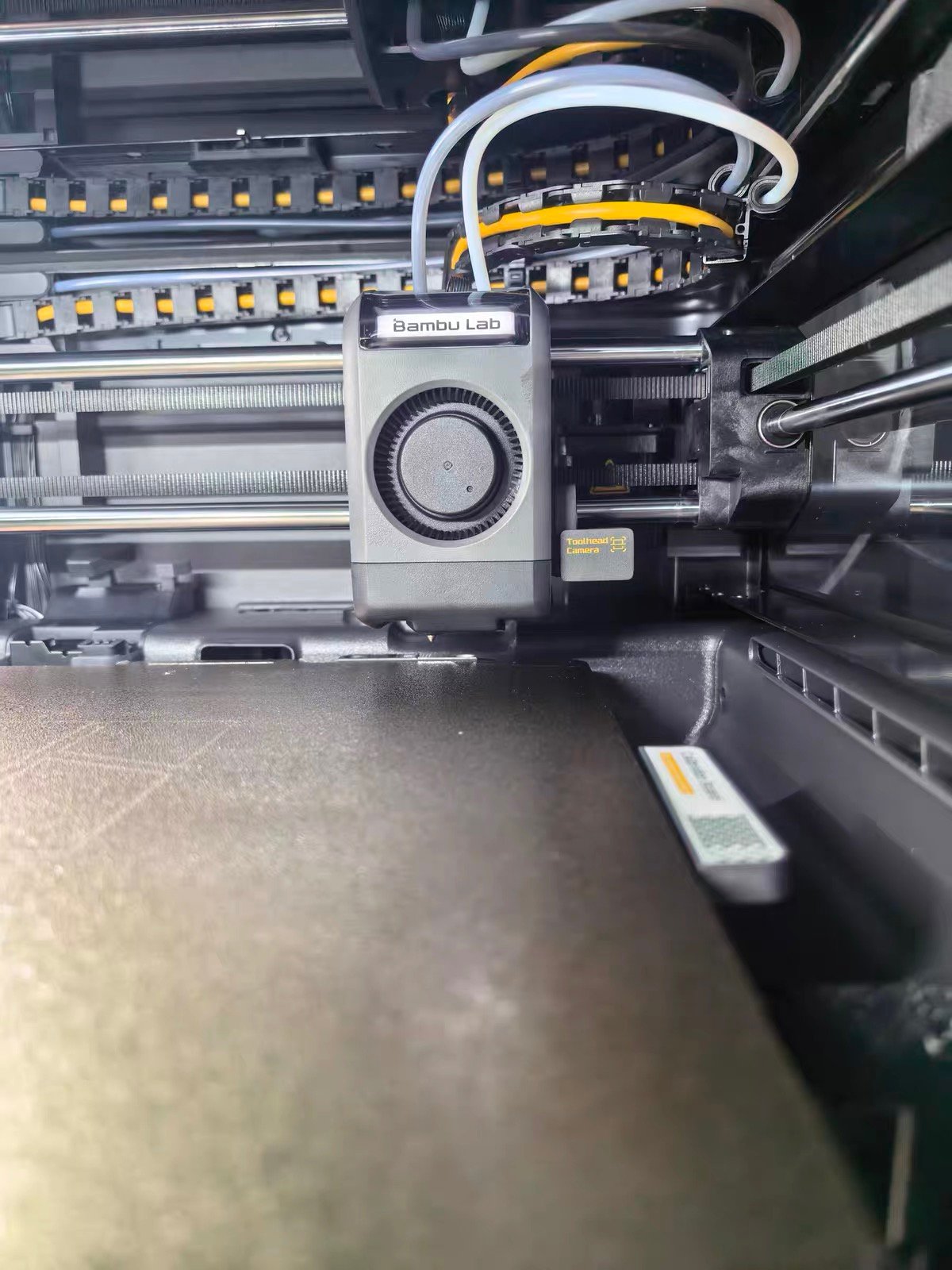
On a single-nozzle printer, support and model material share the same nozzle, meaning some contamination at the interface is unavoidable — PETG supports fuse slightly onto PETG models, PLA supports leave rough surfaces on ABS parts.
The X2D eliminates this entirely. The left nozzle prints model material, the right Bowden nozzle prints support material, and no filament from either path ever enters the other.
The result, as documented by CNC Kitchen’s Stefan across carbon fiber nylon with PolySupport and PETG with PLA supports, is supports that detach with no interface damage and no post-processing required.

- WATER-SOLUBLE SUPPORT: PVA-based support filament that dissolves in water after printing, reducing…
- FOR COMPLEX GEOMETRY: Supports enclosed cavities, internal channels, detailed overhangs, and other…
- MATERIAL COMPATIBILITY: Engineered for compatible PLA, TPU, PVB, and nylon filaments from the…
- KEEP DRY WHILE PRINTING: PolyDissolve S1 absorbs moisture rapidly. Dry at 80°C for 12 hours when…
- DUAL-MATERIAL PRINT SETTINGS: Recommended for dual-nozzle, IDEX, or tool-changing printers. Use…
The U1 can dedicate one toolhead to support material. PETG-plus-PLA support is an officially supported combination with clean results. The trade-off is one fewer color slot — and ABS with HIPS support, the combination that matters most for engineering parts, requires the Top Cover that ships in November.
Support printing is what the X2D’s second nozzle was designed for. On the U1, it’s available but not the priority.
The same physical isolation that makes support printing clean also enables multi-material combinations that no single-nozzle machine can produce in one job. Consider a functional enclosure clip: rigid PLA for the structural frame, TPU 95A for the grip surface, PLA support material for the overhangs.
On the X2D, that’s one unattended print — left nozzle handles TPU directly from an external spool holder (AMS does not support TPU; it feeds through the left direct-drive nozzle via the rear bypass), right nozzle handles the PLA support.
On a P2S or any single-nozzle machine, TPU can’t run through the AMS at all, so the grip and the frame become two separate jobs with a manual material swap in between. (For a full breakdown of which materials work in the AMS and which need an external spool, see our 3D printing filament guide →.)

- 【TPU for Fast Printing】- SUNLU High Speed TPU Filament can print 3 times fast as ordinary TPU…
- 【TPU 3D Printing Filament】- TPU filament is made of flexible thermoplastic polyurethane…
- 【Excellent Layer Adhesion】- Setting the standard for impeccable layer adhesion and delivering…
- 【Excellent Printed Results】- SUNLU TPU filament 1.75mm has excellent layer adhesion, very easy…
- 【TPU Recommend Settings】- We recommend printing at a nozzle temperature of 210-230°C, bed…
The right Bowden nozzle cannot push TPU — the long, unguided filament path that keeps the print head light buckles on soft materials. This is the one real constraint of the two-nozzle approach. But for the use cases that matter most — clean engineering supports, PVA dissolve interfaces, rigid-flex combinations — it doesn’t come up.
Bambu Studio vs Snapmaker Orca (Klipper): Software Ecosystem Compared
Bambu Studio handles dual-nozzle material assignment through a visual paint interface — you define which material goes where, and the software generates toolpaths, prime towers, and nozzle switching automatically.
MakerWorld contains thousands of dual-material 3MF files ready to print. Auto-calibration for two-nozzle offset alignment runs on first boot. The trade-off is a closing ecosystem: tightening third-party slicer support, RFID-locked filament features, and increasing cloud dependency.
(Tom’s Hardware’s X2D review notes that Bambu Studio’s filament assignment for dual-nozzle workflows “still needs work” and has a learning curve for new users.)
Snapmaker Orca is a fork of OrcaSlicer. Klipper and Moonraker were open-sourced on GitHub on March 30, 2026 — firmware transparency is real. Fluidd gives direct machine access without the app. The current gap is in content: 30 curated models at launch versus thousands on MakerWorld. That gap will close, but it exists today.
If you’re coming from an X1C or P2S and want zero workflow disruption, the X2D is the natural continuation. If openness matters more than polish right now — and you’re willing to build on a foundation that’s still being developed — the U1 is the better long-term bet for that kind of user. The U1 has cheaper competition now too, and we looked at how it stacks up against the Flashforge Creator 5.
Noise and Air Quality: X2D Under 50dB with UL 2904 Certification vs U1’s Open-Top Design
The X2D runs at under 50 dB and holds UL 2904 certification for indoor air quality when printing with Bambu PLA Basic and PETG Basic. The three-stage filtration system runs continuously. An independent reviewer found it measurably quieter than the P2S at every distance — enough that a family member working nearby stopped complaining.
The U1 without a Top Cover runs at 55 dB with no filtration. With the Top Cover (November 2026), noise drops to 49 dB and three-layer filtration activates. No independent air quality certification exists for the U1.
For shared indoor environments, the X2D is the only certified option available today.
Who Should Buy the Bambu X2D vs Snapmaker U1: A Use-Case Decision Guide
| Your situation | Buy | Why |
|---|---|---|
| You need ABS, ASA, PA, or PC | X2D | 65°C active chamber, built-in, works today. U1 Top Cover ships November 2026. |
| You need complex geometry with clean support removal | X2D | Dedicated support nozzle, zero interface contamination. PVA finally usable. |
| You combine TPU with rigid materials | X2D | Direct-drive left nozzle + support nozzle = single print job. |
| You print 4-color figurines, toys, or decorative models | U1 | 5–12 sec swap, ~4g waste, 4 hours vs 23 hours vs P1S. |
| You need 5 or more colors | X2D | U1 capped at 4, no expansion. X2D + AMS reaches 25 colors. |
| You want Klipper access and open firmware | U1 | Open-sourced March 2026. Fluidd direct access. |
| You’re upgrading from an X1C or P2S | X2D | AMS-compatible, zero re-learning, MakerWorld profiles carry over. (Full X1C → X2D upgrade guide →) |
| You’re new to multi-material printing | X2D | Guided workflow, thousands of ready-to-print MakerWorld files. (New to 3D printing entirely? See our best printers for beginners →) |
| Budget-conscious, want full engineering capability | X2D | $899 all-in. U1 full capability = ~~$1,148~~ $1,048 and November delivery. |
| Home or office — noise and air quality matter | X2D | UL 2904 certified, <50 dB, filtration built in today. |
Tom’s Hardware named the Bambu X2D Best 3D Printer Overall 2026 and the Snapmaker U1 Best Multicolor 3D Printer 2026 — the same publication, the same ranking cycle, different categories. That split is not hedging. It’s the most accurate single-sentence summary of what these two machines are.
Bambu X2D Limitations and Snapmaker U1 Weaknesses: The Honest Verdict
The case against the X2D is the Bowden right nozzle. It is a design compromise — a remote extruder on the back panel that keeps the print head light but caps right-nozzle speed at 200 mm/s versus 1,000 mm/s on the left, excludes TPU and flexible filaments, and adds overhead when the auxiliary nozzle is active.
Multi-color printing beyond two materials still produces purge waste — if AMS waste reduction is your goal, our guide to reducing Bambu AMS filament waste → covers the practical options.
One reviewer put it plainly: Bambu could have built a tool changer at this price and chose not to, likely to preserve product segmentation between the X2D and the H2C. If you need equal dual-nozzle performance rather than a capable support-printing setup, this machine won’t fully satisfy you.

- 15% Carbon Fiber Reinforced PA612: Fiberon PA612-CF15 is a long-chain PA612 nylon reinforced with…
- Strength Retention After Moisture Exposure: Typical TDS values include 91.9 MPa dry X-Y tensile…
- Heat Performance After Annealing: The heat deflection temperature reaches 175°C at 0.45 MPa after…
- Lower Moisture Sensitivity Still Requires Dry Storage: PA612-CF15 is less moisture-sensitive than…
- Advanced Printer and Wear-Resistant Nozzle Required: Use an all-metal hotend, a 250–300°C nozzle…
The X2D is also a closed ecosystem with a direction of travel toward less openness, not more.
The case against the U1 is the four-color ceiling and the Top Cover gap. Four colors with no expansion is a hard architectural limit — if your use case grows, the U1 doesn’t. Waiting seven months for an enclosure is genuinely frustrating for a machine sold partly on engineering material capability.
The integrated one-piece hotend (heat sink, break, heater block, and nozzle in a single interference-fit unit, not individually replaceable) is a long-term maintenance question that Bambu’s field-replaceable nozzles don’t create. And Snapmaker’s previous machines had documented software quality problems — the U1 is a clean rebuild on Klipper and OrcaSlicer, but brand trust is earned through time, not spec sheets.
Bambu X2D vs Snapmaker U1: Frequently Asked Questions (2026)
Does the Snapmaker U1 need a Top Cover for ABS?
Yes. Snapmaker’s official specification table lists ABS support only “With Top Cover.” The base U1 supports PLA, PETG, TPU, PVA, and PCTG. The Top Cover is currently on pre-order at ~~$249~~ $149, ships November 1–15, 2026, and uses passive heating with a 50°C maximum.
Can the Snapmaker U1 print more than 4 colors?
No. Four toolhead slots is the architectural limit. Snapmaker’s FAQ confirms no expansion plans. For five or more colors, the X2D with additional AMS units supports up to 25.
Is the Bambu X2D worth it over the U1 for engineering materials?
Yes, clearly, if ABS, ASA, PA, or PC is part of your workflow. The X2D’s active chamber heats to up to 65°C and works today. The U1 requires a Top Cover (~~$249~~ $149 on pre-order) that won’t ship until November 2026 and reaches only 50°C passively.
How does Snapmaker U1 multi-color speed compare to Bambu X2D?
In 4-color high-frequency swap scenarios, the U1 is marginally faster: ~5–12 seconds per swap versus ~14 seconds on the X2D, with roughly half the waste (~4g versus ~8g). In practice both machines are so far ahead of single-nozzle AMS that the gap between them is secondary. The real comparison is against the P1S: the same color-heavy figurine takes 4 hours on U1, 1 hour 37 minutes on X2D, and 23 hours on P1S with AMS. Both machines transform the workflow; they’re competing with the old approach, not meaningfully with each other.
Which is better for support material printing — X2D or U1?
The X2D. The right Bowden nozzle is physically isolated from the left — zero cross-contamination is structural, not a tuning outcome. PVA becomes genuinely viable. The U1 can dedicate a toolhead to support material with clean results, but it costs one color slot, and engineering support combinations (ABS + HIPS) need the Top Cover.
Is the Snapmaker U1 good for beginners?
No, relatively speaking. Klipper and Snapmaker Orca reward users comfortable with configuration. The model library has 30 files at launch. The X2D’s Bambu Studio guided workflow and thousands of MakerWorld files make it significantly more approachable for a first multi-material printer. If you’re also deciding on your first Bambu printer, our P2S unboxing and setup guide → shows what the out-of-box experience actually looks like.

What is the real total cost of Snapmaker U1 vs Bambu X2D?
X2D Combo: $899, full capability from day one. U1 with Top Cover for engineering materials: ~~$1,148~~ $1,048 (at current $149 pre-order price), available November 2026. If you need a fully capable enclosed printer today, the X2D is cheaper and ready immediately.
For complete X2D specs and detailed review findings, see our Bambu Lab X2D full review →
Comparing X2D against the P2S? See our Bambu Lab P2S vs X2D guide →
Upgrading from an X1C? See our X1C to X2D upgrade guide →
Want to know more about the U1’s origins? See our Snapmaker U1 Kickstarter coverage →
Also comparing against Creality? See our X2D vs Creality K2 Pro comparison →