
Heads up — some of the links below are affiliate links. If you buy through them, I earn a small commission (at no extra cost to you), which helps cover the gear I test. Thanks!
Last updated: as of May 2026. Prices verified against brand listings.
- Best open-source alternative: Snapmaker U1. The most affordable real tool changer, and it’s friendlier to the open-source crowd.
- Best value and pure function: FlashForge Creator 5 (and the enclosed Creator 5 Pro). All direct drive, and it prints multi-color TPU the X2D simply can’t.
- Best for repairability and ethics: Prusa Core One, with the INDX multi-material system on the way.
- Best large-format multi-tool: Prusa XL. A real tool changer with a big bed.
- Best if you’ll stay with Bambu: the H2D or H2C for no-compromise dual nozzles, or the cheaper P2S if you don’t need multi-material at all.
- The X2D is still a great printer, and the Combo is well-priced. You only need a Bambu Lab X2D alternative for three reasons: price, the locked ecosystem, or the right nozzle’s limits. All three are covered below.
X2D Alternatives Compared (At a Glance)
| Printer | Multi-material type | Approx. price (USD) | Best for |
|---|---|---|---|
| Bambu Lab X2D (baseline) | Dual nozzle (1 Bowden) | $649 / $899 Combo | Compact dual nozzle + AMS |
| Snapmaker U1 | Tool changer (4 heads) | ~$599, ~$1,048 loaded | Open ecosystem on a budget |
| FlashForge Creator 5 / Pro | Tool changer (4 heads) | $699+ | Pure function and value |
| Prusa Core One | Enclosed + INDX (coming) | ~$1,199 kit | Repairability and ownership |
| Prusa XL | Tool changer (up to 5) | ~$2,500+ | Big multi-material jobs |
| Bambu H2D / H2C | Dual direct-drive nozzle | $1,749–$2,199 | No-compromise Bambu power |
| Bambu P2S | Single nozzle | ~$400 under X2D Combo | One material, lower cost |
You Like the X2D. You’re Just Not Sure It’s the One.
The Bambu Lab X2D is easy to want. Two nozzles, a 65°C chamber, a 300°C hotend, and a Combo price that undercuts every printer in its class. It launched in April 2026 as the successor to the now-discontinued X1 Carbon, and its AMS scales all the way to 25 colors. So why are you reading an article about a Bambu Lab X2D alternative? First, a quick refresher on what you’d be passing on: the full X2D specs and release details.
Because the X2D is excellent, but it’s not the right answer for everyone. The right nozzle runs on a Bowden setup, so it will not print soft TPU. The whole machine lives inside a locked ecosystem that a lot of makers have grown tired of. And the price is still real money.
I’ve spent months in the X2D research, the owner threads, and the competitor reviews. Here are the six printers I would genuinely buy instead, sorted by who each one actually fits.
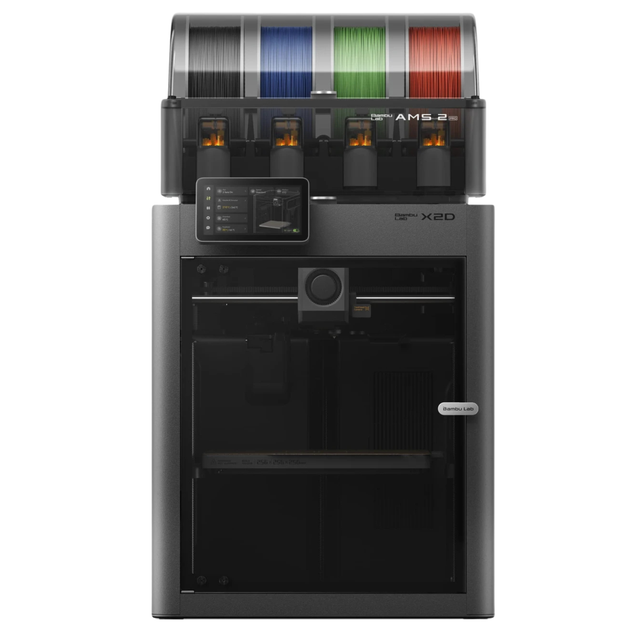
- Bambu Lab’s X2D is poised to redefine premium multi-material 3D printing with a true dual-nozzle architecture built for speed, precision, and reduced waste
- Rather than relying on tool swapping, the X2D is expected to use two fully integrated nozzles to deliver cleaner prints across the full 256 × 256 x 260 mm build area
- Combined with expanded AMS readiness, camera-driven plate and filament verification, simplified sensor hardware, and a striking glass-and-light premium enclosure, the X2D is a perfect fit for hobbyists and professionals alike! Dual-nozzle system with dedicated support material nozzle for clean, peelable supports
- Multi-material and multi-color printing capabilities for enhanced creativity
- 300°C nozzle temperature with 65°C active chamber heating for advanced materials
- Full filament path AI detection with built-in monitoring and backup systems
Why Look for a Bambu Lab X2D Alternative?
Most people shopping for an X2D alternative are driven by one of three things: price, the closed ecosystem, or a specific hardware limit. Naming yours first makes the rest of this guide much faster to use.
Reason 1: Price and value
The X2D Combo is $899, and the bare machine is $649. That’s aggressive for a dual-nozzle printer. But “cheapest dual nozzle” is not the same as “cheapest path to clean multi-color.” A budget tool changer can match a lot of what you wanted from the X2D, and a single-material Bambu can save you a few hundred dollars if multi-material was never the point.
Reason 2: The locked-down ecosystem
This is the quiet driver behind most “Bambu alternatives” threads. Bambu’s printers are easy and they just work. They are also closed, and the community has a long memory.
Reddit threads keep circling the same complaints: the lawsuit pressure on an OrcaSlicer fork developer, the locked firmware, and the pricing whiplash where the X1C, then the P2S, then the X2D landed in quick succession right after return windows closed. If you want a machine you can repair, mod, and defend years from now, that pushes you toward Prusa, Snapmaker, or FlashForge.
Reason 3: The right nozzle’s Bowden limit
Here is the part spec sheets bury. The X2D’s left nozzle is a strong direct drive. The right nozzle is a Bowden feed capped near 200 mm/s, and it’s built mainly for support material.
That design has a real cost: you can’t print soft TPU (think 95A) on the right head. You either route flexibles through the left nozzle or buy Bambu’s harder AMS-friendly TPU. Multi-color jobs also still purge filament, so the waste doesn’t vanish. If flexible multi-material is your thing, that single limit is reason enough to look elsewhere.
How I Picked These X2D Alternatives
I did not just grab the printers that rank for the keyword. I weighed each one against the exact things X2D shoppers tell me they care about.
- Multi-material approach. Dual nozzle, tool changer, or MMU each waste, switch, and fail differently.
- TPU and engineering support. Can it run flexibles freely, and can it actually reach ABS and ASA temperatures?
- Ecosystem openness and repairability. How locked is the firmware, and can you fix it in three years?
- True cost. Not the headline number. The price after the add-ons you’ll actually buy. A printer that needs a cover and a dryer is not really a budget printer.
One quick tip before we get into machines. The printer matters less than the filament you feed it, so if you’re switching platforms, the filament picker tool will tell you which materials your next printer should run well.
Run the six picks through those criteria and the trade-offs line up clearly:
| Printer | Soft TPU on 2nd head | Open ecosystem | Color ceiling |
|---|---|---|---|
| Bambu X2D | No (Bowden right head) | No (locked) | 25 via AMS |
| Snapmaker U1 | Yes | Leans open | 4 (hard cap) |
| FlashForge Creator 5 | Yes | Partly (OrcaSlicer) | 4 |
| Prusa Core One | With INDX (coming) | Yes (fully open) | 8 with INDX |
| Prusa XL | Yes | Yes | Up to 5 |
| Bambu H2D | Yes (dual direct) | No (locked) | 16+ via AMS |
The pattern is hard to miss. If you need flexible TPU through a second head today, almost anything here beats the X2D. If you want raw color count with zero fuss, the X2D and the Bambu H2D still lead. Three or four colors is where that lead slips, and the U1 beats the H2D there.
Snapmaker U1: Best Open-Source X2D Alternative
The Snapmaker U1 is the cheapest true multi-nozzle tool changer you can buy, and it leans more open than anything from Bambu. It’s the alternative for people whose main complaint is the closed ecosystem.
Instead of swapping colors through one nozzle and purging, the U1 carries four independent toolheads and switches between them. No Bowden compromise on the active head, and a four-color workflow that aims squarely at low-waste printing. It arrived as a record-breaking Kickstarter, and that low-waste pitch is exactly why it keeps showing up in “X2D alternative” threads.
Where it wins
It’s open-friendly, genuinely multi-nozzle, and priced to move. The base machine starts well under the X2D, and even loaded it lands around $1,048, far below a Bambu H2C at $2,199. For makers who want to avoid Bambu on principle without paying a Prusa premium, it’s the natural landing spot.
Where it falls short
Four colors is a hard ceiling with no expansion path, while the X2D’s AMS scales toward 25. The toolheads use pogo-pin contacts, and Bambu has publicly needled that approach over long-term wear. Serious ABS work also wants the $149 Top Cover that ships later in 2026, which nudges the real price toward $1,048.
Nik’s take: the U1 is the cleanest “I’m done with closed printers” answer, as long as four colors is genuinely enough for you. I broke the trade-offs down in full in our Bambu X2D vs Snapmaker U1 comparison.
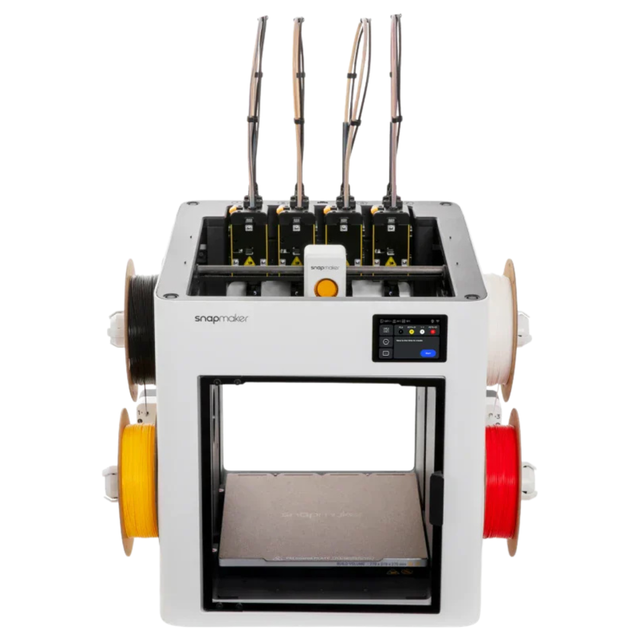
- The Snapmaker U1 Color 3D Printer revolutionizes desktop fabrication with its advanced 4-head printing system, delivering 5 times faster performance than traditional models
- Engineered for precision and speed, this innovative 3D printer produces cleaner, more vibrant prints while maintaining exceptional detail
- 4-head printing system enables simultaneous multi-color 3D printing for complex designs
- 5 times faster 3D printing speed dramatically reduces production time
- Precision engineering ensures consistent, high-quality color output
- Cleaner 3D printing process minimizes waste and post-processing work
FlashForge Creator 5 (and Creator 5 Pro): Best Value Tool Changer
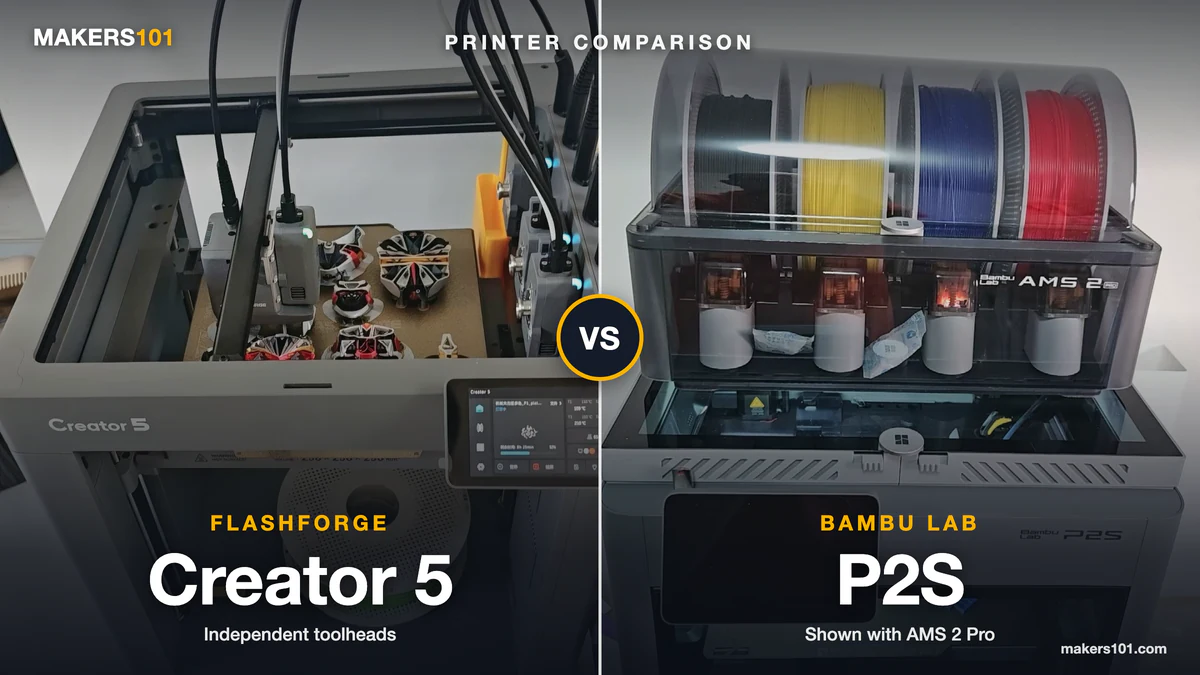
The FlashForge Creator 5 is a four-toolhead tool changer for $699, and on raw capability it actually beats the X2D. This is the value pick, with one important catch about enclosures. We put the two side by side in our X2D vs Creator 5 breakdown.
Every toolhead is direct drive, so there’s no Bowden head holding you back. In an independent review, a four-color dinosaur finished in a little over 5 hours. The same job runs past 9 hours on a dual nozzle with an MMU, and roughly 16 hours on a single nozzle. That’s the tool-changer advantage made concrete.
It also fixes a problem the U1 has. FlashForge dropped pogo pins entirely and gave every tool its own dedicated power and data cables, so contact wear is off the table. And because all four heads are direct drive, it prints multi-color TPU and dedicated support material the X2D’s right nozzle can’t touch. Each tool change takes roughly 4 to 6 seconds, and the reviewer who ran it called it the easiest tool changer he had ever assembled.
Where it falls short
The ecosystem is thin. There’s no AMS-style auto-loading, no waste chute (it drops purge inside the machine), and nozzle swaps mean unscrewing the toolhead by hand. It also wants about 60 cm of desk depth once the spools are mounted, which catches people off guard. The standard open-frame model also warps on ABS, so engineering materials really need the enclosed Creator 5 Pro. If ABS and ASA are your daily drivers, start with enclosed high-temperature printers and skip the open model.
Nik’s take: on pure function per dollar, nothing here beats it. The reviewer who put it through its paces called it the best-value machine on the market, and the multi-color TPU trick alone is something single-nozzle hanging extruders can’t do. You’re trading polish and ecosystem for capability, and for a lot of shop users that’s a smart trade.
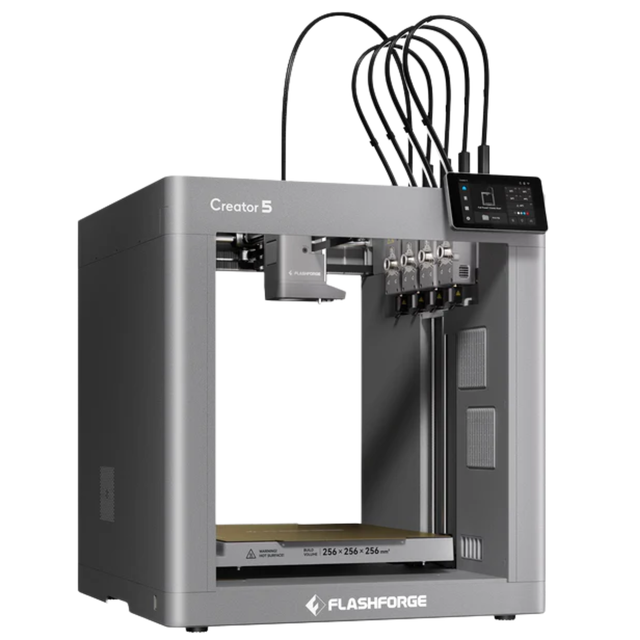
- The Flashforge Creator 5 revolutionizes 3D printing with its innovative 4-toolhead design, enabling true multi-color and multi-material printing without waste
- With speeds up to 600mm/s and fully automatic calibration, this printer delivers professional-grade results 500% faster than traditional methods
- 4 independent toolheads for simultaneous multi-color and multi-material printing Zero purge waste technology eliminates material waste during color changes Ultra-fast 600mm/s printing speed for 500% faster production Fully automatic calibration system for consistently perfect first layers True multi-material capability supports various filament types simultaneously Professional-grade precision with simplified operation
Prusa Core One: Best Alternative for Repairability and Ethics
The Prusa Core One is the answer when your real objection to the X2D is the company, not the printer. It’s an enclosed CoreXY machine built to be serviced, modded, and kept for years. We also ran it against Bambu’s cheaper P2S.
Prusa runs open. You can print your own replacement parts from files Prusa publishes, the support reputation is the best in the category, and the firmware doesn’t fight you. Owners in the threads describe machines that “just work” for thousands of hours and a company that replaces parts even slightly out of warranty. One owner got a replacement part shipped from Prague a month past warranty at no charge, which is the kind of story that keeps people loyal.
The multi-material story is the INDX system, which uses eight nozzles for low-waste color and is expected to handle flexibles in ways pure tool changers struggle with. That’s the genuinely exciting part of the Prusa roadmap.
Where it falls short
It costs more than the X2D, the learning curve is steeper, and the Core One is single-material until INDX actually ships. As of this writing, INDX is still on the way rather than on shelves, so you’re partly buying a promise. If you’re still deciding between Prusa and Bambu’s flagship, our Prusa Core One vs Bambu Lab H2D guide covers it.
Nik’s take: if you think of a printer as long-term bench equipment, this is the pick. Our X2D vs Prusa Core One comparison lays the two philosophies side by side.

- The CORE One is a 3D printing workhorse engineered in the proven Prusa tradition. Designed with a “made to last” philosophy and made from premium…
- Whether you’re new to 3D printing or a seasoned expert, Prusa CORE One ticks all the boxes for a reliable all-around machine. Featuring an enclosed…
- The printer includes a free 1 kg spool of Prusament PLA Prusa Galaxy Black; Prusa Research offers lifetime technical assistance and 24 hours…

Prusa XL: Best Large-Format Multi-Tool Alternative
The Prusa XL is the X2D alternative for people who outgrew the X2D’s bed before they even bought it. It’s a true tool changer, available with up to five heads, on a large 360 mm platform.
If your work is genuinely multi-material and genuinely big, nothing else on this list covers both at once today. Five independent toolheads mean five materials with no purging between them, on a bed that dwarfs the X2D.
Where it falls short
It’s the most expensive pick here, starting around $2,500 and climbing fast as you add toolheads. Even enclosed, owners report it struggles to hold ABS and ASA chamber temperatures, and some flag visible VFA artifacts on walls. This is a workhorse, not a finesse machine.
Nik’s take: buy it for scale and material count, not for a flawless surface finish. For a sense of how a big tool changer stacks against Bambu’s automation approach, see Bambu H2C vs Prusa XL.
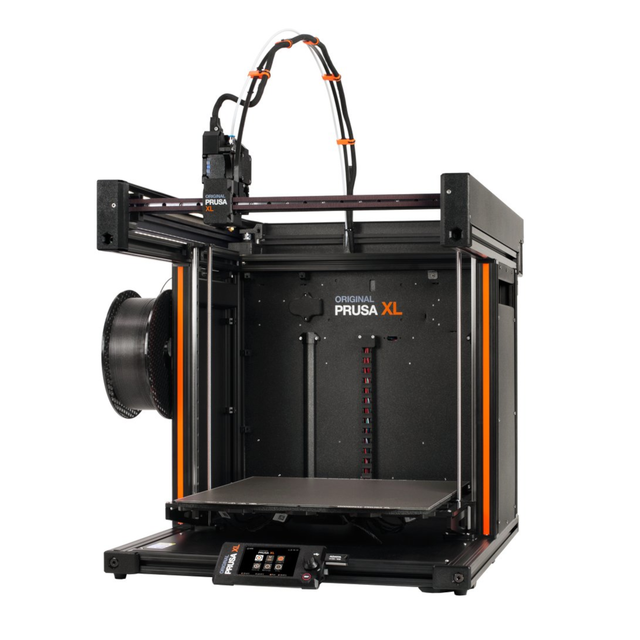
- The Original Prusa XL 2025 is a large-format 3D printer with a 360×360×360 mm build volume designed for efficient multi-material production
- It features a toolchanger handling up to 5 toolheads and a segmented heatbed that enables zero-waste, wipe-to-infill printing
- Maximize build volume for big projects Accelerate printing with five toolheads Eliminate waste with wipe-to-infill printing
Staying With Bambu? The H2D, H2C, and P2S
Not every X2D shopper wants to leave Bambu. Sometimes the X2D is simply the wrong Bambu. Two siblings solve that from opposite directions.
Bambu H2D / H2C: the no-compromise dual nozzle
The H2D fixes the X2D’s biggest gripe. Both nozzles are direct drive, which removes the Bowden head and the soft-TPU restriction entirely. You also get a larger build volume, an active heated chamber, and the AMS 2 Pro, which owners rate well above older MMU systems.
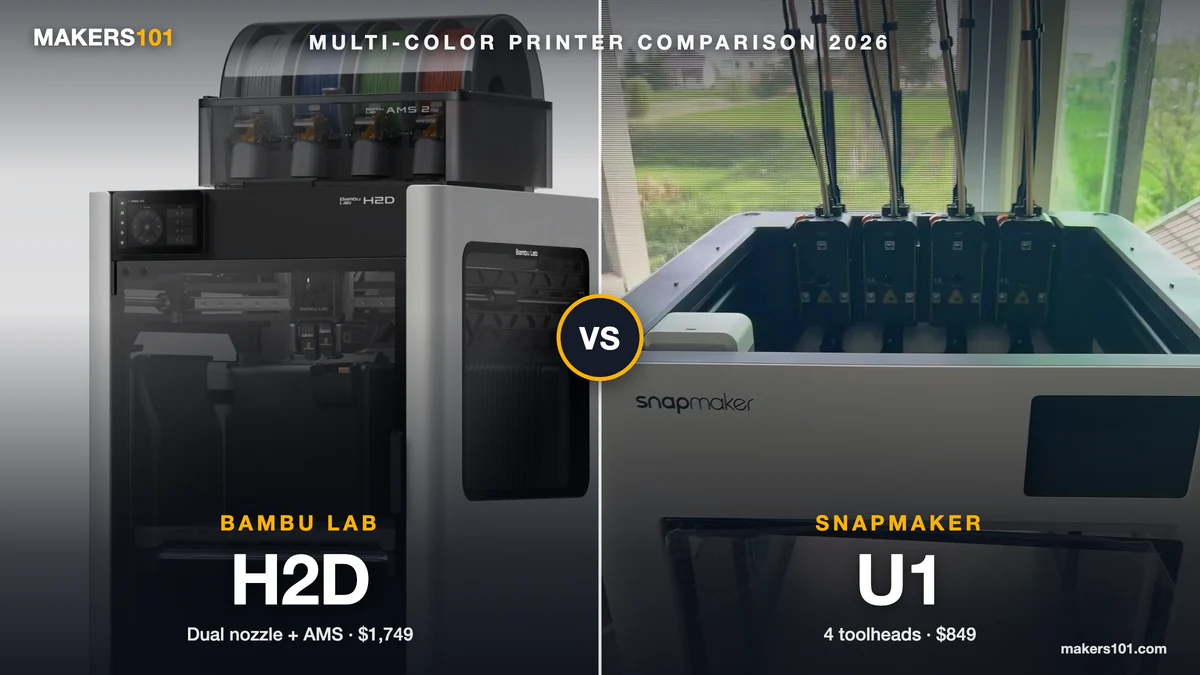
It runs $1,749 to $1,999, so you’re paying a real premium over the X2D. But if you want everything the X2D does without the right-nozzle caveat, this is it. Owners with 3,000-plus hours on the H2D routinely call it the most reliable and most capable Bambu they have run. The X2D vs H2D comparison covers the full gap.
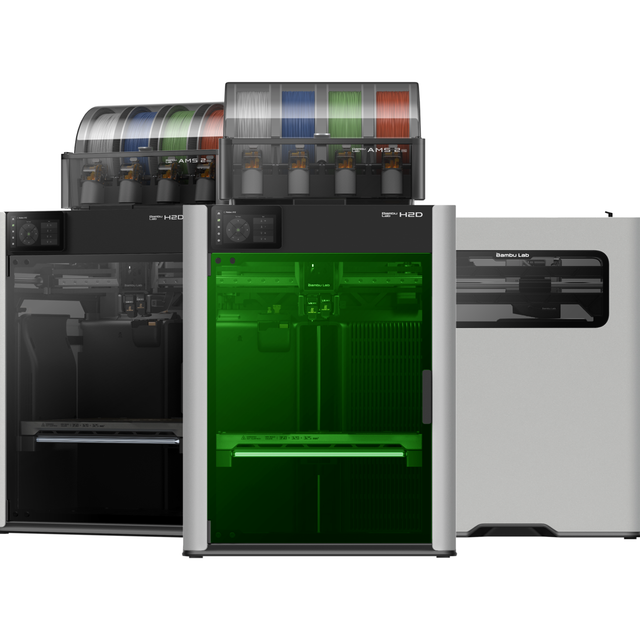
- The Bambu Lab H2D is a personal manufacturing machine with a dual-nozzle system that supports multi-material and multi-color printing up to 350°C
- It offers a 350 x 320 x 325 mm³ build volume, optional 10W or 40W laser modules, and 50μm motion accuracy for precise extrusion and detailed fabrication
- Create vibrant multi-material prints effortlessly Engrave or cut materials with optional laser variant Master large projects with high precision
Bambu P2S: the cheaper single-nozzle pick
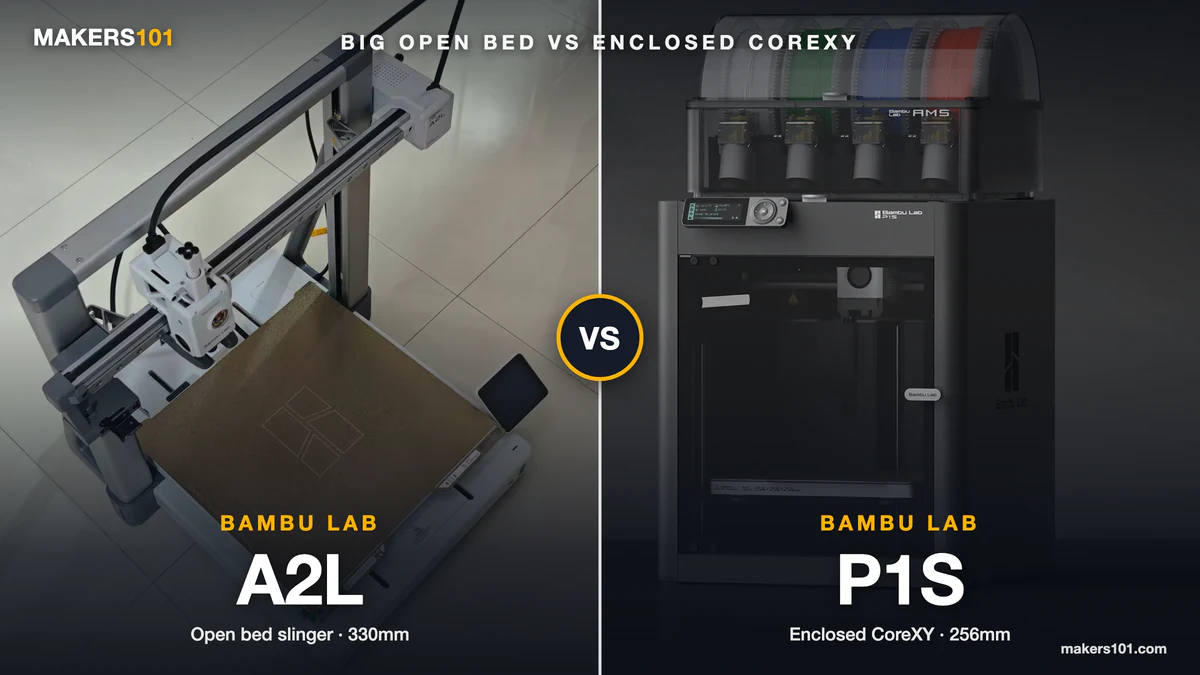
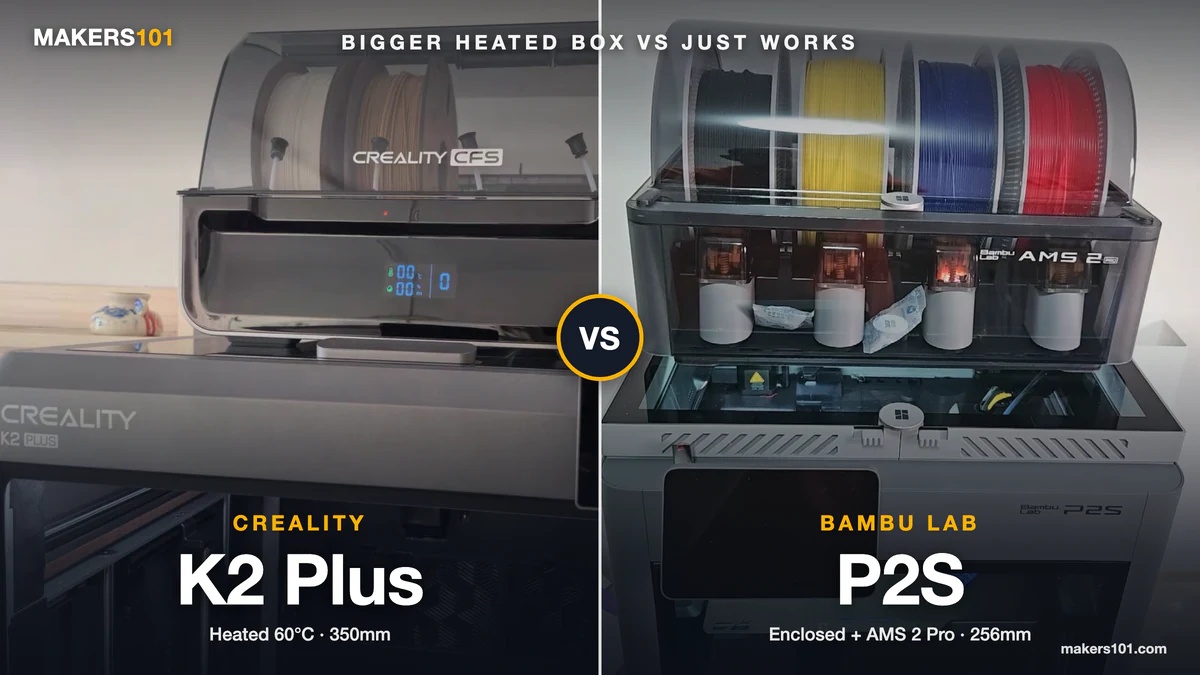
The P2S goes the other way. It costs about $400 less than the X2D Combo and drops the second nozzle entirely. If you only print one material at a time, mostly PLA and PETG, that second nozzle was never doing anything for you. Our P2S vs X2D guide shows exactly what you give up.
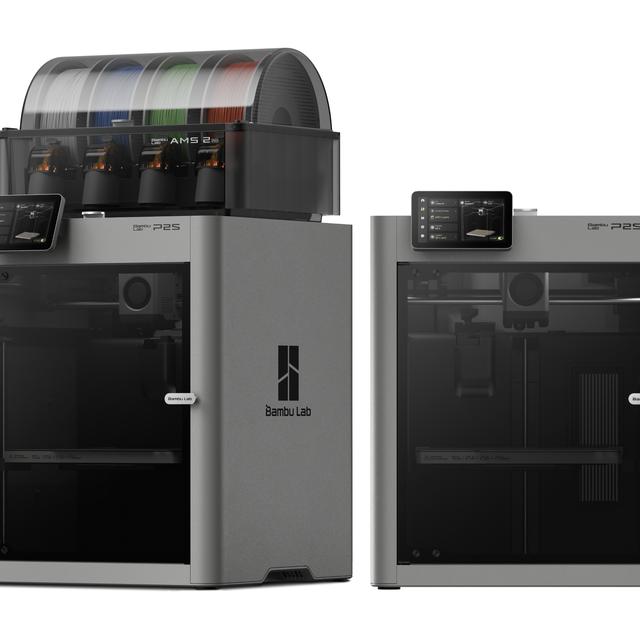
- Introducing the Bambu Lab P2S 3D printer is a state-of-the-art printer offering a seamless user experience akin to a smartphone with a spacious build volume of 256 x 256 x 256 mm and an enclosed chamber for temperature stability
- The Bambu Lab P2S 3D printer produces reliable desktop FDM prints using AI-driven failure detection and real-time flow calibration
- The optional AMS 2 Pro, available via the Combo version, supports up to 4-color multi-material extrusion
- Experience a smartphone-like experience with a 2nd-Gen UI and a 5-inch touchscreen for smoother interactions and clearer instructions
- AI failure detection ensures reliable operation with automated monitoring
- Real-time flow calibration produces consistent dimensions with precise extrusion
Who Should Just Buy the X2D Instead?
Plenty of people land on this article and should close the tab and buy the X2D. An alternative only makes sense if you have a specific reason, and “the grass is greener” is not one.
The X2D’s dual-nozzle speed is real, and I have the numbers to prove it. In a head-to-head against the P2S, a two-color panda print finished in 1 hour 37 minutes on the X2D versus 4 hours and change on the P2S. Waste dropped from about 62 grams to roughly 8 grams. Each color switch averaged 14 seconds. That’s the kind of gap a tool changer matches but a single nozzle never will.
It’s also the quietest machine in the family. In that same test it measured about 53 dB up close against 58 dB for the P2S, helped by a finer 1.5GT belt that also cuts down on vertical wall artifacts. For a printer that may sit on your desk all day, that difference is easy to underrate.
So buy the X2D if you want a compact dual nozzle, clean support-material separation, the mature AMS ecosystem, and a machine that mostly just works on day one. You only need an alternative when price, openness, or that Bowden TPU limit is a real blocker for your work. Use this filter: if your blocker is real and specific, pick from the six above. If it’s mostly “the grass looks greener,” the X2D is still the safe buy.
Frequently Asked Questions
What’s the best alternative to the Bambu Lab X2D?
It depends on your reason for switching. For openness without spending big, the Snapmaker U1. For pure capability per dollar, the FlashForge Creator 5. For repairability and long-term ownership, the Prusa Core One. There’s no single winner, only the best fit for your blocker.
Is the Snapmaker U1 a good X2D alternative?
Yes, if four colors is enough and openness matters to you. It’s the most affordable true tool changer and avoids Bambu’s closed ecosystem. The trade-offs are a hard four-color ceiling and a $149 Top Cover you’ll want for ABS.
Is there a cheaper multi-color 3D printer than the X2D?
The FlashForge Creator 5 is cheaper and is a full four-head tool changer. The Snapmaker U1 also starts under the X2D, though add-ons raise the real cost. Both undercut the X2D Combo on the sticker. If those two end up as your shortlist, we put the U1 and the Creator 5 head to head.
Is there a more open-source alternative to the X2D?
Prusa and Snapmaker are the two most open names here. Prusa publishes replacement-part files and runs open firmware, while Snapmaker leans more open than Bambu. Both appeal to makers who dislike Bambu’s locked ecosystem.
Can any X2D alternative print soft TPU on a second nozzle?
Yes. The FlashForge Creator 5 runs all-direct-drive toolheads, so it prints multi-color and TPU the X2D’s Bowden right nozzle can’t. The Bambu H2D also fixes this with two direct-drive nozzles. The X2D itself can only run soft TPU through its left head.
X2D vs Prusa Core One, which should I get?
Choose the X2D if dual-nozzle workflow and clean supports are the whole point of your upgrade. Choose the Core One if you care more about repairability, open firmware, and a machine you can keep for years. If losing the second nozzle wouldn’t actually change your work, the Core One is the steadier buy.
Prices and availability reflect public listings as of May 2026 and change often. Verify the current configuration and price before you buy.