
I earn a commission if you buy through links on this page, at no extra cost to you. As an Amazon Associate, I earn from qualifying purchases.
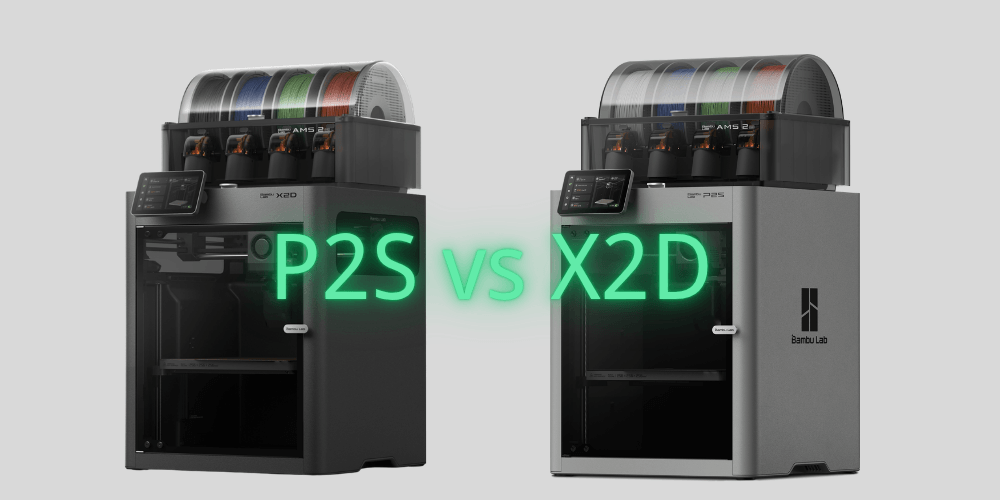
It’s not about the $100. It’s about whether you’ll ever print two materials at once — and the answer changes everything. Coming from an older P1S instead of shopping the X2D? Here’s how the P2S stacks up against the machine you already own. If the price gap nudges you toward a value pick, today’s Anycubic and Creality deals are worth a scan.
Forget the spec sheet for a moment. New to the brand entirely? Start with the whole Bambu lineup at a glance.
There’s one question that decides whether you should buy the P2S or the X2D — and it has nothing to do with price, print speed, or camera resolution.
Will you ever print two different materials in the same print?
If the answer is no: the P2S is your machine. Stop reading here if you want — we’ll explain why below, but the short version is that the P2S is an excellent printer and you won’t be missing anything you actually need.
If the answer is yes — or even “maybe someday”: keep reading. Because the X2D doesn’t just do it better than the P2S. It does something the P2S literally cannot do. And that distinction matters more than any spec comparison. Different brand on your shortlist? We sized up the P2S against the K2 Pro too.
Table of Contents
Bambu Lab P2S in 2026: Still an Excellent Printer on Its Own
Let’s be direct about something the X2D’s launch has muddied: the P2S is not a lesser machine. It’s not the “budget option” or the “stepping stone.” It’s a fully capable, deeply refined printer that shares the same PMSM servo extruder architecture as the X2D’s primary nozzle — the same 8.5kg of max extrusion force, the same AMS 2 Pro compatibility, the same quick-swap nozzle system.
If your workflow is PLA, PETG, and the occasional ABS print — and you do it with a single material at a time — the P2S does that as well as anything Bambu makes. It’s quieter than you’d expect, the touchscreen is genuinely good, and the AMS 2 Pro integration is seamless.
The learning curve is gentle. You’ll be printing confidently within an hour of unboxing. (For a deeper look at how the P2S stacks up against its predecessor, see our Bambu Lab P2S vs X1C comparison →)
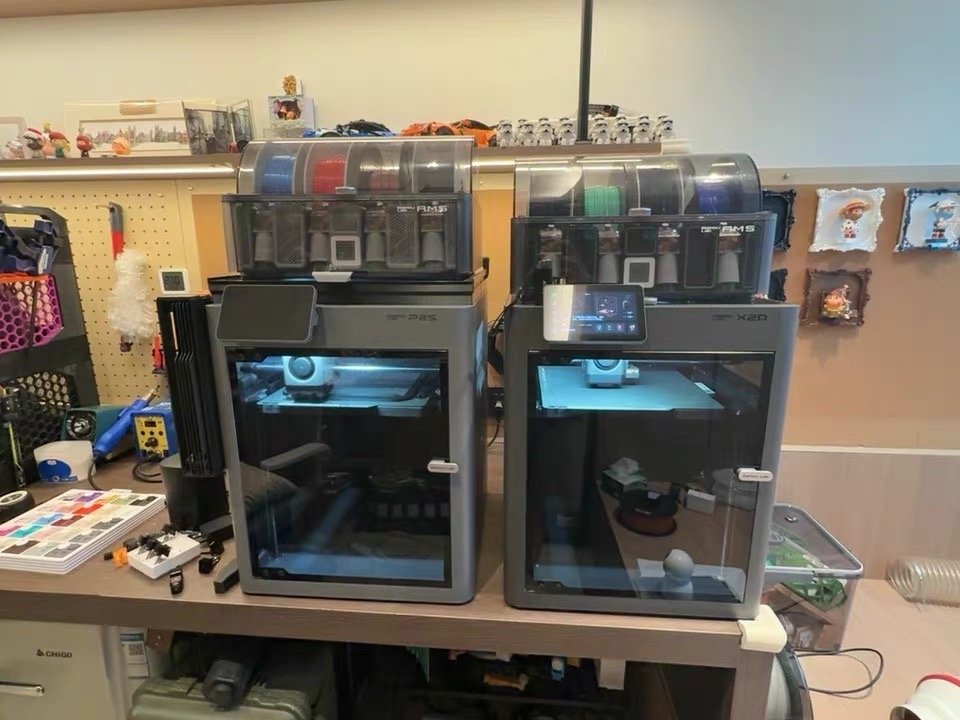
One thing worth knowing: the P2S doesn’t have active chamber heating. It warms passively to roughly 40–50°C as a side effect of the heated bed running. For most engineering materials in reasonable-sized prints, that’s adequate. The P1S sits in the same spot, and we covered that jump to the X2D separately.
For large ABS or ASA parts where chamber temperature consistency actually matters — that’s where the P2S hits a ceiling it can’t break through. A Prusa Core One won’t get you past it either. One side-by-side test had both chambers stalling around 40 to 45°C. Don’t need a heated chamber at all? The open-frame A2L gives you a much bigger bed for less, and we compare the A2L and P2S directly.
But for the vast majority of what most people print most of the time, the P2S answers the question completely. If two-material printing isn’t in your plans, the P2S is the correct buy — and no amount of spec comparison changes that.

- High-Speed Precision: The Bambu Lab P2S 3D printer prints up to 600 mm/s while maintaining exceptional accuracy. With the PMSM Servo Extruder and…
- Ready to Print in 15 Minutes: Set up your P2S FDM 3D printer and start printing in just 15 minutes. With AI failure detection, quick-swap nozzles, and…
- Effortless Multi-Color Printing: The AMS 2 Pro enables seamless multi-color/multi-material 3D printing. It features built-in filament drying at up to…
- Smart Airflow for Any Filament: The Adaptive Airflow System automatically balances cooling and heat retention—keeping overhangs crisp with cool air…
- Limitless Creativity, Seamless Workflow: Explore over one million 3D models on MakerWorld and bring them to life with a smooth, unified workflow using…
3 Things the Bambu Lab X2D Can Do That the P2S Cannot
This is where the one question starts to matter.
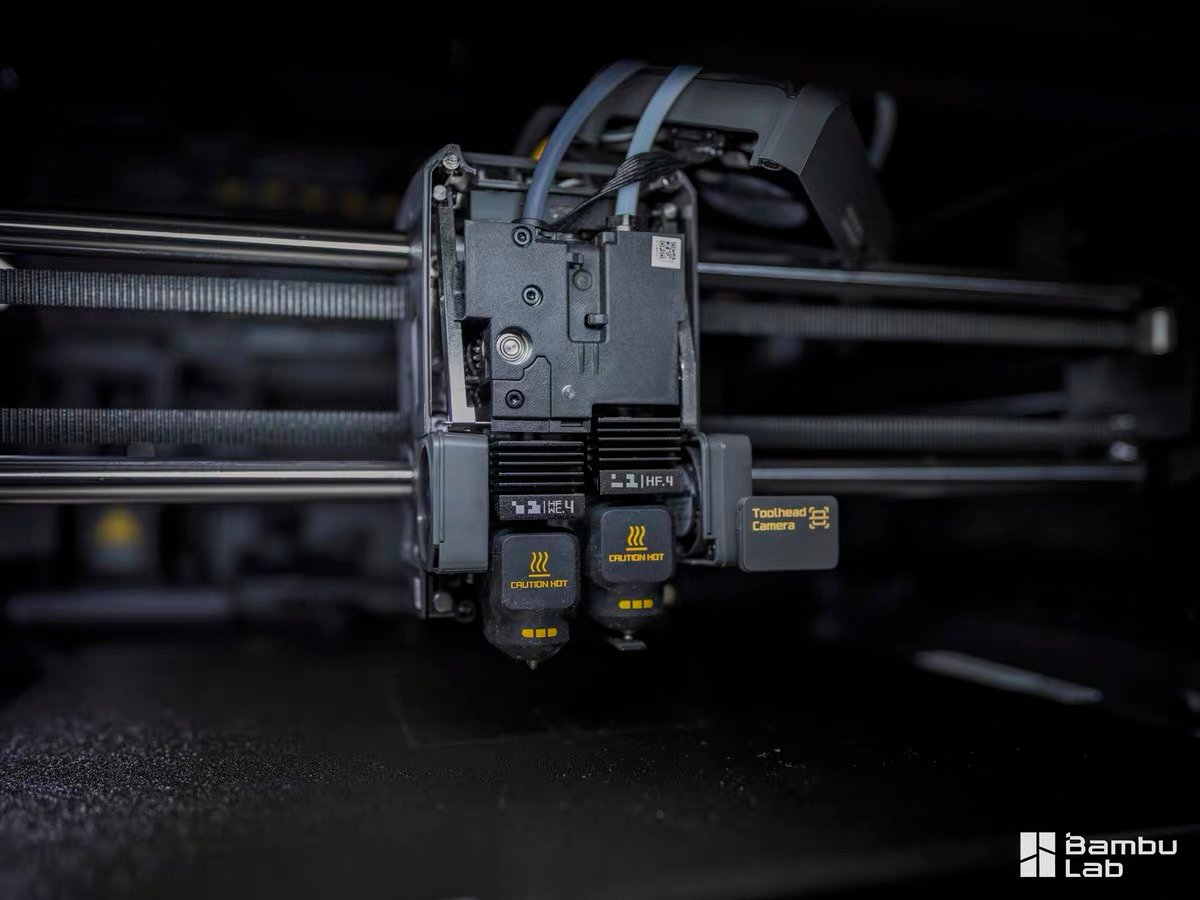
The X2D has two nozzles. The P2S has one. That sounds like a spec difference, but it’s actually a capability difference — and there are three things that fall on the wrong side of that line for P2S owners.
Dual-Nozzle Support Removal: Cleaner Results, Zero Contamination
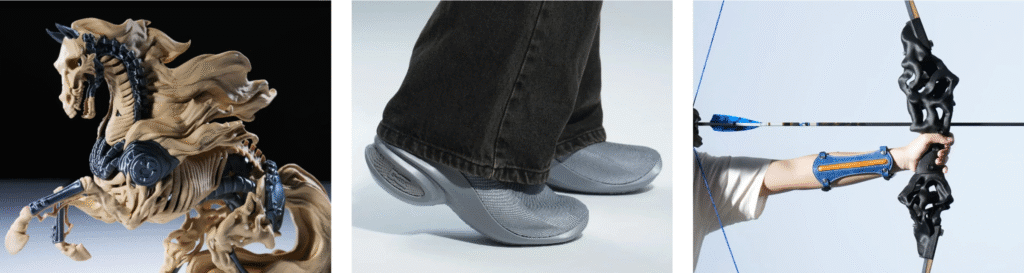
The P2S can print support material using the AMS. You can load a breakaway or soluble support filament in one slot and cycle between it and your model material. It works. (Not sure which support filament to use? See our 3D printing filament guide →)
Here’s the problem: it all runs through the same nozzle. When the P2S switches from model material to support material, the nozzle purges — pushes out the old material to make room for the new one. That purge is never perfect. There’s always residual material from the previous filament at the interface.
Depending on the material pairing, this causes one of two problems: either the support bonds too strongly to the model surface and tears it when removed, or contamination at the interface weakens the layer bond. Either way, the support contact face is rarely clean — you’re typically left with surface marks, scarring, or a support face that requires sanding.
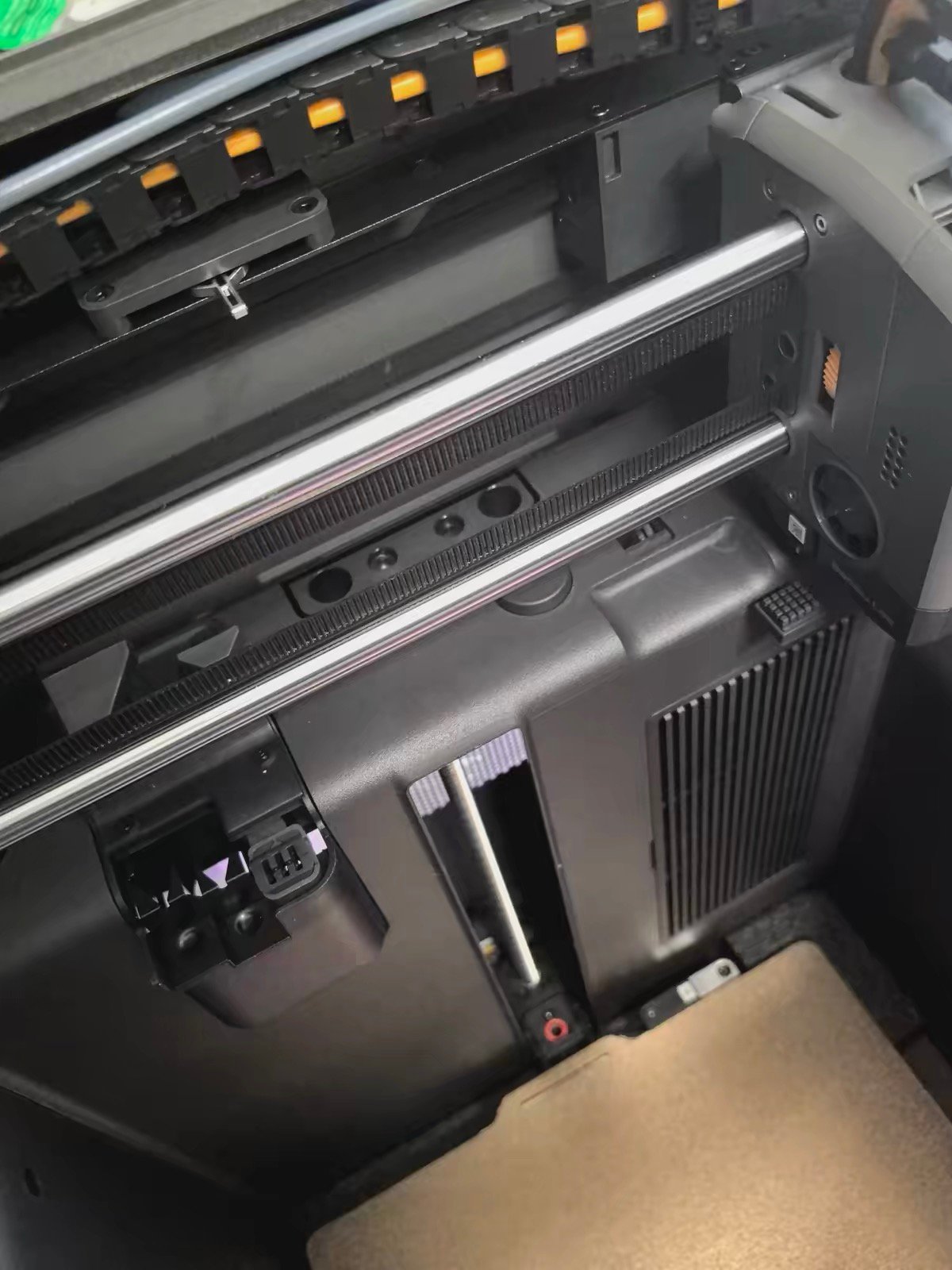
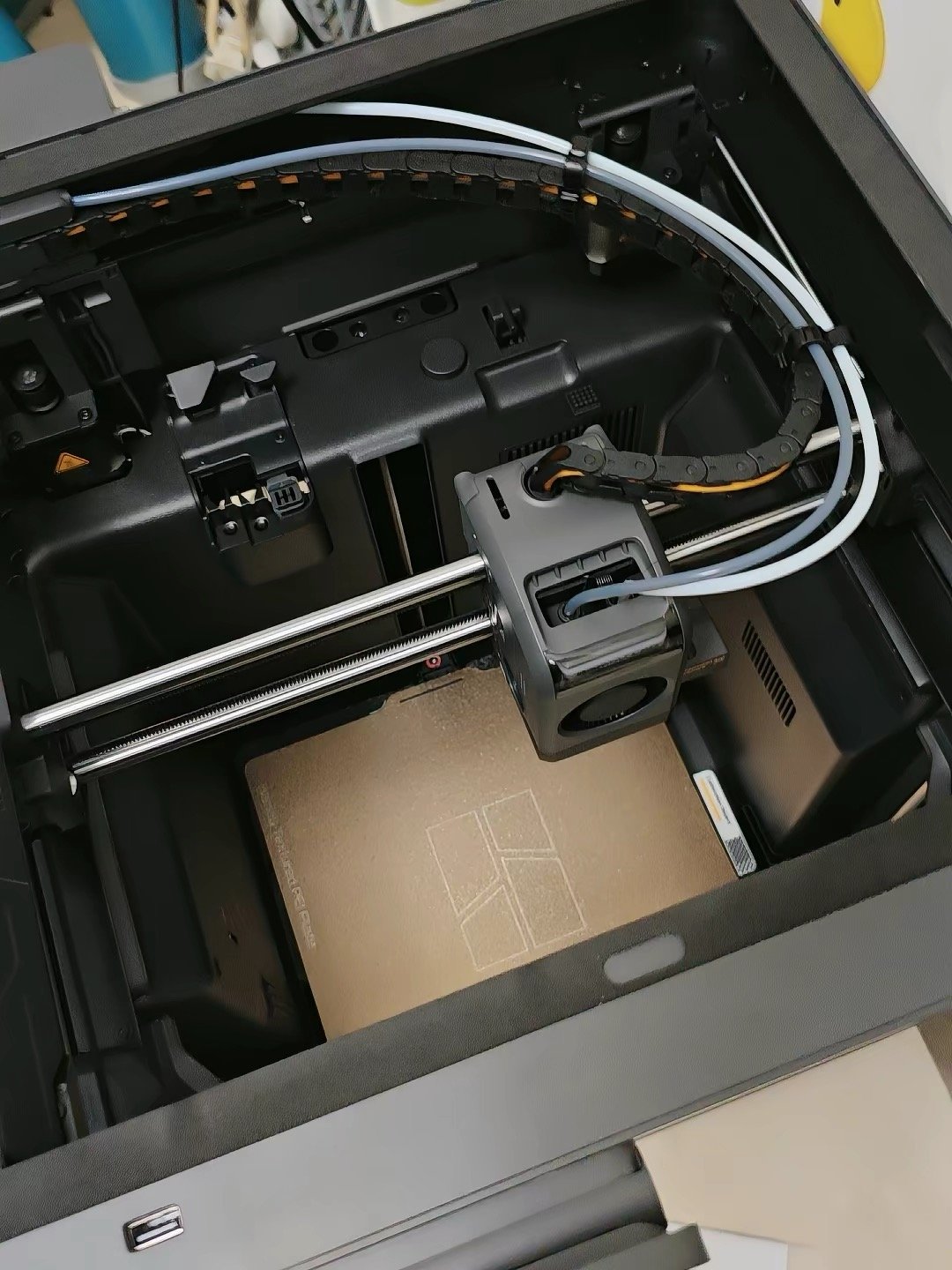
The X2D’s right nozzle is physically separate from the left. Model material and support material never share a nozzle. Never contaminate each other. When the print finishes, supports peel away cleanly — no scarring, no tool marks, no sanding.
Here’s what that looks like in actual numbers. An independent reviewer who ran both machines for 600+ hours — printing the same two-color model on each — recorded the following:
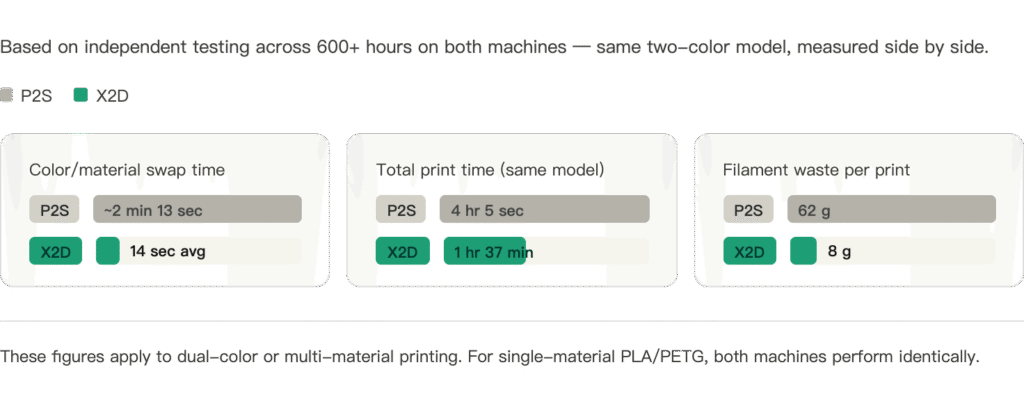
| P2S | X2D | |
|---|---|---|
| Color/material swap time | 1 min 21 sec – 2 min 13 sec | 14 seconds average |
| Total print time (same model) | 4 hours 5 seconds | 1 hour 37 minutes |
| Filament waste | 62 grams | 8 grams |
That’s not a marginal improvement. That’s a different experience entirely. The X2D finished the same model in 40% of the time, with 87% less waste. If dual-material or multi-color printing is any part of your workflow, this changes everything.
Active Chamber Heating: Why the X2D Handles ABS and ASA Where the P2S Struggles
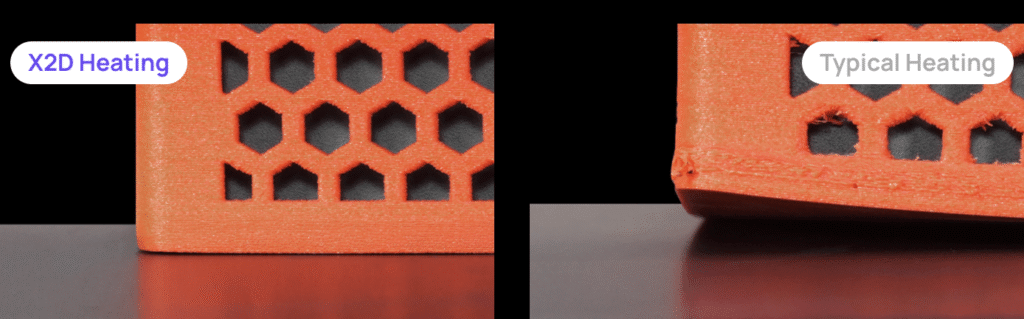
The P2S warms to roughly 40–50°C through passive chamber heating. For shorter ABS prints or smaller parts, that’s often enough. But if you’ve ever tried printing a large ABS enclosure, a full-bed ASA bracket, or a Nylon structural component on a P2S — you know what happens.
The outer edges cool faster than the center. Corners lift. You fight it with brims, draft shields, enclosure tape. Sometimes it works. Sometimes it doesn’t.
That frustration isn’t a settings problem. It’s a physics problem. The P2S doesn’t have a heater in the chamber. You can’t tune your way past a hardware limitation.
The X2D actively heats the chamber to 65°C with a dedicated heating element. The temperature distributes evenly across the build volume. Full-bed ABS prints that would warp on a P2S come out flat and dimensionally accurate on the X2D.
If engineering materials are on your roadmap — even occasionally — this is the upgrade that removes the ceiling, not just raises it.
Printing ABS or ASA regularly? A filament dryer makes a real difference — SUNLU S1 Plus Filament Dryer is the one most Bambu users reach for.

TPU + Rigid Materials: One Print Job Instead of Two
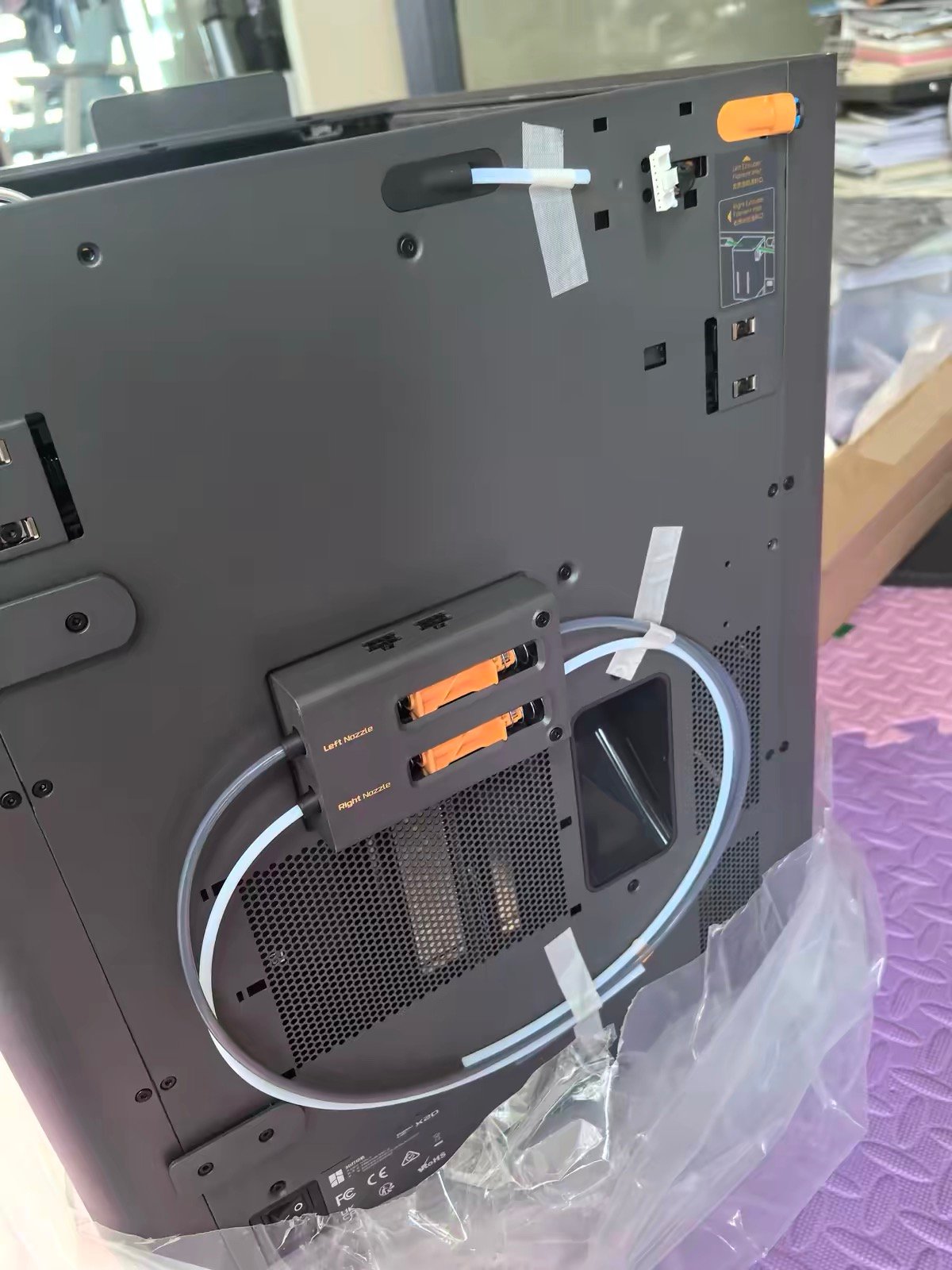
On the P2S, printing TPU means loading it manually on an external spool, printing your flexible part, then swapping back to your rigid material for the next job. The AMS can’t handle standard TPU — the flexible filament buckles in the feed path. So every time you need a TPU component, you’re intervening manually.
(For a full breakdown of TPU properties and print settings, see our filament guide →)
On the X2D, you load TPU on the left direct-drive nozzle and your rigid material on the right Bowden nozzle or through the AMS. Both are available in the same print job. Flexible grips on rigid handles. TPU gaskets bonded to PLA housings. Overmolded components. The workflow that required two separate print jobs and manual material swapping now happens in one unattended run.
If flexible-rigid combinations are any part of your work, this is the capability that makes the X2D worth every dollar of the difference.
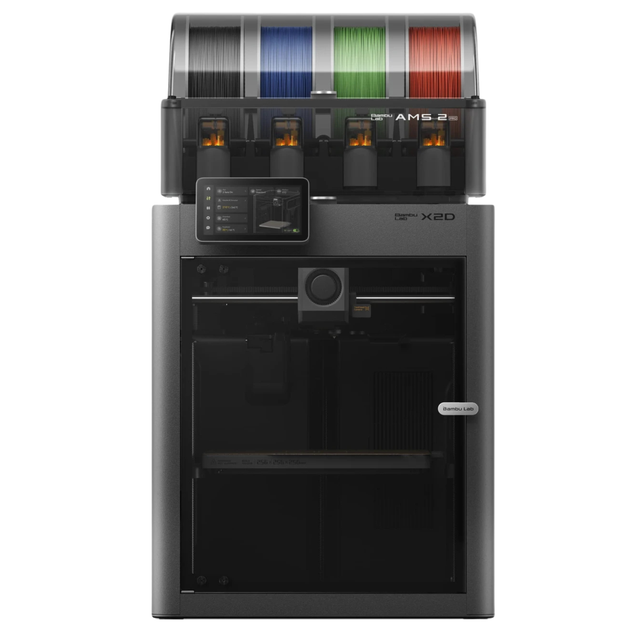
- Fully enclosed CoreXY 3D printer with an active-heated chamber for warp-prone engineering filaments.
- Hardened hotend rated for abrasive carbon-fiber and glass-filled materials.
- Ships as a Combo with a multi-material unit for multicolor and multi-material printing.
Bambu Lab X2D Limitations: What to Know Before You Buy
This is the part most comparison articles skip. So let’s say it plainly.
The learning curve is real.
Bambu Studio’s single-nozzle workflow is mature and intuitive. The dual-nozzle workflow — assigning materials to specific nozzles, understanding which model geometry routes to which extruder, managing prime towers — takes time to learn.
TechRadar’s reviewer, after 250 hours on the machine, specifically noted that the dual-nozzle filament assignment “still needs work” and has a genuine learning curve for new users. If you want the simplest possible out-of-box experience, the P2S is more approachable.
The right nozzle has real limitations.
The auxiliary Bowden nozzle is capped at 200mm/s versus 1,000mm/s on the left. It has no automatic flow calibration. Print quality from the right nozzle is slightly lower — Bambu acknowledges this in their own product footnotes.
Think of it as a 1.5-nozzle system, not a true dual-nozzle. The right nozzle is excellent for support material and secondary rigid materials. Expected to function as a fully capable second primary nozzle, it will disappoint.
The pre-print calibration takes slightly longer.
The X2D’s pre-print calibration routine — which includes calibrating two nozzle offsets in addition to the standard bed leveling and flow checks — runs around 9 minutes per print session. The P2S’s equivalent routine runs around 7 minutes.
These figures come from the same independent reviewer who timed both machines across hundreds of print sessions. That’s a consistent 2-minute difference every time you start a print, not just on first setup. For long prints it’s irrelevant. For short back-to-back jobs, it adds up.
None of these are dealbreakers — across multiple independent reviewers logging hundreds of hours on the X2D, real-world performance has been consistently excellent. But you deserve to know the limitations before you decide, not after.
P2S Combo vs X2D Combo: Why the $100 Gap Is Even Easier to Justify
Base models: P2S at $549, X2D at $649. That’s $100.
Combo models: P2S Combo at $799, X2D Combo at $899. Still $100.
But here’s the thing most people don’t think about: in Combo mode, the X2D’s advantages compound with every print.
If you’re buying the Combo, you’re buying it because multi-color printing is part of your plan. You’re going to be switching materials regularly. Every time you do, you’ll experience that 14-second swap versus the P2S’s 2-minute purge cycle — numbers measured by an independent reviewer across 600+ hours of testing on both machines. If three or more colors is your normal week, though, the X2D vs H2C math changes.
Every dual-color print will waste 8 grams instead of 62. The $100 premium for the X2D Combo pays back faster than the base model premium does — because you’ll be using exactly the capability you’re paying for, repeatedly, on every multi-material job.
If you’re buying the Combo, the math for the X2D is even clearer than for the base model. Note: if your projects regularly need 6+ colors with zero purge waste, the Bambu Lab H2C with Vortek → is worth a look before you commit.
Bambu Lab P2S vs X2D: Final Recommendation by Use Case
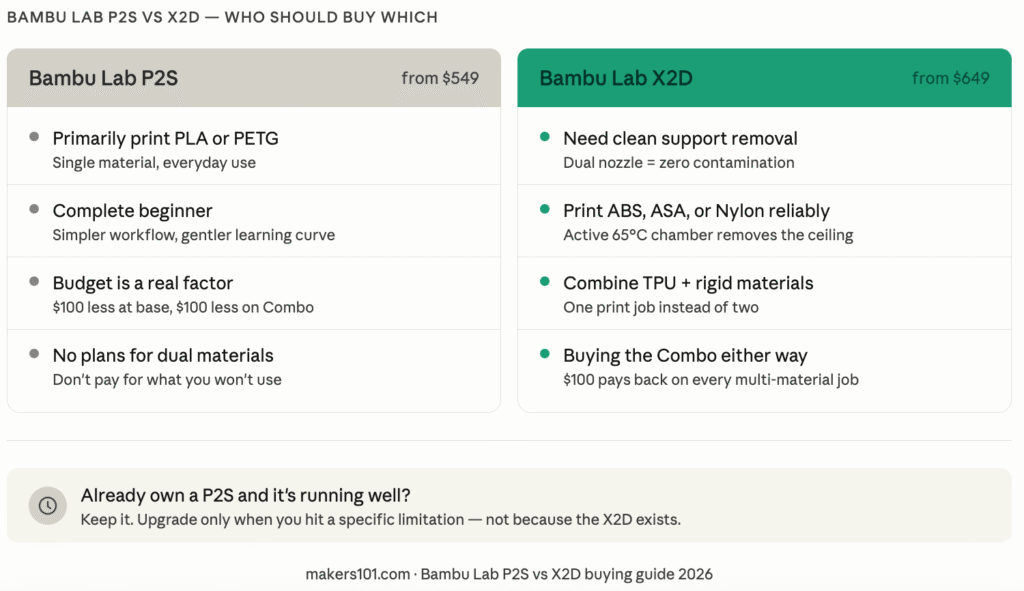
You primarily print PLA and PETG, single material → P2S. No contest. Excellent machine, lower price, simpler workflow.
You need clean support removal on complex prints → X2D. This is its primary design purpose, and it delivers.
You want to print ABS, ASA, or Nylon reliably → X2D. The active chamber heating removes the ceiling the P2S can’t break through.
You regularly combine TPU and rigid materials → X2D. The dual-nozzle system makes this a single-job workflow instead of two separate runs.
You’re a complete beginner who wants simplicity → P2S. The dual-nozzle workflow has a real learning curve. Start simpler. (New to 3D printing entirely? See our best 3D printers for beginners →)
You’re buying the Combo either way → X2D. The $100 premium pays back faster when you’re using multi-material printing regularly.
You already own a P2S and it’s working well → Keep it. The P2S is not obsolete. If your workflow doesn’t require dual materials or active chamber heating, there’s no reason to upgrade. Still on the fence? Here’s what daily P2S ownership is actually like.
Frequently Asked Questions
Is the P2S or X2D better for beginners?
The P2S. Its single-nozzle workflow is mature, intuitive, and well-documented. The X2D’s dual-nozzle filament assignment in Bambu Studio has a genuine learning curve — experienced reviewers with hundreds of hours on the machine still describe it as complex. If you’re new to 3D printing and want the smoothest possible start, the P2S is the right choice. For a full beginner-focused comparison of the best Bambu options, see our best 3D printers for beginners guide →.
Can the P2S print ABS without warping?
For smaller parts, often yes — the P2S’s passive chamber warming reaches roughly 40–50°C depending on ambient conditions, which is adequate for many ABS prints. For larger parts, full-bed prints, or materials that genuinely need a stable 60°C+ environment (like ASA, Nylon, or PA-CF), the P2S hits a physical ceiling it can’t overcome. The X2D’s active 65°C chamber heating is the solution to that specific problem.
What Does the X2D’s Second Nozzle Do That the P2S Can’t?
It keeps two materials permanently separate. On the P2S, all materials — model and support — run through the same nozzle. Switching between them requires purging, which leaves residual contamination at material interfaces. The X2D’s right nozzle handles support material independently, so model and support never share a nozzle, never contaminate each other, and supports peel away cleanly every time.
Is the X2D worth $100 more than the P2S?
Only if your workflow uses what the $100 buys: dual-material capability and active chamber heating. If you print single-material PLA and PETG, the $100 buys you nothing you’ll actually use, and the P2S is the smarter purchase. If you print supports, engineering materials, or TPU combinations — the $100 is one of the better-value upgrades in Bambu’s lineup.
P2S Combo vs X2D Combo — which is better value?
The X2D Combo. Both are $100 apart ($799 vs $899), but in Combo mode you’re already committing to multi-material printing. Every job where you use that capability — the 14-second swaps, the 87% waste reduction, the clean support interfaces — compounds the value of the X2D premium. The Combo version of the X2D makes the $100 gap easier to justify than the base model does.
I already own a P2S — should I upgrade to the X2D?
Not unless you’re regularly hitting the P2S’s specific limitations: warping on large engineering prints, frustration with support removal quality, or needing TPU and rigid materials in the same job. The P2S is not obsolete. It’s an excellent machine. Upgrade only if there’s a specific problem you’re solving — not because the X2D exists. If your main frustration is AMS-related rather than printer capability, our Bambu Lab filament runout guide → might solve the issue without a new machine.
For full X2D specs, confirmed pricing, and detailed review findings, see our complete Bambu Lab X2D review →
Considering an upgrade from the X1C? See our X1C to X2D upgrade guide →
Want the best filaments for your new Bambu? See our Bambu Lab filament guide →
Also comparing against other brands? X2D vs Snapmaker U1 and X2D vs Creality K2 Pro, X2D vs Creality K2 Plus, and X2D vs Creator 5 →
CERTAIN CONTENT THAT APPEARS ON THIS SITE COMES FROM AMAZON. THIS CONTENT IS PROVIDED ‘AS IS’ AND IS SUBJECT TO CHANGE OR REMOVAL AT ANY TIME.
Price details
Product prices and availability are accurate as of the date/time indicated and are subject to change. Any price and availability information displayed on Amazon.com at the time of purchase will apply to the purchase of this product.