
Heads up — some of the links below are affiliate links. If you buy through them, I earn a small commission (at no extra cost to you), which helps cover the gear I test. Thanks!
Your X1C still prints beautifully. Here’s the honest case for upgrading — and the honest case for staying put.
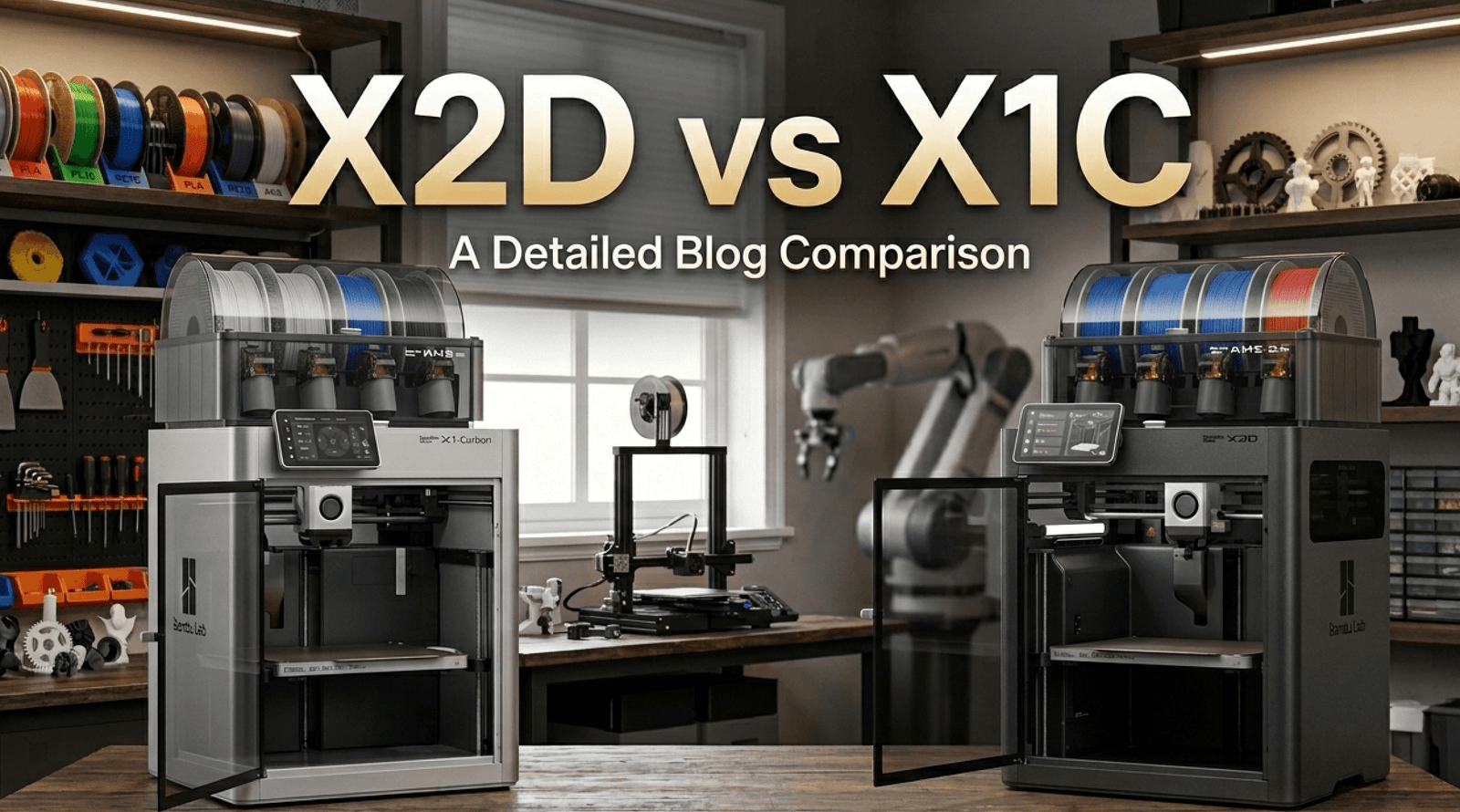
The X1C just got discontinued. And if you’ve owned one for a year or two or three, your first instinct is probably some version of: well, I guess it’s time. If you’re rethinking the whole setup, here’s the current Bambu lineup and where the X2D sits.
Hold on.
Before you open a new tab to check the X2D price, let’s do something most review sites won’t: try to talk you out of upgrading first — and then see if the case for it still holds.
Bambu Lab X1C: Still Worth Using in 2026
This is the thing nobody seems to be saying right now, so let’s just say it clearly.
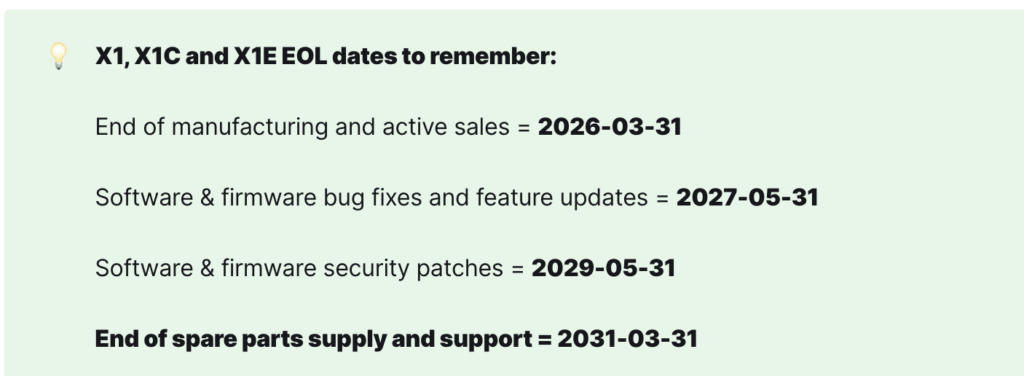
EOL doesn’t mean “stop using it.” Bambu Lab has committed to firmware and bug fix support through May 2027, security patches through May 2029, and spare parts availability through March 2031.
That’s five years of parts supply from the discontinuation date. Your X1C is going to keep printing exactly the way it printed yesterday — because nothing about the machine changed when Bambu made that announcement.
The X1C still produces excellent print quality in 2026. It hasn’t gotten worse. The machines that came after it got better in specific ways — but “better” doesn’t mean your X1C became inadequate overnight.
So if your machine is running well, your workflow hasn’t changed, and you’re not bumping into any real limitations: the smartest move might genuinely be to do nothing. Keep printing. Sell it at peak resale value later if you decide to move on.
We’ll come back to what “peak resale value” actually looks like in a moment.

X1C to X2D: The Right Upgrade Question to Ask
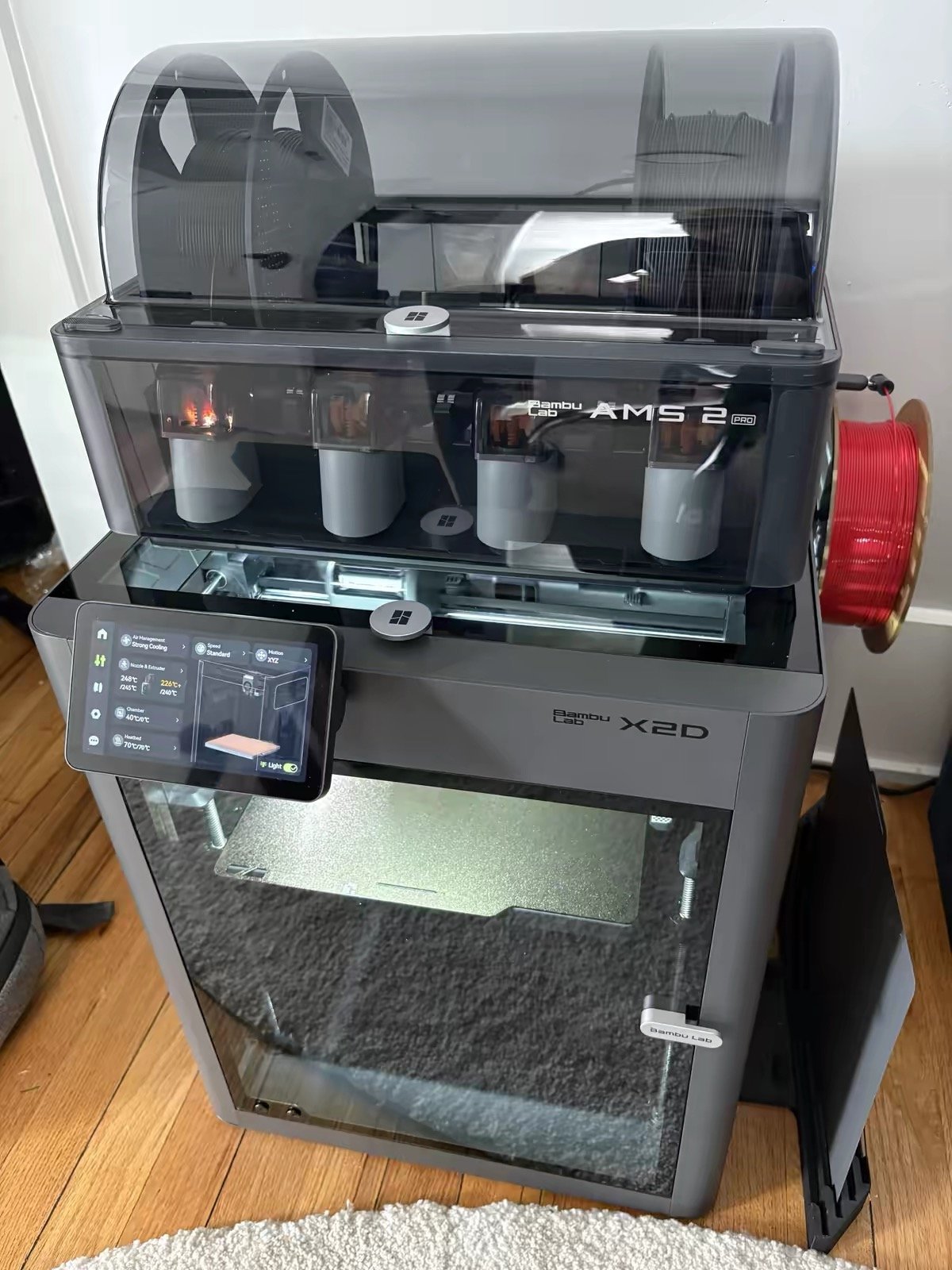
Here’s the trap in how most X2D reviews are framed: they compare specs, declare the X2D superior, and leave you feeling like staying on the X1C is somehow settling.
That’s the wrong frame.
The X2D is better than the X1C across almost every spec. That’s not the question. The question is: does it solve a problem you actually have?
If the answer is no — if you’re printing single-color PLA and PETG and everything’s going fine — we’re going to tell you not to upgrade. Even though this whole article is about the X2D.
If the answer is yes, the upgrade math turns out to be more interesting than most people expect. Let’s work through both sides.
4 Reasons to Upgrade from X1C to X2D
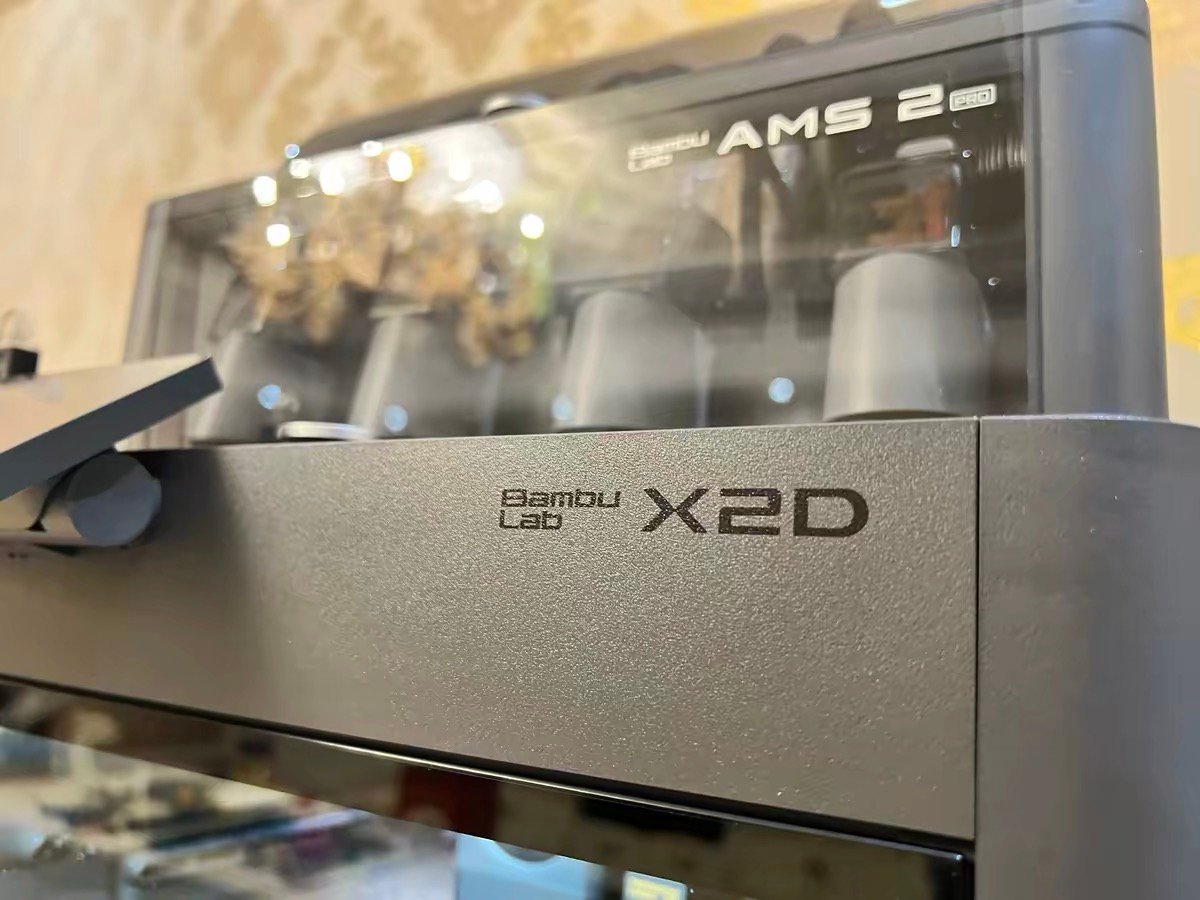
These are the four situations where moving from X1C to X2D genuinely changes your day-to-day workflow — not just your spec sheet.
You spend time cleaning up supports after every print
This is where the X2D’s dual-nozzle system stops being a spec and becomes a real-world time saver.
With two nozzles, one prints your model while the other lays down dedicated support material — a different filament that simply doesn’t bond with the primary. When the print finishes, supports peel away clean. No scarring, no sanding, no careful prying.
Here’s what that actually looks like in numbers, from 600+ hours of real testing on the same two-color model:
| P2S (single nozzle) | X2D (dual nozzle) | |
|---|---|---|
| Color swap time | 1 min 21 sec – 2 min 13 sec | 14 seconds average |
| Total print time | 4 hours 5 seconds | 1 hour 37 minutes |
| Filament waste | 62 grams | 8 grams |
That’s not a marginal improvement. The X2D finished the same model in roughly 40% of the time, with 87% less waste. If you’re doing any multi-material or dual-color work regularly, this changes your whole relationship with the machine. If you’re weighing it against a pure tool changer, the Flashforge Creator 5 is the other machine to look at.
You’ve been wanting to print ABS, ASA, or Nylon but keep putting it off
The X1C has passive chamber heating — it warms to roughly 40–50°C depending on ambient conditions, as a side effect of the heated bed and hotend running. That’s often enough for shorter ABS prints, but larger pieces and longer sessions tend to warp.
The X2D has active chamber heating up to 65°C, with a dedicated heating element that gets there in about 10 minutes when the bed is running. Real-world testing on full-bed ABS prints in a 65°C chamber shows consistent results with no corner warping — the kind of result that’s genuinely difficult to achieve on the X1C without careful babysitting.
If you’ve been avoiding engineering materials because of warping issues, the X2D addresses the root cause rather than the symptoms.

You regularly combine rigid and flexible materials
On the X1C, printing TPU alongside PLA means manually swapping filaments between runs, careful purging, and hoping there’s no cross-contamination. On the X2D, the left direct-drive nozzle handles TPU while the right nozzle runs your rigid material.
The two materials never share a nozzle, never cross-contaminate, and nozzle switching happens in seconds rather than minutes.
For makers doing functional parts — flexible joints on rigid frames, overmolded handles, dual-durometer components — this changes how you design and plan projects, not just how long they take.


Your X1C has been running hard for two or more years
The X1C uses carbon fiber X-axis rods — a signature feature at launch, but one that requires periodic cleaning to prevent dust and debris buildup, particularly if you print ABS or ASA frequently. The X2D replaces them with steel rods: more durable and easier to service long-term.
If you’re a high-volume user who’s already done rod maintenance or is due to, the X2D’s motion system is a meaningful quality-of-life improvement over the long run. Combined with 1.5GT precision belts (which show measurably less VFA than the X1C’s setup), the X2D’s motion hardware is simply more refined.
Bambu Lab X2D Auxiliary Nozzle: What the Marketing Doesn’t Tell You
Let’s be direct about something Bambu Lab’s marketing softens considerably.
The X2D has two nozzles. But they are not equals.
The left nozzle — the primary — is a direct-drive setup with a PMSM servo motor delivering 8.5kg of max extrusion force — roughly 70% more than the X1C’s extruder, according to Tom’s Hardware’s hands-on testing. It runs at up to 1,000mm/s, has automatic flow calibration, filament jam detection, and handles the full range of materials without compromise.
The right nozzle is a Bowden setup. The extruder motor sits on the rear panel of the printer, not on the toolhead, pushing filament through a PTFE tube to the nozzle. This keeps the toolhead light — which genuinely helps with speed and accuracy on the primary side. But the trade-offs are real:
- Speed capped at 200mm/s (vs 1,000mm/s on the left)
- No automatic flow calibration on this side
- Print quality from the right nozzle is slightly lower — Bambu acknowledges this in their own product footnotes
- No filament jam or clog detection
Several reviewers with hundreds of hours on the X2D describe it the same way: think of it as 1.5 nozzles, not 2. The right nozzle is a dedicated support-material tool. Used in that role, it’s excellent — clean support interfaces, minimal waste, consistent results across hundreds of hours. Expected to function as a fully capable second primary extruder, it will disappoint.
One nuance worth knowing on TPU: the right Bowden nozzle can run TPU 95A in real-world testing — but you have to set the filament profile in Bambu Studio to AMS-compatible TPU to get the software to allow it.
It works, but it’s not the intended use case, and you lose flow calibration on that side. For serious TPU work, the left direct-drive nozzle is the right tool.

Bambu Lab X2D vs P2S: Is the $100 Upgrade Worth It?
If you’re on a P2S rather than an X1C, the decision is actually simpler — because you don’t have a machine to sell.
The price gap between P2S and X2D is $100 at the base level. For that $100 you get: active chamber heating, dual-nozzle capability, three-stage filtration (G3 pre-filter + H12 HEPA + activated carbon, versus the P2S’s activated carbon-only filter), and the better motion hardware.
One reviewer with a strong engineering focus put it bluntly: the P2S no longer makes sense to me. For $100 more you get a heated chamber and a second nozzle. That’s the obvious buy.
We’d add one qualifier: if your workflow is single-material PLA and PETG and you have no plans to change that, the P2S is still an excellent machine and there’s no reason to pay for capabilities you won’t use.
But if there’s any chance your work evolves toward multi-material, supports, or engineering filaments — the $100 gap is small insurance against an upgrade six months from now.
Real Upgrade Cost: X1C Resale Value vs X2D Price
Here’s the part most reviews skip entirely.
If you’re an X1C owner considering the X2D, you’re not buying from zero — you have a machine to sell. And the math looks considerably better than most people assume.
Used X1C units are currently holding value well. The EOL announcement hasn’t collapsed the secondary market because the machine still performs. Factor in a used sale, and the actual out-of-pocket cost shifts significantly:
| Cost | |
|---|---|
| X1C resale (current market, well-maintained) | ~$600–700 |
| X2D base model | $649 |
| X2D Combo (with AMS 2 Pro) | $899 |
| Net cost to X2D base | ~$0 (cost-neutral or better) |
| Net cost to X2D Combo | ~$150–300 |
Upgrading to the X2D base model can be effectively cost-neutral. Moving to the Combo — which is the configuration most people actually want for multi-material work — runs roughly $150–300 out of pocket after the X1C sale.
The financial barrier is lower than most X1C owners think. Which means the decision was never really about money. It was always about whether your workflow actually needs what the X2D adds.
If it does, now is a reasonable time to move — resale value is still good, the X2D is shipping, and early reviews are consistently strong. If it doesn’t, keep the X1C and bank the difference.
X1C vs X2D vs P2S: Final Verdict
X1C — Still excellent. Support runs to March 2031. Keep it until it breaks, or sell now while resale value holds strong.
P2S — The best value single-nozzle Bambu. Right choice if dual materials aren’t in your workflow.
X2D — The right upgrade if you print supports, engineering materials, or rigid-flexible combinations. Not worth it if you don’t. And at net upgrade cost from an X1C, the barrier is lower than most people expect.
H2D — When you need a larger build volume, both nozzles at full capability, or laser functionality.
Frequently Asked Questions
Should I upgrade from the X1C to the X2D?
Only if your workflow needs what the X2D adds: active chamber heating for engineering materials, clean dual-nozzle support removal, or rigid-flexible combinations. If your X1C is printing single-color PLA and PETG without problems, there’s no urgent reason to upgrade — the X1C has firmware support through 2027 and parts availability through 2031. The smarter question isn’t “is the X2D better?” (it is) — it’s “does it solve a problem I actually have?”
How much does it cost to upgrade from X1C to X2D?
Less than most people expect. Well-maintained X1C units are currently selling for approximately $600–700 used. The X2D base model is $649; the Combo is $899. After factoring in the X1C sale, net upgrade cost to the Combo runs roughly $150–300. To the base model, it’s close to cost-neutral.
Is the X2D worth it over the P2S?
For multi-material printing: yes, significantly. The dual-nozzle system cuts color swap time from over 2 minutes to about 14 seconds, and reduces waste from 62 grams to 8 grams on the same model. For single-material PLA and PETG work, the P2S is excellent and $100 cheaper — the X2D’s advantages only matter if your workflow uses them.
Can the X2D print TPU on both nozzles?
The left direct-drive nozzle handles soft TPU reliably and is the recommended tool for flexible filaments. The right Bowden nozzle can run TPU 95A in practice — but requires manually setting the filament profile in Bambu Studio to bypass the software restriction, and you lose automatic flow calibration on that side. For anything serious involving TPU, use the left nozzle.
How long will Bambu Lab support the X1C?
Firmware bug fixes and feature updates run through May 31, 2027. Security patches continue through May 2029. Spare parts and service support extends through March 2031 — five full years from the EOL date of March 31, 2026.
Is the X2D Combo worth it over the base model?
If you’re doing any multi-material or multi-color work — yes. The Combo includes the AMS 2 Pro, which handles automatic filament switching and doubles as a filament dryer. Without it, you’re loading filament manually for the second nozzle, which defeats much of the convenience advantage. The $250 gap between base and Combo is worth it if dual-material printing is why you’re buying the X2D in the first place.
What are the main differences between the X2D and X1C?
The X2D adds five things the X1C never had: a second (Bowden-fed) nozzle for dedicated support material, active chamber heating up to 65°C (the X1C relies on passive warming to ~40–50°C), three-stage filtration with HEPA, steel X-axis rods replacing the X1C’s carbon fiber rods, and 1.5GT precision belts that reduce VFA compared to the X1C’s GT2 setup. Print speed ceiling is the same at 1,000mm/s, and the build volume is nearly identical. The X2D is not a faster X1C — it’s an X1C with dual-material capability and proper chamber heating added.
Is the Bambu Lab X1C still good in 2026?
Yes — genuinely. The X1C produces excellent print quality and Bambu Lab has committed to spare parts availability through March 2031. It’s not a machine to be embarrassed about owning. The honest case for keeping it: if your workflow is single-material PLA and PETG, the X1C does this as well today as it ever did. The honest case for moving on: if you want active chamber heating for engineering materials, or clean dual-material support removal, the X1C has real limitations that the X2D solves. EOL status affects future firmware features, not current print quality.
For full X2D specs, confirmed pricing, and detailed review findings, see our complete Bambu Lab X2D review →
Comparing X2D against the P2S? See our Bambu Lab P2S vs X2D comparison →