
I earn a commission if you buy through links on this page, at no extra cost to you. As an Amazon Associate, I earn from qualifying purchases.
Bambu Lab A2L vs A1 at a Glance
| Feature | Bambu Lab A2L | Bambu Lab A1 |
|---|---|---|
| Build volume | 330 × 320 × 325 mm | 256 × 256 × 256 mm |
| Nozzle | Single | Single |
| Max bed temp | 80°C | 100°C |
| Vibration tech | Adaptive compensation + 2 granular dampers | Standard input shaping |
| Extruder | PMSM servo, 20,000 checks/sec | Standard |
| Detection | Clog, grinding, runout | Runout |
| Noise (silent mode) | ~49 dB | Comparable |
| Multicolor (same job) | ~1h45 | ~3h12 |
| Modules | Cutting + pen | None |
| Materials | PLA, PETG, dry TPU | PLA, PETG, TPU |
| Certification | UL GREENGUARD / UL 2904 | GREENGUARD |
| Launch | June 1, 2026 | 2023 |
| Starting price | $469 ($569 w/ AMS Lite) | From $399 |
Introduction
You loved the A1 for one reason: it just worked. Then you tried to print something bigger than a shoebox and hit the wall every bed slinger owner hits.
The A2L looks like the fix. Honestly, for the most part, it is “just a bigger A1.” But two or three changes genuinely matter, and one A1 issue that nobody puts on a spec sheet matters more than any of them.
So let’s skip the hype. Here’s the honest, scenario-by-scenario breakdown of the Bambu Lab A2L vs A1, and which one you should actually buy. Want the machine on its own first? Here’s our full A2L review.
What Actually Changed From A1 to A2L
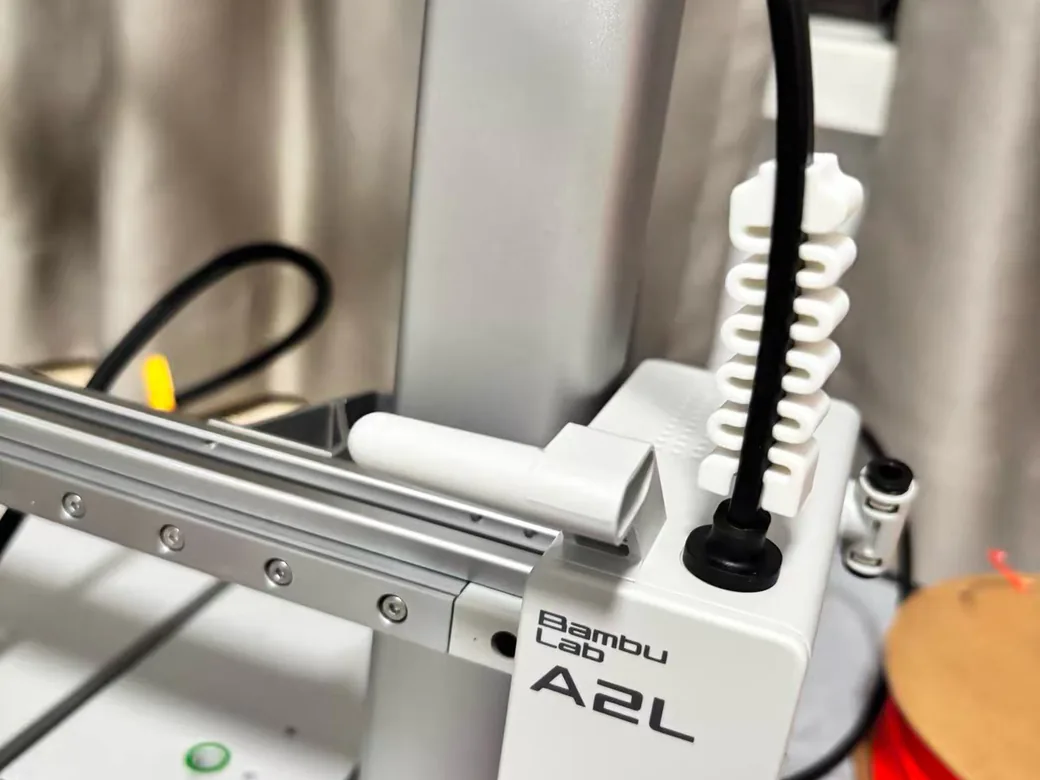
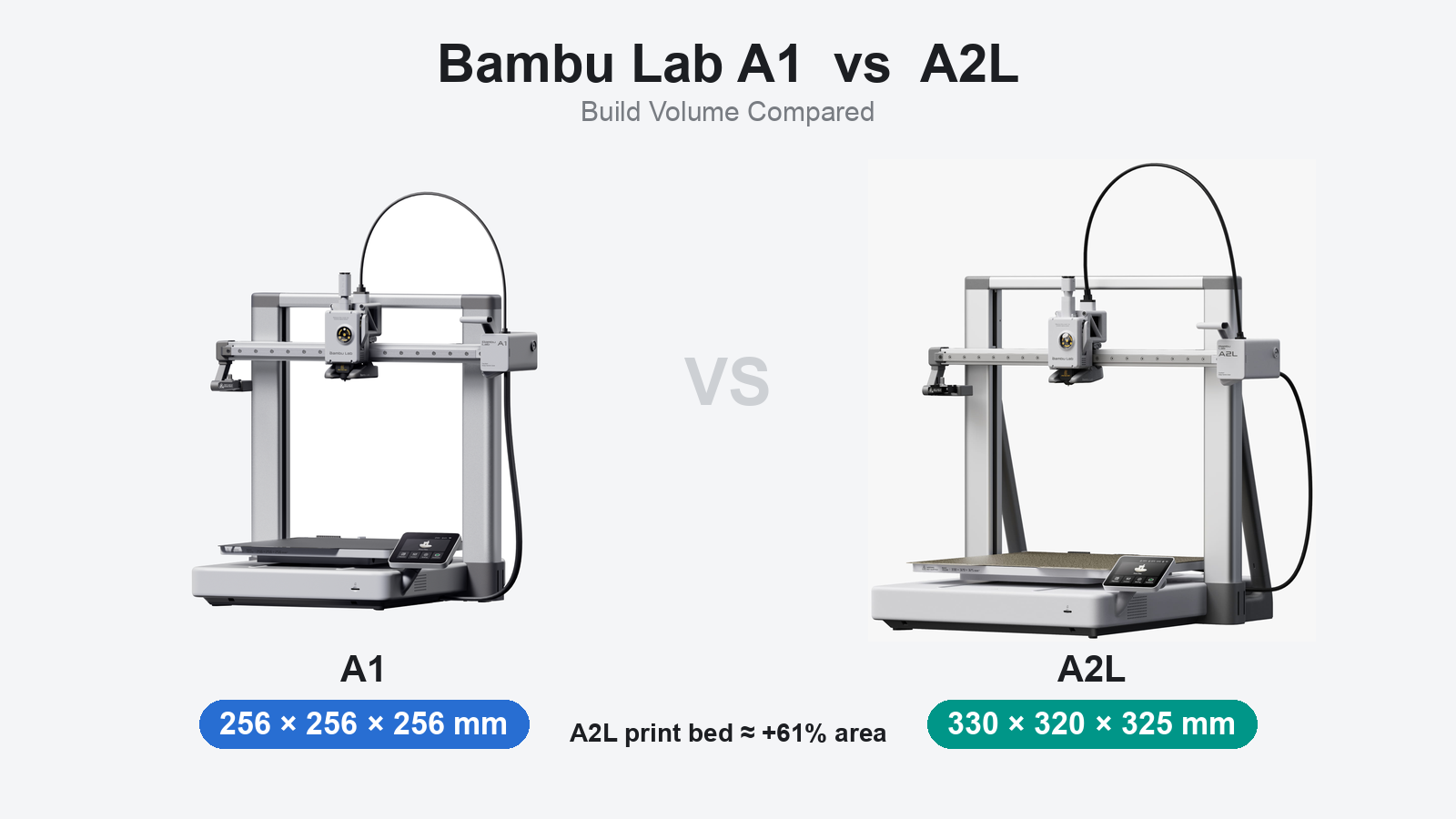
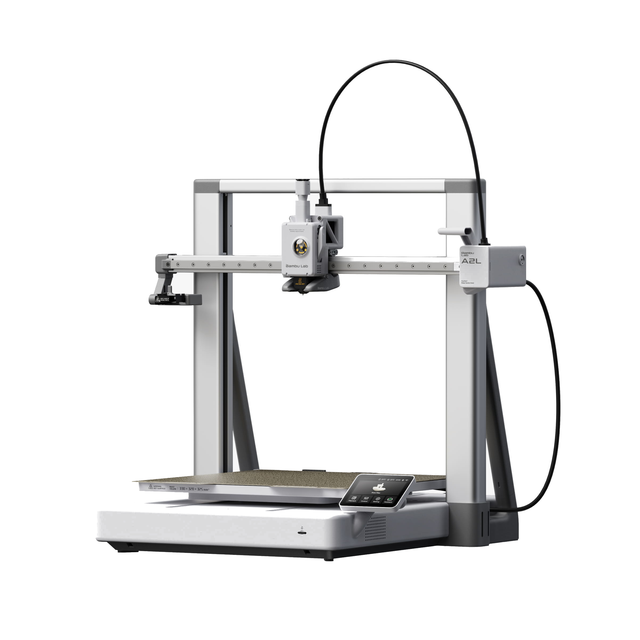
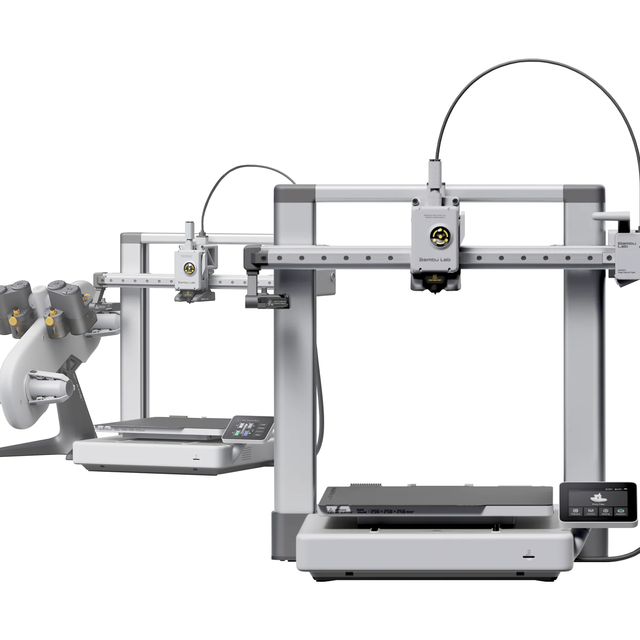
The A2L is an extra-large A-series bed slinger that launched in June 2026. Its build volume jumps 105%, to roughly a foot in every direction. Everything else is an iteration, not a reinvention.
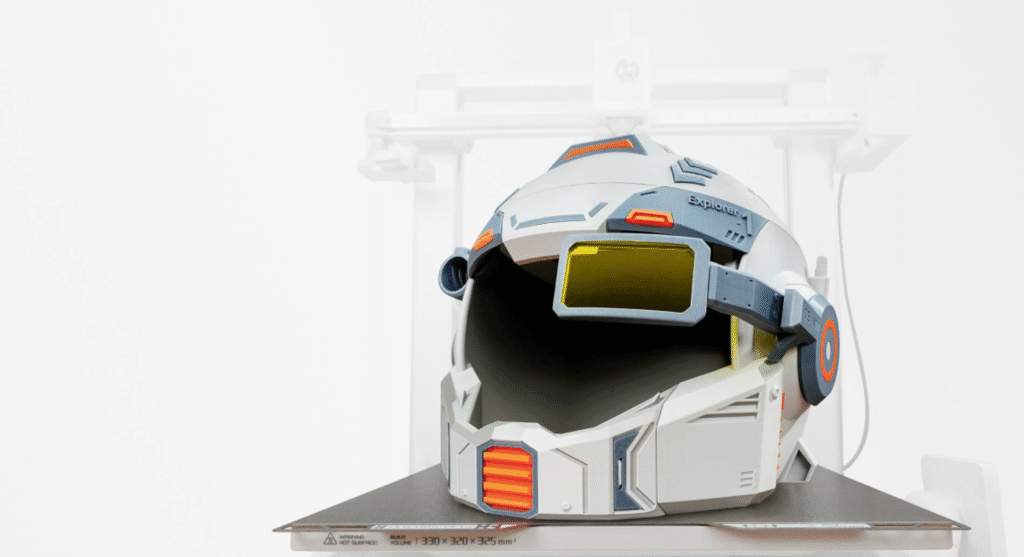
That bigger bed is the headline. You can print a full helmet in fewer pieces, a tall vase in one go, or batch a tray of parts you used to split across two jobs. The plate is shared with the H2C, so accessories and profiles carry over.
Here’s the part the rumor mill got wrong. The A2L is still a single nozzle. The dual-head leaks that spread across Reddit never materialized. If you were holding out for two nozzles in an A-series body, this isn’t that machine, and it would have cannibalized Bambu’s pricier models anyway.
The “2” in the name is mostly marketing. In practice, this is closer to an “A1 L.” That’s not a knock. It just sets the right expectation: you’re buying a proven platform with more room, not a clean-sheet redesign. If you want the real next-gen A-series, the dual-nozzle A2 patent everyone expected tells a different story.
Print Quality on Tall Models: Where the A2L Pulls Ahead
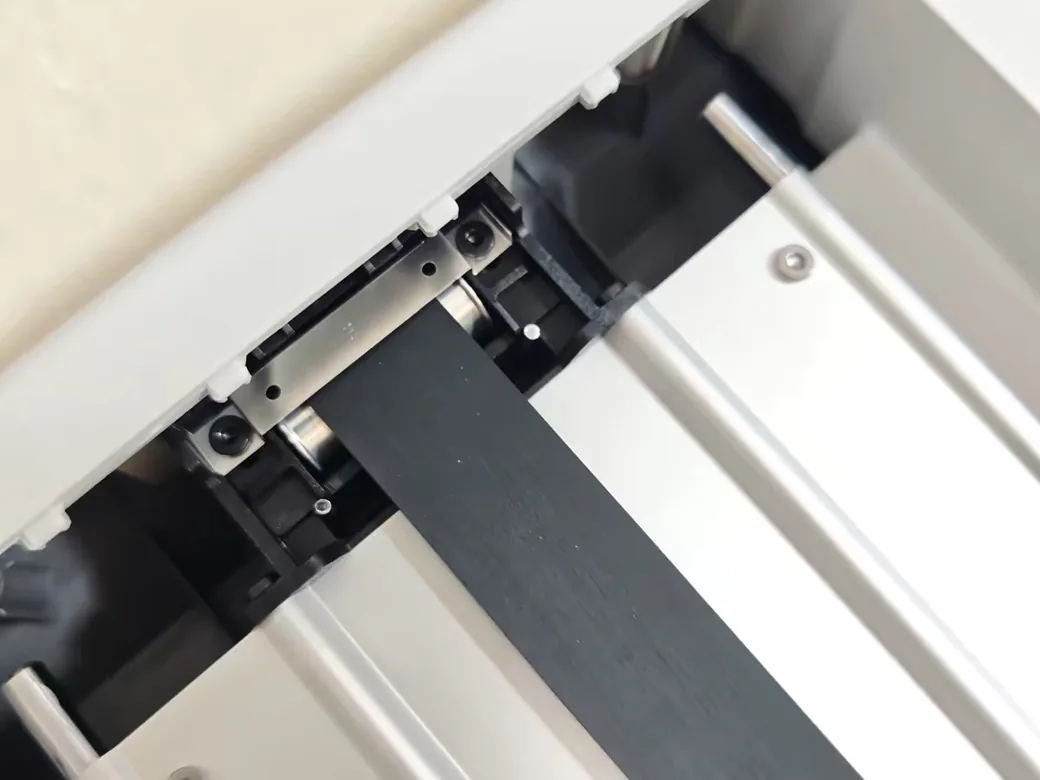
Big bed slingers ring on tall prints. The A2L is the first desktop printer to add adaptive vibration compensation. It noticeably cuts ringing layer by layer, instead of relying only on input shaping calibrated once at the start.
Here’s why this matters. A bed slinger throws the print back and forth on a moving plate, like a metronome that gets heavier and taller with every layer. The taller the model, the more it wobbles, and the more you see those faint echo lines called ringing. That’s the exact problem the A2L’s system is built to manage in real time.
The trick is that the system reads the bed and toolhead conditions in real time and corrects vibration as the print grows taller. Bambu also packed two granular dampers inside the frame. They use the movement of iron sand to absorb resonance, which is unusual hardware for a printer at this price.
On small models, you won’t see much daylight between the A2L and A1. They share the same core motion quality. The gap shows up on tall and wide parts. In hands-on testing, a 325 mm tower printed clean with no layer shifting, which is exactly where a cheaper bed slinger usually starts wobbling.
Two more reliability touches help. Dynamic flow calibration compensates for nozzle wear and damp filament mid-print, and a PMSM servo extruder runs 20,000 checks per second to catch clogs, grinding, and runout. None of this makes the A2L a different class of machine. It just means tall prints fail less often.
Multicolor and Speed: The A2L’s Most Useful Upgrade
Multicolor is where the A2L earns its size. The same multicolor job that takes the A1 about 3 hours 12 minutes finishes on the A2L in roughly 1 hour 45 minutes, with about 18% less wasted filament. AMS support scales all the way to 19 colors.
That speed comes from faster continuous extrusion and a smarter purge routine, so you burn less filament swapping colors. Every color change on an AMS printer flushes the old filament out of the nozzle, and that waste piles up into the little “poop” tower owners know well.
Trimming it by roughly a fifth adds up fast across a big multicolor job. The A2L also has a built-in AMS interface, so you don’t need a separate hub dongle to get started. Pair it with AMS Lite to begin, or step up to AMS 2 Pro when you want filament drying and sealed storage.
This matters because multicolor was the A1’s weak spot against newer rivals. In head-to-head tests, competing bed slingers have beaten the A1 on multicolor speed and waste by wide margins. You can see that pattern in our Creality SparkX i7 vs the Bambu A1 on multicolor breakdown. The A2L is Bambu’s answer, and it closes most of that gap.
One honest cost: power. The A2L peaks around 1022 W versus the A1’s 389 W, and averages roughly 150 W against the A1’s 95 W. It heats faster, but if you print a lot, your electricity bill will notice.


The Cutting and Pen Modules: A Trick the A1 Can’t Match
The A2L isn’t only a printer. Swap in the optional accessories and it becomes a vinyl and cardstock cutter or a pen plotter. The A1 has nothing like this.
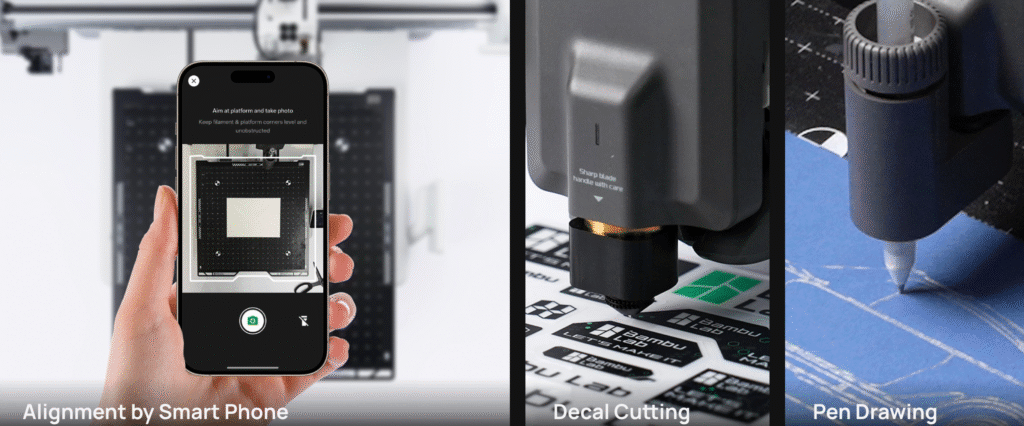
The cutting kit is an optional extra, sold separately from the printer and priced under $100, and it handles materials up to 0.5 mm thick. Think stickers, plus leatherette and cardstock. Swap in the pen module instead and the machine draws cards and line art by pausing for pen changes. High-precision cutting is rolling out through an OTA update rather than shipping fully baked on day one.
Who actually wants this? Classrooms want it. So do hobby crafters and cosplay makers who already lean on the big bed. It turns one desk footprint into a small maker station instead of a single-purpose printer. If large props are your real goal, our guide to the best large-format printers for props and big projects puts the A2L in context against dedicated machines.
It’s a genuine point of difference. Just be clear-eyed: the modules add capability, not print quality. You’re paying for versatility, and only you know if you’ll use it.
Price and What You Actually Get
The A2L lists higher than the A1, and the AMS Lite bundle adds to that. The A1 itself launched at $399 and often dips below on sale, so it stays the value pick. The exact figures sit in the comparison table above. Prices shift constantly, so treat them as a June 2026 snapshot.
Here’s the buying nuance reviewers keep repeating. If you’re choosing between adding the AMS Lite or adding the cutting module, the cutter is the better add-on. AMS Lite is useful. The modules are the thing the A1 simply can’t do at all. If four colors matter more to you than modules, the SparkX i8 is the other A1 rival worth a look.
Step back and the A2L’s real job is filling a gap. It slots between the small A1 and the enclosed, pricier P2S. You get big single-color and multicolor prints without paying for a sealed chamber you may never use. The catch is materials. Its open frame and lower-temperature bed keep it tied to PLA and PETG, plus dry TPU. If you need ABS or ASA, you want an enclosed printer for ABS and ASA instead. Bambu’s cheapest enclosed option is the P1S, and we compared it with the A2L directly.


One Open Issue to Factor In: The A1 Thermistor Reports
There’s one thing about the A1 that doesn’t show up in any spec comparison, and you should hear it before you spend money. Since late 2025, owners have reported the A1’s NTC thermistor overheating, melting nearby plastic, and in a handful of cases catching fire mid-print.
Grant Posner of the repair channel 3D Musketeers measured the sensor at around 140°C, and Gamers Nexus has offered to fund independent failure analysis. Bambu attributes the incidents to external power surges and lightning. Treat this as an open question, not a verdict.
Bambu itself acknowledges that a damaged thermistor can climb to 160°C, hot enough to soften surrounding plastic. The company says the fault is already fixed in newer production, having redesigned the board in late 2025, and it has not issued a formal recall for this issue, though some critics are still pushing for one. That distinction matters most if you’re buying a used or older A1. Owners have also shared interim steps, such as powering the printer off when unattended and keeping it on a non-flammable surface.
Now the balance, because this cuts both ways. The A2L is a brand-new design, and nobody has an independent safety record on it yet, good or bad. So this isn’t “switch to the A2L and you’re safe.” It’s “know this open question exists before you buy an A1.” Either way, you deserve the full picture, not just the marketing one.
What the A2L and A1 Still Share
Strip away the size and the modules and both machines run the same Bambu ecosystem. That’s the real moat, and it’s why people keep buying A-series printers despite stronger specs elsewhere.
You get the same one-click workflow. Find a model on MakerWorld, then send it straight from the Bambu Handy app without touching a computer. Both support AMS multicolor, both slice in Bambu Studio, and both carry UL GREENGUARD certification for indoor air quality on common PLA and PETG. The hardware changed. The experience that made the A1 popular did not.
What the A2L Doesn’t Fix
For all the new tech, the A2L carries over a few of the A1’s weak spots. If you were hoping the bigger machine quietly solved them, it didn’t.
The camera is the clearest example. It’s the same low-resolution unit from the A1, so remote monitoring still looks grainy. The onboard processor wasn’t upgraded either, which is why the live feed runs at a low frame rate and some error detection leans on the cloud rather than the printer itself.
The frame is still open-air, with no enclosure option. That’s fine for PLA and PETG, but it rules out a whole shelf of materials. The bundled AMS Lite also keeps its open design, so filament can absorb humidity unless you store spools properly or step up to the sealed AMS 2 Pro.
None of this is a dealbreaker. It’s just the honest reminder that the A2L grows the A1’s strengths without erasing its compromises. New to the A2L? Here’s how to set one up from the box.
Which Should You Buy?
Most people don’t need to overthink this. Want more room, faster multicolor, or the cutting hardware? Get the A2L. If your prints fit on the A1 and you mostly run single color, the A1 still makes more sense and costs less. If even the A1 feels like more printer than you need, see how the A1 Mini compares to the A2L.
Buy the A2L if…
- You regularly print large or tall models, helmets, or props
- You do multicolor in volume and want the speed and lower waste
- You want the cutting or pen modules for crafts, stickers, or class projects
- You have the desk space for a bigger machine that swings front to back
Stick with (or buy) the A1 if…
- Your budget is tight and your prints fit the A1’s smaller bed
- You print mostly single color and don’t need the modules
- Your current A1 already meets your needs (the A2L won’t transform your results)
- Desk space is limited

Consider something else if…
- You need ABS, ASA, or other engineering materials. Look at the enclosed P2S.
- You want a true dual nozzle for faster multi-material work. Look at the X2D or H2D.
Not sure the bigger machine is worth it at all? Run the numbers with the print cost calculator before you commit.
FAQ
Is the A2L just a bigger A1?
Mostly, yes. It shares the A1’s open-air design and single nozzle, with 105% more build volume. The meaningful additions are adaptive vibration compensation, faster multicolor, and the optional cutting and pen attachments.
How much does the Bambu Lab A2L cost?
Expect $469 for the A2L by itself, or $569 in the AMS Lite bundle, at the time of writing. The cutting kit is a separate add-on, typically under $100. Prices move with promotions, so check current listings before buying.
Does the A2L have a dual nozzle?
No. Despite pre-launch leaks suggesting two nozzles, the A2L ships with a single nozzle. For true dual-nozzle printing, look at the X2D or H2D instead.
Is the A2L worth upgrading from an A1?
Only if you need what it adds. Bigger prints, faster multicolor, or the new modules are the reasons that justify it. If your A1 already handles your projects in single color, the upgrade won’t noticeably improve your everyday results.
Can the A2L print ABS or ASA?
No. The A2L is open-air with an 80°C max bed, so its safe material range stops at PLA, PETG, and dried TPU. ABS and ASA need an enclosed printer with a heated chamber, like the P2S.
What is the A1 thermistor issue, and does it affect the A2L?
It’s a reported defect on existing A1 units. The temperature sensor on the power board can overheat, with documented melting and isolated fires. Independent testers put it near 140°C, while Bambu cites external voltage surges and notes that boards built after its late-2025 redesign no longer use the part. No formal recall has been issued. The A2L is a new design, so there’s no evidence it shares the flaw.
Should I get the A2L or the enclosed P2S?
Choose by material, not size. The A2L gives you a much larger open-air bed for PLA, PETG, and TPU. The P2S is enclosed and handles ABS and ASA, but in a smaller build volume. If you’ll never print engineering materials, the A2L’s space is the better deal. For the full picture, here’s the full A2L vs P2S breakdown.
Related
Still weighing Bambu’s lineup? Our Bambu Lab P2S vs X2D comparison covers the next decision most A-series shoppers face.
CERTAIN CONTENT THAT APPEARS ON THIS SITE COMES FROM AMAZON. THIS CONTENT IS PROVIDED ‘AS IS’ AND IS SUBJECT TO CHANGE OR REMOVAL AT ANY TIME.
Price details
Product prices and availability are accurate as of the date/time indicated and are subject to change. Any price and availability information displayed on Amazon.com at the time of purchase will apply to the purchase of this product.