
I earn a commission if you buy through links on this page, at no extra cost to you. As an Amazon Associate, I earn from qualifying purchases.
You’re staring at a wall of machines, and every reviewer tells you something different. One says buy the cheapest thing that prints. The next says future-proof and spend more.
It’s exhausting, and it’s why so many people stall before they ever start.
Here’s the honest truth most buying guides skip: the single “best” 3D printer doesn’t exist. The right one for you does. And a few people reading this shouldn’t buy one at all.
So this guide on how to choose a 3D printer skips the spec-sheet overload. We’ll sort the decision by who you are and what you make, then point you toward specific picks.
By the end you’ll know which machine fits your situation, and why. Let’s start with the question nobody asks first.
Should You Even Buy a 3D Printer?
Buy a 3D printer if you have a steady reason to make things.
Hold off if you’re chasing a vague “this might be cool.” That one distinction predicts who loves their machine and who lets it gather dust on a shelf.
I’ll give you the uncomfortable side first. One maker I follow called his printer “the most useless purchase” he ever made. He wasn’t entirely wrong. He spent more on filament than on the printer itself.
He hunted for weeks to find a modeling app he could actually use. After the novelty wore off, the machine just sat there.
That story isn’t rare. Three things catch new buyers off guard:
- Hidden costs. Filament, a dry box, spare nozzles, replacement plates: the extras pile up over the first year.
- The modeling curve. Most downloaded models need small tweaks, and tweaking means learning 3D software.
- Creative burnout. The first month is magic. Month three is when you find out if you actually use it.
None of this means don’t buy one. It means buy with clear eyes. Who gets their money’s worth? People who want to fix things around the house. People who make custom parts for a hobby.
Tabletop gamers printing their own minis. Anyone running a small side hustle. For them, a printer earns its keep in both fun and function.
Who regrets it? The person who just likes the idea of a printer. If that’s you right now, wait until you have a real project in hand.
The hobby is far more rewarding when it solves a problem you already have than when you’re inventing problems to justify the purchase.
The 3 Questions That Settle Most of the Decision
Before you look at a single spec, answer three questions. They narrow the field faster than any review can, and they keep you from overbuying.
1. How big do you print? Most consumer printers share a build area around 220 to 256 mm per side. That’s plenty for toys and organizers, plus most household repairs.
You only need a large-format machine for big props, helmets, or single-piece panels that can’t be sliced and glued.
2. What materials do you want? This is the question that quietly decides everything. Printing PLA only? An open-frame printer is fine. Want ABS, nylon, or carbon-fiber blends?
You’ll need an enclosure to hold heat, which moves you up a price bracket. Answer this honestly, because “I might print engineering parts someday” often turns into a year of plain PLA.
Continuous-fiber machines are a different tier again; my FibreSeeker 3 review is where I’d start before putting money down.
3. How many colors or materials at once? Single-color is simplest and cheapest, and it’s where most people start.
For multi-color, you’re looking at a multi-material feeder (like an AMS) bolted to a single nozzle, or a true dual-nozzle machine that costs more.
| Question | If “small / simple” | If “big / complex” |
|---|---|---|
| Build size | 220–256 mm is plenty | Large-format machine |
| Materials | Open frame, PLA | Enclosed, heated chamber |
| Colors at once | Single nozzle | AMS or dual nozzle |
Answer those, and you’ve eliminated most of the catalog before you’ve read a single review.
FDM vs Resin: Which Technology Fits You?
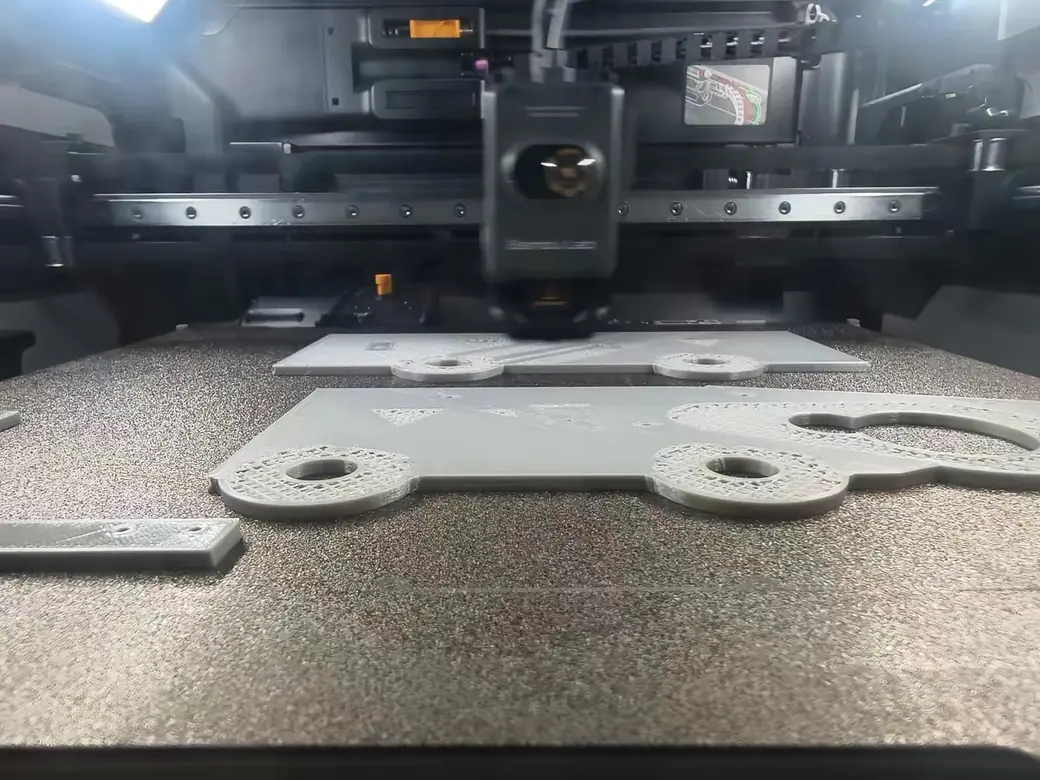
For most beginners, FDM is the right starting point. It handles functional parts, toys, and everyday prints with cheap, forgiving material. Resin wins when you need tiny, ultra-detailed models like tabletop miniatures or jewelry.
FDM is the kind with a spool of filament. It melts plastic and lays it down layer by layer. The process is clean, the workflow is simple, and the material is inexpensive. Resin printing works differently.
It cures liquid plastic with UV light, which gives you stunning surface detail that FDM struggles to match. There’s a full breakdown of how a resin printer works if you want the mechanism before you commit.
Before you romanticize resin, a warning. Resin is messy and a little hazardous. You’ll wear gloves and manage fumes, then wash and cure every single print before you can touch it. Some newer machines cut down the fiddly parts. Formlabs’ $699 Form Studio 1 loads resin from cartridges and ships with tuned profiles, though you still have to wash every print.
It’s a fantastic tool for the right job and a frustrating one for casual use.
| Factor | FDM (filament) | Resin (SLA/MSLA) |
|---|---|---|
| Ease for beginners | High | Medium |
| Detail level | Good | Excellent |
| Mess / cleanup | Low | High (gloves, fumes) |
| Material cost | Low | Higher |
| Best for | Functional parts, toys | Miniatures, fine detail |
If you’re torn, start with FDM. It’s the path of least regret, and you can always add a resin printer later once you know what you love to make.
What Do You Want to Print? (Your Use Case Picks the Machine)
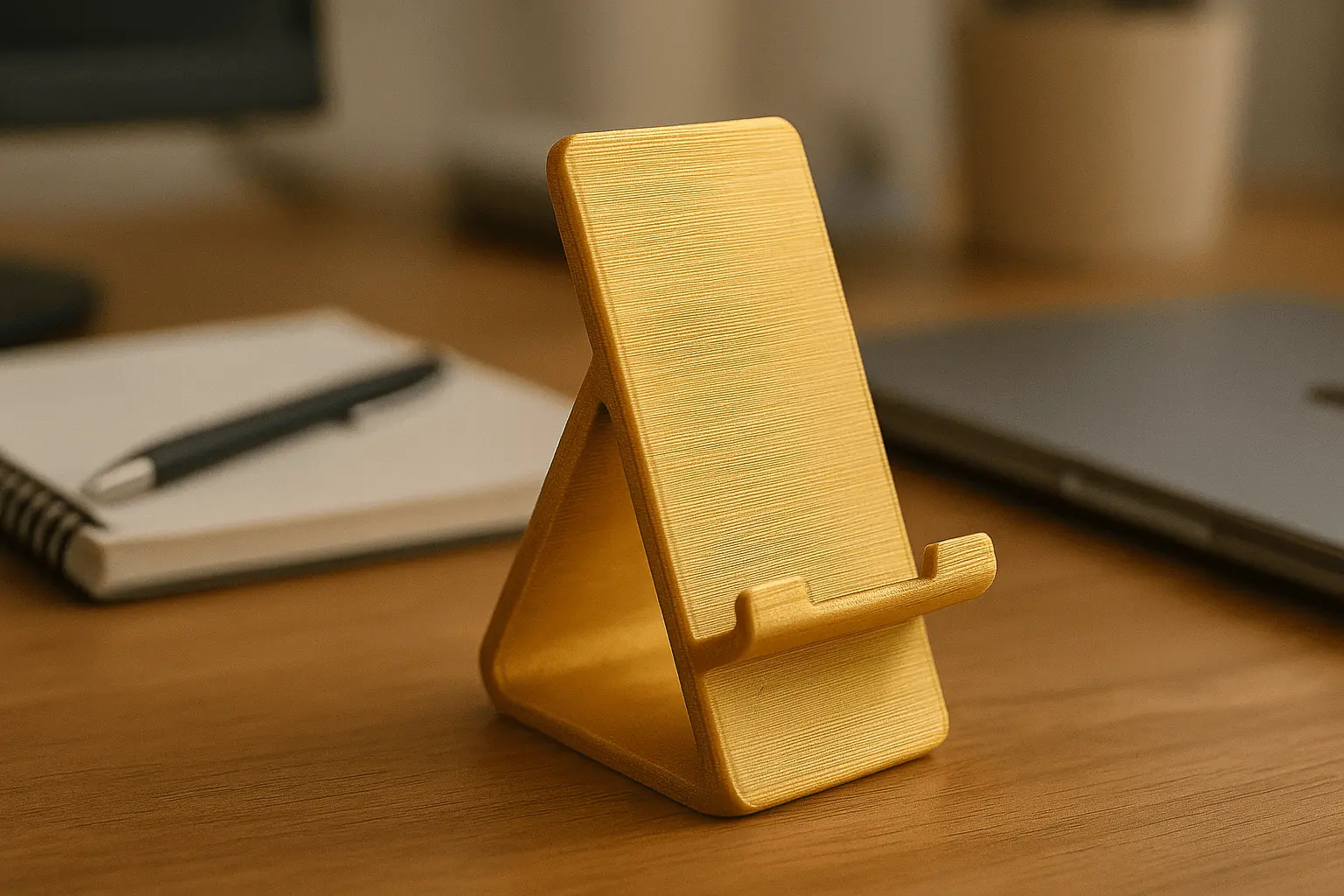
Your projects decide your material, and your material decides your machine. Get that order right and the hardware choice nearly makes itself.
Start with material reality. PLA makes up the vast majority of what beginners print. It’s cheap, dimensionally accurate, and forgiving.
Its weakness is heat: it softens around 50°C, so it’s no good for a car dashboard or anything that bakes in the sun.
PETG steps up to roughly 70°C and is tougher, though it drinks moisture from the air. ABS and ASA handle around 100°C and shrug off impact, but they warp badly without an enclosed, heated chamber.
TPU is your flexible, rubbery option for phone cases and gaskets. Not sure which one fits your projects? Here’s how the five main filaments compare.
Here’s the simple mapping from project to machine:
- Toys, decor, organizers → PLA → an open-frame machine handles it.
- Functional or outdoor parts → PETG or ABS → an enclosed printer.
- Miniatures and fine detail → resin.
Here’s the same material reality in one view:
| Material | Heat resistance | Difficulty | Best for |
|---|---|---|---|
| PLA | ~50°C | Easiest | Toys, decor, prototypes |
| PETG | ~70°C | Easy | Functional, outdoor parts |
| ABS / ASA | ~100°C | Harder (needs enclosure) | Durable, heat-exposed parts |
| TPU | Flexible | Moderate | Phone cases, gaskets |
A quick example. Say you want to print organizers for your desk and a few replacement knobs for the kitchen. That’s PLA and PETG work, and an entry-level open or enclosed FDM machine covers it completely. No flagship required.
One more sizing note before you commit: size the machine to your largest regular project. Sizing down to save desk space is the buyer’s remorse story that comes up most often.
It’s easier to leave extra build volume unused than to discover your machine is a size too small for the projects you actually reach for.
Picking that first spool is its own small rabbit hole. The filament picker tool walks you through it in a minute. For brand-by-brand recommendations, our guide to the best filaments for beginners covers what’s genuinely worth buying.
The Specs That Actually Matter (and the Ones That Don’t)
Five things move the needle when you choose a printer. The rest is marketing noise. Spend your attention here and ignore the bullet points designed to make a spec sheet look busy.
Build volume. Bigger isn’t automatically better. A large bed costs more, eats desk space, and heats slower.
A spec sheet doesn’t always match the plate either, which is exactly what trips people up with the Ender 3 bed size.
Buy for what you print week to week, not for the one giant project you might attempt and abandon. If a giant build volume really is the goal, see the best large-format printers.
Enclosure and heated chamber. This is the gatekeeper for materials. No enclosure means you live in PLA and PETG. An enclosure unlocks ABS, ASA, and the engineering filaments, because it holds the heat those plastics need to bond without warping.
Speed versus true reliability. Spec sheets love big speed numbers, so ignore them. A reliable printer running at 200 mm/s beats a flaky one rated for 600 mm/s. Why?
Because a failed print at hour six is the most expensive print of all, and speed means nothing if you’re re-running the job.
Plug-and-play versus DIY kit. A pre-assembled machine has you printing within an hour. A kit teaches you the guts of the machine but invites day-one mistakes like a misrouted cable or a missed screw.
For a first printer, assembled is the calmer choice every time.
Quality-of-life features. Auto bed leveling does the fiddliest setup step for you. A filament runout sensor pauses a print instead of ruining it. An onboard camera lets you watch from another room. These aren’t gimmicks.
They’re the difference between babysitting prints and trusting them, so don’t trade them away for headline speed.
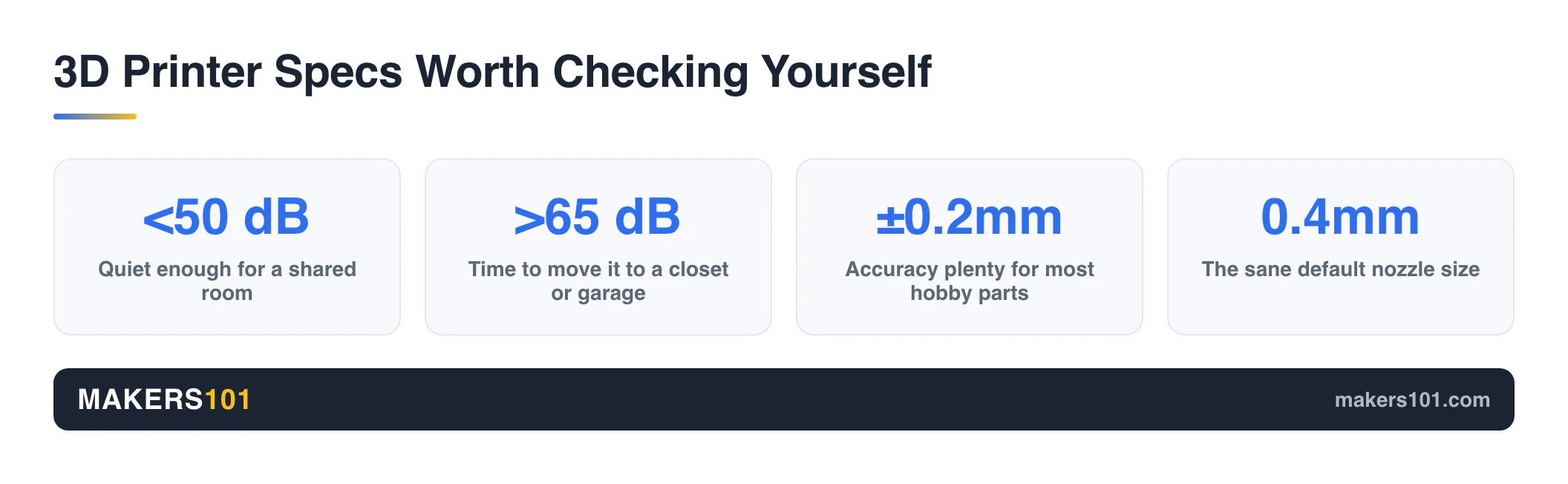
Three more things worth checking yourself instead of trusting the spec sheet: noise, accuracy, and nozzle size.
Running noise under roughly 50dB is fine for a shared room; above 65dB and you’ll want it in a closet or garage.
Dimensional accuracy in the ±0.2mm range is plenty for most hobby parts, and you only need tighter tolerances for pieces that have to mate with other hardware.
Nozzle diameter is a trade-off you pick to match the job: 0.4mm is the sane default, 0.2mm buys finer detail at a real speed cost, and 0.6 to 0.8mm trades detail for faster prints on bigger, chunkier parts.
Why the Ecosystem Matters More Than the Spec Sheet
A printer is only as good as the software, app, and support wrapped around it. This is the factor beginners underrate the most, and the one experienced makers rank above almost everything else.
A kid-first app can make or break it, which is what stood out on the ugee Funbox. After you pick the machine, the next decision is software. This guide walks through the best slicer for each printer type.
Think of it like a toaster. The best modern machines are that simple: open the box, plug in, and print.
One reviewer who runs a print farm of around 60 first-generation machines, with hundreds of thousands of print hours logged on them, calls his “bulletproof.”
That kind of dependability comes from a mature ecosystem, not from any single line on a spec sheet.
A good ecosystem means the slicer, the app, the spare parts, the filament: they all just work together. You can browse a model library on your phone and start a print straight from the app.
Once you’re set up, the best STL file sites give you millions of free models to start with. You often don’t even need a computer to begin.
For a nervous beginner, that cohesion works like a warm security blanket while you learn the ropes.
There’s a trade-off worth naming. Tighter ecosystems tend to be more closed, with proprietary parts and cloud-based features. More open machines hand you freedom but ask for more tinkering in return. Neither approach is wrong.
You just need to know which one you’re buying into, and whether that bet is still paying off a year later.
Ecosystems aren’t static: Bambu Lab built its early reputation on every printer sharing a 256mm cube build volume, a standard third-party model creators designed around.
Its newer, larger machines have splintered into four different build volumes and two bed sizes, and some owners have run into locked-down firmware or cloud features tied to a company’s own servers.
None of that makes a printer a bad buy.
It just means the “ecosystem” you’re evaluating today can shift.
So check whether the slicer you’ll actually use is tied to one vendor’s cloud or works fine offline with open tools, and look at how the brand has handled past changes before you commit.
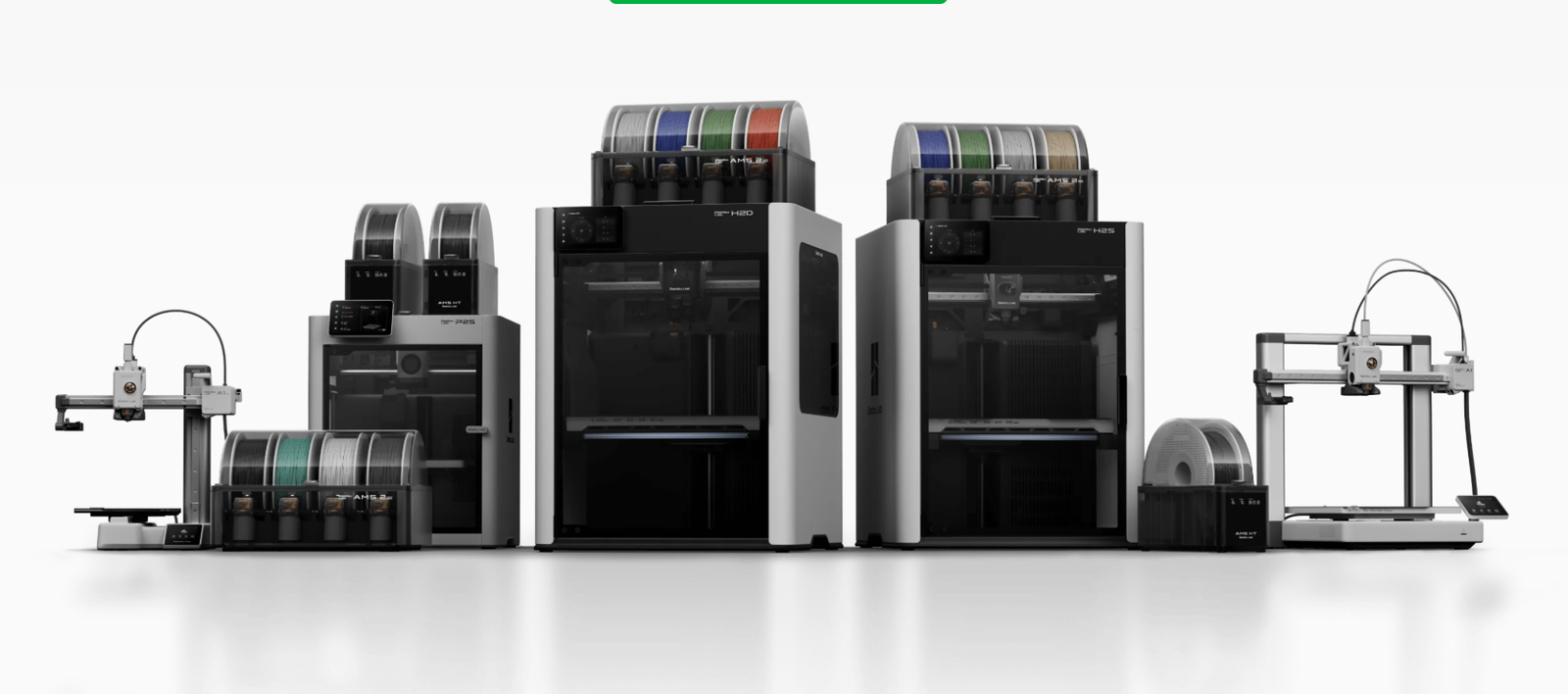
If you’ve narrowed in on one popular ecosystem, our guide on how to pick the right Bambu Lab printer breaks that lineup down model by model.
What About Toolchangers?
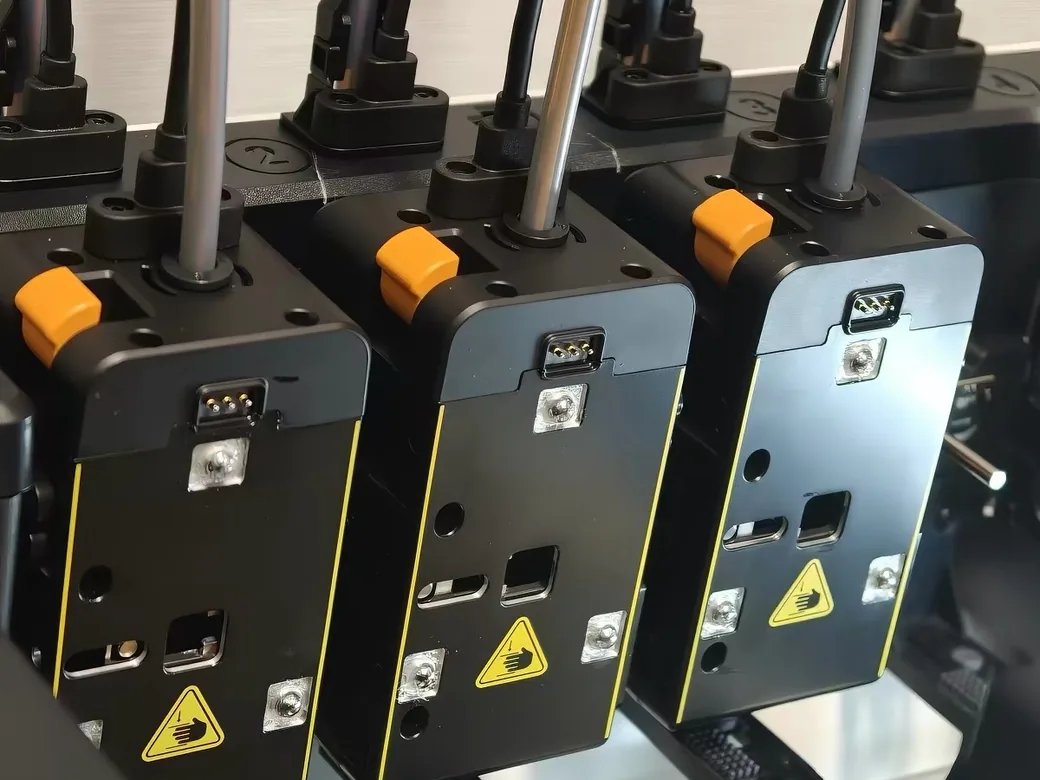
There’s a newer third path for multi-color printing beyond a single nozzle or an AMS-style feeder: toolchangers, which swap between several dedicated print heads instead of feeding different filaments through one nozzle.
Machines like the Snapmaker U1, which shipped at $899 after a record-setting Kickstarter, use this approach to cut down on the color bleed and purge waste that filament-switching systems produce.
It’s a pricier, more mechanically complex option, and not something a first-time buyer needs to chase.
But if multi-color is a priority and you’ve outgrown the waste and swap times of an AMS-style setup, it’s worth knowing this category exists before you assume AMS is the only upgrade path.
Our toolchanger vs enclosed AMS comparison goes deeper on the trade-offs.
How Much Should You Spend? (Budget Tiers + Who Each Is For)
Three price tiers cover almost everyone. Match the tier to your situation, not to the most impressive machine your credit card will allow.
- Entry tier. Your first printer, a gift, or a dependable PLA-and-PETG workhorse. Low financial risk and genuinely capable today.
- Mid-range. The reliable daily-driver sweet spot for most people. Usually enclosed, and packed with the quality-of-life features that make printing painless.
- Professional. Large parts and print farms, plus heavy multi-color work. Most hobbyists never need to come here.
| Tier | Price (USD) | Best for |
|---|---|---|
| Entry | $200–$500 | First printer, gifts, PLA/PETG |
| Mid-range | $500–$1,000 | Reliable daily driver, most people |
| Professional | $1,000+ | Large parts, farms, pro multi-color |
Prices are current as of September 2026 and shift often with sales, so check before you buy.
For a true beginner on a sensible budget, the entry tier is where I’d start. You get a capable machine without betting much money on a hobby you’re still testing.
And once it arrives, a few must-have accessories matter more than you would think.
My entry-tier picks, cheapest first:


If you can stretch into the mid-range, you’re buying years of low-fuss printing and fewer reasons to upgrade later. If you do start budget, we sorted out the upgrades that actually pay off.
Firmware is part of that decision too, so see our Klipper vs Marlin firmware guide before you plan a later upgrade.

Want specific models ranked at each price point? Our roundup of the best 3D printers for beginners and our picks for the best budget 3D printers under $300 and $500 do the legwork for you.
The True Cost of Ownership (Beyond the Sticker Price)
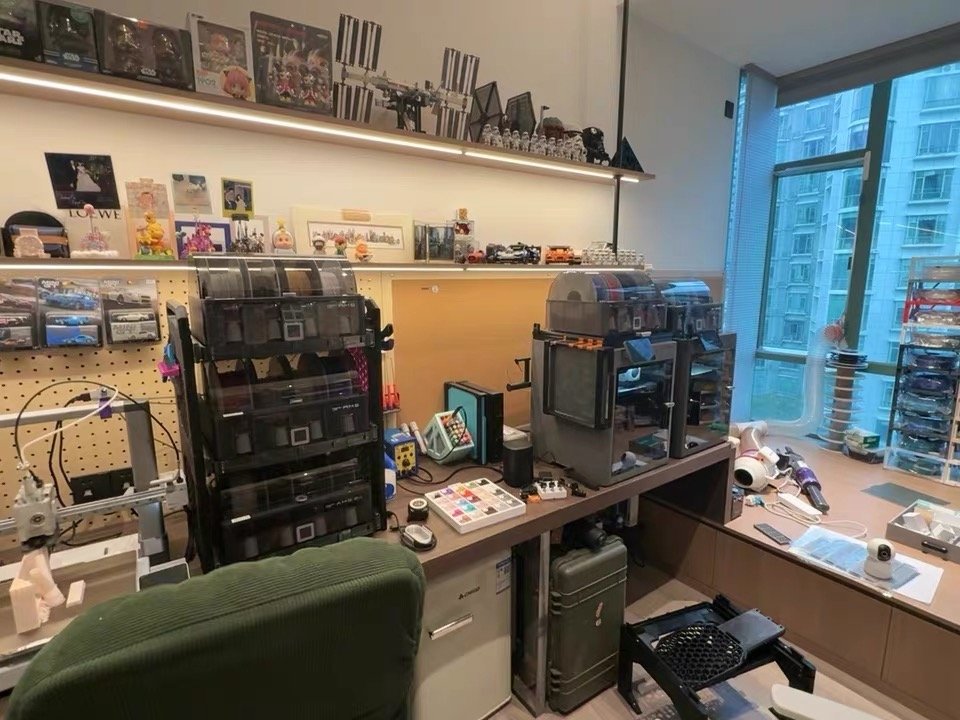
The printer is the down payment. Everything after it is the mortgage. Budget for both before you buy, or the “cheap” machine surprises you three months in.
A spool of PLA runs about $20 to $25, and specialty colors or finishes cost more. Plan to buy filament regularly, because you’ll burn through it faster than you expect. Then there’s storage.
PETG and nylon absorb moisture from the air, which ruins print quality, so a dry box or sealed bins with desiccant become real purchases rather than nice-to-haves.
Add a few smaller line items. Spare nozzles wear out. Build plates get scratched. Electricity ticks up a little. And failed prints, while rare on a good machine, still cost you.
Filament is cheap, but your time is not, and a reliable printer earns back its price in the prints you never have to redo.
Want to sanity-check the real number before you commit? The print cost calculator factors in filament and running costs, not just the sticker on the box.
Common Mistakes to Avoid (Don’t Buy If…)
Most buyer’s remorse traces back to a short list of avoidable mistakes. Skim these before you check out.
- Don’t pay for dual-nozzle or extreme speed you won’t use. If you print single-color most of the time, that complexity is a cost, not a feature.
- Don’t buy the bare printer when multi-color matters. Get the version with the multi-material unit from day one. It’s the upgrade people regret skipping the most.
- Don’t buy the newest model just because it launched. A proven mid-range machine beats a pricier, unproven flagship for most home users.
- Don’t buy at all if you’re only curious. Circle back to that gut-check. Without a project in mind, the smartest move is to wait.
Frequently Asked Questions
What’s the best 3D printer for a complete beginner?
For most beginners, a reliable, easy-to-use FDM printer in the entry-level range is the best starting point. Look for auto bed leveling and a strong ecosystem rather than headline speed. You’ll learn the basics without fighting the machine, and you won’t outgrow it for a long time.
How do I choose a 3D printer for the first time?
Start by sorting your needs into three buckets: how large your prints get, which materials you’ll use, then whether color matters. Those answers shrink your options quickly. From there, match a budget tier to your situation and lean on the ecosystem for support.
FDM or resin for a beginner: which should I start with?
Start with FDM. It’s cleaner, the material is cheaper, and it handles the widest range of everyday prints. Choose resin only if your main goal is tiny, ultra-detailed models like miniatures, and you’re prepared for the gloves and fumes that come with it.
How much should I spend on my first 3D printer?
Plan for the entry-level range for the machine, plus another $50 to $100 for starter filament and basic accessories. That gets you a genuinely capable printer today. Spending more makes sense only when a specific need like size, exotic materials, or multi-color justifies the jump.
Do I need a computer to run a 3D printer?
Not always. Many modern printers let you browse a model library and kick off a print from a phone app. You’ll still want a computer eventually for custom modeling and advanced slicing, but you can absolutely get started without one.
How do I pick a 3D printer that’s reliable long-term?
Prioritize a mature ecosystem and a proven track record over raw specs. Reliability comes from solid engineering and software you can trust, plus easy access to replacement parts. Read owner reviews that focus on uptime, and favor machines that have been on the market long enough to earn their reputation.
Do 3D prints come out finished, or do they need post-processing?
FDM prints are usually usable right off the bed, though you may snip away supports or sand a rough surface. Resin prints always need washing and curing before use. Factor that extra step, and the supplies it takes, into your decision. If you do want that showroom finish, here’s how we take a raw print all the way to painted.
The Bottom Line
Choosing a 3D printer comes down to three moves. Match the machine to what you’ll actually print. Budget for what it costs to feed, not just what it costs to buy.
And lean on a strong ecosystem so the thing keeps working long after the novelty fades.
Get those right and you won’t just buy a good printer. You’ll buy the one you keep using a year from now.
When you’re ready to compare specific models, the scenario guides linked above will carry you the rest of the way.
CERTAIN CONTENT THAT APPEARS ON THIS SITE COMES FROM AMAZON. THIS CONTENT IS PROVIDED ‘AS IS’ AND IS SUBJECT TO CHANGE OR REMOVAL AT ANY TIME.
Price details
Product prices and availability are accurate as of the date/time indicated and are subject to change. Any price and availability information displayed on Amazon.com at the time of purchase will apply to the purchase of this product.