
Heads up — some of the links below are affiliate links. If you buy through them, I earn a small commission (at no extra cost to you), which helps cover the gear I test. Thanks!
- The best 3D printer for nylon and carbon fiber is the Bambu Lab X2D: a 65°C heated chamber, a stock hardened nozzle, and CF-ready printing out of the box.
- On a tight budget, the Creality K1C handles carbon fiber nylon straight off the shelf. For the best value, the Elegoo Centauri Carbon gets you most of the way for a fraction of the price.
- Three things separate a CF-capable machine from a regular one: a hardened steel nozzle, a direct extruder with a straight filament path, and an enclosure (a heated chamber for the high-temp stuff).
- Carbon fiber chews through brass nozzles. Nylon drinks moisture from the air. Drying and a hardened nozzle are not optional.
- Short on cash? Upgrading an enclosed printer you already own is often cheaper than buying a dedicated CF machine. We do the math at the end.
Table of Contents
- You Don’t Need an Industrial Machine, But You Can’t Just Use Any Printer
- What a 3D Printer Actually Needs to Handle Nylon & Carbon Fiber
- At a Glance: Nylon & Carbon Fiber Printers Compared
- 1. Bambu Lab X2D: Best Overall for Nylon & Carbon Fiber
- 2. Creality K1C: Best Budget Enclosed CF Printer
- 3. Creality K2 Pro: Best for Multicolor Carbon Fiber Parts
- 4. Elegoo Centauri Carbon: Best Value
- 5. QIDI Plus4: Best for High-Temp Carbon Fiber
- 6. QIDI Q1 Pro: Best Budget Heated Chamber
- 7. Bambu Lab P1S: Best Bambu Value (With an Upgrade Path)
- 8. Prusa CORE One: Best Build Quality & Open Ecosystem
- 9. Markforged & Raise3D: Best for Continuous Fiber & Professional Use
- Chopped vs. Continuous Carbon Fiber: Which Do You Actually Need?
- How to Actually Print Nylon & Carbon Fiber (Without Wasting Filament)
- Can You Upgrade an Existing Printer for Carbon Fiber?
- Don’t Buy If…
- Frequently Asked Questions
You Don’t Need an Industrial Machine, But You Can’t Just Use Any Printer
You bought a roll of carbon fiber nylon. You loaded it. You got a clog, a snapped strand, or a part that warped off the bed by hour two.
That frustration is normal. Nylon and carbon fiber are the materials that expose a printer’s weak spots. Most guides hand you a list of machines and skip the part that actually matters: why some printers sail through these filaments and others fight you the whole way.
Here’s the honest version. You don’t need a $17,000 industrial system to print strong functional parts. But you can’t grab the nearest budget printer either. There’s a real hardware bar to clear, and once you know what it is, the shopping gets simple. If you are looking at continuous fiber instead of chopped CF filament, I broke down the current FibreSeeker 3 buying picture separately.
I’ve pulled together nine machines that clear that bar, from budget to professional. For each one, you’ll get what it’s good at, where it cuts corners, and who should actually buy it. Last updated June 2026.
What a 3D Printer Actually Needs to Handle Nylon & Carbon Fiber
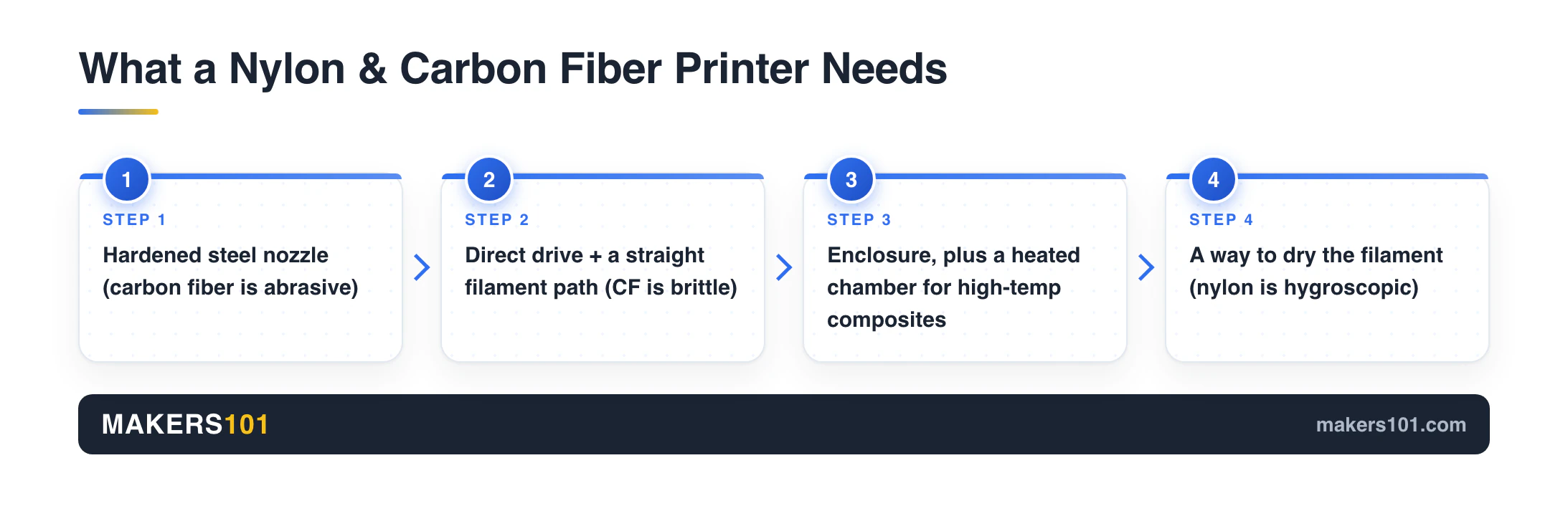
Before any model names, learn the four things that decide whether a printer can run these filaments. Miss one and you get snapped strands, chewed nozzles, or warped parts. Get all four and even a budget machine performs.
A hardened steel nozzle (carbon fiber is abrasive)
Carbon fiber filament is brass-nozzle poison. Those tiny chopped fibers act like sandpaper running through your hotend. A standard brass nozzle wears out fast, and once the bore widens, your dimensions drift.
You want a hardened steel nozzle, or tougher. This is the single most repeated rule among people who actually print this stuff. It comes up in every experienced builder’s advice and on the Prusa forums, where users swap to hardened steel or tungsten carbide before touching carbon fiber.
One field note worth knowing: a 0.4mm nozzle can clog over time with abrasive filament. Plenty of CF veterans size up to 0.6mm for more reliable flow. Bigger bore, fewer headaches.
A direct extruder and a straight filament path (carbon fiber is brittle)
Carbon-filled filament is stiffer and more brittle than regular PLA. It does not like tight bends. Force it around a sharp curve and it snaps, usually mid-print, usually when you’ve walked away.
A direct drive extruder helps because the filament travels a short, controlled path into the hotend. Some makers go further. One CF printer I read up on dedicates a Creality K1C to carbon fiber and top-mounts the spool so the filament feeds straight down. Straight path, no drama.
This brittleness problem is sneaky. It shows up as a “random” failure that’s actually a kinked tube or a tight bend you didn’t notice. Keep the path as straight as you can.
An enclosure (and a heated chamber for the hot stuff)
Nylon warps as it cools. An enclosure traps heat and keeps the part stable. For many carbon fiber nylons, a passive enclosure is enough. One budget enclosed machine I looked into held a chamber around 36-37°C with no active heater, plenty for tricky materials.
But filaments are not all the same, and this is where buyers overspend or underbuy. Match the machine to the material:
- CF-PLA, CF-PETG: No chamber needed. Any enclosed printer wearing a hardened nozzle handles them.
- PA-CF (carbon fiber nylon): An enclosure is strongly recommended. A mild active chamber helps a lot.
- PPS-CF, PPA-CF (high-temp composites): You need an actively heated chamber paired with a 350°C-plus nozzle. This is the deep end.
Not sure which material your machine can handle? Our filament picker tool helps you match your filament to the right machine.
Can it dry the filament? (nylon is thirsty)
Nylon and carbon fiber composites are hygroscopic. They pull moisture straight out of the air, and wet filament prints badly. You get popping, stringing, weak layers, and a rough surface.
You’ll want to dry these filaments before every serious print. Manufacturers of PPA carbon fiber suggest drying at 100-140°C, though many hobby dryers top out lower. The Prusa forum consensus is simpler for basic nylon: an overnight dry usually does it. Only a few dryers even reach nylon temps, and we sorted them in our dryer buying guide.
A printer with a heated bed you can use as a makeshift dryer, or good filament-drying habits, will save you a lot of failed prints. If you want the full routine, our guide on the best carbon fiber and nylon filaments covers brand-by-brand drying needs.
At a Glance: Nylon & Carbon Fiber Printers Compared
Every printer below clears the hardware bar. The table is built so each row stands on its own. Prices are ballpark, as of June 2026, and shift with sales.
| Printer | Best For | Max Nozzle / Chamber | Hardened Nozzle Stock? | Price (approx.) |
|---|---|---|---|---|
| Bambu Lab X2D | Best overall, CF-ready out of box | 300°C / 65°C active | Yes | $649 ($899 combo) |
| Creality K1C | Best budget enclosed CF printer | 300°C / enclosed | Yes | ~$429-559 |
| Creality K2 Pro | Best for multicolor CF parts | 300°C / enclosed | Yes | ~$499 |
| Elegoo Centauri Carbon | Best value | 320°C / passive enclosure | Yes | ~$319 |
| QIDI Plus4 | Best for high-temp CF (PPS-CF) | 370°C / 65°C active | Yes | ~$699-799 |
| QIDI Q1 Pro | Best budget heated chamber | 350°C / 60°C active | Yes | ~$449-599 |
| Bambu Lab P1S | Best Bambu value, upgrade path | 300°C / enclosed | No (upgrade) | ~$399 |
| Prusa CORE One | Best build quality, open ecosystem | 290°C (400°C optional) / ~55°C active | No (add hardened) | ~$1,199 |
| Markforged / Raise3D | Continuous fiber, professional | Pro-grade | Industrial | $2,500-17,500+ |
1. Bambu Lab X2D: Best Overall for Nylon & Carbon Fiber
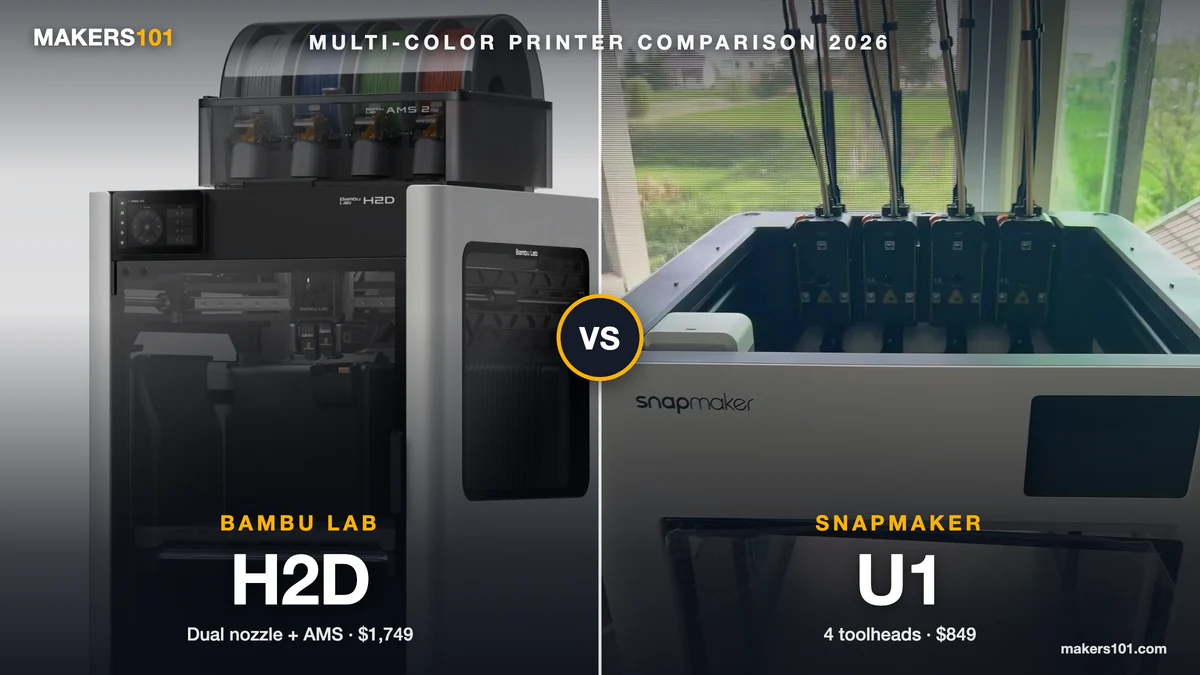
If you want one machine that prints carbon fiber nylon the day it arrives, the X2D is it. It pairs a 65°C heated chamber with stock hardened nozzles, so there’s nothing to upgrade before your first CF roll.
The X2D is Bambu’s successor to the much-loved X1 Carbon, and it keeps the formula that made the X1 family a default recommendation: hardened parts on day one, no tinkering. The whole X2, H2, and P2 family now shares quick-swap hardened-steel nozzles, so spares are easy.
Specs:
- Dual-nozzle CoreXY, fully enclosed
- 65°C heated chamber (active)
- 300°C max nozzle, stock hardened quick-swap
- Handles CF-filled PA and PC out of the box
- Truly CF-ready with zero upgrades
- Active heated chamber, not just a passive box
- Mature Bambu software and ecosystem
- Nozzle tops out at 300°C, so the heaviest PPS-CF is off the table
- Premium price versus budget enclosed machines
Best For: Buyers who want carbon fiber nylon to just work, and who don’t want to think about upgrades.
Nik’s Take: The X2D is the “put it in a friend’s hands” pick. The one caveat to be honest about: its nozzle ceiling covers carbon fiber PLA, PETG, ABS, ASA, and CF nylon, but not the highest-temp composites like PPS-CF. For that you’ll want the QIDI Plus4 below. For everything most makers actually print, the X2D removes the friction. It just works. Read our full X2D review and specs for the deeper dive.
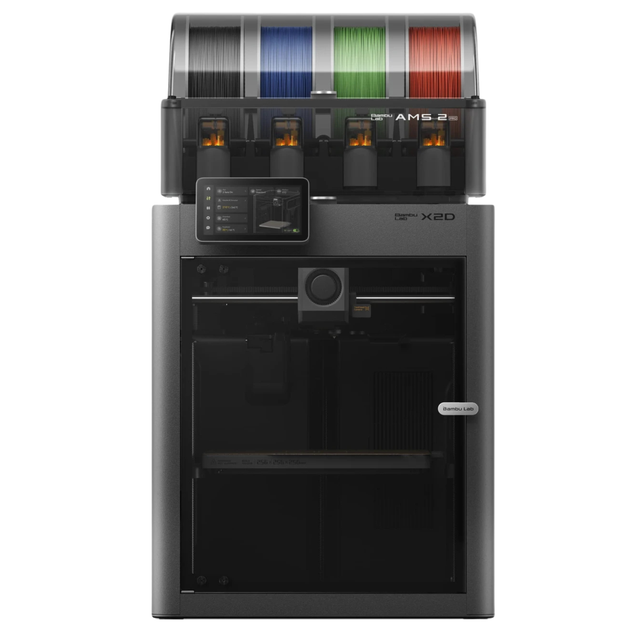
- Fully enclosed CoreXY 3D printer with an active-heated chamber for warp-prone engineering filaments.
- Hardened hotend rated for abrasive carbon-fiber and glass-filled materials.
- Ships as a Combo with a multi-material unit for multicolor and multi-material printing.
2. Creality K1C: Best Budget Enclosed CF Printer
The K1C is the machine that made carbon fiber nylon affordable. It ships with a hardened 300°C hotend and an enclosure, so abrasive filaments are in scope at a budget price.
This is one I dug into closely through a month-long hands-on review by another builder, and the takeaways are specific. The hotend is a quick-swap tri-metal design: a steel tip, a copper heat block, and a titanium alloy heat break. Out of the box it printed Polymaker’s Fiberon PA612-CF carbon fiber nylon at 300°C cleanly, after drying.
The same review found carbon fiber PLA printed beautifully with the bundled profiles, a matte finish straight off the plate. Setup to first print was about 20 minutes, with auto bed leveling and input shaping on first power-on.
Specs:
- Direct-drive CoreXY, enclosed
- 220 x 220 x 250mm build volume
- 300°C hotend, stock hardened tri-metal nozzle
- Up to 600mm/s, activated carbon filter
- Hardened hotend and enclosure at a budget price
- Genuinely hands-off setup
- Proven on real carbon fiber nylon, not just spec-sheet claims
- No active heated chamber, so high-temp composites are out
- A known quirk with brittle filament (see below)
Best For: First-timers and budget builders who want carbon fiber nylon without upgrades or fuss.
Nik’s Take: Here’s the one gotcha that month of testing surfaced. The default start G-code prints a purge line at the far left, and the cable chain can push the lid and kink the Bowden tube, which snapped brittle carbon fiber nylon. PLA and PETG were fine. The fix is easy: edit or remove that purge line in your slicer’s start G-code. Annoying, but a five-minute fix. And worth knowing before you blame the filament.
- 【CoreXY, 12X Faster Performance】The Creality K1C 3D Printer utilizes an advanced CoreXY system with 600mm/s printing speed and 20000mm/s…
- 【Enhanced Direct Extruder with Tri-metal Nozzle】Equipped with a clog-free direct extruder and a tri-metal Unicorn nozzle, the K1C handles…
- 【One-tap Auto Calibration with Reduced Vibration】With a single tap, the K1C auto-calibration system accurately levels the bed. Its dynamically…
- 【AI Camera for Real-time Monitoring】The built-in AI camera enables continuous real-time monitoring, detecting foreign objects or malfunctions…
- 【Quiet Operation with Efficient Filtration】K1C features an effective air purification system using activated carbon to remove odors and particles…
3. Creality K2 Pro: Best for Multicolor Carbon Fiber Parts
Want carbon fiber strength and multiple colors? The K2 Pro is the step up from the K1C. It’s an enclosed CoreXY with Creality’s CFS multi-material system, and it ships hardened for abrasives.
I verified the part that matters for this guide: the K2 Pro comes with a hardened steel nozzle tip (a copper-alloy and hardened-steel composite with a titanium throat) and is rated for PA-CF out of the box at 280-300°C. So you’re not giving up carbon fiber capability to get color.
The multicolor side runs through the CFS system, plugging in 4 to 16 colors on the Combo version. The single-machine version needs the CFS added separately, so check which bundle you’re buying.
Specs:
- CoreXY with a 260mm cube build, enclosed
- 300°C max nozzle, stock hardened steel
- CFS multi-color (4-16 colors via Combo)
- Fast CoreXY speeds, AI camera and auto leveling
- Hardened and PA-CF ready out of the box
- Multicolor plus carbon fiber in one machine
- Roomier enclosed build area than the K1C
- Multicolor needs the CFS, often the pricier Combo
- 300°C nozzle, so no high-temp composites
Best For: Makers who want functional CF parts and multicolor models from the same printer.
Nik’s Take: Most CF printers force a choice between strength and color. The K2 Pro is the rare machine that does both without dropping the hardened nozzle. If your projects mix functional brackets with multicolor display pieces, this is the efficient pick. One machine, two jobs.
- Multicolor 3D Printing: 4 × CFS for up to 16 colors. By hooking up as many as four CFS units together, you are able to print in the splendor of…
- Ultra Quiet Printing: Silent Mode for a quieter printing experience. Annoyed by the buzzing noise? Not K2. By adopting step-servo motors and…
- Out-of-the-Box Experience: Pre-assembled for plug and play. You can use K2 right after unpacking and screen installation. Unlocks a wider selection of…
- Smart Auto Leveling & AI Camera: Faster leveling of only the target print area. The leveling sensor only probes and levels the bed area relevant to…
- Superior Print Quality: Sturdy frame and precise step-servo motor system. K2 uses 3 step-servo motors, both in the extruder and on the X/Y axis. They…
4. Elegoo Centauri Carbon: Best Value
The Centauri Carbon is the value shock of this list. An enclosed machine, a hardened nozzle, a genuinely hot hotend, all at a price that undercuts the field. If budget is your first filter, start here.
I leaned on two hands-on reviews for this one, including a head-to-head against the Bambu X1C. The line that stuck with me: the Centauri delivered roughly 90% of the X1C’s print quality at about a quarter of the price. In that test, both machines handled PA12 with carbon fiber well, and the Centauri actually showed less stringing on polycarbonate.
It’s not flawless, and the same testers were honest about it. The machine is louder and vibrates more than premium rivals. The lighting is dim, the camera stream can drop, and hotend spares were backordered for months at one point.
Specs:
- Enclosed build, 256mm cube
- 320°C max nozzle, hardened
- Passive chamber reaches ~36-37°C
- 110°C heated bed
- Outstanding print quality for the price
- Hardened nozzle and high-temp hotend stock
- Handles PA-CF, PC, and TPU capably
- Noticeably louder, with more vibration
- Dim lighting and a flaky camera stream
Best For: Budget-focused makers who want serious material range and will forgive some rough edges.
Nik’s Take: This is the printer I’d point a budget builder to without hesitation. You’re trading quiet operation and polish for money saved, and the prints don’t suffer. Be honest with yourself: if noise in a shared room will bother you, spend up. If not, the value here is hard to argue with. The prints speak for themselves.

- Print Right Out of the Box: ELEGOO Centauri Carbon arrives fully assembled and pre-calibrated, ready to go right away. With auto bed leveling…
- Built for High-Speed Printing: Unlock ultra-fast printing with it’s advanced CoreXY structure, achieving up to 500 mm/s print speeds and…
- High-Performance Material Ready: Equipped with a 320°C brass-hardened steel nozzle and enclosed chamber with enhanced cooling, Centauri Carbon is…
- Rock-Solid Die-Cast Frame for Precision: Centauri Carbon 3D printer features a rigid, integrated die-cast aluminum frame that minimizes vibrations and…
- Smart Monitoring & Flawless Printing: Monitor your prints in real time with the built-in chamber camera and dual LED lighting. Capture time-lapse…
5. QIDI Plus4: Best for High-Temp Carbon Fiber
When the material gets serious, so does the Plus4. This is the machine for PPS-CF and PPA-CF, the high-temp composites that the consumer flagships can’t reach. A 65°C actively heated chamber and a 370°C nozzle put it in a different class.
That 370°C nozzle is the headline. It marks the line between everyday carbon fiber nylon and the engineering-grade composites that need real heat to flow and bond. The 400-watt chamber heater hits 65°C in about eight minutes, and the bed runs to 120°C, so warping on big functional parts stays in check.
The build volume is generous too, which matters when you’re printing brackets and jigs rather than trinkets.
Specs:
- Large enclosed CoreXY, 305 x 305 x 280mm
- Actively heated 65°C chamber (400W)
- 370°C nozzle, 120°C bed
- Multi-metal hardened nozzle
- True high-temp capability for PPS-CF and PPA-CF
- Fast-heating active chamber
- Large build volume for functional parts
- Overkill for anyone sticking to PLA and PETG
- Larger footprint and a higher price than entry enclosed machines
Best For: Engineering and functional-part makers who need the high-temp composites, not just CF nylon.
Nik’s Take: Most people reading this guide don’t need 370°C. But if you do, nothing else at this price gets you there. One tip from CF veterans: high-temp composites like PPA often need annealing afterward, around 100-160°C for several hours, to reach their rated strength. Budget for an oven or a high-temp dryer if you go this route. Plan ahead.

- Enclosed high-temperature CoreXY 3D printer with a 65C active-heated chamber.
- Hardened nozzle and all-metal hotend handle nylon, PA-CF and PET-CF filaments.
- Independent chamber heating for low-warp functional and engineering parts.
6. QIDI Q1 Pro: Best Budget Heated Chamber
The Q1 Pro brings an actively heated chamber down to a budget price. A 60°C chamber and a 350°C nozzle make it a low-cost door into engineering filaments, not just basic CF.
This is the machine real buyers keep landing on. In Reddit threads from people asking what to buy for nylon PA12, the Q1 Pro shows up again and again alongside the usual suspects. It earns the mention: an active chamber at this price is rare, and 350°C covers PA-CF comfortably.
It’s more compact than the Plus4, with a smaller build volume, which is the main trade for the lower price.
Specs:
- Compact enclosed CoreXY, 245 x 245 x 240mm
- Active 60°C build chamber
- 350°C nozzle
- Auto leveling, camera, tangle detection
- Active heated chamber at a budget price
- 350°C handles PA-CF well
- Strong feature set for the money
- Smaller build volume than the Plus4
- 350°C struggles with the hottest PPS-CF
Best For: Budget makers who want a real heated chamber and plan to grow into engineering filaments.
Nik’s Take: If the Plus4 is more printer than you need but you still want a heated chamber, this is the smart middle. It’s the cheapest honest path into actively-heated CF printing, and that chamber will matter the day you move past CF nylon.

- 【Dual Z-axis & CoreXY, Fast 3D Printer】Q1 Pro 3D Printer has independent dual Z-axis motors and lightweight CoreXY system. Maximum speed is up to…
- 【Full-Auto Calibration & Filament Smart detection】Automated dual sensors allow for more precise auto-leveling and everything ready for you with…
- 【Active Heating Chamber Temperature Control System】Qidi Q1 Pro 3D printer can actively heat and regulate the chamber temperature. Fully enclosed…
- 【Print Right Out of the Box】From unboxing to printing in just 10 minutes, perfect for beginners, home use and educational applications. Equipped…
- 【Compatible Materials】PLA、PETG、TPU、PVA、PET、ABS、ASA、PA、PC、Carbon Fiber、Glass Fiber fdm 3D printer filaments etc, 350°C…
7. Bambu Lab P1S: Best Bambu Value (With an Upgrade Path)
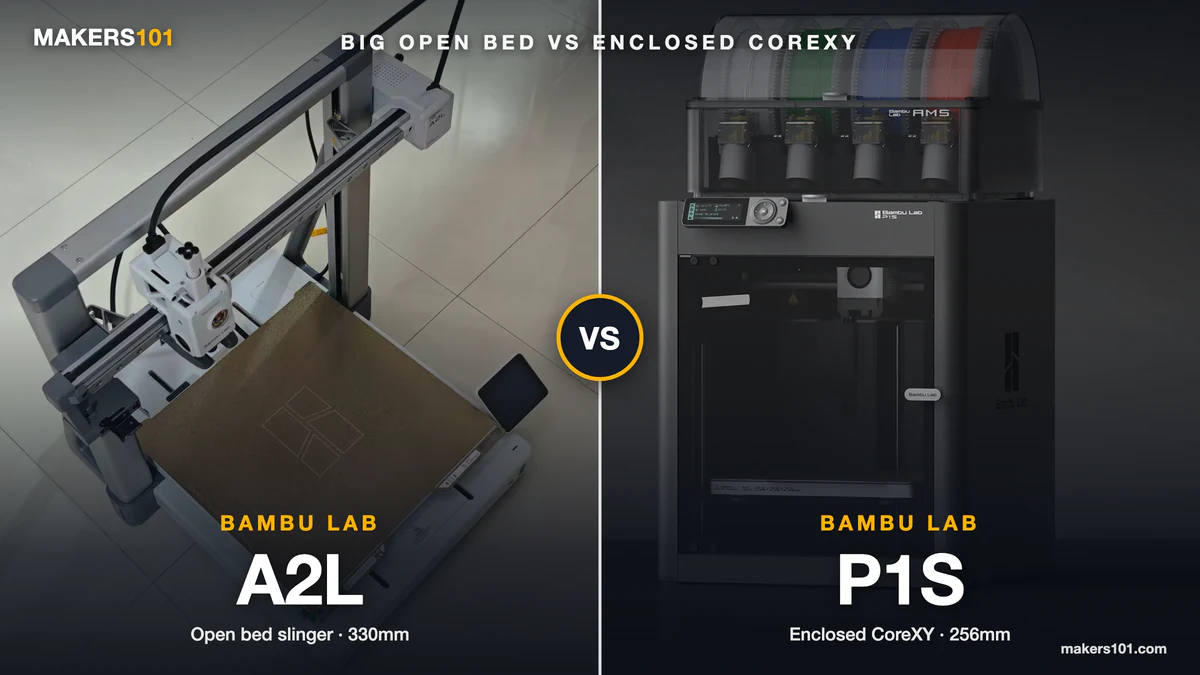
The P1S is the value play in Bambu’s lineup. It prints about as well as the X1 Carbon at roughly half the price. The catch for this guide: it does not ship hardened, so you’ll add parts before printing carbon fiber. Or skip the mods. The X2D ships hardened with a heated chamber, and we weighed the P1S-to-X2D upgrade.
A multi-printer Bambu owner I read made the case cleanly. Side by side, the P1S and X1C produced basically identical prints, and the X1C’s premium features rarely earned their keep in daily use. But there’s one real difference that matters here: the X1C comes with a hardened hotend and extruder gears, while the P1S needs those as upgrades for abrasive filaments.
The good news is the upgrade is cheap and well-trodden. You can fit Bambu’s own hardened parts or third-party kits from the likes of BigTreeTech, plus a Bento Box filter, and still come in under the X1C’s price.
Specs:
- Enclosed CoreXY, 256mm cube
- 300°C nozzle (stock nozzle is not hardened)
- AMS multi-color compatible
- Up to 500mm/s
- Near-flagship print quality for the price
- Cheap, documented hardened-nozzle upgrade path
- Huge ecosystem of mods and spares
- Not CF-ready out of the box
- One important AMS warning (below)
Best For: Bambu fans who want value and don’t mind a quick upgrade before going abrasive.
Nik’s Take: One warning that’s easy to miss: don’t run carbon fiber through the AMS. Abrasive filament wears out the PTFE tubes fast. Feed CF straight from an external spool instead. Do that, fit a hardened nozzle, and the P1S becomes a capable CF machine for less than a flagship.

- Up to 16 Colors: Bring your designs to life with vibrant multi-color/multi-material printing capabilities, perfect for showcasing your creativity…
- 500mm/s and 20000 mm/s² Acceleration True High Speed: Don’t wait around for your masterpieces. Lightning-fast printing speed lets you focus on…
- Enclosed Design: Fully enclosed body improves print performance for advanced filaments. Automatic Bed Leveling: Say hello to high-quality, successful…
- Set Up in 15 Minutes: Spend more time printing and less time setting up. User-friendly design ensures a hassle-free assembly experience for all skill…
- Supported Filament: Ideal: PLA, PETG, TPU, PVA, PET ABS, ASA; Capable : PA, PC; Not Recommended: Carbon/Glass Fiber Reinforced Polymer.
8. Prusa CORE One: Best Build Quality & Open Ecosystem
The CORE One is the pick for people who value build quality, repairability, and an open ecosystem. It’s a fully enclosed CoreXY with active chamber temperature control and Prusa’s long tail of support and spares.
Out of the box it runs a standard hotend, and Prusa recommends adding a hardened nozzle for abrasive engineering materials. The standout option is the HT Hotend upgrade, which pushes the nozzle to 400°C and unlocks the serious stuff: PPS-CF, PPA-CF, PEKK-CF, and more.
This is a long-term-ownership machine. You pay more up front and get documentation, parts availability, and a company that supports hardware for years.
Specs:
- Fully enclosed CoreXY, ~55°C active chamber
- 290°C stock nozzle, 400°C with HT Hotend upgrade
- Add a hardened nozzle for abrasives
- Open ecosystem, strong long-term support
- Excellent build quality and repairability
- HT Hotend unlocks high-temp composites
- Best-in-class documentation and parts support
- Stock nozzle isn’t hardened; abrasives need an add-on
- Premium price, and high-temp work means extra upgrades
Best For: Makers who prioritize long-term ownership and an open platform over plug-and-play.
Nik’s Take: If you want a printer you’ll still be maintaining and upgrading in five years, this is the one. Just go in knowing carbon fiber means buying a hardened nozzle, and high-temp composites mean the HT Hotend on top. See how the CORE One stacks up against Bambu’s X2D if you’re torn between the two.

- The CORE One is a 3D printing workhorse engineered in the proven Prusa tradition. Designed with a “made to last” philosophy and made from premium…
- Whether you’re new to 3D printing or a seasoned expert, Prusa CORE One ticks all the boxes for a reliable all-around machine. Featuring an enclosed…
- The printer includes a free 1 kg spool of Prusament PLA Prusa Galaxy Black; Prusa Research offers lifetime technical assistance and 24 hours…

9. Markforged & Raise3D: Best for Continuous Fiber & Professional Use
For most makers, this tier is aspirational, but it’s worth knowing where the ceiling is. When parts need to replace metal, you move from chopped fiber to continuous fiber, and from hobby machines to industrial systems.
Markforged is the name here. Machines like the Onyx Pro and the Mark Two lay down continuous carbon fiber strands inside the part, producing strength a desktop printer can’t match. Raise3D’s E2CF sits between worlds: a professional IDEX desktop with wear-resistant hardware, aimed at small shops printing functional CF parts in volume.
These are real tools for real production. They’re also priced for businesses, not hobbyists, ranging from a few thousand dollars into the five figures.
Best For: Shops and engineers printing metal-replacement parts or producing functional CF parts at scale.
Nik’s Take: If you’re asking which printer is best for industrial-grade nylon or carbon fiber, this is the answer: continuous-fiber systems from Markforged, or a professional desktop like the Raise3D E2CF. Just be sure you actually need that strength before spending it. Most functional parts print fine on the chopped-fiber machines above.
Chopped vs. Continuous Carbon Fiber: Which Do You Actually Need?
Almost every printer in this guide uses chopped carbon fiber. That means short fibers mixed into the plastic. It boosts stiffness and reduces warping, and it’s plenty for brackets, jigs, drone frames, and most functional parts.
Continuous carbon fiber is a different animal. The printer lays unbroken fiber strands along the part’s stress paths, like rebar in concrete. The result reaches metal-replacement strength, but it needs an industrial machine like a Markforged.
The honest answer for most readers: chopped fiber on a good hardened-nozzle printer covers what you need. Reach for continuous fiber only when a part genuinely has to replace aluminum.
How to Actually Print Nylon & Carbon Fiber (Without Wasting Filament)
The best machine won’t save a bad workflow. Most carbon fiber and nylon failures trace back to two things: wet filament and a bad filament path, not the printer. Get these right and cheap machines succeed. Get them wrong and expensive ones fail.
Dry the filament first, every time. Nylon and CF composites pull moisture from the air within hours. Basic nylon dries well in an overnight session near 70°C. High-temp PPA carbon fiber wants 100-140°C, though many dryers cap lower, so longer times at a lower temperature still help. Skip this and you get popping, stringing, and weak parts. Plenty of budget dryers stop at 50°C, which won’t shift nylon at all. We looked at the four-spool SUNLU S4, which clears that wall and still needed about six hours.
Adapt your slicer profile if there’s no preset. Many slicers lack a profile for newer composites like PPA-CF. The workaround is simple: start from a generic PA6 carbon fiber profile and set the nozzle to around 300°C. That single change is often enough.
Watch the filament path for kinks. This is the failure mode that fools people. Brittle CF filament snaps at tight bends, and factory tube routing is a common culprit. If strands keep breaking mid-print, trace the path from spool to extruder and remove any sharp bend. It’s almost never the spool of filament that’s defective. Check the path first.
Anneal high-temp parts if strength is the goal. PLA and PETG don’t need it. But polycarbonate, PA, and PPA often do, typically 100-160°C for 6 to 12 hours, to reach their rated properties. A dedicated oven beats your printer for this.
Not sure on times? Our filament drying guide lists how long to dry nylon and CF filament by brand.
Can You Upgrade an Existing Printer for Carbon Fiber?
Often, yes, and it can beat buying new. If you already own a quality enclosed printer, the path to carbon fiber is usually a hardened nozzle and, sometimes, hardened extruder gears. That’s a small spend against the price of a dedicated machine.
The math is the interesting part. Take the Bambu P1S example: owners add a hardened hotend and extruder, maybe a filtration upgrade, and end up with a CF-capable machine for well under the cost of the hardened-from-the-factory flagship. The same logic applies broadly. Reddit builders routinely upgrade older workhorses like the Prusa MK3S with an all-metal hotend and hardened steel parts to print CF nylon.
So before you buy, look at what you own. An enclosed printer plus a hardened nozzle may get you printing carbon fiber this week, for the price of a couple rolls of filament. If you’re weighing a fresh machine instead, our roundup of the best enclosed high-temp printers for ABS and nylon is a good next stop.
Don’t Buy If…
- You only print PLA and PETG. A heated-chamber machine is money wasted. Buy a good enclosed printer instead and pocket the difference.
- You won’t dry your filament or do basic maintenance. High-fiber materials punish neglect. If that’s not your style, stick to easier filaments.
- You only print soft, non-fiber nylon occasionally. You don’t need an industrial system. A mid-range enclosed printer and a hardened nozzle cover it.
Frequently Asked Questions
Can any 3D printer use nylon? No. Nylon needs higher temperatures and an enclosure to print well, and carbon fiber nylon also needs a hardened nozzle. A basic open-frame printer with a brass nozzle will struggle and wear out fast. At minimum, you need an enclosure plus a hardened nozzle.
Which printer is best for industrial-grade nylon or carbon fiber? For true industrial work, continuous-fiber systems from Markforged (like the Mark Two) or a professional desktop such as the Raise3D E2CF lead the field. They print metal-replacement parts that desktop machines can’t match. For most functional parts, a hardened machine like the QIDI Plus4 is enough.
What’s the cheapest carbon fiber 3D printer? The Elegoo Centauri Carbon is the standout value: an enclosed machine with a hardened nozzle at a budget price. The Creality K1C is another affordable option that prints carbon fiber nylon out of the box.
Do I need a hardened nozzle for carbon fiber? Yes. Carbon fiber is abrasive and wears out standard brass nozzles quickly. A hardened steel nozzle is essential, and many users size up to 0.6mm to reduce clogging.
Does nylon or carbon fiber filament need drying? Yes, always. These filaments absorb moisture from the air fast, and wet filament prints poorly. Give basic nylon an overnight dry near 70°C, and run high-temp composites hotter per the manufacturer’s spec.
Can I print carbon fiber at home? Absolutely. Machines like the Creality K1C, Elegoo Centauri Carbon, and Bambu Lab X2D bring carbon fiber printing to a home desk. You just need a hardened nozzle, an enclosure, and a drying routine.