If you already own an xTool laser, the O1 Omni is the machine that finally adds full color to everything you cut and engrave. That’s the promise, anyway. The catch is that nobody has reviewed it yet, the deposit is live, and xTool is asking you to choose an edition you can’t change later.
So before you put money down, let’s slow this down. This is a preview, not a review. No reviewer (me included) has run real prints on a shipping unit. What you can do right now is understand exactly what the xTool O1 Omni Printer is, which of the three editions fits your work, and whether putting down a deposit makes sense for your business this year.
- It’s xTool’s first 4-in-1 “omni” printer: UV, UV DTF, DTG, and DTF in one machine, printing on everything from wood and tumblers to T-shirts. It is not a 3D printer and not a laser.
- Three editions, sold at early-bird preorder pricing now and higher MSRP later (full price table below). The deposit is small and refundable.
- Status: preorder and deposit phase. It has not shipped, and there are zero independent hands-on reviews yet.
- The trap to avoid: the UV-only editions can never print fabric, and there’s no upgrade path. Want to print shirts someday? Buy the fabric edition up front.
- Whether to deposit now comes down to your calendar, not the hype. There’s a simple decision framework near the end.
Table of Contents
What the xTool O1 Omni Printer Actually Is
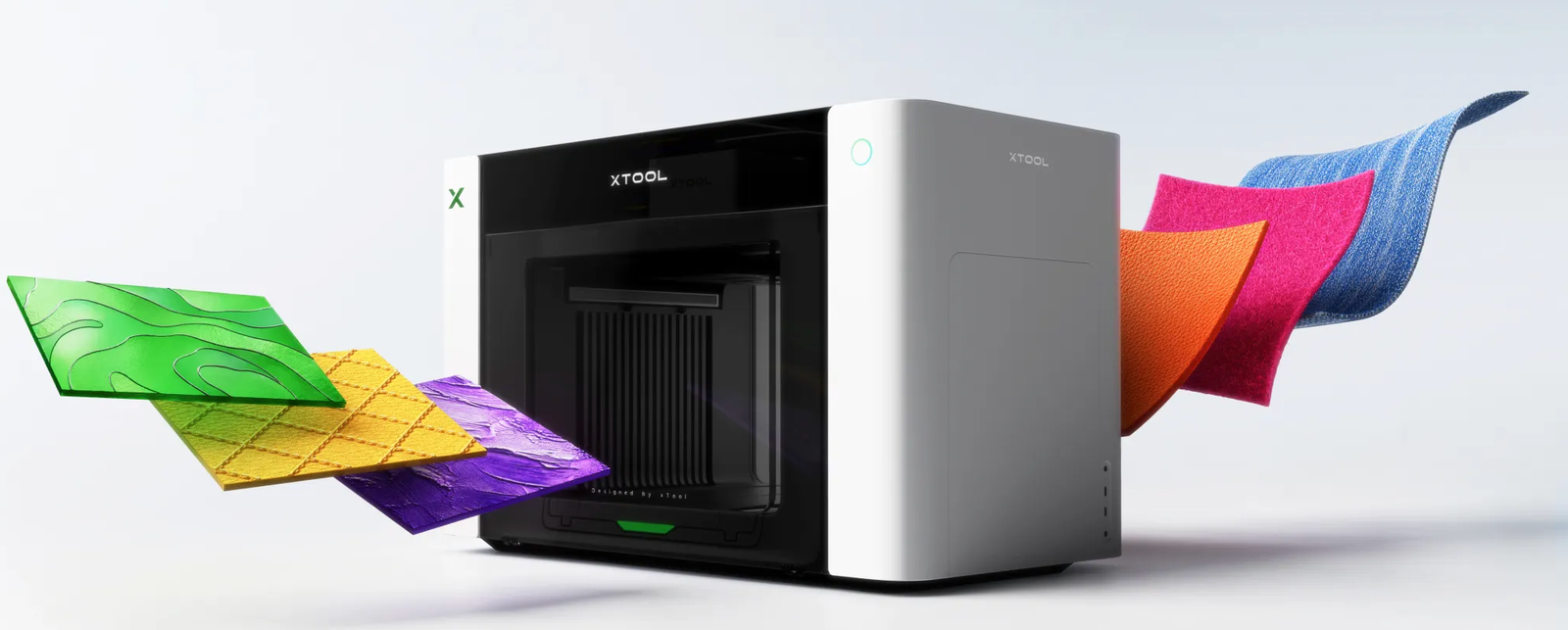
The O1 Omni is a desktop printer that lays down full-color graphics on hard objects and fabric. xTool calls it a “4-in-1” because it combines four printing methods that normally each need their own machine.
Here’s the mental model if you come from lasers. A laser removes material. It burns, cuts, or etches away a surface. UV printing does the opposite: it adds material, dropping layers of ink that cure instantly under UV light onto glass, metal, wood, leather, or plastic. That single difference is why makers pair the two. One carves the shape, the other gives it color. Bambu looks set to join in. Its careers page now lists nine UV roles, and the job descriptions give the machine away.
xTool markets the O1 Omni as “the world’s first all-material printer.” Treat that as a marketing claim, not a tested fact. UV and DTF machines have existed for years, from Roland to Epson. What’s genuinely new here is putting all four methods under one lid and wiring them into xTool’s laser software. If you’ve followed xTool’s Hong Kong IPO filing, this kind of ecosystem land-grab is exactly the bet the company is making. Bambu is now trying a similar move from the 3D-printer side; we unpacked that in our Bambu Lab R1 breakdown.
The four modes confuse almost everyone at first. Here’s the plain-English version:
| Mode | What it prints on | Best for |
|---|---|---|
| UV Direct | Hard goods: wood, acrylic, glass, metal, phone cases | Tumblers, signs, keychains, coasters |
| UV DTF | A film transfer you stick onto objects | Curved or large items, helmets, bottles |
| DTG | Directly onto garments (fabric edition only) | Cotton T-shirts, hoodies |
| DTF | A film transfer pressed onto fabric (fabric edition only) | Mixed-fabric apparel, bags, durable prints |
Keep that table in mind, because it decides which edition you need.
The Three Editions: Which One Fits You
Pick the edition first, then look at price. xTool sells the O1 Omni in three configurations, and they’re not just “small, medium, large.” They unlock different capabilities.
| Edition | Early-bird / MSRP* | Printheads | What it prints | Buy it if |
|---|---|---|---|---|
| UV Edition | $1,699 / $2,499 | Single UV | Hard goods only | You only decorate rigid objects |
| Dual-Head UV | $2,699 / $3,299 | Dual UV | Hard goods, faster, specialty inks | You run volume or want gloss/texture effects |
| UV + DT Fabric | $2,799 / $3,499 | Fabric head + UV head | Hard goods plus DTG and DTF apparel | You want to print shirts and fabric too |
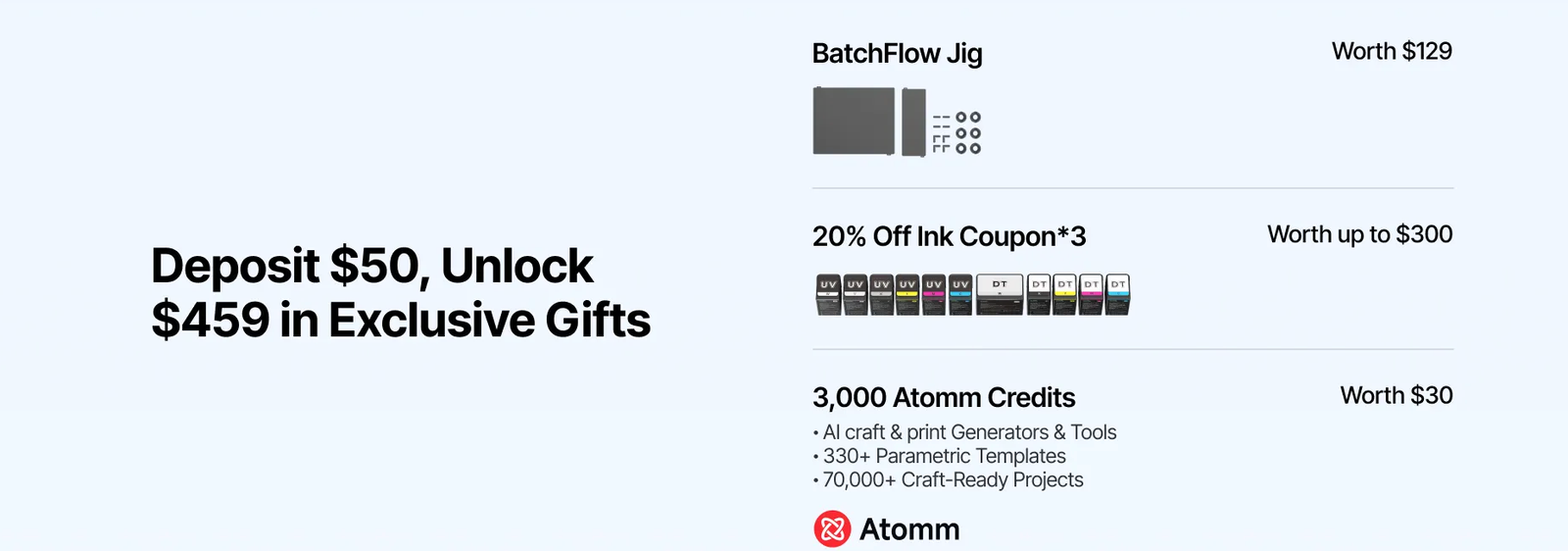
*Preorder pricing as of June 2026. Subject to change; a small refundable deposit holds your spot, and xTool is bundling a starter package on top.
Thirty-second version: only decorate rigid objects? Take the UV Edition. Need high volume or special-effect inks on hard goods? Dual-Head UV. Want to print apparel at all? You need the UV + DT Fabric edition.
Now the part xTool buries, and the single most important sentence in this guide:
A UV-only edition cannot be upgraded to fabric printing after you buy it. The fabric capability comes from a different printhead that you choose at purchase. If there’s any chance you’ll want to print T-shirts down the road, the cheaper UV editions will strand you.
What It Can Print (and the Cool Tricks)
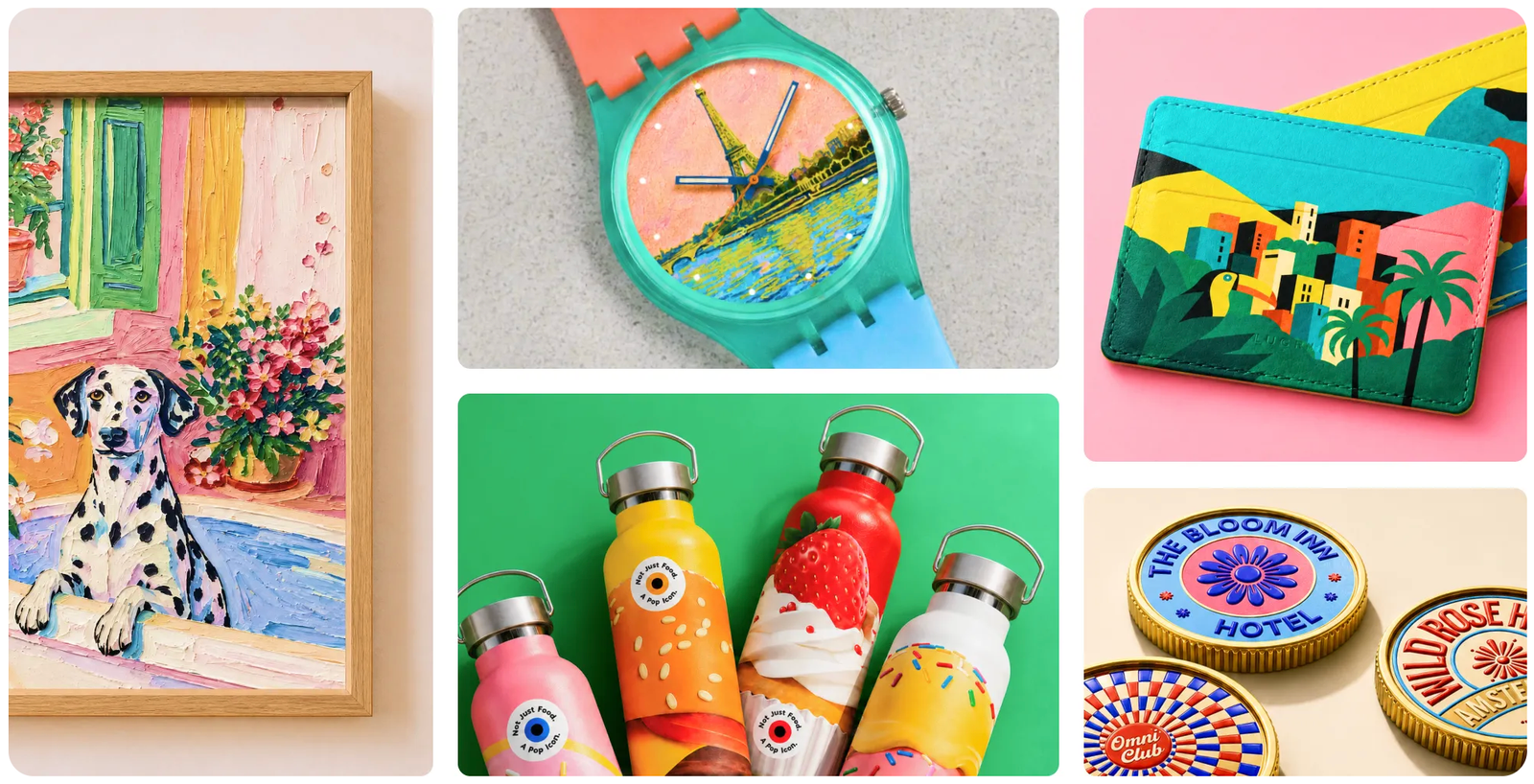
The short answer: most things that sit on a desk. Across xTool’s demos and early creator previews, the O1 Omni has been shown printing on wood, acrylic, glass, metal, leather, even fabric.
Two specs make that range possible. The bed is A3-sized at 330 by 420 mm, and there’s about 150 mm of vertical clearance. In plain terms, you’re not limited to flat sheets. You can drop in a finished box, a thick acrylic plaque, or an assembled item and print straight onto it.
For round objects, a rotary attachment handles cups and tumblers. xTool claims it fits roughly 90% of tumbler styles, including tapered shapes, with a 3D preview before you print. That’s an xTool number, not an independently tested one, so weigh it accordingly.
Then there are the effects that get people talking. The O1 Omni can stack up to about 100 ink layers to build raised texture and lenticular-style images, plus metallic and holographic foil finishes. In one early sample-box unboxing, a phone-case creator reacted to clear cases with printed graphics and textured 3D cases she said she’d never been able to offer before. One catch: that video showed the sample prints, not the machine running. Read it as a demo of intent, not proof of output.
How It Fits xTool’s Ecosystem
This is where the O1 Omni earns its keep for existing xTool owners, and where it pulls away from a standalone UV printer.
Everything runs in the same xTool Creative Space software you already use for lasers. That unlocks a workflow xTool calls “Laser Meets Printer.” You can engrave a brass coin on an F2 Ultra, then add color to the same coin on the O1 Omni, without leaving the software. If you’re weighing the F2 Ultra against the smaller F2, we get into that here. One creator demo showed exactly that, plus inner-engraving a K9 crystal block on the laser and then printing a color scene onto the glass.
The glue is registration marks. The printer and laser both read crop marks to line up, so you can print first and cut second, or engrave first and print second, and still hit your alignment. For anyone who’s tried to manually re-register a piece between two machines, that’s the actual time-saver here. If you run a shop and live in this trade-off daily, our Falcon T1 vs xTool F1 Ultra breakdown for batch work digs into the same speed-versus-flexibility math.
There’s also a feature called Custom Things that turns a phone into an order desk. A customer scans a QR code, uploads an image, positions it in the app, and it lands in your software ready to print. At an event table, that’s a real edge for on-the-spot personalization.
xTool O1 Omni vs the Alternatives
The O1 Omni isn’t the only desktop UV option, and pretending otherwise would do you a disservice. Here’s the honest landscape, with the caveat that these competitor names come from third-party roundups and haven’t been bench-tested here side by side.
- eufyMake (Yui Make) E1: the easy entry point, aimed at beginners printing phone cases and small gifts.
- Procolored V11 Pro: a value-leaning workhorse that prints across plastics, glass, wood, metal.
- Roland VersaStudio BD8: the precision-and-consistency pick from a legacy brand, tied into Roland’s software.
- Epson SureColor V1070: Epson’s UV entry, leaning on white and varnish printing for fidelity and texture.
Stack those up and the O1 Omni’s pitch is clear. It’s not trying to be the cheapest or the most industrial. Its angle is consolidation: four print methods plus deep integration with xTool’s lasers, which none of the others offer. If your work already lives in xTool’s world, that matters more than a spec sheet. If you’re shopping purely for the best UV printer in a vacuum, the field is wider than xTool’s marketing suggests. For where UV printing fits alongside your other gear, our guide to the best machines for Etsy and small-batch sellers is a useful sanity check.
Should You Put Down a Deposit? (Buy Now or Wait)
Here’s the decision nobody else will frame honestly for you. The question isn’t whether the O1 Omni is good. We can’t know that yet. The question is whether depositing now beats your alternatives.
Anchor the decision to your selling season, not the countdown timer. The first half of the year is stacked with personalization demand: Valentine’s Day, St. Patrick’s Day, Easter, Mother’s Day. Sellers in this space take Mother’s Day orders as early as January. If a printer ships after those windows close, waiting on it can quietly cost you a whole season of revenue. That’s the real math behind “buy now or wait,” and it’s the same discipline we used in our honest breakdown of Creality’s M1 crowdfunding launch: judge the timeline, not the trailer. HeyGears is the current test of that rule. We ran the numbers on what the G1X campaign leaves out. Flashforge skipped crowdfunding for its CJ270 full-color printer and sells it as a straight pre-order.
Put down a deposit now if: you already run xTool gear and want the ecosystem workflow, your busy season is later in the year, and a small refundable hold to lock early pricing is low-risk for you.
Wait if: you need a working machine for a near-term holiday rush, you can’t tolerate prototype-stage unknowns, or a proven alternative would start earning this quarter.
Community signal backs the caution. The r/xToolOfficial threads are full of early depositors, and several say the machine and ink pricing came in better than they expected. But xTool also posted what it called an update and an apology about the long wait since the machine first appeared in January. Translation: enthusiasm is real, and so are the delays.
Before you commit, be honest about which column you’re in. And read this next part twice.
What’s confirmed (as of June 2026):
- Three editions, the early-bird and MSRP pricing in the table above, and a small refundable deposit.
- Core specs: A3 bed, ~150 mm clearance, dual-printhead architecture, Smart Cycle 2.0 white-ink circulation.
- Print durability figures xTool cites: roughly 30 to 50 washes for DTG, 50+ for DTF.
What’s NOT confirmed yet:
- Exact ink and accessory pricing, and real-world throughput speed.
- Independent print quality and long-term reliability. Nothing has been tested off the marketing floor.
- xTool’s headline claims (“world’s first all-material,” “90% of tumblers”). These are unverified.
- Any genuine hands-on review. There isn’t one yet, from anyone.
FAQ
Is the xTool O1 Omni preorder live, and is the deposit refundable? Yes. The preorder and deposit phase is open right now. The hold is modest, fully refundable, and credited toward your final purchase if you go through with it. Terms can change, so confirm on xTool’s checkout before you pay.
Is the O1 Omni the same machine as the xTool UV Printer, just renamed? Effectively yes. The product xTool showed as the “UV Printer” at CES 2026 is what launched under the O1 Omni name, now expanded into the multi-edition lineup with fabric options.
Can a UV-only O1 Omni be upgraded to print shirts later? No. Fabric printing (DTG and DTF) comes from a printhead you pick at purchase. There’s no after-market fabric upgrade for the UV-only models. Decide before you buy.
Are there any real hands-on xTool O1 Omni reviews yet? Not yet. Everything available today is a preview, a CES prototype look, or a demo from xTool or early creators. No reviewer has published real test prints from a shipping unit, so anyone claiming a full verdict is guessing.
Should I wait for the O1 Omni or buy a eufyMake E1 now? Need a machine running for a near-term selling season? A proven unit that ships today beats a deposit on one that doesn’t. If you’re invested in xTool’s ecosystem and your peak months land later, the integration may be worth the wait.
Does the xTool O1 Omni print on T-shirts and fabric? Only the fabric edition (UV + DT) does, using DTG and DTF. The UV and Dual-Head UV editions handle hard goods only.
The Bottom Line
The xTool O1 Omni is one of the more interesting maker launches of 2026, and on paper it’s a genuinely smart consolidation play: four print methods, one machine, wired into the lasers a lot of you already own. If it ships and performs the way the demos suggest, it’ll be an easy recommendation for the right shop.
But “if” is doing real work in that sentence. Right now this is a deposit on a promise. Read the “not confirmed yet” column above, pick your edition carefully (especially the fabric decision you can’t undo), and line the timeline up against your own selling calendar. Do that, and a deposit is a reasonable bet rather than a leap of faith.
I’ll come back and update this with real test prints the moment a unit lands on my bench. Until then, treat every number here as xTool’s, not mine.