
Heads up — some of the links below are affiliate links. If you buy through them, I earn a small commission (at no extra cost to you), which helps cover the gear I test. Thanks!
- Best overall: xTool F1 Ultra. Dual fiber and diode, fast, runs reliably out of the box.
- Best for beginners: Creality Falcon A1 Pro. Enclosed, affordable, and the one we kept coming back to.
- Best budget: ORTUR Laser Master 3 (10W). Under most budgets, and the low wattage is a feature.
- Best for metal: ComMarker B6 MOPA. A fiber laser built for deep marks and color on metal.
- Best for cutting wood and acrylic: xTool P3 (80W CO2).
- Most versatile: a UV laser like the ComMarker Omni 1, if you can live with its trade-offs.
The best laser engraver is the one matched to your material and skill level, not the one with the highest wattage. Pick the laser type first (diode, CO2, fiber, or UV), then weigh software and safety. Spec sheets hide the two things that actually decide whether you finish a project.
Intro
If you’ve opened six tabs trying to tell these machines apart, you’re not behind. You’re just running into a market that loves to shout wattage numbers. Here’s the uncomfortable truth: the best laser engraver isn’t the most powerful one. Spec sheets lie, or at least they leave out the parts that matter.
Most guides rank by wattage. We rank by two things the spec sheet hides: what you’ll actually make, and whether the software will make you quit before you finish.
I’ve spent real time with these machines and the materials they chew through. Below, you’ll get picks by use case, a plain-English breakdown of laser types, and honest warnings about where the cheap stuff bites you.
A recent survey of 500-plus laser owners found that more than 30% regretted their purchase, mostly because they bought on wattage alone. That’s exactly the mistake this guide is built to help you avoid.
Is “Just Get an xTool” the Right Advice?
Spend ten minutes in any laser forum and you’ll see it. Ask which machine to buy, and half the replies say the same thing: just get an xTool. It shows up so often it sounds like a reflex.
Here’s the thing. The crowd is half right.
For a nervous beginner, software is the whole game, and xTool’s Creative Space is the friendliest in the category. If you want results this weekend without a crash course in laser physics, that advice holds. It’s the same shift 3D printing went through when plug-and-play printers took over. If you’ve settled on the brand, we broke down which xTool model actually fits your work.
But “just get an xTool” falls apart in four cases: when you mainly engrave metal, when you only need to cut, when your budget is tight, or when you actually enjoy tinkering. Each of those has a better answer, and we’ll get to all four. So read the debates, then read the rest of this guide.
Start Here: The Laser Type Decides Everything
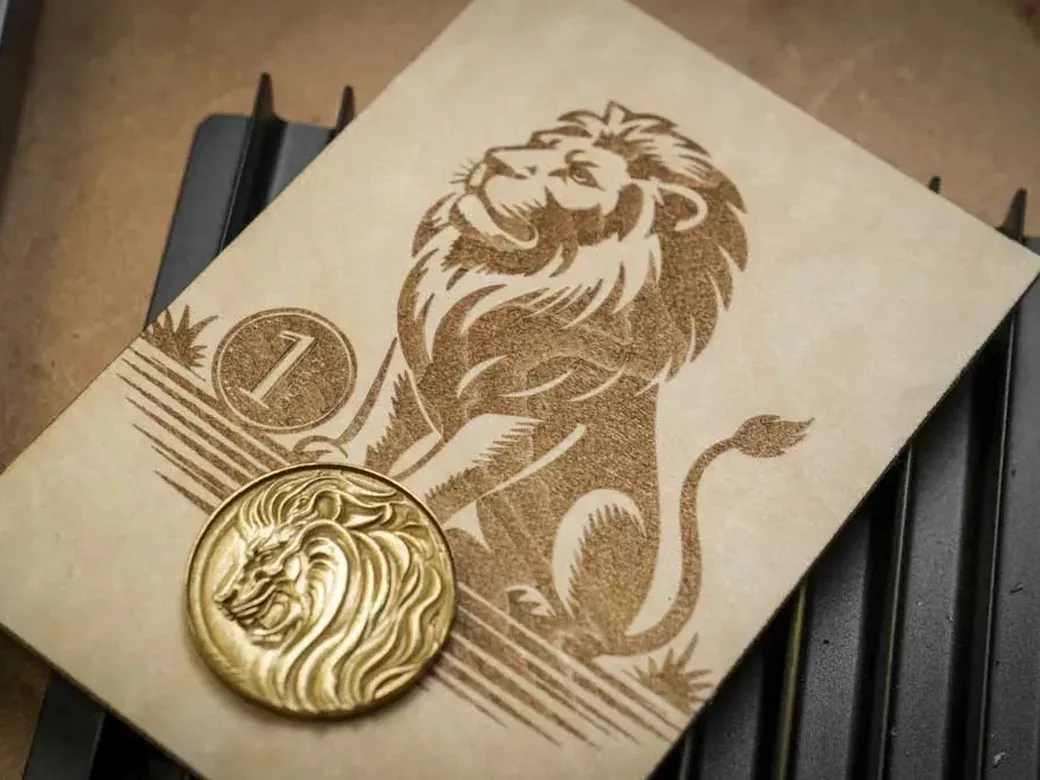
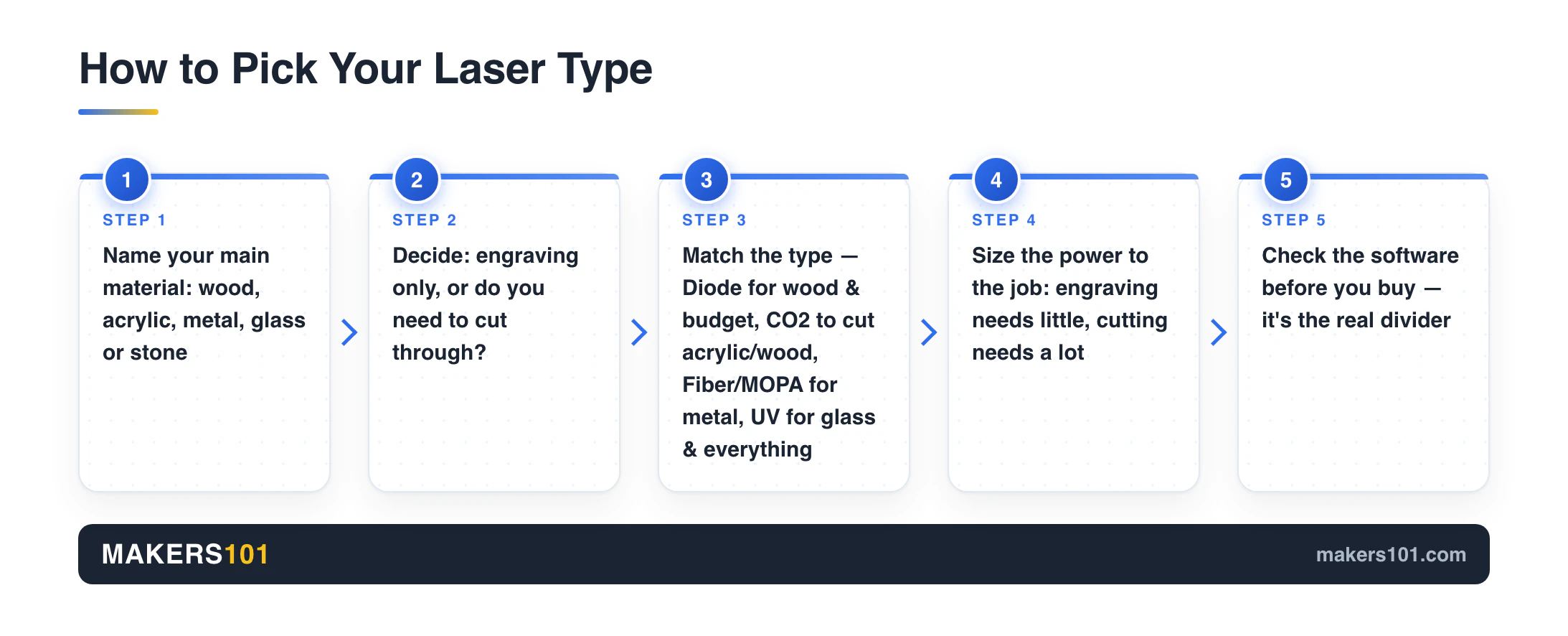
Before you compare any two machines, answer one question: what material do you want to mark? The laser type decides what’s even possible. Power and price come second.
Here’s the short version, then a cheat-sheet table.
Diode: the entry gateway
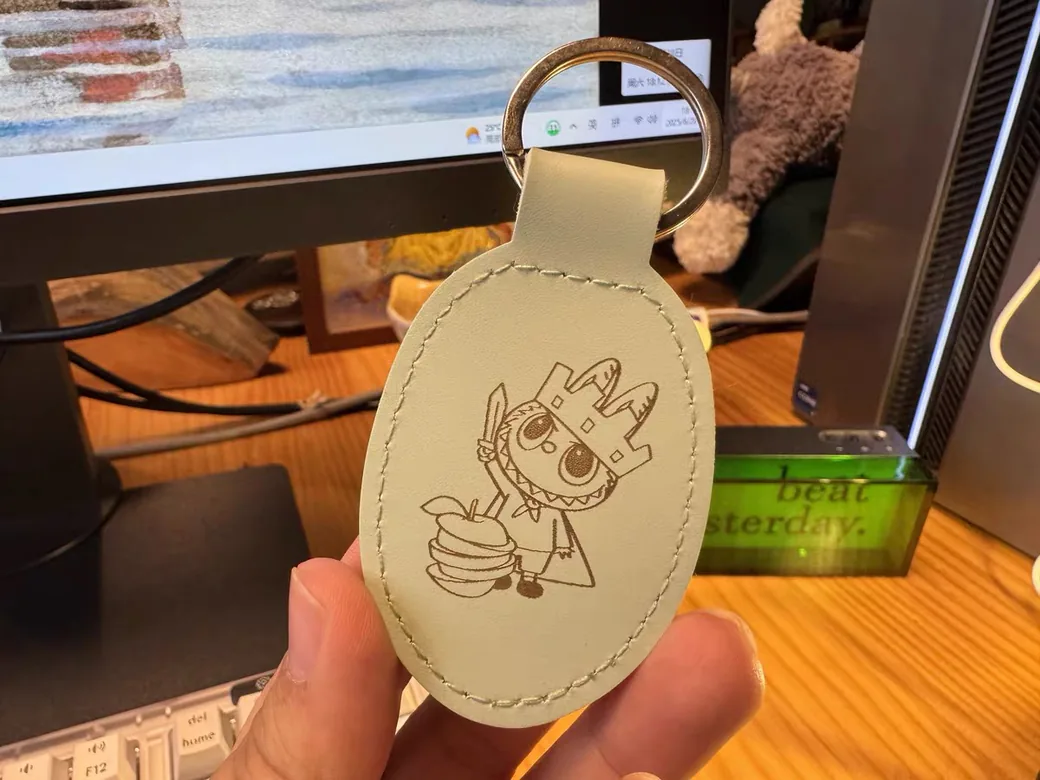
Diode lasers run on visible blue light around 445nm, which dark, light-absorbing surfaces soak up. That makes them great on wood, leather, slate, dark acrylic, and coated metals like anodized aluminum. They struggle with the opposite: clear or white acrylic passes the beam straight through, and raw metals reflect it. As one tester put it, if you can see through the material, so can your diode laser. They’re the affordable way in, not a replacement for a pro machine.
CO2: the cutting workhorse
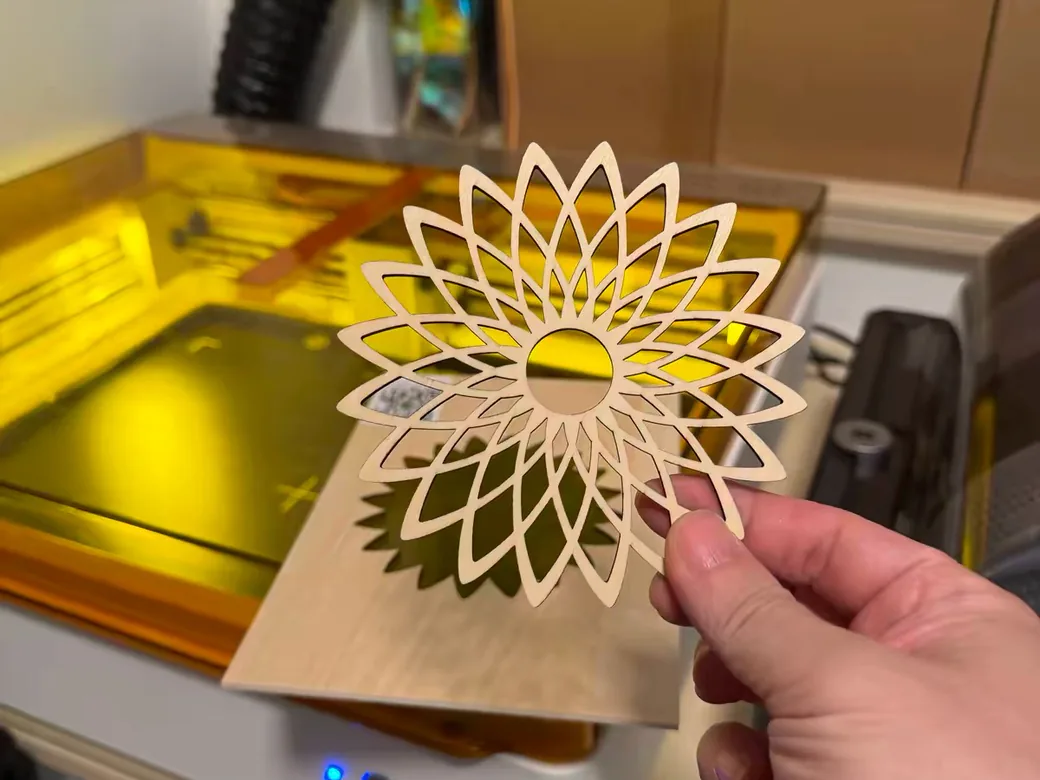
CO2 lasers are the ones you want for cutting plywood and acrylic, especially any color of acrylic that a diode can’t touch. They also handle leather, fabric, and most organics. They cost more and take up space, but nothing else cuts thick acrylic this cleanly.
Fiber (and IR): the metal specialist
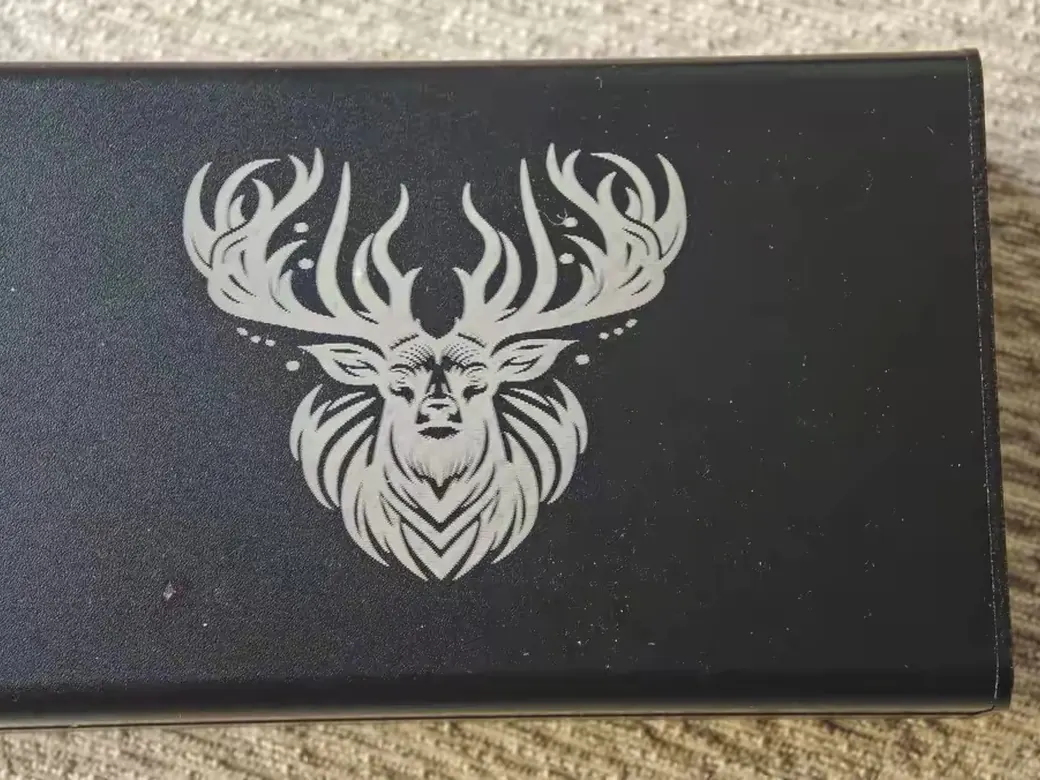
Fiber lasers are the kings of metal. They engrave steel, brass, aluminum, copper, and gold, and they can cut deep. A MOPA fiber laser adds color marking on metal. The catch: they can’t engrave wood or organics, and they can’t touch clear glass without a coating. The infrared beam is also invisible, which makes safety non-negotiable.
UV: the versatile newcomer
UV lasers are this year’s breakout. Instead of burning, they use cold ablation: short-wavelength light breaks chemical bonds without heat. So they engrave glass without cracking it, mark metal with no spray, cut acrylic without melted edges, and etch wood without scorch marks. They have the smallest spot size of any laser, which means the finest detail. The trade-offs are real, though: they’re slow at deep engraving and they can’t cut deep.
Galvo vs gantry
One more split. A galvo laser keeps the light source fixed and steers it with fast-moving mirrors, so it engraves small areas very quickly, but cut edges come out slightly angled. A gantry laser moves the whole head along rails, so cuts are clean and square, just slower. Modular systems let you swap sources, and you can dig into the diode vs fiber vs MOPA vs UV laser modules separately.
Material cheat sheet
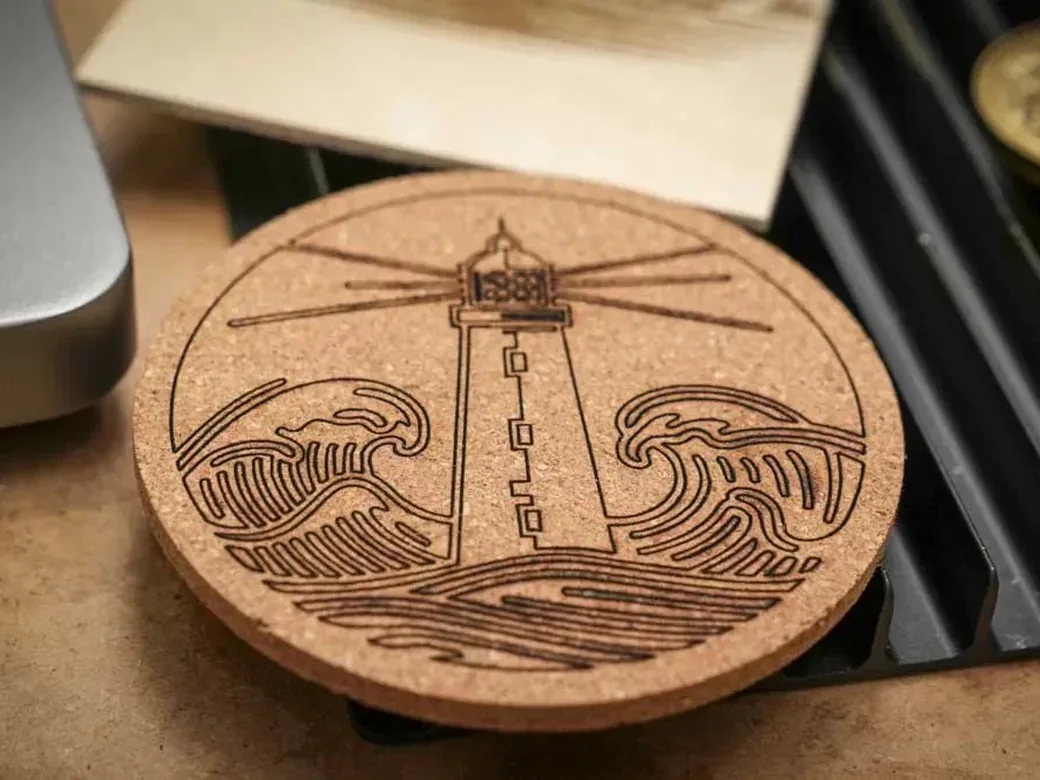
| Material | Diode | CO2 | Fiber/IR | UV |
|---|---|---|---|---|
| Wood, leather | Yes | Yes | No | Yes |
| Clear/colored acrylic | Cut only dark | Yes, any color | Engrave dark only | Yes |
| Raw metal | No (needs coating) | No (IR add-on) | Yes, best | Yes |
| Glass | Painted only | Light etch | Coated only | Yes, direct |
| Slate, stone | Yes | Yes | Limited | Yes |
What Actually Matters When You Buy
Once you’ve picked a type, these four factors separate a machine you love from one you fight. Every recommendation below is judged against them.
Software is the real divider
The biggest difference between two lasers often isn’t the hardware. It’s the software that drives them. xTool’s Creative Space is visual and walks you through each step. LightBurn is more powerful but menu-heavy, with a real learning curve. Most other brands ship software that ranges from bare-minimum to frustrating. A cheaper machine that’s easy to use will beat a powerful one that’s a nightmare to run. That is why Bambu’s new R1 is worth watching. Early reviews loved the hardware, and the software is where it gets judged.
Power isn’t everything
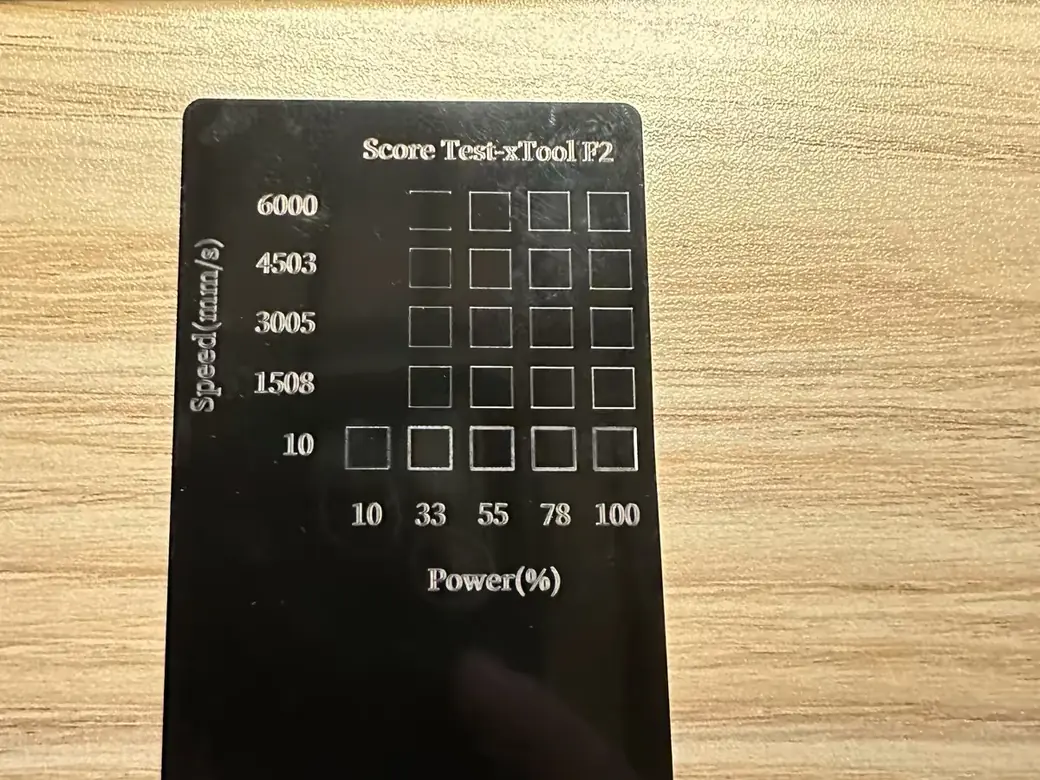
A bigger number is not always better. Lower wattage often means a smaller spot size, which gives you finer detail for photo engraving. A maker who logged 800 projects said it plainly: he overpaid for a 20W head, then fell in love with a 10W one. Buy the wattage your work needs, not the biggest number on the page. The wattage only gets you into the conversation. For a repeatable way to find the useful speed-and-power window, use our laser settings test method.
One more trap: the wattage on the box is often the optical output, but some listings quote the much higher electrical draw. Check which one you’re reading.
Enclosure and safety
This is where cheap machines cut corners and it can cost you your eyesight. Lasers atomize material into harmful fumes, and the beam itself can blind you or a pet in an instant. Infrared beams are invisible, so you won’t even see the danger. One reviewer received a high-powered machine with no shielding, no certifications, and no real guide, and called it a warning, not a product. Budget for genuinely rated eyewear, an enclosure or a fume path, and proper ventilation before your first cut.
Work area, air assist, and exhaust
Two practical points that beginners skip. Get a machine that accepts an external air assist, because the built-in pumps are usually weak and air assist is what keeps your cuts clean and scorch-free. And set up real exhaust from day one. The first cut on a budget machine can fill a room with smoke faster than you’d believe. Once the machine is on your bench, these laser engraving setup checks help you dial it in without guessing.
At a Glance: Best Laser Engravers 2026
Here’s the full lineup. Prices are tier labels here; exact numbers live in each product card below, current as of September 2026.
| Best for | Machine | Type / power | Enclosed | Price tier |
|---|---|---|---|---|
| Overall | xTool F1 Ultra | Galvo, 20W fiber + 20W diode | Yes | Premium |
| Beginners | Creality Falcon A1 Pro | Enclosed 20W diode + 2W IR | Yes | Mid |
| Budget | ORTUR Laser Master 3 | Open 10W diode | No | Budget |
| Metal | ComMarker B6 MOPA | 60W MOPA fiber | Partial | Premium |
| Cutting wood/acrylic | xTool P3 | 80W CO2 | Yes | Premium |
| Versatility | ComMarker Omni 1 | 5W UV (355nm) | Yes | Mid |
| Small-batch / modular | Creality Falcon T1 | Modular galvo | Yes | Premium |
Best Overall: xTool F1 Ultra
If you want one machine that does most things well and just works, this is it. The F1 Ultra pairs a 20W fiber laser with a 20W diode, so you can burn wood and acrylic and mark or deep-engrave metal in color, all from one galvo head running up to 10000mm/s. Cross-shopping it? Here’s how it lines up against the Falcon T1.
What earns it the top spot is reliability. Reviewers who’ve put it through its paces report that it focuses correctly, holds calibration, and runs clean every time, which is rarer than it should be at any price. It runs both Creative Space and LightBurn, so beginners and tinkerers are both covered. Worth knowing if you’re eyeing the newer lineup instead: the base F2 dropped LightBurn support entirely, and we get into that alongside the bigger F2 Ultra here. You can also see how the Falcon T1 stacks up against the xTool F1 Ultra for batch work if modular swapping appeals to you more.
- Two laser types in one head (fiber + diode)
- Fast, accurate, and dependable run to run
- Beginner-friendly software, with LightBurn as an option
- Premium price most hobbyists don’t need
- Galvo work area is small, so it’s not for large cuts
Best for: makers who want one capable do-it-all machine and value reliability over saving money.

- NOTE: This is xTool F1 Ultra, with 16mp camera, 20w fiber laser, support 3D emobossing engraving.
- Support Almost All Materials Ultra-Fast: Introducing the world’s first 20W fiber and diode dual lasers, achieving speeds up to 10,000mm/s. The fiber…
- 3D Embossing and Deep Engraving: With 20W power in both fiber and diode lasers, the F1 Ultra laser engraving machine handles intricate, multi-level 3D…
- Factory-Level Productivity: xTool’s exclusive Auto Streamline Production, powered by the Auto Conveyor (available separately) and a 16MP SMART CAMERA…
- Revolutionary Working Area and HD Resolution: The F1 Ultra boasts the largest desktop fiber laser engraver working space at 220mm x 220mm, expandable…
Best for Beginners: Creality Falcon A1 Pro
This is the one I’d put in a friend’s hands. The A1 Pro is fully enclosed, which solves the safety problem most beginner machines ignore, and it pairs a 20W diode with a 2W IR module so you can cut wood and still mark metal. It has a real work area of 400 by 415mm, a built-in air assist, a key lock, and an emergency stop.
We tested this one, and here’s the honest version: the stock software is fussy, with camera calibration quirks and the odd WiFi drop. But put LightBurn on it and the whole machine clicks into place. For the money, nothing else gives a beginner this much capability in a safe, closed box.
That matches what other first-time users report too: unboxed, plugged in, and cutting your first project in under 10 minutes, no assembly required. It’s also one of the few beginner picks that shows up on more than one independent “best for beginners” shortlist, not just ours.
- Fully enclosed with key lock and e-stop
- Diode plus IR, so wood and metal are both on the table
- Generous work area for the price
- Stock software is finicky; plan on LightBurn
- Some early setup fiddling with the camera and WiFi
Best for: first-time buyers who want safety and room to grow without overspending.

- 【Smart Touch】The Creality laser engraver comes with a smart touchscreen, simplifying everyday tasks with no messy cables or complicated steps…
- 【Autofocus + HD Camera】Auto focus in ~3s with full-bed preview for precise placement—a laser engraving machine that delivers clean laser…
- 【3× Faster CoreXY】Up to 600 mm/s on a laser cutter and engraver machine; the A1 Pro 20w laser engraver boosts batch productivity without…
- 【Clean Cuts, Less Work】As a wood engraver and wood laser cutter, A1 Pro handles 10 mm basswood and 8 mm black acrylic with smooth edges and fewer…
- 【Safer, Cleaner Shop】The enclosed laser cutter’s transparent cover not only filters out 99% of laser radiation, it also effectively blocks noise…
Best Budget: ORTUR Laser Master 3 (10W)
You don’t need to spend big to start. The Laser Master 3 is an open-frame 10W diode that handles wood, leather, paper, and dark acrylic, with a tight 0.05 by 0.1mm spot that’s genuinely good for fine work and photos. That low wattage isn’t a weakness here. It’s exactly the “don’t overpay for power” lesson in action: smaller spot, finer detail.
Be honest with yourself before you buy this one, though. It’s open-frame, with no enclosure and no fume handling. That means rated safety glasses and a real exhaust setup are not optional. If you want a closed box on a budget, the Atomstack A20 Pro is the step up to look at.
- Very affordable entry point
- Fine 0.05 by 0.1mm spot for detailed engraving
- App control and LightBurn support
- Open frame: no enclosure, no built-in fume path
- Only for small items, not thick cutting
Best for: absolute beginners testing the waters who will add their own safety gear.
No products found.
Best for Metal: ComMarker B6 MOPA
When metal is the job, a diode won’t cut it, literally. You want a fiber laser, and the B6 MOPA is the desktop one to beat. The MOPA source has an adjustable pulse, which unlocks color marking on stainless, deep engraving, and even cutting thin metal, at speeds up to 15000mm/s. The work area starts at 150 by 150mm and expands to 300 by 300mm with an accessory.
It runs LightBurn and EzCad2, and at around 13.5kg it stays desktop-friendly. Just know the boundary: fiber excels on metal and some plastics, but it won’t touch wood or organic materials, and bare glass needs a coating first. If you want industrial throughput for batch work, the ComMarker Titan 1 is the bigger sibling to look at.
- MOPA fiber: color, deep marks, and thin-metal cutting
- Very fast, with an expandable work area
- LightBurn and EzCad2 support
- Metal-focused: no wood, no organics, no bare glass
- MOPA color work has a learning curve
Best for: jewelry makers, knife and tool engravers, and metal-first small businesses.

- ComMarker B6 laser engraving machine uses 60W JPT M7 laser source with engraving speed 15,000mm/s. color marking on stainless steel.
- ComMarker B6 60W mopa fiber laser engraving machine with touch screen for auto focus, compact size only 13kg. 2 in 1 design, portable laser engraver…
- 60W 110V. Fiber laser marking engraver supports Lightburn and EzCad2 (we provide). Laser wavelength: 1064nm, System: Windows 7/8/10/11, MAC…
- Packaged include :1x B6 Laser Engraver,1x Power Adaptor,1x Data Cable,1x Foot Switch,1x Type -C,1x Riser,1x Allen Wrench,1x Placing Helper,1x Ruler,1x…
- Wide application: This fiber laser engraving machine can engrave stainless steel (best results), aluminum, gold, silver and alloys, and mark most…
Best for Cutting Wood and Acrylic: xTool P3 (80W CO2)
For serious cutting, CO2 is still king, and the P3 is xTool’s flagship. The 80W tube drives a huge 36 by 18 inch bed, cuts any color of acrylic, and runs up to 1200mm/s with vision-based automation and built-in cooling. It won a CES 2026 Innovation Award, and an optional 5W IR module adds metal marking.
This is a real investment that leans into small-business territory rather than casual hobby use, and the conveyor, rotary, and IR module are all sold separately. If the footprint or budget is too much, the P2S sits a tier below.
- 80W CO2 cuts thick, any-color acrylic cleanly
- Massive 36 by 18 inch work area
- Class 1 safety with smart automation
- Premium, small-business-level cost
- Big footprint; key accessories cost extra
Best for: Etsy sellers and shops cutting acrylic and plywood at volume.

- Flagship 80W CO2 Laser Power for Industrial-Grade Cutting: Unleash powerful performance. This professional-grade xTool P3 CO2 laser engraver…
- Revolutionary Automated Creation System: Experience a true “Place & Go” workflow. ACS integrates LiDAR ranging for perfect autofocus, dual HD cameras…
- Largest Desktop Area & Dual-Cam Precision: Command a massive 36″ × 18″ workspace. The Evolved Dual HD Camera system (16MP SkyView + close-range…
- Streamlined Pro Workflow: Maximize efficiency & minimize waste. AI-powered Smart Nesting achieves 98.7% material utilization. Use Variable Batch Fill…
- Class 1 Safety & Multi-Layered Protection: Work with total peace of mind. Features a fully enclosed Class 1 safety-rated design with lid interlocks…
Most Versatile: ComMarker Omni 1 (5W UV)
If you want one laser that touches almost anything, UV is the answer, with an asterisk. The Omni 1 runs a 5W, 355nm source using cold ablation, so it etches glass without a single crack, marks bare metal, leaves clean acrylic edges, and burns no scorch into wood. Its spot size is the smallest of any laser type, so the detail is stunning.
Now the honest part. UV is sluggish on deep engraving and can’t cut through thick stock at all. Early UV machines have also been rough around the edges on build and software, and LightBurn support here needs a separately sold Galvo plugin. It’s the most versatile tool on this list, but it’s a precision marker, not a do-everything cutter. If versatility is your priority and you’ve made peace with those limits, it’s remarkable.
- Cold ablation marks nearly any material, glass included
- Finest detail of any laser type
- No coatings or sprays needed on metal
- Slow deep engraving; can’t do deep cuts
- LightBurn needs a paid Galvo plugin; early-gen polish
Best for: makers who mark many different materials and prize precision over cutting.

- UV laser marking machine specification parameters: Wavelength 355nm, Air Cooling, Voltage: 110V, Laser power:5 Watt, Marking Speed: 0- 10000mm/s…
- Packing list :1x 5w uv laser engraivng machine ,1x 70mm*70mm lens ,1x 150mm*150mm lens ,1x foot switch,1x ruler,1x lifting platfrom,1x goggles,1x…
- ComMarker omni 1 UV laser engraving machine has a newly upgraded focus system, electric lifting column, one-button control of focus, bid farewell to…
- ComMarker UV laser marking machine has a very fast positioning function, can automatically batch mark, and uses dual red light positioning to make…
- The ComMarker UV Laser Engraving Machine is a cutting-edge cold light laser, capable of engraving on a wide range of materials with unmatched…
Best Modular for Small Business: Creality Falcon T1
If your needs will change, buy a machine that changes with them. The Falcon T1 is a fully enclosed galvo system that swaps modules, so one frame moves from a 20W diode to fiber, MOPA, or UV as your projects evolve. It runs up to 10000mm/s, works with LightBurn, and includes Class 1 safety with flame detection. We put it through a full Falcon T1 review. If you’re comparing modular laser platforms, our xTool X1 launch analysis breaks down how its Hybrid Motion and Laser Swap design differs.
We’ve run this one, and it’s the most flexible machine here. The native work area is small at 175 by 175mm (a conveyor extends it), and the modules cost extra, so it’s a high-end commitment rather than a casual buy. The WeCreat Lumos is a smaller, more portable alternative if you want a dual-laser machine for a tighter space. Our full Falcon T1 review has the deep dive.
- One frame, swappable diode/fiber/MOPA/UV modules
- Enclosed with flame detection; LightBurn-ready
- Very fast galvo engraving
- Small native bed; modules are extra
- Flagship price for a flagship use case
Best for: small businesses that want one platform to grow into instead of buying again later.

- World’s First 5-in-1 Modular Galvo Laser System: Creality Falocn T1 is the only modular galvo laser engraver on the market, supporting…
- 15-Second Quick Swap Modular Design: Say goodbye to multiple machines. Creality Falocn T1 features a platform-based quick-release system that allows…
- 10× Faster Production with Galvo Technology: Unlike traditional gantry lasers that move the entire laser head, T1 uses a high-speed galvo scanning…
- Powerful Cutting & Engraving for Multiple Materials: The 20W diode laser easily engraves and cuts wood, leather, coated metals, paper, and dark…
- AI Visual Auto-Focus System:: Camera-based AI auto-focus eliminates the need for manual adjustment or focus dials, enabling faster and more precise…
Don’t Buy If…
A few honest red flags before you check out:
- You expect a single machine to handle every job. It doesn’t exist. Match the type to your main material first.
- A no-name machine is far cheaper than everything else. That gap usually means no safety certifications, no enclosure, and software that barely runs. Cheap and unsafe is not a deal.
- You expect a diode to engrave raw metal or cut clear acrylic. It won’t. You need fiber for metal and CO2 for clear acrylic.
- You haven’t planned for fumes and eye protection. Skip this and you risk your lungs and your sight. Sort it before the first cut.
- You want a powerful machine but hate fiddly software. Pair a hard machine with bad software and you’ll quit. Buy for the software too.
FAQ
Can a laser engraver cut or engrave metal? Some can. Fiber and IR lasers engrave and deep-mark bare metal, and a MOPA fiber adds color. Diode lasers can only mark coated surfaces such as anodized aluminum, or raw metal treated with a special spray. CO2 lasers need an add-on IR module for metal marking.
Can you engrave glass? Yes, but it depends on the laser. A UV laser engraves glass directly without cracking it. A diode laser can’t engrave bare glass, but it works if you coat the surface with black tempera paint first, then wash it off. CO2 gives a lighter frosted etch.
Are laser engravers under $500 worth it? For learning, yes. A budget 10W diode like the ORTUR Laser Master 3 handles wood, leather, and dark acrylic well. Just budget separately for safety glasses and exhaust, since cheap machines are usually open-frame. If patches are your first project, we walked through making laser engraved hats step by step.
Diode or CO2: which should a beginner pick? If you mostly engrave wood, leather, and dark materials, start with a diode. It’s cheaper and the spot is fine. If you need to cut thick or any-color acrylic, you need a CO2 machine. Buy for the material you’ll use most. We put all three side by side in our diode, CO2, and IR laser breakdown.
Do I need LightBurn, or is the included software enough? For beginners, xTool’s Creative Space is genuinely good on its own. Most other brands’ stock software is weaker, and LightBurn is worth the upgrade once you’re comfortable. Check whether your machine supports it before you buy. If it does, we walk through the whole setup in our LightBurn beginner’s guide.
Are laser engravers safe to use at home? Yes, with the right setup. Use an enclosed machine or add a fume extraction path, wear eyewear rated for your laser’s wavelength, and never leave a running laser unattended. Enclosed machines with flame detection are the safest choice for a home with kids or pets.
What is the best laser engraver for beginners? For most first-time buyers, an enclosed diode laser like the Creality Falcon A1 Pro is the safest and easiest starting point. It’s pre-assembled, includes safety features cheaper open-frame machines skip, and most people finish their first engraving within 10 minutes of unboxing it. If budget is tighter, the ORTUR Laser Master 3 gets you started for less, as long as you add your own safety glasses and exhaust setup.
Closing
Don’t start with the wattage. Start with the material you want to make things from and the budget you’re comfortable with. Pick the laser type that fits, then choose the machine whose software won’t fight you. Do that, and any pick on this list will serve you for years. If price is what’s holding you back, here’s the same list sorted by what you’ll actually spend.