
Heads up — some of the links below are affiliate links. If you buy through them, I earn a small commission (at no extra cost to you), which helps cover the gear I test. Thanks!
- Want multicolor? Go straight to the K2 series. The K2 is the value pick, the K2 Plus handles big builds.
- Just starting out? The SparkX i7 is the easiest Creality to live with.
- On a tight budget with no multicolor need? The Ender-3 V3 SE is hard to beat. Just check what actually fits on its bed first.
- Printing miniatures or fine detail? Skip FDM and get the resin Halot-X1.
- Creality multicolor runs on one system: the CFS. Your color options depend on which model tier you pick.
Creality makes a dizzying number of printers. Ender, K2, SparkX, Hi, Halot, and a new one seemingly every month. If you’ve opened three tabs trying to tell them apart and felt your eyes glaze over, you’re in the right place. Need to go big instead? The Ender-3 V3 Mega is Creality’s new 420mm workhorse.
Here’s what most guides won’t tell you: the model name barely matters. One question sorts almost everything. Do you need multicolor or not? Answer that, and the right Creality nearly picks itself.
This guide ranks the best Creality 3D printer for each kind of maker, sorted by what you actually want to do. You’ll get honest picks, real specs, and a straight answer on whether Creality lives up to its reputation.
What Makes a Creality Printer “the Best” for You
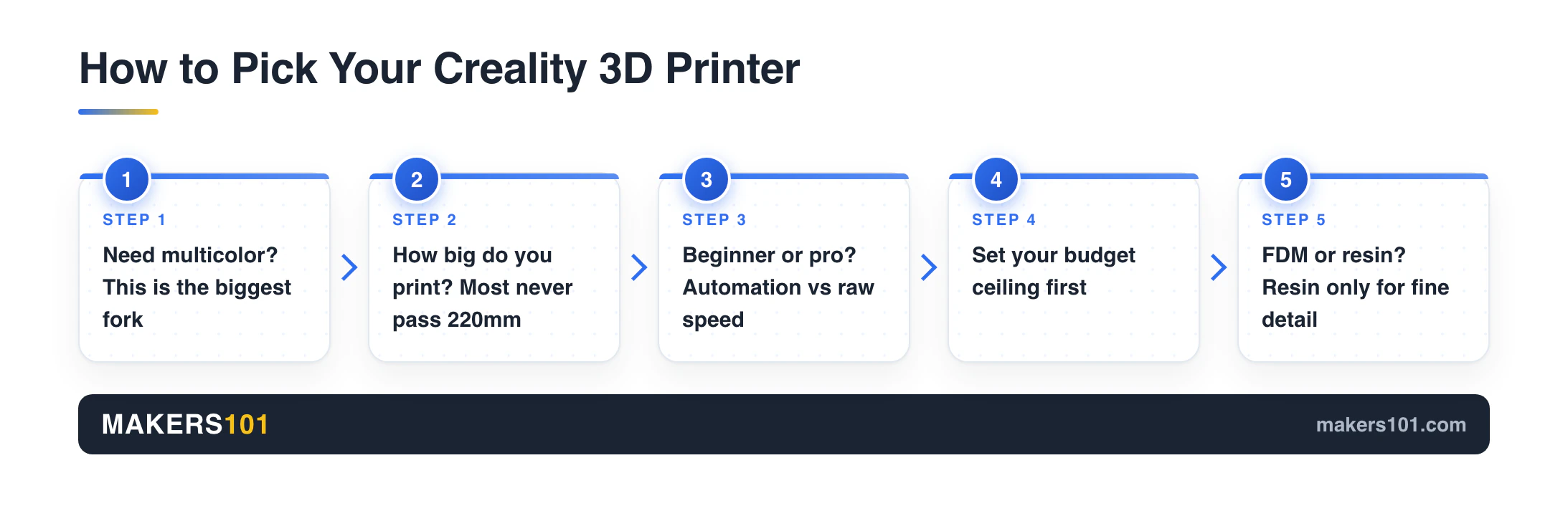
Forget the spec sheet for a second. The best Creality for you is just the one that fits how you’ll actually use it. Six things decide that fit, and most people only really care about two or three of them.
Multicolor need. This is the biggest fork. Multicolor adds cost and a filament box. If you only print in one color, you can skip a whole tier of machines.
Build size. Most makers never use more than a 220mm bed. Large prints are rarer than people expect when they buy.
Speed and enclosure. Enclosed CoreXY machines print faster and handle tougher materials. Open bed-slingers are cheaper and fine for PLA.
Beginner-friendliness. Auto-leveling, pre-assembly, and quiet operation matter more than top speed on your first machine.
Budget. Creality spans cheap single-color machines to premium multicolor rigs. Decide your ceiling before you fall in love with a feature.
FDM versus resin. Filament printers are versatile. Resin printers exist for one reason: fine detail. We’ll cover when that switch is worth it.
Not sure how these trade-offs apply to you? Our broader walkthrough on how to choose a 3D printer lays out the same logic across brands. You can also estimate running costs with the Print Cost Calculator before you commit.
Creality Printer Comparison at a Glance
Here’s the whole shortlist in one view. Each row stands on its own, so you can scan to your use case and jump down.
| Model | Best for | Multicolor? | Build volume | Price (Jun 2026) |
|---|---|---|---|---|
| Creality K2 Plus | Large-format multicolor | Yes (full CFS) | 350mm cube | ~$1,299+ |
| Creality K2 | Value all-in-one multicolor | Yes (full CFS) | 260mm cube | ~$499 |
| Creality SparkX i7 | Beginners | Entry (CFS Lite) | ~260×260×255mm | ~$210 |
| Creality Halot-X1 | Resin detail and minis | N/A (resin) | 211×118×200mm | ~$399 |
| Ender-3 V3 SE | Tight budget, single color | No | ~220×220×250mm | ~$200 |
Are Creality Printers Actually Reliable? An Honest Take
You’ve probably seen the Reddit debates. Half the threads swear by Creality’s value, the other half say Bambu just works and you should skip the hassle. Here’s the thing: both camps are right. So let me give you the straight version after years around these machines.
Creality printers are reliable enough to recommend, as long as you buy the right model and don’t mind a little maintenance. The brand earns its name on value, not on flawless consistency. The strengths are real: more printer for the money, the widest accessory ecosystem in the hobby, and machines you can tinker with endlessly. It’s a public company now too, which puts a bit more accountability behind the warranty.
Owner feedback tells a useful story. People tend to land on “satisfied, but not evangelical.” They like the value, then hesitate to push the brand on a friend. Dig into why, and a clear pattern shows up.
The single most common complaint isn’t the printer at all. It’s the CFS multicolor system: color swaps that don’t retract cleanly, filament that won’t auto-load, the occasional jam in the tubes. The core machine usually prints fine. The multicolor add-on is where the headaches cluster.
Two more honest caveats. Unit-to-unit quality control can vary, so a small share of buyers get a fussy machine. And while most owners do install firmware updates, a new model can ship a rough build that needs a follow-up patch. That’s the grain of truth behind the “are Creality printers rubbish?” threads.
So here’s the uncomfortable truth. A Creality printer rewards an owner who reads the manual and keeps it maintained. It punishes the buyer who expects a sealed appliance. Buy the model that fits your skill level, learn to clean and tune it, and the value is excellent.
One more thing worth knowing before you commit: almost every Creality shopper cross-shops Bambu Lab first. That’s healthy, and we cover that side near the end.
That maintenance habit pays off fast. Most “broken printer” panics are really a clogged nozzle or a feed jam. Knowing how to fix a jammed filament on the K2 series turns a scary failure into a five-minute fix.
The Multicolor Question: How Creality’s CFS System Works
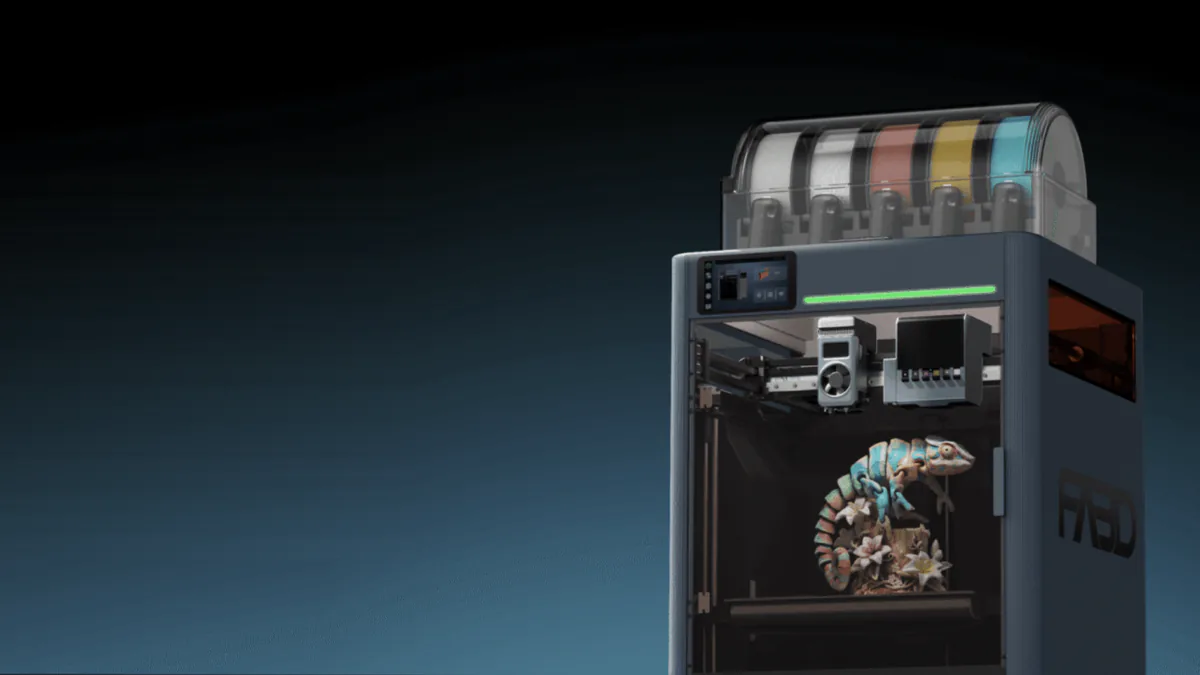
Creality does multicolor exactly one way: the CFS, short for Creality Filament System. Think of it as a smart filament box. It auto-detects each spool by RFID and swaps colors mid-print without you babysitting it. The K3 is meant to change that with swappable nozzles, whenever it ships. We measured that promise against a printer you can buy today.
How much color you unlock depends on the model tier, not on a separate brand of magic.
- Single color only. The Ender-3 V3 SE prints one color at a time. No CFS path that makes sense.
- Entry multicolor. The SparkX i7 uses a smaller CFS Lite. It’s multicolor for beginners, with fewer spools than the big system.
- Full multicolor. The K2 series is built around the full CFS. One unit handles four colors. Stack four units for up to sixteen.
This is why the K2 machines sell as “Combo” versions. The Combo includes the CFS box, so multicolor is plug-and-play out of the box. The standalone K2 prints great in single color and lets you add the CFS later.
One honest heads-up. The CFS is also where most owner complaints land, usually around color swaps and auto-loading rather than the printing itself. So only pay for multicolor if you’ll actually use it. If you print mostly in one color, skipping the CFS also skips the most common source of frustration.
Decide your color needs first. It tells you which half of this list to even read.
Creality K2 Plus: Best for Large-Format Multicolor
The K2 Plus is Creality’s flagship for big, colorful prints. It pairs a large enclosed CoreXY frame with the full CFS system.

- Enjoy Printing in Multiple Colors: By hooking up as many as four CFS units together, you are able to print in the splendor of 16 colors. Saves the…
- High Speed Printing: Step-servo Motor System 30000mm/s² accelaration, 40mm³/s High-flow and quiet. For a large-format machine, 600mm/s is pretty…
- Multi Material Capability: K2 Plus Combo equipped with Actively Heated Chamber & High-temp Nozzle with Hardened Steel Tip.Unlocks a wider selection of…
- Dual AI Cameras: K2 Plus uses an Al camera on the chamber side to watch over spaghetti failure, foreign objects, idling, etc. It will alert you when…
- Ingenious Anti-tilt Auto Leveling: K2 Plus features dual independently motorized Z-axes for automatic tilt reduction, strain gauge-based auto-leveling…
Specs that matter: an enclosed CoreXY frame with an active heated chamber, a 350mm cube of build space, a 600mm/s top speed, and full CFS multicolor for four to sixteen colors.
- Heated chamber handles demanding materials like ABS and ASA
- Build volume swallows large functional parts
- Multicolor is seamless on the Combo
- Overkill for a first-time buyer
- Priciest in the lineup
Best for: advanced makers who already know they need both size and color. In practice, K2 Plus owners skew experienced: engineers, manufacturing pros, and serial tinkerers who often run more than one printer. Many fold it into a wider workshop alongside a laser cutter or a 3D scanner, and they print long, frequent jobs rather than the occasional trinket.
Nik’s Take: be honest with yourself before you buy this one. It’s a “because I have a job for it” machine, not a first printer. If you’re cranking out big multicolor pieces or batches of functional parts, nothing else Creality makes keeps up. Just know the chamber and the size are the real draw. The CFS is the part you’ll learn with a little patience, because that’s where owners hit the most snags. For how it stacks up against the obvious rival, see our Creality K2 Pro vs Bambu Lab P2S breakdown.
Creality K2: Best Value All-in-One Multicolor
The K2 is the multicolor sweet spot, and for most people it’s the smarter buy. You get the same CFS color system and CoreXY speed as the Plus, just in a smaller and far cheaper package.
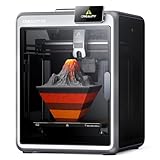
- Multicolor 3D Printing: 4 × CFS for up to 16 colors. By hooking up as many as four CFS units together, you are able to print in the splendor of…
- Ultra Quiet Printing: Silent Mode for a quieter printing experience. Annoyed by the buzzing noise? Not K2. By adopting step-servo motors and…
- Out-of-the-Box Experience: Pre-assembled for plug and play. You can use K2 right after unpacking and screen installation. Unlocks a wider selection of…
- Smart Auto Leveling & AI Camera: Faster leveling of only the target print area. The leveling sensor only probes and levels the bed area relevant to…
- Superior Print Quality: Sturdy frame and precise step-servo motor system. K2 uses 3 step-servo motors, both in the extruder and on the X/Y axis. They…
Specs that matter: a compact enclosed CoreXY, a 260mm build cube, a 600mm/s ceiling, a next-gen direct drive extruder, and AI camera monitoring with smart auto-leveling.
- Full CFS multicolor at a mid-range price
- Fast, enclosed, and 95% pre-assembled
- AI camera catches failed prints early
- Multicolor still needs the Combo or a separate CFS
- Smaller chamber than the Plus
Best for: makers who want real multicolor without paying flagship money.
Which K2 Should You Get: K2 vs K2 Pro vs K2 Plus
The K2 family has three members. They share the CFS and CoreXY DNA but target different needs. There’s a fourth badge below them too, and it’s the odd one out: here’s what the K2 SE 4C actually gives you.
| Model | Sits where | Pick it if |
|---|---|---|
| K2 | Value entry to the series | You want multicolor at the lowest K2 price |
| K2 Pro | The balanced middle | You want extra refinement without flagship size |
| K2 Plus | The large flagship | You need the biggest build area and chamber |
Most buyers land on the K2 or the K2 Plus. The Pro fits the person who wants a step up in build quality but doesn’t need the larger frame. We compare the two heavyweights in detail in our K2 Plus vs K2 Pro guide.
Creality SparkX i7: Best for Beginners
If this is your first printer and you just want the thing to work, the SparkX i7 is the one I’d put in a friend’s hands. It leans hard on automation, so your evenings go to printing instead of fighting bed leveling at midnight. A successor is coming, though for now it’s only on Indiegogo. Here’s what the SPARKX i8 changes. Thinking of pledging? Read this before you back the i8.

- AI-Powered Model Creator & Custom RGB Lighting: CubeMe transforms portraits into models in seconds using AI—perfect for unique figurines or…
- Multicolor Printing with 50% Less Waste: Supercharge your i7 with next-generation multicolor printing—more seamless, faster, and 50% less purging…
- Get Started in Under 5 Minutes: From unboxing to printing in just five minutes—no assembly required. The SPARKX i7 comes nearly fully assembled, so…
- Auto Filament Recognition: Experience smarter multicolor printing with automatic filament recognition—the printer reads filament info and syncs to…
- Auto Calibration & Smart Setup: No need to tinker with parameters, just pick a 3D model and the pre-print hassles are handled automatically. Bed…
Specs that matter: about 260×260×255mm of print space, up to 500mm/s, entry CFS Lite multicolor, a 720p AI camera, a 3-second tool-free nozzle swap, a 2.85-inch touchscreen, and a quiet 95% pre-assembled build that prints within minutes of unboxing.
It also picked up Tom’s Hardware’s “Best 3D Printer” nod at CES 2026, and the standout features explain why. The AI camera watches for spaghetti, air printing, and bed-adhesion fails in real time. A night mode runs it quietly with the lights off. The headline trick is CubeMe AI: snap a phone photo and Creality’s cloud turns it into a printable model. It leans toward relief-style portraits, so it’s a fun way to make a personalized gift with zero modeling skill.
- Almost no setup out of the box
- Auto-leveling and self-checks handle what beginners get wrong
- CubeMe turns a phone photo into a first print on day one
- CFS Lite adds a taste of multicolor without K2 money
- CFS Lite is more limited, and multicolor needs the pricier Combo
- SparkX is a brand-new sub-brand, so the ecosystem is still filling in
Best for: your first printer, or a low-stress second machine. Weighing the i8 too? We picked one for each kind of buyer.
Nik’s Take: the i7 removes the early friction that makes people quit the hobby. Against its obvious rival, the Bambu Lab A1, it usually costs less and packs more AI tricks, while Bambu still wins on ecosystem maturity. If you’re choosing between this and Creality’s other budget bed-slinger, our SparkX i7 vs Creality Hi comparison covers the real-world differences.
Creality Halot-X1: Best for Resin and Fine Detail
The Halot-X1 is the one you reach for when FDM layer lines just aren’t good enough. It’s a resin printer, built for the kind of crisp miniatures and fine detail that filament can’t touch.

- Ultra-High Resolution & Speed: Equipped with a 10.1-inch 16K mono LCD screen (15120×6230 resolution, 14×19 μm pixel size), the HALOT-X1 Combo resin…
- Intelligent Resin Management: The Intelligent AFU Resin Management System makes the Creality resin 3D printer smarter with resin heating (30–45°C…
- Smart Exposure & Layout Optimization: The HALOT-X1 Combo Creality resin printer features 92 independent light zones for intelligent exposure…
- Stable Motion & Precision Z-Axis: This impresora 3D resina introduces a top-down movable optical system where the dynamic optical module and resin vat…
- Durable & User-Friendly Design: The twist-to-release build plate allows easy model removal without scraping. A high-temp NACF release film ensures…
Specs that matter: a 10.1-inch 16K mono LCD, a 211×118×200mm build volume, print speeds to 170mm/h, and an inverted motion system that skips manual leveling entirely. Smart resin management heats the resin and reads parameters by RFID.
- Detail is in a different league from filament printing
- Auto-leveling and resin heating remove two beginner headaches
- Reviewers rate it among the best resin entry points available
- Resin is messy: washing, post-curing, fumes, gloves every time
- Build area suits minis, not large parts
Best for: tabletop miniatures, jewelry prototypes, and anyone chasing fine surface detail.
When to choose resin over FDM: pick resin only when detail is the whole point. For functional parts, brackets, and everyday prints, an FDM machine like the K2 or i7 is more practical and far less fussy.
Creality Ender-3 V3 SE: Best Budget Pick (No Multicolor)
The Ender-3 V3 SE exists for one reason: it’s genuinely good and genuinely cheap. It prints one color, and it does it well.

- 【250mm/s High-speed Printing】Creality Ender 3 V3 SE 3d printer supports a maximum printing speed of 250mm/s, 2500mm/s² acceleration.The speed has…
- 【Powerful “”Sprite”” Direct Extruder】Ender 3 V3 SE is the upgrade of ender 3, ender 3 v2, ender 3 pro, ender 3 neo, ender 3 v2 neo, ender 3 s…
- 【Worry-free CR Touch Auto Leveling & Strain Sensor】Creality Ender 3 upgraded 3d printer features a CR Touch sensor for auto leveling and a strain…
- 【Stable Dual Z-axis & Y-axis Linear Shafts】High-precision dual Z-axis lead screws reduce Z wobbling effectively, avoid printing deviation in…
- 【Quick Assembly & Easy to Use】Preassembly has solved those hassles and worries of parts assembly, It only takes 3 steps to complete the assemble…
Specs that matter: roughly a 220×220×250mm build area, CR Touch auto-leveling, a Sprite direct-drive extruder, dual Z-axis stabilization, and assembly in about fifteen minutes.
- The lowest real cost of entry to the brand
- Auto-leveling and a direct drive that punch above the price
- A massive community for help and upgrades
- Single color only
- Slower than the enclosed CoreXY machines
- Open frame, so no heated chamber for tough materials
Best for: budget-first buyers who don’t care about multicolor.
Nik’s Take: don’t overthink this one. If you want a cheap, dependable PLA workhorse and you genuinely don’t care about color, the V3 SE is your answer and you can stop reading here. Want color? Don’t force it onto this machine with an add-on. Scroll back up to the K2 section instead.
Creality Accessories and Filament Worth Buying
The printer is only half the spend. The right add-ons and the right filament decide your actual print quality.
Accessories by machine. The CFS box is the core upgrade if you want to add multicolor to a K2 later. A PEI build plate improves adhesion across the lineup. An AI camera helps on the budget machines that ship without one. A full rundown lives in our must-have Creality CFS accessories guide.
For nozzle swaps, Creality’s KliTek changing system makes hot-end changes far less painful. It’s one of the brand’s better recent upgrades. On an Ender, we broke down the upgrades worth doing first.
Filament that fits the machine. Match material to printer, not to hype. The open Ender-3 V3 SE is happiest with PLA and PETG. The enclosed K2 machines unlock ABS and ASA thanks to the heated chamber. For resin, the Halot-X1 wants standard or high-detail resin, not exotic blends.
In practice, most Creality owners settle into a PLA-and-PETG daily combo and keep two or three brands on the shelf. Beyond Creality’s own spools, SUNLU, eSUN, Elegoo, and Polymaker are the names owners reach for most. Our best filament for Creality printers guide breaks down the picks, and the Filament Picker tool matches a spool to your use in seconds.
Which Creality Printer Should You Buy?
Here’s the whole decision in one screen.
- Best overall multicolor value: Creality K2.
- Best large-format multicolor: Creality K2 Plus.
- Best for beginners: Creality SparkX i7.
- Best budget, single color: Ender-3 V3 SE.
- Best for resin detail: Creality Halot-X1.
Start with the color question. Then match size and budget. The best machine is the one you’ll actually reach for, not the flashiest spec sheet in the lineup.
FAQ
Which Creality printer is best for beginners? The SparkX i7 is the best Creality for beginners. It uses heavy automation, auto-leveling, and a 95% pre-assembled build, so first prints go smoothly with little setup.
Do Creality printers support multicolor printing? Yes, through the CFS filament system. The K2 series supports the full CFS for up to sixteen colors, the SparkX i7 uses an entry CFS Lite, and the Ender-3 V3 SE is single color only.
Is the Creality K2 better than the K2 Pro or K2 Plus? It depends on your needs. The K2 offers the lowest-cost entry, the K2 Pro adds mid-range refinement, and the K2 Plus is the large flagship. All three share the CFS multicolor system and CoreXY speed.
Are Creality 3D printers reliable? They’re reliable once you pick the right model and keep up with maintenance. Creality’s value and ecosystem are excellent, though quality control and early firmware can vary, so basic upkeep matters.
Creality vs Bambu Lab: which should I buy? Choose Creality for value, tinkering, and the widest accessory ecosystem. Choose Bambu for the most polished out-of-box experience. See our best Bambu Lab 3D printer guide for that side of the decision.
Last updated: June 2026. Prices and availability change often, so check the current listing before you buy.