
Heads up — some of the links below are affiliate links. If you buy through them, I earn a small commission (at no extra cost to you), which helps cover the gear I test. Thanks!
Last Updated: August 2026. Prices re-verified against Amazon US listings. The K2 Pro combo has dropped to around $849 since launch, so check its current price before you buy. It’s often on sale.
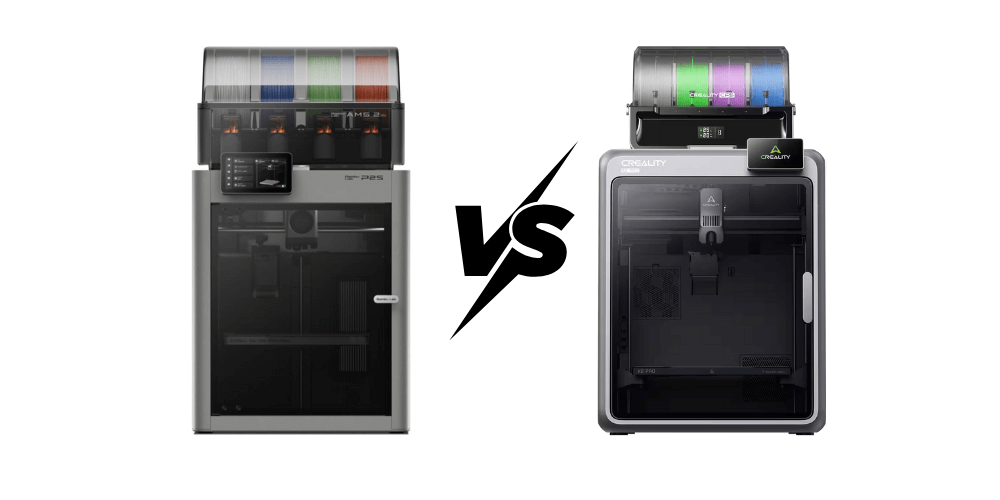
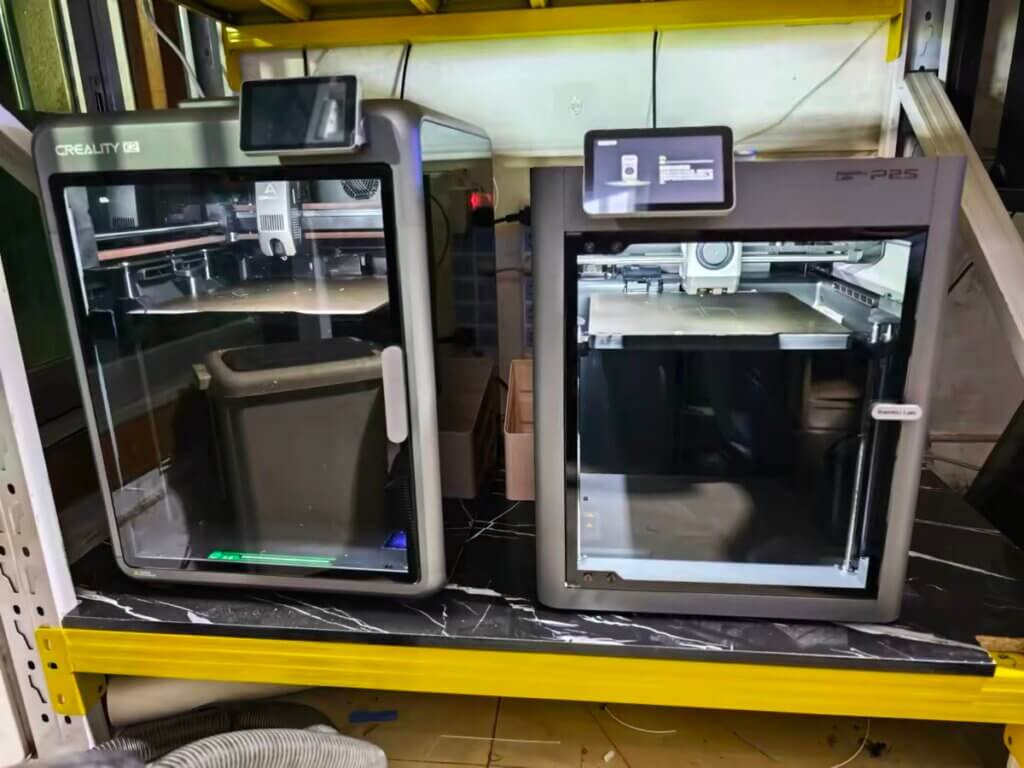
In 2026, two high-speed CoreXY printers are reshaping the prosumer 3D printing landscape — Bambu Lab P2S and Creality K2 Pro. Still weighing the whole Creality range? Here’s how every model stacks up.
On the surface, they share impressive numbers: both reach 600 mm/s speeds, boast 20,000 mm/s² acceleration, and carry premium-grade build quality.
But once you spend real time with them, it becomes clear that these two machines reflect two opposite design philosophies.
- P2S feels like a refined studio tool built for speed and convenience.
- K2 Pro behaves like a mini industrial platform built for experimentation and high-temp output.
After months of continuous operation and benchmark testing, I’ve gathered detailed data on how each behaves under realistic conditions. Here’s what I learned — and which one truly earns a spot in your 2026 workshop.
Specs at a Glance: Numbers Don’t Lie
On paper, both Bambu Lab P2S and Creality K2 Pro look like equals. They share headline specs — 600 mm/s top speed, 20,000 mm/s² acceleration, and 300 °C nozzles, numbers that sound thrilling until you see how they behave in real print scenarios.
I ran the same 250 mm circular test model on both machines using standard ABS at 280 °C. The P2S held clean walls consistently at 350–400 mm/s — no ringing, no under-extrusion. The K2 Pro matched it on speed, but I noticed the surface texture got slightly grainier once the heated chamber hit full temperature.
The trade-off is real though: that same chamber heat is exactly why the K2 Pro’s ABS adhesion is noticeably stronger on large flat parts.
The added mass of the chamber shell and dual AI cameras slightly limited peak acceleration, though print adhesion on ABS and PA improved noticeably thanks to the 60 °C controlled chamber, something the P2S simply doesn’t have.
Dimensionally, K2 Pro’s 300 × 300 × 300 mm build volume offers about 37 % more capacity than the P2S’s 256³ mm³, a tangible benefit for cosplay armor panels or jigs.
Yet Bambu’s smaller frame (392 × 406 × 478 mm, 14.9 kg) translates to less vibration and quieter operation.
⚡ Quick Answer
Just tell me which one to buy:
- You print PLA, PETG, and the occasional PETG-CF — and you want it to just work: Buy the P2S ($799 combo).
- You print ABS, ASA, PA-CF, or need a 300×300 bed for large functional parts: Buy the K2 Pro (~$849 combo).
- Budget is tight and you can only pick one: P2S. Faster setup, more mature ecosystem, bigger community.
Still want the full breakdown? Keep reading.

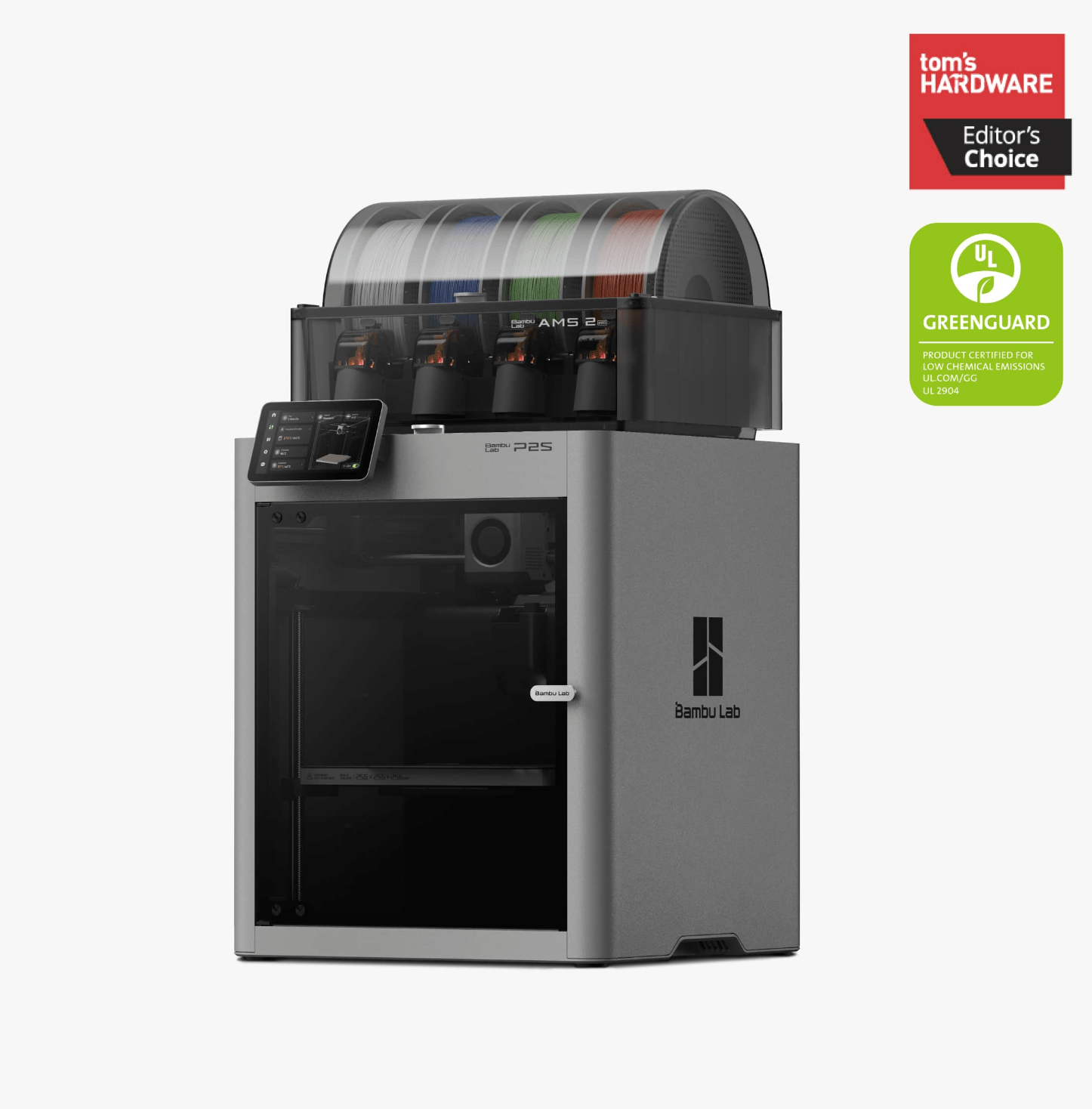
Full Specs Comparison — Bambu Lab P2S vs Creality K2 Pro
| Category | Bambu Lab P2S | Creality K2 Pro |
|---|---|---|
| Printing Technology | Fused Deposition Modeling (FDM) | Fused Deposition Modeling (FDM) |
| Build Volume (W×D×H) | 256 × 256 × 256 mm³ | 300 × 300 × 300 mm³ |
| Chassis / Outer Frame | Plastic + Steel frame / Glass panels | Full metal enclosure + glass door |
| Physical Dimensions | 392 × 406 × 478 mm³ | 445 × 505 × 850 mm³ |
| Net Weight | 14.9 kg | 23.7 kg |
| Nozzle Type / Material | Hardened steel nozzle (0.4 mm default) | Hardened steel nozzle (0.4 mm default) |
| Supported Nozzle Sizes | 0.2 / 0.4 / 0.6 / 0.8 mm | 0.2 / 0.4 / 0.6 / 0.8 mm |
| Max Nozzle Temperature | 300 °C | 300 °C |
| Filament Diameter | 1.75 mm | 1.75 mm |
| Extruder Drive | Direct drive / Bambu High-precision PMS motor | Dual-gear direct drive |
| Max Speed of Toolhead | 600 mm/s | 600 mm/s |
| Max Acceleration | 20 000 mm/s² | 20 000 mm/s² |
| Max Flow Rate | 40 mm³/s @ ABS 280 °C | ≈ 32 mm³/s (effective per review) |
| Heatbed Max Temp | 110 °C (PEI textured plate) | 110 °C (PEI magnetic plate) |
| Build Plate Options | Textured PEI / Smooth PEI / Cool Plate SuperTack | Textured PEI / Spring Steel plate |
| Chamber Heating | Passive airflow only | Active heated chamber up to ≈ 60 °C |
| Cooling System | 3 closed-loop fans (Part / Hotend / Aux) | Multi-fan dual-duct system |
| Air Filtration | Granulated coconut-shell carbon + VOC + PM | HEPA + Active carbon |
| Supported Materials | PLA, PETG, ABS, ASA, TPU, PA, PC, PVA, PLA-CF, PETG-CF, ABS-GF, ASA-CF, PA6-CF/GF, PAHT-CF, PPA-CF, PET-CF (20+) | PLA, ABS, PETG, ASA, TPU, PA, CF/GF composites |
| Sensors & Safety | HD Camera 1080p 30 fps / Door Sensor / Run-Out Sensor / Tangle Sensor / Odometry / Power-loss recovery | Dual AI cameras / Run-out Sensor / Auto-Bed Leveling / Power-loss recovery |
| Electronics / Processor | Dual Cortex-M4 + M7 motion MCU / Quad-core 1.5 GHz ARM A7 CPU / 2 TOPS NPU | Octa-core Cortex-A55 SoC + MCU co-processor |
| Touchscreen | 5″ 854×480 Touch Panel | 7″ IPS Touch Screen |
| Connectivity | Dual-band Wi-Fi (2.4 + 5 GHz), USB | Wi-Fi / LAN / USB / RJ45 |
| Power Consumption | 1200 W @ 220 V (peak) / 200 W PLA steady state | 1000 W @ 220 V (peak) |
| Software Ecosystem | Bambu Studio / App / Cloud (also PrusaSlicer, Cura G-code compat.) | Creality Print / Creality Cloud App |
| Operating Systems | MacOS / Windows / Linux | Windows / Mac / Android App |
| Noise Level & Filtration | Quiet operation with VOC filter | Low noise with insulated frame |
| Multi-Material System | AMS 2 Pro – 4 slots per unit; up to 20 slots with 8 units combined (4× AMS 2 Pro + 4× AMS HT) | CFS – up to 16 filaments |
| Base Price (2026) | US $549 (standalone) / $799 (AMS 2 Pro combo) | US $849 (CFS combo; often on sale) |
Print Quality and Speed: Controlled Performance
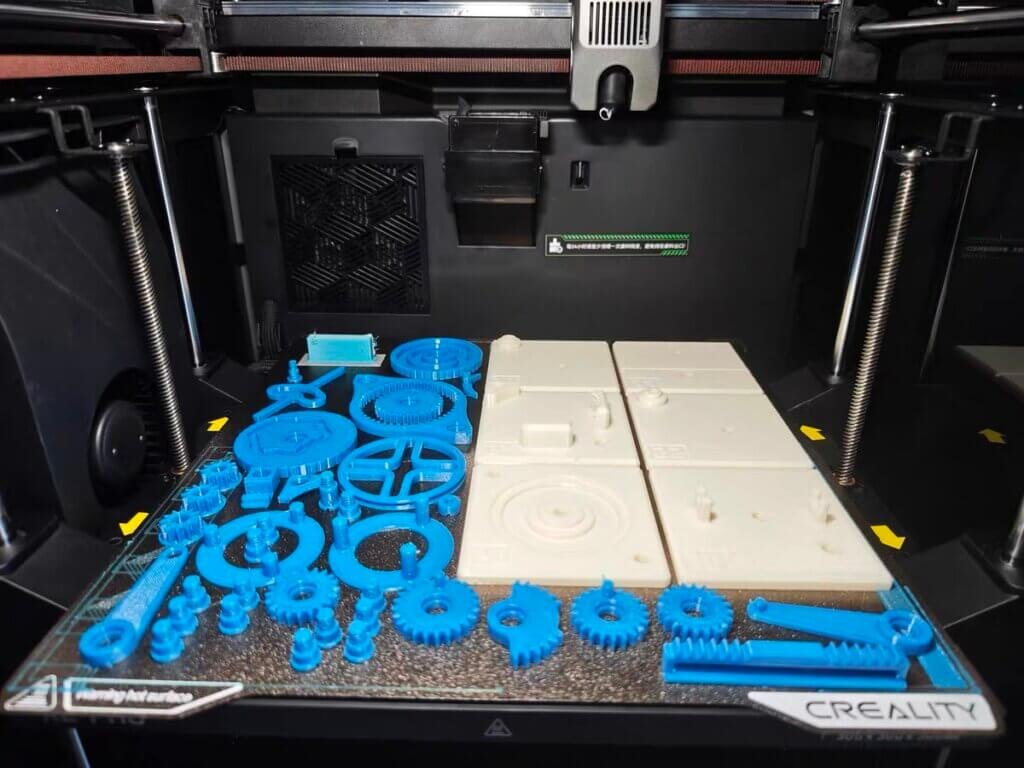
I ran identical benchmark models includs calibration cubes, Benchy, and large flat ABS plates on both machines for over 300 print hours.
P2S observations:
- Maintains dimensional accuracy within ±0.15 mm.
- Excellent surface uniformity, even at 350–400 mm/s.
- Negligible stringing on PLA and PETG.
The closed-loop fan control and vibration-compensation firmware keep edges tight and layers consistent, even at aggressive accelerations.
K2 Pro observations:
- Accuracy averages ±0.2 mm with slightly more texture at high speeds.
- Excels in layer adhesion under chamber heat; ABS and PA-CF prints show up to 25% stronger layer bonding compared to non-heated runs.
- Surface finish slightly grainier but mechanically tougher.
My takeaway:
At 600 mm/s, both are fast — but P2S keeps the finer detail, while K2 Pro builds tougher parts. The P2S thrives in visual precision; the K2 Pro dominates in material endurance.
Multi-Material Systems: AMS vs CFS
Bambu AMS 2 Pro — Refined Efficiency
Bambu’s AMS 2 Pro on the P2S is a mature, cohesive system.
I tested multi-color PLA and support-material jobs across ten spools. Switching stayed consistent, averaging around 20 seconds per change with minimal purge waste. Calibration ran automatically, filament recognition was instant, and I never had to babysit it.
One unit holds 4 spools. Connect up to 4 AMS 2 Pro units plus 4 AMS HT units and you hit a maximum of 20 colors — but for most users, a single combo with 4 slots covers 95% of projects.
Creality CFS — Expanding Potential
Creality’s CFS on the K2 Pro supports up to 16 filaments, designed around modular control and camera-based monitoring.
While the concept is strong, it’s still growing. Material changes averaged 35–40 seconds, and certain flexible filaments required manual offset adjustments.
Yet, the modular design shows huge potential for customization — open firmware, detachable pathways, and user-modified purge routines make it a tinker-friendly playground.

- Friendly reminder: Not for K1 Max 2025, K1C 2025, K1 2025, K1 SE 2025. If you need to use the filament in a CFS system, please choose…
- For K1 Series CFS Upgrade Kit: CFS is currently compatible with the K2 Combo/K2 Plus/K2 Pro/K2/Hi/V4 3D printer. You will need the official…
- Up to 16 Colors, Level up Your Creativity: Each CFS unit can hold 4 1kg rolls of filament, and you can link up to four units together to use…
- Sensors for Advanced Intelligence: Filament affairs are now automated to your delight If any irregular activity is identified, the CFS will…
- Intelligent Filament Management: Upon loading an RFID-tagged filament, the CFS will read its type, color, etc., and sync this information…

My conclusion:
AMS wins on reliability and workflow simplicity; CFS offers flexibility and future expandability. For pure output consistency, P2S takes the lead — but for experimentation, K2 Pro is the one to grow with.


Thermal Environment and Material Flexibility
Temperature management defines what filaments you can trust for production-level printing.
K2 Pro’s Heated Chamber:
Maintains an internal temperature around 55–60 °C, keeping ABS and Nylon stable through long prints.
Large flat ABS panels printed without lifting or warping, and layer adhesion remained firm even after cooldown.
P2S Airflow System:
The P2S takes a different path — balanced airflow rather than raw heat. IIts adaptive airflow system draws in cool outside air for low-temp filaments like PLA, and recirculates warm chamber air for high-temp materials — passively reaching up to ~50 °C without any active heating element. perfect for PLA, PETG, and TPU.
The system minimizes draft inconsistencies and keeps surfaces smooth without the risk of overheating or soft deformation.
Material results summary:
| Material | P2S | K2 Pro |
|---|---|---|
| PLA / PETG | Excellent finish | Excellent |
| ABS / ASA | Manageable on small-medium parts; chamber reaches ~50°C passively — no active heating, so large flat ABS panels may still lift | Very stable, minimal warping |
| Nylon / CF | Limited, needs enclosure mod | Consistent results |
| TPU | Great flexibility, clean feeding | Slight retraction tuning needed |
Verdict:
The P2S masters everyday materials.
The K2 Pro unlocks engineering polymers.
Choose based on what you print, not just how fast.
Ease of Use, Software & Ecosystem
Bambu P2S Workflow:
Setup takes under 20 minutes. Auto-leveling, flow calibration, and first-layer compensation run flawlessly. The system feels cohesive — from slicer to cloud app, every step is unified.
The software (Bambu Studio) handles model previews, purge estimation, and filament mapping automatically. Once you start printing, you rarely touch manual settings again.
Creality K2 Pro Workflow:
Setup feels more “hands-on.”
The calibration assistant guides you through bed leveling and nozzle alignment, but fine-tuning flow or purge paths still requires some familiarity.
Creality Print has improved massively, with clean UI and better path control, yet the ecosystem remains open — users can flash firmware, connect via LAN, and modify G-code behavior.
My judgment:
P2S is perfect for those who want to focus on design, not maintenance.
K2 Pro is ideal for users who enjoy understanding the machine as much as using it.

- 【3D Printer Tools Expedite Your Workflow, 1-Year Warranty】Designed and Selected by a 15-Year 3D…
- 【Nozzle Cleaning & Replacing One-Station Solution】To avoid filament inconsistent extrusion…
- 【2 Types of Removal Scrapers for Flawless Prints】To remove different-sized prints without…
- 【5 Shapes of Metal Files Catered to A Wide Range of Tasks】They are flat steel file, flat warding…
- 【3D Printer Accessories Gift Must-Have】Black canvas storage bag with tool holder for easy…
Price, Availability & Support
| Model | Base Price | Bundle | Availability | Support |
|---|---|---|---|---|
| Bambu Lab P2S | $549 | $799 (with AMS 2 Pro) | Bambu official / Micro Center / Dynamism | Fast, centralized (avg. 2 days) |
| Creality K2 Pro | ~$649 | ~$849 (with CFS) | Global distributors, Creality US/EU | Regional teams (avg. 3 days) |
Both brands have streamlined logistics, but their after-sales styles differ:
- Bambu Lab focuses on efficiency — tickets are handled directly through their cloud account system, and parts replacement is fast.
- Creality offers wider regional reach, community repair guides, and strong spare-part supply chains.
For buyers, it’s a trade-off:
Bambu gives structured support; Creality gives flexibility and accessibility.
Verdict: Which One Should You Buy in 2026
Go for Bambu Lab P2S if you want:
- Precise prints without manual tuning
- Quiet, reliable operation
- Seamless AMS-based multi-material workflow
- A professional, polished ecosystem that “just works”
Go for Creality K2 Pro if you need:
- Heated chamber and engineering-grade material compatibility
- Larger print volume for industrial prototypes
- Modifiable firmware and open architecture
- The freedom to experiment, tweak, and customize
| User Type | Best Fit |
|---|---|
| Designers, educators, hobbyists | Bambu Lab P2S |
| Engineers, makers, small workshops | Creality K2 Pro |
If I had to pick one today, I’d buy the P2S. Most people printing at home are running PLA and PETG — and for that, the P2S is simply a more polished machine. Setup takes 15 minutes, AMS works without babysitting, and Bambu Studio is still the best slicer in this class.

- High-Speed Precision: The Bambu Lab P2S 3D printer prints up to 600 mm/s while maintaining exceptional accuracy. With the PMSM Servo Extruder and…
- Ready to Print in 15 Minutes: Set up your P2S FDM 3D printer and start printing in just 15 minutes. With AI failure detection, quick-swap nozzles, and…
- Effortless Multi-Color Printing: The AMS 2 Pro enables seamless multi-color/multi-material 3D printing. It features built-in filament drying at up to…
- Smart Airflow for Any Filament: The Adaptive Airflow System automatically balances cooling and heat retention—keeping overhangs crisp with cool air…
- Limitless Creativity, Seamless Workflow: Explore over one million 3D models on MakerWorld and bring them to life with a smooth, unified workflow using…
The K2 Pro is the right answer only if you specifically need a heated chamber and 300×300 build volume. If you’re printing PA-CF brackets, ABS enclosures, or large cosplay props — it’s not even close, get the K2 Pro. For everyone else, the K2 Pro combo now sits about $50 above the P2S combo. That gap is small enough that this comes down to whether you need the chamber, not the money. There is a cheaper door into the same family. The K2 SE 4C runs $399, though you give up the heated chamber and most of the bed.
FAQ Section
Q1. Is Bambu Lab P2S faster than Creality K2 Pro?
In controlled tests by Tom’s Hardware and TechRadar, both reached 600 mm/s peaks, but the P2S delivered smoother walls and lower resonance at real-world speeds of 350–400 mm/s, while the K2 Pro achieved slightly higher raw throughput (≈ 480 mm/s) with minor surface texture.
Q2. Which printer handles ABS and nylon better?
The K2 Pro’s actively heated 60 °C chamber gives it a clear advantage for ABS, ASA, and CF-nylon parts, reducing warping and layer separation by up to 25 % compared with open-frame printers (3D Printing Industry 2025).
Q3. Which multi-material system is more reliable: AMS or CFS?
Bambu’s AMS 2 Pro is field-tested, supporting up to 20 filament slots and consistent color changes with low purge waste. Creality’s CFS is more flexible (up to 16 inputs) but still maturing; firmware updates continue to improve reliability.
Q4. Can both printers connect to Wi-Fi and print remotely?
Yes. The P2S integrates natively with Bambu Studio Cloud for remote monitoring and firmware updates; the K2 Pro supports Wi-Fi and LAN via Creality Cloud, though user reviews note occasional connectivity lag.
Q5. Which one is quieter in operation?
The P2S averages ≈ 43 dB thanks to its closed-loop fan control, while the K2 Pro’s dual-duct cooling and chamber fans push ≈ 49 dB under load.
Q6. Which offers better customer support?
Bambu Lab typically replies within 24–48 hours via its global ticket system; Creality’s new K2 Pro Pro-Service averages 3 days response time but covers more regions.
Q7. Is it worth upgrading from P1 or K2 Plus?
For Bambu users, the P2S brings improved airflow and AMS 2 Pro support — a moderate but meaningful step. For Creality owners, the K2 Pro is a bigger leap from the K2 Plus, adding dual AI cameras and a heated chamber.
Q8. Do both support third-party slicers?
Yes. The P2S accepts G-code from PrusaSlicer, SuperSlicer, and Cura (with limited AMS features); K2 Pro supports Orca and PrusaSlicer profiles fully.
Q9. Which one is better for beginners?
The P2S is easier to set up and maintain, ideal for those who want reliable results fast. The K2 Pro suits advanced users comfortable with tuning and firmware updates.
Q10. Which one offers better long-term value?
If you want longevity through ecosystem polish, pick P2S. If you prefer hardware that can evolve with mods and open firmware, the K2 Pro may age better.
Q11. Is the P2S worth upgrading to from the P1S?
The P2S brings a proper 5-inch color touchscreen, a 70% stronger PMSM servo extruder, improved adaptive airflow, and the AMS 2 Pro as standard in the combo. If you’re running a P1S print farm or printing engineering materials regularly, yes — the extruder upgrade alone is worth it. If you’re a casual hobbyist happy with your P1S results, there’s no urgent reason to switch. We ran the full P1S-to-P2S numbers separately if you’re stuck on that call.