I earn a commission if you buy through links on this page, at no extra cost to you. As an Amazon Associate, I earn from qualifying purchases.
The Creality Ender-3 V3 Mega isn’t really an Ender-3. Not the way you remember it. The name says budget beginner box. The machine says something else: a 420mm production printer that also handles soft TPU. If you’ve been trying to figure out what this thing is, who it’s for, and whether it’s worth the wait, this preview is for you.
A quick note first. This is an early look based on Creality’s official launch details, not a hands-on review. The Mega just launched, and I want to be straight with you about what we know and what we don’t.
Table of Contents
- What Is the Creality Ender-3 V3 Mega?
- Ender-3 V3 Mega Specs at a Glance
- The 420mm Build Volume: What It Actually Unlocks
- Soft TPU (85A–95A): The Real Headline Feature
- Speed, Build Quality & Hands-Off Reliability
- Software & Running Multiple Machines
- Price & Availability: What We Know (and Don’t)
- Where the Mega Sits in the Ender-3 V3 Line
- Who Should Consider It (and Who Shouldn’t)
- The Honest Concerns
- FAQ
- Final Take
What Is the Creality Ender-3 V3 Mega?
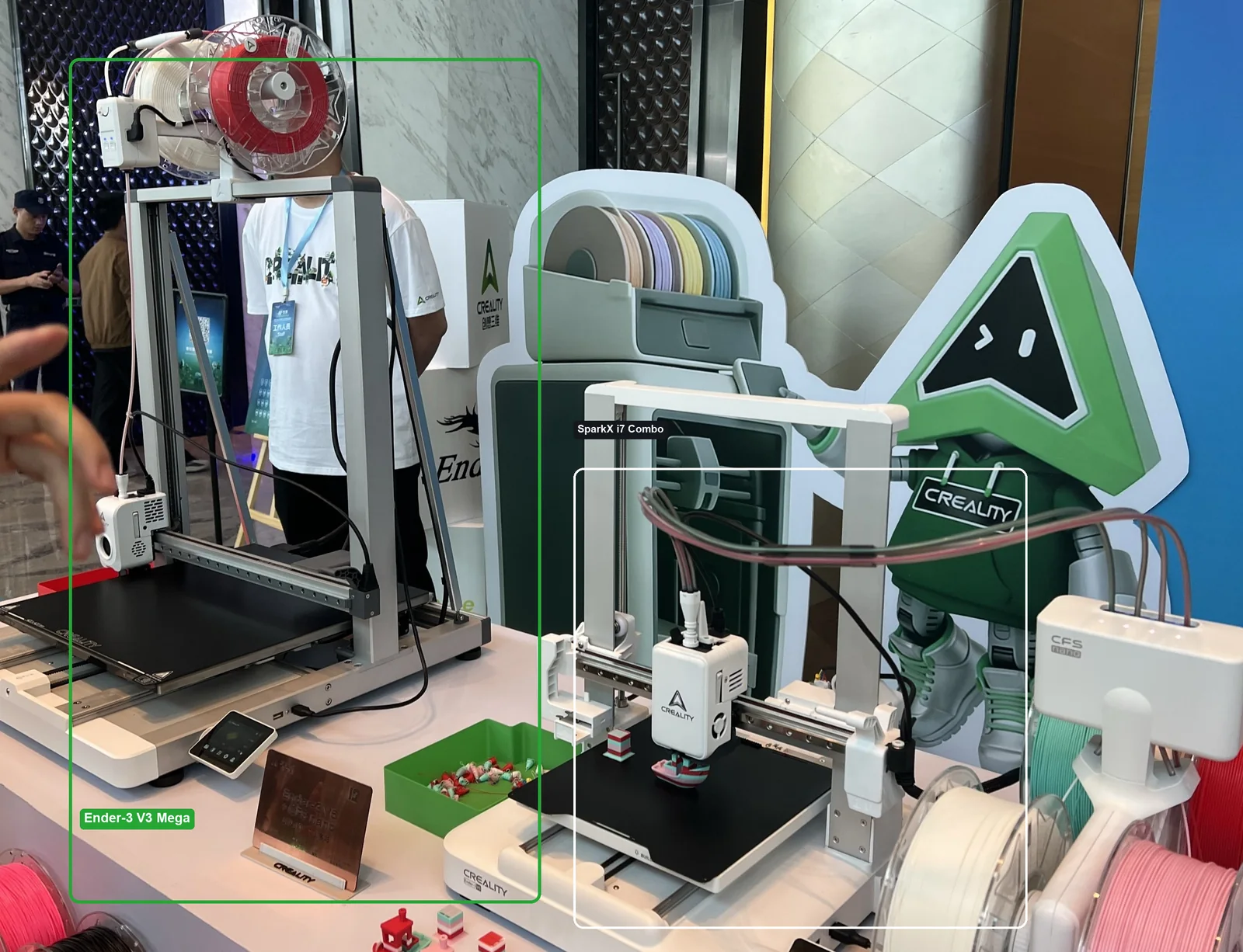
It’s the biggest, most production-focused printer in the Ender-3 V3 family. That’s the short answer.
Two ideas drive the whole design. First, size. A cube of build space that big lets you print big things in one go. Second, flexibility. This machine is built to run soft TPU, not just the stiff stuff most printers tolerate.
Here’s the part worth saying plainly. The Ender name still reads as “starter printer” to most people. This one isn’t chasing that buyer. Creality is pointing the Mega at workshops and print farms. Judge it on that, not on the badge.
Ender-3 V3 Mega Specs at a Glance
Here’s what Creality has confirmed so far, pulled from its official launch materials and cross-checked against the English announcement.
| Spec | Ender-3 V3 Mega |
|---|---|
| Build volume | 420 x 420 x 420mm |
| Machine size / weight | 590 x 588 x 697.5mm / 20.2 kg |
| Print speed | 300mm/s typical, 500mm/s max |
| Max acceleration | 8,000mm/s² |
| Extruder | Direct-drive (upgraded Sprite), short filament path |
| Nozzle | 0.4mm, up to 300°C |
| Heated bed | Up to 100°C, epoxy-coated plate |
| Recommended materials | PLA, PETG, TPU (85A–95A) |
| Also compatible | ABS, ASA (enclosure advised), 80A TPU |
| Multi-material | CFS / CFS nano ready with RFID (CFS nano coming soon) |
| Auto-leveling | Fully automatic (81-point) |
| Frame | Aluminum alloy gantry, die-cast heated bed |
| Smart features | Auto Filament Relay, runout and tangle detection, input shaping |
| Display / connectivity | 3.2-inch touchscreen; USB, 2.4 GHz Wi-Fi, Creality Cloud |
| Slicer / power | Creality Print 7.0; 1,150 W |
| Launch price | 3,399 RMB (China launch) |
| US price and date | Not announced |
Treat these as manufacturer figures for now. Real-world speed and TPU quality need testing once units ship widely.
The 420mm Build Volume: What It Actually Unlocks
The big draw is simple: fewer splits, fewer glue seams. That’s the real value of a bed this big.
Most desktop printers cap out around 250mm. That’s fine until you try to print a helmet, a cosplay prop, or a large industrial housing. Then you’re slicing the model into chunks and printing them one at a time. After that comes the glue, the sanding, and the seam you can still see. Every cut is a weak point and a chance for the surface to look off.
A cube this size skips a lot of that. You fit more of the model, sometimes all of it, in a single print. A bigger bed also means more small parts at once, which matters if you run batches or sell prints.
One honest caveat, straight from an early commenter on Creality’s own announcement: “420 x 420, one spool of filament isn’t enough.” That’s true. Big prints eat filament, and a bed this size can burn through a roll fast. Plan for spare spools and lean on the runout handling. If you print at this scale often, our guide to large-format 3D printers shows how the Mega stacks up against other big machines.
One more practical note. This is a large, heavy machine. It stands nearly 70cm tall and weighs about 20kg, so it needs real bench space and a solid surface, not a crowded corner of a desk.
Soft TPU (85A–95A): The Real Headline Feature
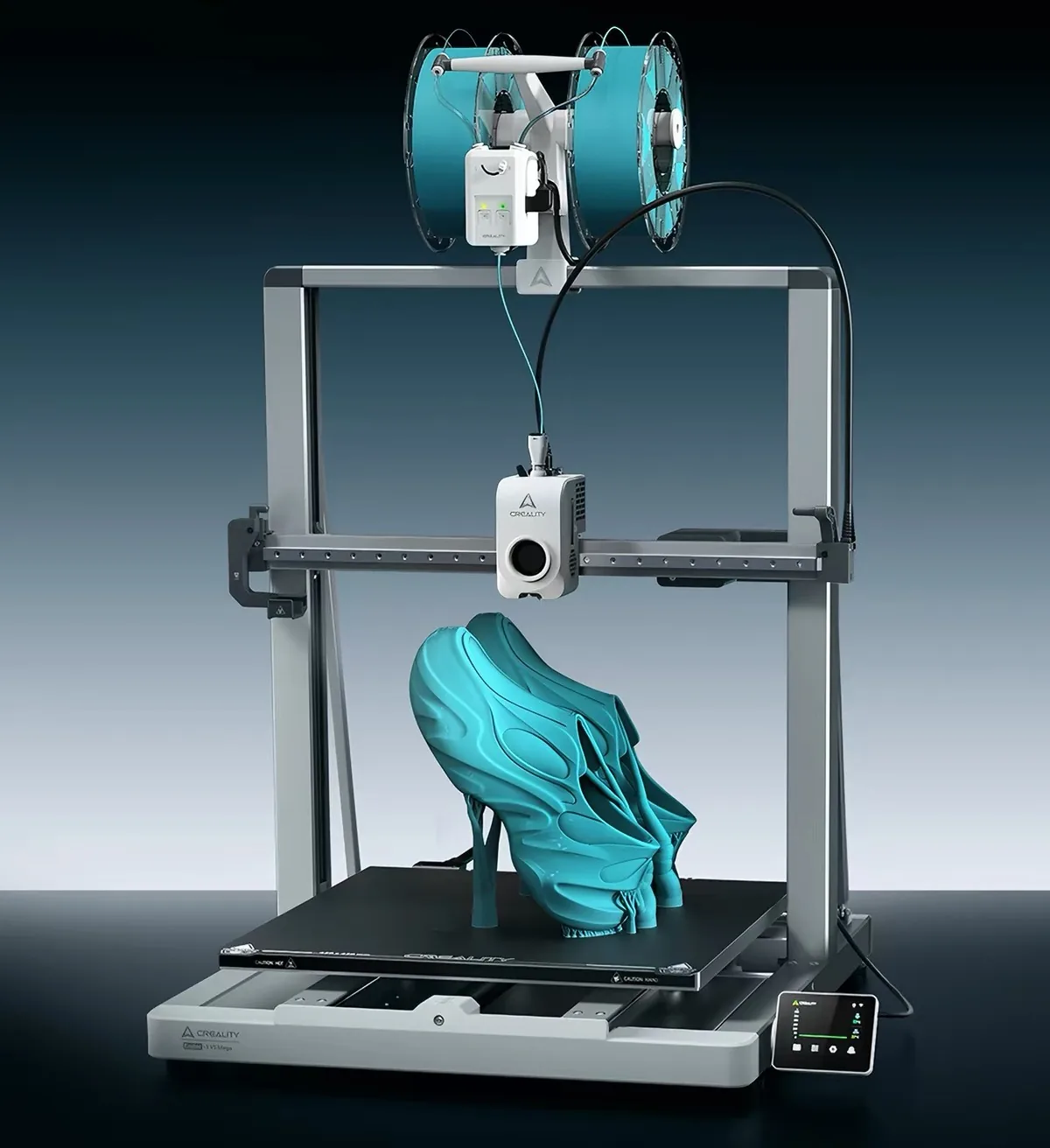
This is the spec that actually sets the Mega apart. Not the size. The soft TPU.
Here’s why it matters. TPU is measured by hardness, and the lower the number, the softer and stretchier it gets. Soft 85A filament bends easily. That’s great for the final part and miserable for the extruder, where it wants to buckle and jam on its way to the nozzle. Plenty of printers claim TPU support, then choke on anything genuinely soft.
Creality’s answer is mechanical. The Mega uses a second-generation Sprite extruder with upgraded drive gears and a short, low-resistance path to the hotend. Less distance and less friction mean the soft filament has fewer chances to kink before it melts.
There is more range here than the flexible-material headline suggests. Creality also rates the Mega for 80A TPU, which is even softer than the 85A most people mean by ‘flexible.’ And because the nozzle reaches 300°C with a bed up to 100°C, it can handle tougher engineering plastics too. ABS and ASA are on the compatible list, though Creality advises an enclosure for those. So think of it as a PLA and PETG workhorse that also stretches down to soft TPU and up to heat-resistant materials when you need them.
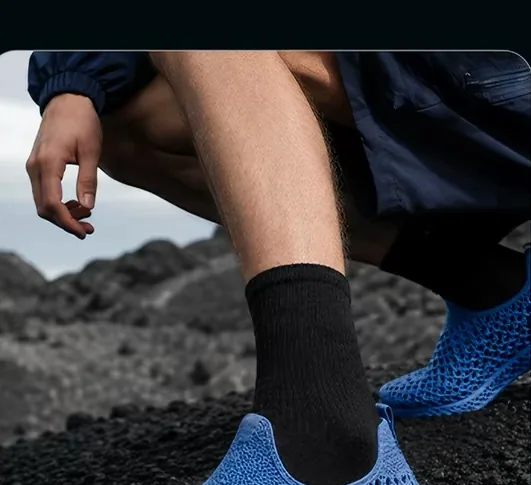
What can you make with it? Insoles and gaskets. Vibration dampers. Flexible wearables, and even custom shoes at home, which is a pitch Creality makes directly. If that idea grabs you, we broke down how flexible footwear works in our piece on 3D printed shoes and TPU. Just remember: this is Creality’s claim for now. Soft TPU is where printers most often fall short, so it’s the first thing worth testing when units land.
Speed, Build Quality & Hands-Off Reliability
Speed and structure go together here, so let’s take them as one.
The Mega targets 500mm/s with 8,000mm/s² acceleration. Numbers like that only mean something if the frame can hold still. Creality’s answer is an aluminum alloy gantry paired with a die-cast heated bed, both meant to keep a big, tall print stable while the toolhead moves fast.
Then there’s the hands-off side, which matters more than it sounds. A large print can run for ten, fifteen, twenty hours. If it fails at hour twelve, you lose the filament and the whole day. So the Mega leans on 81-point auto-leveling to start clean and input shaping to fight ringing. On top of that sits a stack of safety nets: Auto Filament Relay, runout and tangle detection, and RFID. The English launch post frames the whole machine around “nonstop printing,” and this is the part that backs that claim. A runout pauses the job so you can swap filament and continue, instead of scrapping the print.
Software & Running Multiple Machines
If you only run one printer, this section is a bonus. If you run several, it might be the whole point.
The Mega works with the Creality Cloud app, so you can check progress and start or pause a job from your phone. On the workflow side, Creality Print 7.0 adds online monitoring and lets you push files to machines from one place.
That last part is aimed squarely at print farms, school labs, and studios juggling a fleet. Managing ten machines is a different job than babysitting one. Unified file dispatch is how you keep it sane.
The Mega also plugs into Creality’s CFS system, the same multi-material setup you will see paired with its other machines. With CFS and the smaller CFS nano, it can auto-swap filament to print in more than one color or material, and RFID reads each spool so the printer knows what is loaded. One caveat: Creality lists CFS nano as coming soon. So treat full multicolor as a near-term promise, not a day-one feature.
Price & Availability: What We Know (and Don’t)
Let’s be direct, because this is where most of the “when can I buy it” questions land.
The Ender-3 V3 Mega launched in China at 3,399 RMB and is on sale there. Outside China, it’s a waiting game. As of July 25, 2026, there’s no US Amazon listing, no confirmed dollar price, and no global release date. Under Creality’s own launch posts, buyers keep asking “WHEN???” and the company hasn’t given a date.
So here’s the honest move. If you need a large Ender-3 V3 today, the Ender-3 V3 Plus is already available and shipping now. It’s smaller than the Mega, as the family table below shows, but it’s real and you can buy it. Before you order, see which Creality codes work in your country.
Where the Mega Sits in the Ender-3 V3 Line
Short version: the Mega is the top of the size ladder. Here’s the whole family at a glance.
| Model | Build volume | Best for | Status (US) |
|---|---|---|---|
| Ender-3 V3 SE | 220 x 220 x 250mm | Cheapest entry point | On sale |
| Ender-3 V3 KE | 220 x 220 x 240mm | Fast, simple starter | On sale |
| Ender-3 V3 Plus | 300 x 300 x 330mm | Mid-large parts, available now | On sale |
| Ender-3 V3 Mega | 420 x 420 x 420mm | Biggest prints, soft TPU, production | Not yet listed |
Use this to place yourself. If you don’t need 420mm, a cheaper model in the line probably fits you better today.
Who Should Consider It (and Who Shouldn’t)
This is the one I’d think hardest about before spending.
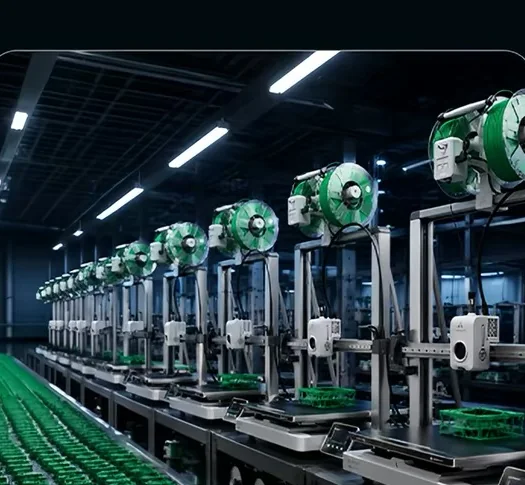
Consider the Mega if you run a print farm, a studio, or a classroom, and you regularly print large parts or soft TPU. That’s the buyer Creality built it for, and the feature set lines up with real production needs.
Be honest with yourself if you’re a first-time buyer who just wants a printer that works. The Ender name is comforting, but this is a big, production-minded machine. A V3 SE or KE will teach you the basics with less to manage and less to spend.
The Honest Concerns
I’m not going to pretend the reaction has been all cheers. It hasn’t, and you’ve probably seen the debates.
The loudest one is value. The top comment on Creality’s launch put it bluntly: a comparable-size Anycubic setup, multicolor box included, can cost less. That’s a fair question to ask before you commit.
Reliability is the other worry. The same commenter asked which Creality machine hasn’t broken on them, across printers, dryers, and scanners alike. It’s a real sentiment in the community. But it isn’t the whole story. Another owner pushed back that their Creality gear has been steady, except when they flashed custom firmware themselves, while other brands gave them grief. Both experiences are true. Quality control varies, and your mileage will too.
One more, worth flagging with care: some users on r/Creality have reported trouble getting spare parts for V3-line printers. That’s one corner of the community, not a verdict. Still, parts availability is a fair thing to weigh on any newer model.
None of this is a reason to panic. It’s a reason to be an informed early adopter instead of a hopeful one.
FAQ
When can I buy the Ender-3 V3 Mega in the US? There’s no confirmed date. It has launched in China but has no announced US or global release window.
How much does the Ender-3 V3 Mega cost? It launched at 3,399 RMB in China. Creality hasn’t published a US price yet, so any dollar figure you see right now is a guess.
Can it really print soft TPU well? Creality rates it for 85A to 95A soft TPU, and the hardware is built around that flexible-material job. On paper it’s ready for it. Soft TPU is also where printers most often disappoint, so wait for real-world tests before betting on it.
Can I use PLA supports when printing TPU on it? Multi-material support pairing depends on the extruder and slicer setup, and Creality hasn’t confirmed dual-material support printing for the Mega. For now, plan on TPU-only or TPU-compatible supports until official guidance lands.
Ender-3 V3 Mega vs V3 Plus: which should I get? Get the Plus if you want a large printer you can buy today at 300 x 300 x 330mm. Wait for the Mega if you need the full 420mm volume or serious soft-TPU capability, and you can afford to wait.
Does the Ender-3 V3 Mega support multicolor printing?
Yes, through Creality’s CFS multi-material system, which the Mega is built to work with, including RFID spool recognition. The smaller CFS nano is listed as coming soon, so multicolor is a supported path rather than something in the box on day one.
Final Take
The Ender-3 V3 Mega is a genuinely interesting machine wearing a misleading name. It isn’t a beginner printer. It’s a large-format, TPU-capable workhorse aimed at people who print big or print flexible, and who want to run jobs with less babysitting.
My preview verdict: promising, with two honest asterisks. The value-versus-Anycubic question is real, and the soft-TPU performance is a claim until someone tests it hard. If you’re a studio or farm that needs that full build volume and flexible materials, this one’s worth watching closely. If you just want your first printer, look elsewhere in the line and save yourself the wait.
I’ll update this once US pricing, availability, and real test data land. Curious what else Creality showed off at the same launch? Take a look at Creality’s SparkX i7, which arrived alongside the Mega. And when you’re ready to dial in your own prints, our free tools can help.
Preview score: 3.5 / 5, pending hands-on testing. Specs and pricing as of July 25, 2026.