
Heads up — some of the links below are affiliate links. If you buy through them, I earn a small commission (at no extra cost to you), which helps cover the gear I test. Thanks!
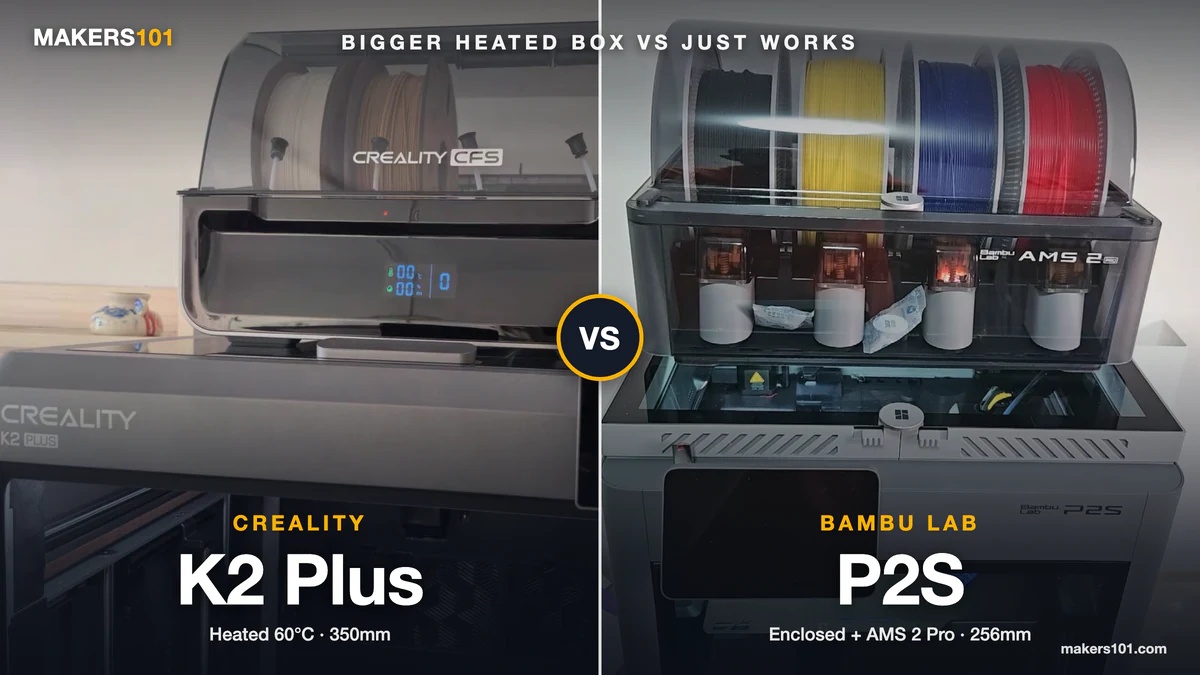
- Build volume is the real split in the Creality K2 Plus vs Bambu Lab P2S matchup. The K2 Plus prints a 350 mm cube. The P2S is noticeably smaller, so helmets and big props fit only the Creality in one piece.
- Only the K2 Plus heats its chamber. It actively warms the build space. Bambu’s own FAQ confirms the P2S relies on its enclosure alone, and it still prints ABS and ASA well.
- Multicolor is where the K2 Plus asks for patience. Reviewers logged heavier purge than on Bambu’s AMS machines, and the CFS feeder is the part owners complain about most.
- The P2S Combo costs a lot less and is the calmer first printer. Compare Combo to Combo so both sides include multicolor.
- Pick the K2 Plus for big parts, ABS and ASA, and room to tinker. Pick the P2S Combo if you want small multicolor prints with almost no fuss.
If you’ve narrowed it down to these two and opened a dozen Reddit tabs, you’ve probably noticed the arguments never settle. One camp says Creality gives you more printer for the money. The other says Bambu just works.
Both camps are describing something real. The difference between them is rarely print speed, since real-world speed gaps are small. It comes down to size and chamber heat on one side, and multicolor polish on the other.
Quick answer: Buy the K2 Plus if you print large parts, want an actively heated chamber for ABS and ASA, and don’t mind nursing a multicolor feeder now and then. Buy the P2S Combo if this is your first printer, most of your prints fit in a 256 mm cube, and you want multicolor that rarely needs attention.
I’ve run the K2 Plus for about two years and the P2S for one, mostly printing PLA and PETG home goods and small gadgets. Below, that experience sits next to long-term results from more than a dozen independent reviewers, all linked at the end.
Table of Contents
- Creality K2 Plus vs Bambu Lab P2S at a Glance
- Creality K2 vs K2 Pro vs K2 Plus: Which K2 Are You Comparing With the P2S?
- Creality K2 Plus vs Bambu Lab P2S Price: Matching the Right Bundles
- Build Volume: K2 Plus 350 mm Cube vs P2S 256 mm Cube
- Heated Chamber: K2 Plus Active 60°C vs P2S Passive Enclosure
- Multicolor: Creality CFS vs Bambu AMS 2 Pro
- Creality K2 Plus vs Bambu Lab P2S Speed in Real Prints
- Print Quality and Long-Term Reliability on the K2 Plus and P2S
- Materials on the K2 Plus and P2S: PLA, PETG, TPU, ABS, and Carbon Fiber
- Software and Ecosystem: Bambu Studio vs Creality Print, Orca Slicer, and Klipper
- Fumes, Filtration, and Noise on the K2 Plus and P2S
- Who Should Buy the Creality K2 Plus and Who Should Buy the Bambu Lab P2S
- Final Verdict: Creality K2 Plus or Bambu Lab P2S?
- Frequently Asked Questions About the Creality K2 Plus vs Bambu Lab P2S
- Sources for This K2 Plus vs P2S Comparison
Creality K2 Plus vs Bambu Lab P2S at a Glance
Specs and prices verified October 2, 2026. Prices are Amazon US listings; they move with sales, and each brand’s own store can differ.
| Spec | Creality K2 Plus Combo | Bambu Lab P2S Combo |
|---|---|---|
| Price (Amazon, Oct 2, 2026) | $1,199 | $769 ($569 without AMS) |
| Build volume | 350 × 350 × 350 mm | 256 × 256 × 256 mm |
| Chamber heating | Active, up to 60°C | None (enclosed, passive) |
| Max nozzle temp | 350°C | Not listed in our verified specs |
| Max speed / acceleration | 600 mm/s / 30,000 mm/s² | Not headlined on Bambu’s store page |
| Multicolor unit in the box | CFS (4 slots) | AMS 2 Pro (4 slots, active drying) |
| Max colors | 16 (four CFS units) | 20 (four AMS 2 Pro + four AMS HT) |
| Cameras and detection | Dual AI cameras | Camera with on-board AI error detection |
| Firmware and slicer | Klipper-based, Creality Print or Orca Slicer | Bambu firmware, Bambu Studio |
| Hardened steel nozzle | Yes (hardened steel tip) | Yes, plus hardened steel extruder gears |
Creality K2 vs K2 Pro vs K2 Plus: Which K2 Are You Comparing With the P2S?
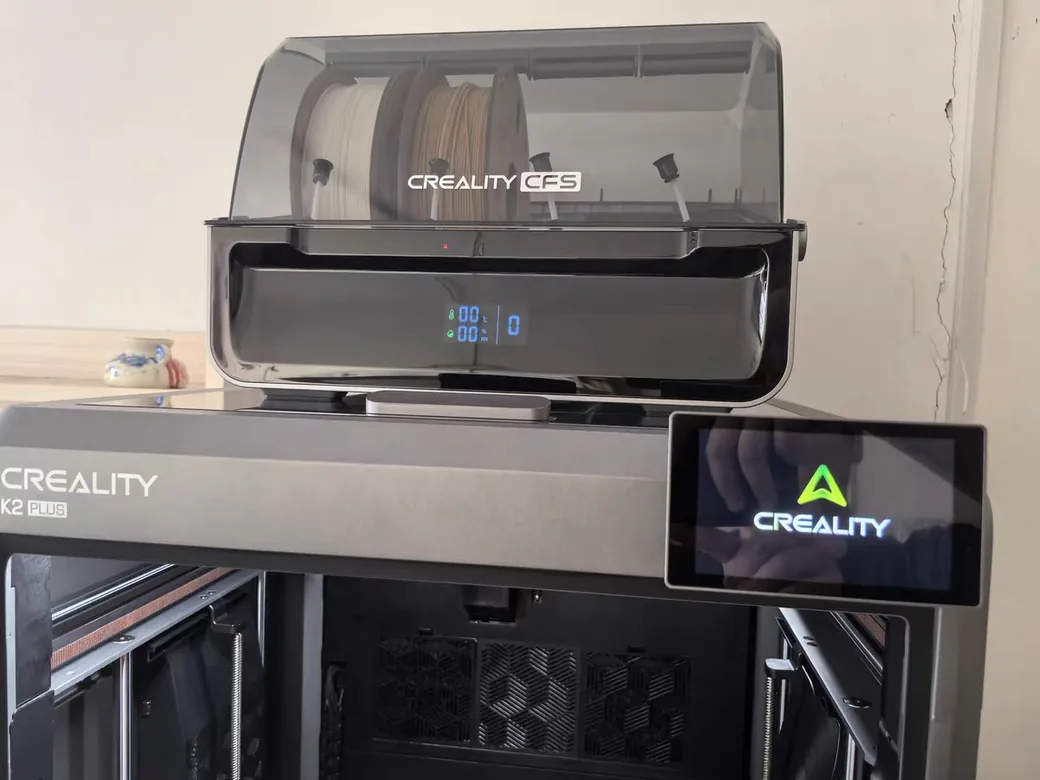
Most “Creality K2 vs P2S” searches lump three different printers together. The K2 family comes in three sizes, and only the largest one is the K2 Plus.
The standard K2 has a 260 mm build volume and lands closest to the P2S on price. The K2 Pro sits in the middle at 300 mm. The K2 Plus is the big flagship, which puts it closer to Bambu’s large H2 machines in size, even though shoppers often cross-shop it with the P2S Combo.
That matters because a lot of reviews you’ll find are about the smaller K2 or the K2 Pro. Their results don’t transfer cleanly to the Plus. If the K2 Pro is the one on your shortlist, our P2S vs K2 Pro comparison covers that matchup head to head.
One owner on r/Creality summed up the family decision: a K2 Combo user who came from an Ender 3 said their only regret was “not getting the plus.”
Creality K2 Plus vs Bambu Lab P2S Price: Matching the Right Bundles
The fair comparison is the K2 Plus Combo against the P2S Combo. Both include a four-slot multicolor unit, so you’re buying a complete multicolor setup either way.
| Bundle (Amazon, Oct 2, 2026) | Price | What you get |
|---|---|---|
| Creality K2 Plus Combo | $1,199 | Printer + CFS |
| Bambu Lab P2S Combo | $769 | Printer + AMS 2 Pro |
| Bambu Lab P2S (printer only) | $569 | Single spool, no AMS |
The K2 Plus has also come down a long way. Combo prices quoted in reviews from early and late 2025 were both noticeably higher than today’s listing.
The extra money buys three things you can measure: a much larger build volume, an actively heated chamber, and a second AI camera. It doesn’t buy lower running costs. Purge waste on the K2 Plus tends to run higher, which shows up in your filament bill over a year of multicolor printing.
If you want to put real numbers on that, plug your typical print into the 3DPKit print cost calculator with and without the purge weight.

- Enjoy Printing in Multiple Colors: By hooking up as many as four CFS units together, you are able to print in the splendor of 16 colors. Saves the…
- High Speed Printing: Step-servo Motor System 30000mm/s² accelaration, 40mm³/s High-flow and quiet. For a large-format machine, 600mm/s is pretty…
- Multi Material Capability: K2 Plus Combo equipped with Actively Heated Chamber & High-temp Nozzle with Hardened Steel Tip.Unlocks a wider selection of…
- Dual AI Cameras: K2 Plus uses an Al camera on the chamber side to watch over spaghetti failure, foreign objects, idling, etc. It will alert you when…
- Ingenious Anti-tilt Auto Leveling: K2 Plus features dual independently motorized Z-axes for automatic tilt reduction, strain gauge-based auto-leveling…

- High-Speed Precision: The Bambu Lab P2S 3D printer prints up to 600 mm/s while maintaining exceptional accuracy. With the PMSM Servo Extruder and…
- Ready to Print in 15 Minutes: Set up your P2S FDM 3D printer and start printing in just 15 minutes. With AI failure detection, quick-swap nozzles, and…
- Effortless Multi-Color Printing: The AMS 2 Pro enables seamless multi-color/multi-material 3D printing. It features built-in filament drying at up to…
- Smart Airflow for Any Filament: The Adaptive Airflow System automatically balances cooling and heat retention—keeping overhangs crisp with cool air…
- Limitless Creativity, Seamless Workflow: Explore over one million 3D models on MakerWorld and bring them to life with a smooth, unified workflow using…
Build Volume: K2 Plus 350 mm Cube vs P2S 256 mm Cube
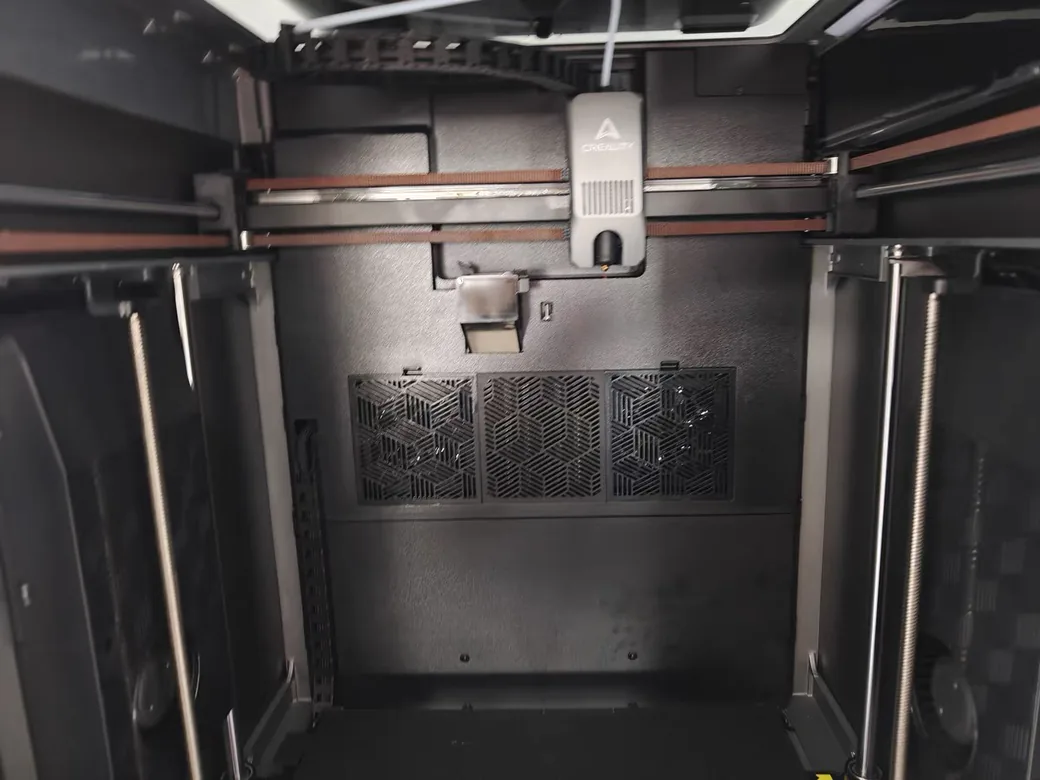
The K2 Plus gives you roughly 2.6 times the print volume of the P2S. Of everything in this comparison, it’s the advantage nobody disputes.
It changes what you can print in one go. On my K2 Plus, a full helmet came off the plate in one piece. On the P2S, a castle-shaped storage box was too big, so it had to be split into parts.
Volume also pays off when you batch. EBPMAN, who runs a small print business, fit nine parts on one K2 Plus plate where his X1 Carbon (the same bed size as the P2S) held four. If you sell prints, that’s fewer plate swaps per day.
If most of what you print is phone stands, organizers, and figurines, you’ll rarely touch the edges of the smaller bed. Paying for space you won’t use doesn’t make your prints better.
Heated Chamber: K2 Plus Active 60°C vs P2S Passive Enclosure
Creality’s K2 series spec page lists active chamber heating up to 60°C on the K2 Plus. The P2S is fully enclosed, but Bambu’s own P2S FAQ states that “the P2S does not have an active chamber heating function.”
Watch the marketing here. Bambu advertises the P2S as “50°C Chamber Ready.” That figure comes from the enclosure holding heat from the bed plus automatic vent flaps, with no heater in the chamber. Some third-party reviews still describe it as active heating.
In practice, both handle ABS and ASA. ABS and ASA parts barely warp on the K2 Plus, and YGK3D, who moved a print business from an X1 Carbon to a K2 Plus for a month, kept ABS flat without glue after about 15 minutes of bed heat-soak. On the P2S, one owner printed ABS many times with good results, and its automatic flow calibration gave it an edge with ASA in another long-term test.
The tougher materials show the gap. In my P2S testing, polycarbonate and nylon both needed a brim before they behaved, and at least one other reviewer saw PC warp on the P2S. A heated chamber is the tool those materials want.
A sealed, hot box has a downside. That month-long production test hit PETG heat creep and clogs inside the K2 Plus because its exhaust fan wasn’t on by default. The P2S opens its vent flaps for PLA and PETG automatically, which keeps that problem away. For a deeper list of machines built for hot materials, see our guide to enclosed printers for ABS and nylon.
Multicolor: Creality CFS vs Bambu AMS 2 Pro
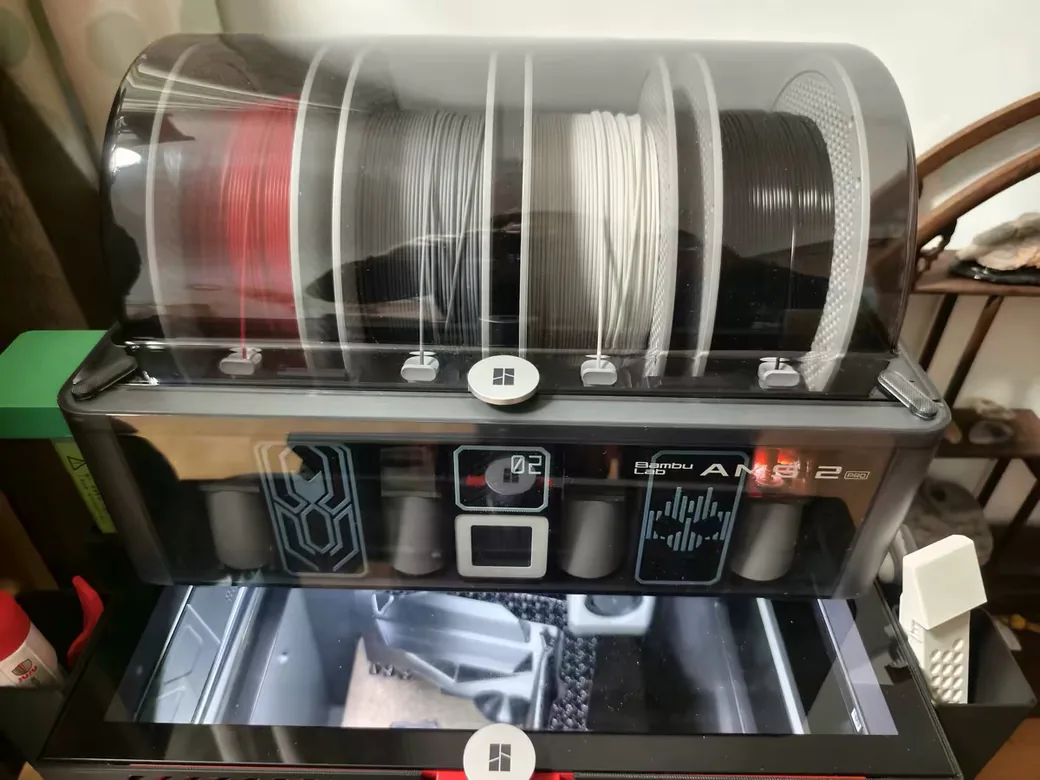
Both bundles use the same basic idea: one nozzle, four spools in a box, and a cutter that swaps filament between colors. The K2 Plus scales to 16 colors with four CFS units. The P2S scales to 20 with four AMS 2 Pro units plus four AMS HT units.
The hardware details split in both directions. The CFS does three things better than the AMS: you can clear a broken strand from the bottom, a spring holds nearly empty spools in place, and worn PTFE sections can be replaced one at a time. It also reads Bambu’s RFID spool tags, while the AMS can’t read Creality’s.
The AMS 2 Pro answers with active drying up to 65°C and a brushless motor rated for about 60% faster feeding than the original AMS. One thing the CFS can’t do at all: TPU has to bypass it and feed from an external spool holder.
Reviewers disagree on which box is better overall. EBPMAN called the CFS “better than Bambu’s AMS.” aim6mac, testing against an H2D, felt the CFS had a “version 1.1” feel and found the AMS 2 Pro quieter with tighter tolerances.
Purge Waste and Color Bleed on the K2 Plus
Four independent reviewers found the K2 Plus throws away more filament than the Bambu machine beside it. None of them used a P2S, so here’s exactly what each one compared against.
| Reviewer | Bambu machine used | What they measured |
|---|---|---|
| stlDenise3D | P1P | 0.75 g purge for a dark-to-light swap vs under 0.5 g; $2.62 vs $1.28 of waste on the same dragon |
| Crafted Catastrophes | X1 Carbon | 218 g waste for eight horses vs 79 g for four on the X1C (about 158 g scaled to eight) |
| Uncle Jessy | H2S | 11 oz vs 9 oz of waste on the same multicolor bird |
| YGK3D | X1 Carbon | More waste on the K2 Plus with the same model and filament |
The reviewers’ best guess at the cause is the hotend. The K2 Plus nozzle is longer, its high-flow design holds more molten plastic, and its cutter sits higher, so more material has to be flushed per swap. That’s their inference; Creality hasn’t confirmed it.
Color bleed follows the same pattern. In a 200-hour K2 Plus review, light colors still bled after the flush volume was doubled, while the reviewer’s P1S printed clean on default settings. On the P2S, a multicolor Poké Ball came out with no bleed on the first try.
My own experience is milder. Printing PLA and PETG household items day to day, I haven’t noticed a meaningful waste difference between my K2 Plus and P2S. That’s an everyday impression with no scale involved, and the measured gap above is real.
It shows up most on prints with hundreds of color changes. If you’re curious where all that purge goes, here’s what to do with AMS filament poop.
CFS Reliability: Feeding and Retraction Complaints
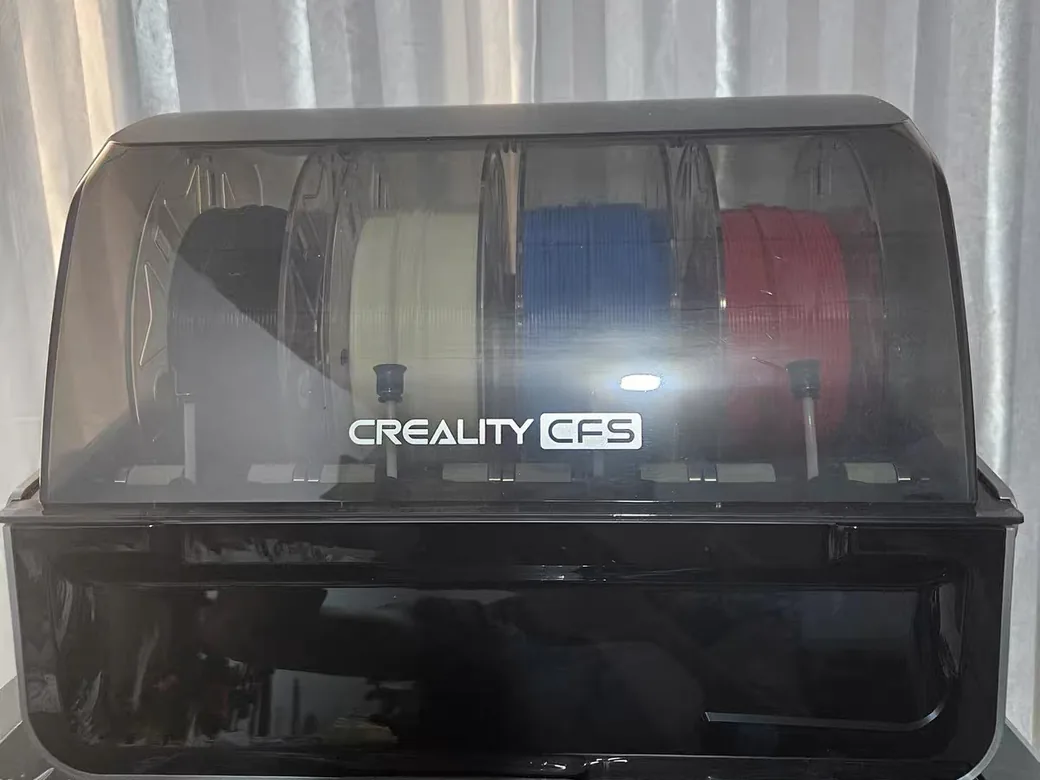
The CFS is the part K2 Plus owners complain about most, and my experience matches. My K2 Plus has had plenty of CFS problems over two years. The printer itself has been solid.
Reviewers describe the same failure points: a retraction failure that snapped filament inside the tube at 78% of a print, and a CFS jam from an extra-wide spool (that reviewer blamed the spool itself). A Reddit owner summed it up: zero issues in single color, random errors as soon as the CFS gets involved.
The P2S with AMS 2 Pro has been uneventful for me over a year. If a multicolor feeder that occasionally needs a hand sounds unbearable, that’s the strongest reason to pick the Bambu.
Creality K2 Plus vs Bambu Lab P2S Speed in Real Prints
On paper the K2 Plus is built for speed, with 600 mm/s and 30,000 mm/s² acceleration from step-servo motors. In real prints the lead shrinks.
It’s about 10%. stlDenise3D measured that gap side by side against a Bambu P1P.
Color changes matter more than top speed. Every swap adds a purge and a pause, so a model with hundreds of changes can erase any speed lead.
Don’t trust the time estimate in Orca Slicer for the K2 Plus. In one test, Orca estimated 7 hours for a print that Creality Print estimated at 18, because Orca only adds purge time for Bambu printers. Use Creality Print’s estimate for multicolor jobs.
Print Quality and Long-Term Reliability on the K2 Plus and P2S
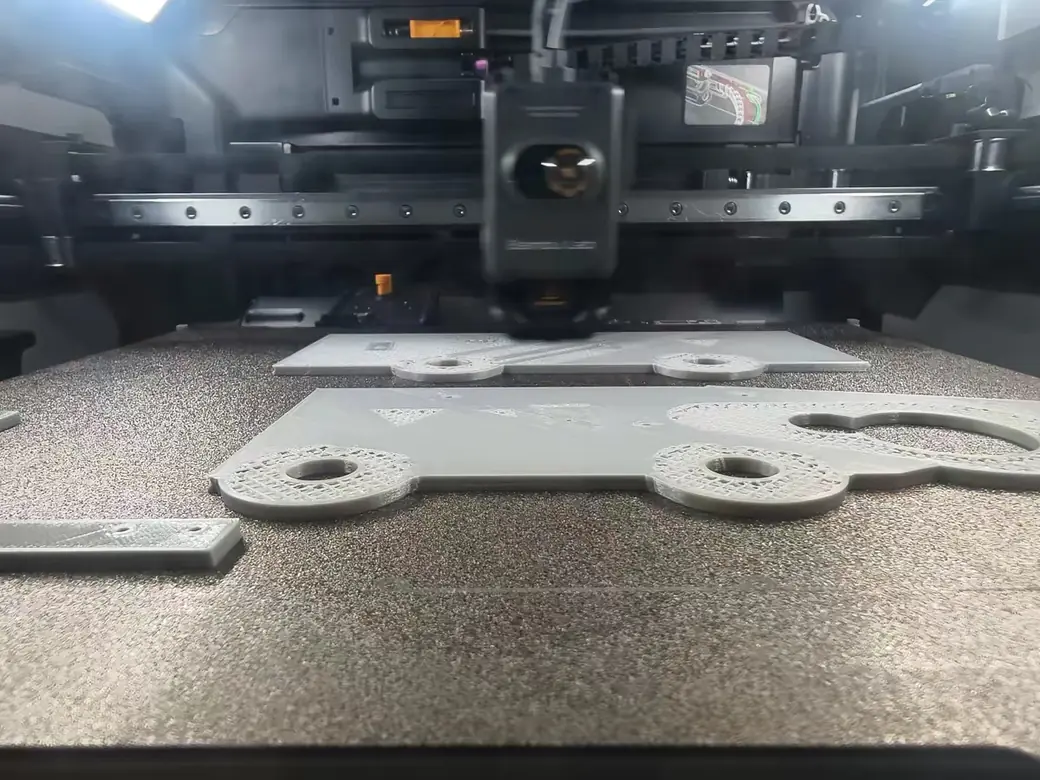
In single color, print quality is close enough that most people couldn’t pick the printer from the part. The differences show up in consistency and in how much setup each machine asks for.
The P2S has the calmer track record. Rad Dad’s Print Lab logged over 500 hours on one with quality matching the older P1S, and another reviewer ran 50 hours of PLA with zero problems.
In a Bambu-sponsored test, the P2S handled overhang and tolerance tests well. My own P2S has printed clean at 0.2 mm layers across every material I tested.
The K2 Plus is accurate but rougher around the edges. A 16 mm test feature measured 15.97 mm. Against an H2D, aim6mac found it beat the Bambu on extreme overhangs but strung more on bridges, and called it about “85-90%” of the H2D’s quality. One reviewer’s bed arrived tilted from the factory and needed adjusting by hand, and another measured a 0.56 mm high spot at the rear of the bed mesh.
Owners on Reddit split along familiar lines. The top comment in an r/Creality reliability thread, from someone running K1s, K2 Pluses, and Bambus, said the CoreXY machines from both brands are “pretty much the same” in build quality, speed, and print quality. Another commenter who ran dozens of K2 Pluses reported a good first 1,000 hours and bed problems after that. That’s one person’s fleet, but it’s worth knowing.
Materials on the K2 Plus and P2S: PLA, PETG, TPU, ABS, and Carbon Fiber
Both printers handle PLA without drama, which covers most of my printing on each. The differences start once you leave PLA.
| Material | Creality K2 Plus | Bambu Lab P2S |
|---|---|---|
| PLA | Easy | Easy |
| PETG | Prone to heat creep if the exhaust fan stays off; one reviewer needed 260°C | Easy, vents open automatically |
| TPU | Must bypass the CFS; clogging reported | No tests in our sources; Bowden path may struggle with soft TPU |
| ABS / ASA | Strong, heated chamber keeps parts flat | Good results reported without chamber heat |
| PC / nylon | Heated chamber helps | Needs a brim; PC can warp |
| Carbon-fiber blends | Hardened steel tip | Hardened steel nozzle and extruder gears |
If you mostly print PETG, set the K2 Plus exhaust fan on before you blame the filament. Heat building up in the closed chamber with that fan off is what caused the clogs in the month-long production test.
Software and Ecosystem: Bambu Studio vs Creality Print, Orca Slicer, and Klipper
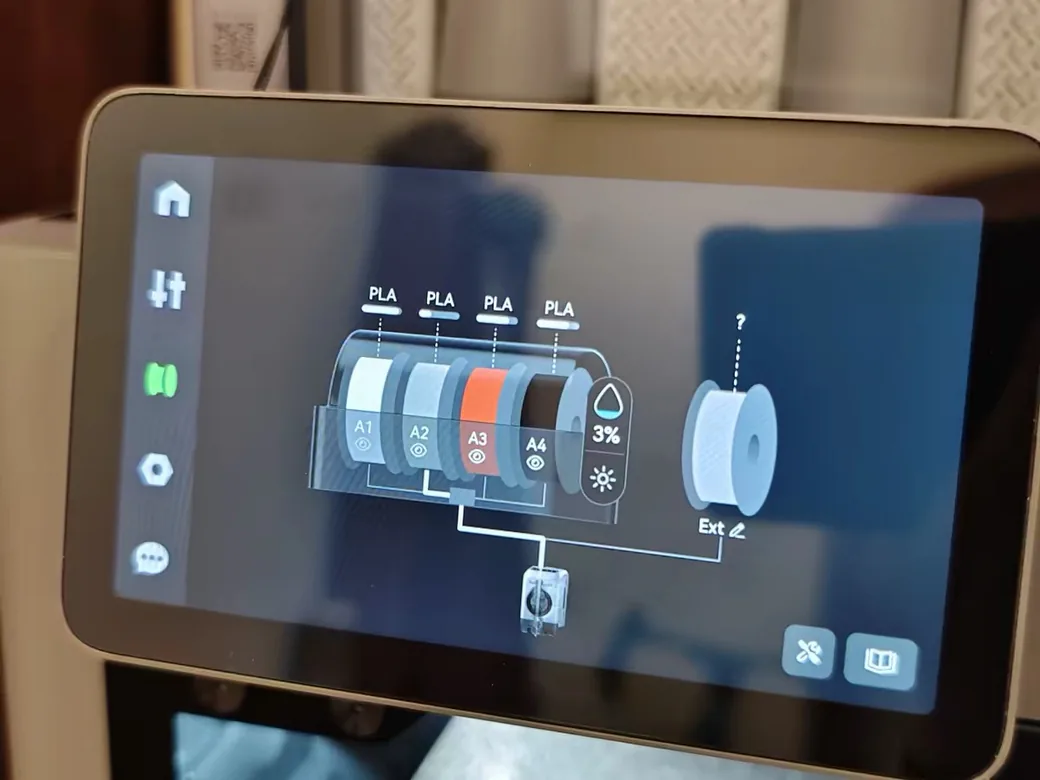
Bambu sells a closed, polished system. Bambu Studio, the Handy app, and MakerWorld work together, and the firmware is locked down. Tech Fowler called the P2S “the Apple of 3D printers,” meaning you can’t tinker as much, but it just works.
The trade-off is control. Newer P2S firmware breaks the third-party Panda Touch screen, which kept that 500-hour owner from updating. If you rely on add-ons, that’s a real risk.
The K2 Plus runs on Klipper and stays open to modification. You can send jobs straight from Orca Slicer. The weak spot is Creality’s own software. Creality Print ran laggy even on a high-end Mac in one review, and Orca doesn’t recognize which filament sits in each CFS slot, so you pick it by hand.
On Reddit, one non-tinkerer said Bambu’s closed ecosystem had “zero influence” on how they print. Tinkerers feel the opposite way.
Fumes, Filtration, and Noise on the K2 Plus and P2S
The K2 Plus filters its air through two carbon filters. The P2S has a carbon filter for its recirculation mode on hot materials. In cooling mode for PLA and PETG, its auxiliary fan vents air straight out unfiltered, which three separate P2S reviews pointed out. Bambu has since released an external exhaust kit.
Noise reports conflict. One reviewer measured the K2 Plus under 55 dB while printing, apart from CFS feeding, while another found its fans run constantly once powered on. My take after daily use: both machines sit at an acceptable level, and neither drove me out of the room.
Who Should Buy the Creality K2 Plus and Who Should Buy the Bambu Lab P2S
Most first-time buyers and small-part printers should get the P2S Combo. Large-part and ABS printers should get the K2 Plus.
- Your first printer, mostly PLA, some multicolor: P2S Combo. It’s cheaper and calmer, and multicolor rarely needs a hand.
- Single color only on a tighter budget: P2S without AMS. You can add an AMS later.
- Helmets, cosplay armor, large props: K2 Plus. The bigger cube saves you from splitting parts.
- ABS and ASA functional parts: K2 Plus for the heated chamber. The P2S handles them too, and the K2 Plus is more forgiving.
- A small print business: K2 Plus if plate capacity drives your output, P2S if uptime matters more than size.
- You like to tinker and want open firmware: K2 Plus.

- High-Speed Precision: The Bambu Lab P2S 3D printer prints up to 600 mm/s while maintaining exceptional accuracy. With the PMSM Servo Extruder and…
- Ready to Print in 15 Minutes: Set up your P2S FDM 3D printer and start printing in just 15 minutes. With AI failure detection, quick-swap nozzles, and…
- Effortless Multi-Color Printing: The AMS 2 Pro enables seamless multi-color/multi-material 3D printing. It features built-in filament drying at up to…
- Smart Airflow for Any Filament: The Adaptive Airflow System automatically balances cooling and heat retention—keeping overhangs crisp with cool air…
- Limitless Creativity, Seamless Workflow: Explore over one million 3D models on MakerWorld and bring them to life with a smooth, unified workflow using…
One more check before you order the K2 Plus. If multicolor is the main reason you want it, think hard. One 200-hour reviewer’s advice was to wait for the next generation if multicolor is your priority, and the CFS is still where owners struggle. Our full Bambu Lab P2S review goes deeper on the Bambu side if you’re leaning that way.
Final Verdict: Creality K2 Plus or Bambu Lab P2S?
After two years with the K2 Plus and one with the P2S, I’d recommend the K2 Plus for the way I print. The machine itself has been reliable. It prints helmets in one piece that the P2S can’t fit, and for my everyday PLA and PETG multicolor prints, the waste difference hasn’t stood out. The CFS is the cost: expect to babysit it now and then.

- 350 × 350 × 350 mm build volume
- Actively heated chamber up to 60°C
- 600 mm/s top speed, 30,000 mm/s² acceleration
- CFS 4-spool multicolor unit included
The P2S Combo is the better buy if you’re new to printing, your projects are mostly small, or a fussy feeder would ruin the hobby for you. It’s cheaper, simpler to own, and it rarely asks for anything.
Big parts and heat: K2 Plus. Small parts and peace of mind: P2S.
Frequently Asked Questions About the Creality K2 Plus vs Bambu Lab P2S
What is better, Creality K2 or Bambu Lab P2S?
It depends on which K2. The standard K2 is the closer price match, while the K2 Plus adds far more build space and an actively heated chamber. The P2S is easier to live with for multicolor, and the K2 Plus wins on size and heat-sensitive materials.
Which is better, Bambu Labs or Creality?
Bambu is the safer pick if you want a printer that needs almost no attention. Creality usually gives you more hardware for the money, like larger build volumes and heated chambers, plus open firmware. One Reddit owner running both brands’ CoreXY machines called their print quality pretty much the same.
What is the Bambu equivalent to Creality K2?
By price, the P2S is Bambu’s closest match to the K2 family. By size, the K2 Plus sits closer to Bambu’s large H2 series.
Which 3D printer is better, the Creality K2 Plus or the Bambu P1S?
The K2 Plus is the more capable machine, with a bigger build volume, a heated chamber, and a 30,000 mm/s² motion system. The P1S is far cheaper and simpler. If you’re shopping the P1S, look at the P2S too. Our P2S vs P1S breakdown covers what the upgrade adds.
Is the K2 Plus worth the extra money over the P2S Combo?
For most buyers weighing the Creality K2 Plus vs Bambu Lab P2S, the extra money pays off if you’ll use the extra size or print ABS and ASA regularly. If nothing you print outgrows the P2S bed and you mainly use PLA, the Combo saves you a lot. You give up very little.
Can the Bambu Lab P2S print ABS without a heated chamber?
Yes. Its enclosure holds heat from the bed, and reviewers report good ABS and ASA results without a chamber heater. Polycarbonate and nylon are harder: they need a brim, and PC can still warp.
Sources for This K2 Plus vs P2S Comparison
Long-term results and test numbers come from these reviews and threads. Everything else comes from my own K2 Plus and P2S.
- stlDenise3D: Creality K2 Plus vs Bambu Lab multi-color comparison (YouTube)
- Uncle Jessy: Bambu Lab H2S vs Creality K2 Plus (YouTube)
- aim6mac: Bambu Lab H2D vs Creality K2 Plus (YouTube)
- Crafted Catastrophes: Bambu Lab X1C vs Creality K2 Plus, unsponsored (YouTube)
- Two Moose Too: Creality K2 Plus after 200 hours (YouTube)
- YGK3D: A month of production on the Creality K2 Plus after Bambu (YouTube)
- EBPMAN Tech Reviews: Creality K2 Plus: a small business owner’s review vs X1 Carbon (YouTube)
- gerGO PRINT 3D: Creality K2 Plus vs Bambu Lab H2S multi-color showdown (YouTube)
- 247printing (Bambu-sponsored): QIDI Q2 vs Creality K2 vs Elegoo Centauri Carbon vs Bambu Lab P2S (YouTube)
- Rad Dad’s Print Lab: Bambu Lab P1S vs P2S: 500+ hours on P2S (YouTube)
- Tom Buck: Bambu Lab X2D vs P2S (YouTube)
- FauxHammer: Bambu P2S review (YouTube)
- Tech Fowler: Bambu Lab P2S review (YouTube)
- MuxlowMakes: Bambu AMS comparison: OG vs 2 Pro vs HT (YouTube)
- r/Creality: Creality vs Bambu Lab reliability
- r/3Dprinting: a K2 Plus owner’s multicolor complaints
- r/3Dprinting: Creality K2 Combo or Bambu P2S Combo
- Prices and specs: Bambu Lab P2S store page, Creality K2 series page, and Amazon US listings, checked October 2, 2026