
I earn a commission if you buy through links on this page, at no extra cost to you. As an Amazon Associate, I earn from qualifying purchases.
Yes, a full color 3D printer for the desk exists now, but the phrase covers three very different machines. Resin and material jetting printers build color into every layer and start around $3,300. Multicolor FDM printers switch or blend four to nine filaments and start under $300. A new hybrid builds the body from filament and sprays UV ink over its surface.
Which one fits depends on what you print and how much color you need. A painted-looking figurine with skin tones needs jetting. A four-color logo, a cosplay prop or a set of gaming terrain does not.
Quick verdict:
- Best true full color you can order: Flashforge CJ270
- Best multicolor FDM overall: Bambu Lab H3C
- Best value toolchanger: Snapmaker U1
- Best budget pick: Anycubic Kobra X
- Hybrid to watch: FA3D DIO X
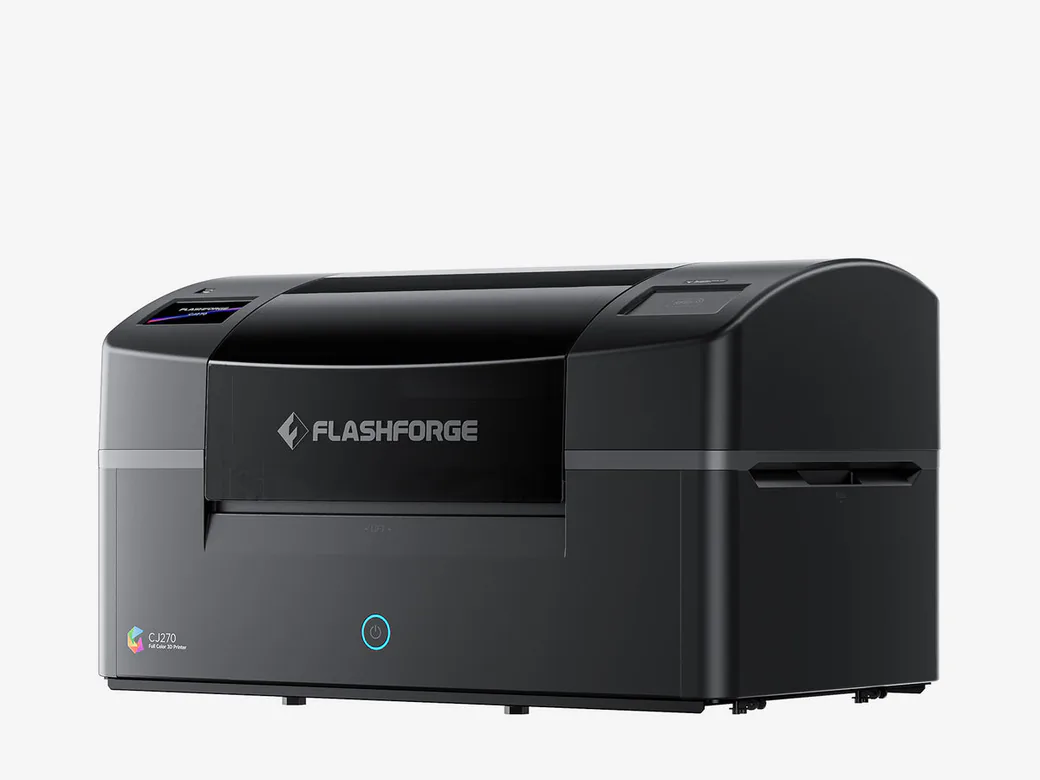
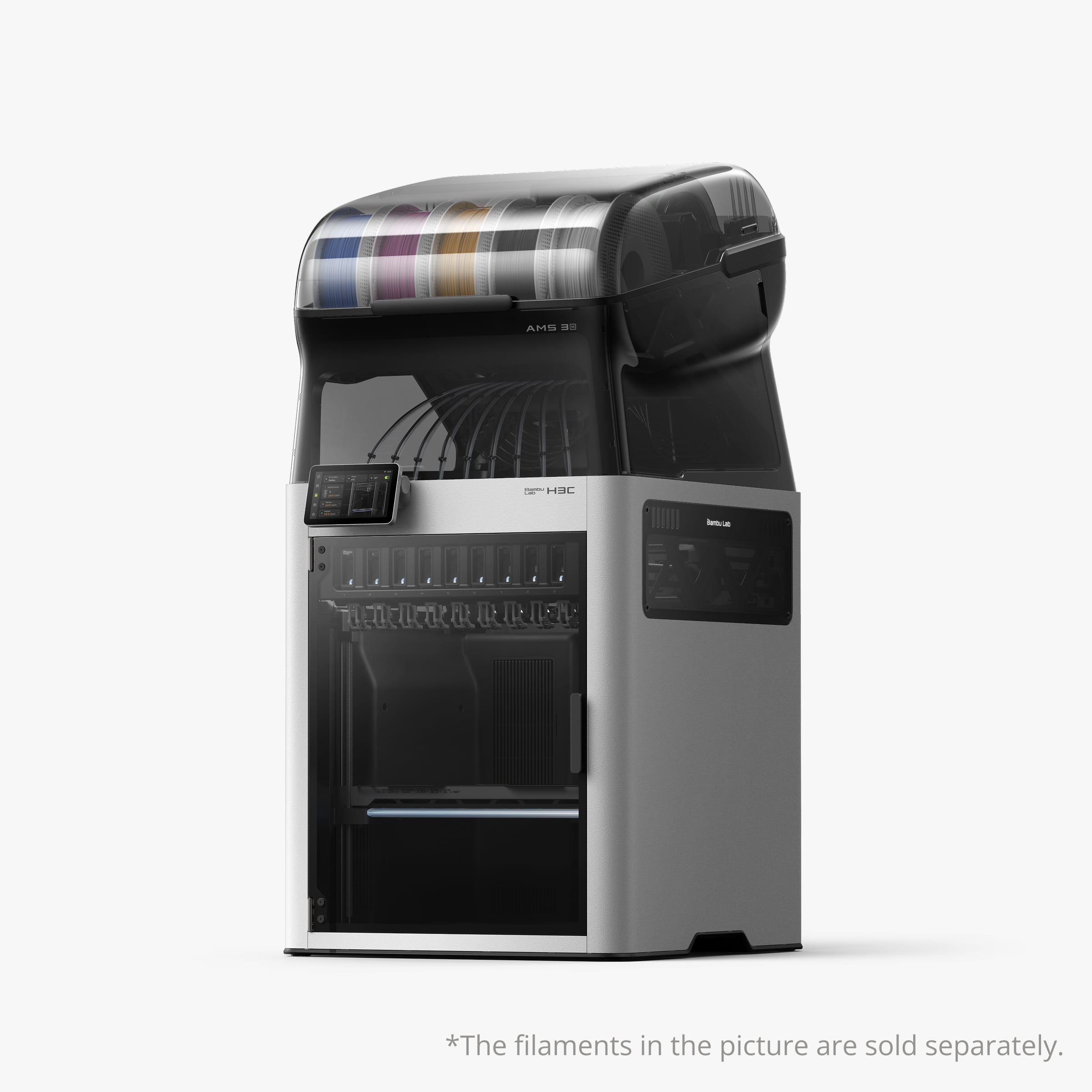
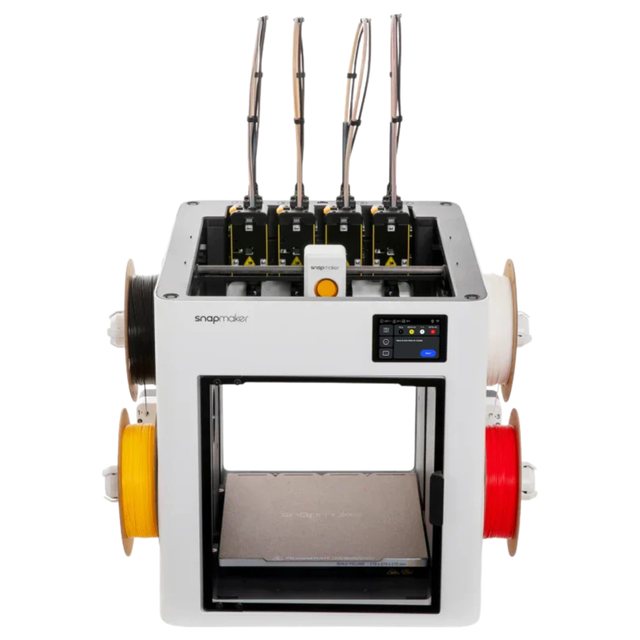

Table of Contents
- Full Color 3D Printer Picks at a Glance
- Is There a True Full Color 3D Printer?
- How to Choose a Full Color 3D Printer
- How Much Does a Full Color 3D Printer Cost?
- The Best Full Color 3D Printers Right Now
- Which Full Color 3D Printer Fits Your Project?
- Crowdfunded Full Color Printers to Watch
- Full Color 3D Printer FAQ
Full Color 3D Printer Picks at a Glance
All prices in this guide come from each brand’s US store, checked November 17, 2026 (Pacific Time). Tax and shipping are extra.
| Model | Color method | Who it’s for | Core trade-off | US price |
|---|---|---|---|---|
| Flashforge CJ270 | Material jetting, CMYK plus white and clear | Studios selling full color figures and prototypes | Small 180 × 120 × 100 mm build, daily printhead care | $3,999 pre-order |
| HeyGears G1X | UV inkjet, expandable to full color 3D | Shops that also want UV printing on objects | Full color 3D needs an add-on kit | $3,299 base, pre-order |
| Bambu Lab H3C | 9-tool FDM | Makers who print multicolor parts every week | Most expensive FDM pick | $2,499 Combo |
| Snapmaker U1 | 4-toolhead FDM | Low-waste multicolor on a budget | Four heads limit color mixing | $699 |
| Creality K3 | 4-nozzle FDM with CMYK blending | Creality users who want blended colors | Blended colors are not exact matches | $849 |
| Flashforge Creator 5 | 4-toolhead FDM | Open-frame toolchanger buyers | No enclosure on the base model | $699 |
| Anycubic Kobra X | Single nozzle with filament changer | First multicolor printer on a budget | Purge waste on every color change | $299 |
| FA3D DIO X | FDM body plus UV ink shell | Early adopters who can wait | Not on sale yet, crowdfunded | $50 deposit |
The CJ270 and G1X are pre-orders, and the DIO X has not opened its campaign. Treat any crowdfunded printer as a purchase with delivery risk.
Is There a True Full Color 3D Printer?
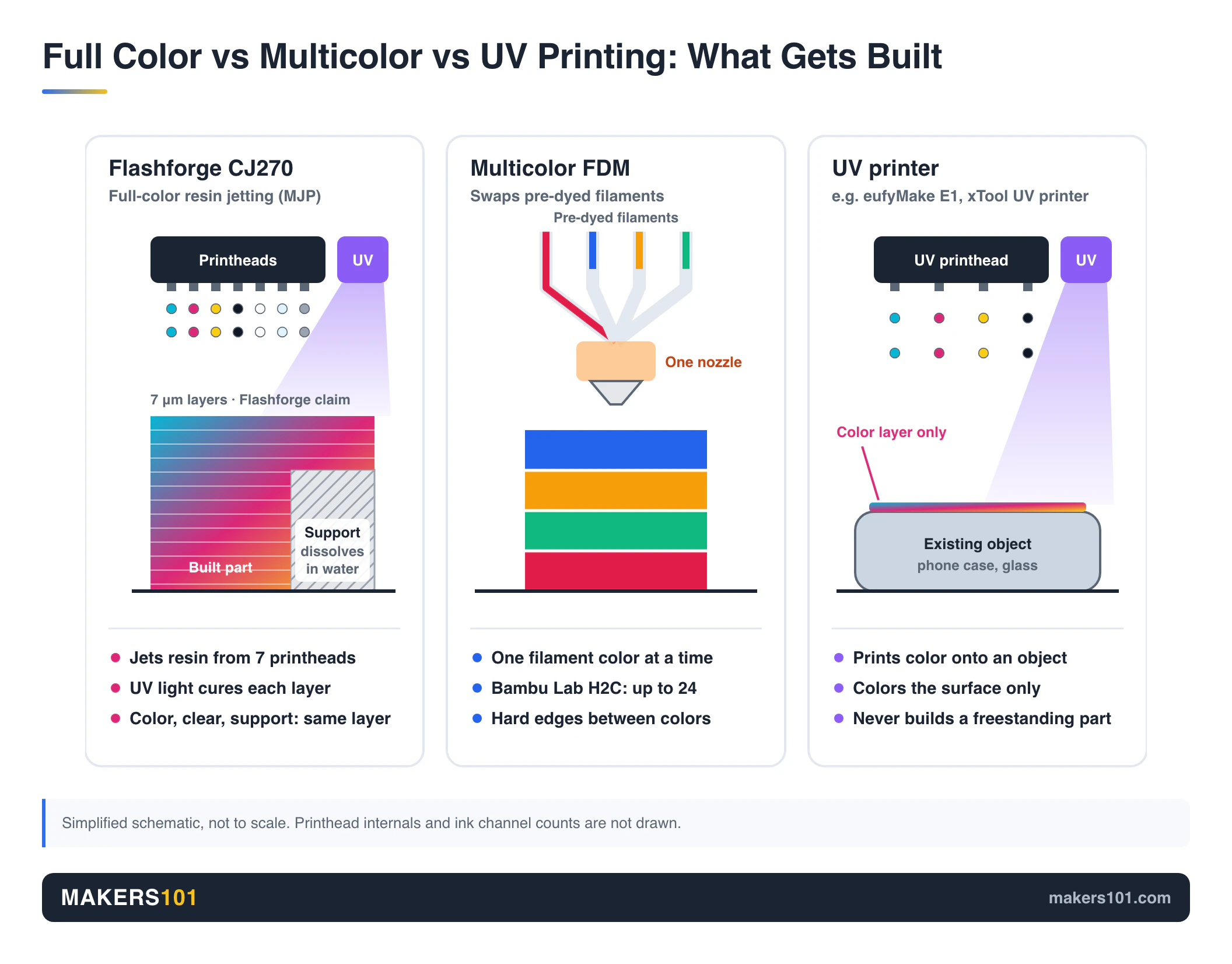
There is, and the dividing line is whether color lives inside the material or sits on a few filament slots. Three routes reach the desk today.
Resin and Material Jetting Prints Color Inside the Part
Material jetting works like a document inkjet that keeps stacking. Printheads drop tiny beads of colored photopolymer, a UV lamp cures each pass, and the next layer goes on top. Because every droplet can be a different shade, you get gradients, skin tones and photo textures with no painting.
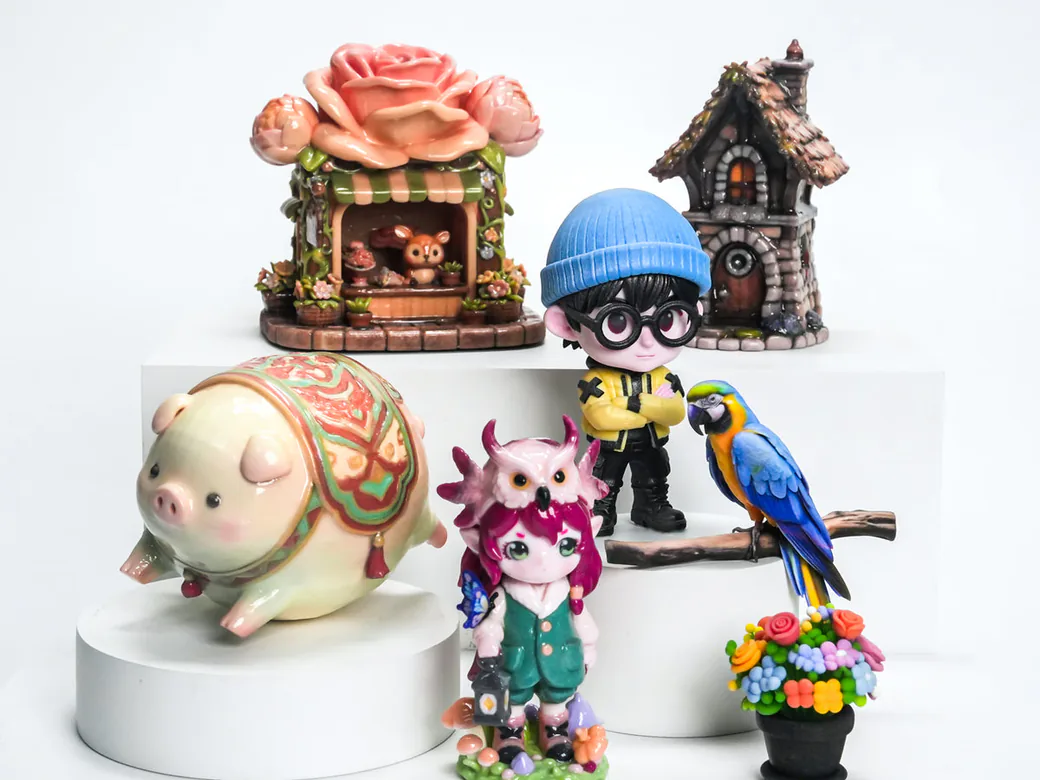
Industrial versions of this have cost five or six figures for years. The CJ270 and the HeyGears G1X bring it under $4,000.
A regular resin printer cannot do this. Standard MSLA machines cure a whole layer of one vat at once, so you get one resin color per print unless you paint it after. The vat is the limit.
Multicolor FDM Switches or Blends Filament
Multicolor FDM printers still extrude plastic, but they carry several spools and swap between them. Single-nozzle machines like the Kobra X purge the old color before the new one runs clean. Toolchangers like the U1, Creator 5, K3 and H3C keep each color in its own nozzle, which cuts most of that waste.
Recent slicer tricks stack thin translucent layers of cyan, magenta, yellow and white so they mix into hundreds of shades. It looks great on figurines and wall art. Every shade still comes from a few filaments, so fine gradients and skin tones stay out of reach.
FDM Plus UV Ink Colors the Outer Shell
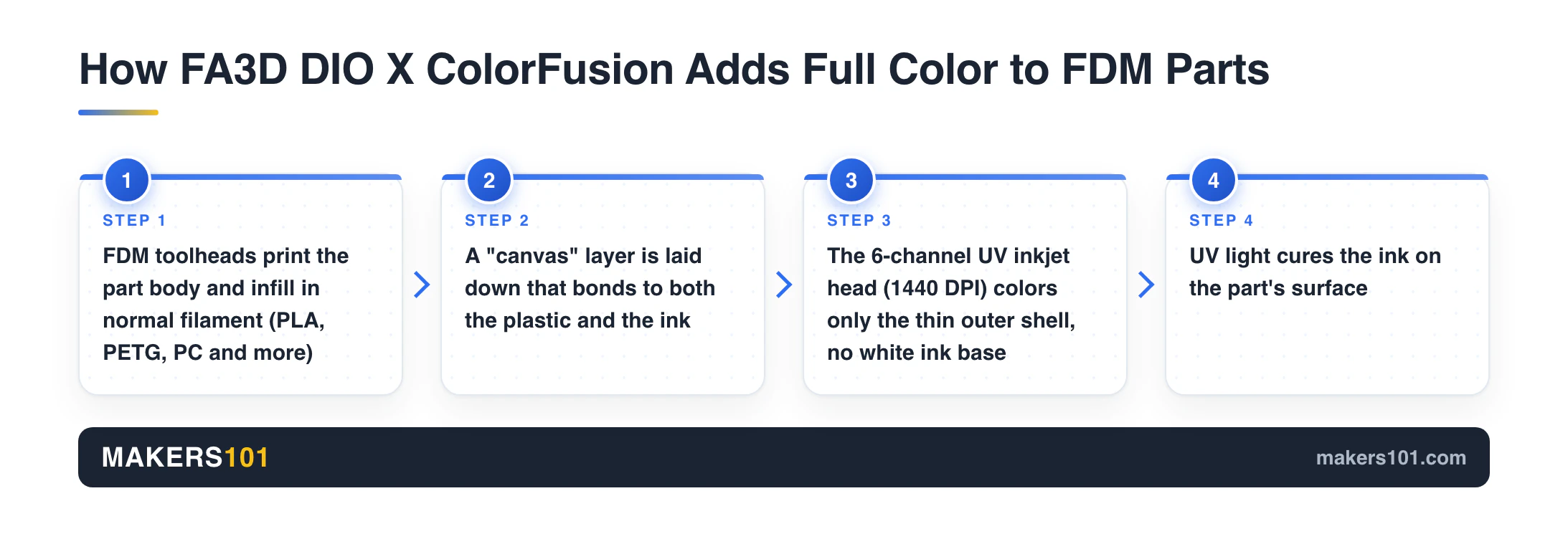
The third route prints the body in ordinary filament and then paints the outside with a UV inkjet head. The FA3D DIO X is the first consumer machine built around this idea. You keep the strength and low cost of plastic inside, and you get full color only on the skin, which is the part anyone sees.
How to Choose a Full Color 3D Printer
- Color range. Photo-real gradients and skin tones need jetting. Logos, labels, flags and stylized figures look fine with four to eight solid filaments.
- Waste and time per color change. Single-nozzle changers purge on every swap. In one popular r/BambuLab thread on four-color blending, the tally came to 40 g for the model and 3,960 g of filament lost to color changes. Toolchangers make that problem mostly go away.
- Running cost. Filament is cheap and easy to buy. Jetting printers use proprietary resin or ink, and the CJ270’s printheads have a rated service life of up to 2,000 hours.
- Maintenance. Jetting printers clean their heads on a schedule and do not like sitting unused for weeks. FDM toolchangers mostly need nozzle swaps and calibration.
- Build volume. The jetting machines are small. The CJ270 tops out at 180 × 120 × 100 mm, while the H3C offers 330 × 320 × 325 mm.
- Availability. A printer in stock today and a crowdfunding pledge are different purchases. Read the campaign page before you back anything.
How Much Does a Full Color 3D Printer Cost?
On US brand stores on November 17, 2026 (Pacific Time), the spread runs like this:
| Route | Price range | Examples |
|---|---|---|
| Single-nozzle multicolor FDM | $299 to $1,226 | Kobra X from 4 colors to 19 colors |
| Toolchanger multicolor FDM | $699 to $2,799 | U1, Creator 5, K3, H3C bundles |
| FDM plus UV hybrid | Pre-launch, full color kits above the FDM base tier | FA3D DIO X |
| Material jetting full color | $3,299 to around $7,200 | G1X, CJ270, inew3d QC2A |
Crowdfunding tiers can change during a campaign.
Factor in materials too. A toolchanger runs on regular filament. The jetting printers lock you into the maker’s resin or ink, so the price of the machine is only part of the bill.
The Best Full Color 3D Printers Right Now
1. Flashforge CJ270
The CJ270 is a material jetting printer with seven printheads that lay down cyan, magenta, yellow, black, white and clear resin, plus a water-soluble support. Layers are 7 μm thick, so gradients and skin tones come out smooth. Flashforge lists it at $3,999 on its US store, down from $4,499, checked Nov 17, 2026 (Pacific Time). It weighs 33.5 kg, yet the build area is only 180 × 120 × 100 mm, so plan on figurines and small parts.
Choose it over the G1X when full color 3D is the main job and you don’t need UV printing on mugs, leather or fabric. Go with the H3C when four to nine solid colors are enough and you’d rather have a bigger machine that runs on cheap filament. Flashforge’s official FAQ, checked the same day, says the first 100 units were scheduled to ship on October 15, with later orders fulfilled in order of purchase. The listing still shows the $3,999 price, and the draft already notes there is no fixed delivery date. More on the resin cost in our Flashforge CJ270 price and specs breakdown.
- True per-droplet color with clear and white channels
- Supports dissolve in water
- Printheads can be replaced one at a time
- Small build volume for the price
- Proprietary resin, and heads need regular cleaning
- Pre-order only, no fixed delivery date
2. HeyGears G1X
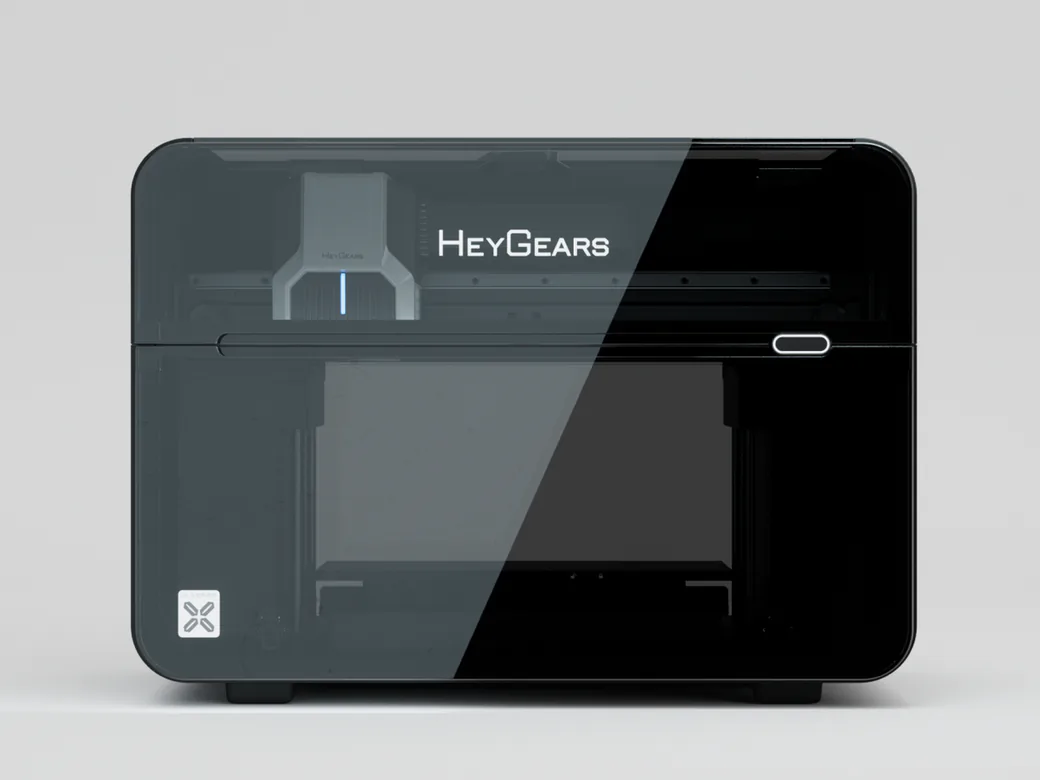
The G1X is a UV inkjet printer first. An Epson i3200 printhead and an eight-channel ink system print on flat items, add raised textures and handle DTF and DTG work. Full color 3D printing needs an add-on kit on top of the base package. HeyGears’ store lists the base G1X at $3,299, with a $4,999 MSRP, checked Nov 17, 2026 (Pacific Time).
HeyGears’ official G1X FAQ, checked the same day, gives the 3D print volume as 330 × 420 × 130 mm in Open Flatbed Mode and 130 × 330 × 150 mm in Enclosed Flatbed Mode. The UV print area is 330 × 420 mm open and 130 × 330 mm enclosed. Both flatbeds are included in all G1X Series packs. A 3D-ready edition was around $3,600 when this draft recorded its price on October 27, 2026; that bundle price was not listed on the official product page on Nov 17. It beats the CJ270 if you also sell UV-printed phone cases, signs or apparel. Stick with the CJ270 if you only want full color 3D parts from a machine built just for that. Our HeyGears G1X Kickstarter analysis covers the tier names and payback math.
- One printer covers UV, textures, DTF and full color 3D
- Eight ink channels with an optional wide-gamut set
- Large open flatbed for UV jobs
- Full color 3D needs extra hardware
- Crowdfunded pre-order with no firm delivery date
- More setup and modules to learn than a single-purpose printer
3. Bambu Lab H3C
The H3C carries nine PrintTools, each with its own filament path and heater. Material switches take as little as 6 seconds with very little purge, and the 330 × 320 × 325 mm volume is the largest here. You can mix nozzle sizes in one print and run soft TPU through its own tool.
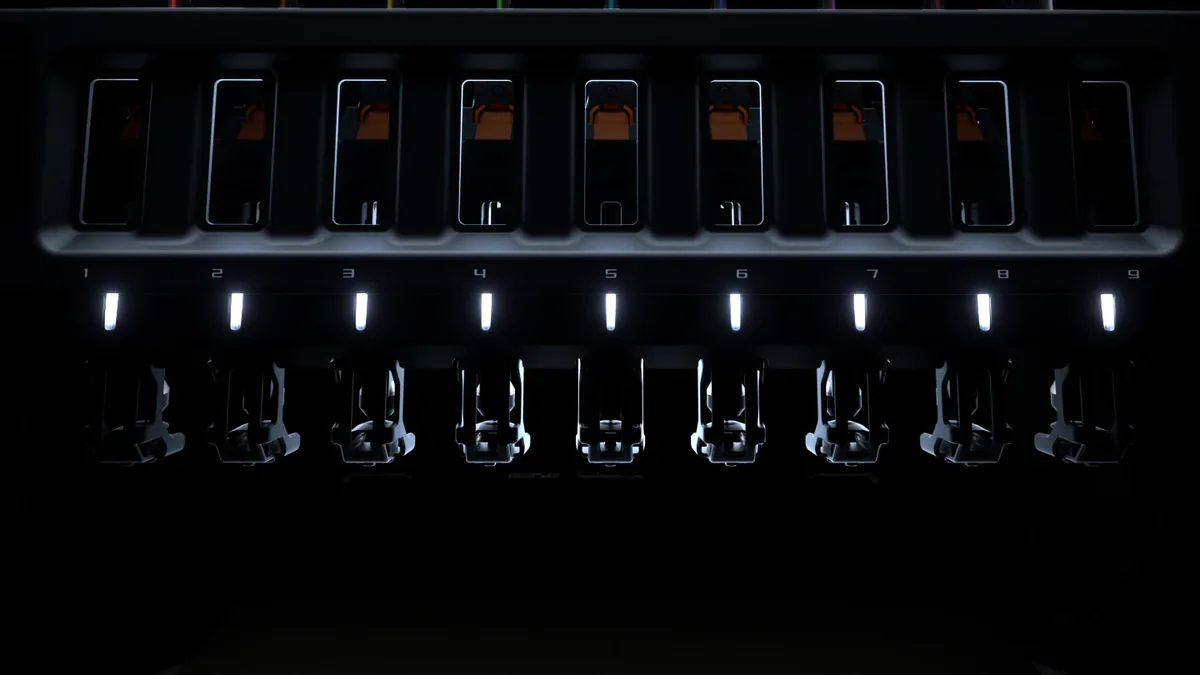
The Combo costs $2,499 on Bambu’s US store, checked Nov 17, 2026 (Pacific Time). Pick the H3C over the U1 when you want more than four colors at once, a heated chamber and Bambu’s software. Look at the Bambu Lab H2C when $1,899 for an AMS Combo with Vortek nozzle switching fits your budget better. See our Bambu Lab H3C specs and early tester notes for more.
- Nine tools for colors and materials in one job
- Biggest build volume among these picks
- Mixed nozzle sizes and dedicated TPU path
- Costs over three times as much as the U1
- Large footprint once the AMS unit sits beside it
4. Snapmaker U1
The U1 swaps between four toolheads in about five seconds, so each color stays loaded and hot. That cuts most of the purge waste a single nozzle creates, and the 270 mm cube of space is roomy for $699 (down from $999). The current MatterHackers listing matches Snapmaker’s own US store at $699, checked Nov 17, 2026 (Pacific Time) on the existing card.
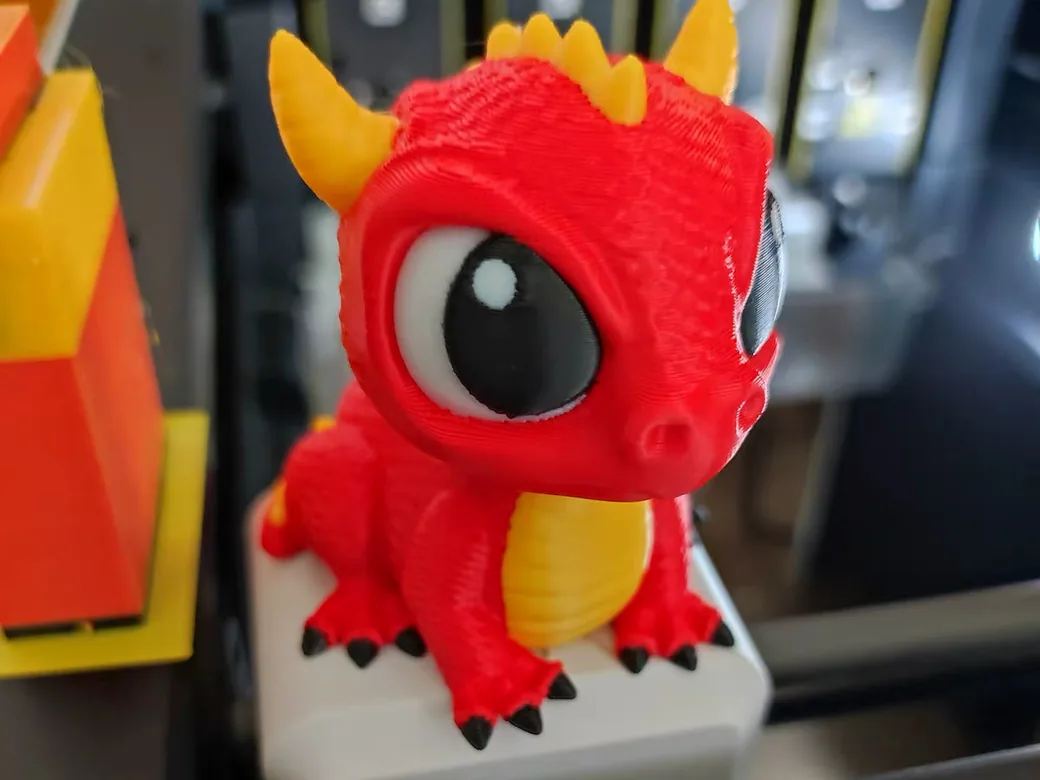
It has also become the community’s favorite machine for blending CMY and white filaments into hundreds of shades. A lot of the “full color FDM” posts on Reddit come from U1 owners. Take it over the Creator 5 if you want the stronger color-mixing community for the same head count and price. Step up to the H3C if four tools feel tight and you want an enclosure and more materials. We compared it with a dual-nozzle setup in Bambu Lab H2D vs Snapmaker U1.
- Low waste for the price
- Large build volume
- Active color-mixing community and profiles
- Four tools leave no room for black alongside CMY and white
- Open frame, so ABS and ASA need the optional top cover
5. Creality K3

The K3 uses Creality’s KliTek system with four nozzles that change in about five seconds. Its CMYK layering stacks translucent filaments to blend new shades, though Creality notes the blends won’t exactly match a target color. You get a 260 mm cube to print in, the same size class as the Kobra X, and can mix 0.2 to 0.8 mm nozzles.
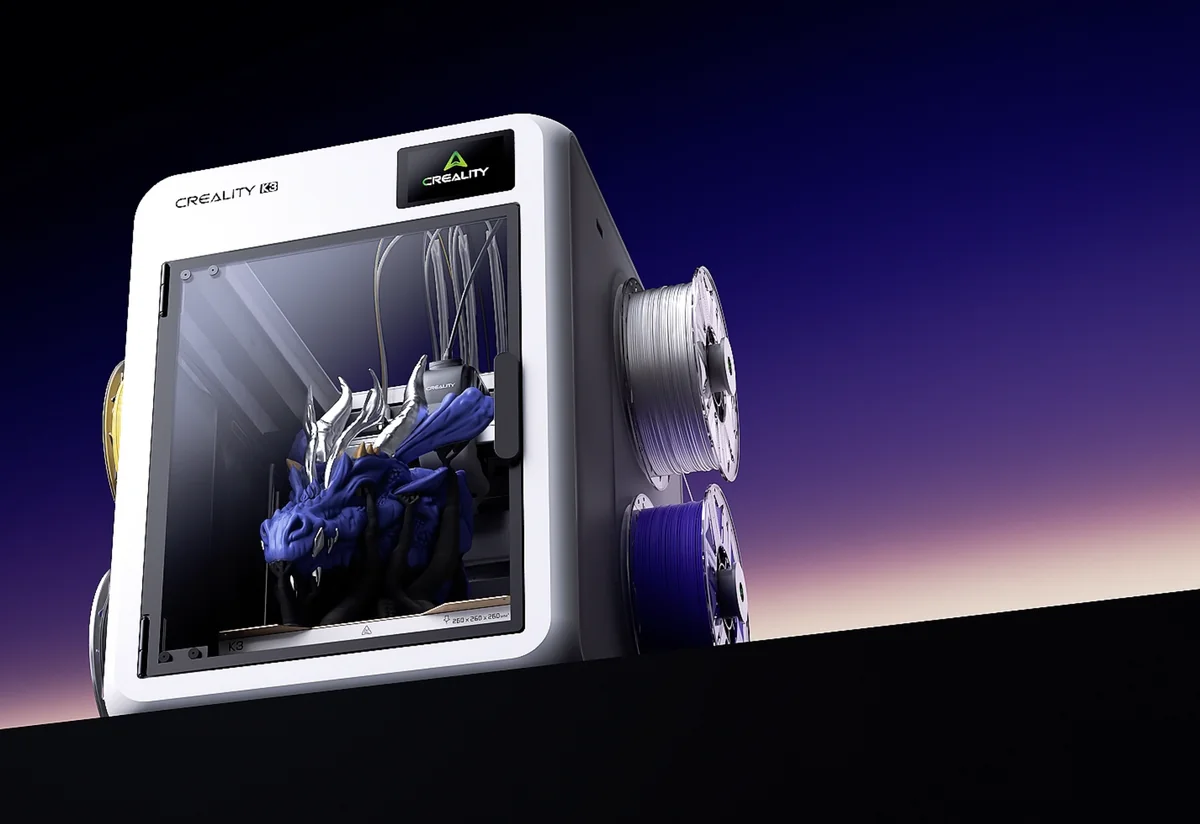
It costs $849 on Creality’s US store, and the current listing adds four spools of Hyper PLA. That is $150 more than the U1, which is the trade for Creality’s ecosystem and mixed nozzle sizes from the box. The U1 wins if you want the lower price and the larger library of color-mixing profiles.
- Four independent nozzles with fast changes
- CMYK blending support in the workflow
- Mixed nozzle sizes for detail and speed
- Blended colors are approximate
- Costs $150 more than the U1
6. Flashforge Creator 5

The Creator 5 has four independent toolheads, so every filament keeps a dedicated nozzle and there’s no purge tower to feed. It prints up to 256 mm on each axis. Flashforge sells it for $699, down from $799, on its US store. That matches the U1 at the low end of the toolchanger prices in this guide, with the H3C Combo at $2,499 at the top. If you print ABS or ASA, the Creator 5 Pro adds an enclosure and a chamber heated to 65°C for $849.
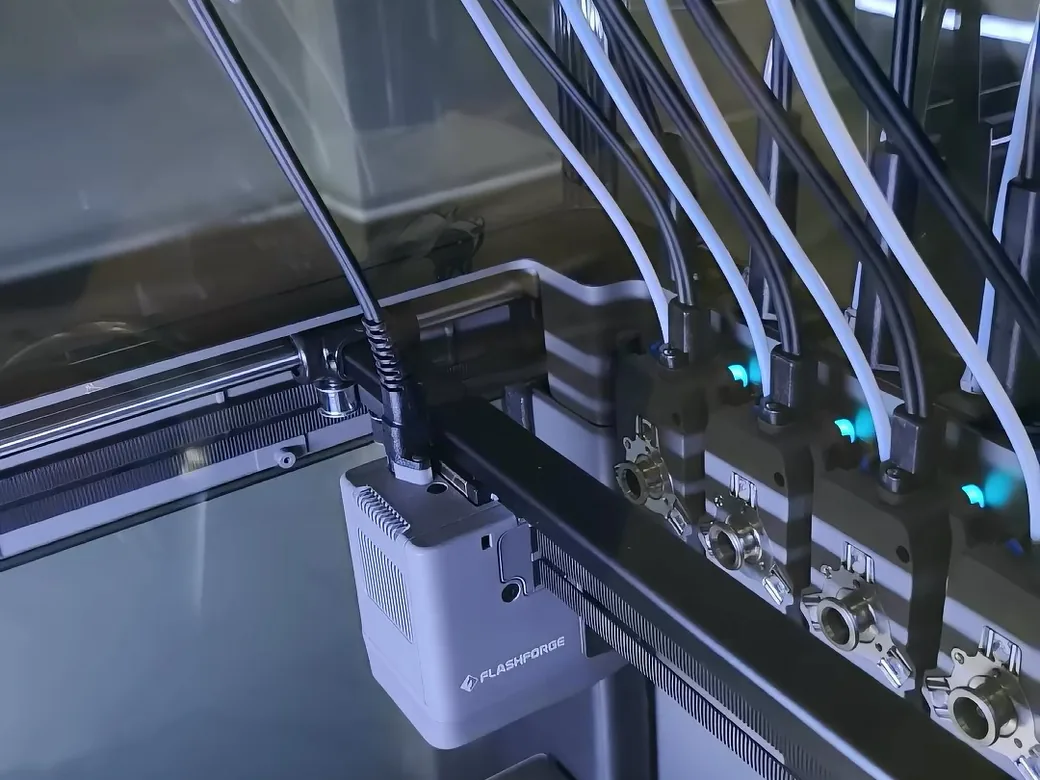
Pick it over the U1 if you already use Flashforge’s software or may want the enclosed Pro sibling later. Get the U1 if color mixing is the reason you’re buying.
- Four toolheads with no purge tower
- Enclosed Pro version available
- Same price as the U1 for the base model
- Smaller color-mixing community than the U1
- Base model is open, so engineering filaments need the Pro
7. Anycubic Kobra X
The Kobra X prints four colors out of the box with a single nozzle and a filament changer, and it grows to as many as 19 colors with extra ACE 2 Pro units. Anycubic sells the four-color version for $299, the seven-color Combo for $569 and the 19-color setup for $1,226. That makes it the cheapest way to try multicolor printing on this list.
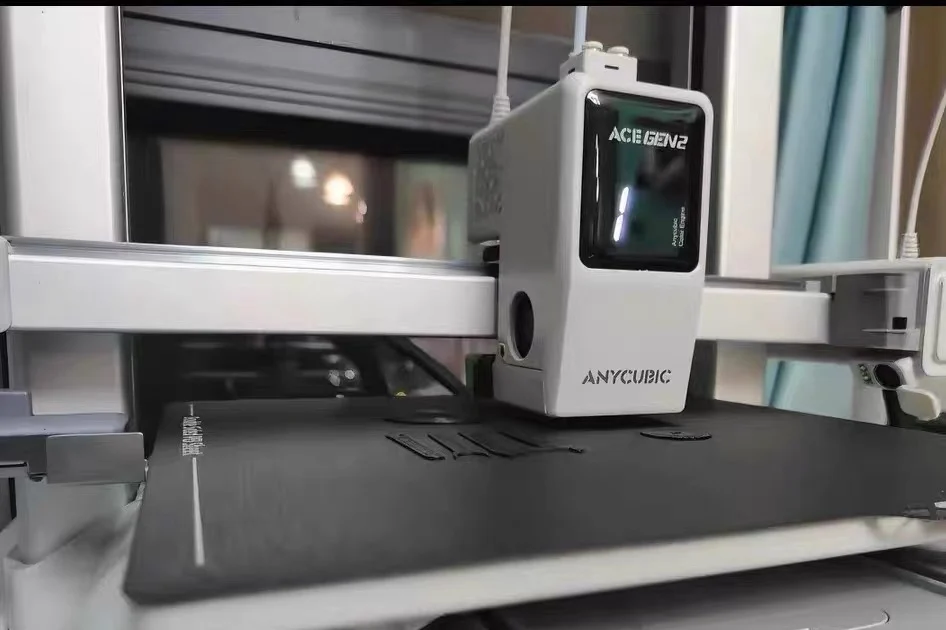
The catch is waste: every change pushes out filament, so prints with hundreds of swaps get slow and wasteful. It’s the better buy than the U1 if you only need a few color changes per print and the budget is tight. Spend more on the U1 if you plan to print detailed multicolor models often.
- Lowest price here
- Expands to many more colors
- 260 mm cubed build volume
- Purge waste on every color change
- Slower for prints with many swaps
8. FA3D DIO X
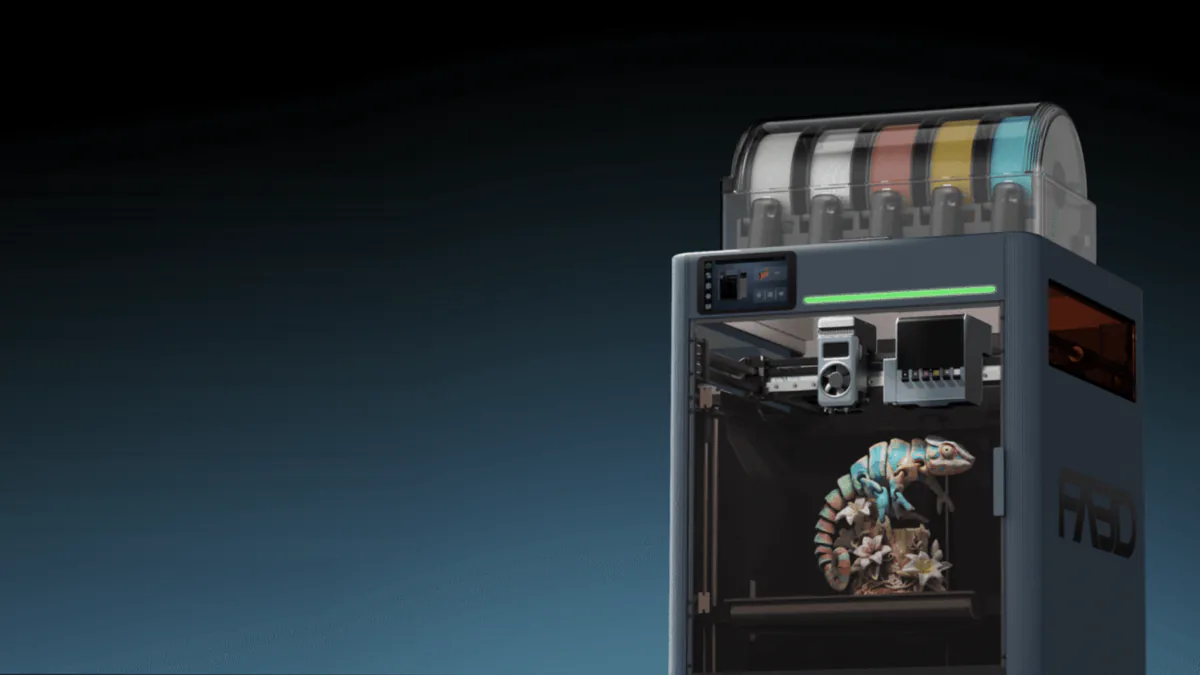
The DIO X has two carriages that take swappable tools. Pair an FDM head with the six-channel UV inkjet head, and the printer builds the part in plastic and then colors the outer shell. Inside, it’s regular filament, so parts stay strong and cheap. The official page and this draft both describe the build area as a 300 mm cube.
It isn’t on sale yet. On Nov 17, 2026 (Pacific Time), FA3D’s official DIO X page still sold only a $50 refundable VIP reservation ahead of Kickstarter. The same page lists planned Kickstarter tiers, including an FDM Basic Pack Super Early Bird at 749, but those are not a live checkout for the printer. It suits you better than the CJ270 if you want full color on larger, sturdier plastic parts and can live with color only on the surface. Buy the H3C if you need a printer this month. Our FA3D DIO X explainer goes deeper on how the UV coloring works.
- Full color surface on regular filament parts
- Large build volume
- Modular tools including laser and cutter
- Brand-new company with no shipped printers
- Color only on the outer shell
- Final pricing and timing not set
Which Full Color 3D Printer Fits Your Project?
| Project | Best route | Pick |
|---|---|---|
| Painted-look figurines and busts to sell | Material jetting | Flashforge CJ270 |
| UV printing plus occasional full color 3D | UV inkjet with 3D kit | HeyGears G1X |
| Multicolor functional parts and big prints | 9-tool FDM | Bambu Lab H3C |
| Color-blended miniatures and wall art on a budget | 4-toolhead FDM | Snapmaker U1 |
| A few colors per print, tight budget | Single-nozzle changer | Anycubic Kobra X |
| Strong parts with a full color surface | FDM plus UV | FA3D DIO X, once it ships |
Not sure you need color at all? Plenty of people on r/3Dprinting say most of their prints stay single color. A single-color printer plus the odd filament swap covers labels and simple two-tone parts. Spend on multicolor when you know you will use it every week.
Crowdfunded Full Color Printers to Watch
These machines look promising, but each one is a crowdfunding pledge with delivery risk.
- InfiMech MX and MX Pro. Toolchangers with six and eight induction-heated heads. Early-bird pricing sits around $360 for the MX and around $640 for the MX Pro, charged in Hong Kong dollars. The campaign page has final pricing and shipping.
- AXILOOP MC8. Eight preheated toolheads and a 300 mm cubed build volume. Early-bird pricing is around $1,100 for the MC8 and around $1,500 for the Pro. See our Axiloop MC8 Kickstarter rundown, and final pricing lives on its Kickstarter page.
- inew3d QC2A. A photopolymer jetting machine with six channels and water-soluble support. Early-bird pricing was around $7,200. Its campaign closed in April and delivery status is unclear, so confirm current pricing with inew3d before you count on one.
Creality’s SparkX i8 was a crowdfunded four-color printer too, but its US store listing is not available to order right now.
Full Color 3D Printer FAQ
Can you 3D print in full color at home?
Yes. A desktop full color 3D printer like the Flashforge CJ270 uses material jetting for true full color, but it costs close to $4,000 and uses proprietary resin. Most home users get close with a multicolor FDM printer that uses four or more filaments.
Can a resin 3D printer print in full color?
A standard MSLA resin printer cannot. It cures one vat of resin per print, so you get one color unless you paint the model. Full color resin printing needs a material jetting machine that drops colored resin droplet by droplet.
What 3D printer can print multiple colors without much waste?
Toolchangers waste the least, because each color stays in its own nozzle. The Bambu Lab H3C, Snapmaker U1, Creality K3 and Flashforge Creator 5 all work this way. Single-nozzle changers purge filament on every swap.
What is a good multicolor 3D printer under $300?
The Anycubic Kobra X is $299 for the four-color version on Anycubic’s US store. Expect purge waste on prints with many color changes.
Do you need a multicolor 3D printer?
Only if you print color-heavy models often. For functional parts, single-color printing still covers most jobs, and an occasional manual filament swap handles simple two-tone prints.