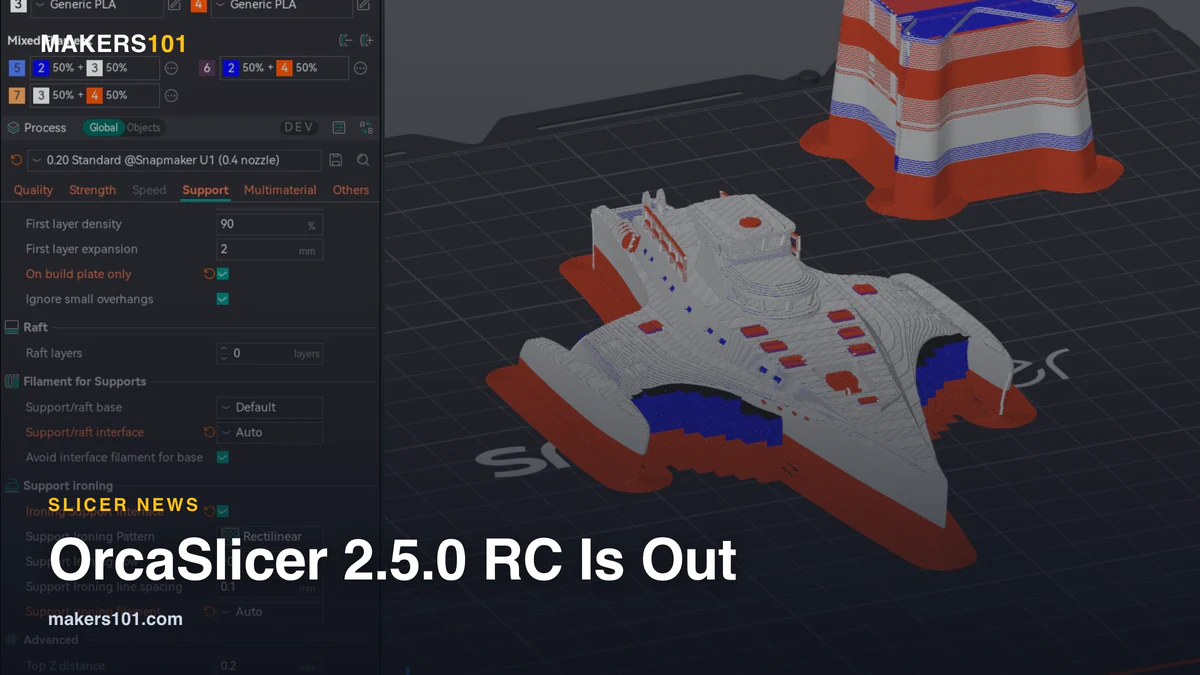

The OrcaSlicer 2.5.0 release candidate went live on Nov. 1, 2026, five days after the beta. The free slicer brings Bambu Lab H2C and A2L support, first added in the alpha, to a near-final build. It also sends Qidi Box slot picks to Qidi printers and, in Filament-Saving Mode, puts each filament on the nozzle that holds it on the H2D, X2D and H2C.
The RC is labeled “stable enough for everyday use,” and no date has been set for the final 2.5.0. It carries everything from the 2.5.0 alpha: Python plugins, belt printer support, color mixing from loaded filaments, Texture Displacement for 3D surface texture, and an experimental Design tab for parametric parts.
| OrcaSlicer 2.5.0 RC (as of Nov. 2, 2026) | Details |
|---|---|
| Price | Free, open source |
| Released | Nov. 1, 2026 (beta Oct. 27, alpha Oct. 16) |
| Final 2.5.0 | No date announced |
| Downloads | Windows x64 and ARM64, macOS universal, Linux AppImage and Flatpak |
| New printers | Bambu Lab H2C and A2L, belt printers (Printcepts BabyBelt Pro, IdeaFormer IR3 V2) |
| Speed (developer tests) | Home page ready in 3.4 s instead of 7.5 s; slicing time cut about 35% |
| Experimental | Design tab (off by default), plugin API may still change |
Table of Contents
What OrcaSlicer 2.5.0 RC Means for Bambu Lab, Qidi and Klipper Owners
Bambu Lab H2C and A2L owners
Both printers get full support, including pre-heating and cooling. On the H2C, Orca tracks which filament sits in each hotend on the nozzle-changing rack and only purges a nozzle when its filament changes.
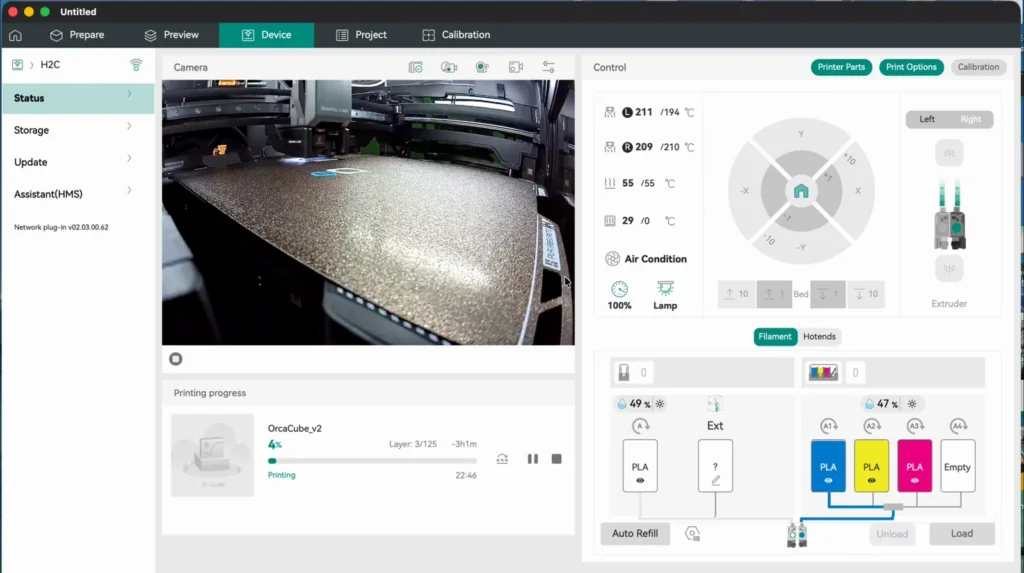
The goal is filament use and print time close to Bambu Studio’s. Support for Bambu’s Filament Track Switch is ported but hasn’t been tested on hardware. Our Bambu Lab H2C guide covers who the machine suits.
Bambu Lab H2D and X2D owners
In Filament-Saving Mode, Orca could assign a filament to the main nozzle even when it was loaded only on the other one, so the send dialog mapped it to the wrong color or to no slot. Each filament now lands on the nozzle where it’s loaded.
After a restart, Orca also reconnects to your last Bambu printer and keeps the filaments it synced from the AMS. Still choosing between the two? See our Bambu Lab X2D vs H2D comparison.
Qidi Box owners
Qidi owners with a Box, on models such as the X-Plus 4, Q2, Q2C, X-Max 4 and X-Plus 5, can now pick a slot for each filament in Orca’s print dialog, and that choice reaches the printer. The catch: it only works with Use printer agents instead of print hosts switched on in Preferences > Developer, and the Calibration tab is hidden for Qidi printers. The beta also fixed a crash when syncing Box filaments on newer Q2, Q2C, X-Plus 5 and X-Max 4 firmware.
My read: for multi-color Qidi jobs, this covers the slot-mapping step that used to keep QIDI Studio in the workflow. With the Calibration tab hidden and the feature behind a Developer toggle, keep QIDI Studio installed for now and run a test print before a long job.
Snapmaker U1, Creality K-series and other Klipper owners
On any Moonraker printer, the print dialog no longer hangs at “Synchronizing device information…” after a failed first connection. Since the beta, if a Klipper printer such as the U1 or a Creality K-series machine stops responding, closing Orca takes about a second instead of leaving a stuck background process. The beta also fixed prints on a K1, K1C or K1 SE without a CFS, which now start from the spool holder rather than failing at layer 0.
The U1’s new start G-code sets the top cover purifier by filament type. It needs U1 firmware 1.3.0 or later; older firmware reports an unknown command and keeps printing. For how the U1 stacks up against Bambu’s enclosed machine, read our Snapmaker U1 vs Bambu Lab P2S comparison.
OrcaSlicer 2.5.0 Changes How Filament for Features Handles Default
This one can quietly change old projects. In Process > Multimaterial > Filament for Features, a feature left on Default now always prints with the object’s own filament. Before, setting a filament for sparse infill, internal solid infill, or a top or bottom surface could move some other Default features to that filament too.
If an older multi-filament project relied on that behavior, those features will now print in the object’s filament. Check each feature and set its filament explicitly. Bridges still follow internal solid infill.
Should You Install OrcaSlicer 2.5.0 RC Now or Wait for the Final Release?
Install it now if you own an H2C or A2L, run a Qidi Box, or hit the H2D/X2D nozzle-mapping bug. Those fixes are the practical payoff, and none of them are in the current stable 2.4.2 build.
Wait if your workflow depends on stable profiles or plugins. The plugin system is new and its API may still change, and the Design tab is off by default for a reason.
My read on timing: the 2.4 cycle went from a June 9 beta to a June 20 stable release, so a final 2.5.0 within weeks is plausible. The project has promised no date, and 2.5 is a far bigger release, so treat that as a guess. The 2.4.0 release also needed two patch builds by July 7, so waiting for a 2.5.x follow-up is a reasonable middle path. If you’re weighing Orca against other options, our best slicer for 3D printing guide sorts them by printer.
OrcaSlicer 2.5.0 FAQ
When is OrcaSlicer 2.5 coming out?
The release candidate came out on Nov. 1, 2026, and the project calls 2.5.0 “nearly ready.” No date has been announced for the final release.
Does Orca Slicer support the QIDI Box?
Yes. In the 2.5.0 RC, the slot you choose for each filament reaches the printer on supported Qidi Box models, but only with the printer agents option turned on in Preferences > Developer.
Is the OrcaSlicer 2.5.0 RC stable enough to use?
For most printing, yes: the project rates this build fit for daily use. Plugins and the Design tab are still new, so back up your profiles before upgrading.
What OrcaSlicer Hasn’t Confirmed Yet About 2.5.0
There is no release date for the final build. Filament Track Switch support still needs testing on real hardware. It’s also unclear whether the Qidi printer agent will leave the Developer menu and become the default. Until then, try the RC, and don’t skip the Filament for Features check.