
I earn a commission if you buy through links on this page, at no extra cost to you. As an Amazon Associate, I earn from qualifying purchases.
Last updated: August 24, 2026. Prices and availability can move fast, so treat every dollar figure below as a snapshot, then verify before ordering.
If you’re comparing the Snapmaker U1 vs Flashforge Creator 5, you’re probably tired of purge waste. Maybe you already own a Bambu A1 with AMS Lite. Maybe you’ve watched four YouTube videos and still can’t tell which printer is safer to buy.
The tricky part is that both machines solve the same pain in different ways. The U1 leans toward a more polished consumer workflow. The Creator 5 family leans toward lower cost and stronger material hardware, especially if you step up to the Creator 5 Pro.
That’s the real choice.
- Best overall for most hobbyists: Snapmaker U1. It gives you more build volume, automatic filament handling, and the safer ownership story for everyday PLA/PETG/TPU work.
- Best low price entry: Flashforge Creator 5. It gets you into four toolhead printing for less money, but you accept more manual workflow and more slicer tuning.
- Best for engineering materials: Flashforge Creator 5 Pro. Its enclosure, active chamber heating, filtration, 320C nozzle, and 120C bed make it the more serious ABS/ASA and PA carbon fiber option.
- Best if you hate purge waste: both are a huge step up from single nozzle multicolor systems. Still, neither is literally zero waste because priming and prime towers remain part of the process.
- Wait if: you can’t tolerate early firmware and slicer bugs. Toolchangers are finally getting cheaper, but this category is still young.
Table of Contents
- Snapmaker U1 vs Flashforge Creator 5 at a Glance
- Price and Total Cost: The Creator 5 Is Cheaper, But the Pro Changes the Math
- Toolchanging System: SnapSwap Feels Easier, FlashSwap Is More Clever
- Speed and Filament Waste: Both Beat AMS, But Prime Towers Still Matter
- Print Quality and Reliability: U1 Is Safer Today, Creator 5 Has Headroom
- Materials: Creator 5 Pro Is the Engineering Filament Pick
- Usability and Ownership: Automatic Loading vs Simple Manual Control
- Which One Should You Buy?
- Before You Order: Five Checks That Change the Winner
- Specs at a Glance
- FAQ
Snapmaker U1 vs Flashforge Creator 5 at a Glance
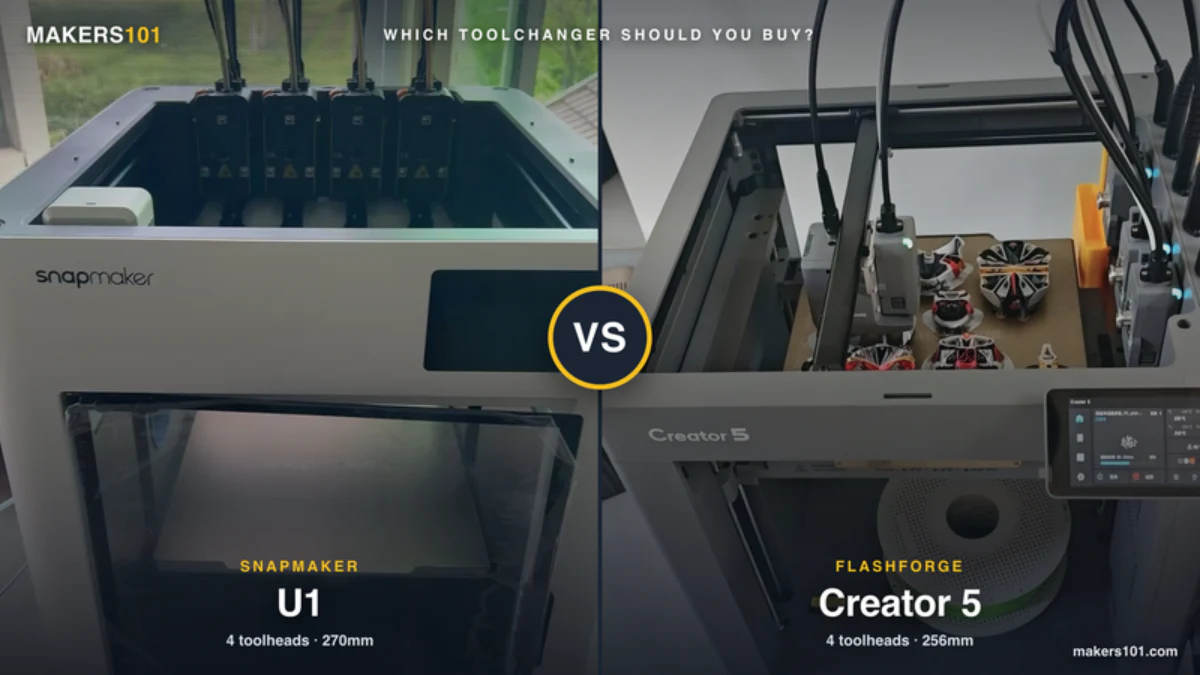
The Snapmaker U1 is the better default pick for most home users. The Flashforge Creator 5 is the cheaper experiment. Bring the Creator 5 Pro into the comparison if you care about chamber heat and engineering materials.
| Decision point | Snapmaker U1 | Flashforge Creator 5 | Flashforge Creator 5 Pro | Winner |
|---|---|---|---|---|
| Observed price | $849; sold out direct, in stock on Amazon | $699 after cart discount in Flashforge table | $949 shown, $100 cart discount note | Creator 5 |
| Build volume | 270 x 270 x 270 mm | 256 x 256 x 256 mm | 256 x 256 x 256 mm | U1 |
| Tool system | SnapSwap, 4 toolheads | FlashSwap, 4 toolheads | FlashSwap, 4 toolheads | Tie |
| Enclosure | Optional top cover | Open frame | Enclosed, active chamber to 65C | Creator 5 Pro |
| Filament handling | Auto loading, backup mode | Manual short path | Manual short path | U1 |
| Best fit | Everyday multicolor | Lowest cost toolchanger | Engineering materials | Scenario based |
The big mistake is comparing the U1 only against the base Creator 5. If you want PLA figures and TPU parts, that comparison is fair. If you want ASA, ABS, PA carbon fiber, or a heated chamber, the real fight is U1 plus accessories against the Creator 5 Pro.

- 【4-Toolhead System with 5-Second Tool Changer】 Powered by the SnapSwap system, Snapmaker U1 multi-color 3D printer features four independent…
- 【5X Faster Printing, 5X Less Waste】 Unlike traditional filament-changing systems, Snapmaker U1 3D printer swaps toolheads instead of repeatedly…
- 【True Multi-Material & Mixed-Material Printing】 Snapmaker U1 3D printer combines rigid and flexible materials, water-soluble supports, and…
- 【Smart Calibration】 Automatic toolhead offset calibration, vibration compensation, fine-tuned extrusion, and perfect first-layer work together to…
- 【Easy to Use for Beginners & Professionals】 With a built-in model library, Snapmaker Orca — custom open-source slicing software, makes it easy…
Price and Total Cost: The Creator 5 Is Cheaper, But the Pro Changes the Math
Flashforge wins the sticker price fight. Flashforge’s own toolchanger comparison table listed the Creator 5 at $699 after cart discount and the Creator 5 Pro at $849 after cart discount, with prices checked June 10, 2026. On August 24, 2026, the Creator 5 Pro product page showed $949 with a $100 cart discount note.
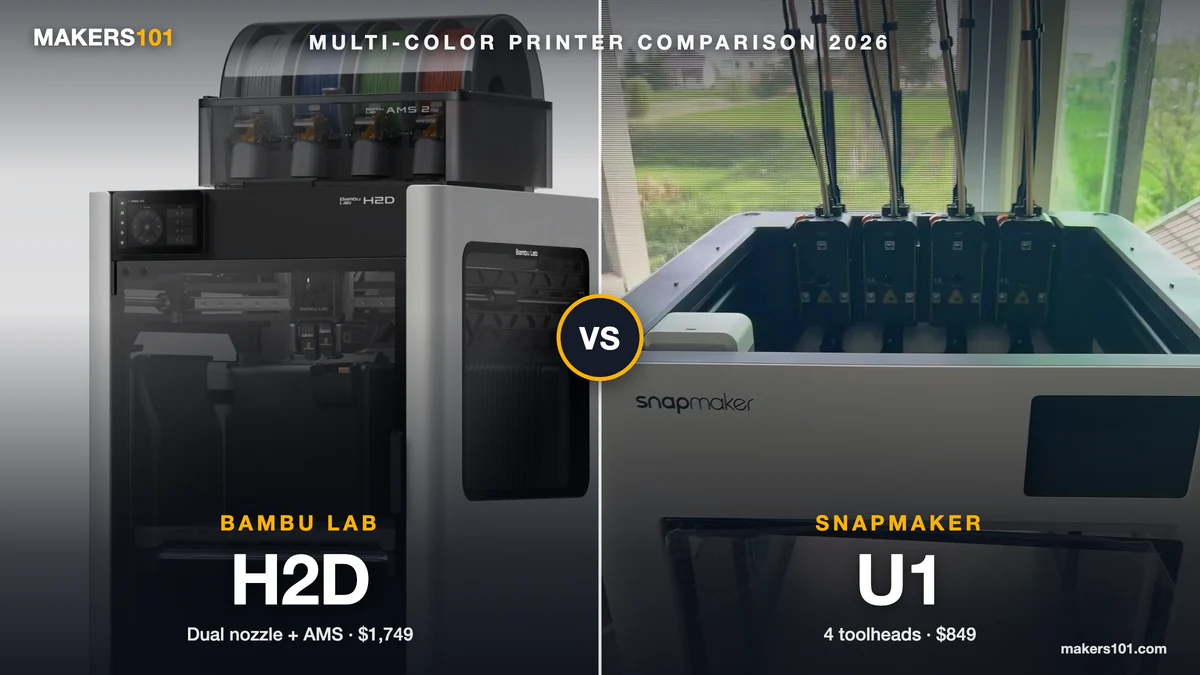
Snapmaker’s U1 page showed $849 on the same date, but it also showed an unavailable label. Amazon still had the U1 in stock at $849 that day, so the shortage was Snapmaker’s own store rather than the machine. The optional top cover was listed at $149, with a US warehouse shipping window of November 01 to 15. That matters if you’re buying the U1 for ABS or ASA.
For basic PLA or PETG work, and for many TPU jobs, the base price comparison favors Flashforge. For enclosed materials, price the whole setup. A cheaper printer stops being cheaper once you add the parts you needed from day one.
Use a 3D print cost calculator if you’re moving from AMS style printing. Purge waste savings can become real money if you print multicolor models often, but the printer price is only one part of that calculation.
- A Smarter Approach to Multi-Material Printing: Every color change shouldn’t come with a pile of wasted filament. Creator 5 takes a smarter route…
- 7 Seconds Tool Changer System: Traditional filament changers can spend more time purging than printing. The FlashSwap system keeps four toolheads…
- Support Mixed-Material Printing: The Creator 5 allows you to combine model materials with PETG, PVA, and BVOH supports for improved print stability…
- High-Speed Printing Without the Artifacts: Combines high-speed motion with intelligent vibration cancellation to preserve print quality at every…
- Calibrated for Flawless Multi-Toolhead Printing: Advanced compensation algorithms keep every toolhead perfectly synchronized, suppress vibrations…
Toolchanging System: SnapSwap Feels Easier, FlashSwap Is More Clever
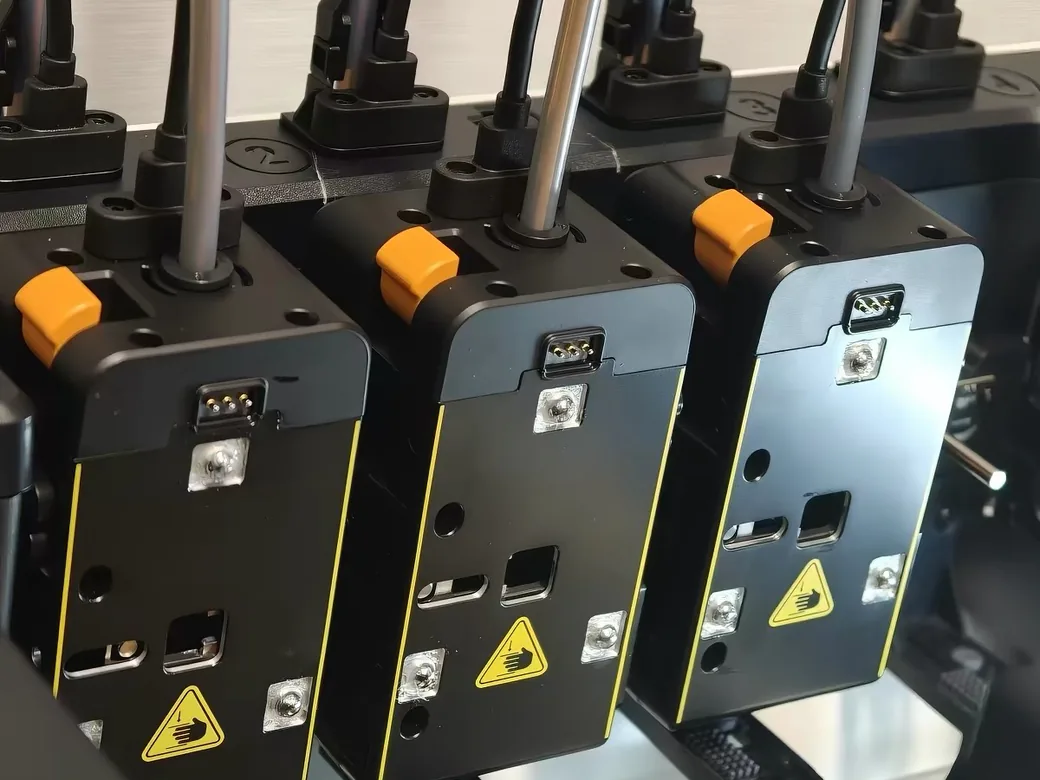
Snapmaker’s SnapSwap is the easier system to understand. Four toolheads sit ready, the printer swaps between them, and Snapmaker claims direct swaps in 5 seconds. The U1 also has automatic filament loading and backup mode, which makes it feel closer to a consumer appliance.
Flashforge’s FlashSwap is more interesting from an engineering angle. Creator 5 toolheads don’t each carry their own extruder motor. The carriage brings the motor, locks into a toolhead, couples with the gears, and drives that toolhead only while it’s active.
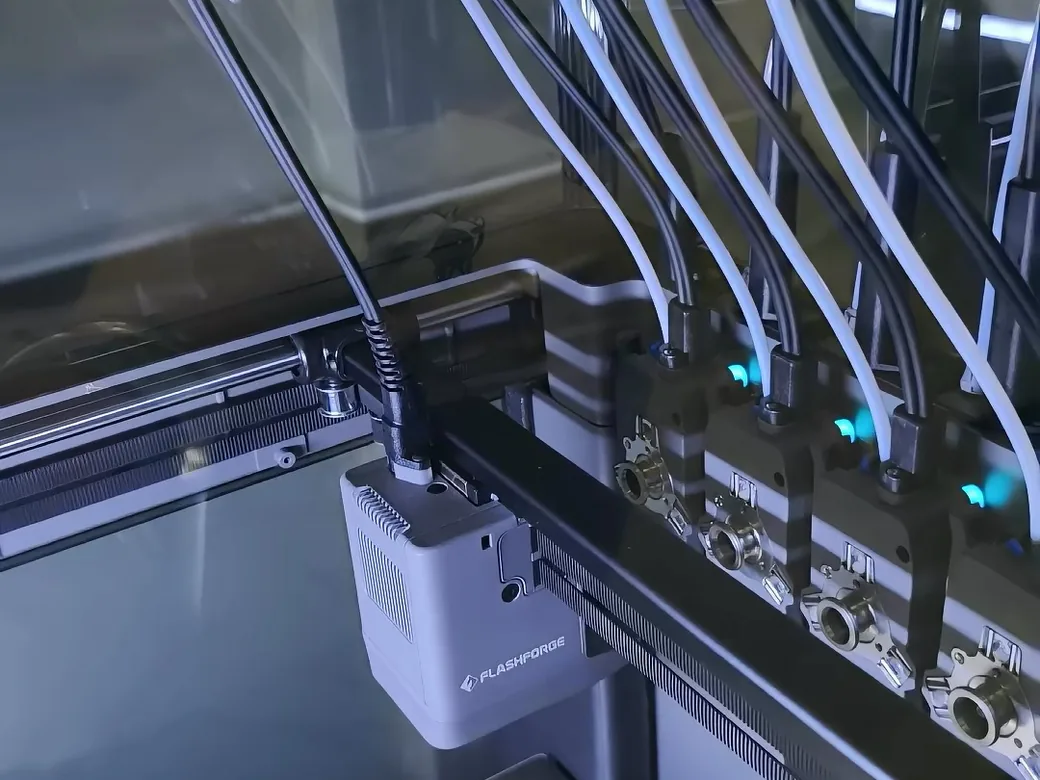
That’s how Flashforge gets the cost down. It uses magnetic docking, simpler wiring, manual loading and no RFID. The cost shows why. Those are real tradeoffs, but they aren’t lazy tradeoffs.
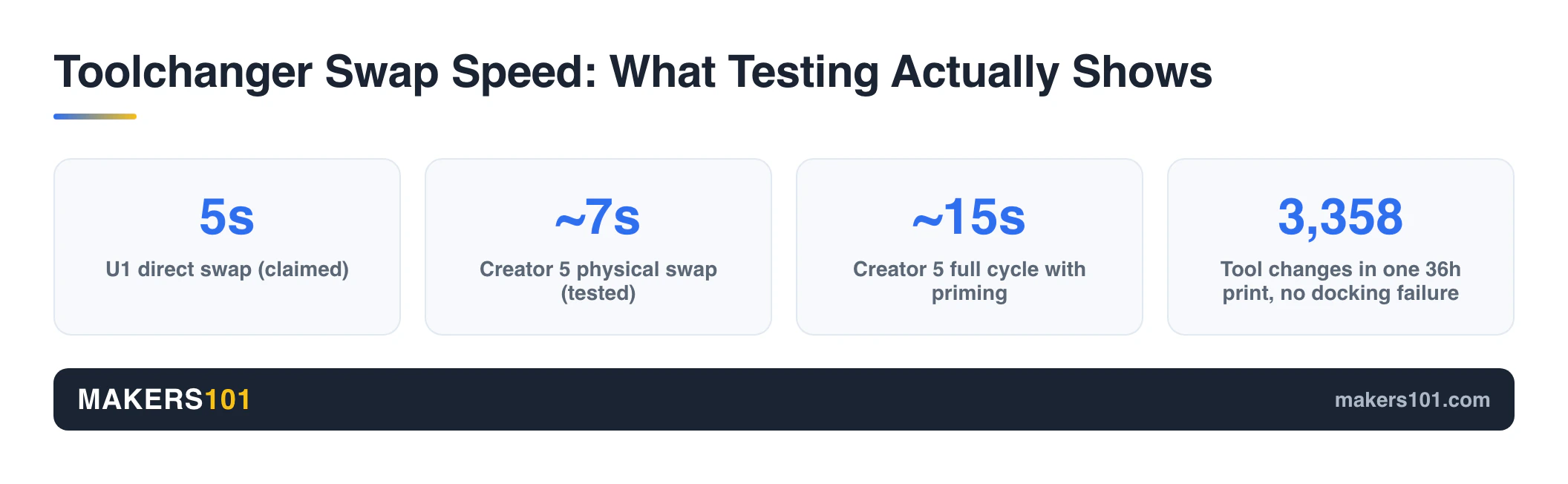
In private review notes, Creator 5 swaps were measured around 7 seconds for the physical tool change and about 15 seconds for the full cycle once priming is included. Another long test logged 3,358 tool changes during a 36 hour print with no physical docking failure.
So the split is simple: U1 wins ease. Creator 5 wins clever cost engineering. If you want to understand how this compares with a dual nozzle approach, our Bambu Lab X2D vs Flashforge Creator 5 article covers that side of the category.
Speed and Filament Waste: Both Beat AMS, But Prime Towers Still Matter
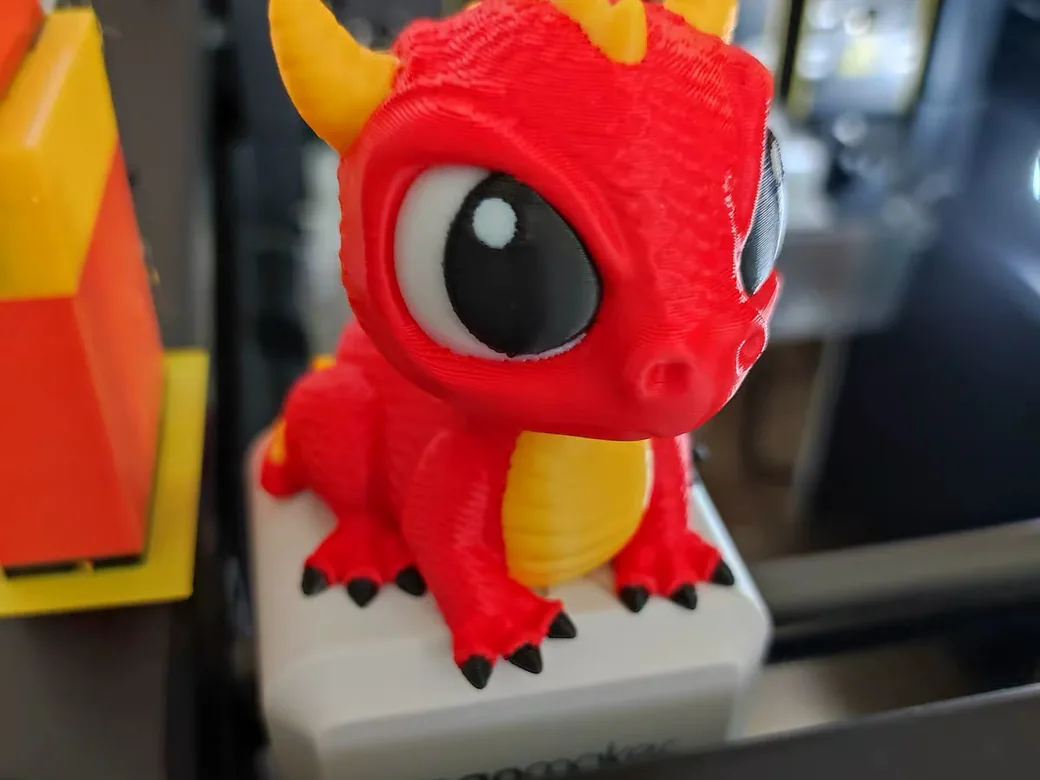
Both printers can make single nozzle multicolor systems feel painfully wasteful. A U1 retail review logged more than 300 hours of printing with very little purge waste. One baby dragon took 4 hours 45 minutes on the U1, compared with 10 to 25 hours on typical filament swapping systems.
The Creator 5 can also be quick. In one measured 4 color cube test, it finished in about 20 minutes with a 5g model and a 4g tower. Another multicolor character test finished in 3 hours 2 minutes with clean color boundaries.
That doesn’t mean zero auxiliary plastic. The tower still matters.
Toolchangers reduce purge poop because each material has its own hotend. They still need priming. They often still need a prime tower, and that tower can become the failure point if the slicer defaults are weak.
This is one of the Creator 5’s current caveats. Multiple review notes mention prime tower collapse or weak tower foundations, with fixes like a larger brim, higher bed temperature, more tower flow, or a rib style tower. If you want to see the broader waste problem these printers are trying to solve, read our guide to Bambu AMS alternatives.
Print Quality and Reliability: U1 Is Safer Today, Creator 5 Has Headroom
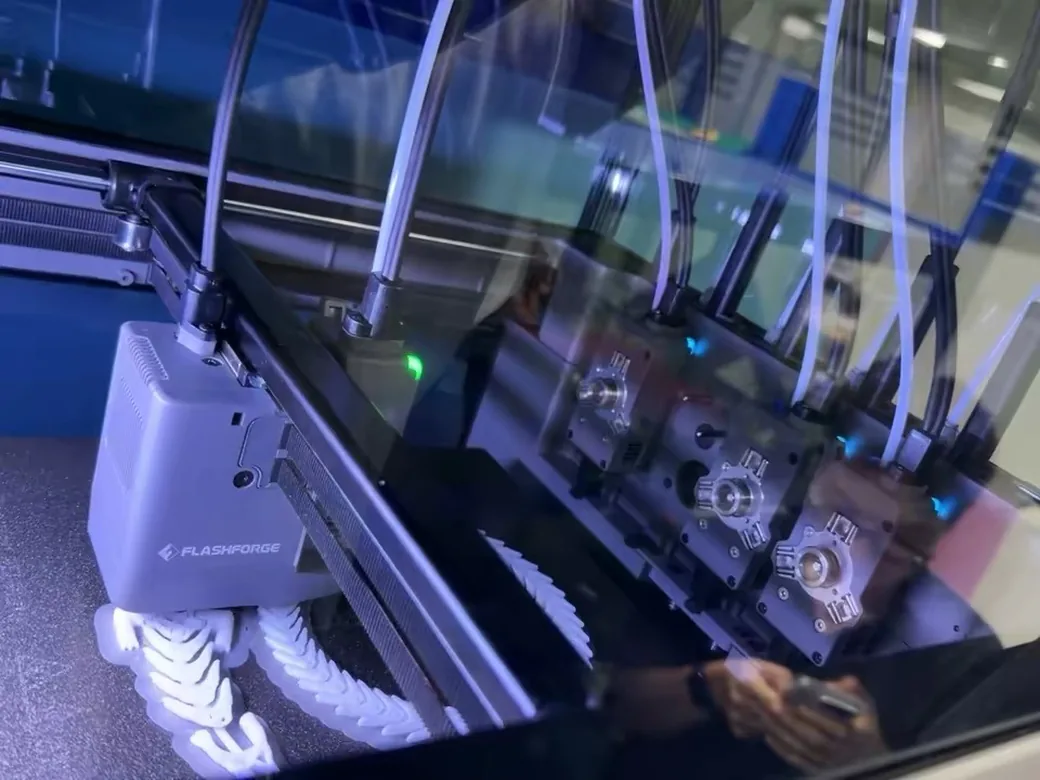
The U1 has the safer reliability story for a normal buyer today. A retail unit review reported 300 plus hours of printing, long multicolor projects, and a 99 piece model printed over six days with parts that still fit properly.
That doesn’t make the U1 flawless. Early firmware produced false tangle alerts, spaghetti detection errors, plus connection problems for one reviewer, later improved by updates. The same review also found one toolhead with lower flow than the others, which required disassembly and cleaning.
Hands-on evidence is mixed. A separate beta-unit comparison logged tool head detach errors and two failed complex sphere attempts, while the later retail-unit review logged 300 plus hours and a six-day 99 piece print. Weight the retail result more heavily, but don’t erase the beta warning.
The fair reading is that U1 looks more mature, while still being a first generation toolchanger.
Creator 5 is almost the opposite. The physical swap system looks stronger than the low price suggests. The problem is the surrounding software stack. Review notes flagged high Z offset, prime tower slicing issues, MCU communication loss during a large PETG and PLA temperature gap, and visible ringing in single color surface tests.
Those are fixable problems in theory. They’re still buying risks in practice. If you’re the kind of person who updates slicers, tests towers, and reads release notes, Creator 5 may age well. If you want the printer to mostly get out of your way, U1 is the calmer bet.
The slicer side matters enough that it should affect your choice. Creator 5 uses Orca Flashforge and OrcaSlicer support, while U1 uses Snapmaker’s Orca based workflow. Our best slicer for 3D printing guide explains why printer specific profiles can matter more than the slicer brand name.
Materials: Creator 5 Pro Is the Engineering Filament Pick
For basic materials, both ecosystems make sense: PLA, PETG, TPU. For ABS, ASA, nylon carbon fiber, and other chamber sensitive materials, the Creator 5 Pro has the clearer hardware case.
The base Creator 5 is an open frame machine. Review notes consistently frame it as a PLA/PETG/TPU toolchanger. That’s fine if your real goal is cleaner multicolor prints, flexible parts, and less purge waste.
The Creator 5 Pro adds the hardware engineering materials actually want. You get an enclosure with active chamber heating up to 65C, HEPA13 plus activated carbon filtration, 320C nozzle capacity and a 120C bed. Flashforge’s product page lists ABS and ASA; PA and PET carbon fiber blends; PPA-CF; PPS-CF; HIPS; PVA; BVOH.
The U1 can move in that direction with its optional top cover. Snapmaker says the top cover unlocks ABS/ASA and more. The practical issue is timing. As of this check, that accessory had a listed shipping window, so you should verify availability before building a whole engineering material plan around it.
For TPU, the answer is closer. The U1 gives you a friendlier workflow. Creator 5 reviews show promising flexible material examples, helped by short filament paths and independent toolheads. If TPU is your main material, the filament itself still matters, so pair either printer with a known good flexible filament and a conservative profile.
If enclosure decisions are new to you, our DIY 3D printer enclosure guide explains why warm, stable air changes ABS and ASA behavior so much.
Usability and Ownership: Automatic Loading vs Simple Manual Control
U1 is easier for the buyer who wants less manual setup. Automatic loading, backup mode, app connected workflow, and a larger 270mm build volume all push it toward a friendlier day to day experience.
There are rough edges. Private review notes mention a flimsy feeling top frame, an awkward rear USB port, more complex hotend removal than expected, and poor accessory transparency around the top cover and hardened nozzles. These aren’t dealbreakers for everyone, but they make the U1 feel less polished than the core toolchanger deserves.
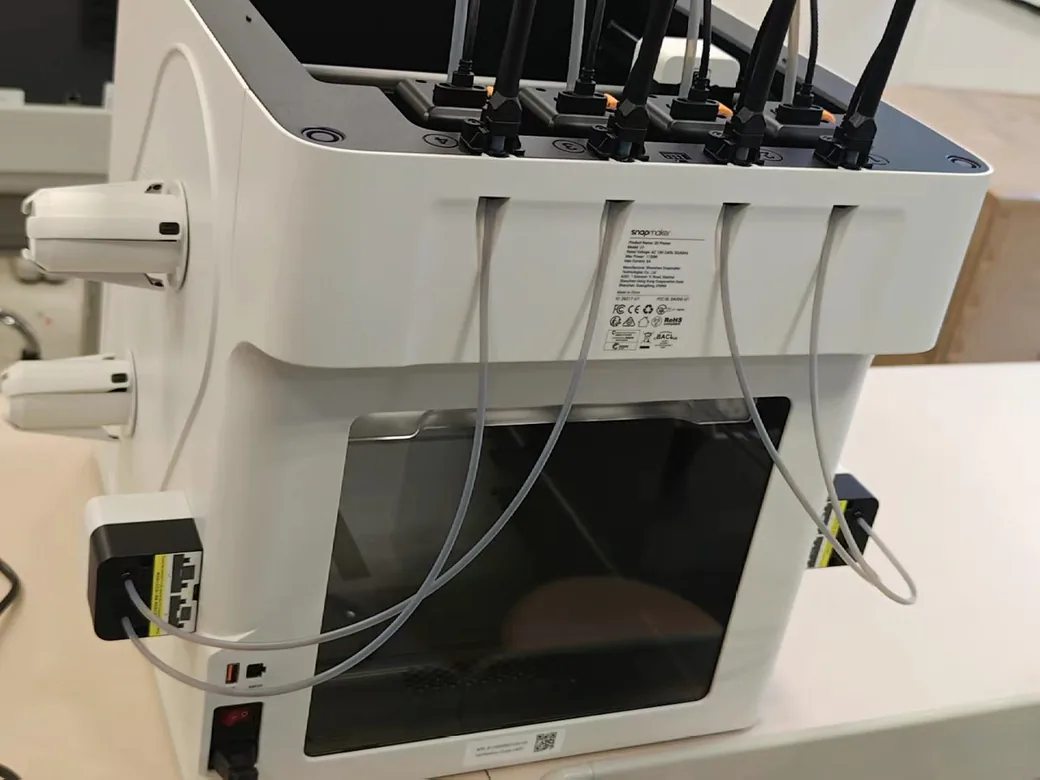
Creator 5 asks more from you up front. Loading is manual, but the path is short and easy. The spool pegs are simple and compatible with a wide range of spool types, including cardboard and odd spool holes.
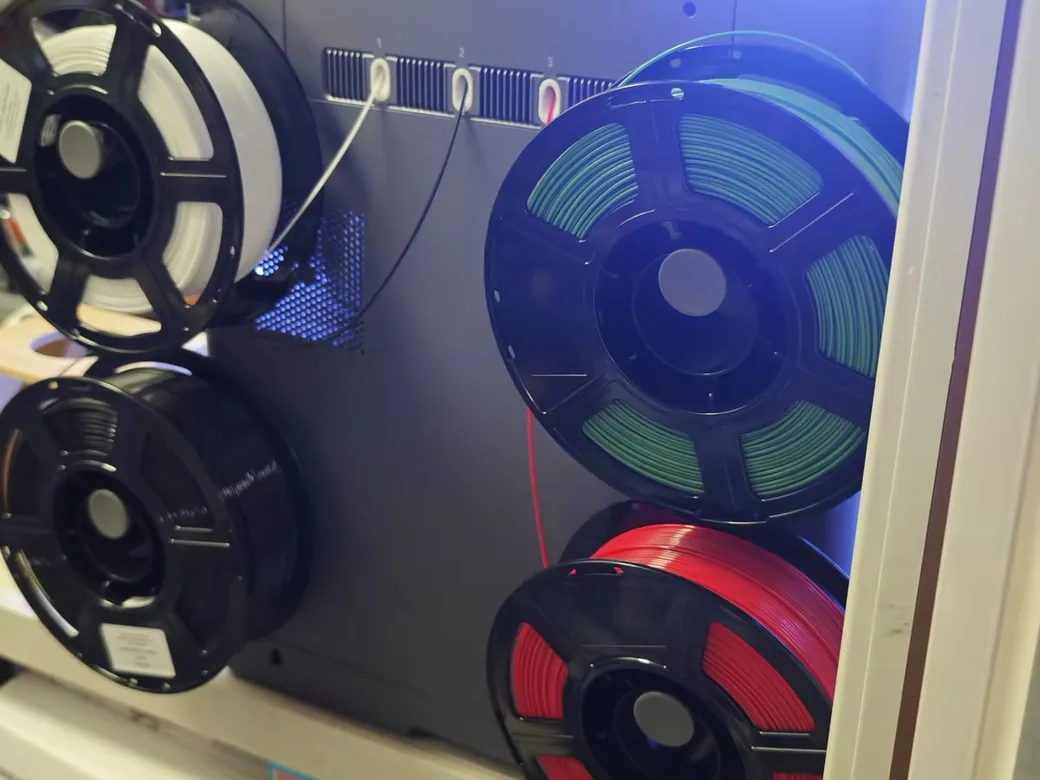
That simplicity has costs. There is no RFID, no automatic loading, no internal waste bin, and the PEI plate size may not match standard third party 256mm plates. Creator 5 owners and reviewers have also asked for better object cancellation, filament syncing, color mapping, and more robust tower defaults.
Reddit makes this split very clear. Some buyers lean U1 because it looks sturdier and more refined. Some Creator 5 Pro owners prefer the larger door opening, heated chamber and material path. The right answer depends on which friction you hate more.
Which One Should You Buy?
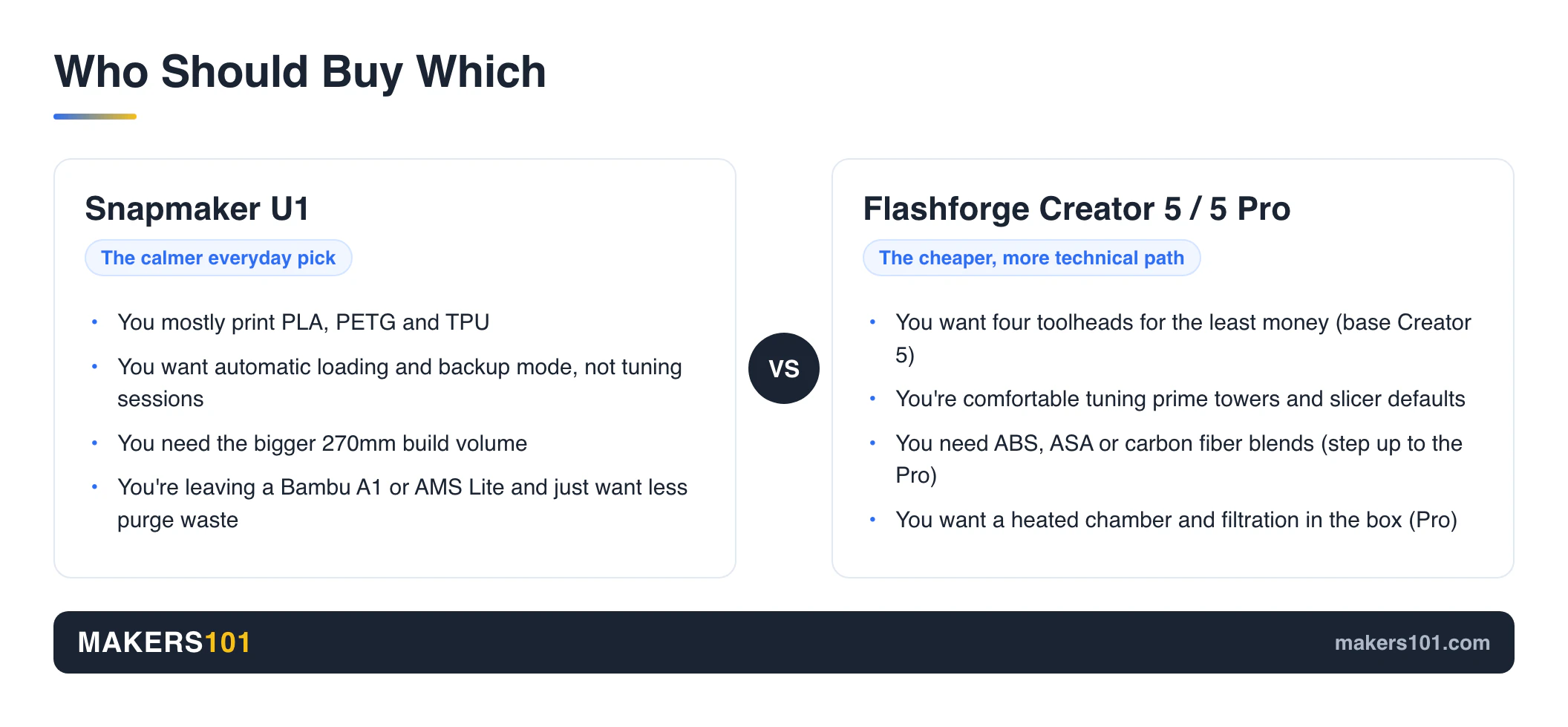
Buy the Snapmaker U1 if you want the least stressful toolchanger for normal multicolor printing. It is the better fit if you mostly print PLA, PETG, TPU, toys, cosplay details, color models, and useful household parts.
Choose U1 if automatic filament handling matters. Choose it if the 270mm build volume matters. Choose it if you’re coming from a Bambu A1 or AMS Lite and want less purge waste without turning every print into a tuning project.
Buy the Flashforge Creator 5 if you want the lowest cost four toolhead machine and you’re comfortable tuning around early software. It’s appealing if you print mostly PLA and PETG, with some TPU, and you want to learn the toolchanger category without spending Prusa XL money.
Buy the Flashforge Creator 5 Pro if you care about materials more than convenience. Use the Pro for that. The chamber, filtration, hotter nozzle, hotter bed, and enclosed frame make it the stronger pick for ABS/ASA and carbon fiber blends.
Wait if your business depends on predictable output and you can’t afford debugging time. Both machines are much cheaper than old toolchanger options, but cheap toolchanging is still a young category. For a wider shortlist, see our guide to Bambu Lab X2D alternatives.
Before You Order: Five Checks That Change the Winner
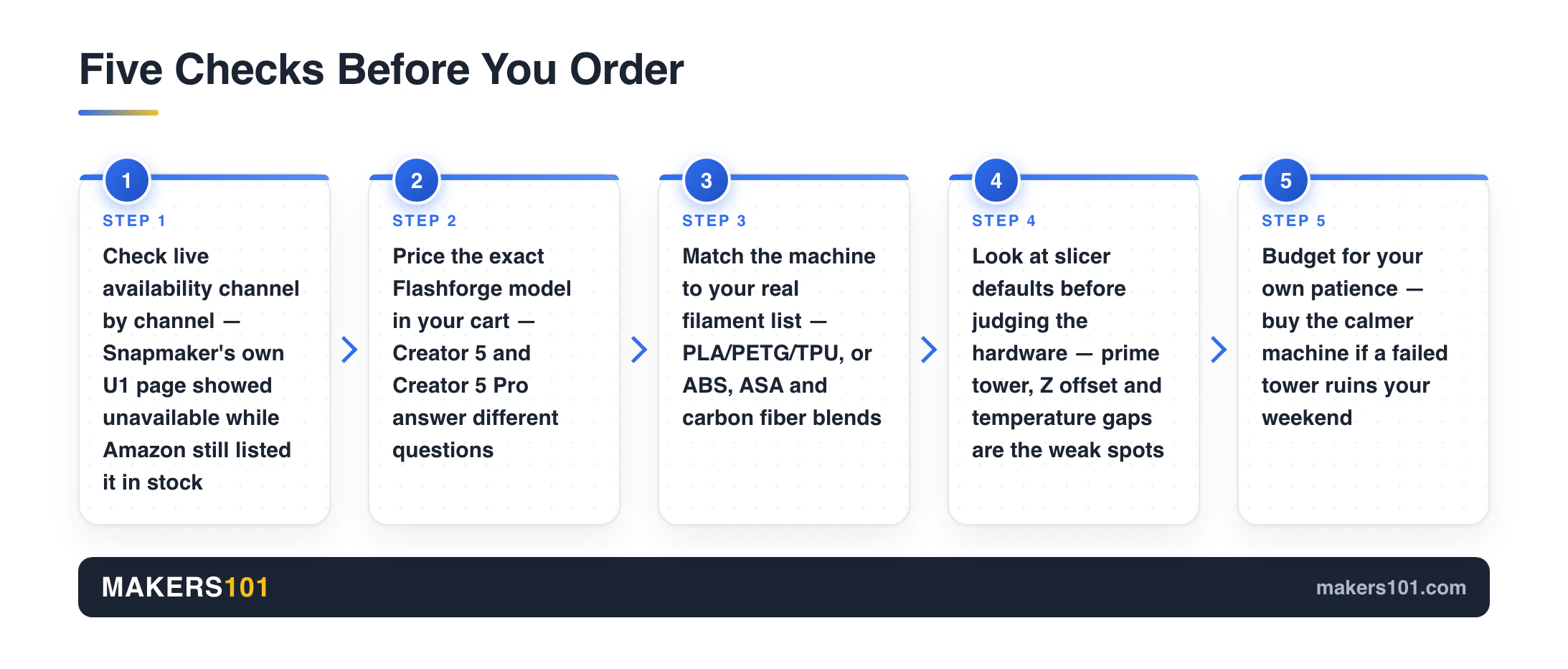
Check live availability first, and check it channel by channel. Snapmaker’s own U1 page showed an unavailable label during this research pass while Amazon still listed the printer in stock, and the top cover had its own shipping window. If you need the printer and enclosure now, that can override the cleaner U1 workflow.
Price the exact Flashforge model in your cart. Creator 5 and Creator 5 Pro don’t answer the same question. The base model is the budget four-toolhead option; the Pro is the chamber-and-material option.
Match the machine to your real filament list. If your jobs are PLA figures, PETG fixtures and occasional TPU, the U1 versus base Creator 5 comparison is fair. If your work includes ABS, ASA, PA-CF, PET-CF or support materials, compare U1 plus cover against Creator 5 Pro.
Look at the slicer defaults before you judge the hardware. Creator 5 review notes point to prime tower settings, Z offset and material-temperature gaps as the weak spots. That’s a tuning burden, not proof that the dock is bad.
Budget for your own patience. If a failed tower ruins your weekend, buy the calmer machine or wait. If you enjoy testing profiles, the cheaper Flashforge path is easier to justify. Creality’s K3 is circling this same category on paper. We weighed waiting for it against buying the U1 now.

- Swap Toolheads, Not Filament. Most filament-changing systems spend precious time loading, unloading, and purging. Creator 5 Pro flips the script with…
- One Print. Every Material. Limitless Possibilities. Push multi-material printing beyond the ordinary. Four independent toolheads automatically switch…
- Fresh filament is soft. Gravity is relentless. The C5P fights back with an adaptive airflow system, rapidly refreshing the chamber with cool air to…
- Engineered Heat for Engineering Materials. The C5P doesn’t just turn up the temperature—it controls it. A 320°C hardened nozzle handles demanding…
- Precision That Adapts. Results That Repeat. Extrusion conditions can change over time. Flow Dynamics Calibration models extrusion as a dynamic…
Specs at a Glance
Use this table as a quick reference, then verify live listings before you buy.
| Spec | Snapmaker U1 | Creator 5 | Creator 5 Pro |
|---|---|---|---|
| Observed price | $849 shown | $699 after cart discount table | $949 shown, $100 cart discount note |
| Build volume | 270 x 270 x 270 mm | 256 x 256 x 256 mm | 256 x 256 x 256 mm |
| Toolheads | 4 | 4 | 4 |
| Swap speed | 5s claimed | about 7s physical swap in tests | same FlashSwap family |
| Enclosure | Optional top cover | Open frame | Fully enclosed |
| Active chamber | No active chamber listed | No active chamber | Up to 65C |
| Nozzle / bed | Verify before buying | 320C / 120C family spec | 320C / 120C |
| Filament handling | Auto loading, backup mode | Manual short path | Manual short path |
| Slicer | Snapmaker Orca workflow | Orca Flashforge / OrcaSlicer | Orca Flashforge / OrcaSlicer |
| Best fit | Everyday multicolor | Lowest cost toolchanger | Engineering materials |
FAQ
Is Snapmaker U1 better than Flashforge Creator 5?
For most hobbyists, yes. The U1 gives you the bigger build area, easier filament workflow, and stronger consumer ownership story. The Creator 5 becomes more attractive if price is your main constraint, or if you’re willing to tune around early slicer behavior.
Is Flashforge Creator 5 Pro worth it over the regular Creator 5?
Yes, if you care about ABS/ASA, PA carbon fiber, chamber heat, or filtration. The regular Creator 5 is the better low cost pick for PLA/PETG/TPU work. Buy the Pro when materials matter.
Which printer wastes less filament?
Both waste far less filament than single nozzle systems that purge between colors. Neither printer is literally waste free. You still have priming plastic, tower material, failed tower risk, and support material choices.
Which is faster for multicolor prints?
The U1 has the faster claimed direct swap time at 5 seconds. Creator 5 tests show about 7 seconds for the physical swap, with longer full cycles once priming is included. Real speed depends on the model, slicer settings, tower design, and number of color changes.
Which one is better for TPU?
Both are promising for TPU. The U1 is easier to manage because of its consumer workflow. Creator 5 has short filament paths and review examples with flexible materials, but the manual workflow asks more from the user.
Which one should a Bambu A1 or AMS Lite owner choose?
Choose the Snapmaker U1 if your main frustration is purge waste and you want a simpler upgrade path. Choose the Creator 5 or Creator 5 Pro if you’re specifically chasing lower entry price, enclosure, chamber heat, or engineering material capability.
CERTAIN CONTENT THAT APPEARS ON THIS SITE COMES FROM AMAZON. THIS CONTENT IS PROVIDED ‘AS IS’ AND IS SUBJECT TO CHANGE OR REMOVAL AT ANY TIME.
Price details
Product prices and availability are accurate as of the date/time indicated and are subject to change. Any price and availability information displayed on Amazon.com at the time of purchase will apply to the purchase of this product.