
I earn a commission if you buy through links on this page, at no extra cost to you. As an Amazon Associate, I earn from qualifying purchases.
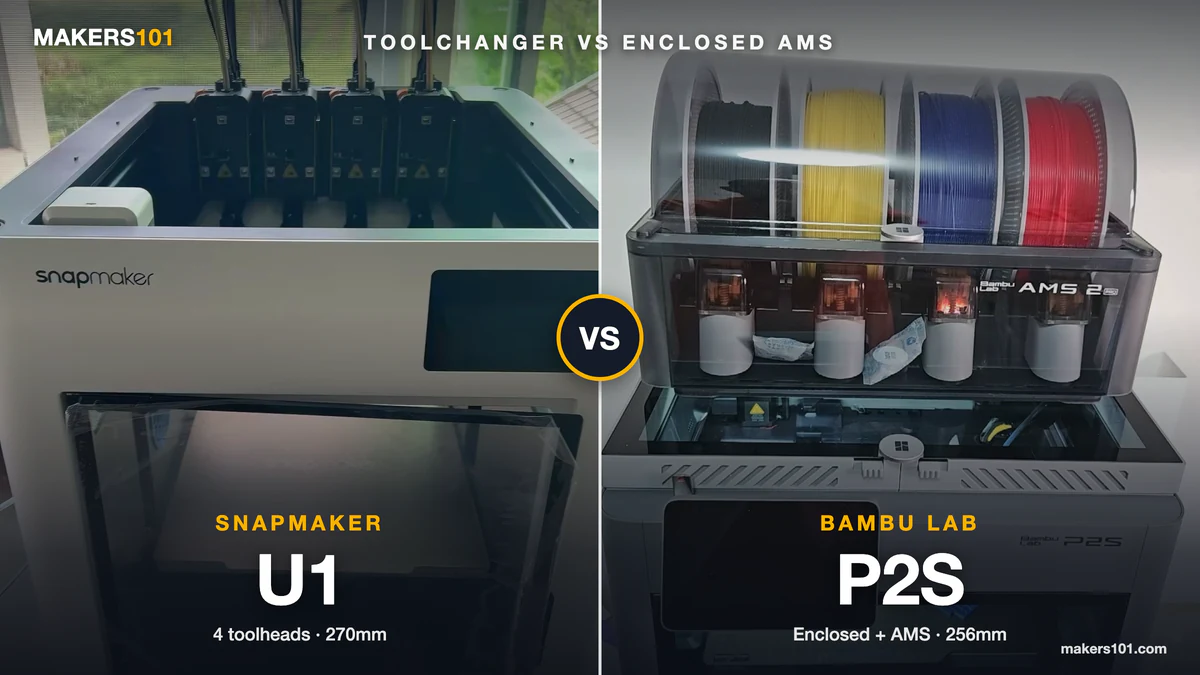
You’ve got an aging printer, a browser full of tabs, and two machines that keep trading places on your shortlist. Snapmaker U1 vs Bambu Lab P2S is the comparison people get stuck on longest, because the two machines are close in price and nothing alike in design.
Most comparisons make it harder than it needs to be. They quote slicer estimates as if someone timed them with a stopwatch, and they line up the bare P2S against the U1 as though both can print four colors out of the box.
This one separates the measured numbers from the estimated ones, and sorts the decision by what you actually print.
Table of Contents
- Snapmaker U1 vs Bambu Lab P2S: Specs at a Glance
- The Real Difference: Four Toolheads vs One Nozzle and an AMS
- Multi-Color Waste and Time: What the Numbers Actually Say
- Single-Color Printing: The Trade-Off Nobody Mentions
- Materials and the Enclosure Question
- Print Quality: Top Surfaces vs Bridges
- Beyond Four Colors: What Full Spectrum Changes
- Reliability and Maintenance After Hundreds of Hours
- Software and Ecosystem
- Price: Comparing the Right Configurations
- Which One Should You Buy?
- FAQ
Snapmaker U1 vs Bambu Lab P2S: Specs at a Glance
The short version of the hardware. Everything below is verified against manufacturer pages as of August 31, 2026.
| Spec | Snapmaker U1 | Bambu Lab P2S |
|---|---|---|
| Multi-color method | 4 independent toolheads, swap in ~5s | 1 nozzle fed by AMS, purges per change |
| Build volume | 270 × 270 × 270 mm | 256 × 256 × 256 mm |
| Chamber | Open frame, optional top cover | Fully enclosed, carbon filter, no active heater |
| Abrasive filaments | Stock 0.4 mm stainless nozzle only | Hardened steel nozzle and extruder gear |
| Max colors | 4 loaded, more via color blending | Up to 20 across 8 AMS units |
The U1’s extra 14 mm per axis sounds minor and occasionally matters, though neither machine will fit a full-size helmet in one piece. And the P2S runs quieter in a room you sit in, because a sealed box muffles what an open frame broadcasts.


The Real Difference: Four Toolheads vs One Nozzle and an AMS
Every other difference between these machines follows from one design choice.
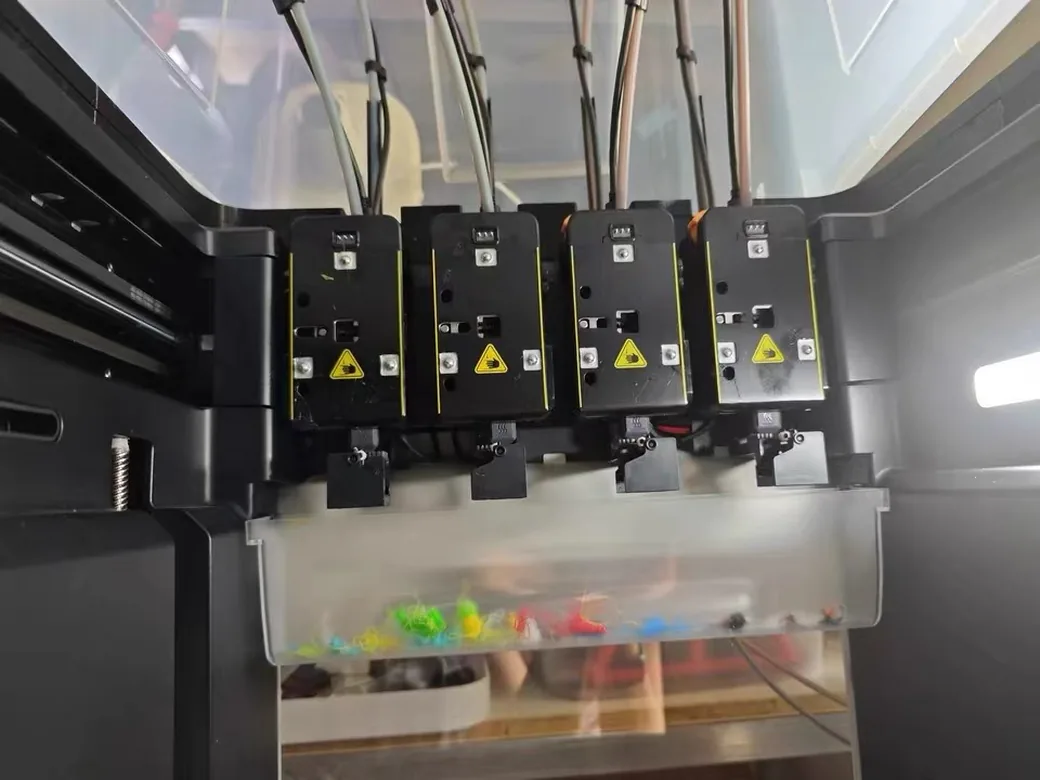
The U1 carries four complete toolheads. Each holds its own filament at its own temperature, and a color change means parking one head and picking up another. Nothing gets flushed between colors, because no two filaments share a nozzle.
That isn’t the same as zero waste. Each head still needs to re-establish flow when it comes back into service, so the U1 prints a prime tower like any other multi-material machine.
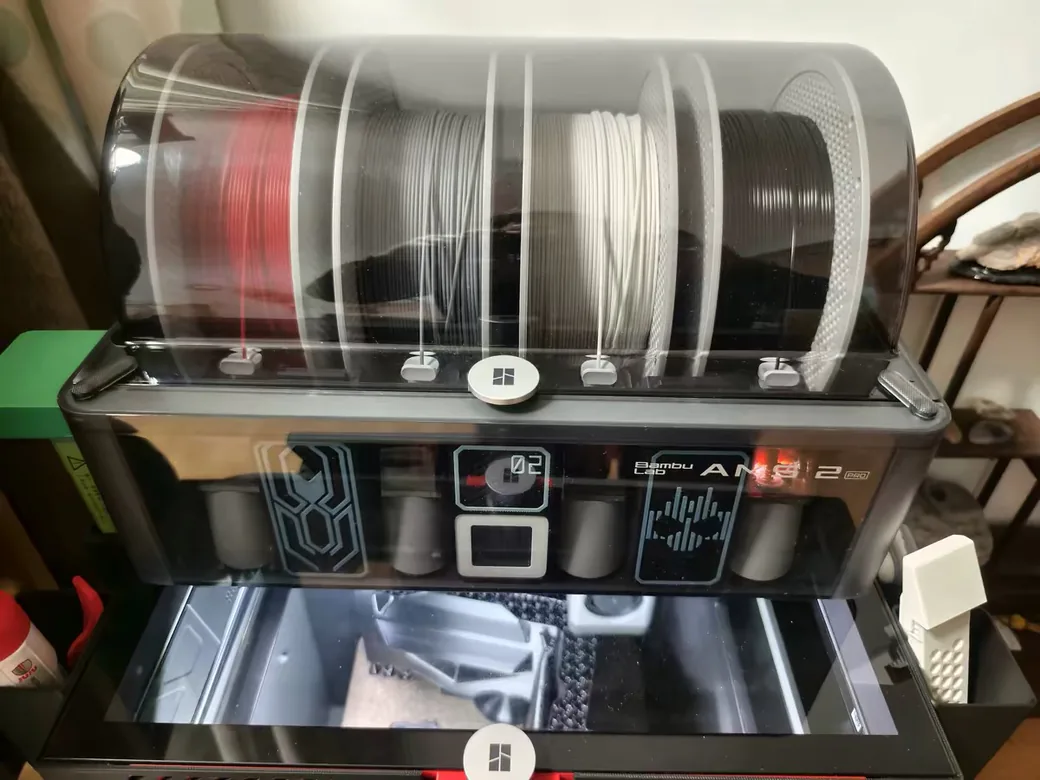
The P2S runs a single nozzle fed by an AMS. Every color change pushes the old filament out with the new one, which is where purge waste and the familiar pile of “poop” come from.
That difference is permanent. A P2S can’t be upgraded into a toolchanger later, which is why the most useful question on the r/3Dprinting thread about this exact matchup was not “which is better” but “do you want a toolchanger at all.” Answer that first and the rest follows. If you want to see how the same question plays out against a different architecture, we covered dual-nozzle systems like the X2D separately.
Multi-Color Waste and Time: What the Numbers Actually Say
The U1’s multi-color advantage is real. It’s also smaller than the numbers you’ve probably seen.
The number everyone quotes
A popular dragon model gets cited constantly: 265 g and 17 hours on Bambu hardware against 50 g and 3 hours on the U1. Two things about that pairing. The Bambu figure is a Bambu Studio estimate for a P1P and X1C, so no Bambu machine actually printed the model. He did run the dragon on his own U1, though his source doesn’t say whether the 50 g and 3 hours were measured or sliced.
The Bambu side never left the slicer, and neither machine is a P2S.
What a measured run showed
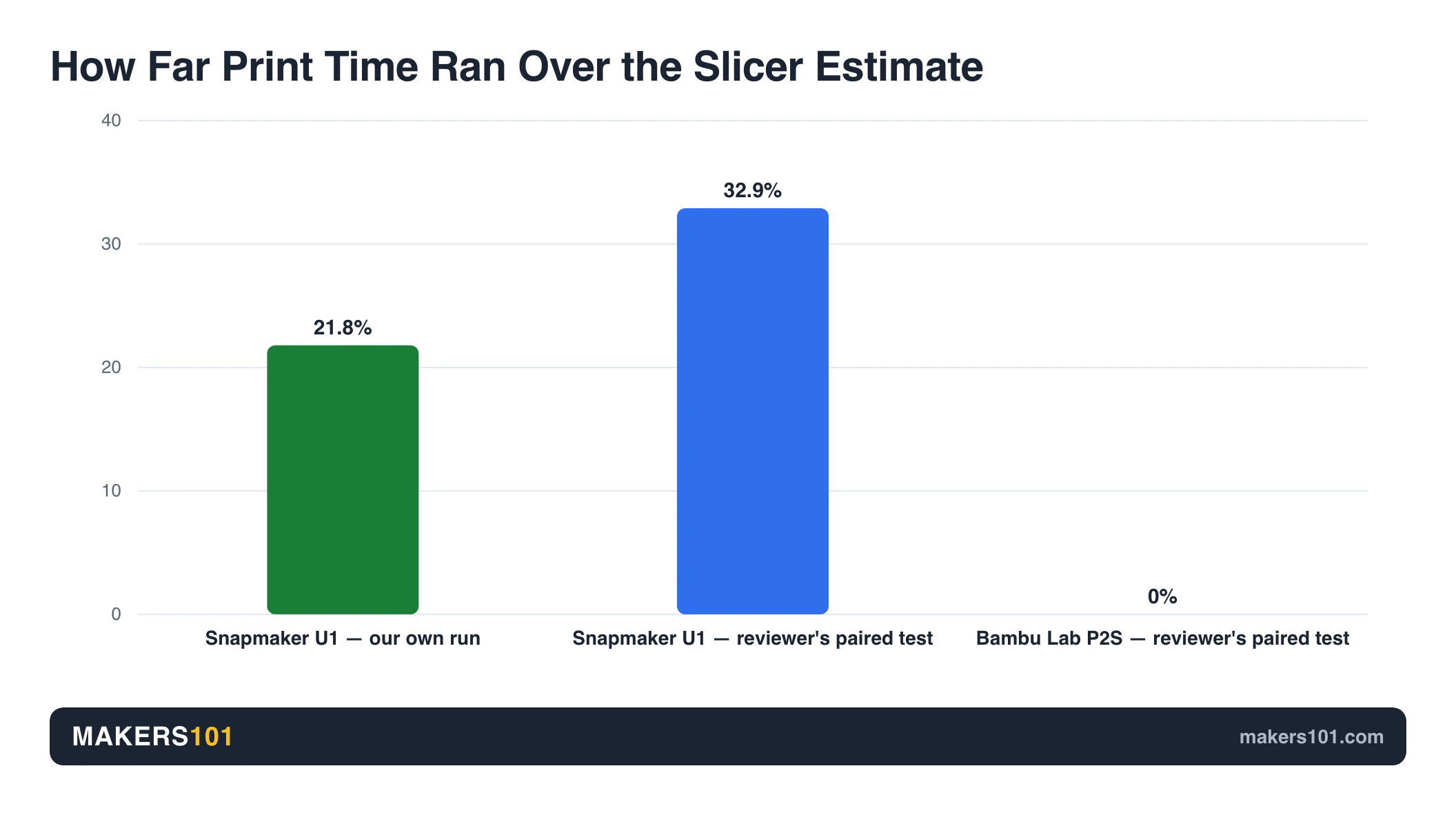
One reviewer printed the same model on both machines and logged the real times. The U1 was sliced at 2h29m and finished in 3h18m, with another 30 minutes of preheating and bed leveling before the print and 19 minutes of stalls during it.
The P2S hit 11h01m against an 11h01m estimate, exactly. Both machines performed 444 filament changes.
Our own U1 run tells the same story at a different scale. The slicer promised 14h35m. The print took 17h46m, over by 3h11m.
Two independent runs, both pointing the same direction: budget roughly 20 to 35 percent above whatever Snapmaker Orca tells you. The P2S estimate, by contrast, is accurate enough to schedule around.
Waste, measured
In that same paired test the U1 produced a 24.75 g purge tower plus 5 g before the print started, against a 22 g tower and a noticeably larger pile of purged filament from the P2S, even after the reviewer cut flushing volumes from 195 to 140.
A print farm operator running a 301-color-change model measured 5h33m and 12 g of waste on the U1, against 15h30m and 162 g of purge plus a 20 g tower on a Bambu X1 Carbon. Read that one as a toolchanger-versus-AMS result, since an X1C sat on the other side of it.
If purge waste is already piling up in your bin, there are several things worth doing with AMS purge waste besides throwing it out.
The paired test ran different settings on each machine. And a widely shared 61-hour P2S figure from another comparison came out of a simulation, with nobody printing it. The direction of the advantage is solid. The magnitude deserves a discount.
Single-Color Printing: The Trade-Off Nobody Mentions
If most of your prints use one color, the toolchanger stops being a feature and starts being overhead.
A farm operator timed two single-color fidget prints at about 7 hours on the U1 against about 5.5 hours on a Bambu P1S, and put the difference down to the mass of the toolhead plus a 20-minute calibration routine. A P1S stood in for the Bambu side there, so treat this as evidence about toolchangers in general.
The mechanism travels even when the specific numbers don’t. The extra weight in motion, plus that calibration pass, costs you time on every job, including the ones where four heads sit idle. No one has published a like-for-like single-color race between these two specific machines, so anyone quoting you a percentage is guessing.
Materials and the Enclosure Question
This category goes to the P2S, and it isn’t close.
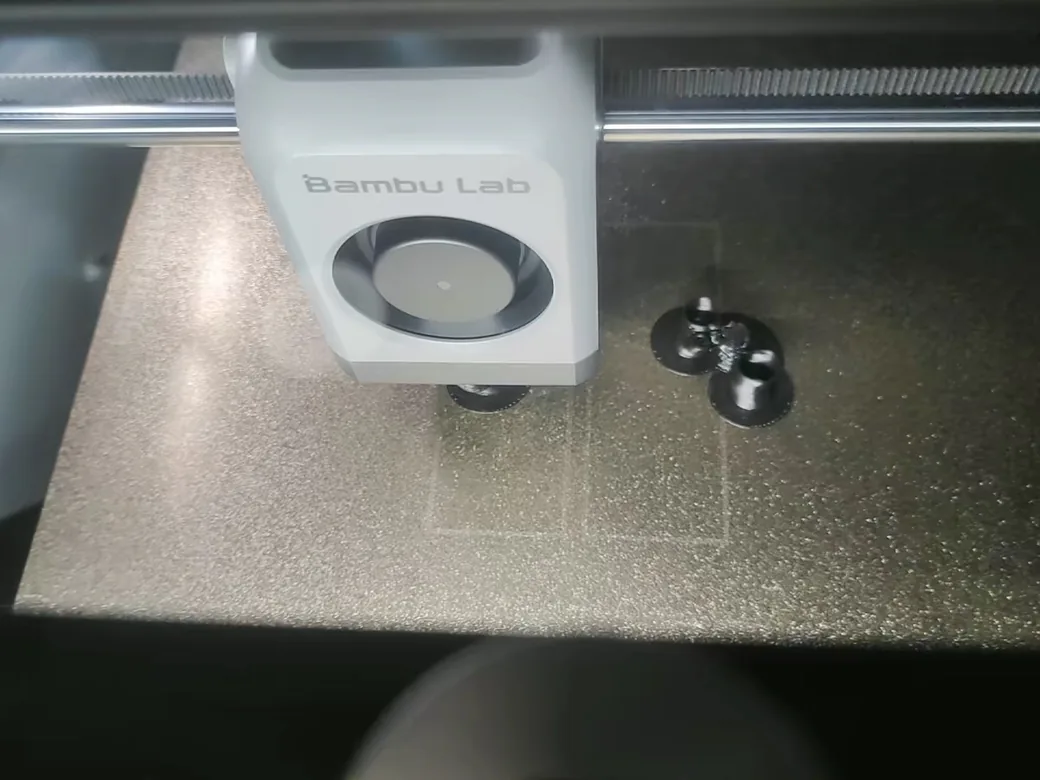
The P2S is fully enclosed, with a flap-controlled airflow system that traps heat and a carbon filter that cleans the air inside. Worth correcting a claim that circulates widely: the P2S has no active chamber heater. Bambu’s own product FAQ says so plainly. The chamber reaches useful temperatures by holding onto heat from the bed, which is enough for ABS and ASA. A true heated chamber it isn’t.
Abrasives are the sharper dividing line. The P2S ships with a hardened steel nozzle and hardened steel extruder gear, rated for long runs of fiber-reinforced filament. The U1 ships with a 0.4 mm stainless nozzle and can’t handle carbon-fiber blends without changes. If PA-CF or PET-CF is on your list, that single spec settles the question.
On the P2S I ran a stack of test prints across common filaments. Polycarbonate and nylon both needed a brim before they behaved, and everything else was uneventful.
Our U1 has run TPU 90A and PLA through Snapmaker Orca with the enclosure fitted. That covers the flexible and standard end of the range. The engineering end stays untested here.
Print Quality: Top Surfaces vs Bridges
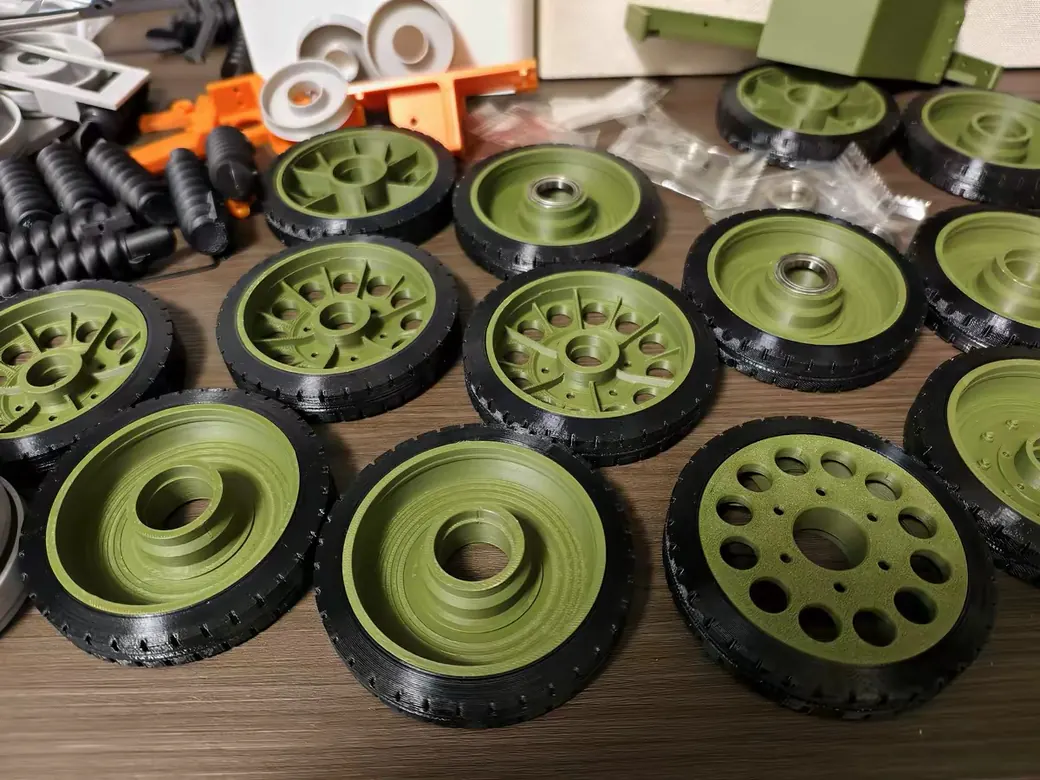
Neither machine wins this outright, and anyone claiming otherwise is selling something.
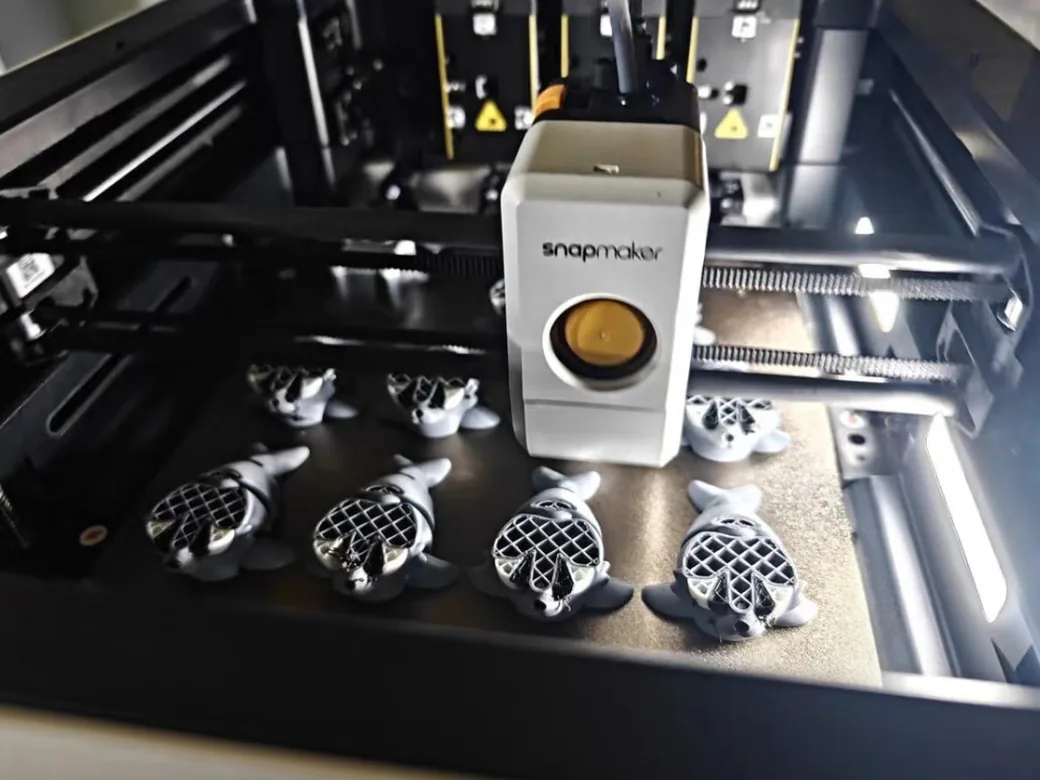
In the paired test, the P2S produced better top surfaces while the U1 handled bridging more cleanly. Both prints had visible defects on some faces.
On our own P2S, 0.2 mm layers came out tidy across every material tested. Output from our U1 has been decent. Take that word at face value.
What that means for you depends on your models. Flat-topped functional parts favor the P2S. Organic shapes with unsupported spans favor the U1.
Beyond Four Colors: What Full Spectrum Changes
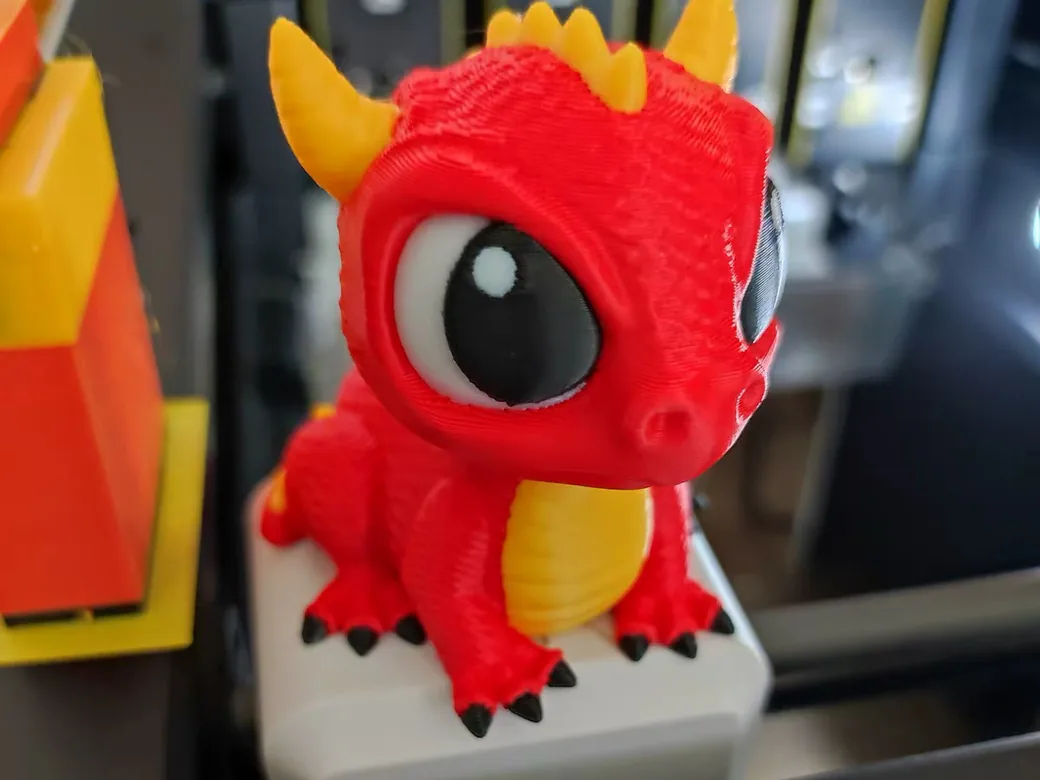
Four colors is not the U1’s ceiling anymore, and 20 is not out of reach for the P2S. The two machines get there by completely different routes.
The P2S stacks hardware. Bambu supports up to four AMS 2 Pro units plus four AMS HT units, for 20 slots and up to 20 colors. The purge cost per change does not improve as you add units, so the waste scales with your ambition.
The U1 blends in software. Full Spectrum started as a community fork of Snapmaker Orca by a developer known as ratdoux, and it now ships in the official slicer from version 2.3.3 onward. Four loaded filaments become a much wider palette by mixing, which is a genuinely different answer to the same problem.
So the honest read cuts both ways. “The U1 is stuck at four colors” is out of date. “The U1 handles more colors than the P2S” is also wrong. One raises the ceiling with hardware and pays in purge, the other works around the ceiling in software and accepts blending limits.
Reliability and Maintenance After Hundreds of Hours
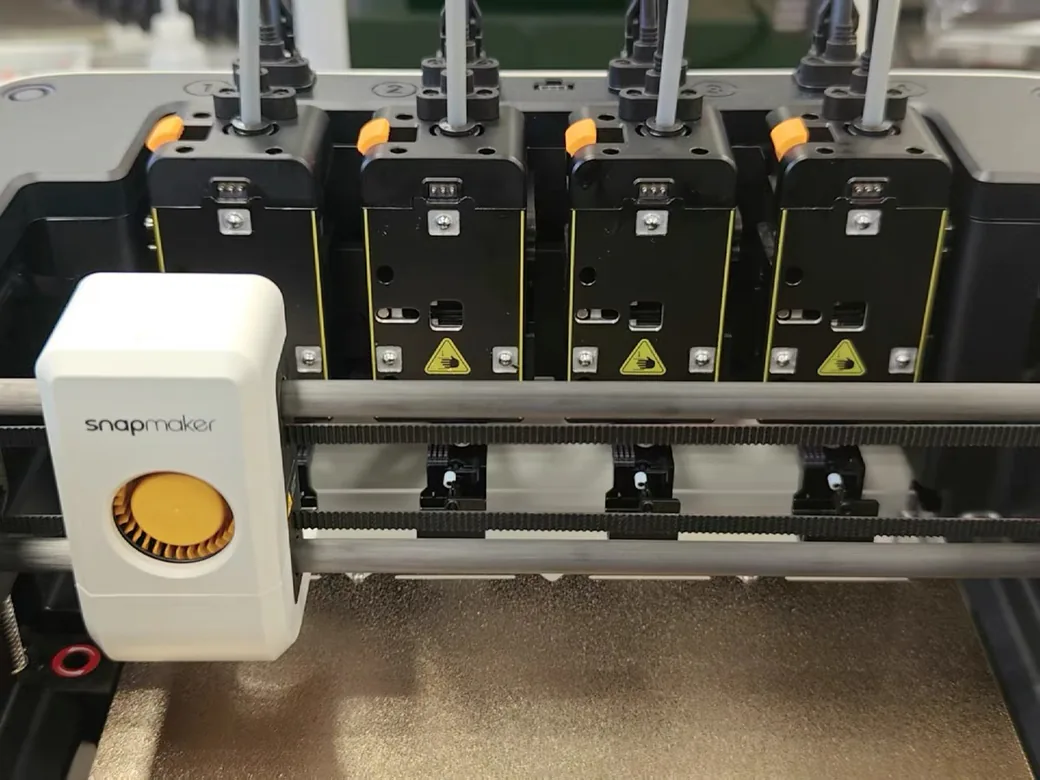
Neither machine is maintenance-free. They fail in different ways, and the U1 asks more of you.
What holds up
The strongest U1 durability data comes from print farms. One operator logged 2,100 hours and roughly 75,000 toolhead changes on a single unit with no mechanical failures and no nozzle replacements. Another reviewer put nearly 300 hours and over 10,000 toolchanges on one without a significant problem.
What needs attention
A user running three U1s at around 600 hours each had to wipe the bronze contacts on two toolheads with isopropyl alcohol regularly, and reported the problem stopped once an enclosure went on. The same setup produced one unexplained nozzle clog. Some spools from smaller brands don’t seat well on the holders.
Our experience adds a wrinkle to that. Our U1 has an enclosure fitted and still produced a toolchange fault, along with a mid-print pause that needed manual intervention. Stability has been middling.
So an enclosure appears to help with contact fouling. Call it a mitigation and plan around it.
The P2S is not spotless either. In a hot print-farm environment, one operator had PLA deform inside the extruder and needed to strip it down. That’s one case under demanding conditions. Nobody has published a general failure rate.
Toolchangers as a category are still young, which is worth keeping in mind when you compare the U1 to how it stacks up against the Creator 5.
What it costs you
Waste is the other running cost. One heavy user spending over $10,000 a year on filament estimated that roughly 43 percent of it went to purge and towers on his other printers, a Creality K2 Plus and a Bambu H2S.
Neither one is a P2S, and the K2 Plus runs Creality’s CFS system. He called it a rough calculation himself, so treat it as an order of magnitude and don’t budget against it. If the K2 Plus is your other option, there’s a separate K2 Plus vs P2S breakdown.
Software and Ecosystem
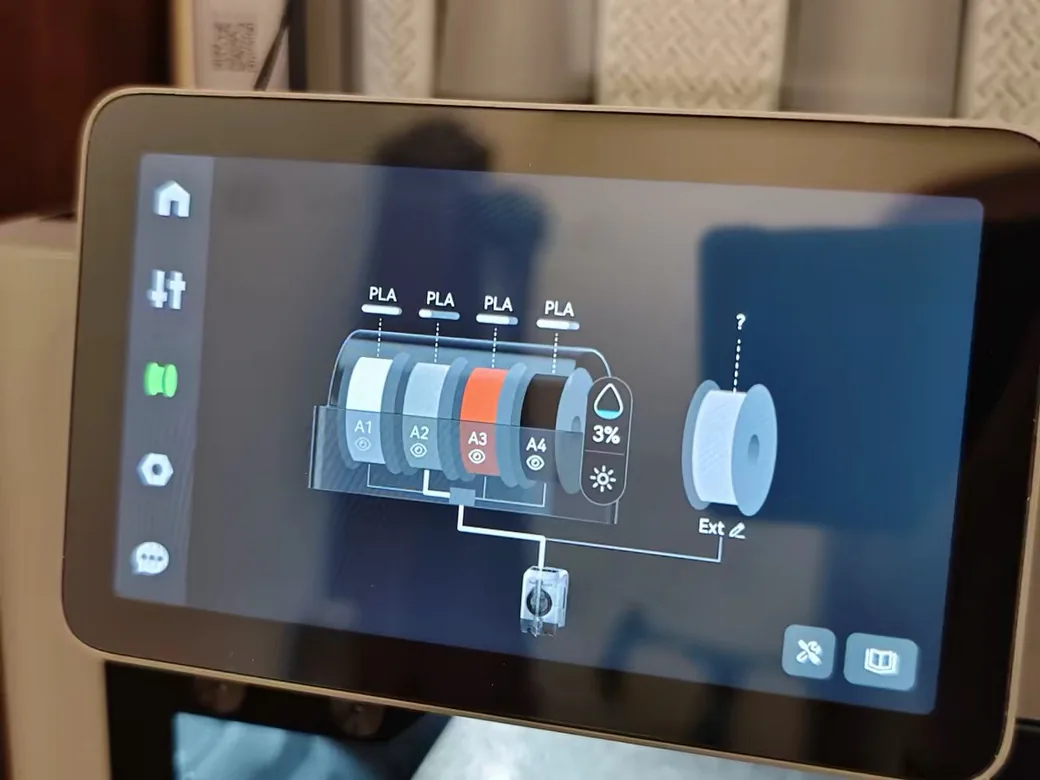
Bambu Studio is mature software. Snapmaker Orca is catching up, and you’ll notice the gap.
Snapmaker Orca is a fork of the same Orca lineage Bambu Studio comes from, so it feels immediately familiar. It’s also buggy, including problems opening files saved in Bambu Studio. The mobile app shipped without push notifications for its first four months, and live view still errors out for some users. One reviewer could not select third-party filament profiles at all, with only Snapmaker and generic options available.
Bambu’s side is the boring answer: a working wiki, spare parts you can actually order, MakerWorld integration, and remote monitoring that behaves.
Snapmaker earns points back on openness. The printer.cfg is locked by default, but root access and advanced mode are both available in settings, and the machine doesn’t need a vendor server to run. That matters to the part of the community that would rather own a repairable machine than a polished one. If repairability is the real pull, the Prusa Core One makes that case against the P2S too.
Price: Comparing the Right Configurations
Most comparisons of these two machines compare the wrong things.
The bare P2S can’t print multiple colors. Setting its price against the U1 makes the U1 look expensive for no reason. The configuration that actually competes is the P2S Combo, which includes the AMS 2 Pro.
| Configuration | Price (as of Aug 31, 2026) | Multi-color out of the box |
|---|---|---|
| Bambu Lab P2S | $569 | No |
| Bambu Lab P2S Combo | $769 | Yes, 4 slots |
| Snapmaker U1 (Amazon) | $829 | Yes, 4 toolheads |
| Snapmaker U1 (Snapmaker store) | $849 | Yes, 4 toolheads |
Prices move with promotions, and the U1 currently costs less on Amazon than direct. In a multi-color setup the real gap is about $60. Comparing the wrong boxes inflates it to $260. Filament savings can close that quickly if you print a lot of color, and you can run your own numbers with the Print Cost Calculator.
Which One Should You Buy?
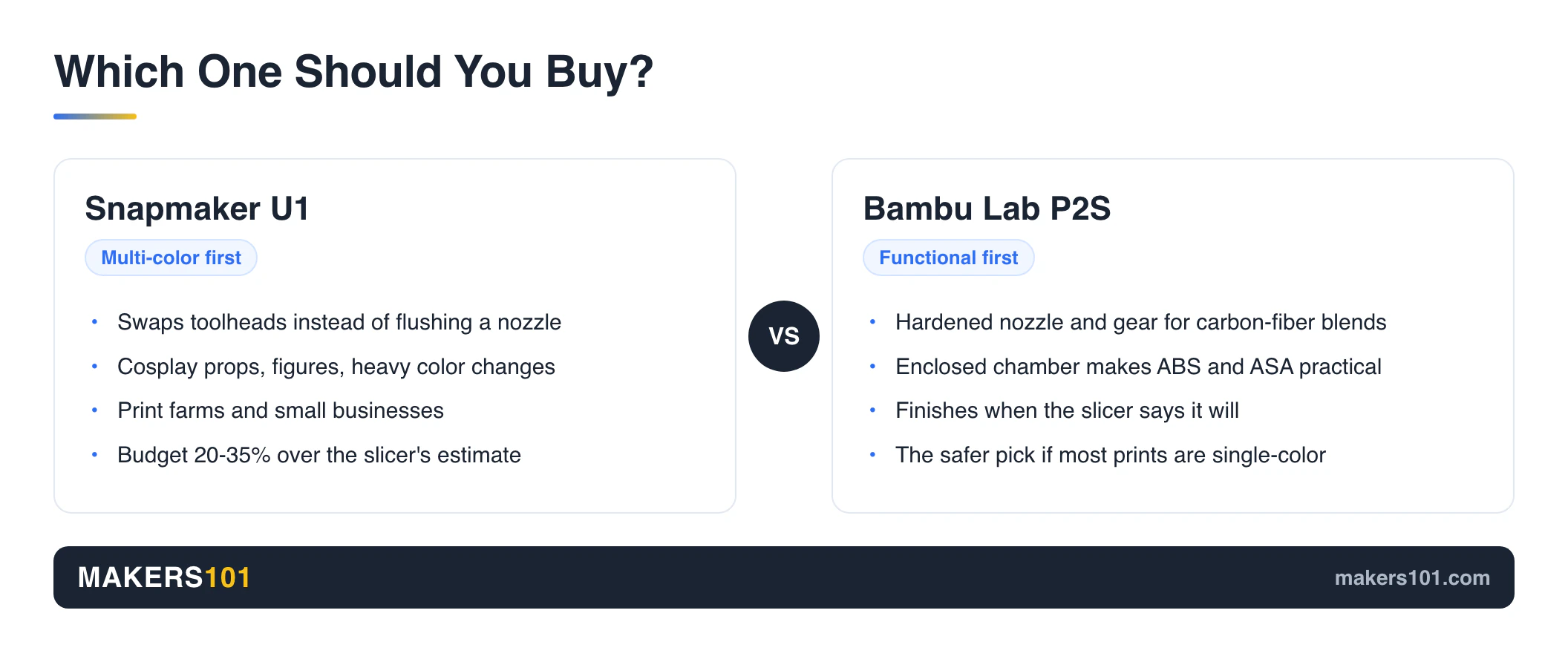
Buy the U1 if multi-color is the point. Cosplay props, painted-look figures, anything with heavy color changes. One reviewer printed a four-color Reaper mask over 40 hours that needed no painting at all.
Buy the P2S for functional work. Engineering filaments, carbon-fiber blends, enclosed printing, and a machine that hits its estimated finish time.
Lean P2S if most prints are single-color. The toolchanger’s overhead rides along on every job, and the payoff only arrives when you use it. The published evidence here is one pair of fidget prints against a P1S. Treat it as a reason to think, and don’t call it settled.
For a print farm or a small business, look hard at the U1. That is where our own experience points, and it matches what heavy users report. One operator running both settled on 20 P2S units alongside 5 U1s, using each for what it does best.
On a strict budget, the bare P2S is the floor. It’s the least you can spend here and still get an enclosed machine that works, and our full P2S review covers what living with one is like.
FAQ
Which is better, the Snapmaker U1 or the Bambu Lab P2S Combo?
Snapmaker U1 vs Bambu P2S has no single winner. The U1 takes multi-color speed and purge waste, because it swaps toolheads instead of flushing a shared nozzle. The P2S Combo wins on material range, print-time predictability, and software maturity. Choose by what fills your build plate most weeks.
Is Snapmaker better than Bambu Lab?
Not as a blanket statement. Snapmaker is ahead on toolchanging and on openness, since the U1 allows root access and runs without a vendor server. Bambu is ahead on software polish, spare parts, and enclosed printing of engineering materials.
Can the Snapmaker U1 print more than four colors?
Yes. Full Spectrum blends the four loaded filaments into a wider palette, and it ships in the official Snapmaker Orca slicer from version 2.3.3. Blending has limits, so it isn’t the same as loading ten separate spools.
Is the Snapmaker U1 good for single-color printing?
It works, but you’re paying for capability you aren’t using. Toolhead mass and a pre-print calibration pass add time to every job. Heavy single-color users are usually better served by a conventional machine.
Can the Bambu Lab P2S print ABS and ASA?
Yes. The enclosed chamber and carbon filter make it practical. The chamber has no active heater. It warms up because the enclosure traps what the bed puts out.
Which is faster, the Snapmaker U1 or the Bambu Lab H2C?
Different matchup, different answer. The H2C switches between hotends. The U1 carries four separate toolheads. We break down the U1 versus the H2C in its own comparison. Bambu’s dual-nozzle H2D gets its own U1 matchup too.
Is Snapmaker a Chinese company?
Yes. Snapmaker is a privately held company founded in 2016 and headquartered in Shenzhen, Guangdong. It sells 3D printers, laser cutters, and CNC machines worldwide.
CERTAIN CONTENT THAT APPEARS ON THIS SITE COMES FROM AMAZON. THIS CONTENT IS PROVIDED ‘AS IS’ AND IS SUBJECT TO CHANGE OR REMOVAL AT ANY TIME.
Price details
Product prices and availability are accurate as of the date/time indicated and are subject to change. Any price and availability information displayed on Amazon.com at the time of purchase will apply to the purchase of this product.