
I earn a commission if you buy through links on this page, at no extra cost to you. As an Amazon Associate, I earn from qualifying purchases.
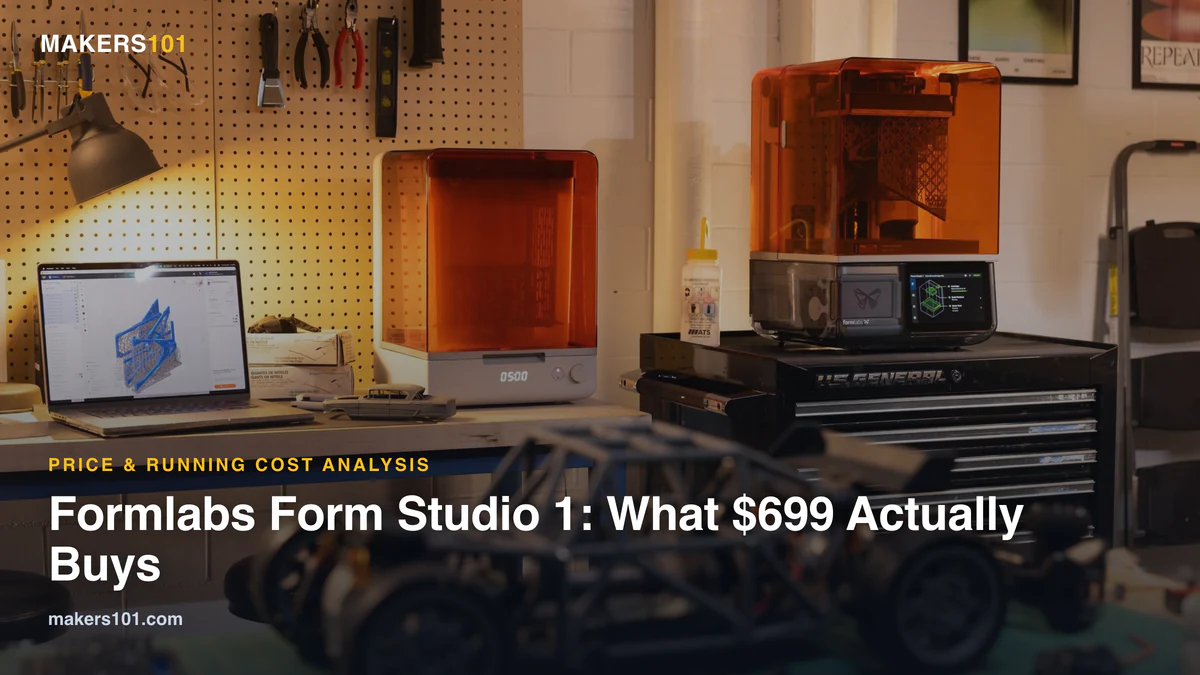
The Formlabs Form Studio 1 costs $699. The Form 4 it borrows from starts at $2,625, so you’re paying about a quarter of the price for the same tank-and-cartridge workflow. The catch sits in what you buy next. A setup most people would actually use lands closer to $1,400 once you add the Flex plate, the wash station, the air filter and a few bottles of resin.
The cheaper printer even has smaller pixels than the Form 4 (35 µm vs 50 µm). The savings came from the light engine, the resin mixer and the list of materials it supports.
Quick verdict: Buy the Form Studio 1 if you want resin prints that work on the first try, mostly print figures and prototypes, and can live with Formlabs resin prices. Look elsewhere if you burn through several liters a month, need biocompatible or filled engineering resins, or work on Linux.
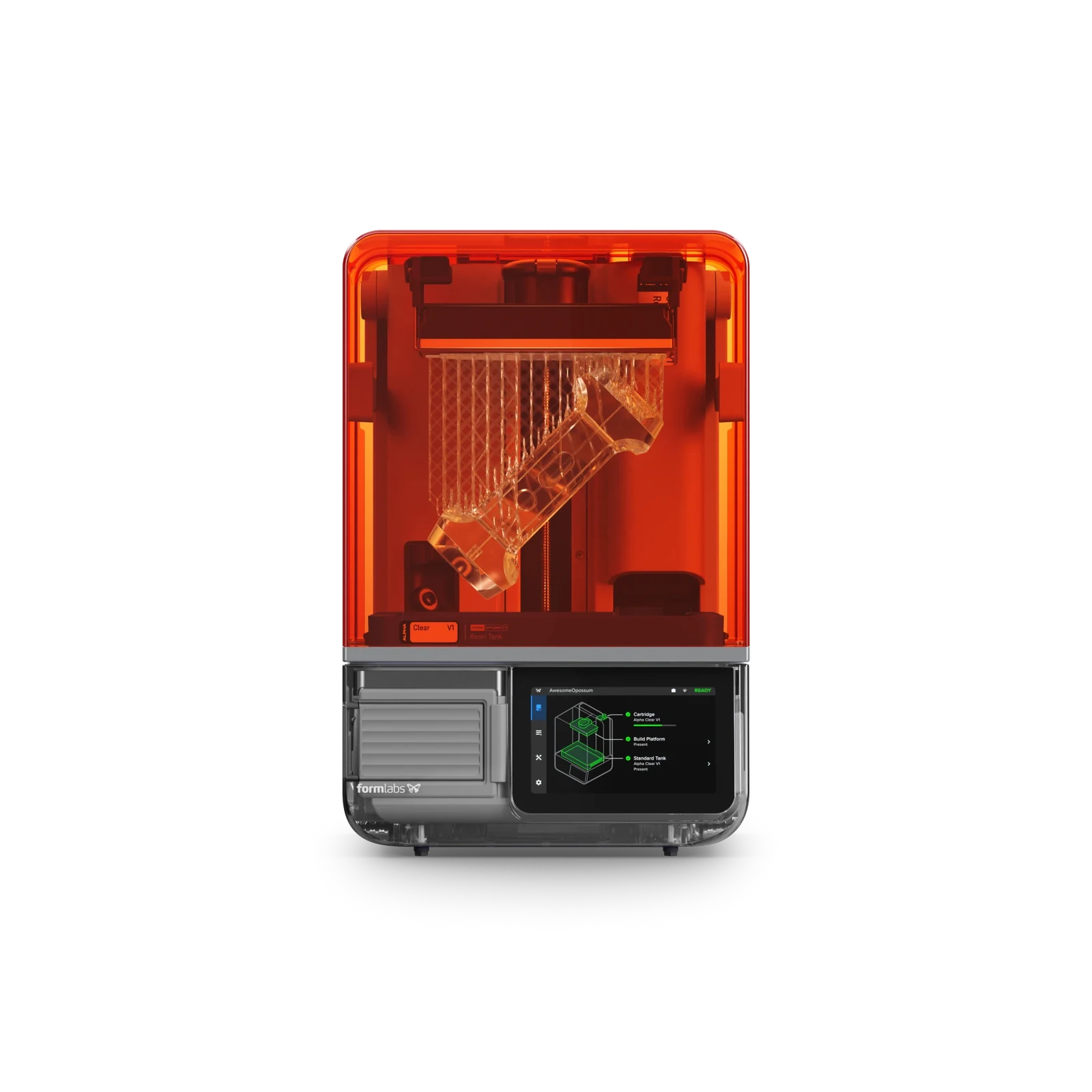
Table of Contents
- Formlabs Form Studio 1 Price, Packages and Specs at a Glance
- What the Form Studio 1 Really Costs in the First Year
- How Formlabs Cut the Form Studio 1 to a Quarter of the Form 4’s Price
- Form Studio 1 vs Form 4: Where the Real Difference Is
- Using Third-Party Resin on the Form Studio 1
- Is the Form Studio 1 Safe to Run Indoors?
- Form Studio 1 vs Elegoo Saturn 4 Ultra 16K and Other Budget Resin Printers
- Form Studio 1 Problems Reviewers Ran Into
- Form Studio 1 Buyer Fit Check: Five Questions Before You Order
- What’s Next for the Form Studio 1
- FAQ About the Formlabs Form Studio 1
- Sources for This Form Studio 1 Analysis
Formlabs Form Studio 1 Price, Packages and Specs at a Glance
Formlabs announced the Form Studio 1 on October 14, 2026. It’s the company’s first resin printer built for hobbyists instead of engineering teams. Founders Edition units come in the standard Graphite or limited Aqua, Teal or Violet through November 30. A UK reseller lists shipping for late November into December.
Every package includes the printer, one resin tank and a build platform. The bundles add the Flex plate and post-processing gear.
| Package | Price (formlabs.com, Oct 18, 2026) | What it adds |
|---|---|---|
| Basic | $699 | Printer, standard build platform, one resin tank |
| Flex | $749 | Swaps in the Build Platform Flex |
| Complete | $948 | Flex platform + Studio Wash+Cure |
| Professional | $1,647 | Flex platform + Form Wash V2 + Form Cure V2 |
| Spec | Form Studio 1 |
|---|---|
| Technology | MSLA with Formlabs’ Low Force Display engine |
| Build volume | 200 x 125 x 235 mm (5.9 L) |
| Pixel size | 35 µm |
| Light source | 28 LEDs, 405 nm, 6 mW/cm² at the print plane |
| Layer heights | 25 to 250 µm |
| Speed | Up to 130 mm/h with Alpha Fast, about 40 mm/h on average |
| Resin heating | Up to 45 °C |
| Screen and camera | 7-inch touchscreen, built-in camera |
| Connectivity | Wi-Fi, Ethernet, USB-C |
| Footprint | 342 x 315 x 502 mm |
| Warranty | 1 year |
In MSLA printing, an LCD masks UV light so a whole layer cures at once. Our explainer on how an MSLA resin printer works covers why peel force decides so much of the print quality.
What the Form Studio 1 Really Costs in the First Year
The printer price gets you in the door. A practical first-year setup for the Formlabs Form Studio 1 runs about $770 plus your own alcohol if you wash in jars and cure in sunlight. The Complete bundle with a VOC Extractor, three resins and two spare tanks comes to about $1,400. Going all in on engineering materials lands near $2,750.
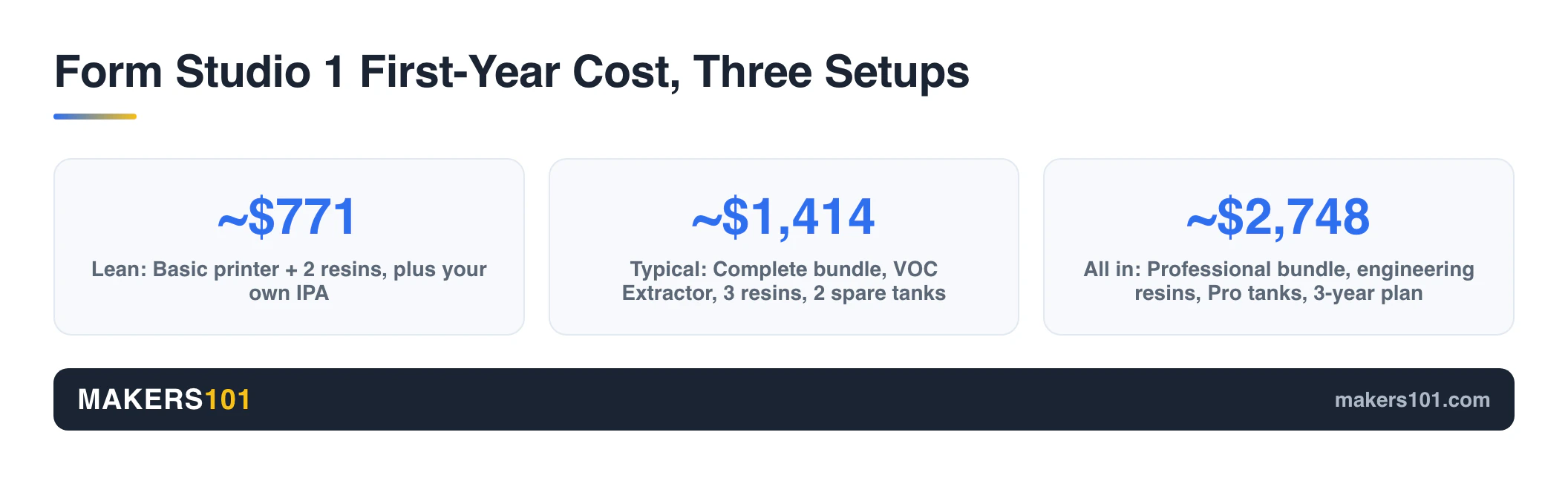
We built the three tiers below from Formlabs’ own price list. Tax and shipping are left out. The $70 of IPA is one reviewer’s estimate for filling the Wash+Cure (about 2.5 gallons).
| Setup | What’s in it (Formlabs price) | Total |
|---|---|---|
| Lean | Basic printer $699, 2x Alpha Grey $72. Plus your own IPA and jars | ~$771 + IPA |
| Typical | Complete bundle $948, VOC Extractor $179, Alpha Grey + Model + Fast $107, 2 extra tanks $110, IPA ~$70 | ~$1,414 |
| All in | Professional bundle $1,647, VOC Extractor $179, Tough 1500 V2 $79, Flexible 80A V2 $199, 2 Pro tanks $158, 2 standard tanks $110, 3 Alpha resins $107, IPA ~$70, 3-year plan $199 | ~$2,748 |
The Next Layer priced the same printer independently. Their $1,300 budget build includes a basic wash-and-cure setup and three resins but skips the air filter and spare tanks, so it lines up with our Typical tier minus those extras. Their $2,205 to $3,000 mid-range kit sits around our All in tier, and their full wish list topped $4,000.
Form Studio 1 Running Costs: Resin, Tanks and IPA
Resin is where the money keeps going. Alpha Fast costs $29 per 1 L bottle, the four everyday Alpha colors cost $36, and Alpha Model costs $42. Tough 1500 V2 is $79, and Flexible 80A V2 and True Cast are $199 each.
Compare per liter and per kilo before you call that expensive. Formlabs sells by volume, and a liter of Alpha weighs about 1.1 kg. Budget brands usually sell by the kilo.
Tanks are the other recurring cost. Formlabs rates each tank for more than 75,000 layers (roughly 190 prints of a 39 mm part at 100 µm). The release film can’t be replaced on its own, so a worn tank means buying a new one at $55, or $79 for the Pro version. A Formlabs SLA product lead said on Reddit that the team prototyped replaceable-film tanks and decided against them.
For a light user printing one liter of Alpha Grey a month, resin alone comes to $432 a year. Heavy users feel it far more. One UK owner on r/resinprinting said Formlabs resin costs him £43 a liter against £12 for his current ABS-like resin. At his 10 liters a month, that’s £5,160 a year versus £1,440 by our math, a gap of £3,720 before tanks.
The VOC Extractor’s carbon filters last about 330 print hours. We couldn’t find a replacement filter price on Formlabs’ store yet.
Electricity barely registers. One test logged about 13 W idle, 15 to 20 W while printing and 110 W peaks during UV exposure. By that reviewer’s math, a two-hour print costs under a cent.
If you want to price your own workload, the 3DPKit print cost calculator handles the per-part math. Our guide on how to clean resin prints without wasting IPA shows how to stretch the alcohol.
How Formlabs Cut the Form Studio 1 to a Quarter of the Form 4’s Price
Formlabs cut light power and material range, plus a handful of Form 4 hardware features. The parts that decide surface detail stayed, and the pixel pitch actually got finer.
Formlabs’ own comparison table lays out most of the trade-offs:
| Feature | Form Studio 1 | Form 4 |
|---|---|---|
| LEDs | 28 | 60 |
| Light intensity | 6 mW/cm² | 16 mW/cm² |
| Resin mixer for filled materials | No | Yes |
| Debris detection | No | Yes |
| Intelligent control systems | 5 | 6 |
The missing mixer matters more than it looks. Filled and high-viscosity resins need stirring, which is part of why the Studio 1 has a shorter list of validated materials. There’s no biocompatible resin support at all, so dental and medical work stays on the Form 4 line.
Jeff Geerling’s interview with Formlabs engineers adds a few cuts the table leaves out. The lid has no soft-close hinge, and a soldered system-on-module replaces the Raspberry Pi compute board.
Post-processing got trimmed too. PolyWorkshop points out that the Studio Wash+Cure cures with UV only, while the separate Form Cure V2 adds heat that some technical resins prefer.
What survived is the stuff beginners notice. Automatic resin dispensing, heating to 45 °C and force sensing for failure detection are all here. So are the camera and the 7-inch screen. A textured release surface and a lens array let the weaker light cure layers evenly with low peel force.
The official comparison page is blunt about where the line sits. The Studio 1 actually outranks the Form 4 for figurines and concept models (Best vs Good). The Form 4 is rated Best for functional prototypes, jigs and end-use parts, where the Studio 1 gets Good, Fair and Fair.
Why Smaller Pixels Don’t Make the Form Studio 1 a Better Form 4
Pixel size sets how fine a detail can be drawn. It doesn’t guarantee the part comes out the right size, and Formlabs’ own accuracy specs show the gap.
On 1 to 30 mm features, the Studio 1 is rated at ±0.5% with a floor of ±0.08 mm. The Form 4 tightens that to ±0.15% and ±0.02 mm. That’s plenty for minis and enclosures. For press-fit tooling, the Form 4’s extra light power and wider material list still earn their price.
Form Studio 1 vs Form 4: Where the Real Difference Is
On detailed models and figures, the Form Studio 1 holds its own against the Form 4 and even rates higher on Formlabs’ own chart. The Form 4 keeps the lead on accuracy and light output, and it has more than twice as many validated resins. It also supports biocompatible resin and detects debris.
| Form Studio 1 | Form 4 | |
|---|---|---|
| Build volume | 200 x 125 x 235 mm | 200 x 125 x 210 mm |
| Pixel size | 35 µm | 50 µm |
| Accuracy, 1 to 30 mm features | ±0.5% (floor ±0.08 mm) | ±0.15% (floor ±0.02 mm) |
| Resins with validated settings | 9 | 23 |
| Max / average speed | 130 / 40 mm/h | 100 / 45 mm/h |
| Open Material Mode | Included | $875 add-on |
| Biocompatible resins | Not supported | Supported (Form 4B) |
Speed is closer than the light numbers suggest. On Formlabs’ own benchmark, the Studio 1 beat the Form 4 on all four sample parts. Those are vendor tests with standard resins, so treat them as best-case.
| Benchmark part (Formlabs test) | Form Studio 1 | Form 4 |
|---|---|---|
| Arduino case, Alpha Fast 250 µm | 8 min | 11 min |
| Speaker enclosure, Alpha Fast 250 µm | 1 h 43 min | 2 h 17 min |
| Terrain piece, Alpha Grey 100 µm | 2 h 20 min | 2 h 26 min |
| RC car wheels, Alpha Grey 100 µm | 2 h 15 min | 2 h 33 min |
Some prices in the launch videos are off. The Form 4 lists at $2,625. One video rounds that to about $2,700, which is close, but the $3,500 figure quoted in another is wrong. Unlocking third-party resin on the Form 4 costs $875. The $5,000 license one reviewer mentions matches Open Material Mode for the larger Form 4L ($4,999).
A Formlabs user with several Form 3s at work asked on r/resinprinting, “why would we get a form 4 now that this is out?” For hobby work, it’s a fair question. For anything that has to survive a load test or go in a mouth, the Form 4 still has the answer.
Using Third-Party Resin on the Form Studio 1
Open Material Mode is free on the Form Studio 1, which is a real change from older Formlabs printers. It comes with three conditions.
- You need the $79 Resin Tank Pro. The $55 standard tank is only for Alpha and selected Formlabs resins.
- Automatic dispensing turns off. You pour from the bottle and watch the level yourself, in the app or by eye.
- You tune exposure yourself. Default settings can leave the raft unstuck, and you can’t clone a Formlabs profile as a starting point. You get three open-material templates instead.
Formlabs also doesn’t sell empty cartridges. One reviewer poured Siraya Tech Fast and Sunlu 14K into a used Alpha bottle and printed fine on the Alpha profile, but that’s off-label and at your own risk.
The math only works at volume. The printer ships with a standard tank, so going third-party means buying a Pro tank first.
At the UK owner’s prices (£43 vs £12 a liter), each liter saves about £31, roughly $41. That covers the Pro tank in about two liters. If you print a liter every month or two, the payback takes months, and you’ll spend real time dialing in exposure. Our walkthrough on calibrating a new resin with the Cones of Calibration is the fastest way to get a third-party profile close.
Is the Form Studio 1 Safe to Run Indoors?
The Form Studio 1 with Alpha resin is easier to live with than most resin printers. Its UL GREENGUARD Gold certification only holds when the $179 VOC Extractor is running. There’s no filter inside the machine itself.
With the extractor, rated emissions drop below 220 µg/m³. Without it, reviewers split.
The Next Layer ran a VOC monitor and still saw moderate readings, so they advised against a bedroom. Michael Lydick ran his for three weeks in a former bedroom and his wife couldn’t smell it. The Next Layer also found Tough 1500 smells far stronger than Alpha.
Low odor doesn’t change the basics of resin. Liquid resin can sensitize your skin over time even if it doesn’t bother you at first, so wear nitrile gloves. Dirty IPA and resin waste count as hazardous waste and shouldn’t go down the drain. If kids share the space, our guide to whether 3D printing is safe around kids explains why resin still needs a closed room.


Form Studio 1 vs Elegoo Saturn 4 Ultra 16K and Other Budget Resin Printers
Budget MSLA printers give you more resolution and volume per dollar. The Form Studio 1 sells convenience: cartridges that load themselves, a heated tank and pre-tuned profiles, so you aren’t tuning exposure before your first useful print.
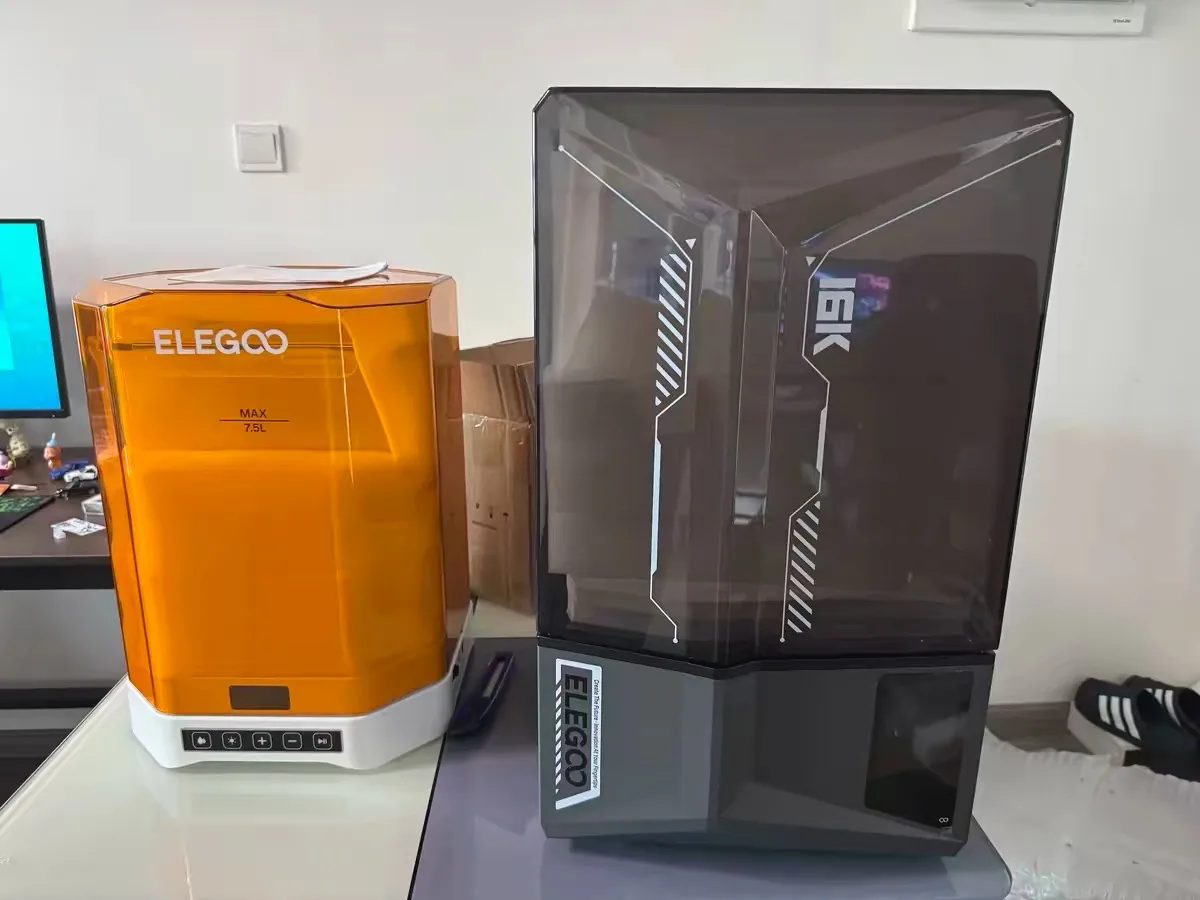
Tom’s Hardware compared it against the Elegoo Saturn 4 Ultra 16K and HeyGears Reflex RS, both under $500 at review time. On paper the Saturn’s 16K screen out-resolves the Studio 1’s 35 µm panel. PolyWorkshop’s Thomas argues that a good light source matters more than the K count, and that 8K vs 16K is hard to see on a real print.
The bigger differences are in the workflow:
- Resin handling. The Saturn has no automatic resin feed or heated cartridge system. You pour, and you clean the vat between colors.
- Film replacement. Budget vats use a replaceable FEP sheet that’s cheap to swap but can tear if debris gets under it. Formlabs makes you buy the whole tank.
- Slicer. The Studio 1 only accepts .form files from PreForm, and PreForm has no Linux build. Budget printers work with Chitubox and Lychee.
Three of the reviewers we followed called this resin’s “Bambu moment,” the same jump FDM made when printers started working out of the box. The comparison fits the experience. It breaks down on price: the Studio 1 still costs more than the budget printers it gets compared to. If you go the budget route, our breakdown of ABS-like vs standard resin helps you pick the bottle.


Form Studio 1 Problems Reviewers Ran Into
None of the launch reviews found a deal-breaker. The problems cluster around supports and post-processing, plus a few software gaps.
- Supports run heavy. PreForm’s auto supports suit mechanical parts and over-support organic models, so figures often need manual cleanup.
- Some parts warped. A 3D scan of an N64 controller shell showed edge distortion, and a clear modem case bent slightly after supports came off.
- Small parts escape the wash basket. They can drop through the holes and jam the impeller. Formlabs reportedly has a fix in the works.
- Tall parts can hit the impeller. A 210 mm model collided with it and needed the platform height adjusted.
- Fine layers cost time. Dropping to 30 µm can double a print, from about 5 hours to 10.
- Flexible 80A clogged a cartridge valve. The reviewer had to cut the bottle open.
- Small UI gaps. The end-of-print screen doesn’t show print time, and the printer is a little top-heavy.
The software lock deserves its own line. PreForm is the only slicer, and that’s the most common complaint in the Reddit threads. It runs fully over your local network without a cloud account, but timelapses and remote monitoring need a login.
Form Studio 1 Buyer Fit Check: Five Questions Before You Order
Each of these five questions points to a cost or limit of the Formlabs Form Studio 1 that’s easy to miss on launch day.
- How many liters a month will you print? Under a liter or two, Alpha prices barely register. At five or more, look at third-party resin and the Pro tank math above.
- Do you need engineering or biocompatible resins? The Studio 1 validates nine resins, with Tough 1500 V2, Flexible 80A V2 and True Cast as the technical options. Anything filled, dental or medical points to the Form 4 line.
- Can you live with PreForm only? No Chitubox, no Lychee slicing, no Linux client.
- Where will it sit? Without a ventilated room, budget for the VOC Extractor and treat the certification as conditional on it.
- Figures or functional parts? Formlabs itself rates the Studio 1 below the Form 4 for functional parts.
One reviewer calls it a “gateway machine,” and that’s how Formlabs is positioning it. If your needs grow, the next step up is the Form 4.
What’s Next for the Form Studio 1
Founders Edition colors end November 30, and UK stock is expected from late November into December. Two things remain open.
The first is reliability. Formlabs’ pages quote 99%, 98% and 92% success rates in different places, and the comparison table says testing is still in progress. Wait for owner reports before treating any of those as settled.
The second is software. In the r/3Dprinting thread, Formlabs’ SLA lead said he’d take the Linux request back to the software team. Treat that as interest, with nothing on a roadmap yet. A larger Studio model and the next Form 4 refresh are reviewer wishes for now, with nothing announced.
FAQ About the Formlabs Form Studio 1
What’s the catch with the Form Studio 1?
You’re locked into PreForm, tanks wear out and get replaced whole, and Formlabs resin costs more per liter than budget brands. Third-party resin is allowed but needs the Pro tank and manual setup.
How much does it cost to run a Form Studio 1?
A liter of Alpha Grey every month adds up to $432 a year, plus a $55 tank every 75,000 layers or so and IPA for washing. Alpha runs $29 to $42 per liter. At 10 liters a month, resin alone runs into the thousands.
Which is better, Formlabs or Elegoo?
Elegoo printers cost less and give you more resolution per dollar. The Form Studio 1 wins on automatic resin handling and pre-tuned profiles, plus low-odor certified resin. If you enjoy tuning, Elegoo is the value pick.
Can the Form Studio 1 use third-party resin?
Yes. Open Material Mode is included free. It requires the Pro tank, automatic dispensing turns off, and you’ll calibrate exposure yourself.
Does the Form Studio 1 work with Lychee or Chitubox?
Not for slicing. The printer only accepts files from PreForm. You can import models with supports from other tools, but Formlabs recommends adjusting exposure for them.
What are the downsides of using a resin printer?
Resin prints need an alcohol wash and a UV cure. You also need gloves and ventilation, and the waste is hazardous. The Form Studio 1 reduces the mess and the smell but doesn’t remove those steps.
When does the Form Studio 1 ship?
Orders are open now in the US and UK. A UK reseller lists late November into December, and Founders Edition colors are available until November 30.
Sources for This Form Studio 1 Analysis
I haven’t printed on a Form Studio 1. This analysis combines Formlabs’ published specs and prices (checked October 18, 2026), the launch reviews below, and owner discussions on Reddit. The cost tables are our own math from Formlabs’ price list.
Show all 20 sources
- Formlabs: Form Studio 1 product page, Founders Edition configurator and FAQ, Form Studio 1 materials, Open Material Mode pricing
- Written reviews: Tom’s Hardware, PCMag, TechRadar, OC3D
- Video reviews: Adam Savage’s Tested, The Next Layer, Jeff Geerling, CNC Kitchen, Michael Lydick, Uncle Jessy, PolyWorkshop, Print Farm Academy
- Reddit: r/resinprinting launch thread, r/3Dprinting “what’s the catch”, r/resinprinting owner cost discussion
- UK availability: Advent3D
CERTAIN CONTENT THAT APPEARS ON THIS SITE COMES FROM AMAZON. THIS CONTENT IS PROVIDED ‘AS IS’ AND IS SUBJECT TO CHANGE OR REMOVAL AT ANY TIME.
Price details
Product prices and availability are accurate as of the date/time indicated and are subject to change. Any price and availability information displayed on Amazon.com at the time of purchase will apply to the purchase of this product.