
- FDM printing with PLA is low-risk for supervised kids. Resin is not.
- “No smell” doesn’t mean “no emissions.” PLA still releases fine particles.
- Ventilation matters more than any single feature. A filter helps, but it doesn’t replace airflow.
- Keep the printer out of a child’s bedroom.
- A printed toy’s safety depends on the material, the finish, and whether it has small or sharp parts.
Is 3D printing safe for kids? Yes, as long as a grown-up is watching and the space has airflow. Running PLA on an FDM machine is low-risk, and worlds safer than resin, which has no place near children. The real cautions are hot parts, fumes you can’t always smell, and small printed pieces around young kids.
> A note on sources: This guide draws on an independent air-quality test of PLA printing, our own hands-on testing of an enclosed kids’ printer (the ugee Funbox, a review unit provided by the maker), and the questions parents actually ask. Everything below is written to inform a buying decision, not to sell you one.
Table of Contents
- The Short Answer, and the Two Things Nobody Tells You
- FDM vs Resin: The First Decision a Parent Makes
- The Fumes Question: What PLA Actually Releases
- Which Filaments Are Safe for Kids?
- Are the Printed Toys Safe to Handle (or Chew)?
- Burns and Moving Parts: The Risk You Can Actually See
- Where to Put It: Ventilation Is the Real Answer
- What the Safety Certifications Actually Mean
- What Age, and How Much Supervision?
- The Parent’s Safety Checklist
- FAQ
The Short Answer, and the Two Things Nobody Tells You
Here’s the honest version. For a child who’s supervised, an FDM printer running PLA is a low-risk hobby. It sits somewhere near a hot glue gun or a kitchen oven on the danger scale. Millions of families run these machines with no drama.
But “low-risk” is not “zero-risk,” and the gap between those two is where most guides go quiet. Two things get left out, and both matter more than the spec sheet.
The first: no smell does not mean no emissions. PLA is often sold as the safe, odorless, plant-based filament, and it is the safest common option. It still releases volatile compounds and ultrafine particles while it prints, whether or not your nose picks anything up.
The second: a filter is not a substitute for airflow. Enclosed printers with built-in HEPA and carbon filters are genuinely nice for a family. But when we tested one, closing the door versus leaving it open made little difference to the smell. Filters help. They don’t replace opening a window.
Neither of those is a reason to panic. They’re the reason the rest of this guide is about ventilation and supervision rather than fear. One more thing if you go resin: ABS-like smells stronger than standard resin and carries further through the house.
FDM vs Resin: The First Decision a Parent Makes
Before anything else, know that there are two very different kinds of 3D printer, and only one belongs anywhere near a child.
FDM printers melt a plastic string and lay it down layer by layer. They’re the boxy machines you’ve seen, they run clean materials like PLA, and they’re the right call for kids and families.
Resin printers are the other kind. They cure liquid resin with UV light, and the uncured resin is a genuine irritant and sensitizer. They’re messy, they smell, and they involve chemicals and isopropyl alcohol cleanup. That cleanup is an adult job start to finish. Here’s how resin prints get cleaned. As one family’s hands-on review put it, resin printers are full of dangerous chemicals and simply not suitable for children. Prusa’s own toddler-focused guide says the same: don’t let kids handle uncured resin prints.
So the first filter is easy. If you’re buying for a child, you’re buying an FDM printer. Everything else in this guide assumes that choice. If you’re still weighing machines, a solid FDM printer to start with doesn’t have to be expensive.
The Fumes Question: What PLA Actually Releases
This is the fear that stops most parents mid-purchase, so let’s be straight about it.
“It doesn’t smell, so it’s fine” is the myth to kill
An independent maker ran a real test on this. Using an Air Gradient air-quality monitor in a sealed workshop, he measured the air while PLA printed. Both volatile organic compounds and ultrafine particle counts climbed, even when there was no strong odor in the room. Sealing the space just made the buildup faster.
That’s the part worth sitting with. PLA is still melting plastic. It puts things into the air, and your sense of smell is a poor detector for the particles that matter. “It doesn’t smell” tells you about odor, not about particle count.
How bad is it, really?
Now the context, because this cuts both ways. PLA is genuinely the low-emission option. Compared with ABS, it releases far fewer irritating fumes, and it prints at a lower temperature, around 200°C at the nozzle. Environmental researchers who study printer emissions treat PLA as low on the scale, not zero.
So this isn’t a “your child is breathing poison” situation. It’s a “your child is in a room with a small ongoing source of fine particles” situation. The right response is the same one you’d use for a gas stove: run it, but move the air. You don’t stop cooking. You turn on the fan.
One practical cue, straight from that same tester: listen to your body. Headaches or a scratchy throat near the printer are a sign to improve ventilation, not to push through.
Which Filaments Are Safe for Kids?
Most of the “is it safe” question comes down to material. Here’s how the common ones sort out for a household with children.
| Material | For kids? | What to know |
|---|---|---|
| PLA | Best choice | Plant-based, lowest emissions, prints easy and cool |
| PETG | Good | Tough, often available in food-safe grades |
| TPU | Good | Flexible, nice for soft or bouncy toys |
| ABS | Avoid | Higher-temp, more fumes (styrene); needs an enclosure and real ventilation |
| Resin | No | Uncured resin is toxic; not for children |
For a kid’s printer, PLA does almost everything you’ll want, and PETG or TPU cover the rest. ABS is the one to skip unless an adult is running it in a well-ventilated, enclosed setup for a specific reason.
One warning on labels: “child-safe filament” is a marketing phrase, not a guarantee about the finished toy. The material can be non-toxic and the printed object can still be unsafe to chew on, which brings us to the next question. For the deeper breakdown, our beginner’s filament guide breaks down how each type behaves.
Are the Printed Toys Safe to Handle (or Chew)?
Parents of babies and toddlers ask this constantly, and it’s the right question. A safe material does not automatically mean a safe toy.
Three things decide whether a printed object is okay for a child:
The material is only the first. The second is the surface. 3D prints have tiny ridges between every layer, and those layer lines trap dirt and bacteria and are nearly impossible to clean thoroughly. That makes printed objects a poor choice for anything a child sucks or chews repeatedly.
The third is the shape. A small printed part is a choking hazard for a young child no matter how non-toxic the plastic is. Sharp edges and stringy bits from a failed print can cut or scratch. Inspect a print before you hand it over, and pull off any loose strings.
On food contact specifically: standard PLA is not food-grade, and even food-grade material printed at home carries the layer-line problem. Treat printed cups, molds, and utensils as decorative unless you’ve done the extra work of food-safe material plus a sealing coat. The certification side of that has one filament that clears toy safety and food contact at once.
The workable rule: supervised play with a solid printed toy is fine. Letting a baby gnaw on a printed figurine unsupervised is not.
Burns and Moving Parts: The Risk You Can Actually See
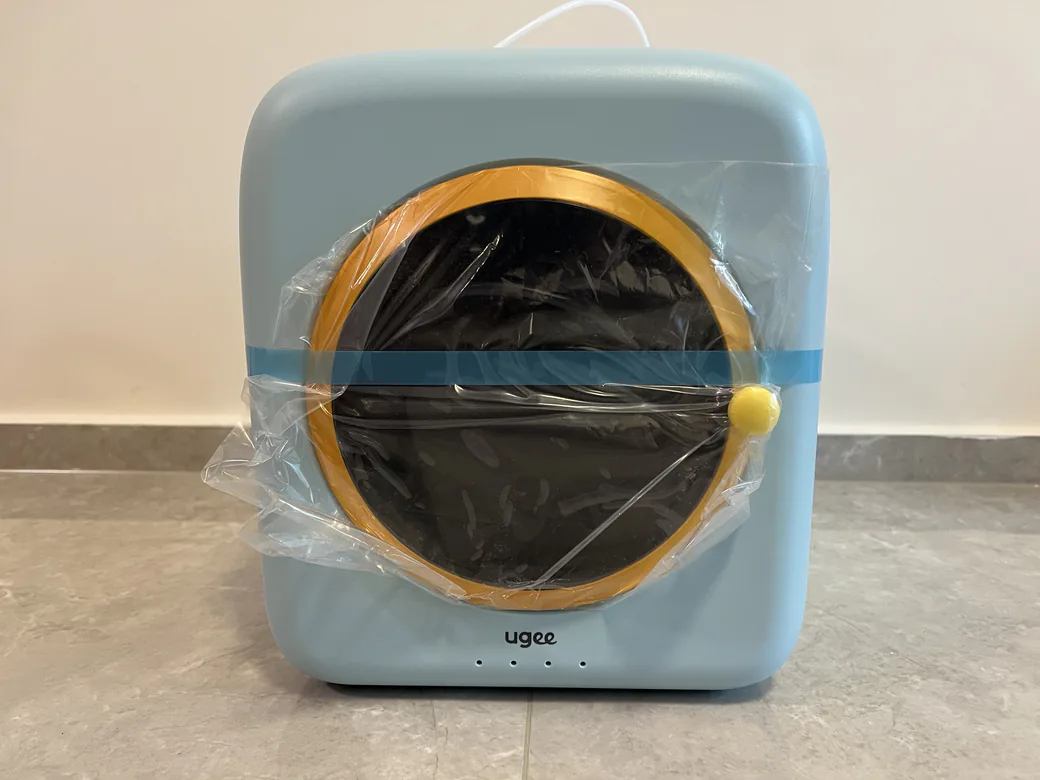
The fume question gets the headlines, but the risk a child is most likely to actually meet is a hot one.
The nozzle runs above 200°C. The print bed gets hot too. The print head moves around quickly while it works. None of that is exotic, and all of it is why the single most useful rule in this guide is also the simplest: keep hands out of the machine while it runs.
The bundled tools deserve the same respect. The snips and scrapers that come with most printers are sharp, and they should live somewhere a small child can’t reach.
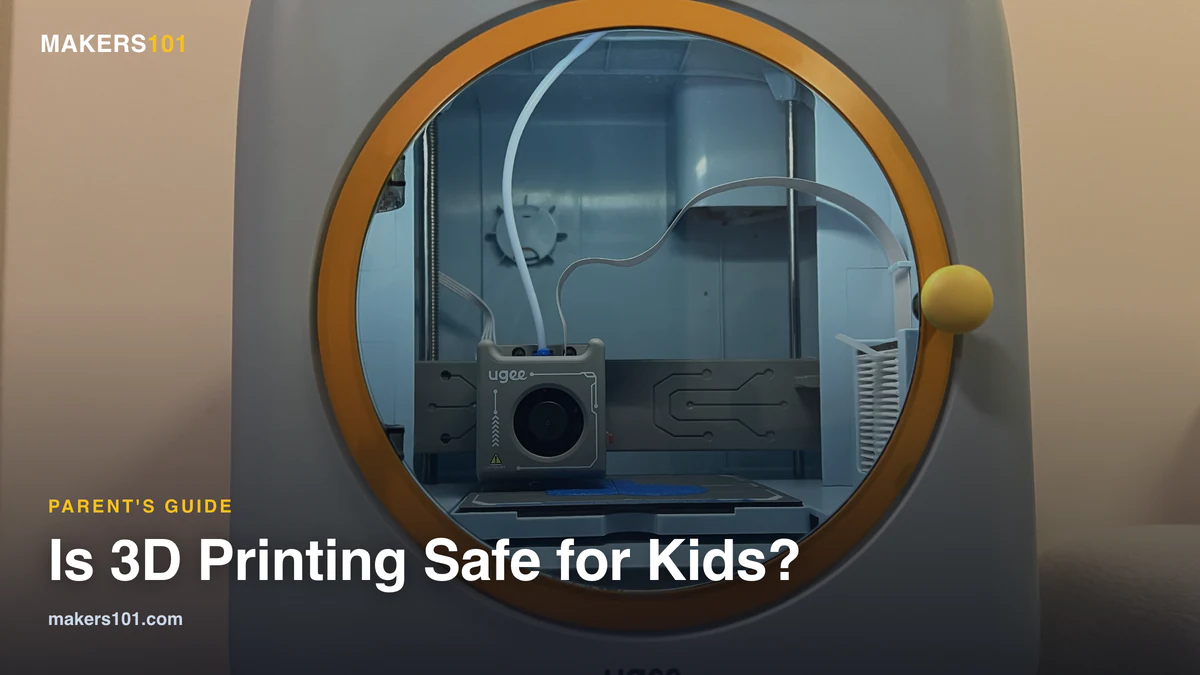
This is the one area where an enclosed printer earns its price for a family. A closed door is a physical barrier between curious hands and the hot end. The machine we tested, an enclosed kids’ model, also runs on a low-voltage 12V supply and has rounded edges, both aimed at exactly this age group. That design genuinely lowers the odds of a burn.
An enclosure doesn’t remove the need to supervise. It just buys you a margin when you turn your back for a second.
Where to Put It: Ventilation Is the Real Answer
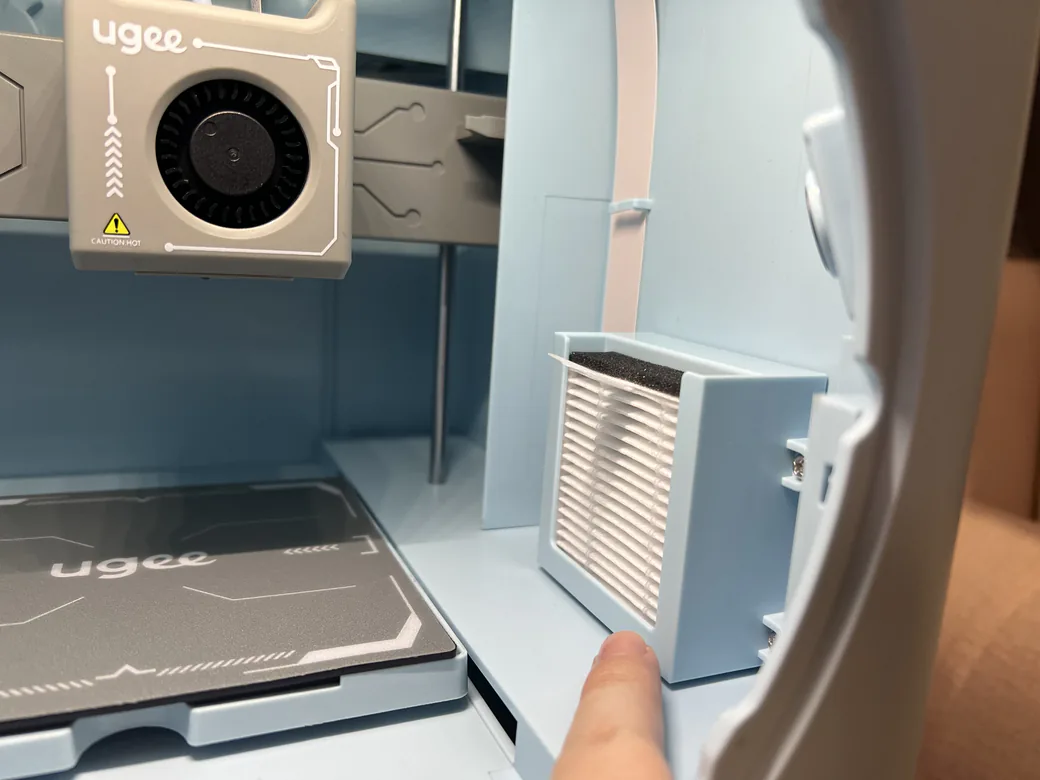
If you take one practical thing from this guide, take this one. Placement does more for safety than any feature you can pay for.
Not the bedroom
Two separate sources land on the same advice here, which is worth noting because neither had reason to push it. The air-quality tester recommends keeping printers out of bedrooms and in a ventilated space instead. And the family whose 10-year-old reviews printers keeps their machine in the office, not her room, for a plain-spoken reason: “fumes of melting plastic next to my face all night is probably not ideal.”
A garage, a basement, or anywhere with an openable window all beat a sealed bedroom. The goal is simple: don’t let a child sleep in the room where the printer runs for hours.
What ventilation actually looks like
At its most basic, ventilation is an open window and a fan moving air toward it. That’s it. That alone puts you ahead of most setups.
Here’s the part that surprised us. When we tested an enclosed printer that had HEPA and carbon filters built in, the odor barely changed whether its door was open or shut. The filtration is a real feature, and it does capture particles and some smell. But it is not a license to skip fresh air. Air exchange is what actually clears the room, and no built-in filter changes that.
If you want to go further
Print every day? It’s worth adding an air purifier near the machine. The maker in that air-quality test built a Corsi-Rosenthal box, a simple DIY purifier made from a box fan and HEPA filters, for around $120. In his testing it delivered several air changes per hour and kept the room’s air quality in the green even with multiple printers running. A store-bought HEPA purifier in the print area does the same job with less effort.
What the Safety Certifications Actually Mean
Once you start shopping, you’ll see safety badges thrown around. A couple are worth understanding, because they map directly onto the concerns above.
GREENGUARD certification tests a product for low chemical emissions. That is exactly the VOC question from earlier, checked by a lab instead of your nose. ASTM F963 and EN71 are toy-safety standards covering materials, mechanical hazards, and flammability.
None of these badges is a free pass. A certified printer still needs ventilation and still needs supervision. What they tell you is that the maker built and tested the machine with kids in mind, which is not nothing in a category full of repurposed adult hardware.
For a concrete example, the enclosed model we tested carries GREENGUARD, ASTM F963-23, and EN71 marks. We didn’t independently verify the certificates themselves, but it’s one of the few machines built around that kids-safety framing rather than adding it as an afterthought. If you want the full picture, here’s our hands-on look at one enclosed, certified kids’ printer.
What Age, and How Much Supervision?
“Should I get my 10-year-old a 3D printer?” is one of the most common versions of this whole question, so here’s a practical answer.
Around age eight and up, a child can take part in the process under supervision, with an adult handling the hot components. Below that, treat it as an adult-operated machine the child helps design for.
The reality tends to beat the worry. One 10-year-old went from begging to use her dad’s printer to running her own within six weeks, downloading models, slicing them, starting prints, and fixing small problems herself. In our own review of an enclosed kids’ machine, a six-year-old handled everything except loading filament. Kids pick this up fast.
Two honest notes for expectations. First, skip the gimmicky “kid’s printer” trap. A lot of machines marketed at children are cheap and frustrating, and a reliable normal FDM printer serves a kid better. Second, prints take hours and sometimes fail, and your child will mostly print flexi dragons and fidget toys rather than educational projects. That’s fine. The patience and problem-solving sneak in anyway, and it turns into something you do together. If you want vetted options, these are the printers we’d actually put in a kid’s hands.
The Parent’s Safety Checklist
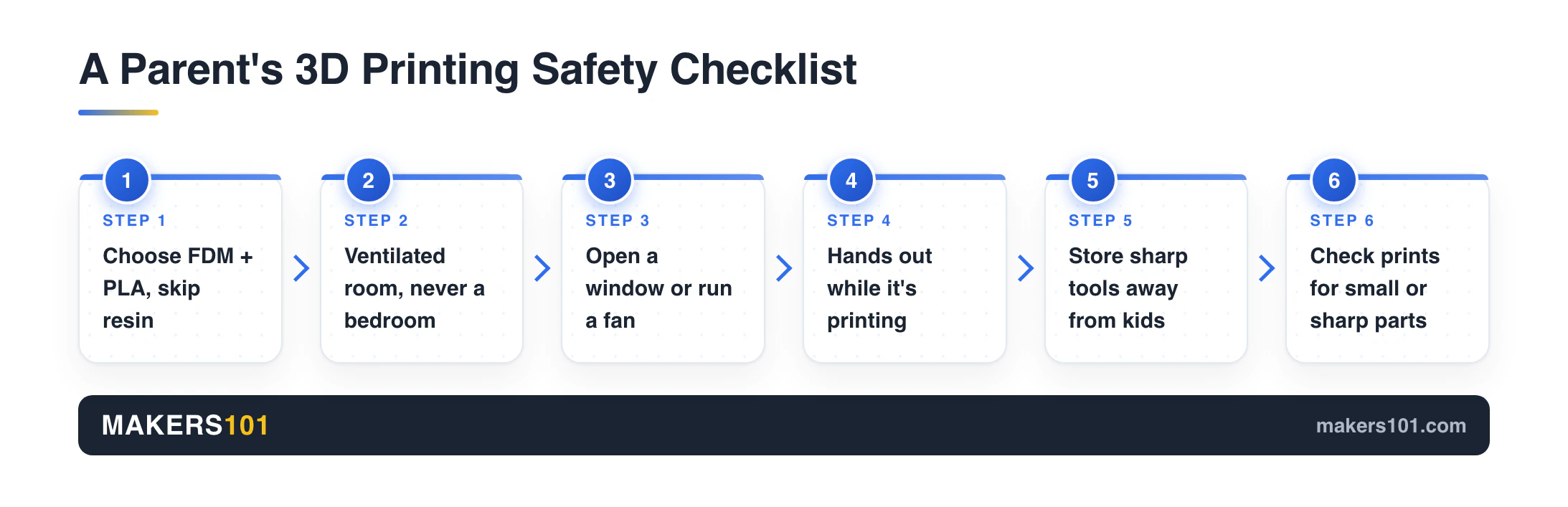
Everything above, boiled down to what you actually do:
1. Choose an FDM printer and run PLA. Skip resin entirely for kids. 2. Put it in a ventilated room, never a child’s bedroom. 3. Open a window or run a fan. Print daily? Add an air purifier. 4. “Hands out while it’s printing.” The nozzle and bed are hot. 5. Store the sharp tools where small kids can’t reach. 6. Inspect finished prints for small parts and sharp edges before handing them over. 7. Don’t let young children chew on printed toys. 8. If anyone gets a headache or a tickle in the throat by the machine, take it as a cue to add airflow.
Do those, and the answer to “is 3D printing safe for kids” is a confident yes. It’s safe with supervision and ventilation. It’s just not safe to ignore.
FAQ
Is 3D printing safe for kids to be around?
Yes, under two conditions: a watchful adult, and a room with airflow. Run PLA and the risk stays low. The hazards to manage are the hot nozzle and bed, fine airborne particles your nose won’t always catch, and small printed pieces near young children.
Is PLA safe for kids?
PLA is the safest common filament for a household with kids. It’s plant-based and low-emission. That said, “low-emission” isn’t “no-emission,” so still ventilate the room, and don’t treat a PLA print as safe to chew on.
Is PLA safe for babies to put in their mouth?
No, treat printed objects as not safe for a baby to mouth. Even when the plastic itself is non-toxic, the layer lines trap bacteria and can’t be fully cleaned, and small or sharp parts are a choking and injury risk. Keep printed items for supervised handling, not chewing.
Are 3D printed toys safe?
They can be, if the material is kid-appropriate (PLA, PETG, TPU), the print has no small or sharp parts, and a child isn’t mouthing it. Inspect each print before handing it over, and remove any loose strings from a failed print.
Is 3D printing safe indoors or in a bedroom?
Indoors is fine with ventilation. A bedroom is the one place to avoid, since a printer can run for hours and you don’t want a child sleeping in that air. Use a garage, basement, or somewhere you can crack a window.
Are 3D printer fumes toxic?
PLA fumes are low-toxicity, well below materials like ABS, but not nothing. PLA gives off some volatile compounds and fine particles as it prints. It’s not a poison-gas situation; it’s a “ventilate the room” situation, the same as running a gas stove.
What’s the safest 3D printer for kids?
Look for an enclosed FDM machine with filtration and a kids-safety certification like GREENGUARD or ASTM F963. The enclosure keeps hands off hot parts, and the certification means the maker tested for low emissions. No printer removes the need for ventilation and supervision.
Should I get my 10-year-old a 3D printer?
For most 10-year-olds, yes, with your involvement at the start. Kids this age routinely learn to download, slice, and start prints within a few weeks. Plan to supervise the hot parts and to treat it as a shared hobby rather than a hand-off gift.
At what age can a child use a 3D printer?
From roughly age eight, a supervised child can run the software and kick off prints, while an adult manages anything hot. Younger children can take part in designing and watching, but the machine itself should be adult-operated.