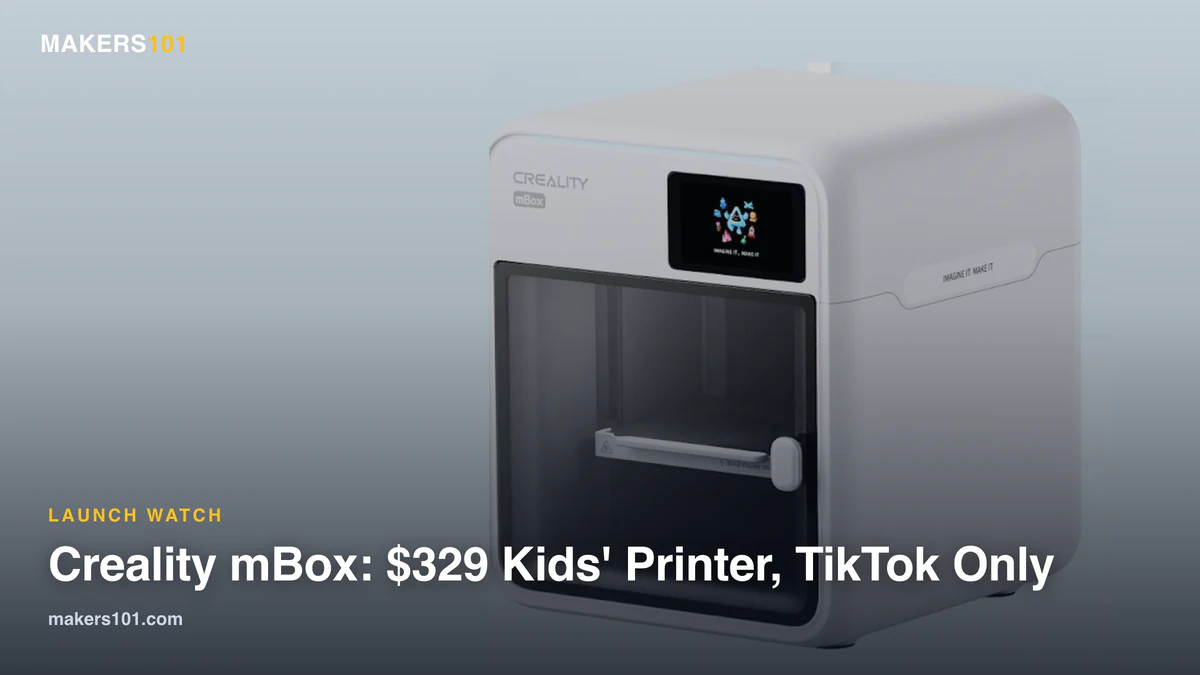

The Creality mBox, a small enclosed 3D printer built for kids, goes on sale Nov. 10 for $329. The company said during its Maker House livestream on Oct. 12 that it will sell the mBox only on TikTok at launch.
That moves Creality, the company behind the Ender and K-series printers, into a category that already includes the ugee Funbox and Toybox. The mBox prints a 153 mm cube, about twice the space of the ugee Funbox by my math, and it pairs with a new phone app called Creality Park.
Table of Contents
Creality mBox Price: $329 on TikTok Starting Nov. 10
That’s the regular price. Viewers who ordered on TikTok during the Oct. 12 stream got the mBox plus one roll of filament for $299, and that offer ended with the stream. Creality didn’t name another store, and it gave no shipping date during the mBox segment.
| Creality mBox (as of Oct. 26, 2026) | Details |
|---|---|
| Price | $329 |
| On sale | Nov. 10 |
| Where to buy | TikTok only (region not stated) |
| Shipping date | Not announced |
| Build volume | 153 × 153 × 153 mm |
| Enclosure | Fully enclosed, activated carbon filter |
| Multicolor | Single nozzle; multicolor support unconfirmed |
| Filament rolls | Small 250 g rolls |
| App | Creality Park (phone), Creality Park Studio (PC) |
What the Creality mBox Does, and What It Leaves Out
Creality built the pitch around safety. On the stream, a child pulled a print out of the machine mid-job and the printer stopped right away. Someone on set then touched the plate and said it wasn’t even warm. The hosts still warned viewers not to let kids reach into a running printer.
The enclosure uses an activated carbon filter to absorb printing odors, Creality says. Those are company demos, not independent tests.
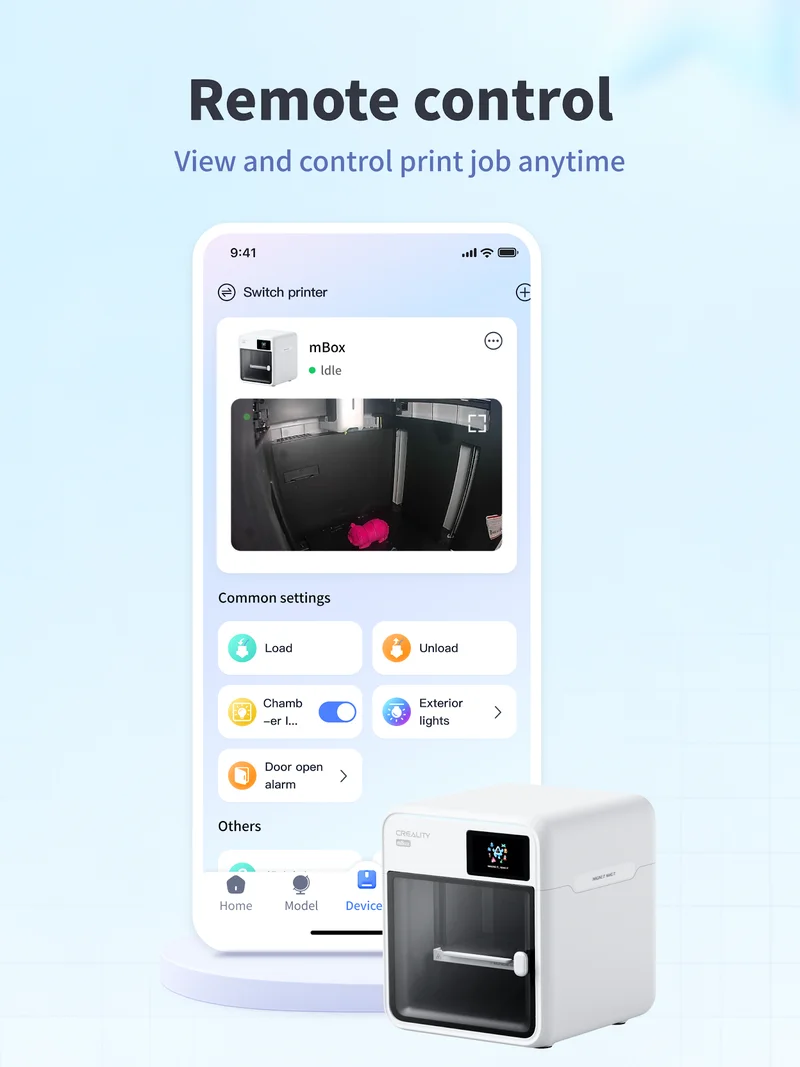
The app does most of the work. In Creality Park, a feature called Cube Me turns a phone photo into a blocky 3D figure and sends it straight to the printer. The Google Play listing pitches it as an app co-created by parents and children, with ready-to-print models, cloud slicing, and remote printing. Older kids can move to Creality Park Studio on a computer.
Here is what it leaves out. Creality’s hosts called the mBox a single-color printer, and the stream showed only PLA (regular, silk, and color-changing). In the recorded mBox segment, Creality didn’t mention HEPA filtration or any toy-safety certification.
For comparison, the Funbox sits in about the same price range, and ugee lists an H12 HEPA filter plus GREENGUARD, ASTM F963-23, and EN71 marks for it. My read: until Creality publishes certifications, its safety case rests on what it showed and said on the stream.
A week after the stream, Fabbaloo found an mBox printer profile in Creality Print 7.3.0.6157. That profile lists a Klipper G-code flavor, a 0.4 mm nozzle, and a 300 mm/s top speed.
What the Creality mBox Means for Parents Shopping for a Kids’ 3D Printer
If you were deciding between the Funbox and Toybox, the mBox is now the third option, and the biggest of the three. The Funbox prints a 120 mm cube, and the Toybox only 70 × 80 × 90 mm.
The open question is the 250 g rolls, a quarter of a standard 1 kg spool. Toybox uses a similar small-roll holder, and owners who want cheap full-size spools print an adapter first. Our Funbox vs Toybox comparison covers how that plays out.
If size matters more than an enclosure, an open-frame printer like the A1 mini gives you more room (180 mm) and full-size spools. It has no enclosure, so an adult needs to keep closer watch. Our take on whether the Bambu Lab A1 mini is worth it for beginners covers that trade-off.
If you’re shopping before the holidays, the mBox goes on sale just before Black Friday, and since it’s sold only on TikTok, check the shop’s return and warranty terms before you order. Creality didn’t cover them in the recorded mBox segment. If you’d rather buy from a normal store, our Black Friday 3D printer deals page covers first-printer picks for families, including the A1 mini.
Creality mBox FAQ
How much is the Creality mBox?
Creality says the mBox costs $329. The $299 bundle with one roll of filament was only for orders placed during the Oct. 12 livestream.
Can you buy the Creality mBox on Amazon?
Not at launch. Creality said the mBox will be sold only on TikTok starting Nov. 10, and it hasn’t announced any other retailer.
What is the Creality mBox build volume?
The build volume is 153 × 153 × 153 mm. That’s larger than kids’ printers like the Funbox and smaller than the 180 mm Bambu Lab A1 mini.
What Creality Hasn’t Said About the mBox Yet
- Shipping date and region. Creality gave a Nov. 10 sale date but no shipping window, and it didn’t say which countries’ TikTok shops will carry it.
- Filament cost. Nobody has said what the 250 g rolls cost or whether a standard 1 kg spool fits.
- Cube Me credits. Linking a phone to the printer gave the presenter 10 credits, and each Cube Me print used one. A presenter also said Creality’s software is free with no subscription. What happens after the 10 credits run out is unclear.
- Multicolor. The same slicer profile has a multi-filament option switched on, but the stream called the mBox a single-color printer. Creality hasn’t said whether it works with a CFS unit.
For more on what actually makes a printer safe for a young kid, from fumes to hot ends, read our parent’s guide to 3D printing safety. As for the mBox, the first units to reach buyers will be the real test, since Creality’s own mBox wiki page still keeps its user guide behind a login.