
I earn a commission if you buy through links on this page, at no extra cost to you. As an Amazon Associate, I earn from qualifying purchases.
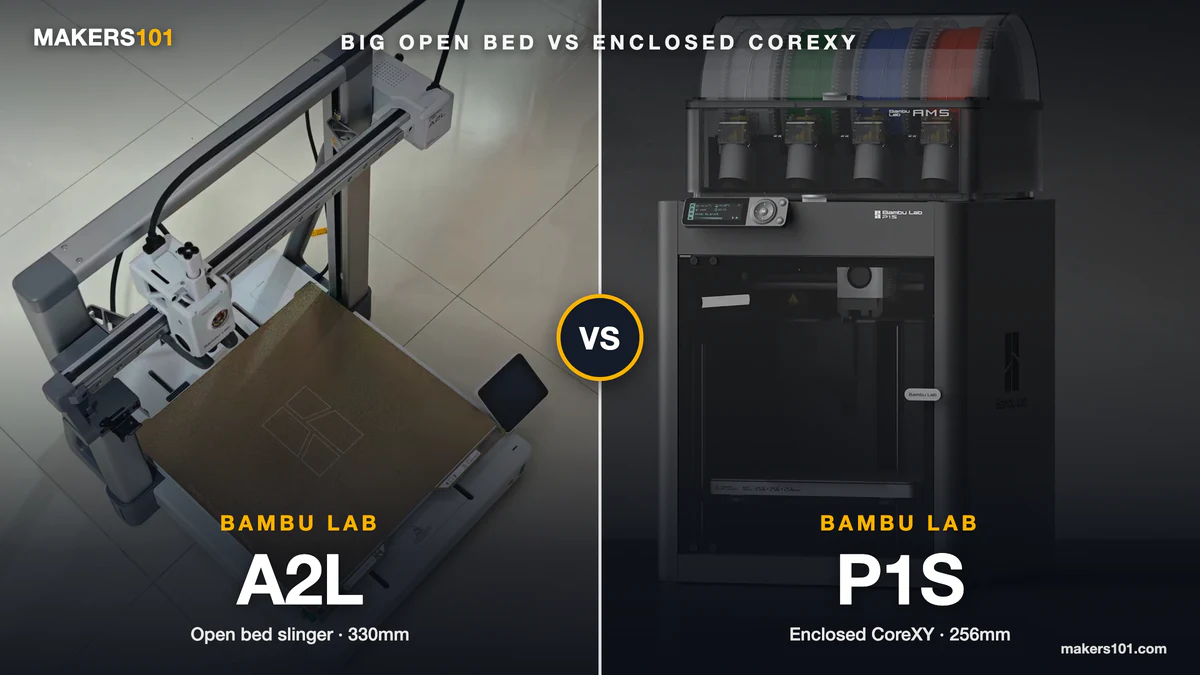
If you’ve got both product pages open and they keep landing in the same price range, you’re not alone. The A2L vs P1S question keeps coming up in r/BambuLab threads, and both camps make good points.
The confusing part is that this isn’t an old-versus-new upgrade. These are two different machine designs that Bambu happens to price side by side. A spec sheet can’t tell you which one fits the parts you actually print.
I’ve run a P1S for about two years and roughly 1,000 hours, and I’ve had hands-on time with the A2L. Below, that experience sits next to test data from seven creators who pushed these machines hard. By the end you’ll know which one belongs on your bench.
Table of Contents
- Bambu Lab A2L vs P1S at a Glance
- Bambu Lab A2L vs P1S Price in 2026: The AMS Combos Cost Almost the Same
- Bed Slinger vs CoreXY: How the A2L and P1S Move Your Print
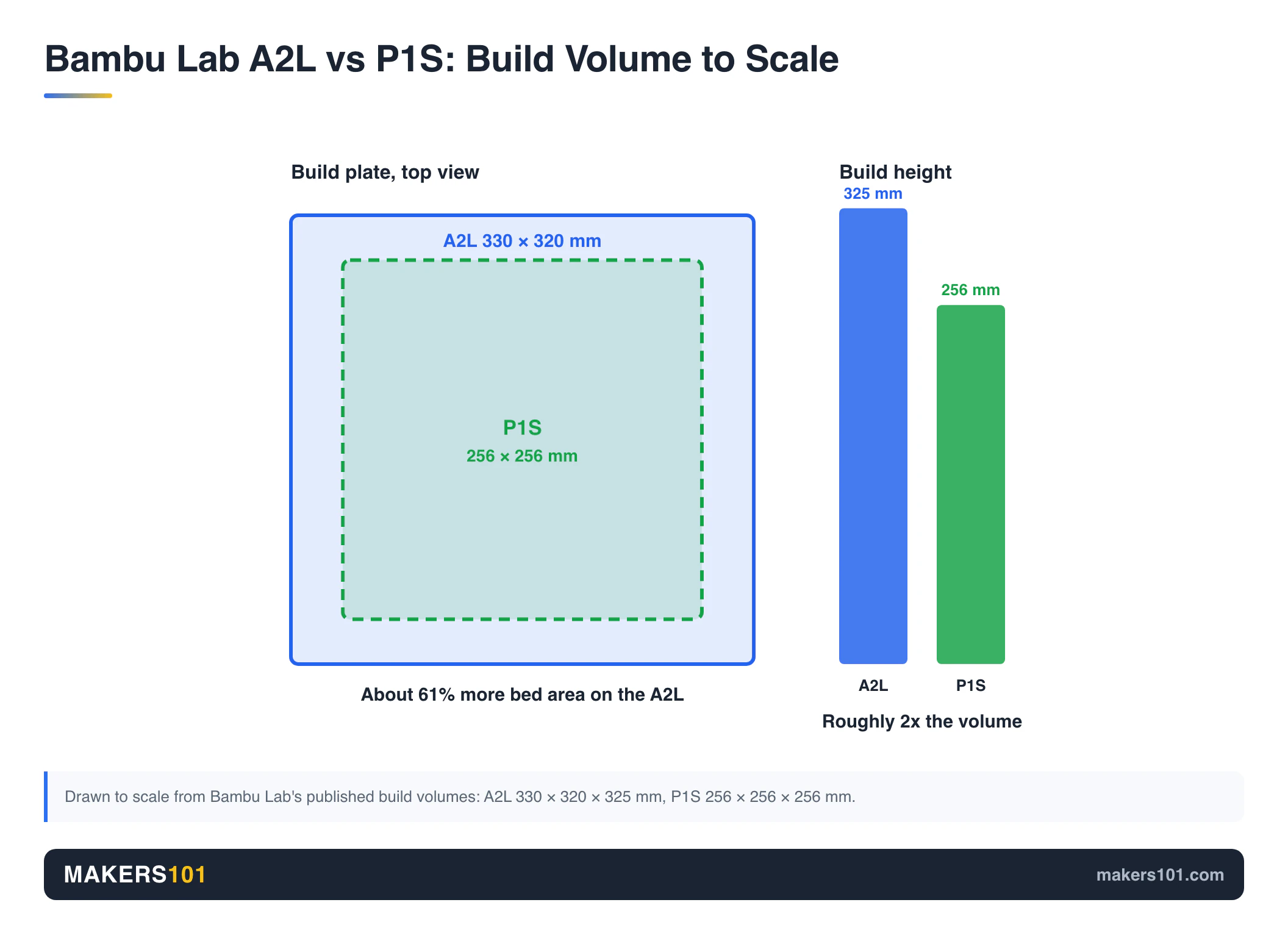
- A2L vs P1S Build Volume: 330mm Against Bambu’s 256mm Standard
- Materials on the A2L vs P1S: Why Only the P1S Handles ABS and ASA
- Multicolor on the A2L vs P1S: AMS Lite vs the Enclosed AMS
- Space, Vibration and Noise: Living With the A2L vs P1S
- A2L vs P1S Features: The Newer Platform vs the Proven One
- Bambu Lab A2L Cutting and Plotting Module: The Extra the P1S Can’t Match
- Bambu Lab A2L or P1S: Which Should You Buy?
- Bambu Lab A2L vs P1S Full Specs
- Frequently Asked Questions About the Bambu Lab A2L vs P1S
- Sources for This A2L vs P1S Comparison
Bambu Lab A2L vs P1S at a Glance
The short answer: the A2L wins on size, newer hardware and the cutting module, while the P1S wins on enclosure, material range and footprint.
| Spec | Bambu Lab A2L | Bambu Lab P1S | Edge |
|---|---|---|---|
| Motion system | Open bed slinger | Enclosed CoreXY | Depends on parts |
| Build volume | 330 × 320 × 325 mm | 256 × 256 × 256 mm | A2L |
| Max bed temperature | 80°C | 100°C | P1S |
| Air filter | None | Activated carbon | P1S |
| Engineering filaments | PLA, PETG, TPU, PVA | Adds ABS and ASA (PA/PC capable) | P1S |
| Printer footprint | 544 × 529 × 505 mm (bed travels) | 389 × 389 × 458 mm | P1S |
| Screen | 3.5-inch touchscreen | 2.7-inch non-touch screen | A2L |
| Feature updates until | June 1, 2031 | July 13, 2028 | A2L |
| Cutting / pen plotting | Optional module | Not available | A2L |
Specs from Bambu Lab’s official printer compare page and product pages.

Bambu Lab A2L vs P1S Price in 2026: The AMS Combos Cost Almost the Same
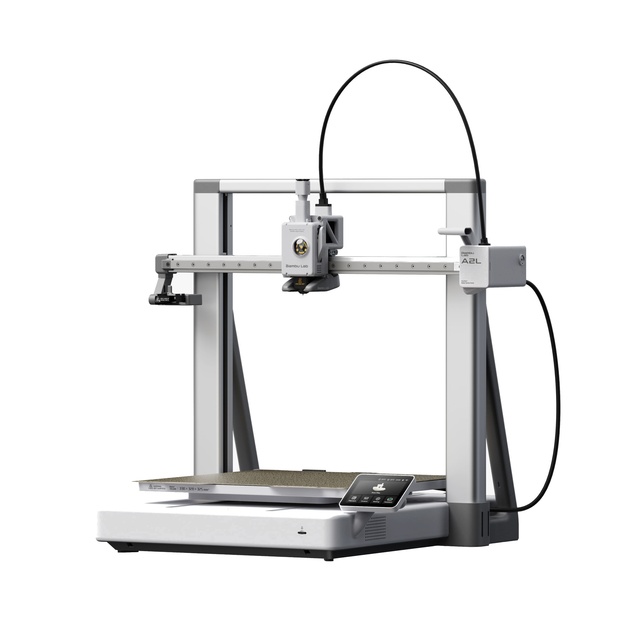
The P1S is the cheaper printer on its own, but once you add four-color AMS, the two prices land close together. That makes price the weakest reason to pick either one.
| Option (as of Oct 2, 2026) | Bambu Lab A2L | Bambu Lab P1S |
|---|---|---|
| Printer only | $469 | $399 |
| Four-color combo | $569 launch price (with AMS lite) | $549 (with AMS) |
| Cutting and pen kit | $69 | Not available |
Prices move with sales. A2L printer-only price checked at MatterHackers and Bambu Lab’s compare page; P1S prices checked on Amazon. The A2L combo and cutting kit figures are launch prices reported in reviews at release.

The P1S price is the result of age. Rad Dad’s Print Lab, who has logged more than 1,500 hours on his P1S, bought it for far more in 2024 and calls the current printer-only price a very good deal. Another owner paid more than today’s price in 2025 and still says he’d buy the P1S again in 2026.
He does flag one trap: he advises against pairing the P1S with the newer AMS 2 Pro, because that bundle creeps close to the price of a P2S. If you’re weighing that route, our Bambu Lab P2S vs P1S breakdown covers the gap.
Bed Slinger vs CoreXY: How the A2L and P1S Move Your Print
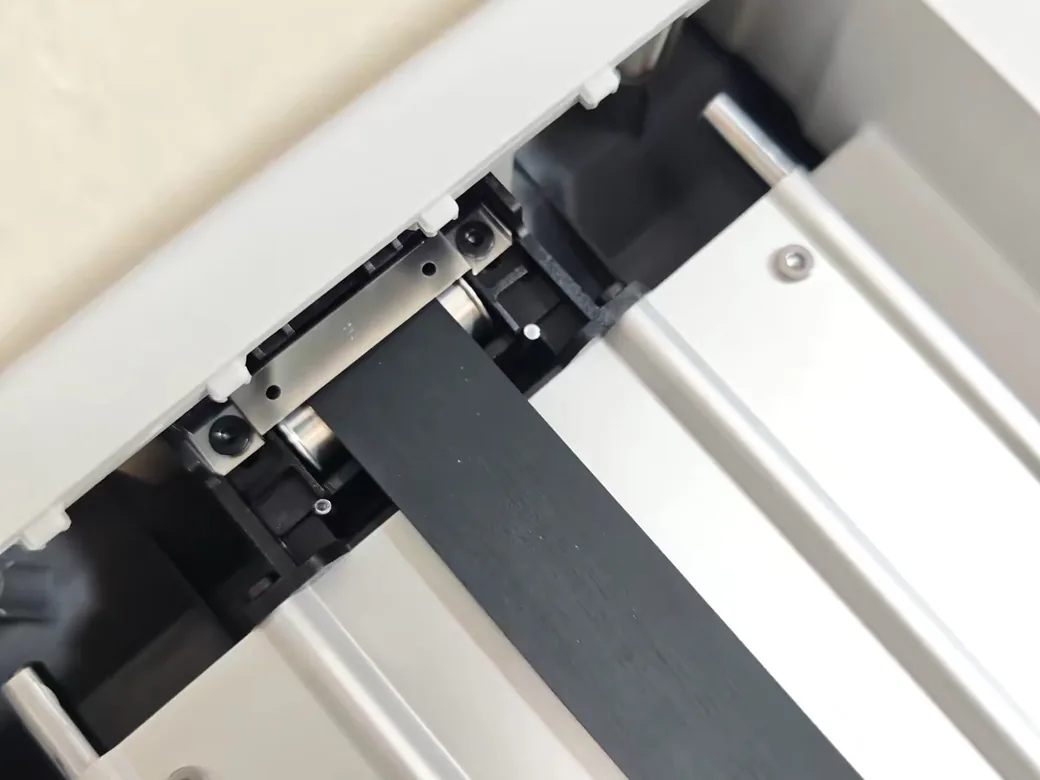
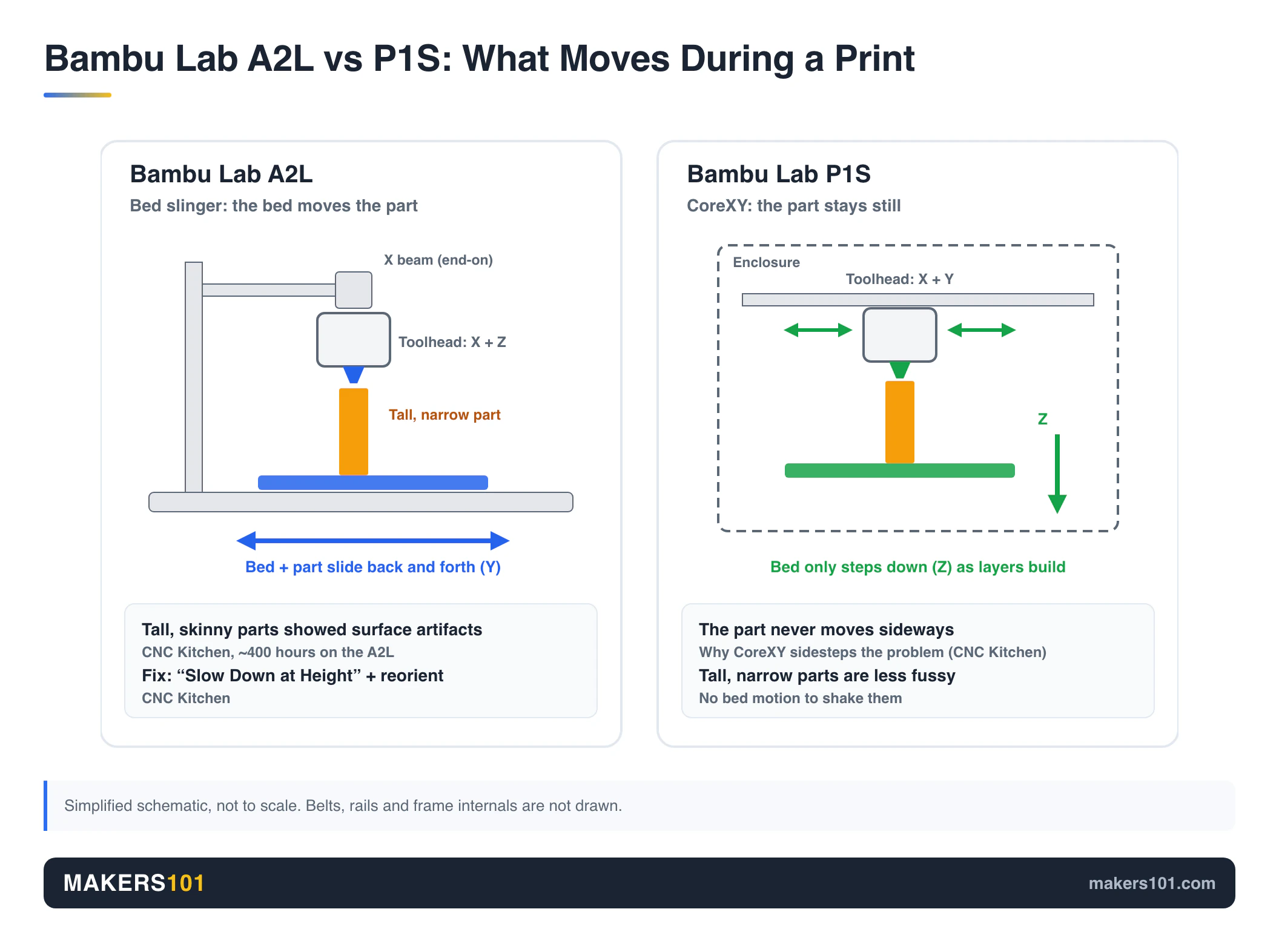
The biggest difference between these printers is how they move. The A2L throws its whole bed back and forth along the Y axis, while the P1S keeps the bed still and only lowers it as layers build up.
That matters most on tall, narrow parts. Stefan at CNC Kitchen logged close to 400 hours on the A2L and saw surface artifacts on tall, skinny prints caused by the moving bed. His fix was enabling “Slow Down at Height” and reorienting the part. He also noted that a CoreXY machine sidesteps the problem because the part never moves.
Bambu built in countermeasures. The A2L adds adaptive vibration compensation and granular dampers inside the frame. It also uses 1.5 mm pitch belts, finer than the A1’s 2 mm. Aurora Tech printed a 325 mm tall bin and found the top and bottom surfaces nearly identical, crediting multi-point input shaping that stores separate values at different heights.
Reddit users split along the same line. In an r/BambuLab thread about this exact choice, the top reply said to pick the P1S “unless you really care about size more than quality,” because a bed slinger “is worse for taller prints and precision.” In r/BambuLabA2L, an owner with two P1S machines said the A2L’s print quality “seems to be better” so far, while admitting it’s a bit slower and needs more space.
On the A2L, tall parts need careful orientation and the slow-down setting. On the P1S, the part simply stays still. For ordinary parts, the 1,500-hour P1S owner found its print quality essentially matching the newer P2S, and the A2L’s Benchy came out close to perfect in that 400-hour test. Our hands-on Bambu Lab A2L review rounds up the large-part results.
A2L vs P1S Build Volume: 330mm Against Bambu’s 256mm Standard
The A2L out-measures the P1S on every axis. That works out to about 61% more bed area and roughly twice the total volume.
In practice, that’s the difference between printing a helmet whole and splitting it into pieces. Uncle Jessy printed a complete LEGO Batman helmet on the A2L in under 24 hours. One Reddit seller of PETG speaker mounts pointed out the A2L would let him print two mounts per plate instead of one.
The smaller cube has an upside that gets less attention, though. The X1, P1P, P1S and A1 all share one build volume and plate size, which made it a de facto standard. MakerWorld creators and accessory makers design around it, so a P1S fits nearly every plate-sized model and third-party build plate out there.
The newer large Bambu machines broke that pattern. Four bigger printers now use four different build volumes and two different bed sizes, and the A2L shares its plate with the H2C. If you buy spare plates and plate-sized models, the P1S is the easier ecosystem to live in.
Even P1S owners feel the squeeze sometimes. In the same September thread, a “happy P1S/AMS user” admitted they “sometimes wish for more build volume.”
Materials on the A2L vs P1S: Why Only the P1S Handles ABS and ASA
If ABS or ASA is anywhere on your list, the P1S is the answer. Bambu rates the A2L for PLA, PETG, TPU and PVA, and its open frame tops out at an 80°C bed. The P1S pairs a 100°C bed with an enclosure and an activated carbon filter, and Bambu lists ABS and ASA as ideal materials for it.
Reviewers read the A2L’s bed limit as deliberate, since an open machine isn’t meant for engineering filaments. If engineering materials matter to you, look elsewhere. And yes, the A2L prints TPU. It’s on Bambu’s official material list.
The P1S enclosure has its own quirks. That 1,500-hour owner opens the lid and door when printing PLA and PETG, to avoid heat creep. The newer P2S solved that with an automatic vent. He also found the P1S printed ASA with slight under-extrusion in the corners until he calibrated it by hand, after which it produced clean parts.
On my P1S, I print mostly PLA and PETG and only a little ABS, which is probably typical. If that’s you too, the enclosure is a safety margin more than a daily requirement. It also keeps curious cats and small hands away from a hot nozzle, a point two Reddit buyers raised.
One middle path exists. A Reddit commenter noted PET-CF prints well without an enclosure, though it costs more than ABS or ASA. Both printers can take a hardened steel nozzle for carbon-fiber blends. If enclosed materials are your goal, our guide to the best ASA filament shows which brands hold up.
Multicolor on the A2L vs P1S: AMS Lite vs the Enclosed AMS
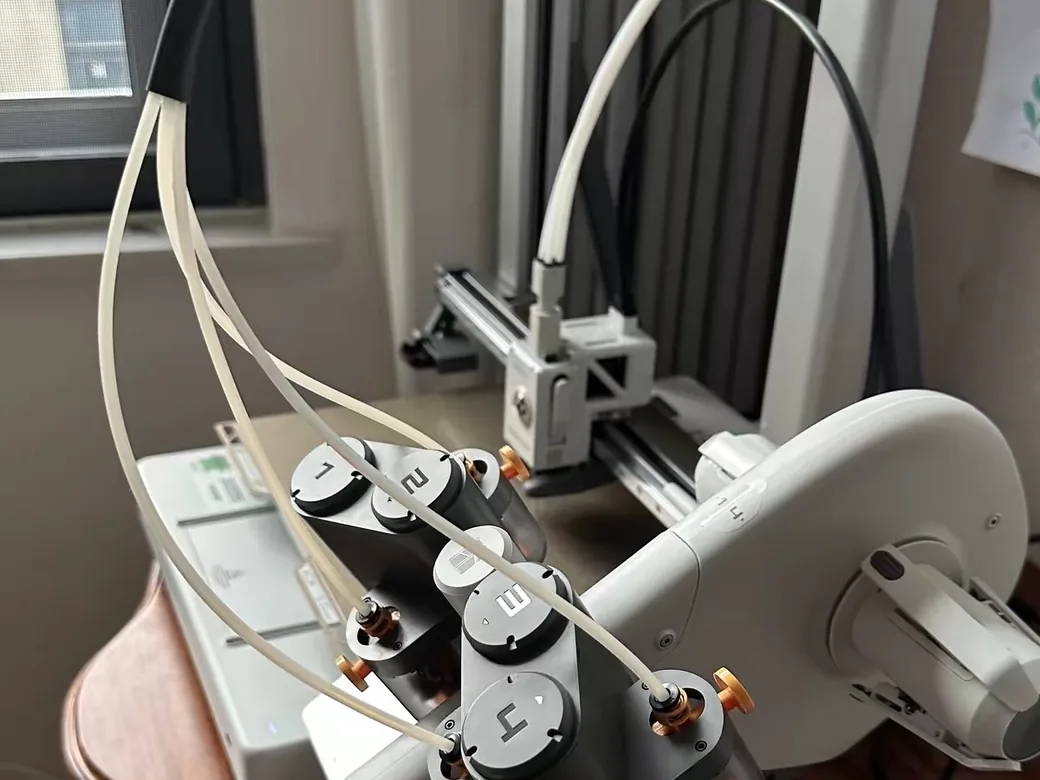
Both combos print four colors. The A2L is the one with published speed data, finishing a two-color test in roughly half the A1’s time, and it scales to 19 colors against the P1S’s 16.
On hardware, the A2L ships with the open AMS lite and also connects natively to the boxed AMS, AMS 2 Pro and AMS HT. The P1S combo ships with the enclosed AMS.
The 3D Printing Zone printed the same two-color part on the A2L in 1 hour 45 minutes, against 3 hours 12 minutes on the A1, with 32 g of purge waste versus 39 g. Most color changes take about a minute, with dark-to-light swaps up to about a minute and a half.
The A2L’s closed-loop servo extruder purges with continuous flow, which explains the gap over the A1. In FauxHammer’s test, the beta purge mode cut one multicolor dragon from 12.5 hours to 10.5 hours with no visible quality loss.
We couldn’t find an equivalent published test for the P1S, so there’s no fair number to put beside these. The A2L figures above compare it with the A1, a different machine from the P1S.
Single-nozzle multicolor still wastes a lot of filament on either machine. One multicolor Master Sword took 28 hours and produced roughly 600 g of purge against about 100 g of actual model. If that pile is already bothering you, here’s what to do with AMS filament poop.
The AMS lite has small quirks of its own. Its spring-loaded spool holders fit some third-party spools poorly. It also leaves two to three feet of filament in the Bowden tube after a print, which brittle filament may not survive for weeks.
Space, Vibration and Noise: Living With the A2L vs P1S
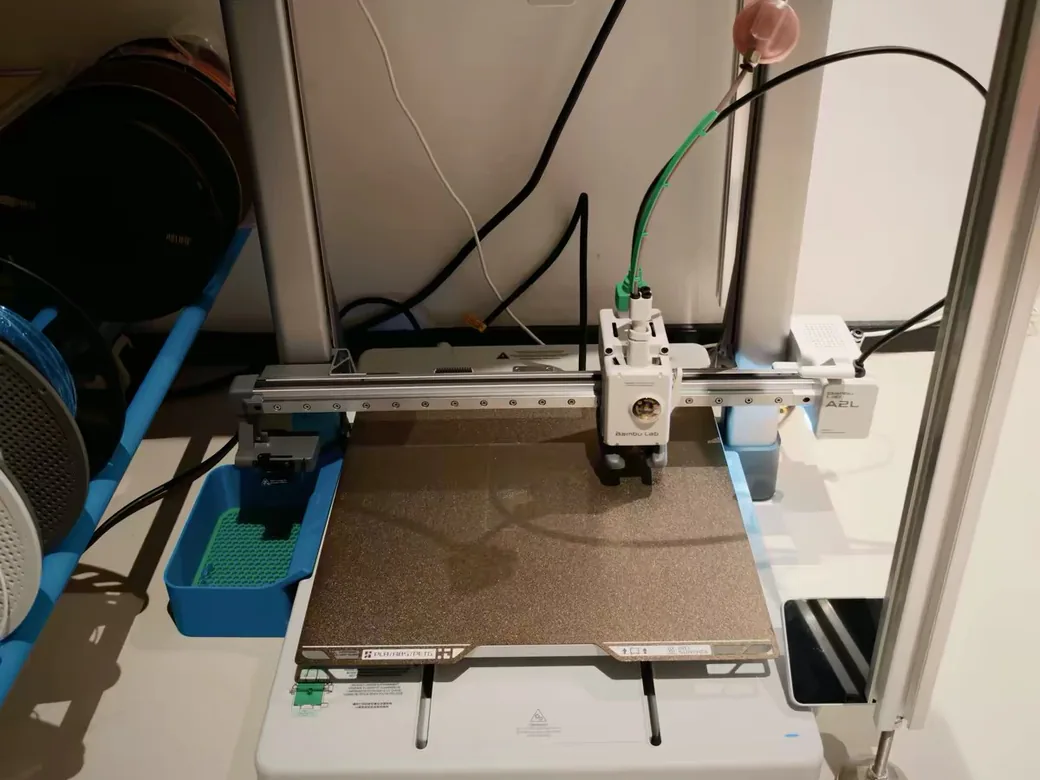
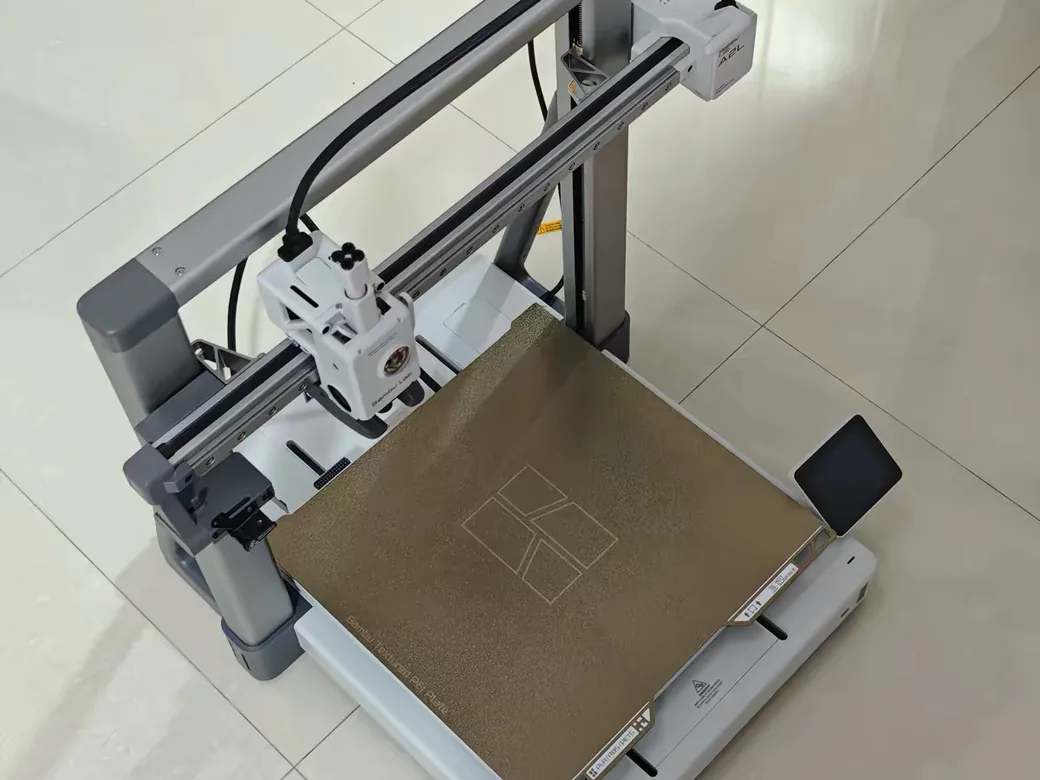
The P1S is the easier printer to live with in a small room. Its 389 × 389 × 458 mm body stays put, and the AMS can sit on top. The A2L measures 544 × 529 × 505 mm, but that number hides the bed travel. With the AMS lite on its stock stand, plan on roughly 800 × 920 mm of desk space.
Vibration is the A2L’s most talked-about flaw. Tom’s Hardware ran it on an IKEA Lack table, and the AMS lite vibrated onto the floor after 45 minutes. Uncle Jessy said the printer “vibrates like absolute crazy” at speed, and he used silicone pads to keep the AMS lite from walking off the desk. On one workbench, tools and even a camera shifted.
Bambu includes a “steady” profile that trades speed for less shaking. A solid table helps more. On a light desk, budget for a sturdier stand before you budget for the printer.
Measure the bed’s full travel too. One r/BambuLab commenter recommending the A2L warned buyers to measure the full clearance, especially behind the printer.
Noise is a closer call than vibration. The A2L measured 49 dB from 10 feet in one test and about 50 dB in another, with the part fan as the loudest component. We couldn’t find the same measurement for the P1S, so any gap would be a guess.
Power is easier to compare on paper. Bambu rates the A2L at 1000 W and the P1S at 350 W, both on 110 V power.
Real draw is far lower than peak, though. In The 3D Printing Zone’s power test, the A2L averaged about 150 W across a print, against 95 W for the smaller A1. That isn’t a P1S measurement, so treat it as the A2L’s own baseline.
A2L vs P1S Features: The Newer Platform vs the Proven One
The A2L launched in June 2026 with hardware the P1S never got: a servo extruder, nozzle clump detection, adaptive vibration compensation and a touchscreen. The P1S launched in 2023 and has since been replaced by the P2S at the top of the P-series.
Bambu’s own support table shows what that age means. The P1S gets bug and feature updates until July 13, 2028, and security patches until July 13, 2030. The A2L’s dates are June 1, 2031 and June 1, 2033.
Bambu says printers keep working after those dates. You simply stop getting new features.
The P1S shows its age in daily use. Rad Dad calls its non-touch, non-color screen “archaic” and its camera dim and low frame rate. Bambu lists that camera at 0.5 fps. Swapping the nozzle means removing screws and unplugging a connector, and the P1S has no automatic flow calibration.
What the P1S has instead is a long track record. Print N Repeat reports very few failures in a year of use that weren’t his own fault. That matches my two years with mine: it’s durable, and it hasn’t had a major problem. Its accessory market is also far deeper than the A2L’s, after three years on sale.
The A2L had launch-era growing pains. Early owners hit two firmware bugs (random pauses and a broken AMS backup feature) that later updates fixed. Its camera is no showcase either, at about 1 fps on remote monitoring.
Bambu Lab A2L Cutting and Plotting Module: The Extra the P1S Can’t Match
The A2L can swap its toolhead cover for a blade cutter or pen plotter, and the P1S has no equivalent. Bambu specs the module for a 300 × 300 mm cutting area, handling paper, vinyl, stickers and leather.
The 400-hour A2L owner argued the cutter finally makes sense on a printer this price. He found it gimmicky on Bambu’s high-end H-series machines, but on the A2L he used it for T-shirt heat transfers. Another reviewer made custom T-shirts and stickers with his, though he wants Bambu Suite’s two-screen workflow merged into one.
It isn’t for everyone. One reviewer found the cutter and pen weren’t especially useful for his own work. If you make cosplay decals, classroom crafts or vinyl signs, it’s a real reason to choose the A2L. If you don’t, treat it as a bonus.
Bambu Lab A2L or P1S: Which Should You Buy?
Pick the printer that solves the problem you hit most often.
- You print cosplay armor, props, signs or big trays in PLA and PETG: buy the A2L. Printing a helmet whole beats gluing four pieces.
- You want ABS or ASA, or the printer lives in a garage or near pets and kids: buy the P1S. The enclosure and carbon filter are the point.
- Your space is tight: buy the P1S. The A2L needs room for the bed to swing and a table heavy enough to hold it.
- You want vinyl stickers, iron-ons or pen plotting: buy the A2L. The P1S can’t do this at all.
- This is your first printer and you’ll print PLA only: either works. The P1S costs less without AMS; the A2L gets longer software support.
- You want an enclosure and current-generation hardware: look at the P2S instead. Our Bambu Lab A2L vs P2S comparison covers that matchup.

If you plan to run either printer daily, run your typical part through the Print Cost Calculator first. Purge waste and power draw affect the real cost of each machine more than the price gap does.
Nik’s Take: I’d buy the P1S if you can’t name a part your current plate is too small for. Two years in, mine has been the definition of boring in the best way. If you keep splitting models or you want the cutter, the A2L is the better buy, provided you give it a solid table and room to swing.
Bambu Lab A2L vs P1S Full Specs
| Spec | Bambu Lab A2L | Bambu Lab P1S |
|---|---|---|
| Launch | June 2026 | 2023 |
| Motion system | Bed slinger (open) | CoreXY (enclosed) |
| Build volume | 330 × 320 × 325 mm | 256 × 256 × 256 mm |
| Max nozzle temperature | 300°C | 300°C |
| Max bed temperature | 80°C | 100°C |
| Air filter | None | Activated carbon |
| Screen | 3.5-inch 240 × 320 touchscreen | 2.7-inch 192 × 64 screen |
| Camera | Low frame rate 1080p, timelapse | 1280 × 720, 0.5 fps |
| Multicolor | AMS lite included; up to 19 colors | AMS included; up to 16 colors |
| Printer footprint | 544 × 529 × 505 mm | 389 × 389 × 458 mm |
| Weight | 12.8 kg | 12.95 kg |
| Rated power (110 V) | 1000 W | 350 W |
| Bug and feature updates until | June 1, 2031 | July 13, 2028 |
| Security patches until | June 1, 2033 | July 13, 2030 |
| Cutting / pen plotting | Optional module | No |
Sources: Bambu Lab’s compare page, A2L spec page and P1S store page, checked October 2, 2026.
Frequently Asked Questions About the Bambu Lab A2L vs P1S
Is the Bambu Lab A2L better than the P1S?
In the Bambu Lab A2L vs Bambu Lab P1S matchup, neither is better overall. The A2L is better for large parts in PLA, PETG or TPU, for cutting, and for longer software support. The P1S is better for ABS and ASA and for small spaces, and its fixed bed makes tall, narrow parts less fussy.
Is the Bambu Lab A2L worth it?
Yes, if you need its build volume. It gives you a 330 mm class bed for far less than Bambu’s H-series. If your parts already fit a P1S-sized plate, a smaller printer saves money and desk space.
Is the Bambu Lab P1S still worth getting in 2026?
Yes, especially at its current printer-only price. It’s a proven enclosed CoreXY with a deep accessory market. Its weak points are an old screen and camera, and feature updates that end in July 2028.
Which is better, the Bambu Lab A2L or the P2S?
The P2S is the enclosed, current-generation choice for engineering filaments, while the A2L is the big-bed choice for PLA and PETG. The P2S costs more than the P1S. If enclosure plus new hardware is the goal, the P2S is the stronger pick.
Can the Bambu Lab A2L print TPU?
Yes. Bambu lists TPU among the A2L’s supported materials, alongside PLA, PETG and PVA. One A2L owner on Reddit is weighing an AMS HT to feed TPU directly.
Is the Bambu Lab A2L sold on Amazon?
Not through an official listing as of October 2026. The A2L sells through Bambu Lab’s own store and retailers such as MatterHackers. The P1S is widely available on Amazon.
Sources for This A2L vs P1S Comparison
Test numbers and long-term owner reports come from these reviews and threads. My own notes cover the P1S, which I’ve used for two years.
Show all 14 sources
- CNC Kitchen: Bambu A2L review after 400 hours (YouTube)
- Aurora Tech: Bambu Lab A2L in-depth review (YouTube)
- FauxHammer: Bambu A2L review (YouTube)
- Uncle Jessy: Bambu Lab A2L review (YouTube)
- The 3D Printing Zone: Bambu Lab A2L vs A1: speed, power, noise (YouTube)
- Rad Dad’s Print Lab: Bambu Lab P1S in 2026: still worth it? (YouTube)
- Rad Dad’s Print Lab: Bambu Lab P1S vs P2S after 1,400+ hours on the P1S (YouTube)
- Print N Repeat: Is the Bambu Lab P1S still worth buying in 2026? (YouTube)
- r/BambuLab: First 3D printer: A2L vs P1S
- r/BambuLabA2L: Bambu Lab A2L, good or bad?
- Tom’s Hardware: Bambu Lab A2L review
- Specs and prices: Bambu Lab A2L specs, Bambu Lab compare page, and Bambu Lab P1S store page
CERTAIN CONTENT THAT APPEARS ON THIS SITE COMES FROM AMAZON. THIS CONTENT IS PROVIDED ‘AS IS’ AND IS SUBJECT TO CHANGE OR REMOVAL AT ANY TIME.
Price details
Product prices and availability are accurate as of the date/time indicated and are subject to change. Any price and availability information displayed on Amazon.com at the time of purchase will apply to the purchase of this product.