
Heads up — some of the links below are affiliate links. If you buy through them, I earn a small commission (at no extra cost to you), which helps cover the gear I test. Thanks!
Key takeaways :
- The Bambu Lab P2S is the safe default for roughly 95% of buyers. It’s an enclosed CoreXY printer that just runs, day after day.
- The biggest jumps over the P1S are the 5-inch touchscreen and tool-free nozzle swap, backed by a sharper camera and smarter cooling.
- It has real gripes. Heat creep in hot rooms and a shared-fan exhaust design are the honest weak spots. We cover the fixes.
- Don’t need multi-color? Skip the X2D. The P2S runs single-color cleaner and quieter, with far less fuss.
- Get the AMS Combo, not the bare printer. Final verdict: 4.5/5.
Bambu’s lineup reads like a license plate now. A1, P2S, X2D, H2C. Picking one feels harder than actually printing.
Here’s the part most reviews quietly skip when they ask whether the P2S is worth buying. Go to Reddit and you’ll find threads titled “I’m returning it” sitting right next to glowing five-star praise. One owner calls it the worst printer Bambu makes. The next swears it’s flawless. That gap is confusing. It’s also the most useful thing to understand before you spend real money.
So this is an honest, owner-style verdict. What the P2S nails and where it bites. Then exactly who should buy it, and who should hold off. I’ve set up and lived with machines across this whole family, and the P2S keeps landing in the same spot. It’s the one I’d hand a friend who wants prints, not a project. If Creality is on your list, the K2 Pro matchup goes deeper.
Bambu Lab P2S at a Glance
The Bambu Lab P2S is a “boring but brilliant” workhorse. It doesn’t chase headline specs like the X series, and it isn’t bargain-priced like the A series. It just prints, reliably, and that’s the whole point.
It’s an enclosed CoreXY machine released in late 2025. The enclosure traps heat, so you can run far more than just PLA without fighting warped corners and failed layers. The CoreXY motion keeps tall, skinny prints stable while the toolhead races around them. Think of it as the Toyota of desktop 3D printers. Not flashy. Hard to kill.
That dependability is why it quietly became a best-seller. It sits in the sweet spot of the lineup: more capable than the open-frame A series, far simpler to live with than the dual-nozzle X2D. For a first serious printer or a reliable daily driver, this is the obvious landing zone.
| Spec | Bambu Lab P2S |
|---|---|
| Price (as of June 2026) | $549 bare / $799 Combo (with AMS 2 Pro) |
| Frame | Enclosed CoreXY |
| Build volume | 256 x 256 x 256 mm |
| Display | 5-inch color touchscreen |
| Camera | 1080p with AI failure detection |
| Multi-material | AMS 2 Pro (up to 4 spools, active drying) |
| Materials | PLA, PETG, ABS, ASA (great); PC, Nylon (with a brim) |
| Released | Late 2025 |
My score lands at 4.5/5. The half point comes off for two reasons we’ll reach in the gripes section. Both are fixable.
Setup and first impressions
Out of the box, setup is the easy part. You unpack the printer, peel a stack of foam and tape, install the screen and the AMS, and run the guided calibration. The whole thing takes most people under an hour from cardboard to first print.
The first impression that sticks is the touchscreen. After years of squinting at Bambu’s old monochrome display, a responsive 5-inch color screen feels like a different class of machine. The build quality reads as solid too, with a metal base and clean cable routing. Nothing about the first hour says “budget.”
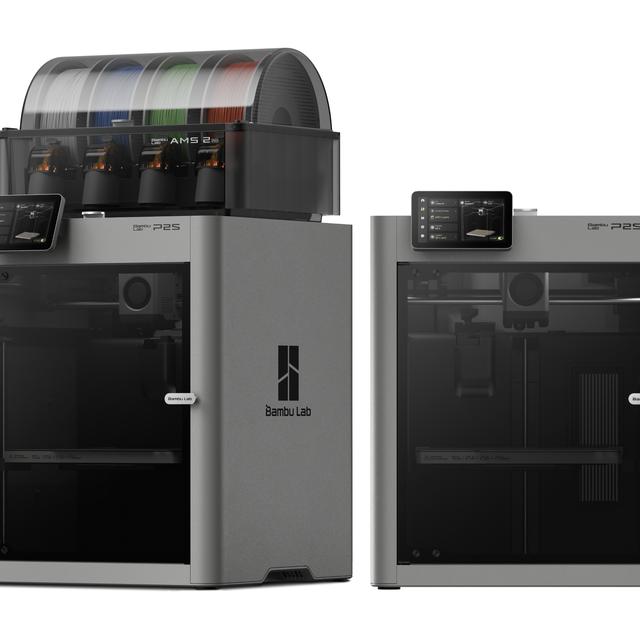
- Introducing the Bambu Lab P2S 3D printer is a state-of-the-art printer offering a seamless user experience akin to a smartphone with a spacious build volume of 256 x 256 x 256 mm and an enclosed chamber for temperature stability
- The Bambu Lab P2S 3D printer produces reliable desktop FDM prints using AI-driven failure detection and real-time flow calibration
- The optional AMS 2 Pro, available via the Combo version, supports up to 4-color multi-material extrusion
- Experience a smartphone-like experience with a 2nd-Gen UI and a 5-inch touchscreen for smoother interactions and clearer instructions
- AI failure detection ensures reliable operation with automated monitoring
- Real-time flow calibration produces consistent dimensions with precise extrusion
What’s New vs the P1S

The short version: the P2S bakes in the popular P1S mods people used to add by hand. If you owned a P1S and tuned it, the P2S feels like someone did that work for you at the factory.
The upgrades that matter
Four changes carry the upgrade. The first is a proper 5-inch color touchscreen that replaces the old monochrome display, and it’s a genuine quality-of-life jump. The second is a 1080p camera with stronger AI monitoring, so spaghetti fails get caught early instead of after six wasted hours. The third is the tool-free nozzle and hot-end swap, which makes changing materials far less of a chore. The last one is quieter but matters most: higher-grade internals, from the motion system to the cooling.
None of these is a breakthrough on its own. Together they add up. That’s the pattern with the P2S, and you’ll see it again.
If you’re weighing the older machine against this one, we broke down whether the P2S is worth upgrading from the P1S in detail. The quick answer for regular printers is yes.
Smarter thermal and airflow
The cooling system is cleverer than it looks. Print PLA or PETG and the P2S pulls in outside air to keep parts cool and sharp. Switch to a high-temp material like ABS and it seals up, running internal recirculation with filtration to hold chamber heat where you want it. Bambu also sells an external exhaust kit if you’d rather vent fumes out a window.
That switch is the whole trick. It’s why the P2S handles a far wider material range than any open-frame printer can manage.

- Up to 16 Colors: Bring your designs to life with vibrant multi-color/multi-material printing capabilities, perfect for showcasing your creativity…
- 500mm/s and 20000 mm/s² Acceleration True High Speed: Don’t wait around for your masterpieces. Lightning-fast printing speed lets you focus on…
- Enclosed Design: Fully enclosed body improves print performance for advanced filaments. Automatic Bed Leveling: Say hello to high-quality, successful…
- Set Up in 15 Minutes: Spend more time printing and less time setting up. User-friendly design ensures a hassle-free assembly experience for all skill…
- Supported Filament: Ideal: PLA, PETG, TPU, PVA, PET ABS, ASA; Capable : PA, PC; Not Recommended: Carbon/Glass Fiber Reinforced Polymer.
Real-World Printing: Quality, Materials, and Noise
For everyday materials, the P2S just works. That’s the headline. It earns it.
Material results
I ran a stack of test prints across the common filaments. PLA and PETG came out clean on the default profiles, with no babysitting and no warped corners. ABS and ASA were nearly as easy inside the heated chamber, which is exactly where an enclosure pays for itself. The two materials that needed help were polycarbonate and nylon, and both behaved once I added a brim for adhesion.
First layers were consistent thanks to the auto-leveling, and the surface finish on standard 0.2 mm layers looked tidy across every material I threw at it. That tracks with what other long-term owners report online, so it isn’t a one-machine fluke.
If you’re unsure which profile or temperature to start with, do a small test first. A failed calibration cube costs ten minutes. A failed eight-hour print costs a spool and your patience.
A real project test
Specs are abstract. Projects aren’t. The P2S has the build volume and the detail to handle ambitious pieces, not just calibration cubes. One owner printed a moon globe scaled up to 160% of its original size, in white filament, with an RGB light tucked inside and a textured rock-style base underneath. The whole job ran about 24 hours.
The surface detail held up across the entire sphere. Craters stayed crisp even at the larger scale. The finished piece looked far more expensive than the filament it ate, which is the exact kind of result that hooks people on this hobby in the first place.
Noise stayed reasonable the whole time. For reference, the dual-nozzle X2D measures roughly 5 decibels quieter at every distance, so the P2S isn’t the quietest machine Bambu makes. But it never crossed into annoying. It ran overnight in a home office without anyone complaining.
Living With It: Maintenance and Must-Have Mods
Five minutes of upkeep buys months of clean prints. The P2S rewards a little care, and the routine is simple once you know it.
The maintenance routine
Bambu sets a maintenance schedule based on how hard you run the machine. Light use, under an hour a day, means the top rails every three months and the Z-axis every five. Regular use, one to five hours a day, tightens that to every two and four months. Heavy use, over 150 hours a month, means a monthly pass.
The tools are cheap. You want a light machine oil for the linear rails and lithium grease for the Z-axis lead screw, plus isopropyl alcohol and a microfiber cloth for cleaning. Wipe the seven rails down, lay a thin film of oil, then move the toolhead by hand to spread it. For the lead screw, use the “dotting” method. Put a small dab every inch or two, then jog the bed up and down so the grease spreads itself evenly.
One detail people get wrong is using the same lubricant everywhere. Oil and grease are not interchangeable here. We explain which lubricant to use where so you don’t gum up the wrong part. While you’re in there, glance at the carbon filter and the cutter blade. Swap the wiper pad if it looks worn.
The heat-creep gotcha
Here’s the first honest weak spot. If your room gets hot, above roughly 33°C or 92°F, the P2S can suffer heat creep at the hot end. That leads to clogs mid-print. The shared-fan cooling design is the culprit, and it’s the same complaint that surfaces again and again across owner reviews.
The fixes are easy. The external exhaust kit helps, and so does printing in a cooler space. Keep humid filament out of the picture too. Wet material plus a hot day is the fastest route to a failed print.
Mods worth printing
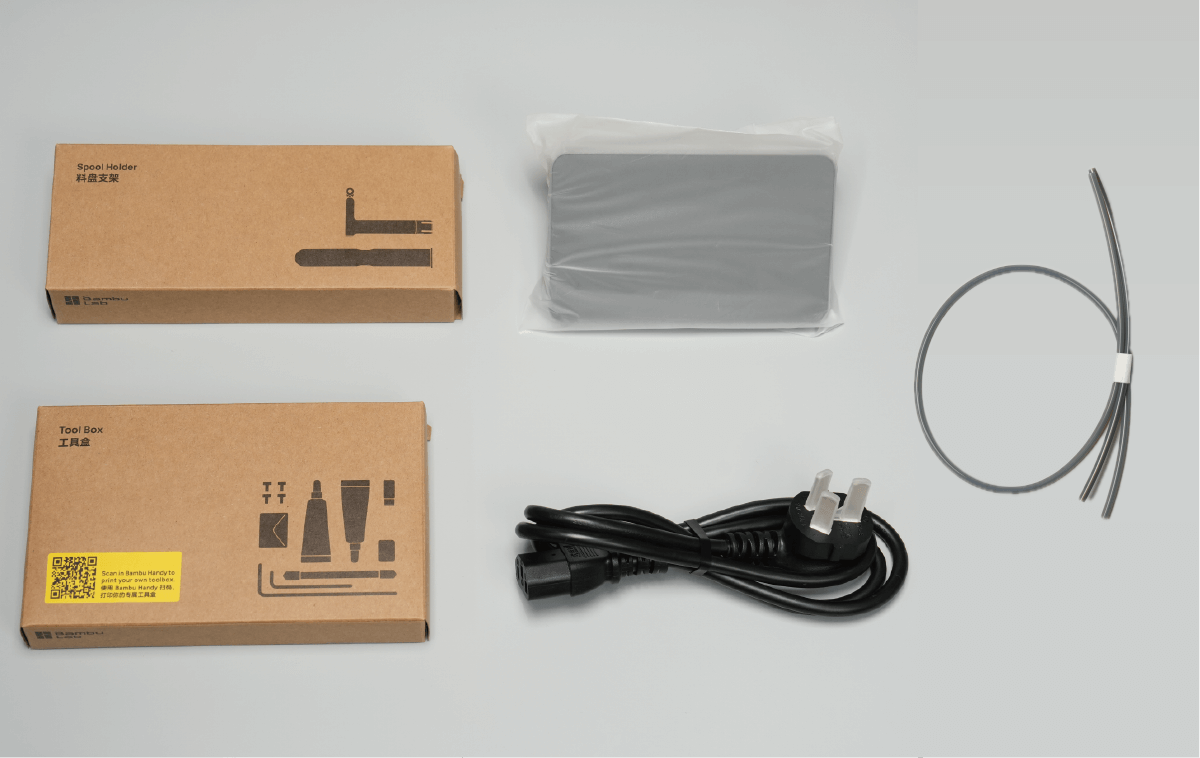
The best part of P2S ownership is how much you can improve it for free. Owners have built a whole library of upgrades, and most of them print on the machine itself.
A modular top riser is the standout. It lets you feed TPU straight in, adds chamber lighting, and gives you a spot to park an AMS or a filament dryer up top. Desiccant setups inside the AMS and your spools fight moisture, which is the single most common cause of mystery print failures. An engineering plate paired with a glue stick unlocks clean ABS, ASA, and nylon prints. Your printer can quietly upgrade itself overnight, which is a strange and genuinely satisfying thing the first time you watch it happen.
For the parts you do buy, we sorted which P2S Combo accessories are worth the money and which to skip.

- 【Upgraded 68-in-1 3D Printer Tools Kit, 1-Year Warranty】Designed by a Team of 15-Year 3D Printing Enthusiasts, the kit includes all essential…
- 【Scrapers for Flawless Removal 3D Printed Models】One Stainless Steel removal scraper features a 15-degree angled (0.5mm thickness, 1.57-inch…
- 【1 Deburring Tool & 10 HSS BS1010 Swivel Blades】Our model polishing tools include 3 engraving knives with 9 types of blades, 5 different metal…
- 【Nozzle Cleaning Needles, Brushes & Tweezers】To avoid inconsistent filament extrusion caused by a clogged nozzle, we provide 5 types of cleaning…
- 【3D Printer Accessories Gifts Must-Have】4 cut-resistant finger cots to protect your fingers while working. A black sleeve case makes it easy to…

P2S vs X2D: Do You Actually Need Dual Nozzles?
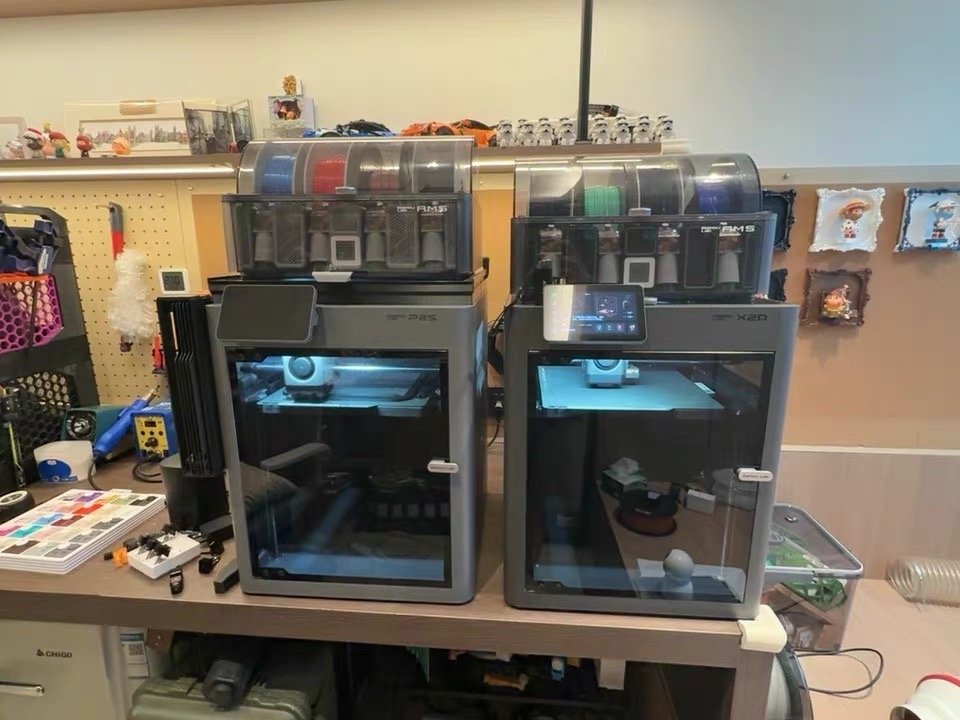
Simple rule. Print single-color, get the P2S. Live in multi-color or multi-material work, and the X2D earns its premium. The second nozzle is the entire difference between them.
The numbers make it concrete. In one head-to-head test, the same multi-color panda model ran about 4 hours on the P2S and produced 62 grams of purge waste. On the X2D it finished in 1 hour 37 minutes with just 8 grams. That huge gap comes from the second nozzle, which switches colors without dumping filament at every change. The X2D also runs about 5 decibels quieter on top of that.
There’s a trade-off the other way. The X2D’s right nozzle won’t handle soft TPU, including 95A, and its usable build volume shrinks a little when both nozzles are in play. For most people who print in one color, that extra complexity is a cost rather than a feature. If you want the deep version, here’s the full P2S vs X2D breakdown.
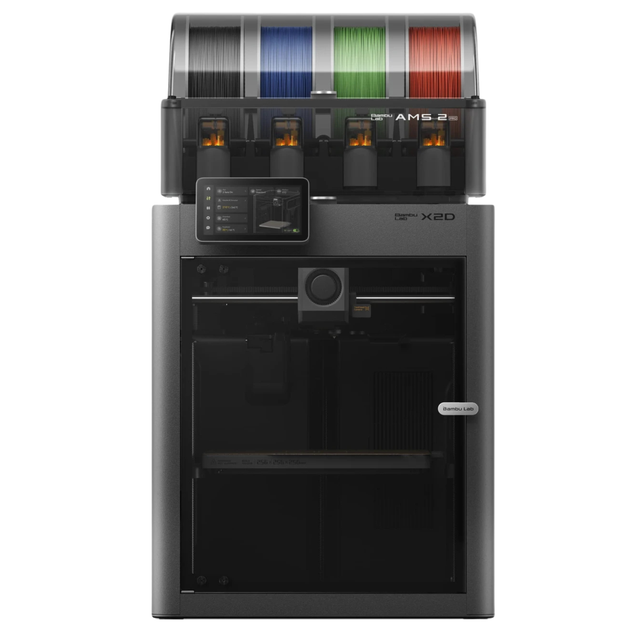
- Bambu Lab’s X2D is poised to redefine premium multi-material 3D printing with a true dual-nozzle architecture built for speed, precision, and reduced waste
- Rather than relying on tool swapping, the X2D is expected to use two fully integrated nozzles to deliver cleaner prints across the full 256 × 256 x 260 mm build area
- Combined with expanded AMS readiness, camera-driven plate and filament verification, simplified sensor hardware, and a striking glass-and-light premium enclosure, the X2D is a perfect fit for hobbyists and professionals alike! Dual-nozzle system with dedicated support material nozzle for clean, peelable supports
- Multi-material and multi-color printing capabilities for enhanced creativity
- 300°C nozzle temperature with 65°C active chamber heating for advanced materials
- Full filament path AI detection with built-in monitoring and backup systems
What I Like and What I Don’t
No printer is all upside. Here’s the balanced view after real use.
What I like
The P2S is reliable out of the box. That sounds boring. It’s the most valuable thing a printer can be. The ecosystem helps too. Bambu Studio runs on the desktop for full control. The Handy app puts quick jobs and monitoring on your phone. And the MakerWorld library lets you print a finished model without ever opening a slicer. The touchscreen is responsive. The material range is generous. The failure-detection camera saves spools you’d otherwise lose to a clog at 3 a.m.
What I don’t
The heat-creep behavior in hot rooms is the main one. The shared-fan ventilation also isn’t as clean as a dedicated rear exhaust, which is why some P1S owners openly miss that older design. And multi-color jobs still purge a lot of filament, because this is a single-nozzle machine at heart. None of these are dealbreakers. A fair review names them anyway.
Addressing the returns
So what’s behind those return threads, and the owner who labels this Bambu’s biggest disappointment? I read through them. Most of the loud failures come back to early firmware or a bad unit. More often, the real culprit is damp filament rather than any deep design flaw. The machine that “fails every print” is usually one humidity fix away from running perfectly.
The pattern is clear once you see enough of these stories. Owners who skip maintenance and run wet spools have a rough time. Owners who follow the simple routine above tend to stay quiet and happy. We collected what Reddit owners say is great and missing if you want the raw community read.
Who Should Buy the P2S (and Who Should Wait)
For most people, the answer is the P2S Combo. There are three clear exceptions, so let’s sort them out.
Buy it if…
You want one machine that lasts for years without constant tinkering. You print a mix of materials, not just PLA. Or you sell prints on Etsy, where two reliable P2S machines often beat one flagship. A jam on one of them doesn’t halt your whole shop. For that kind of work, uptime matters more than raw build size.
One rule holds across all of these. Get the version that ships with the AMS. The standalone box usually leaves you running one spool at a time, and that bundled unit is the upgrade people regret skipping most.
Wait or skip if…
Only print PLA and watching your budget? The A1 gets you in for far less money. Genuinely need dual-nozzle multi-material or clean dissolvable supports? Jump straight to the X2D. And if you suspect you’ll want a mid-tier machine around the $1,000 mark, there’s talk of an X2C arriving to fill the gap between the X2D and the H series. If that price band is your target, it may pay to wait and see it land first.
Want to sanity-check the real cost before you commit? The print cost calculator factors in filament and running costs, not just the sticker price.
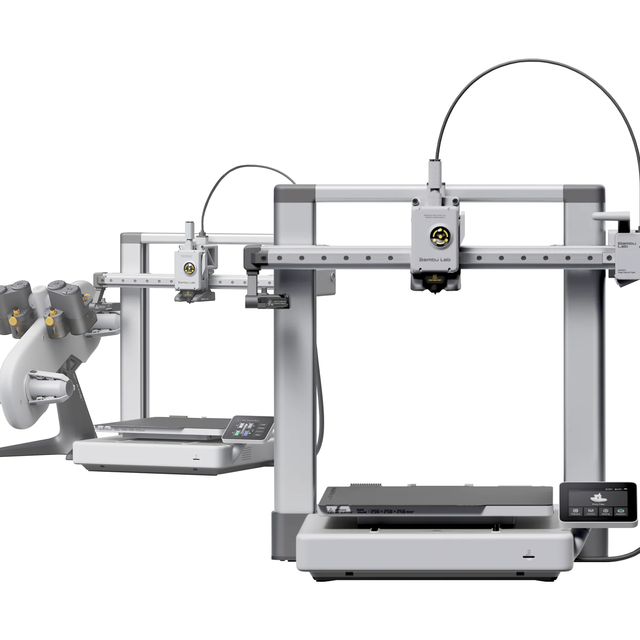
- The Bambu Lab A1 offers a spacious 256×256×256 mm build area and multi-color FDM 3D printing when combined with the AMS Lite or AMS 2 Pro
- It prints up to 500mm/s, features one-click nozzle swapping, and provides consistent quality with active flow compensation and motor noise cancelling
- Maximize your spacious 256×256×256mm build volume Swap nozzles swiftly for quick calibrations Accelerate printing with speeds up to 500mm/s Compatible with AMS Lite / AMS 2 Pro / AMS HT Multi-Color/Material Printing
Final Verdict
The Bambu Lab P2S earns 4.5/5. It loses half a point for heat creep in warm rooms and a ventilation design that trails the old rear-exhaust setup. Everything else is a quiet, dependable yes. It prints a wide material range, the ecosystem just works, and maintenance is a five-minute habit instead of a hobby.
If a friend with no special needs asked me what to buy, it’s the P2S Combo, every time. It’s the printer I’ve recommended most, and the one I’ve seen the fewest people regret six months later. Prices shift with sales, so check for a deal before you order.

- High-Speed Precision: The Bambu Lab P2S 3D printer prints up to 600 mm/s while maintaining exceptional accuracy. With the PMSM Servo Extruder and…
- Ready to Print in 15 Minutes: Set up your P2S FDM 3D printer and start printing in just 15 minutes. With AI failure detection, quick-swap nozzles, and…
- Effortless Multi-Color Printing: The AMS 2 Pro enables seamless multi-color/multi-material 3D printing. It features built-in filament drying at up to…
- Smart Airflow for Any Filament: The Adaptive Airflow System automatically balances cooling and heat retention—keeping overhangs crisp with cool air…
- Limitless Creativity, Seamless Workflow: Explore over one million 3D models on MakerWorld and bring them to life with a smooth, unified workflow using…
Frequently Asked Questions
Is the Bambu Lab P2S worth it over the P1S?
For most people printing regularly, yes. The P2S adds a 5-inch touchscreen, a better 1080p camera, tool-free nozzle swaps, and higher-grade internals for roughly $150 to $200 more. It builds in the very upgrades P1S owners used to add themselves.
Should I buy the Combo (with AMS) or the standalone P2S?
Get the Combo in almost every case. The AMS 2 Pro enables multi-color printing and keeps your spools fed and dry. The bare printer typically starts you with a single spool. It’s the add-on people regret skipping most.
How much does the Bambu Lab P2S cost?
At the time of writing, the bare printer is $549 and the Combo with the AMS 2 Pro is $799. Prices move with sales, so confirm the current number before you buy.
Why doesn’t the P2S have a rear exhaust fan like the P1S?
The P2S uses a shared-fan cooling system with internal recirculation and filtration for high-temp materials, plus an optional external exhaust kit. Some P1S owners prefer the older dedicated rear fan. It’s a fair gripe, but the kit closes most of the gap.
Can the P2S print large ABS parts without warping?
Yes, within its 256 mm build area. The enclosed chamber holds heat well, which is exactly what ABS needs. For the biggest parts, an engineering plate and a glue stick improve adhesion and cut down on warping.
Is the X2D better than the P2S?
Only if you need what it does. The X2D adds dual-nozzle printing and faster, lower-waste color changes for about $100 more. For single-color printing, the P2S is simpler, quieter, and every bit as capable.
Why do some people return the P2S?
Most of the loud complaints come down to early firmware quirks, a faulty unit, or moisture in the filament rather than a core design problem. Following the basic maintenance routine and drying your spools resolves the large majority of “every print fails” reports.
Can the P2S run offline without the cloud?
Yes. The P2S supports a LAN-only mode, so you can send prints over your local network without routing through Bambu’s cloud. You give up some remote-monitoring convenience, but the option is there for privacy-minded users.