
I earn a commission if you buy through links on this page, at no extra cost to you. As an Amazon Associate, I earn from qualifying purchases.
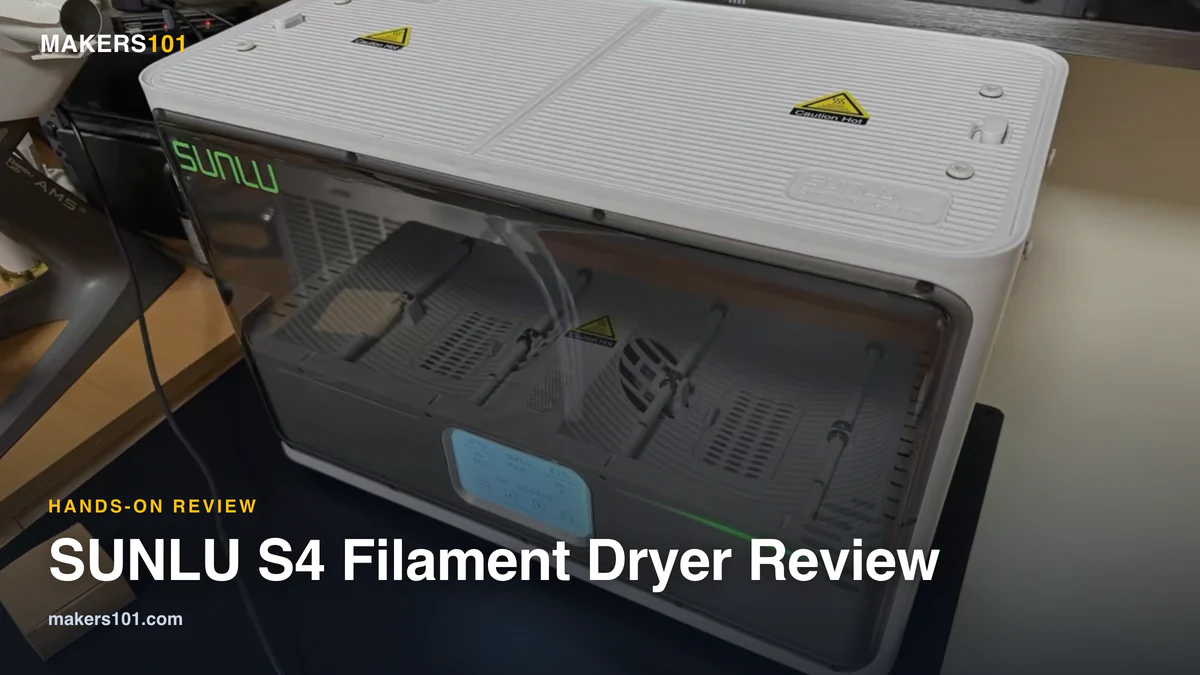
If you print enough to have four spools going at once, single-spool dryers start to feel like a bottleneck. The SUNLU S4 filament dryer answers that with room for four rolls and enough heat to tackle nylon. It dries well. It also has one habit that has cost people real money. So before you trust it with a print farm’s worth of filament, here’s what the testing actually shows.
As of July 2026 the S4 runs around $100 (list price closer to $140). That is aggressive for a four-spool dryer that reaches nylon temperatures. SUNLU can clearly afford it: its filament business is pulling serious margins right now.
Table of Contents
- What Is the SUNLU S4 Filament Dryer?
- How Well Does It Actually Dry?
- Can the SUNLU S4 Dry Nylon? The 70°C Reality
- Where the SUNLU S4 Falls Short
- Read This Before You Touch a Preset
- How Do You Use the SUNLU S4?
- Storage Mode: Hands-Off Humidity Control
- SUNLU S4 vs S2 vs the Other Dryers
- Mods That Make the S4 Better
- Who Should Buy the SUNLU S4 (and Who Shouldn’t)
- Final Verdict
- Frequently Asked Questions: SUNLU S4 Filament Dryer
What Is the SUNLU S4 Filament Dryer?
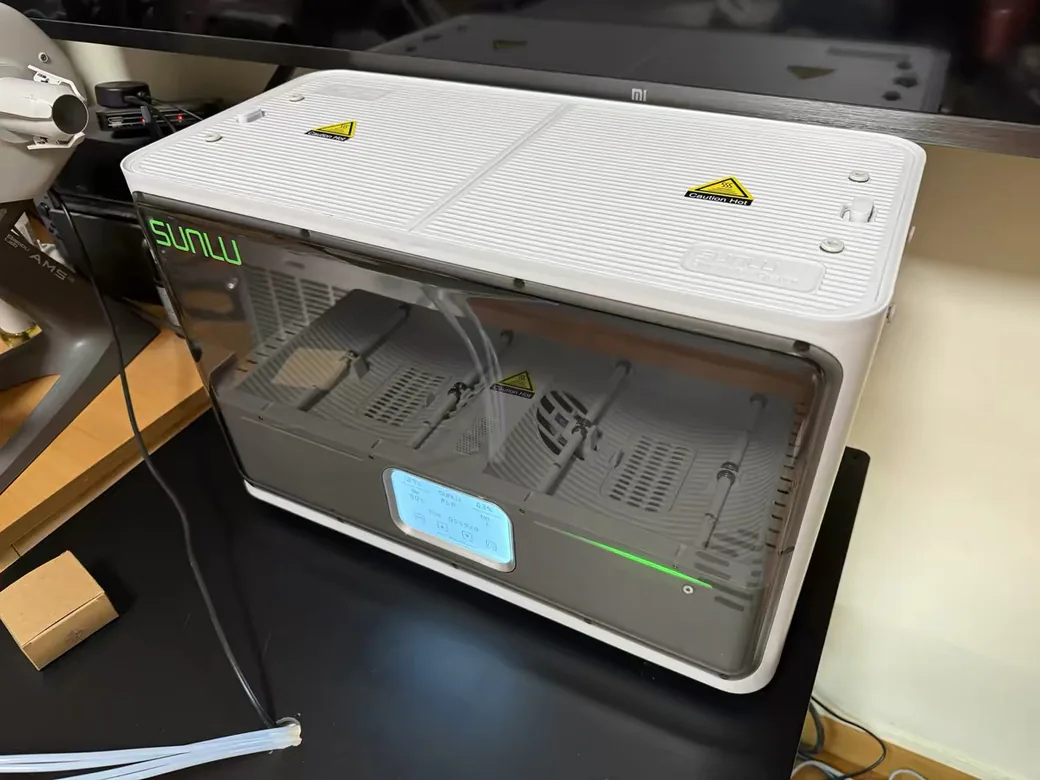
The SUNLU S4 is a four-spool active filament dryer built for people who dry in bulk. Where a compact unit handles one roll, the S4 heats four at once, which suits multi-color printing, a small print farm, or anyone who likes to dry a week’s worth of filament in a single run.
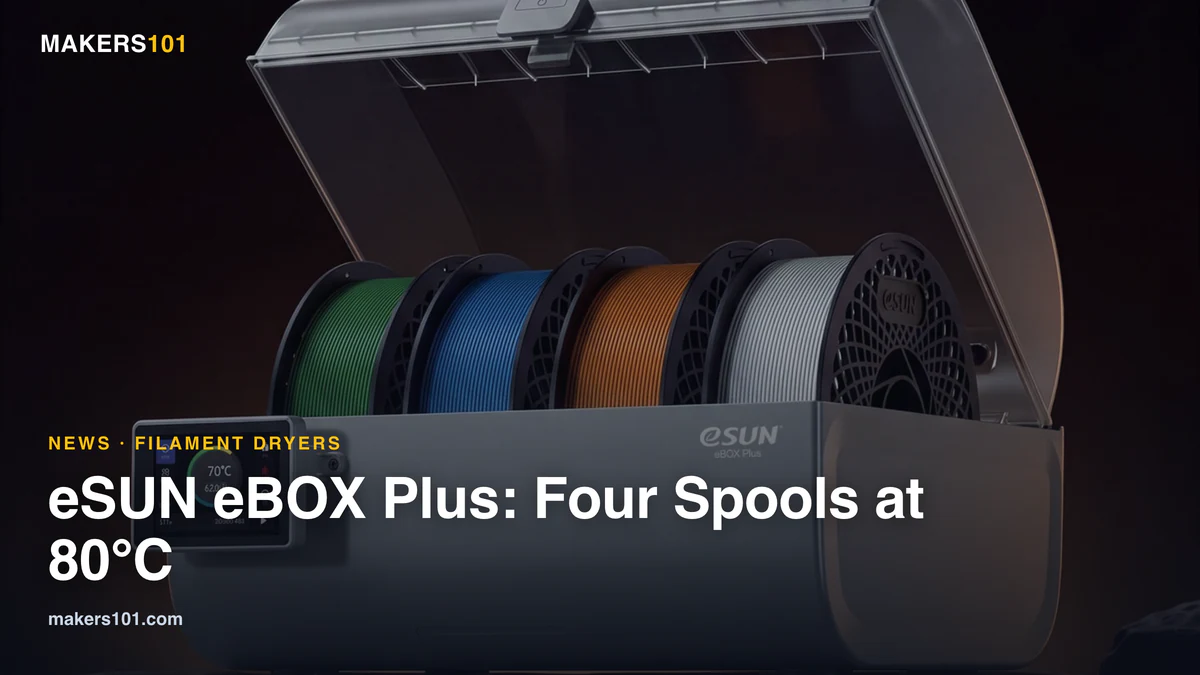
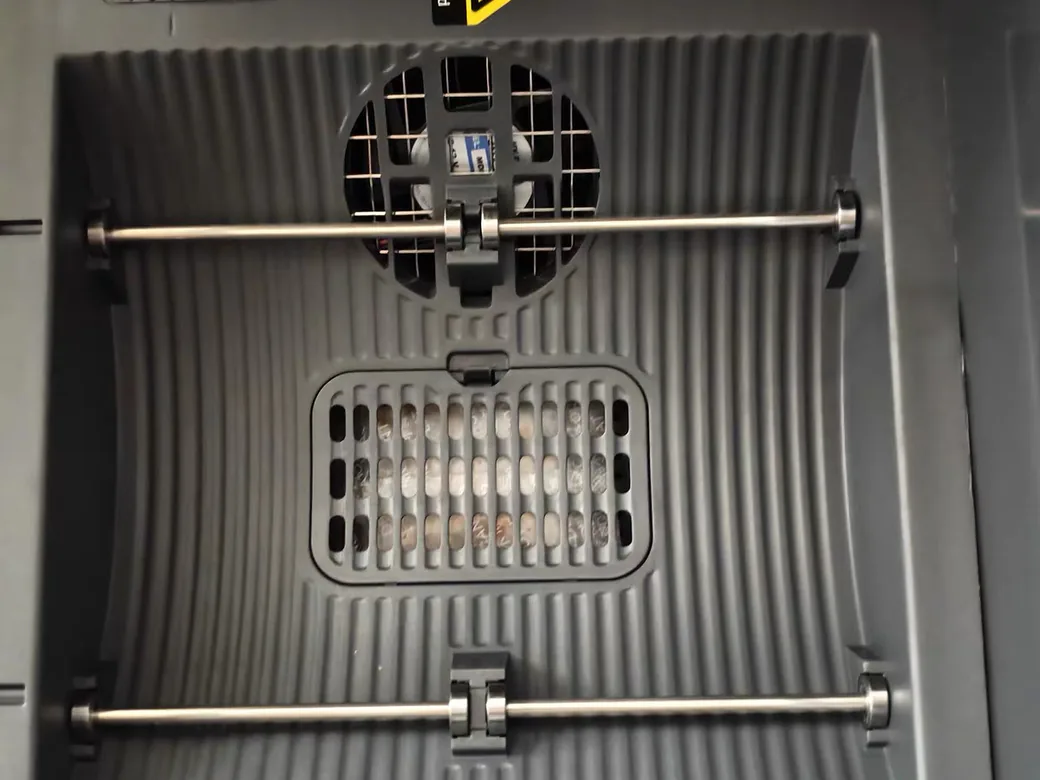
Inside, a PTC element and a trio of circulation fans push hot air through the chamber, topping out at 70°C. That ceiling matters, and we’ll get to why. The enclosure is polycarbonate and ABS, and the base is glass-fiber-reinforced polypropylene, so the housing shrugs off the heat it generates. If you need more headroom with the same four-spool layout, eSUN’s new eBOX Plus filament dryer is rated to 80°C, though it’s out of stock for now.
| Spec | SUNLU S4 |
|---|---|
| Capacity | 4 spools |
| Heater | ~330–350W PTC |
| Max temp | 70°C (158°F) |
| Airflow | 3 circulation fans |
| Dimensions | 458 × 218 × 312 mm |
| Noise | ~45 dB |
| Price (as of Jul 2026) | ~$100 (list ~$140) |
One note before you buy. SUNLU has since introduced a newer S4 Pro, and Amazon listings for the S4 line don’t all point to the same model. Check the exact version on the listing before you order so you get the one you actually want.

How Well Does It Actually Dry?
Drying is the part you can stop worrying about. In independent testing, the S4 pulls moisture fast and thoroughly.
The clearest number comes from My Tech Fun’s sponge test. A sponge dosed with 2ml of water went completely dry in 30 minutes at full heat. After an hour, its weight had dropped from 2.676 grams to 0.635 grams, meaning the S4 removed not just the added water but the sponge’s own residual moisture. For a chamber this size, that’s excellent.
Real filament tells the same story. Aurora Tech deliberately soaked PLA, PETG, and TPU to 85% humidity for a week, then printed them. The results were ugly: heavy stringing and blobs. After six hours at 50°C, print quality improved sharply. If your prints have suddenly turned stringy and rough, wet filament is usually the culprit, and the S4 fixes it. For a breakdown of how long each material needs, see our guide on how to dry and store filament.
Can the SUNLU S4 Dry Nylon? The 70°C Reality
Yes, but you’ll need patience. That 70°C ceiling is exactly what makes it possible. Most consumer dryers stop at 50°C, which is fine for everyday PLA and PETG. Nylon is another story.
In Aurora Tech’s testing, a roll of nylon that had absorbed garage humidity still printed poorly after six hours at the lower setting. Only after another six hours at full heat did the surface come out nearly flawless. That one result is the best argument for spending up on a dryer that clears the 50-degree wall at all. Below that mark, nylon and its composites simply don’t give up their moisture.
It’s also the safe way to do it. Using a kitchen oven for nylon risks off-gassing and wildly inconsistent temperatures. A sealed dryer holding steady, controlled heat is both safer and more repeatable. If you print engineering materials regularly, though, the dryer is only half the equation. The printer matters too, and a machine built for nylon and ABS will save you a lot of grief.
Where the SUNLU S4 Falls Short
No dryer is all upside, and the S4 has three trade-offs worth knowing before you commit.
It’s loud. My Tech Fun measured 45 dB from half a meter away, calling it the second-loudest dryer they’d tested. The noise is low-frequency rather than shrill, but in a quiet office or bedroom, you’ll hear it running.
The lid doesn’t seal. There’s no gasket, so the moment you cut power, the chamber is no longer airtight. That means the S4 dries filament well but can’t pull double duty as a passive dry box the way some sealed units can.
Heat isn’t perfectly even. A thermal camera showed roughly a 10°C difference between sides of the chamber, and readings ran near 80°C by the bottom fan versus about 68°C up top. Because the spools sit still, they develop hot and cool spots. It still dries, just not uniformly. On top of that, The Print House found the spring-loaded lid handles awkward to open, which is a small thing you’ll notice every single time.
Read This Before You Touch a Preset
Here’s the one rule that separates a happy S4 owner from an expensive mistake. Do not trust the presets blindly.
The Print House ran the S4’s PETG preset and watched it fuse four brand-new rolls of PETG into a single solid brick. That’s roughly $100 of filament straight into the bin, and other reviewers have reported similar thermal behavior. The preset simply pushed the chamber hotter than those particular rolls could take.
The fix is simple and worth the 30 seconds. Look up the drying temperature your specific filament brand recommends, then set the S4 five to ten degrees below the preset rather than trusting the built-in profile. When in doubt, start low. You can always dry longer, but you can’t un-melt a spool. Our filament drying temperature guide lists safe ranges by material so you’re not guessing.
How Do You Use the SUNLU S4?
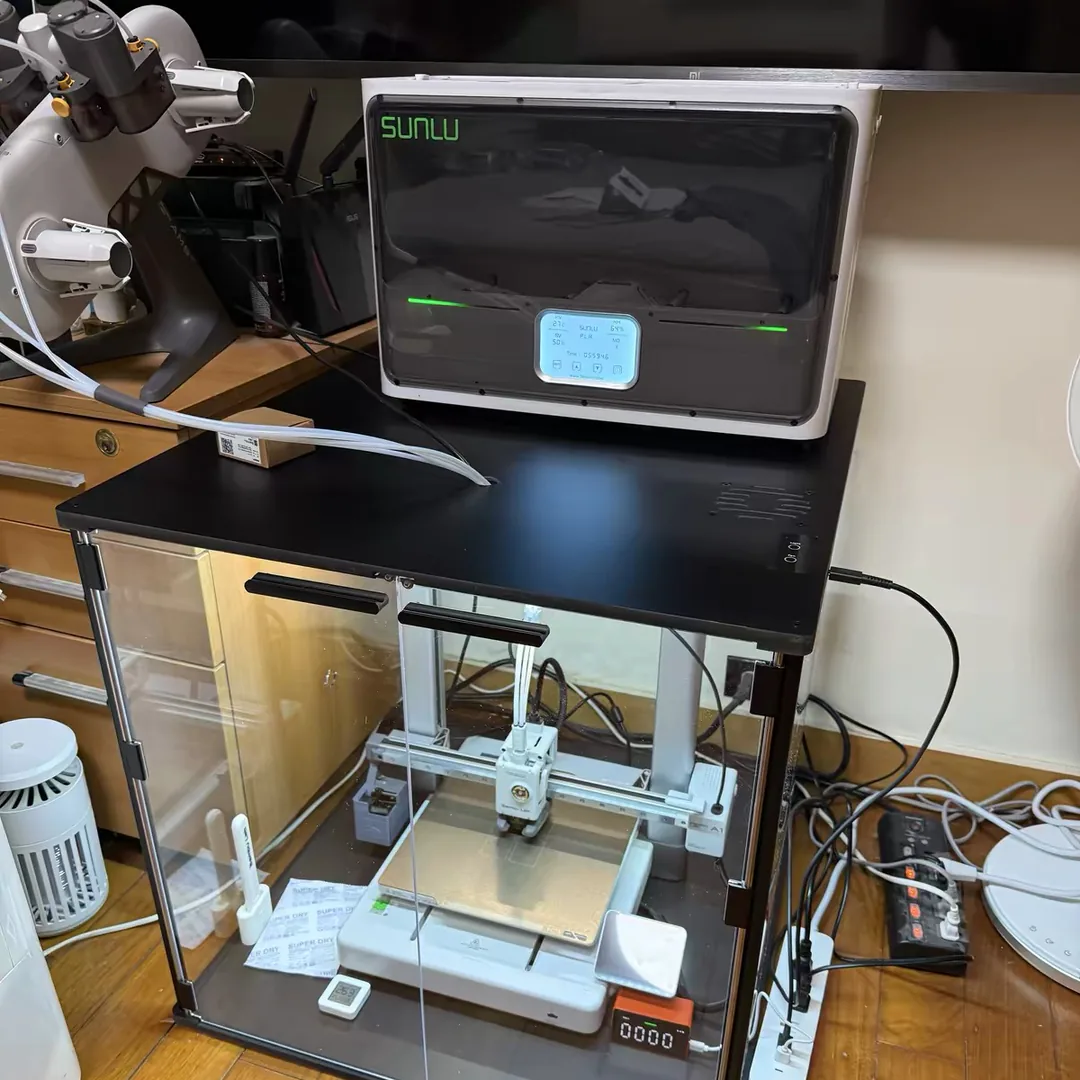
Running the S4 is straightforward once you get past the presets. You have two ways to start a job: pick a material profile, or set the temperature and time by hand. After the melting story above, manual is the safer habit. Punch in a temperature below what your filament can take, set a timer, and walk away.
The more useful trick is drying while you print. Each spool bay has side and top exit ports, and those ports run tangent to the spool to cut feeding friction. That means you can route filament straight from the dryer into a printer and keep it dry mid-print, which matters most for thirsty materials like TPU and nylon.
This is also how people pair the S4 with an AMS. Reviewers and Bambu owners feed PTFE tubes from the side ports into a Bambu AMS or A1 setup, so multi-color prints stay dry through long jobs. If you go this route, swapping in a wider 2.5mm tube (more on that below) keeps the feed smooth across four spools at once.
Storage Mode: Hands-Off Humidity Control
Beyond timed drying, the S4 has a storage mode that keeps filament dry on its own. It monitors chamber humidity, kicks the heater on when levels climb above 50%, and idles once the air drops back down. The goal is to hold your filament in a low-humidity state indefinitely without you babysitting it.
For long prints or long-term storage, that’s genuinely useful. The catch is that the thresholds are fixed. You can’t lower the target for hygroscopic materials like nylon or adjust the trigger point for a dry climate. In somewhere like California, the default 50% trigger might rarely fire at all. It’s a smart feature that stops one step short of being fully flexible.
SUNLU S4 vs S2 vs the Other Dryers
The S4 isn’t automatically the right SUNLU dryer for you. The smaller S2 makes more sense for a lot of setups.
| Dryer | Capacity | Power | Best for |
|---|---|---|---|
| SUNLU S4 | 4 spools | ~330–350W | Multi-printer, multi-color, high volume |
| SUNLU S2 | 1 spool | <50W | Single printer, quiet, budget |
| PolyDryer | 1 spool + boxes | Modular | Flexible storage + drying |
| Food dehydrator | 2–4 stacked | Varies | Cheapest DIY option |
The S2 sips power and stays quiet. It can dry while you print, too. For a single-printer setup, it’s the smarter buy. The S4’s much larger heater exists to serve four spools at once, so you’re paying for capacity you may not use.
Step outside SUNLU and the picture gets more interesting. In The Print House’s four-dryer roundup, the modular PolyDryer took first place for its separate dryer-and-storage-box design, with the S4 landing a solid second on capacity and value. If sealed storage is what you’re after, gasket-equipped units like the EIBOS line address the one thing the S4 can’t. And a modified food dehydrator remains the cheapest path if you don’t mind the noise and the guesswork. For the full field, see our filament dryer buying guide.
Mods That Make the S4 Better
The S4 responds well to a couple of cheap upgrades, and the community has done most of the work already.
First, the tubing. The bundled PTFE tubes are tight and can ship with a twist, which adds friction and fights multi-color feeding. Swapping to a looser 2.5mm inner-diameter PTFE tube reduces drag and keeps filament feeding cleanly.
Second, even drying. Because the spools don’t rotate, one maker (Fred M) designed a free 3D-printed spool rotator that turns each roll slowly so hot air reaches every layer. He estimates it trims drying time, though he’s careful to note it isn’t scientifically measured. If you build one, print the parts in ASA or polycarbonate, not PLA. PLA starts to soften right around the S4’s operating temperature, so a PLA gearbox won’t survive its own dryer.

Who Should Buy the SUNLU S4 (and Who Shouldn’t)
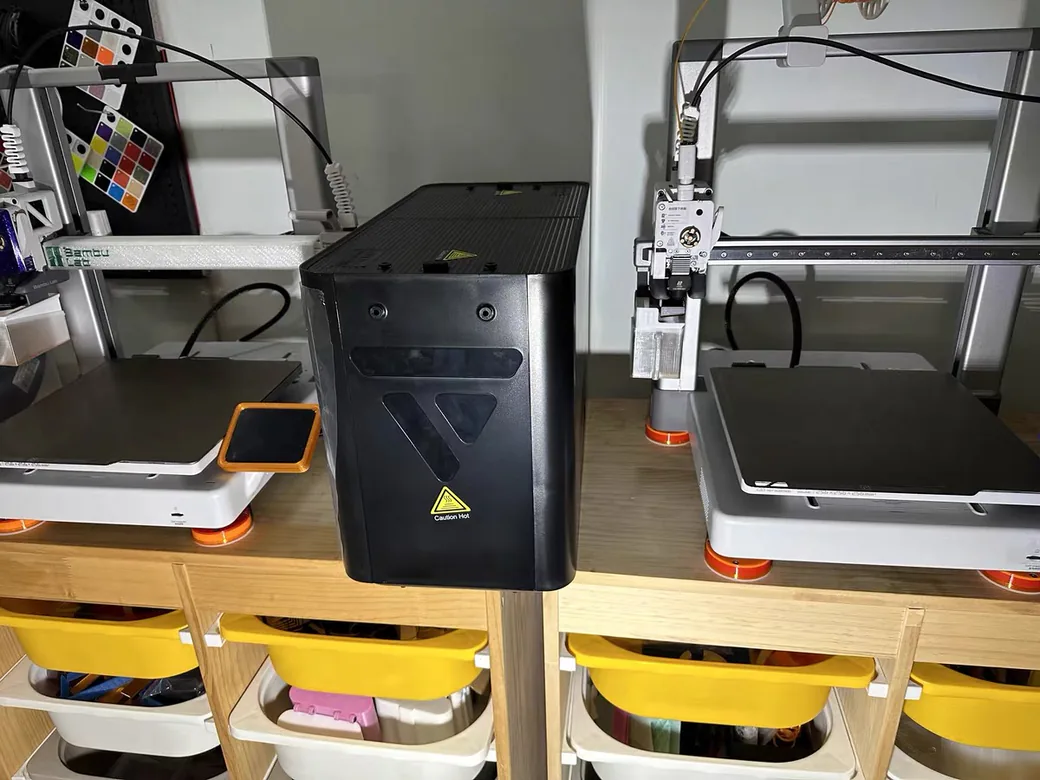
Buy it if you run multiple printers, print in multiple colors, or dry filament in volume. The four-spool capacity and high heat ceiling make it a real time-saver if you regularly run nylon and PETG across several machines. For what it costs, it earns a spot on a busy bench.
Skip it if you have one printer, value a quiet room, or want a dryer that seals for storage when it’s off. In that case the S2 or a modular option will serve you better for less money and less noise.
Final Verdict
The SUNLU S4 is a strong four-spool dryer held back by a couple of rough edges and one genuine hazard. It dries fast, reaches nylon temperatures, and manages humidity on its own. It’s also noisy and it won’t seal. Worse, it will happily cook your filament if you trust the presets without checking. If I were setting up a farm bench today, I’d buy it, then immediately ignore the presets and dial temperatures in by hand.
Score: 4 / 5
Frequently Asked Questions: SUNLU S4 Filament Dryer
What is the maximum temperature of the SUNLU S4? The S4 reaches 70°C (158°F), higher than the 50°C ceiling on many consumer dryers. That headroom is what lets it dry nylon.
Can the SUNLU S4 dry nylon? Yes. In testing, nylon needed the full heat for around six hours to print cleanly, since 50°C alone wasn’t enough. Budget extra time compared to PLA or PETG.
How do I use the SUNLU S4 and what settings should I use? Pick a filament preset or set temperature and time manually. Treat the presets as a starting point, not gospel: look up your filament’s recommended drying temperature and dial it back below the profile to avoid overheating.
SUNLU S4 vs S2: which should I buy? Choose the S2 for a single printer, quiet operation, and lower cost. Choose the S4 if you need to dry multiple spools at once for multi-color printing or a print farm.
Is the SUNLU S4 noisy? Yes, somewhat. Reviewers measured around 45 dB, making it one of the louder dryers. The noise is low-frequency but noticeable in a quiet room.
Is there a SUNLU S4 Pro? SUNLU has released a newer Pro version of the S4. Because listings vary, confirm the exact model on the product page before ordering.
Can I use the S4 as a sealed dry box when it’s off? No. Without a rubber seal on the lid, the chamber leaks the moment you unplug it. It’s a dryer, not a passive storage box.
CERTAIN CONTENT THAT APPEARS ON THIS SITE COMES FROM AMAZON. THIS CONTENT IS PROVIDED ‘AS IS’ AND IS SUBJECT TO CHANGE OR REMOVAL AT ANY TIME.
Price details
Product prices and availability are accurate as of the date/time indicated and are subject to change. Any price and availability information displayed on Amazon.com at the time of purchase will apply to the purchase of this product.