
I earn a commission if you buy through links on this page, at no extra cost to you. As an Amazon Associate, I earn from qualifying purchases.
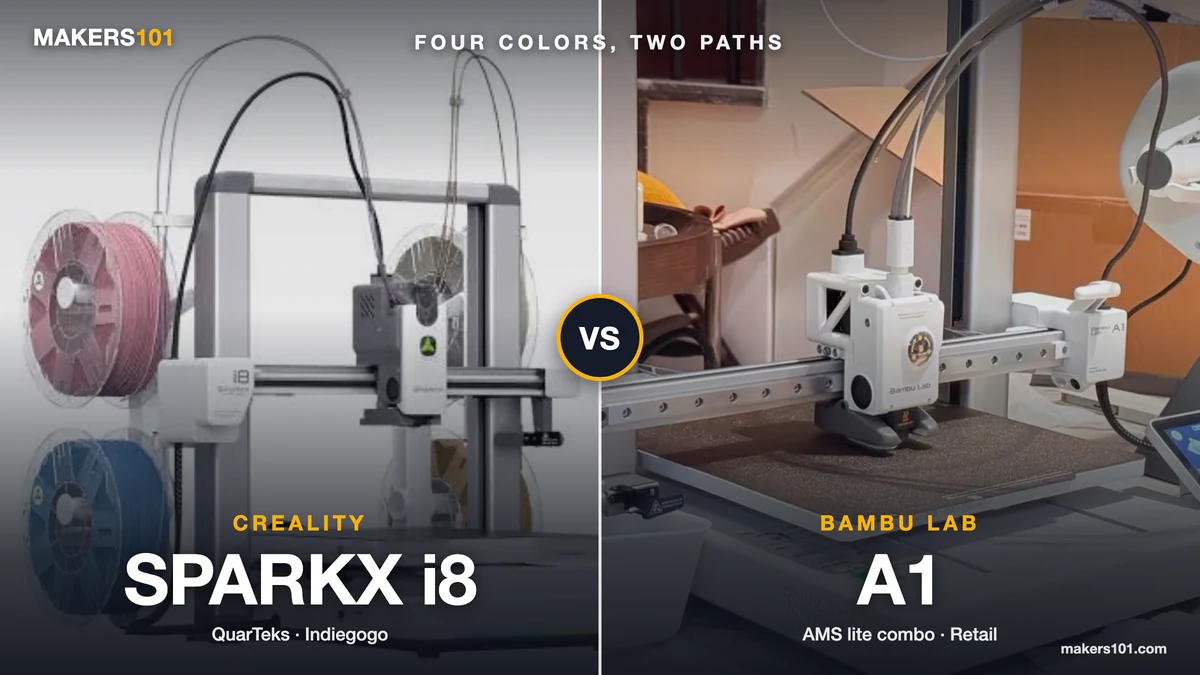
If you are comparing the SparkX i8 vs Bambu A1, you are probably trying to solve two problems at once: colorful prints and the hassle that comes with making them. One machine puts four filament channels inside a single printhead. The other pairs a familiar printer with an external AMS lite.
No one has tested a retail i8 against an A1 with matched settings yet, so the i8 numbers below are Creality’s claims or early reviewer footage.
Table of Contents
- SparkX i8 vs Bambu A1 at a Glance
- SparkX i8 QuarTeks vs Bambu A1 AMS lite: How Color Changes Work
- SparkX i8 vs Bambu A1: Purge Waste and Total Print Time
- SparkX i8 vs Bambu A1: Print Quality and Everyday Use
- SparkX i8 vs Bambu A1: Materials and Maintenance
- SparkX i8 vs Bambu A1: Purchase Cost and Delivery
- SparkX i8 or Bambu A1: Which Setup Fits Your Prints?
- FAQ: SparkX i8 vs Bambu A1
- Sources and Testing Boundaries
SparkX i8 vs Bambu A1 at a Glance
| Decision point | Creality SPARKX i8 | Bambu Lab A1 + AMS lite |
|---|---|---|
| Multicolor method | Four channels inside one hotend and shared nozzle | External AMS lite feeds the A1 |
| Four-color hardware | Built into the standard i8 configuration | Included with the Combo bundle |
| i8 build volume | 260 × 260 × 255 mm | — |
| A1 build volume | — | 256 × 256 × 256 mm |
| Frame | Open-frame bedslinger | Open-frame bedslinger |
| Maximum hotend / bed | 300°C / 100°C | 300°C / 100°C |
| Claimed maximum speed | 500 mm/s | 500 mm/s claimed maximum |
| Purchase status | Crowdfunding allocation requires checking | In stock at retail ($419 on Amazon, Oct 4, 2026) |
The A1 printer by itself is a different budget decision from the A1 Combo. On its own, it’s single-color. The i8’s standard configuration is intended to switch among four loaded colors. “Base model” and “Combo” are therefore not interchangeable labels.

SparkX i8 QuarTeks vs Bambu A1 AMS lite: How Color Changes Work
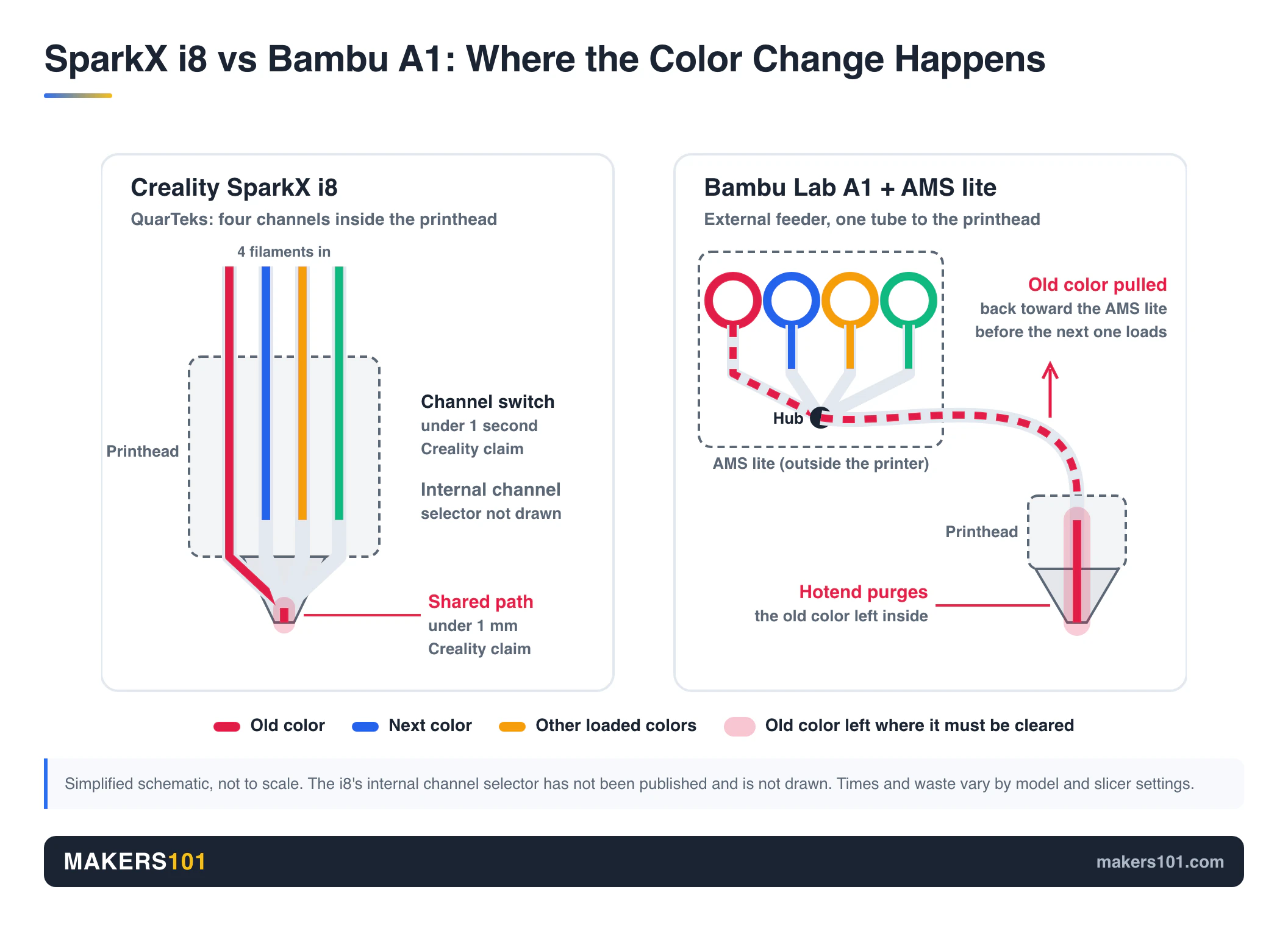
The i8 keeps four filament channels close to one shared nozzle. The A1 with AMS lite moves filament through an external material system. Both can produce four-color prints, but they place complexity in different locations.
SparkX i8: Four Channels Through One Hotend and Nozzle
QuarTeks works like a four-color ballpoint pen. Four channels run into one hotend, and an internal mechanism picks the one that prints. Creality puts the shared path under 1 mm and the channel switch under one second.
Faster switching doesn’t make the whole print five times faster. Layer changes and travel still take time, and transitions may still need cleaning. The gain should be largest on models that change color often.
The i8 is still one nozzle. One temperature, too. Mixing PLA with TPU in one print hits the same limits as on any single-nozzle printer. The short shared path may cut color contamination, but it doesn’t solve that.
Bambu A1: External Feeding Through AMS lite
Bambu bundles AMS lite with the A1 Combo. In this setup, the AMS selects a spool and feeds it toward the A1’s printhead. Bambu’s software workflow is part of the product decision because the printer and Bambu’s software are designed to work together.
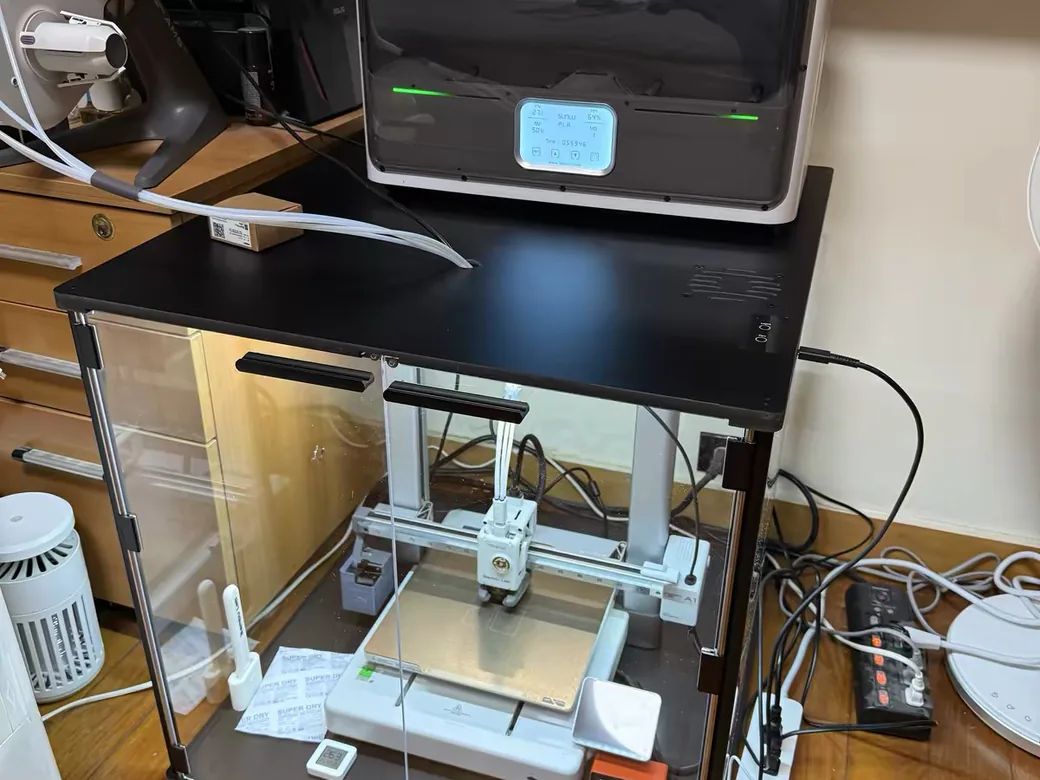
The external approach has visible trade-offs. The AMS lite and its four spools need their own spot on the desk. You also have another feeder system to load and maintain. In exchange, the A1’s printer-side workflow remains familiar to a large existing user base.
Bambu’s A1-series firmware announcement added support for AMS, AMS 2 Pro, and AMS HT through an A1-specific hub. That announcement says AMS lite cannot be mixed with those systems. Here, “A1” means the A1 Combo with AMS lite. The bigger AMS units are a separate upgrade.
SparkX i8 vs Bambu A1: Purge Waste and Total Print Time
A faster switch helps, but no one has shown the i8 beating the A1 on time or waste for every model. Switching is only one slice of a print’s total time.
SparkX i8 Low-Waste Claims and Prime-Tower Conditions
Creality says many i8 prints can avoid a prime tower by directing transition material into infill. Its store page describes “0” external purge waste under a specific test condition. A model can still need startup cleaning or a small transition.
BuildDanielBuild’s review still shows startup cleaning and a tower in the demo prints. “Zero waste” comes with conditions.
Creality’s yearly savings examples depend on how many color changes your models have and how much you print. Run your own print volume through the math before counting on them.
Bambu A1 Print Time Depends on the Model and Color Changes
An A1 with AMS lite can also spend substantial time swapping and purging filament during frequent color changes. Waste shows up as purge scraps or a tower. The amount changes with the model and slicer settings.
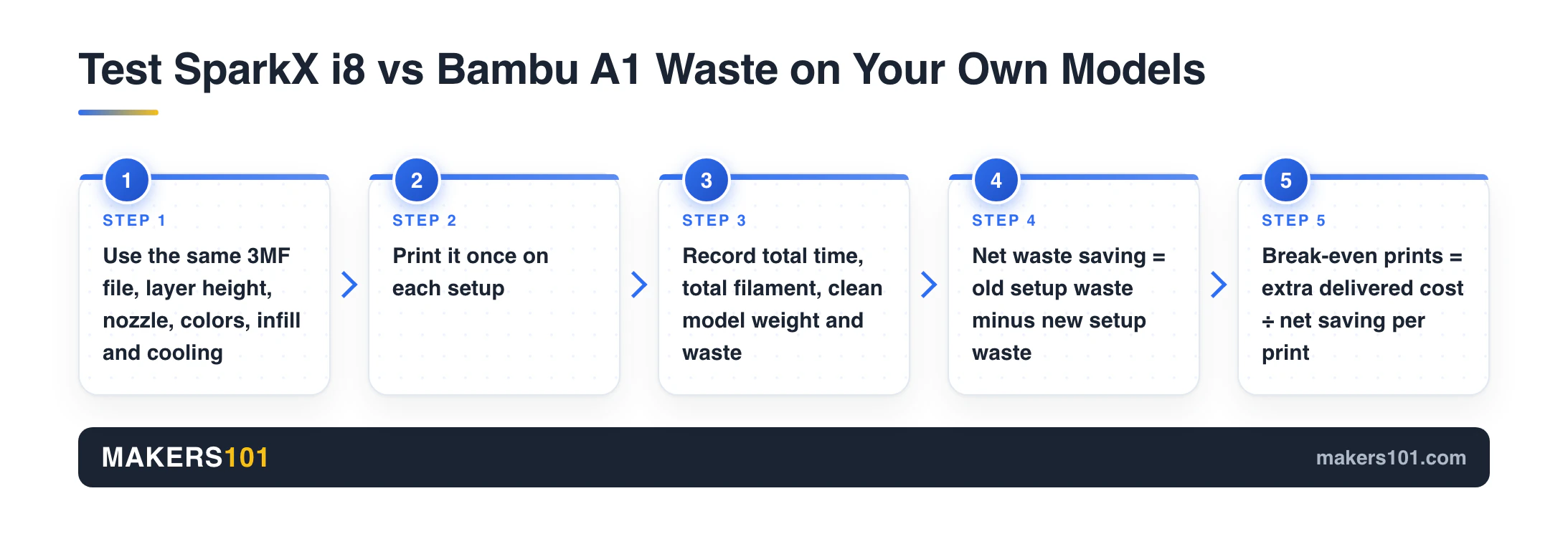
For a fair comparison, print the same 3MF file with identical settings on both. Weigh the clean model and the waste, and note the total time.
Our guide to Bambu AMS filament waste options covers ways to cut it on the A1.
SparkX i8 vs Bambu A1: Print Quality and Everyday Use
No one has published matched prints from both machines yet, so this section covers what each one does well.
SparkX i8: Color Boundaries and Early Hardware
BuildDanielBuild got clean color separation in a small multicolor boat, with slight stringing on white filament. Both he and Main Cave used pre-retail units, and Main Cave noted that software and hardware could still change.
One demo was a “flexi” model, which means it has moving joints, not that it was printed in TPU. No one has shown TPU running through the i8’s color channels yet.
Bambu A1: Software Integration and Setup
3D Print Dood praised how Bambu’s software and the printer work together. The reviewer also liked the sharp details and the easy setup.
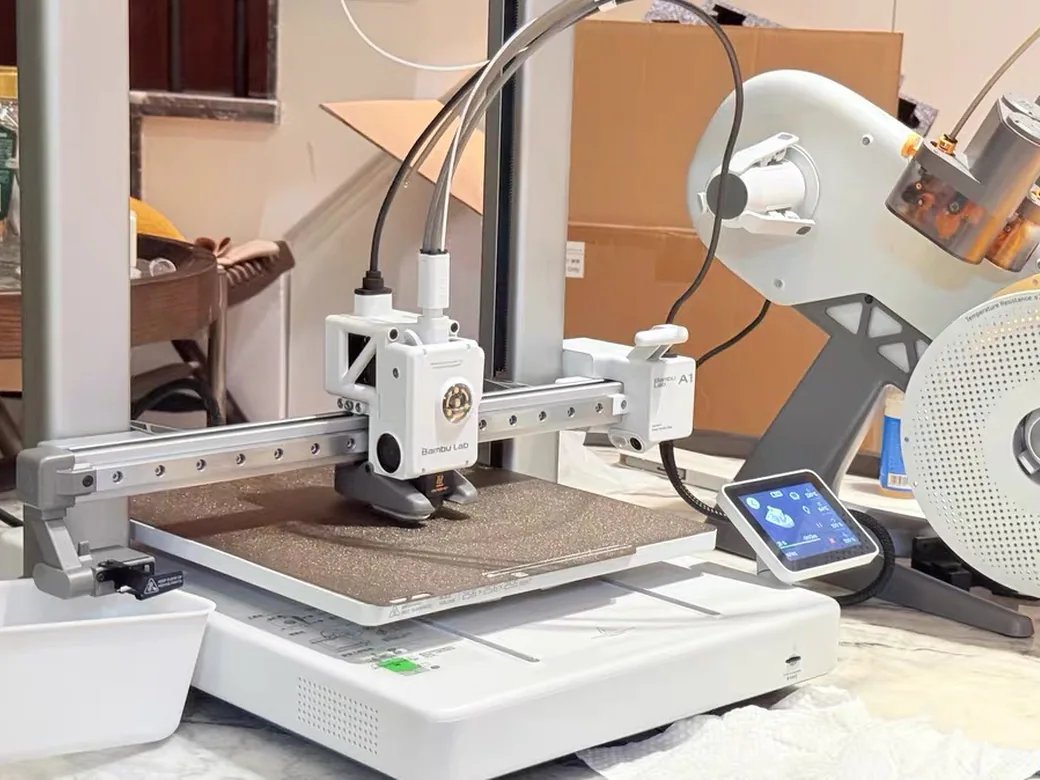
The open frame creates a practical limitation. Dust matters in a home workspace, and so does the room the printer and AMS lite take up. If you already use Bambu Studio or own an A1, that existing workflow has real value. If you are starting fresh, compare how each one handles slicing and troubleshooting too.
SparkX i8 vs Bambu A1: Materials and Maintenance
A 300°C hotend rating doesn’t make an open bedslinger suitable for every engineering filament. Check the filament path and your space before buying either one for a specific material.
The i8 keeps the four-color mechanism in the printhead, which saves an external color-management frame. It also concentrates more switching hardware near the hotend. Creality pitches quick hotend replacement and channel monitoring as maintenance advantages. Long-term data doesn’t exist yet.
The A1 and AMS lite spread the material system across the printer and external feeder. That makes the setup more visible on a desk, but can make the failure location easier to identify. If you add other AMS models later, follow the current A1 hub and firmware requirements.
Both machines are open-frame designs. For PLA-focused color work, that may be exactly what you want. For materials that need controlled chamber conditions, these are the wrong comparison category.
Wet filament is a common cause of stringing on any printer. Our how to dry and store filament guide covers the fix before you blame the machine.

SparkX i8 vs Bambu A1: Purchase Cost and Delivery
Compare complete, deliverable configurations and the prints you expect to make before calling either printer cheaper. The i8’s crowdfunding rewards and the A1’s retail bundles are different purchase types.
The i8 is still a crowdfunding buy. Shipping costs and delivery dates can change, so the pledge price isn’t the final cost.
The A1 Combo with AMS lite was $419 on Amazon on October 4, 2026. It ships now.
- Material cost per print = total filament grams ÷ 1,000 × price per kilogram.
- Net waste saving = old setup waste minus new setup waste for the same model.
- Break-even prints = extra delivered cost ÷ net saving per print.
Plug those values into the 3D printing cost calculator. If you rarely print multicolor models, a theoretical waste saving may never recover a higher purchase price.
SparkX i8 or Bambu A1: Which Setup Fits Your Prints?
SparkX i8 for Frequent Four-Color Prints
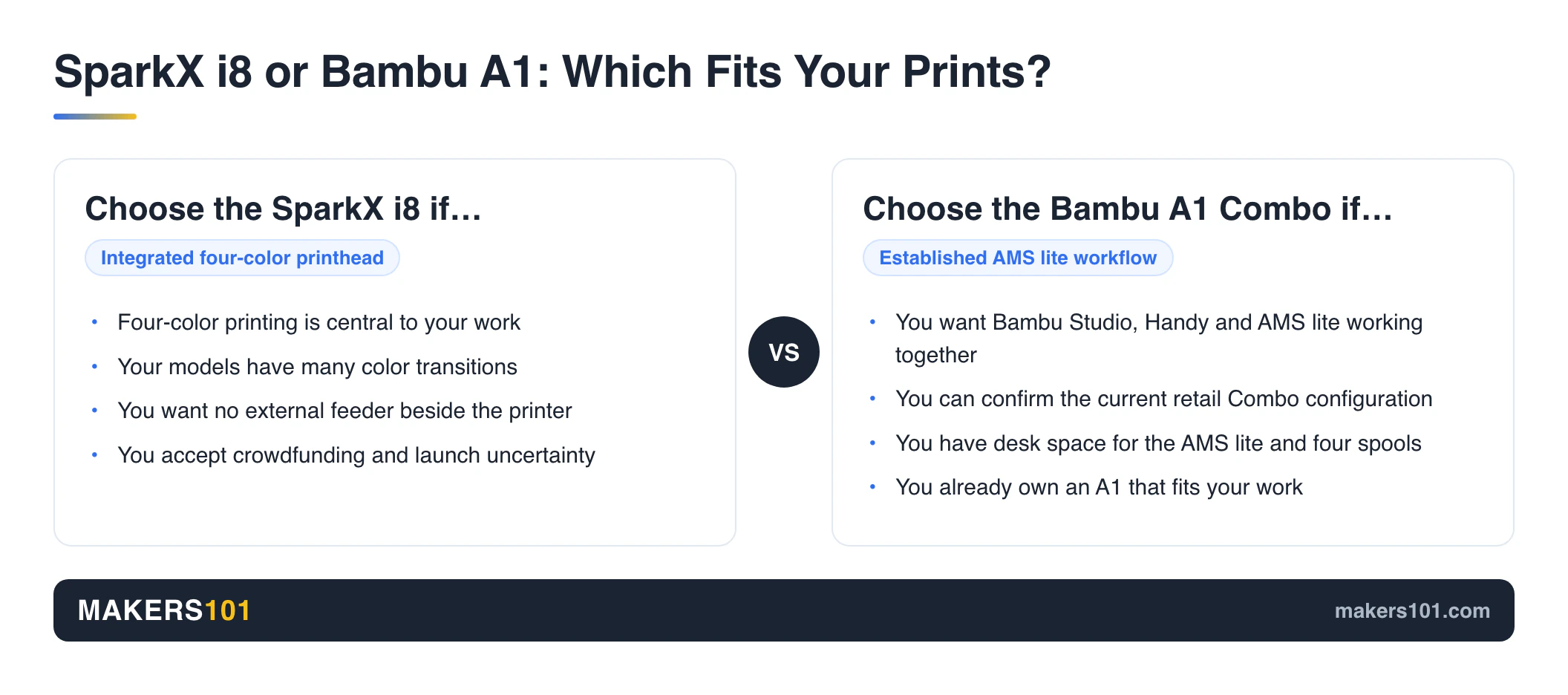
Choose the i8 when four-color printing is central to your work and you value an integrated color system. It makes the most sense for models with lots of color changes, and for buyers who can live with launch uncertainty.

Bambu A1 for Buyers Prioritizing Its Existing Workflow
Choose the A1 Combo when you want the established Bambu software and AMS lite workflow, and you can confirm the current retail configuration. It suits buyers who value a known ecosystem and app-to-printer handoff. The external AMS footprint is part of that convenience.
SparkX i8 vs Keeping an A1 You Already Own
A “zero waste” headline isn’t a reason to upgrade. Measure two or three models with many color changes on your A1. Then compare its real time and waste with i8 results once retail units ship. Keep the A1 until the i8 proves it solves a problem you actually have.
FAQ: SparkX i8 vs Bambu A1
Does the SparkX i8 Need CFS Lite for Four-Color Printing?
No. Creality describes the i8’s four-channel color system as part of the printhead. CFS Lite is an optional material-management package, so price it separately from the base four-color capability.
Does the SparkX i8 Really Produce Zero Waste?
Creality reports zero external purge waste for selected conditions. That does not mean every model creates no transition material. Startup cleaning and model-specific settings still matter.
Does the Bambu A1 Need AMS lite for Multicolor Printing?
Yes. The A1 printer alone is a single-color setup. The Combo includes AMS lite.
Other AMS units need an A1-specific hub and compatible firmware, and Bambu says they can’t be mixed with AMS lite.

Can the SparkX i8 and Bambu A1 Print TPU Through Their Color Systems?
No one has shown TPU running through the i8’s color channels yet, and a 300°C hotend rating doesn’t settle it. Check each manufacturer’s current filament guidance for the feed path before loading TPU.
What Is the Lifespan of a Bambu A1 Printer?
There is no honest fixed number. It depends mostly on print hours and how well you keep up with cleaning and worn parts. Treat lifespan as a maintenance question, then check spare-part availability and support in your region.
Is the SparkX i8 Worth Buying If You Already Own a Bambu A1?
Only if frequent multicolor work makes the i8’s integrated feed path valuable enough to justify its delivered cost and launch risk. Compare your own models first. A reliable A1 that fits your workflow can remain the better decision until i8 retail testing expands.
Join the Makers101 newsletter for future comparison updates.
Sources and Testing Boundaries
Show all 8 sources
Nik owns and uses a Bambu A1. No retail i8 was available to test at publication.
CERTAIN CONTENT THAT APPEARS ON THIS SITE COMES FROM AMAZON. THIS CONTENT IS PROVIDED ‘AS IS’ AND IS SUBJECT TO CHANGE OR REMOVAL AT ANY TIME.
Price details
Product prices and availability are accurate as of the date/time indicated and are subject to change. Any price and availability information displayed on Amazon.com at the time of purchase will apply to the purchase of this product.