
Heads up — some of the links below are affiliate links. If you buy through them, I earn a small commission (at no extra cost to you), which helps cover the gear I test. Thanks!
The build volume is nearly identical, but the workflows are not. The real choice is how each machine handles color changes, materials, drying, and daily setup.
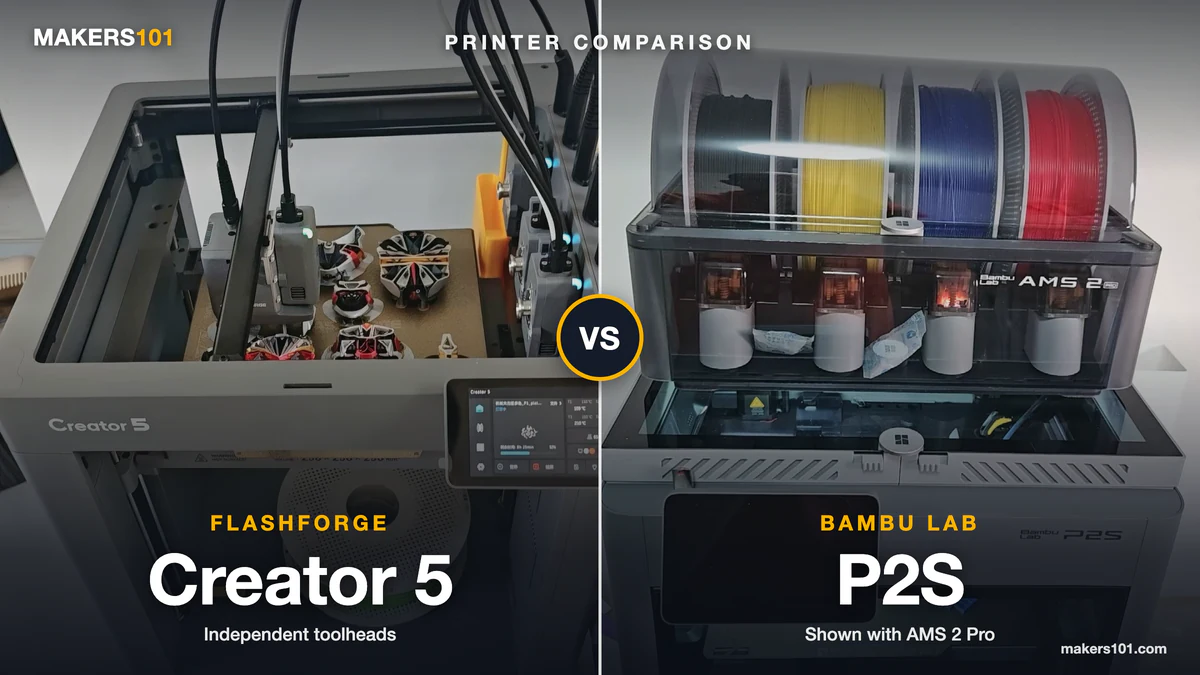
This Flashforge Creator 5 vs Bambu Lab P2S comparison focuses on that practical difference rather than treating headline speed as the whole buying decision. The cover photo shows the standard Creator 5 view; use the open-frame specification below as the deciding evidence instead of reading an enclosure into the image.
The Creator 5 uses four independent toolheads. The P2S uses one nozzle, with AMS 2 Pro added for automatic multi-color printing. That difference matters more than a speed number printed on a product page.
This is a research-based comparison of official specifications, current US listings, and attributed reviewer reports. Makers101 has not run a controlled head-to-head test of these two printers. Official specification means a manufacturer or store claim.
Reviewer observation means a reported test on a separate unit. Owner report means one person’s experience. None of those categories is a controlled failure rate. The recommendations below are buying guidance, with the evidence limits kept visible.
- Choose the Creator 5 standard when frequent four-color or mixed-material prints matter more than automatic loading and drying.
- Choose the P2S printer when you want the lower entry price and are happy to load filament yourself.
- Choose the P2S Combo when you want the enclosed P2S workflow plus AMS 2 Pro loading, storage, and drying.
- For ordinary single-color PLA or PETG, the P2S is the calmer daily machine. The Creator 5 earns its extra complexity when you use the four toolheads.
- The standard Creator 5 is open-frame. Do not transfer Creator 5 Pro enclosure or heated-chamber claims to it.
- Neither “near-zero purge” nor “600 mm/s” predicts your own print. Your color-change count, material list, and tolerance for manual setup matter more.
Table of Contents
- Flashforge Creator 5 vs Bambu Lab P2S at a Glance
- Creator 5 Toolheads vs P2S AMS: Color Changes, Print Time, and Waste
- Creator 5 vs P2S for PLA, PETG, TPU, and Enclosed Printing
- Creator 5 vs P2S Print Quality and Reliability: What Reviewers Observed
- Creator 5 vs P2S Daily Use: Loading, Software, Drying, and Maintenance
- Creator 5 vs P2S Ownership Cost: Compare the Complete Setup
- Who Should Buy the Creator 5 or the Bambu Lab P2S?
- FAQ: Flashforge Creator 5 vs Bambu Lab P2S
Flashforge Creator 5 vs Bambu Lab P2S at a Glance
The Creator 5 and P2S have the same nominal build volume, but they are built around different workflows. The table below separates the P2S printer from the P2S Combo because AMS 2 Pro is an additional configuration.
| Feature | Creator 5 standard | P2S printer | P2S Combo |
|---|---|---|---|
| Multi-color method | Four independent toolheads | Single nozzle; add AMS separately | Single nozzle with AMS 2 Pro |
| Build volume | 256 × 256 × 256 mm | 256 × 256 × 256 mm | 256 × 256 × 256 mm |
| Frame | Open frame | Fully enclosed | Fully enclosed |
| Filament handling | Manual external loading | Manual unless expanded | Automatic AMS loading |
| Drying | No integrated AMS dryer | Not included | AMS 2 Pro drying |
| US listing snapshot | $699 Flashforge direct | $549 Bambu direct | $749 Bambu direct; retailer prices may differ |
| Immediately available colors | Up to four toolheads | Depends on added AMS | Four AMS slots before expansion |
These are separate configurations, so compare them honestly. The Creator 5 standard is $699 on the Flashforge US listing. The P2S is $549 on the Bambu US listing, while the P2S Combo is $749 there. Retailer and Amazon prices can differ, and tax, shipping, coupons, and final checkout terms can change.
For a multi-color workflow, the relevant comparison is Creator 5 standard versus P2S Combo. For a lower-cost single-printer setup, compare Creator 5 standard versus the standalone P2S.
- A Smarter Approach to Multi-Material Printing: Every color change shouldn’t come with a pile of wasted filament. Creator 5 takes a smarter route…
- 7 Seconds Tool Changer System: Traditional filament changers can spend more time purging than printing. The FlashSwap system keeps four toolheads…
- Support Mixed-Material Printing: The Creator 5 allows you to combine model materials with PETG, PVA, and BVOH supports for improved print stability…
- High-Speed Printing Without the Artifacts: Combines high-speed motion with intelligent vibration cancellation to preserve print quality at every…
- Calibrated for Flawless Multi-Toolhead Printing: Advanced compensation algorithms keep every toolhead perfectly synchronized, suppress vibrations…

- High-Speed Precision: The Bambu Lab P2S 3D printer prints up to 600 mm/s while maintaining exceptional accuracy. With the PMSM Servo Extruder and…
- Ready to Print in 15 Minutes: Set up your P2S FDM 3D printer and start printing in just 15 minutes. With AI failure detection, quick-swap nozzles, and…
- Effortless Multi-Color Printing: The AMS 2 Pro enables seamless multi-color/multi-material 3D printing. It features built-in filament drying at up to…
- Smart Airflow for Any Filament: The Adaptive Airflow System automatically balances cooling and heat retention—keeping overhangs crisp with cool air…
- Limitless Creativity, Seamless Workflow: Explore over one million 3D models on MakerWorld and bring them to life with a smooth, unified workflow using…
Creator 5 Toolheads vs P2S AMS: Color Changes, Print Time, and Waste
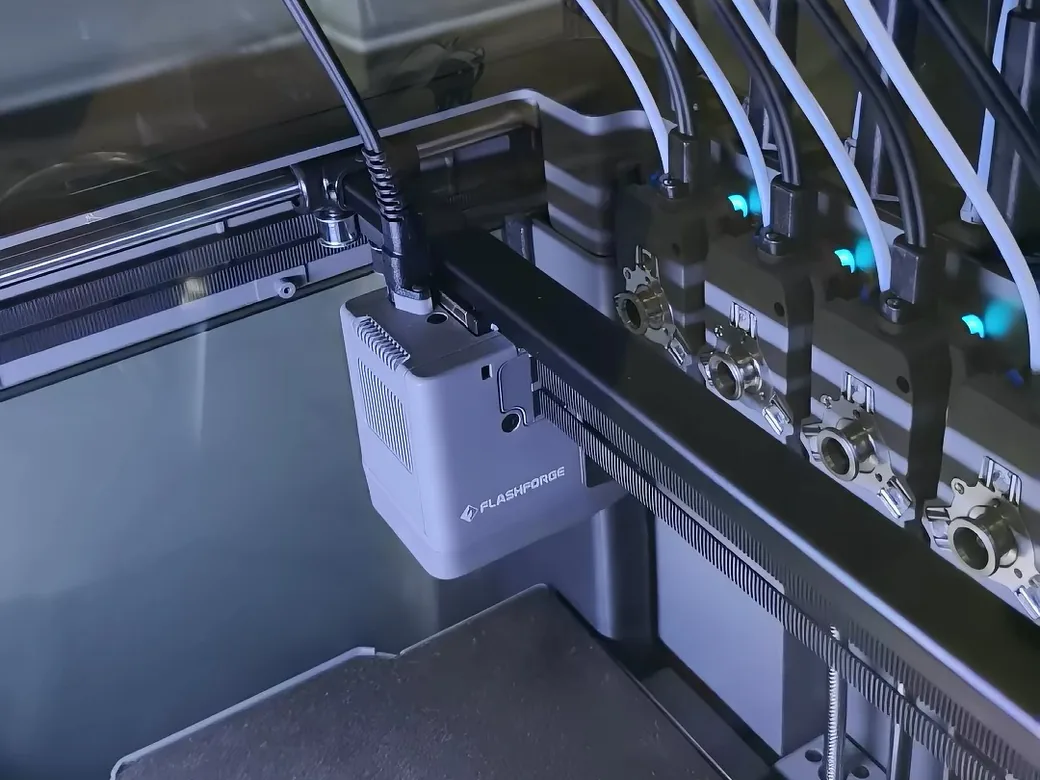
Frequent, small color changes are where the Creator 5 has its clearest design advantage. Each toolhead can hold a different material, so the printer changes tools instead of repeatedly pushing one nozzle through a long purge routine. The P2S sends different materials through one hotend, so an AMS workflow normally includes flushing and waste management.
That does not make the Creator 5 waste-free. Reviewers report that it can still need priming, a prime tower, a brim, or a revised tower setting. Aurora Tech also described a multi-material tower failure when PLA and PETG were mixed without the right outer-wall setting. This points to software and material-interface limits. It does not erase the tool-changing advantage.
The P2S has a different strength: it can scale beyond four immediately available colors when you add more AMS hardware. Bambu’s P2S listing and FAQ support up to four AMS 2 Pro units and four AMS HT units, for 20 slots in the maximum configuration. That is an expansion path, not what arrives in the standard P2S box.
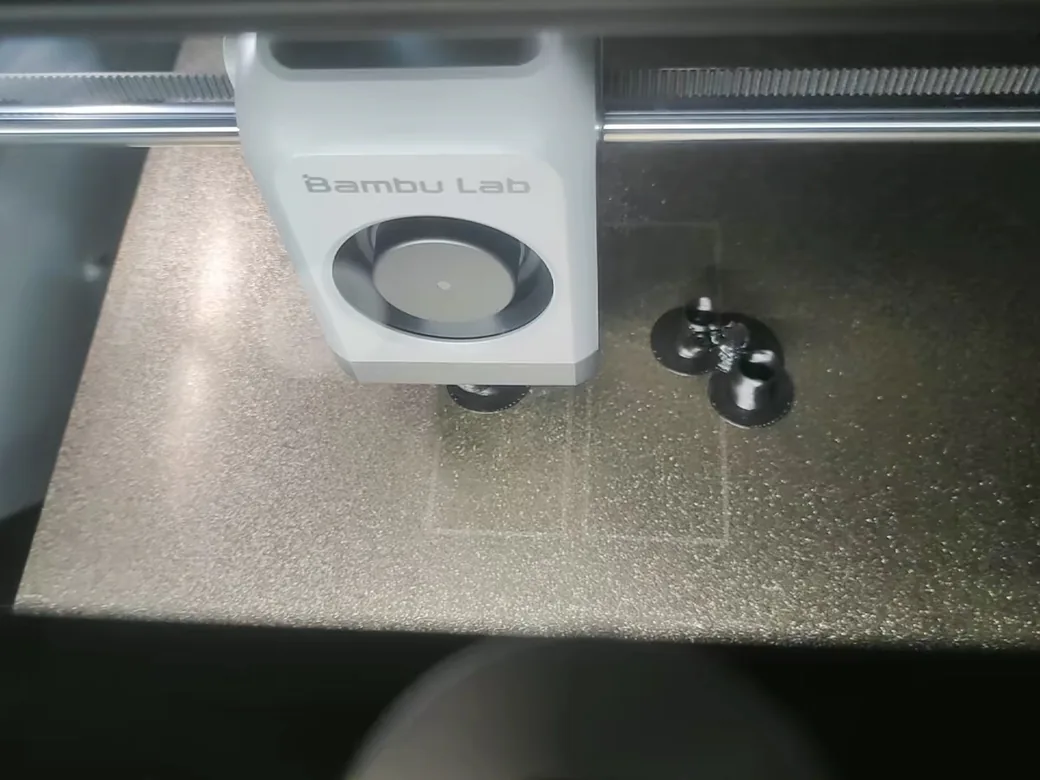
Do not compare the advertised speed figures as if they were controlled print results. Flashforge lists 600 mm/s as maximum travel speed and 300 mm/s as maximum print speed. Actual time depends on layer height, volumetric flow, acceleration, support, color layout, and how often a model changes materials.
For your own comparison, use the same STL, layer height, nozzle size, materials, and color layout in both slicers. Record model weight, purge or tower weight, estimated time, and the number of changes. Keep sliced estimates separate from physical prints.
A colorful figurine with hundreds of small changes is a better test of the architecture than a vase with one color boundary.
Reduce Bambu AMS purge waste with these settings before treating AMS waste as a fixed number. Bambu Studio settings can change the result substantially.
Creator 5 vs P2S for PLA, PETG, TPU, and Enclosed Printing
The P2S is the safer default when you want an enclosed machine for a broad mix of materials. The Creator 5 standard is more flexible when you want several materials available at once, but its open frame limits the base model’s use with materials that benefit from a controlled chamber.
The distinction between Creator 5 and Creator 5 Pro matters here. A Pro enclosure or chamber specification cannot be transferred to the $699 standard printer. The P2S is enclosed, yet Bambu’s FAQ says it does not have an active chamber-heating function.
Its Adaptive Airflow System retains and manages heat inside the enclosed chamber; it is not the same as an actively heated chamber.
Creator 5 reviewers have shown useful mixed-material possibilities, including TPU with rigid support materials. They also reported that PLA and PETG interfaces, tower settings, and adhesion can decide whether a print finishes cleanly.
P2S reviewers have reported successful PETG, ABS, and ASA work, with PC warping and nylon benefiting from a brim. Those are observations from separate tests. They do not form a controlled matchup.
Filament compatibility also has a practical side. External spools are easy to understand, but they expose moisture-sensitive materials to the room. AMS 2 Pro adds storage and drying, which is valuable for users who regularly print PETG, nylon, or other hygroscopic materials.
Read the manufacturer’s compatibility table before putting flexible filament into an automated feeder.
Dry and store 3D printer filament before blaming either printer for wet-material defects.
Creator 5 vs P2S Print Quality and Reliability: What Reviewers Observed
The available evidence does not justify a universal print-quality winner. It does show the kinds of problems you should inspect before buying.
Aurora Tech reported roughly 3,000 tool changes without a tool-change-related failure in its test sample, then also described first-layer, input-shaper, and slicer issues on that machine. Another reviewer reported several hundred hours without a mechanical failure.
A separate owner said that after roughly 200 hours, they experienced surface artifacts, software connection trouble, loading frustration, and failed prints before returning the machine. These reports are not a statistical failure rate. They are different user experiences with different units, firmware, expectations, and settings.
The P2S has a stronger long-term usage signal in the notes reviewed for this article. One reviewer described more than 500 hours on a P2S and praised its quick-swap nozzle system. Another reported a successful first Benchy and 50 hours of PLA printing without issues.
A different review found that the P2S’s AI detection could miss or falsely report problems. Useful automation still needs supervision.
The fairest conclusion is conditional. Creator 5 evidence shows an impressive tool-changing concept with software and early-unit questions worth checking. P2S evidence shows a mature daily workflow with automation that can still misdiagnose a failure. Neither set of reports proves the failure rate for every owner.
Creator 5 vs P2S Daily Use: Loading, Software, Drying, and Maintenance
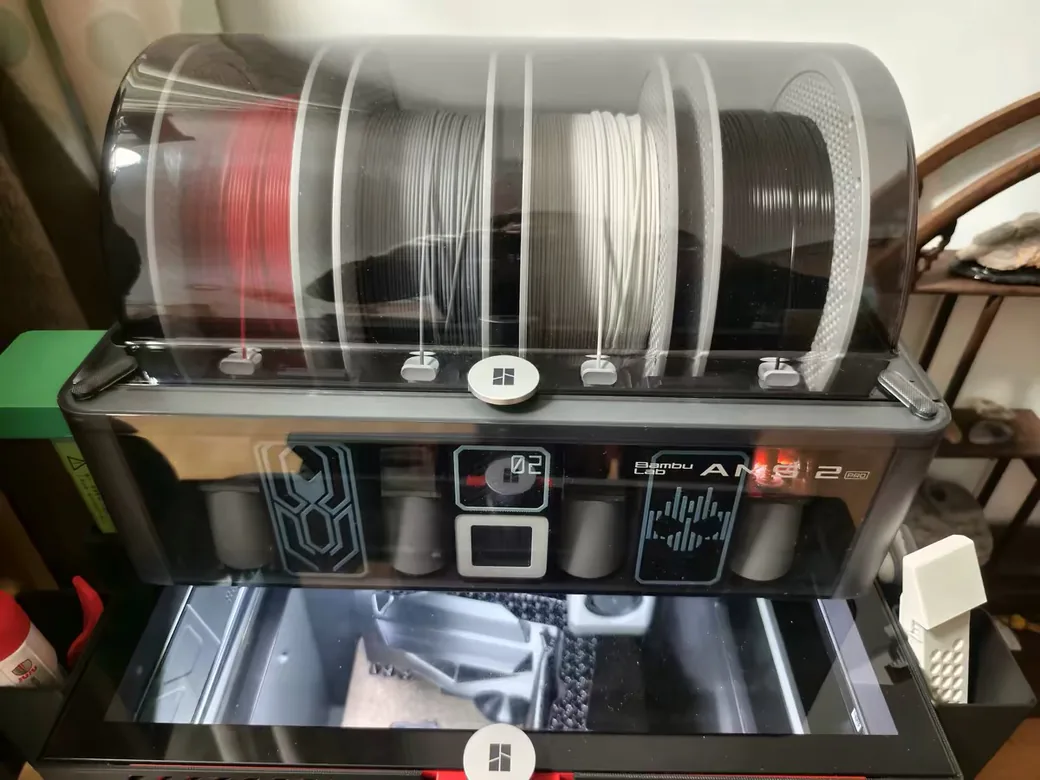
The P2S Combo is easier to recommend when you want the printer to manage filament loading, storage, and ordinary multi-color preparation. Bambu Studio and the Bambu model ecosystem also reduce the number of decisions between downloading a model and starting a print.
The Creator 5 asks you to understand the four toolheads, load material manually, assign materials, and watch prime-tower behavior. That is extra work. It is also the work that lets the machine switch materials without sending every color through one shared nozzle. If you print mostly single-color parts, you may pay for a workflow you rarely use.
Maintenance is more balanced than the headline features suggest. P2S has a quick-swap hotend design with a one-clip mechanism. Creator 5 reviewers have described nozzle changes that require more hands-on disassembly, along with a need to leave side and rear clearance for loading. Plan the desk around access as well as the printer’s listed dimensions.
Software is part of reliability. A single owner’s two-hour connection problem does not define every Creator 5, but it is a sensible question to ask before buying a new platform. The P2S’s polished workflow does not remove the need to check profiles, dry filament, clean the plate, and watch the first layer.
Before you order, plan the desk as carefully as the print profile. Flashforge lists the standard Creator 5 at 436 × 432 × 480 mm without the filament tube and holders, or 520 × 443 × 710 mm with them. Its own guidance calls for 200 mm on the right and 500 mm in front for access, and it claims below 55 dB in silent mode. Those are manufacturer figures, not independent measurements. The P2S also needs room for its door, AMS connections, and maintenance access.
Creator 5 vs P2S Ownership Cost: Compare the Complete Setup
The honest price comparison depends on the workflow. Creator 5 standard versus P2S Combo compares two ready-to-use multi-color approaches. Creator 5 standard versus the standalone P2S compares a tool changer with a single-printer enclosure.
The Combo costs more than the Creator 5 in the current direct-store snapshot, but it includes automatic loading, storage, and drying. Add your time, failed prints, drying, replacement nozzles, and machine depreciation before deciding that filament waste alone settles the math.
Your running cost depends on the model. A tool changer can reduce purge material on high-change prints, while AMS can be cheaper to live with for a simple two-color job if you value automation and already own the ecosystem.
Add your time, failed prints, drying, replacement nozzles, and machine depreciation. The 3D printing cost calculator lets you enter filament weight, price per kilogram, print time, power, labor, machine cost, and failure rate instead of counting filament alone.
Who Should Buy the Creator 5 or the Bambu Lab P2S?
| Your priority | Best starting point | Why |
|---|---|---|
| Frequent four-color or mixed-material prints | Creator 5 standard | Four independent toolheads reduce the need for nozzle swaps and purge planning. |
| Single-color PLA or PETG with a simple routine | P2S printer | Enclosure and a lower entry price matter more than unused color hardware. |
| Automatic loading, storage, and drying | P2S Combo | AMS 2 Pro is included in this configuration. |
| ABS, ASA, or other chamber-sensitive work | Verify the exact enclosed or heated model | The standard Creator 5 is open-frame; do not assume Creator 5 Pro features. |
| More than four colors | P2S with planned AMS expansion | Expansion can reach more slots, but each added unit changes cost and desk space. |
Buy the Creator 5 when frequent four-color or mixed-material prints are central to your workflow, and you are comfortable tuning slicer settings and loading filament manually. Its open frame also makes the standard model a better fit for PLA, PETG, and TPU than for demanding enclosed-chamber work.
Buy the P2S when you want a closed machine for ordinary functional printing, a smoother first-printer experience, and automatic filament management. Choose the Combo when multi-color printing and filament drying justify the added cost.
If you need more than four readily available colors, the P2S has the clearer expansion path, but the extra AMS units change the budget.
If you mainly print single-color parts, choose based on enclosure, software, and material needs. The Creator 5’s four-head system is valuable when you use it. Unused hardware is still hardware you paid for.
FAQ: Flashforge Creator 5 vs Bambu Lab P2S
Is Bambu Lab better than Flashforge for these printers?
There is no useful brand-wide answer. The P2S is the easier enclosed workflow, while the Creator 5 offers a different multi-material architecture. Decide from your color-change pattern, material list, and tolerance for manual setup.
Can I use Bambu Lab filament with Flashforge?
Filament compatibility and printer-hardware compatibility are separate questions. A generic 1.75 mm spool may be usable if its material and profile suit the Creator 5, but an AMS unit, RFID system, or Bambu-specific accessory does not become compatible with Flashforge by using the same plastic.
Does the P2S need an AMS for multi-color printing?
Yes, the P2S printer and P2S Combo are different purchasing configurations. The Combo includes AMS 2 Pro. The standalone P2S can be expanded later, subject to the required hubs, cables, and current compatibility instructions.
Is the Creator 5 completely waste-free?
No. Its independent toolheads can avoid much of the shared-nozzle purge routine, but priming, prime towers, brims, and failed towers can still consume filament. “Near-zero purge” describes the architecture. It does not guarantee zero waste on every model.
Does the P2S have active chamber heating?
No. Bambu describes the P2S as “50°C Chamber Ready,” but its FAQ says the printer has no active chamber heating. It uses an enclosed chamber and controlled airflow to retain and manage heat.
Can the standard Creator 5 become a Creator 5 Pro?
An external enclosure may retain some heat, but it does not create the Pro’s built-in active chamber system. Buy the Pro only if its enclosed, heated workflow is part of your material plan. Do not buy the standard model expecting a simple conversion later.
Which is better for multicolor printing, the Creator 5 or the P2S Combo?
The Creator 5 is the better fit when you expect frequent color or material changes and want four independent toolheads. The P2S Combo is the better fit when automatic loading, enclosed printing, storage, and drying matter more than minimizing purge waste. Neither choice wins every workflow.