
Heads up — some of the links below are affiliate links. If you buy through them, I earn a small commission (at no extra cost to you), which helps cover the gear I test. Thanks!
- There’s no single winner. The right laser depends on what you cut and engrave, not on which one is “best.” Wood and leather point to a diode. Cutting acrylic or glass points to CO2. Deep metal engraving points to IR. Most beginners are really choosing between diode and CO2. IR is the upgrade you add once you need metal.
- Diode (450nm blue): cheapest and easiest to start with. Great on wood and leather, plus coated metal. It can’t cut clear acrylic or glass, and it can’t engrave bare metal.
- CO2 (10,600nm): the non-metal cutting king. It cuts acrylic and glass cleanly, plus wood and leather. It won’t mark bare metal without a coating spray.
- IR / fiber (1064nm): the metal specialist. It engraves bare steel with no coating, and MOPA versions add color. It’s useless on wood and clear materials.
- Watts don’t compare across types. A 40W diode and a 40W CO2 are different beasts.
If you’ve opened three browser tabs trying to tell these lasers apart, take a breath. You don’t need a physics degree to choose well. Most of the confusion comes from two myths: that higher wattage always means a better machine, and that one laser can do everything. Both are wrong. This guide breaks down all three the way I wish someone had explained it to me. By material, by budget, so you buy the right tool the first time.
Diode vs CO2 vs IR Laser: At a Glance
The whole difference comes down to one thing. Wavelength. Each laser puts out a different color of light, and each material either soaks that light up or lets it pass through. That single fact decides what every machine can and can’t touch.
| Laser type | Wavelength | Best at | Can’t do | Price range |
|---|---|---|---|---|
| Diode | 450nm (blue) | Wood, leather, coated metal | Cut clear acrylic/glass, engrave bare metal | $200–2,000 |
| CO2 | 10,600nm | Cut acrylic, glass, wood, leather | Engrave bare metal without spray | $2,000–10,000 |
| IR / Fiber | 1064nm | Deep metal engraving and marking | Wood, clear acrylic, glass | Mid to high |
If you’re like most beginners, your real choice is diode vs CO2. We’ll come back to where IR fits, because for a first machine, metal is usually the deciding question. For hands-on picks across all three, see the best laser engravers we’ve tested.
Why Wavelength Changes Everything
Here’s the core idea. A laser only does work when the material absorbs its light. If the light passes straight through, nothing happens. As one tester put it bluntly: if you can see through the material, so can your diode laser.
That’s why a blue diode beam sails right through clear acrylic and does nothing. It’s also why CO2, with its much longer infrared wavelength, gets absorbed by acrylic and cuts it like butter. Same material, opposite result. All because of the color of the light.
There’s a mechanical layer too. Diode and most CO2 machines use a gantry, where the head rides on rails like a 3D printer. Fiber and galvo machines steer the beam with mirrors instead, which is far faster but covers a smaller area. Speed and work area pull against each other.
Cut vs Engrave vs Mark
This one trips up almost every beginner. Engraving and marking remove or discolor a thin surface layer. Cutting goes all the way through. A diode or IR laser can mark metal, but neither can cut it. So when someone says “this laser does metal,” always ask whether they mean mark or cut. The answer changes everything.
The “40W” Trap
Wattage doesn’t compare across laser types. A 40W diode isn’t a 40W CO2. And a 20W fiber is different again. Diode ratings often describe electrical input, not optical output. A CO2 tube delivers its energy at a wavelength acrylic loves. In one comparison, diode lasers ran at over 40% electrical efficiency while CO2 sat near 8%, yet the CO2 still cuts thicker acrylic. Ignore the headline number. Look at the material instead.
Diode Lasers: The Affordable All-Rounder
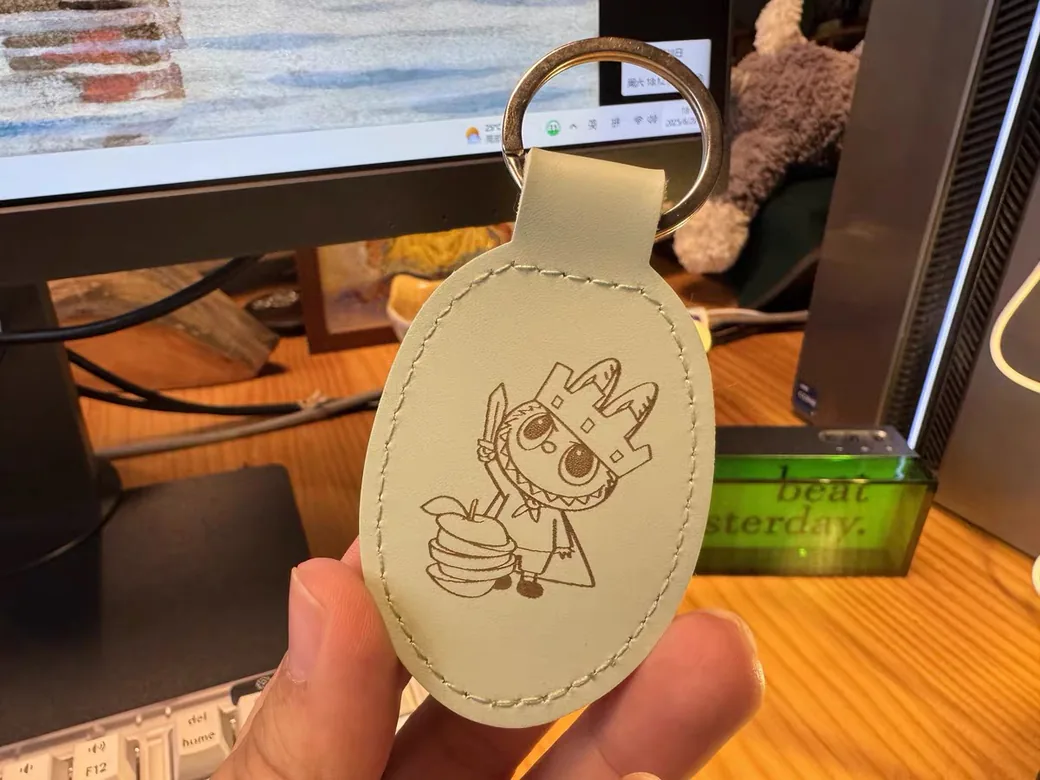
If you want the cheapest way into laser work, a diode is it. These machines lowered the bar for everyone, and they shine on dark, light-absorbing surfaces. Wood is their home turf. I’ve spent plenty of bench time on diode machines like the xTool F1 and F2, and the pattern never changes: they sing on wood and dark stock, then fight you the moment something’s pale or see-through. One reviewer running an F2 Ultra put it to the test, and the diode’s small dot size produced crisp, deeply charred detail on bamboo that even a CO2 struggled to match. If you’re weighing that F2 Ultra against the plain F2, we break down the real gap in speed, metal work, and price. That is also why Bambu picked CO2 for its first standalone laser, the R1.
Diodes also handle leather and cork, plus coated metals like powder-coated tumblers. Add an IR module and the same machine can even mark bare metal. That kind of range on a budget is why diodes own the beginner market.
Now the honest limits. A diode can’t cut clear or light-colored acrylic, because the blue light passes through it. It can’t cut glass either, only etch it after a coating. It won’t engrave raw brass or steel. White and pastel surfaces reflect the beam, so they need slower passes. And here’s a myth worth killing: painting clear acrylic black does not let a diode cut it. The paint helps engraving, not cutting.
Maintenance is light. Diode modules have a finite lifespan, but replacements are cheap. For hobbyists focused on wood and leather work, a diode like the xTool F1 is the natural starting point.

- Highest Speed, 10 X Productivity and Efficiency: The industrial-grade metal engraving machine can reach 4000mm/s. The laser engraver for metal can…
- Dual lasers fit 300+ Materials: The xTool F1 2-in-1 laser engraving machine is the world’s first 2W infrared(for all metal materials) and 10W diode…
- Free of Smoke and Odor: The xTool F1 wood engraver comes pre-assembled with an fully enclosed cover that blocks smoke and filters the laser with no…
- Revolutionary Accuracy and HD Resolution: Thanks to the Ultra galvo systems, the mini laser engraver offers 0.00199mm motion accuracy and…
- Beginner-Friendly: The xTool F1 laser marker supports XCS software and Lightburn, and can be used with phones, iPads, and laptops. This laser engraver…
CO2 Lasers: The Non-Metal Workhorse
When your work is about cutting non-metals, especially acrylic and glass, CO2 is the answer. Its 10,600nm beam gets absorbed by organic materials, so it slices wood and acrylic with clean edges where a diode stalls. It handles thicker stock too.
CO2 also has a quiet trick the others lack. It can strip the powder coating off a stainless tumbler without harming the metal underneath. That makes it a favorite for personalized drinkware. What it won’t do is engrave bare metal. For that you need a marking spray, or a different laser entirely.
There are two flavors worth knowing. Entry machines use a water-cooled glass tube. Higher-end models use an air-cooled RF tube with better beam quality and longer life. The glass tube is a consumable, and replacing it is the main long-term cost of owning a CO2.
CO2 machines are bigger and demand real fume extraction, so plan your space before you buy. For a capable desktop CO2, the xTool P3 is a solid pick, though it sits at the premium end of the range, not the budget end.

- Flagship 80W CO2 Laser Power for Industrial-Grade Cutting: Unleash powerful performance. This professional-grade xTool P3 CO2 laser engraver…
- Revolutionary Automated Creation System: Experience a true “Place & Go” workflow. ACS integrates LiDAR ranging for perfect autofocus, dual HD cameras…
- Largest Desktop Area & Dual-Cam Precision: Command a massive 36″ × 18″ workspace. The Evolved Dual HD Camera system (16MP SkyView + close-range…
- Streamlined Pro Workflow: Maximize efficiency & minimize waste. AI-powered Smart Nesting achieves 98.7% material utilization. Use Variable Batch Fill…
- Class 1 Safety & Multi-Layered Protection: Work with total peace of mind. Features a fully enclosed Class 1 safety-rated design with lid interlocks…
IR (Fiber) Lasers: The Metal Specialist
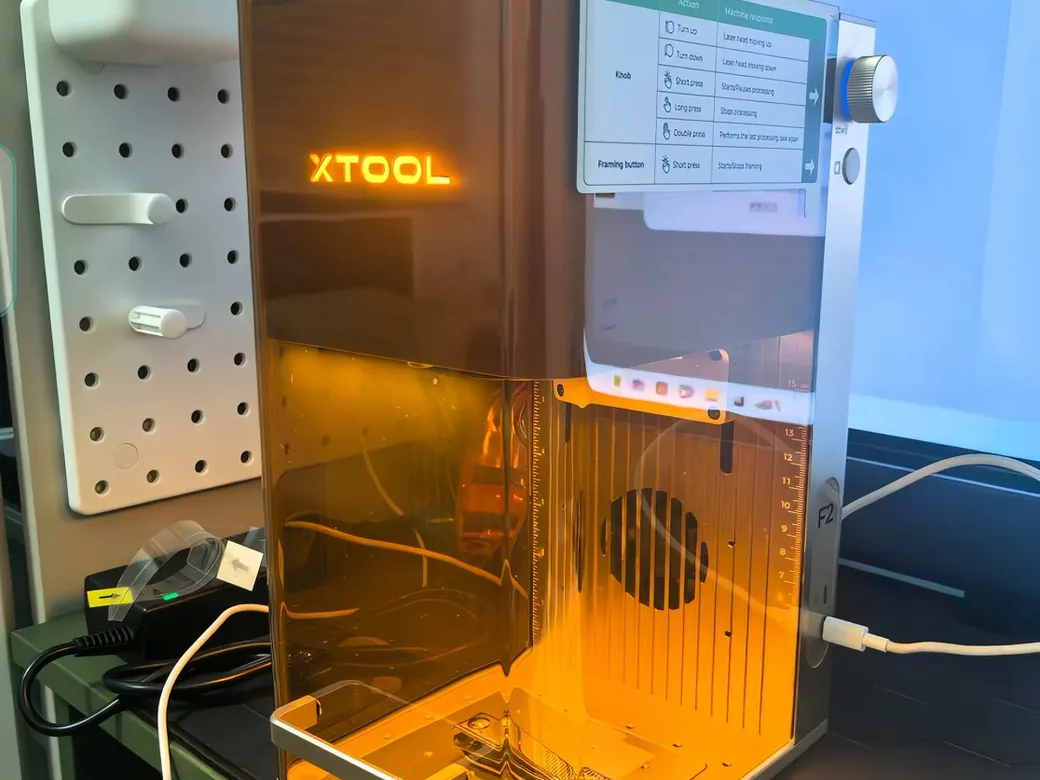
If you need to engrave bare metal, nothing else comes close. IR lasers, usually called fiber lasers, run at 1064nm and mark steel and titanium with no coating at all. They punch out barcodes and serial numbers in seconds. And because they’re almost always galvo machines, they’re blisteringly fast. On metal, dialing in the pulse frequency, measured in kHz, is what separates a muddy gray mark from a sharp black one.
There’s one important distinction. A small 2W IR “module” that clips onto a diode machine isn’t the same as a standalone 20W-plus fiber laser. They share the 1064nm wavelength, but their power and capability are worlds apart. The little module is for light marking. The full fiber machine is for production metalwork.
IR also surprises on some non-metals. In one acrylic test, a 2W IR module produced crisp engraving on blue and green acrylic where a 40W blue diode left no mark at all. The diode won on certain reds, though. Wavelength absorption flips with color, so testing matters. For a deeper look at why, compare a blue laser versus near-infrared. Once you pick the right source, this laser settings test workflow helps you narrow the range without treating a chart as a guarantee.
The downsides are simple. A fiber laser can’t touch wood, and it skips glass and clear acrylic too. The payoff is durability. Fiber sources last well over 100,000 hours with almost zero consumables. Want color on stainless steel, in blues and golds? That’s the MOPA variant’s party trick, and it handles delicate plastics better too.

- Brand New Integrated Mini Fiber Laser: The brand new Monport fiber marking machine has a smaller size and lighter weight; Simultaneously maintaining…
- Faster and More Accurate: The newly customized galvanometer system is equipped with more expensive silicon material reflectors, allowing for a maximum…
- Just Right Working Area: For a 30W fiber laser, an area of 150*150mm is optimal, as excessive engraving area may result in poor engraving effect or…
- Deep Engraving and Cutting Capabilities: With this 30W fiber laser marking machine, you can perform 2.5D metal engraving, deep metal engraving, and…
- Lightburn Compatible: All Monport fiber marking machines can be operated using Lightburn, but if you don’t want to use Lightburn, we also provide free…

- ComMarker B6 laser engraving machine uses 60W JPT M7 laser source with engraving speed 15,000mm/s. color marking on stainless steel.
- ComMarker B6 60W mopa fiber laser engraving machine with touch screen for auto focus, compact size only 13kg. 2 in 1 design, portable laser engraver…
- 60W 110V. Fiber laser marking engraver supports Lightburn and EzCad2 (we provide). Laser wavelength: 1064nm, System: Windows 7/8/10/11, MAC…
- Packaged include :1x B6 Laser Engraver,1x Power Adaptor,1x Data Cable,1x Foot Switch,1x Type -C,1x Riser,1x Allen Wrench,1x Placing Helper,1x Ruler,1x…
- Wide application: This fiber laser engraving machine can engrave stainless steel (best results), aluminum, gold, silver and alloys, and mark most…
Laser Safety: What Most Comparisons Skip
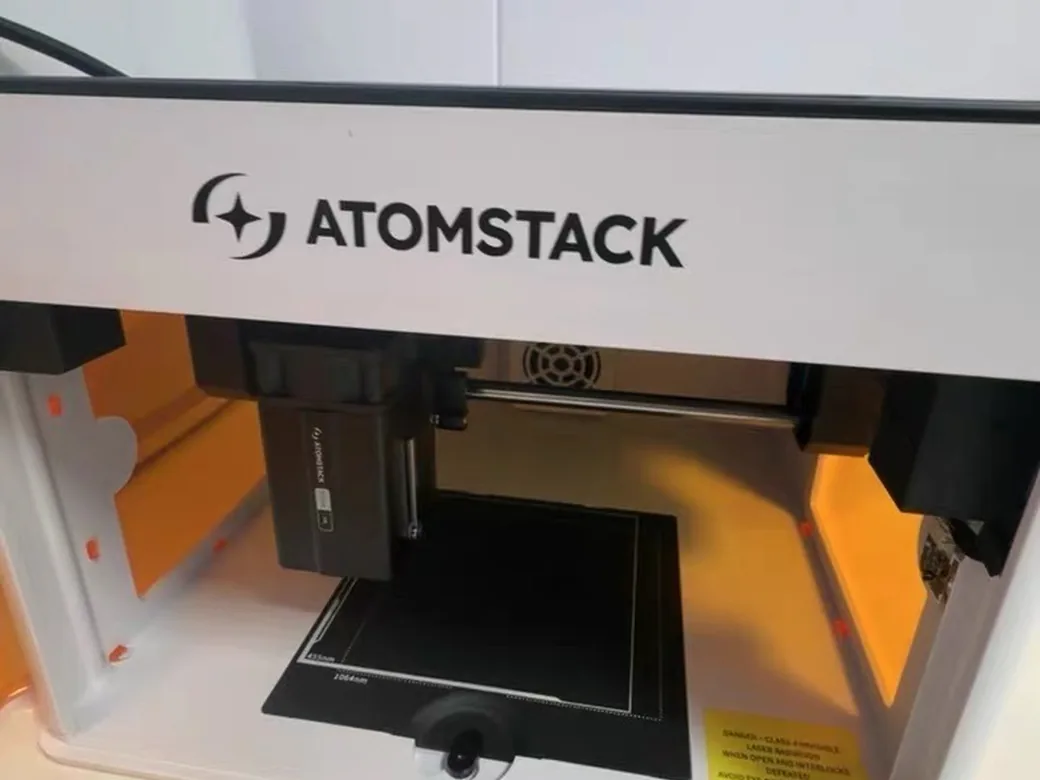
Before you pick a type, know that the three carry different risks. The invisible one is the most dangerous. IR light is the threat most beginners never see coming.
Here’s why. As little as 1 milliwatt of laser energy in the eye can cause permanent damage, and a 10W machine puts out 10,000 of those milliwatts. A diode beam is visible, so you flinch. An IR beam is invisible, so there’s no blink reflex. It can blind you faster than your brain registers pain. One reviewer stared at an IR laser marking steel simply because he couldn’t see the beam.
That’s why glasses matter, and why the cheap pair in the box often isn’t enough. You need eyewear rated for your exact wavelength: diode near 450nm, IR near 1064nm, CO2 way out at 10,600nm. Watch the OD rating too, because one pair can be OD8 for infrared but only OD6 for diode. A dual-wavelength machine needs glasses that cover both.
Two more basics. Keep a CO2 fire extinguisher within reach, and never leave a job running unattended. And don’t trust indoor filters to handle fumes. Cutting wood and acrylic releases toxic smoke, and the safest setup vents straight outside. Before the first test, run through our laser engraving preflight checklist.
Which Laser Should You Buy? (By Project and Budget)
When people argue about diode vs CO2 vs IR laser online, the answer is simpler than the thread makes it look. Don’t start with the machine. Start with three questions, in order.
1. What material will you run most? This is the deciding question, not a tiebreaker. Your most common material picks the laser type, full stop. If it’s mostly wood and leather, that’s diode territory. Mostly acrylic or glass, and you want CO2. Mostly bare metal, and only IR fiber will do. Try to average across all of them and you’ll buy a machine that’s mediocre at each.
2. Hobby or income? A hobby laser can be slow. A business laser can’t. Speed turns into money the moment you’re filling orders, and that’s where galvo and CO2 machines pull ahead of a budget diode. A diode that crawls through each piece is fine on a lazy Sunday. It’s a bottleneck when you’ve got fifty to ship by Friday.
3. Where are your projects heading? Be honest here, because it’s the most expensive question to get wrong. Plenty of makers buy a diode, fall for metal or acrylic six months in, then buy a second machine inside a year. The diode market is crowded and consolidating, so resale won’t bail you out. If you already suspect metal is in your future, pay for that future now instead of twice.
With those answers in hand, here’s the short version for the three most common starting points.
- Hobbyist on a tight budget, working in wood and leather: get a diode. An xTool F1 or an Ortur Laser Master 3 covers almost everything you’ll want to make. Exact models at each price point are here if you want specifics.
- Acrylic signs, thicker non-metal cutting, or small-batch volume: get a CO2. The cutting speed and clean edges pay for themselves.
- Metal engraving and jewelry: get an IR fiber. A Monport 30W gets you started, and a ComMarker MOPA adds color.
Now the part the sticker price hides. The real number is total cost of ownership, not the price tag. A cheap diode isn’t only the diode. You’ll also want proper glasses rated to your wavelength, plus real ventilation, plus replacement modules down the road. CO2 carries a glass tube that wears out and eventually needs swapping. Fiber flips the script: high upfront, then almost no consumables and a source that outlasts the rest of the machine. The cheapest laser to buy isn’t always the cheapest to own.
That math hits hardest with leather for business, which comes up constantly in maker forums. A diode handles small runs fine. But once you’re cutting leather in volume, a CO2’s speed changes everything, and the hours you save pay back the difference faster than you’d expect.
Still torn between two machines in the same class? Our breakdown of the Falcon T1 vs xTool F1 Ultra for batch work walks through a real head-to-head.
Picked your laser already? Our LightBurn beginner’s guide covers getting the software actually talking to it.
Can One Machine Do Everything?
It’s the question every shopper eventually asks, and the honest answer is “sort of.” Multi-source machines that pair a diode with an IR module do cover more ground. And 5-in-1 galvo systems push that even further. The newly revealed xTool X1 takes that all-in-one idea further with gantry-plus-galvo motion and planned swappable sources; here’s what its launch actually confirms.
But there’s a catch nobody mentions in the marketing. Swapping modules mid-project is fiddly. In one workflow test, a maker engraved fine detail with an IR module, then switched to a 40W head to cut. The two heads referenced different points, so the cut had to be reframed. Worse, the red cut lines were nearly invisible on black acrylic, which made alignment a guessing game.
If you want one box that flexes across materials, the multi-source route is real. A platform that lets you switch between diode, fiber, MOPA, and UV in one machine can replace a shelf of single-purpose tools.
The trade-off is cost and a little friction. If you only work one material, a dedicated single-type laser is still cheaper and simpler. But if you genuinely jump between wood and metal, paying for versatility is worth it.
Frequently Asked Questions
Can a diode laser cut or engrave metal? A diode can engrave coated metals like anodized aluminum, and it can mark bare metal with help from an IR module or marking spray. It can’t cut metal, and it can’t deeply engrave raw steel on its own. For real metal work, you want an IR fiber laser.
Can diode lasers cut acrylic or glass? Not clear or light-colored acrylic. The blue light passes right through it, so the beam does no work. Diodes can’t cut glass either, though they can etch it after you apply a dark coating. For acrylic and glass cutting, CO2 is the tool.
40W CO2 vs 40W diode, which is stronger? They aren’t comparable. The wattage numbers measure different things, and the wavelengths suit different materials. On acrylic and thicker non-metals, a 40W CO2 cuts faster and deeper. On dark wood engraving, a good diode holds its own.
What’s the best laser for engraving metal? An IR fiber laser. It marks hard metals like steel and titanium directly, with no coating and no fuss. MOPA fiber models go further and add permanent color on stainless steel.
Which laser is best for a beginner on a budget? A diode, in almost every case. It’s the cheapest, the easiest to learn, and it covers wood and leather with ease. The only exception is if your main goal is cutting acrylic, where an entry CO2 makes more sense.
Best laser for leather as a business? A diode handles personalized leather and small runs well. Once orders scale up, step up to a CO2 for the speed. Either way, leather fumes need strong ventilation. Patches are one of the easiest ways to test that market. We walked through the whole hat patch process here.
Can one machine do diode, CO2, and IR? No single machine does all three sources well. Multi-source machines pair a diode with IR, and 5-in-1 galvo platforms cover more, but a true diode-plus-CO2-plus-fiber combo in one body is rare. For most people, picking the one type that fits your material beats chasing an all-in-one.