
Heads up — some of the links below are affiliate links. If you buy through them, I earn a small commission (at no extra cost to you), which helps cover the gear I test. Thanks!
- You need far fewer 3D printer accessories than most lists tell you. Start with five: a glue stick, a deburring tool, flush cutters, a hex driver set, and a sealed way to store filament.
- Everything else is a “buy it when you hit the problem” item, not a day-one purchase.
- A cheap digital caliper is the accessory almost everyone forgets and later wishes they had bought first.
- A filament dryer is optional for beginners. Good sealed storage matters more than constant baking.
- An accessory kit is a fine way to start. But buy your calipers, hardened nozzle, and dryer separately, because the good ones rarely come in the box.
You just unboxed a printer, and now every guide is throwing a wall of 3D printer accessories at you. Glue sticks, dryers, spare nozzles, resin gear, a cart. It feels like the machine was the cheap part.
Here’s what most of those lists won’t tell you. A lot of them are quietly selling you things you won’t touch for months. So this guide sorts every accessory into must-have or nice-to-have, with the honest trade-offs. If you just picked out your first printer, this is the short list of what actually earns its spot on your bench.
Table of Contents
- The Must-Have vs. Nice-to-Have Cheat Sheet
- Bed Adhesion Helpers
- Cleanup & Print Removal Tools
- Nozzles, Cleaning & Hotend Upgrades
- Maintenance Basics
- Filament Storage & Drying: Do You Really Need a Dryer?
- Digital Calipers: The Accessory Everyone Forgets
- Hardware & Fasteners That Unlock Projects
- Post-Processing & Finishing Extras
- Safety Gear Worth Buying
- Nice-to-Have Upgrades That Are Actually Worth It
- Should You Buy an Accessories Kit or Piece It Together?
- Frequently Asked Questions
The Must-Have vs. Nice-to-Have Cheat Sheet
Buy the must-haves before your first print. Add the rest only when a specific problem shows up.
| Accessory | What it does | Priority | Rough cost |
|---|---|---|---|
| Glue stick / liquid bed glue | First-layer adhesion | Must-have | $ |
| IPA + microfiber cloth | Clean the build plate | Must-have | $ |
| Deburring tool | Safe cleanup of edges and strings | Must-have | $ |
| Flush cutters + pliers | Remove supports and brims | Must-have | $ |
| Hex driver set | Every maintenance job | Must-have | $ |
| Sealed storage (vacuum bags + silica) | Keep filament dry | Must-have | $ |
| Digital calipers | Measure parts and filament | Must-have (skipped by most) | $–$$ |
| Spare + hardened nozzles | Swaps and abrasive filament | Nice-to-have | $ |
| Filament dryer | Actively dry wet filament | Nice-to-have | $$ |
| Heat-set inserts + soldering iron | Strong threads in prints | Nice-to-have | $$ |
| Files, sandpaper, hobby torch | Finishing | Nice-to-have | $–$$ |
| Printer vacuum, spare build plate | Convenience upgrades | Nice-to-have | $$ |
The trap most new makers fall into is buying the whole list on day one. Don’t. The post-processing and maintenance gear matters as much as the printer itself, but you learn what you actually need by printing. Pick a few high-frequency items, print for a week, then fill the gaps. Finishing supplies work the same way. Start with the paints and primers that earn their shelf space. For epoxy finishing, keep it simple and test the XTC-3D process on scrap PLA first.
Bed Adhesion Helpers
If your first layer keeps lifting, three cheap items fix it ninety percent of the time. Once it prints, you will want calipers to measure a calibration cube and check your dimensional accuracy.
Start with a purple glue stick. It gives you a reliable, forgiving bond on glass, PEI, and most plates, and prints pop off easily once cool. For textured plates where a glue stick struggles, a liquid bed glue works surprisingly well and coats more evenly. You brush a thin layer, let it flash off, and print.
The third item is the boring one that matters most: a spray bottle of isopropyl alcohol and a microfiber cloth. Fingerprints and oil kill adhesion faster than anything. A quick wipe before a big print resets the plate. Microfiber beats paper towels here. It lasts for months and leaves no lint.
These three live in the must-have column. They are the difference between a clean base and a first layer that won’t stick.

- WORKS ON MULTIPLE FILAMENTS: This versatile 3D printer glue is ideal for securing prints made with ABS, PLA, PETG, HIPS, and TPU filaments. This PLA…
- WORKS ON ALL SURFACES: Designed for flexibility, this 3D printer glue stick works seamlessly on different types of build surfaces like Flex Plate…
- EASY TO USE: Applying this glue stick for 3D printing is effortless! Just shake, press, and apply to your active printing area. This 3D printer…
- LONG-LASTING ADHESIVE GLUE: Delivering over 100 prints, this 3D printer glue is built to last through multiple uses without reapplication. Perfect for…
- ODOURLESS AND SAFE: This 3D printer adhesive glue is designed with your safety in mind. Completely odorless and non-flammable, this 3D printer glue is…
Cleanup & Print Removal Tools
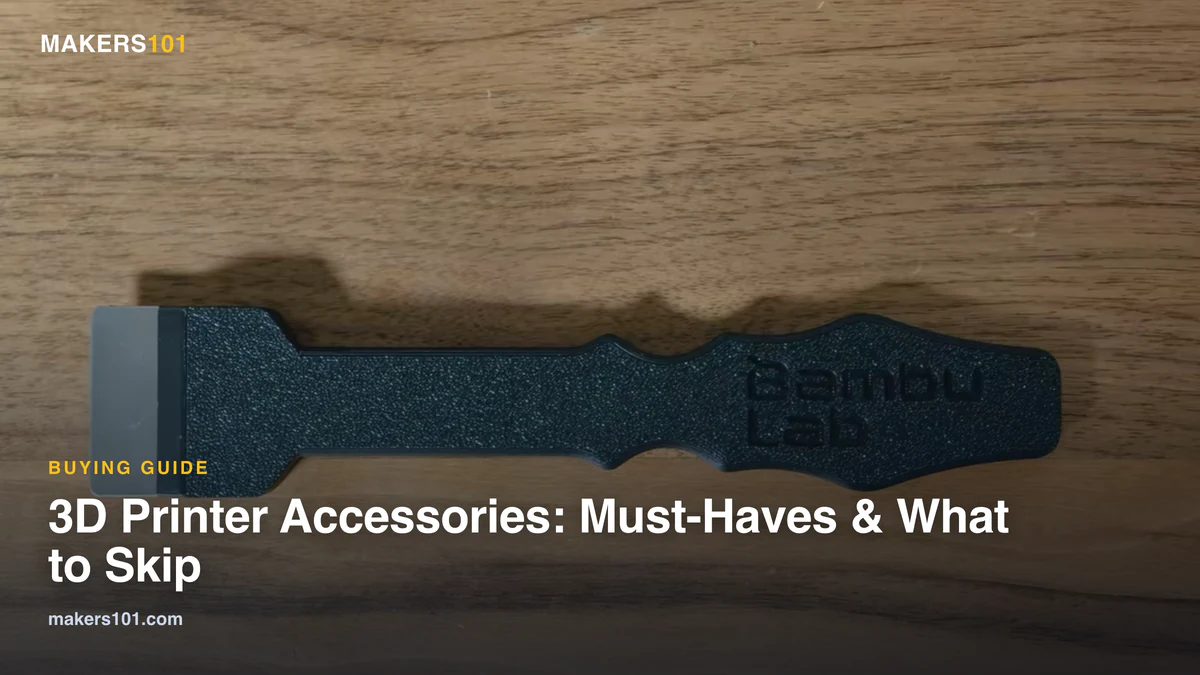
Your printed parts come off the plate with rough edges, brims, and stray strings. A deburring tool handles all three.
I reach for a deburring tool more than almost anything else on the bench. It swivels along an edge and shaves off the fuzz and elephant-foot flare in one pass. More importantly, it is far safer than a hobby knife dragged toward your hand. That safety point is worth repeating, because a slipped blade is the classic beginner injury.
Pair it with flush cutters and a set of needle-nose pliers for supports. Cutters get into tight gaps, pliers rip away the bulk. If you remove a lot of dense supports, a vibrating cutting blade speeds things up. But a cheap craft knife is still fine for trimming PTFE tubes and light work, so don’t feel pressured to buy the fancy one first.

- [DEBURRING TOOL KIT] Includes 1 BS1010 blades made of M2 High-Speed Steel (HSS). Each blade is tempered to HRC 62–64 for industrial-grade wear…
Nozzles, Cleaning & Hotend Upgrades
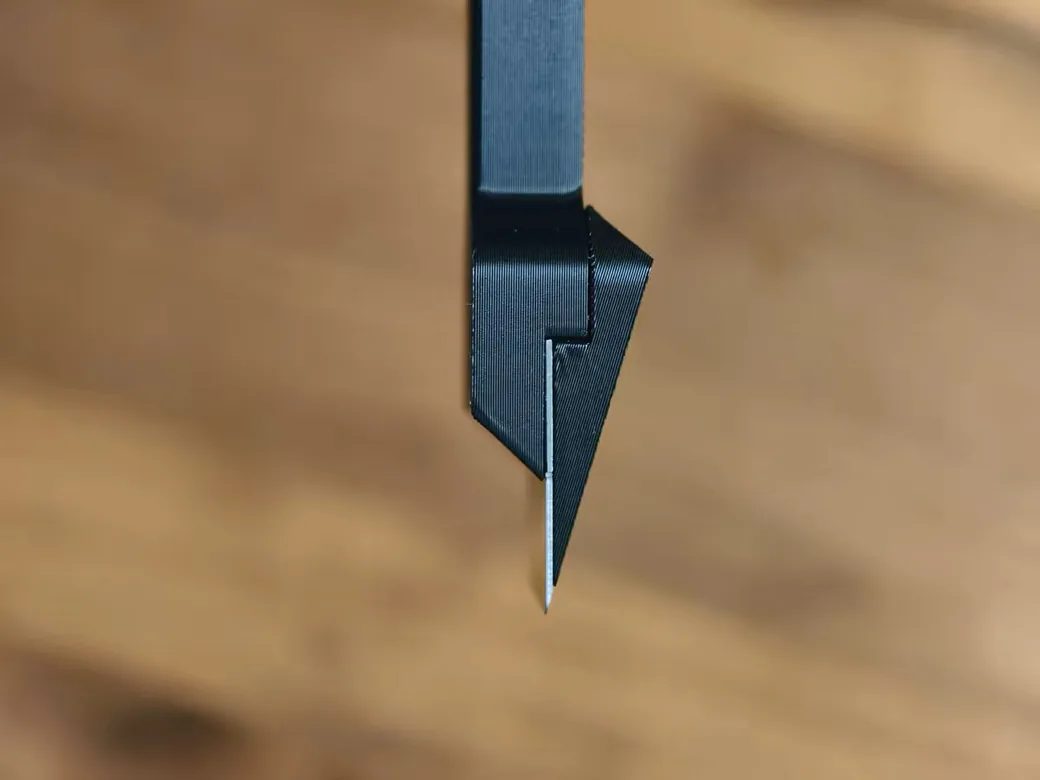
A spare nozzle and a cleaning needle belong in your first order. A hardened nozzle is the upgrade you buy the day you try a tougher filament. That covers chopped-fiber materials; a machine like FibreSeeker 3 is a much bigger jump.
Brass nozzles are great until you run something abrasive. Then they wear out. Carbon-fiber and glow-in-the-dark filaments chew through brass fast. A hardened steel nozzle solves that, and it is cheap insurance if you plan on printing abrasive materials like carbon fiber. Keep a few cleaning needles nearby too. Most “clogs” clear with a needle and a warm nozzle in two minutes.
If you swap nozzles often, a quick-swap hotend is a genuine quality-of-life upgrade. It turns a fiddly job into a ten-second one, which means you actually experiment with different sizes instead of dreading the change.
One honest caveat. Cheap third-party nozzles usually work fine. When a print fails right after a swap, don’t assume the nozzle is the villain. Nine times out of ten it is a setting or a wet spool, not the brass.

- [Parts Included] – Coming with 8 pieces of black different size MK8 nozzles, the size is 0.2mm/0.4mm/0.6mm/0.8mm/1.0mm, sufficient quantity and size…
- [Super Durable] – MK8 extruder nozzles are made by paramount hardened steel, with longer lasting time than the normal brass nozzle. The hardness is…
- [Super High Temperature Resistance] – The max temp of this hardened tool steel nozzle could reach at 450c, suitable for 3D printing at high…
- [High Precision More Than Your Imagination] – Keep stable temperature during printing, let the filament out evenly, create more perfect printer item…
- [Applicability & Compatibility] – Our hardened steel nozzles are compatible with almost all FDM printer, also fits for MK8 heating block. The hardened…
Maintenance Basics
A small maintenance kit keeps your printer running quietly and saves you from bigger repairs later.
Buy a set of colored hex drivers. They are faster and easier on your wrist than the folding Allen keys that came in the box, and the colors mean you grab the right size the first time. While you are at it, spend a little more on quality drivers and hex keys. Cheap soft-metal tools round off, then round off your screws with them.
Two consumables round out the kit. A silicone-based grease (Super Lube is the go-to) keeps your rails and lead screws moving smoothly, applied every few months. And a dab of blue thread locker on screws that keep vibrating loose will save you a mystery rattle down the line. None of this is glamorous. All of it prevents a bad print week.
Filament Storage & Drying: Do You Really Need a Dryer?
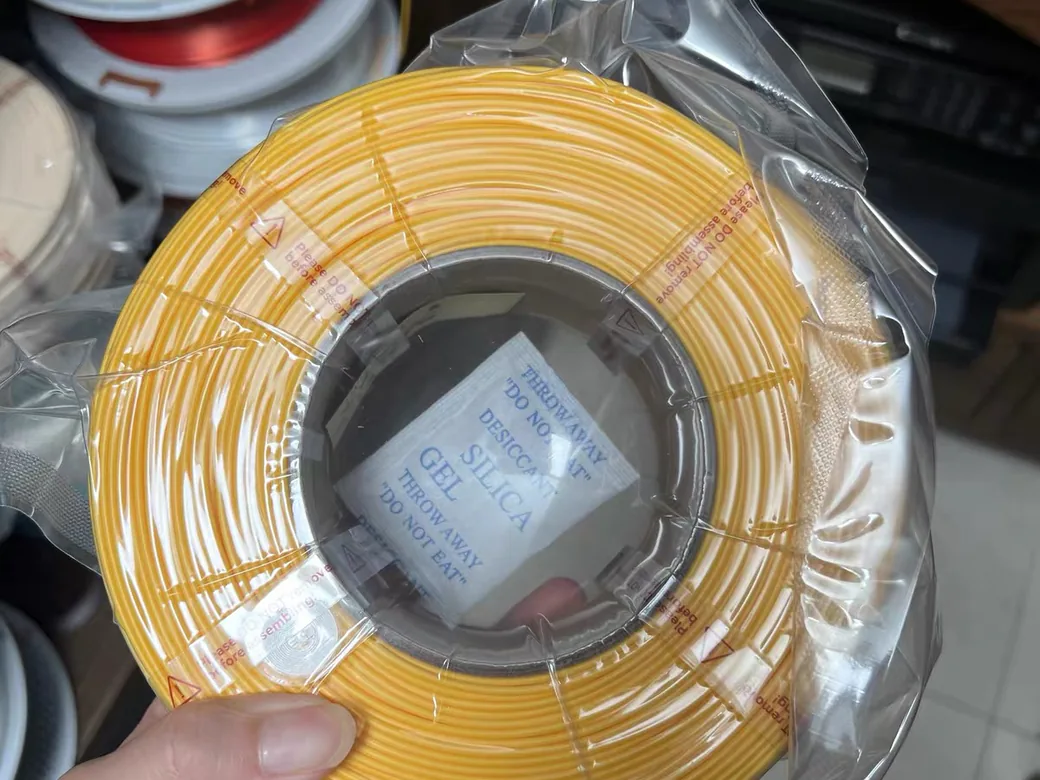
Sealed storage is a must-have. A powered dryer is optional, and whether you need one depends on your filament and your climate. Past a handful of spools, where you put them starts costing more than what you seal them in.
Start cheap and effective: vacuum bags, silica gel packs, and a small hygrometer to watch the humidity. This combo is the low-cost insurance that prevents most moisture problems. Wet filament announces itself. You hear popping and hissing as it prints, surfaces turn fuzzy, and parts come out weak.
Now the honest part on dryers. They help, but they are not mandatory for every beginner. If you print mostly PLA in a dry room, good sealed storage beats constant baking. If you run PETG, nylon, or TPU, or you live somewhere humid, a dryer earns its place. Some makers even argue dryers are overrated for casual use, and for a lot of PLA-only setups, they have a point. Match the tool to what you actually print. Our filament drying guide walks through the temperatures if you decide you need one.

- ⚠️ IMPORTANT: YOU MUST HOLD THE VACUUM PUMP AT LEAST 60 SEC ON FLAT SURFACE TO MAKE IT WORK ,Please watch the instruction video in the image…
- Preserve Filament Quality – Protects against moisture and humidity that cause filament brittleness, clogs, and poor prints. Ideal for PLA, ABS…
- Quick & Easy Sealing – Vacuum bags seal tightly in seconds using the included electric pump, keeping spools in optimal condition between prints.
- Label and Sort with Ease – Use the included marker pens and transparent bags to label and organize filament by material, colour, or date of opening.
- Fits Your Workflow – Compact and stackable, these vacuum-sealed bags work with your filament rack, dry box, or storage drawer to save space and…
Digital Calipers: The Accessory Everyone Forgets
If you buy one thing off this list that no beginner guide mentioned, make it a digital caliper.
It seems optional until the first time you need to check whether a hole is really 5mm, verify a tolerance, or measure a spool’s filament diameter. Then it becomes the tool you use every session. Ask anyone who moved from printing other people’s models to designing their own, and calipers are the accessory they say unlocked that step.
You do not need a lab-grade instrument. A budget digital caliper is accurate enough for almost everything on a 3D printer bench. If you design parts seriously and want repeatable numbers, a name-brand set like a Mitutoyo is worth it. Either way, this is a must-have hiding in plain sight.

- PRECISION MEASURING TOOL: Linear, internal and external, measurement range of 0 to 6 inches or 0 to 150 millimeters with zero setting at any point…
- INCH AND MM CONVERSION: Vernier caliper has two display and conversion modes that are available in inches or millimeters.
- MEASURING ACCURACY: Each digital caliper measuring tool has an accuracy of ±0.01 inches or ±0.2 millimeters with a resolution of 0.01” or 0.1 mm.
- VERSATILE MEASURING: Each digital caliper measuring tool can provide external and internal measurements with its jaw, contains depth measuring blade…
- EXTRA LR44 BATTERY: Each electronic caliper Includes 1x LR44 button cell in caliper and 1x extra LR44 battery.

Hardware & Fasteners That Unlock Projects
Once you print functional parts, a small box of hardware turns “printed toy” into “real object that holds together.”
The star here is heat-set inserts paired with a soldering iron. You press a brass insert into a printed hole with the iron, and suddenly your part takes a real machine screw over and over without stripping. A soldering iron is a genuine multi-tool for 3D printing, not just an electronics thing. It sets inserts, welds parts, and smooths seams.
Round out the box with magnets, an assortment of screws and nuts, and a roll of plumber’s tape. That tape is a five-cent fix when a screw is slightly too small for its hole. None of these are day-one buys. But the first time a project calls for them, you will be glad they are in a drawer.

- Threaded Inserts Set: 1 x 100W digital soldering iron, 6 x heat-set insert tips (M2/M3/M4/M5/M6/M8), 2 x soldering tip connecting rods, 300Pcs…
- Easy Installation of Heat-Set Inserts: Our heat-set insert tip kit ensures seamless and clean embedding of threaded inserts into plastic, forming a…
- Digital Soldering Iron: The temperature adjustment range of the soldering iron is 200~500°C/392~932°F, 20W rated power, 100W max. Press and hold the…
- Thread Inserts Material: Made of high-quality brass, with excellent corrosion resistance and thermal conductivity. Compatible with common materials…
- Convenient Tip Replacement Design: The split design allows you to easily switch between tips of different sizes without unscrewing the sleeve of the…
Post-Processing & Finishing Extras
For smoother, cleaner parts, a few finishing tools take you from “printed” to “presentable.” For smoothing coatings specifically, we break down the best XTC-3D alternatives by job.
A set of metal files and some sandpaper handle most surface work. Files knock down seams and support scars, and a heated file tip can even punch clean holes. Picking the right grits is its own rabbit hole, so we mapped it out in how to sand a 3D print. For stringing and light surface marks, a hobby torch with a fine flame is the pro move (a small butane torch or a Dremel 2200-style unit works well). It burns off fuzz without leaving the black residue a cheap lighter does.
A quick safety note, because a torch deserves one. Work in a ventilated space, keep it away from filament spools, and give parts a second to cool. A small cutting mat under your work protects your desk and gives you a clean surface to trim on. If you want the full walkthrough on finishing, we cover it in our guide to post-processing your prints.
Safety Gear Worth Buying
Safety accessories are cheap and boring. They are also the ones you should not skip.
At minimum, keep fire safety in mind. A 3D printer is a heated device running unattended for hours, so a smoke alarm nearby and a small extinguisher within reach is a sane, low-cost investment. Wear a dust mask when you sand, since fine plastic particles are not something you want in your lungs.
Resin printing raises the stakes, and most FDM accessory lists ignore it. If you run a resin machine, nitrile gloves and real ventilation are not optional. Uncured resin is toxic and an irritant. And resin-soaked paper towels or failed prints need to be fully cured under UV before you throw them out, a step beginners miss constantly. Treat resin gear as must-have, not nice-to-have.
Nice-to-Have Upgrades That Are Actually Worth It
These do not improve your prints. They improve your life. A few are genuinely worth the money.
A dedicated printer vacuum (the Fanttik V10 is a popular one) makes cleaning up bed crumbs and stray supports painless, especially if your printer lives in an office. A spare build plate lets you pop off one finished print and start the next immediately, instead of waiting to clear the bed. And before you buy any bracket or organizer, remember you own a machine that makes them. Printing your own tool holders, spool guides, and cable clips is the cheapest, most satisfying upgrade there is.
Printer-specific upgrades exist too, like touchscreen add-ons for screenless machines. They can be worth it. Just decide what problem you are solving before you buy, because not every upgrade is worth the cash.
Should You Buy an Accessories Kit or Piece It Together?
For most beginners, a starter accessory kit is the smart, cheap way in. Just plan to buy a few key items on their own.
A bundled toolkit gets you the basics at once: cutters, a scraper, pliers, hex keys, and cleaning needles for less than buying them separately. That covers your must-have cleanup and maintenance gear in a single order. It is the fastest way to a working bench.
What the kits usually skimp on is exactly what matters most later. Good calipers, a hardened nozzle, and a real filament dryer are rarely in the box, or the versions included are too flimsy to trust. Buy the kit for the cheap stuff. Buy those three on their own.

- 【Upgraded 68-in-1 3D Printer Tools Kit, 1-Year Warranty】Designed by a Team of 15-Year 3D Printing Enthusiasts, the kit includes all essential…
- 【Scrapers for Flawless Removal 3D Printed Models】One Stainless Steel removal scraper features a 15-degree angled (0.5mm thickness, 1.57-inch…
- 【1 Deburring Tool & 10 HSS BS1010 Swivel Blades】Our model polishing tools include 3 engraving knives with 9 types of blades, 5 different metal…
- 【Nozzle Cleaning Needles, Brushes & Tweezers】To avoid inconsistent filament extrusion caused by a clogged nozzle, we provide 5 types of cleaning…
- 【3D Printer Accessories Gifts Must-Have】4 cut-resistant finger cots to protect your fingers while working. A black sleeve case makes it easy to…
Frequently Asked Questions
What accessories do I actually need with a new 3D printer?
Five things cover almost everyone: a glue stick for adhesion, a deburring tool and flush cutters for cleanup, a hex driver set for maintenance, and sealed storage for filament. Add anything else when a specific problem appears, not before.
Are 3D printer accessory kits worth it?
Yes, for beginners. A kit bundles cutters, pliers, a scraper, and cleaning tools cheaper than buying them one by one. The exceptions are measuring, nozzle, and drying gear. Pick those up on their own, since kit versions are usually flimsy or missing.
Do I need a filament dryer as a beginner?
Usually not at the start. PLA is forgiving, so a spool tucked in a sealed box with silica gel stays fine for a long time. The math changes with thirstier materials like nylon, TPU, and PETG, and in damp climates. That is when active drying starts to pay for itself.
What’s the one accessory beginners forget most?
A digital caliper. It feels optional until you need to check a dimension or measure filament, then you use it constantly. It is also the tool people credit with helping them start designing their own parts.
Do I need special accessories for a Bambu Lab or enclosed printer?
The basics are the same. Enclosed machines open the door to higher-temperature filaments, so a hardened nozzle and good sealed storage matter more. Some owners also add printer-specific upgrades like a touchscreen or a quick-swap hotend for convenience.
What makes a good 3D printing gift?
Consumable and quality-of-life items are safe bets: a nice deburring tool, a set of digital calipers, a filament dryer, or a well-stocked tool kit. They suit any printer and almost no maker owns too many.