
Heads up — some of the links below are affiliate links. If you buy through them, I earn a small commission (at no extra cost to you), which helps cover the gear I test. Thanks!
Last updated: April 17, 2026
Both have active chamber heating. Both print engineering materials. But they solve the dual-material problem in fundamentally different ways — and that’s what actually determines which one belongs in your workshop.
Forget the spec sheet for a moment.
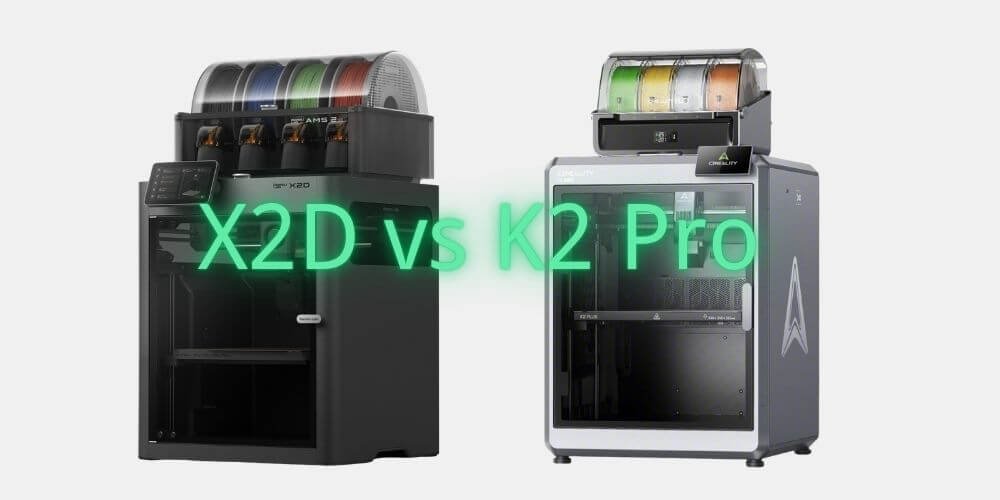
The X2D and K2 Pro are the two most interesting printers in the $900–$1,200 range right now, and on paper they look like a direct fight: active heated chamber, multi-color systems, engineering-grade material support, enclosed CoreXY design. The K2 Pro pops up discounted fairly often — we keep a running list of live Creality deals.
But the closer you look, the less they compete with each other — and the more they reveal themselves as answers to completely different questions.
The X2D asks: how do I make dual-material printing genuinely effortless?
The K2 Pro asks: how do I print the largest, most material-capable part possible at this price?
If you’re choosing between them, one of those questions is yours. This guide helps you figure out which one.
The short answer: The Bambu Lab X2D Combo ($899) is the better choice for dual-material printing, clean support removal, and TPU+rigid combinations — its dedicated second nozzle delivers capabilities the K2 Pro cannot match at any price.
The Creality K2 Pro Combo (~$1,049) is better suited to large-format single-material engineering parts, with a 300×300×300mm build volume and open Klipper firmware the X2D doesn’t offer. These two machines serve fundamentally different use cases.
Table of Contents
TL;DR: X2D vs K2 Pro at a Glance
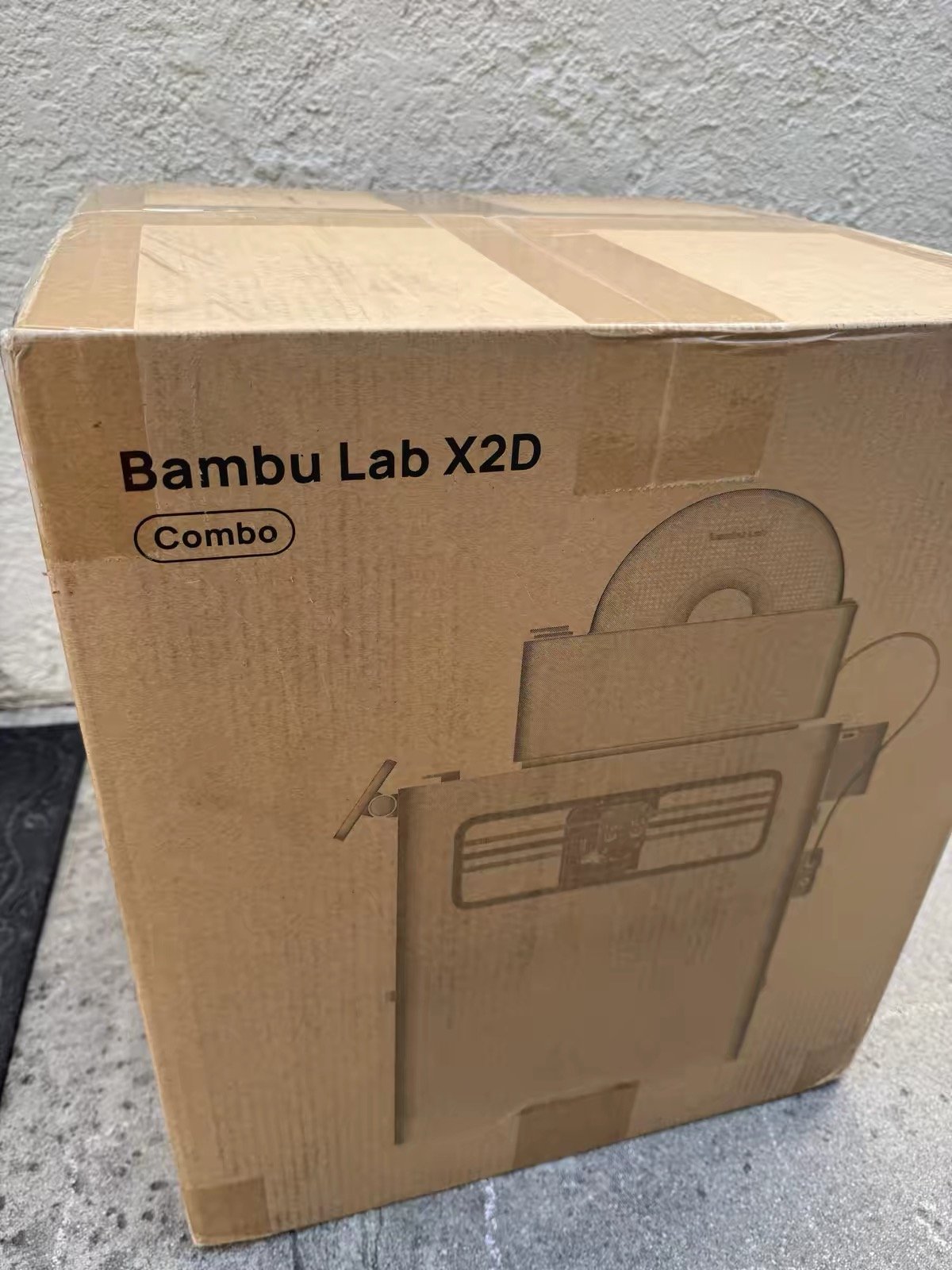
Buy the X2D Combo ($899) if: dual-material printing — support removal, TPU+rigid combos, or two-material engineering parts — is a regular part of your workflow. The dedicated second nozzle does something the K2 Pro fundamentally cannot. (Full specs and early review findings: Bambu Lab X2D review →)
Buy the K2 Pro Combo (~$1,049) if: build volume is your limiting constraint, you print large single-material engineering parts, or you want Klipper-level openness and a mature community of users behind the machine.

Neither is wrong. They’re just different tools for different workshops.
Bambu X2D vs Creality K2 Pro: Specs Side by Side
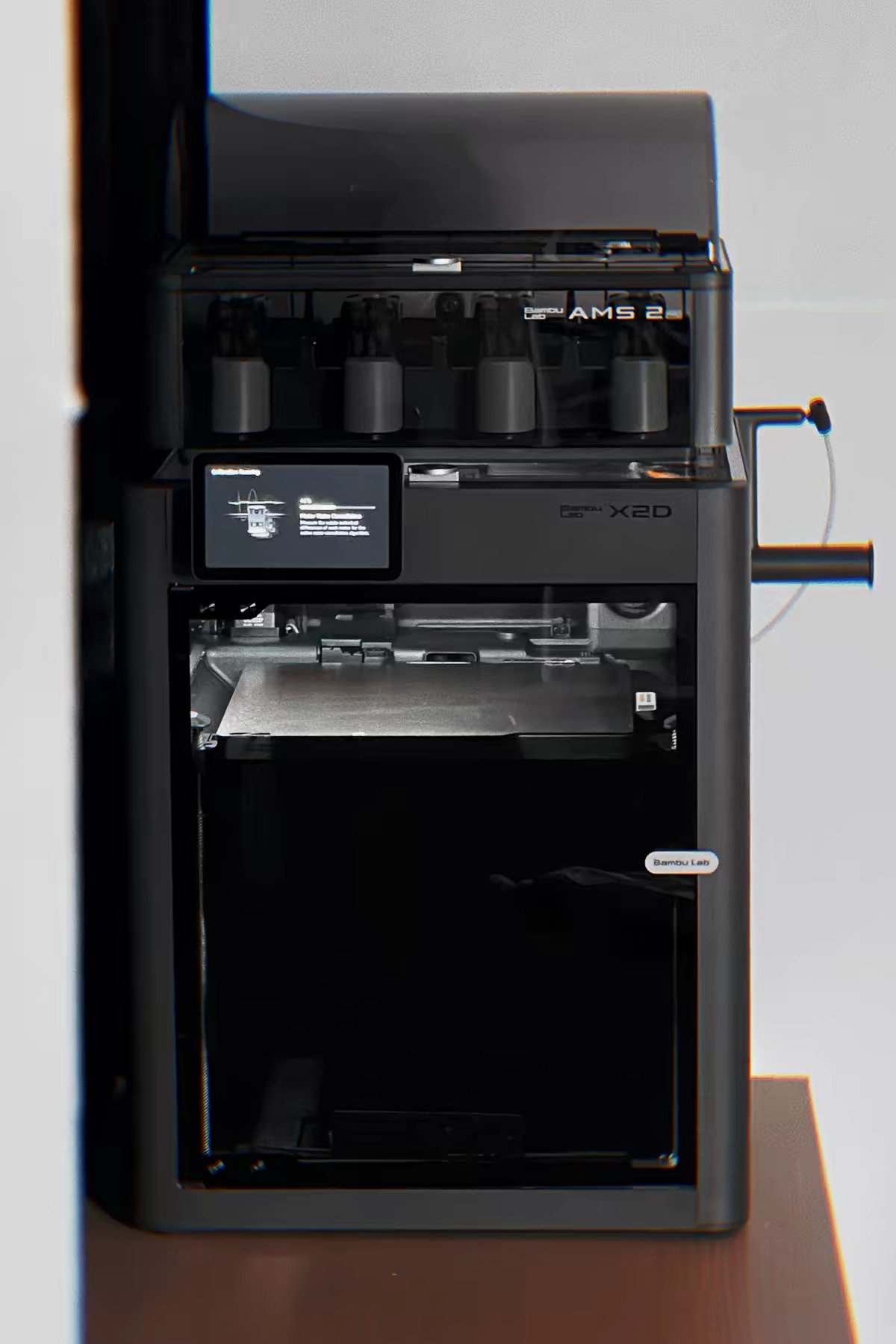
| Bambu Lab X2D Combo | Creality K2 Pro Combo | |
|---|---|---|
| Price | $899 | ~$1,049 |
| Build volume | 256×256×256mm | 300×300×300mm |
| Nozzles | 2 (direct drive + Bowden) | 1 (direct drive) |
| Chamber heating | Active, up to 65°C | Active, up to 60°C |
| Max nozzle temp | 300°C | 300°C |
| Max bed temp | 120°C | 110°C |
| Max speed | 1,000mm/s (main nozzle) | 600mm/s |
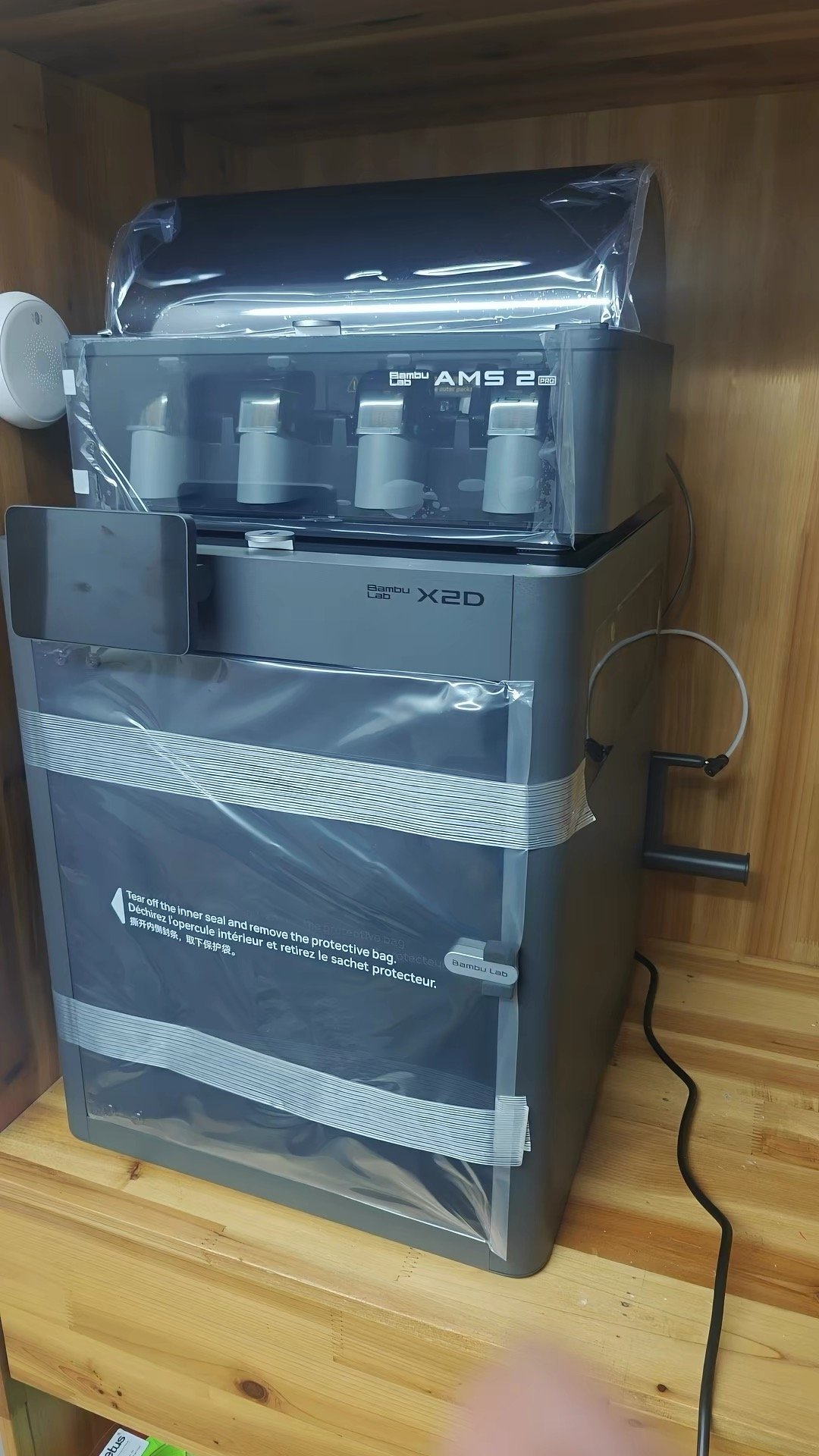
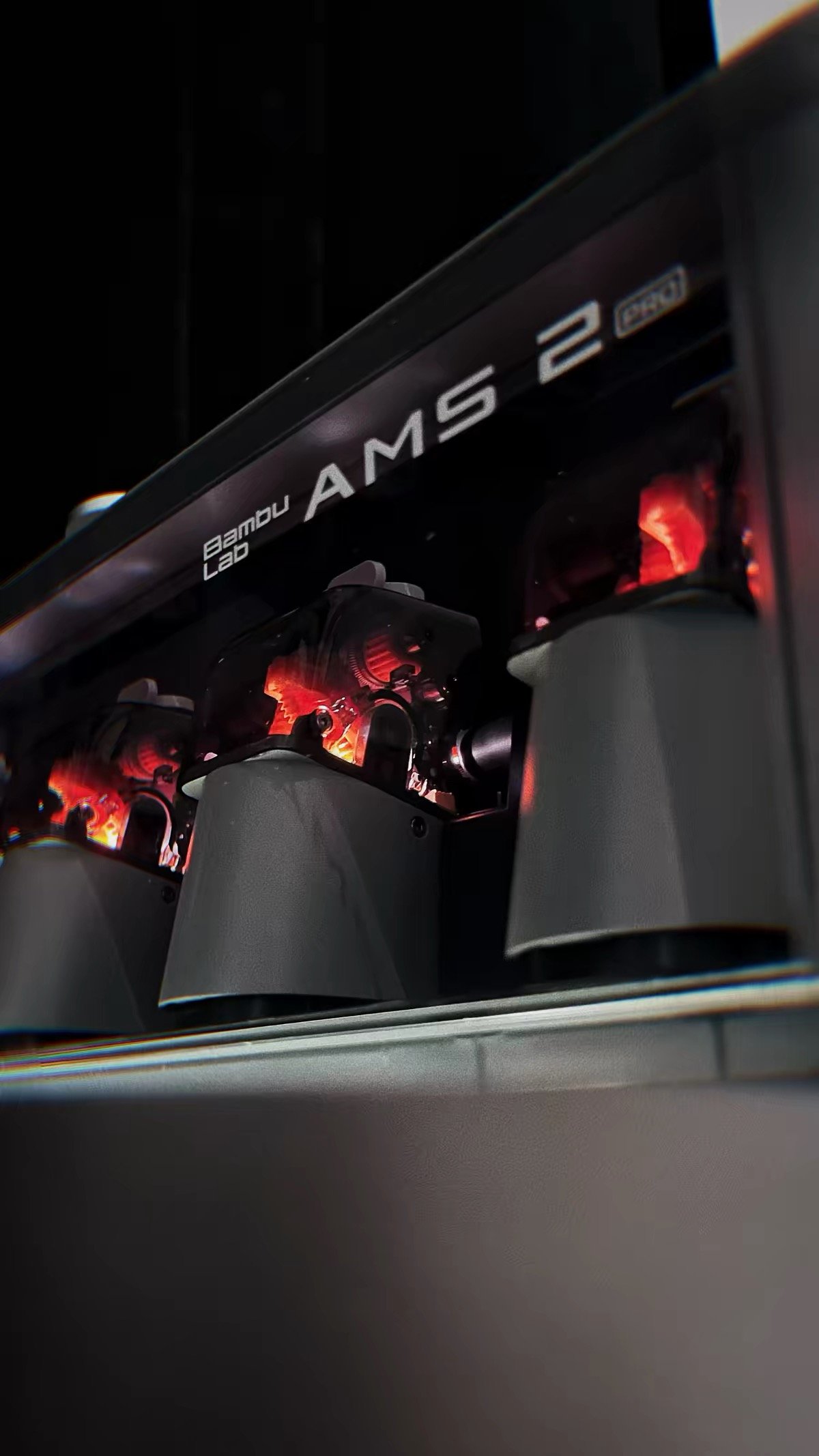
| Multi-color system | AMS 2 Pro (4 slots, up to 25 colors) | CFS (4 slots, up to 16 colors) |
| Air filtration | 3-stage HEPA + activated carbon | Activated carbon filter |
| Noise (typical operation) | <50 dB | 48–52 dB (fans more aggressive) |
| Slicer | Bambu Studio | Creality Print (Klipper-based) |
| AI monitoring | Chamber + toolhead camera | Dual AI cameras (chamber + nozzle) |
| Machine maturity | New (launched April 2026) | Established (launched mid-2025) |
Prices verified April 2026. K2 Pro Combo pricing varies by retailer ($1,049–$1,199).
Dual Nozzle vs Single Nozzle: The Capability Gap That Defines This Decision
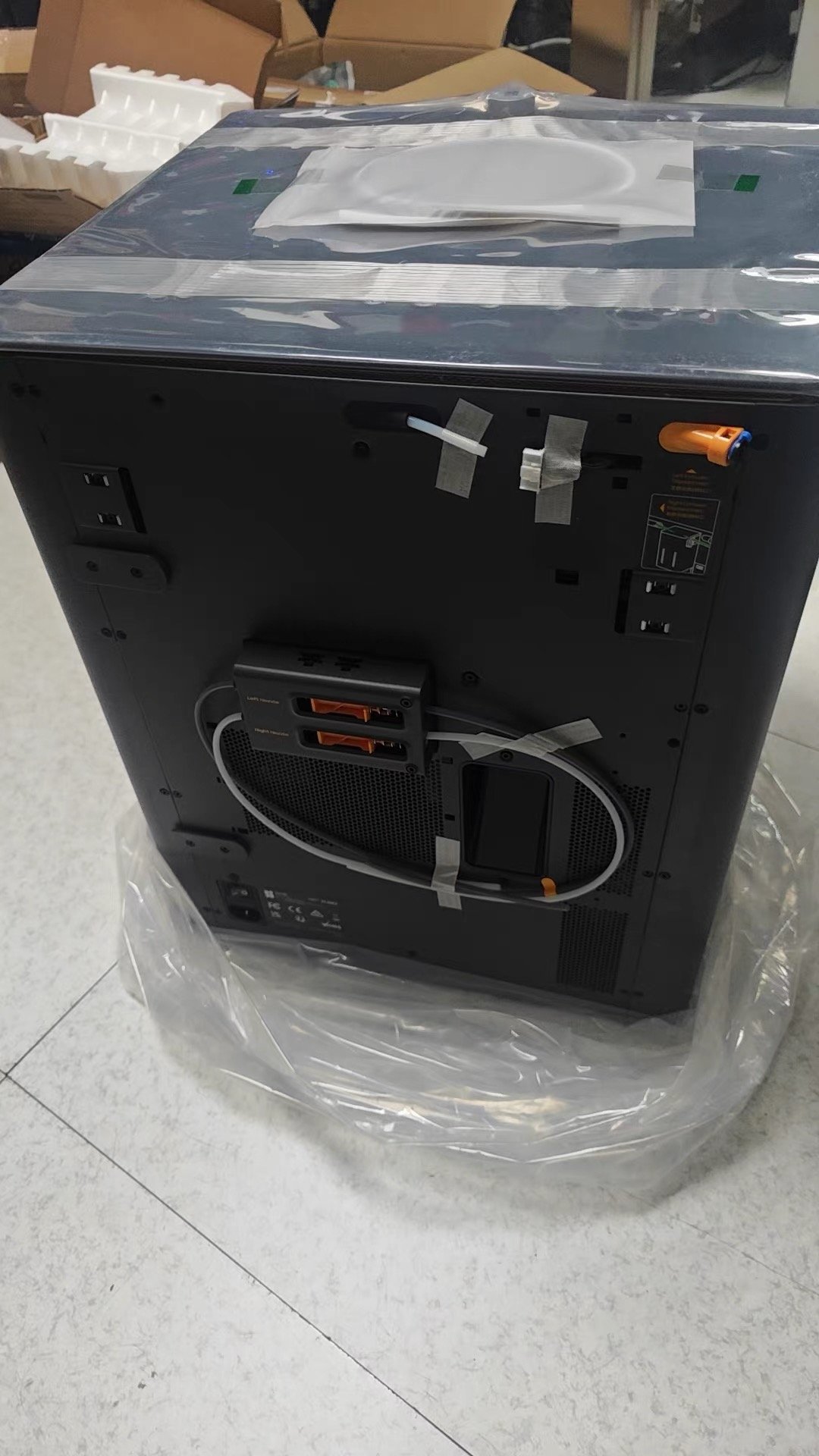
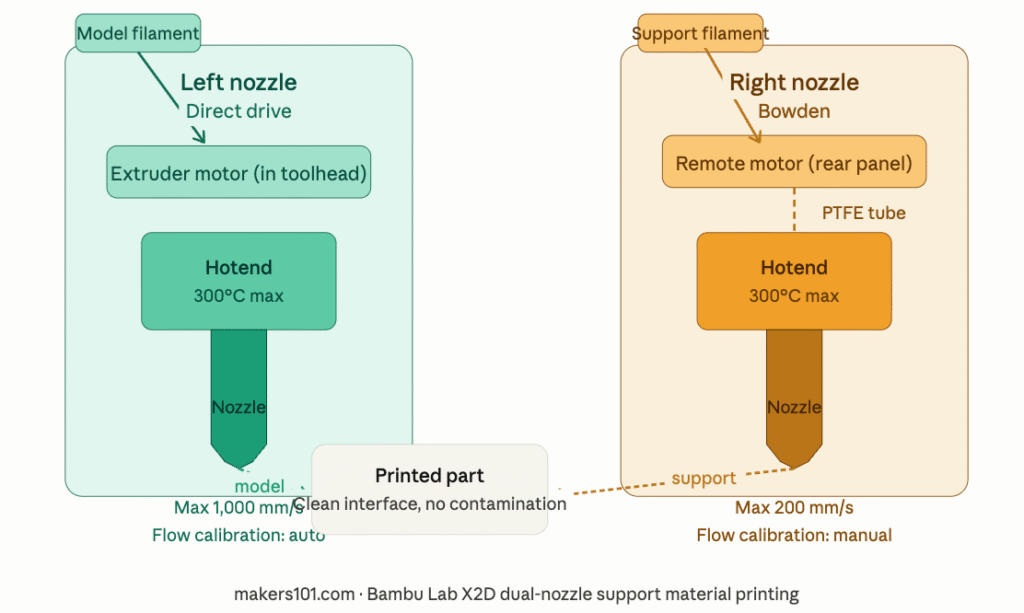
Both machines have a heated chamber. Both handle ABS, ASA, and PA-CF. Both have multi-color systems. On those specs, they’re roughly equal.
But the X2D has a second nozzle. The K2 Pro doesn’t. And that single hardware difference creates a capability gap that no amount of slicer tuning can close.
What a dedicated second nozzle actually means for support printing
On the K2 Pro, support material works the same way it does on every other single-nozzle printer: the CFS loads support filament into the same nozzle that prints the model, purges the previous material, then deposits the support.
When the job finishes, you peel away the support — but the interface layer always carries traces of the previous material. Depending on the pairing, supports either bond too strongly (tearing the model surface) or too weakly (collapsing mid-print). Getting it right requires tuning. Getting it perfect requires luck.
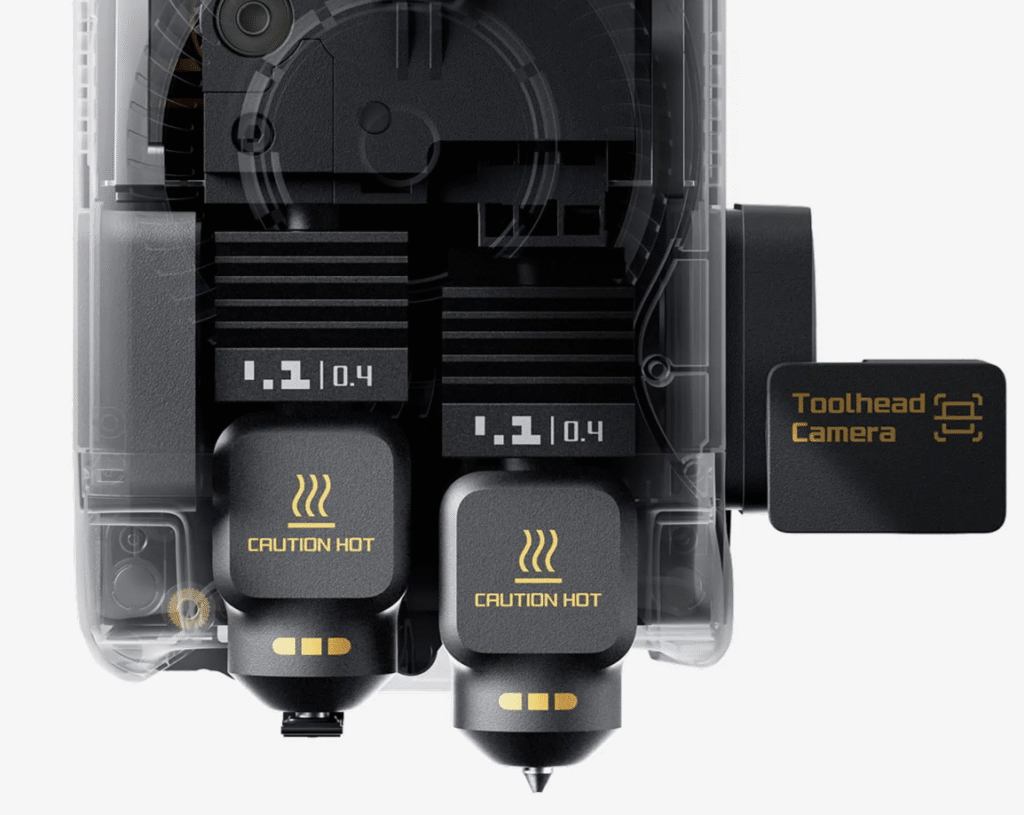
On the X2D, the right nozzle is physically dedicated to support material. The model material never touches it.
When you print PETG with PVA supports, those two materials never share a nozzle, never contaminate each other, and the support interface is exactly as clean as Bambu’s slicer profiles intend it to be. Supports peel cleanly. Every time.


An independent reviewer who ran both a single-nozzle machine and the X2D across 600+ hours on the same models documented the real-world gap: with an average swap time of 14 seconds versus the single-nozzle approach’s 2-minute purge cycle, the X2D completed the same dual-material model in 40% of the time (1 hour 37 minutes vs 4 hours) and with 87% less filament waste (8 grams vs 62 grams).
Early hands-on reviews from TechRadar and Tom’s Hardware both confirmed strong real-world multi-material performance.
The K2 Pro can’t match those numbers — not because of how fast it runs, but because of how it’s built.
The trade-off
The X2D’s right (Bowden) nozzle is capped at 200mm/s versus 1,000mm/s on the left. It has no automatic flow calibration. Print quality from the right nozzle is slightly lower than the left — Bambu acknowledges this in their own product footnotes.
Think of it as a 1.5-nozzle system rather than true dual extrusion: outstanding for support material and secondary rigid components, but not a full second primary nozzle.
The K2 Pro is a better machine for heavy single-nozzle printing. The X2D is a better machine when two materials need to coexist in the same print.
Build Volume: Where the Creality K2 Pro Has a Real Advantage
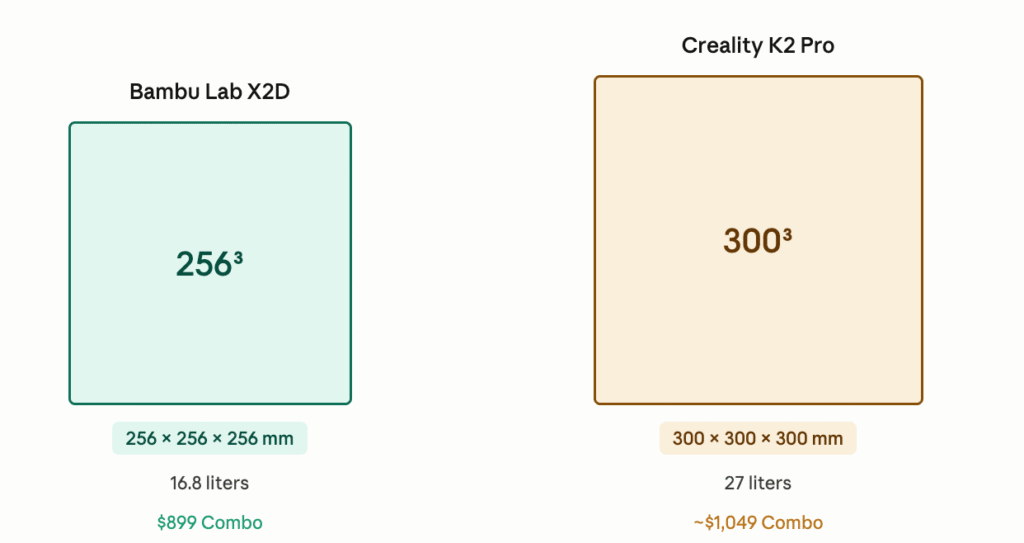
Helmets, full-size brackets, and parts over 256mm print whole on the K2 Pro; the X2D requires splitting.
makers101.com · X2D vs K2 Pro build volume comparison
The K2 Pro’s 300×300×300mm build volume versus the X2D’s 256×256×256mm sounds like a minor spec difference until you’re trying to print a helmet in one piece, a full-size automotive bracket, or a 280mm-tall architectural model.



At 256mm, the X2D fits the vast majority of desktop 3D printing workflows. It’s the same footprint the X1 Carbon used for three years, and most community prints on MakerWorld don’t come close to its limits. But the K2 Pro’s extra 44mm in every direction is genuinely transformative for users who regularly push those boundaries.
If you print large single-material engineering parts — enclosures, structural brackets, cosplay components, functional prototypes — the K2 Pro’s volume advantage compounds with every job. The X2D will force you to split and join parts that the K2 Pro prints whole.
Bambu X2D vs K2 Pro Price: What the $150 Gap Actually Buys
On paper the gap is $150 at Combo level. But the real cost picture shifts significantly depending on where you want to take the machine next.
At base Combo level: The X2D is $150 cheaper and includes dual-nozzle capability the K2 Pro will never have at any price. The K2 Pro’s $150 premium buys you a larger build volume and open Klipper firmware. Not ready to spend at this tier? Creality’s cheapest K2 badge starts at $399, with the tradeoffs you’d expect. Those are real advantages — but they’re not the same kind of advantage.
If you want to expand to 8 colors: A second AMS 2 Pro unit for the X2D runs approximately $299, bringing the total to ~$1,198. A second CFS unit for the K2 Pro runs approximately $319, bringing the total to ~$1,368. At the 8-color level, the X2D is still roughly $170 cheaper — and its nozzle-switching approach means faster swaps and lower waste at every job.
If you want the X2D but aren’t ready for multi-color: The base X2D is $649. Adding an AMS 2 Pro separately costs ~$299, for a total of ~$950. That’s a meaningful saving over the $899 Combo if you want to confirm your dual-nozzle workflow before committing to multi-color printing.
The honest summary: At matched configurations, the X2D is consistently $100–$170 cheaper than the K2 Pro. The K2 Pro’s premium buys a larger bed and more customizable firmware — both real advantages, but specific ones. If neither of those advantages applies to your workflow, the math favors the X2D.
Chamber Heating: Bambu X2D vs K2 Pro for ABS, ASA, and Nylon
Both machines actively heat the chamber — this is what separates them from the P2S and other single-nozzle Bambu printers.
The X2D heats to 65°C. The K2 Pro heats to 60°C. In practice, both temperatures are sufficient for reliable ABS, ASA, and PA printing in most ambient conditions. The 5°C difference is unlikely to matter unless you’re pushing very large PC prints at the absolute edge of the material’s warp resistance.
One practical note on the K2 Pro: for PLA printing, you need to open the front door or activate the cold-air intake to prevent heat buildup from warping low-temperature parts. The X2D’s “Cool Mode” draws in external air automatically and keeps the door closed for PLA — a minor but real convenience advantage for users who switch frequently between materials across a single session.
Multi-Color Printing: AMS 2 Pro vs CFS System Compared
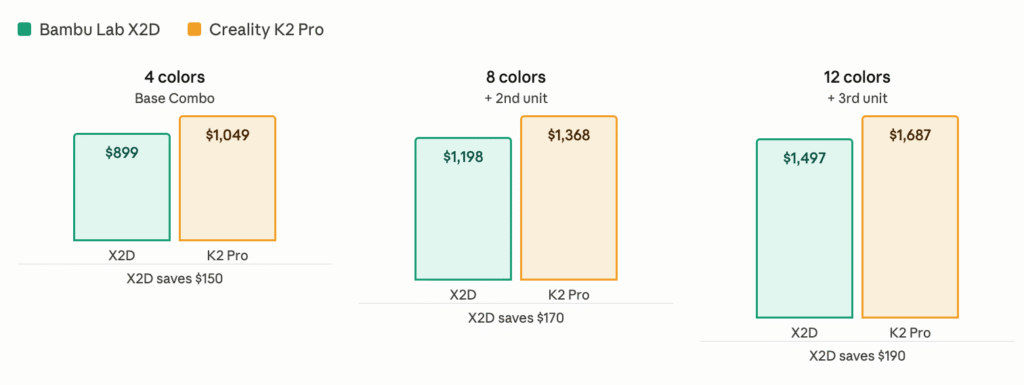
At every tier, the X2D is cheaper — and includes faster nozzle-switching with less purge waste.
makers101.com · Bambu X2D vs Creality K2 Pro price comparison 2026
Both machines support multi-color printing with expandable material systems, but their philosophies differ in ways that compound over time.
The X2D’s AMS 2 Pro feeds both the left and right nozzles. Because the X2D switches nozzles rather than flushing filament through one nozzle, dual-nozzle color swaps happen in approximately 14 seconds with minimal waste — compared to the K2 Pro’s purge-based approach which takes over 2 minutes per swap and generates significantly more waste filament.
With dual AMS units connected, you can reach 8 colors from the AMS plus one external spool per nozzle, totalling up to 25 colors in full configuration.
The K2 Pro’s CFS routes all colors through the single nozzle, meaning every color change requires a purge. Swap times are longer and purge waste is higher than the X2D’s nozzle-switching approach. That said, the CFS system is well-documented and has an active community of users who have optimized purge settings.
Open Klipper access also means community plugins for reducing waste are available. (If managing AMS purge waste is a concern for your X2D workflow, see our guide on Bambu AMS filament waste: 5 ways to reduce it →)
Expansion cost at each color tier:
| Configuration | X2D total cost | K2 Pro total cost |
|---|---|---|
| Base Combo (4 colors) | $899 | ~$1,049 |
| 8 colors (2nd unit added) | ~$1,198 | ~$1,368 |
| 12 colors (3rd unit added) | ~$1,497 | ~$1,687 |
At every tier, the X2D is cheaper to expand — while maintaining faster swaps and lower waste per job.
TPU Printing: X2D vs K2 Pro Flexible Filament Workflows
The X2D routes TPU through the left direct-drive nozzle. The right Bowden nozzle is not suitable for flexible filaments — the long PTFE path causes feeding compression. For TPU+rigid combinations, the workflow is: TPU on the left direct-drive, rigid material on the right nozzle or through the AMS. Both materials are available in the same print job, simultaneously.
The K2 Pro handles TPU via a bypass port that feeds directly to the direct-drive extruder, bypassing the CFS Bowden path. Via the bypass port, the K2 Pro prints 85A–95A shore hardness TPU reliably at 30–50mm/s. However, TPU and rigid materials require separate print runs — there’s no simultaneous dual-material path.
Both printers can print TPU. Neither can run it through their multi-material system. The X2D’s advantage is workflow: TPU+rigid combinations happen in one unattended job rather than two sequential jobs with manual material swaps between them.
(For a full breakdown of TPU hardness ratings, print settings, and material pairings, see our 3D printing filament guide →)


Noise and Home Use: X2D vs K2 Pro in Real Environments
The X2D is rated below 50 dB under typical conditions. Bambu has invested specifically in acoustic engineering — the motion system, air duct, and Active Motor Noise Canceling all contribute. It’s marketed as suitable for home use, and under normal operating conditions that claim holds.
The K2 Pro runs at 48–52 dB in typical operation — comparable on paper — but the thermal management system is more aggressive. The active chamber heating and multiple circulation fans create more sustained fan noise, particularly during long engineering material prints where the chamber needs to maintain 60°C.
Independent reviewers consistently describe it as better suited to a workshop or dedicated room rather than a living room or shared home office.
For anyone printing in a shared space, the X2D’s quieter and more consistent noise profile is a real quality-of-life difference. During PLA printing on the K2 Pro, opening the front door for cooling increases fan noise further — a tradeoff that doesn’t exist on the X2D.
Ecosystem and Software: Bambu Studio vs Creality Print
This is where the two machines differ most fundamentally in philosophy.
Bambu Studio is mature, integrated, and opinionated. It handles dual-nozzle material assignment with guided workflows, syncs directly with MakerWorld profiles, and manages AMS automatically.
The closed-loop ecosystem means less configuration friction. The trade-off: limited customization, no Klipper access, and Bambu’s ongoing stance on third-party slicers. (If AMS reliability during long prints is a concern, our Bambu Lab filament runout guide → covers AMS mid-print behavior in detail.)
The K2 Pro runs Creality Print, a Klipper-based slicer that gives you root access to the printer’s firmware. If you know what you’re doing, this means unlimited tuning, community plugin support, and full transparency into every parameter. If you’re newer to the hobby, it means more decisions before your first successful print.
For engineers and advanced makers who want to own every layer of their workflow, the K2 Pro’s openness is a genuine advantage.
For makers who want to spend time printing rather than configuring, Bambu Studio’s maturity is hard to argue against.
Machine Maturity and Community Support
This is a dimension that doesn’t appear in any spec sheet, but it deserves honest discussion before you spend $900–$1,200.
The K2 Pro launched in mid-2025 and has nearly a year of real-world usage behind it. Reddit, YouTube, and the Creality forums have accumulated troubleshooting threads, user-developed profiles, mod guides, and long-term reliability reports. When something goes wrong, solutions usually exist. The community is active, large, and vocal.
The X2D launched on April 14, 2026. At the time of writing, it has been in users’ hands for days, not months. Early reviews from TechRadar (250 hours of testing, strong marks overall) and Tom’s Hardware (called the dual-nozzle setup “incredibly effective”) were both strongly positive, and Bambu’s track record with the X1C and P2S suggests a solid foundation. But the mechanical nozzle-lift switching system — which physically raises the inactive nozzle out of the way during printing — is new hardware.
Questions about nozzle alignment drift over thousands of hours, switching zone maintenance, and edge cases in the dual-nozzle workflow will take months of community usage to fully surface.
This doesn’t mean you shouldn’t buy the X2D — Bambu’s quality control is among the best in the consumer space, and the X1C ran reliably for three years on a broadly similar architecture. But if your purchasing calculus weights community support and long-term track record heavily, the K2 Pro currently has the edge.
If you’re comfortable being an early adopter on a machine from a manufacturer with a strong reliability record, the X2D’s launch reception suggests that comfort is well-placed.
Real-World Decision Points: X2D vs K2 Pro by Use Case
You need clean support removal on complex prints → X2D. The dedicated support nozzle removes the biggest frustration in multi-material printing.
You regularly print parts larger than 256mm → K2 Pro. There’s no workaround for the X2D’s volume ceiling if your work genuinely needs 280–300mm.
You print ABS, ASA, and PA in medium-sized parts → Either. Both heated chambers are capable; the rest of the decision is about nozzle count and ecosystem.
You want TPU + rigid in one unattended print job → X2D. The K2 Pro requires two separate jobs.
You want 8+ colors with a tunable open slicer → K2 Pro. More CFS expansion options, Klipper access, and an active modification community. (If you’re considering zero-purge multi-color at 6+ materials, the Bambu Lab H2C → with Vortek is worth comparing.)
You’re upgrading from an X1C → X2D. The ecosystem carries over directly — Bambu Studio, AMS, MakerWorld profiles — with zero re-learning curve. The X2D is the X1C’s intended successor. (See our full X1C to X2D upgrade guide →)
You’re upgrading from a P1S and primarily print large single-material parts → K2 Pro. The build volume jump from 256mm is significant and the single-nozzle workflow is familiar territory. (Not sure if P2S or X2D makes more sense first? See P2S vs P1S →)
You’re upgrading from a P1S and want dual-material capability → X2D. The Bambu ecosystem already works for you; the X2D adds what the P1S couldn’t do. (Compare X2D vs P2S first: P2S vs X2D guide →)
You’re buying for a home office or shared living space → X2D. More consistent, quieter noise profile under sustained operation.
You want maximum tinkering freedom → K2 Pro. Klipper root access is a fundamentally different ownership experience.
You want the machine with more community troubleshooting resources right now → K2 Pro. The X2D needs another 3–6 months of community usage to catch up.
Bambu X2D Limitations and K2 Pro Limitations: The Honest Case Against Each
Against the X2D: The Bowden right nozzle is the machine’s weakest point — capped at 200mm/s, dual-material prints take longer than true IDEX would deliver. The Bambu ecosystem is closed; customization beyond Bambu Studio’s parameters hits hard walls.
The dual-nozzle mechanical lift mechanism is new and unproven hardware. And at $899 for the Combo, the base model ($649) lacks AMS, so most buyers will effectively be paying Combo prices regardless.
Against the K2 Pro: Single-nozzle support printing never matches a dedicated second nozzle — if support quality and dual-material workflows matter to you, no CFS upgrade changes that fundamental hardware limitation.
The noise profile during long engineering prints is higher than the X2D’s. Creality’s CFS, while functional and improving, is still maturing relative to Bambu’s AMS in terms of reliability documentation. And for users already in the Bambu ecosystem, switching to Creality Print means re-learning tooling that Bambu Studio already handles.
Frequently Asked Questions
Is the Bambu Lab X2D better than the Creality K2 Pro?
It depends on what you print. For dual-material printing — clean support removal, TPU+rigid combinations, or two-material engineering parts — the X2D is the stronger choice. Its dedicated second nozzle delivers something the single-nozzle K2 Pro cannot replicate regardless of configuration.
For large-format single-material engineering parts above 256mm, or for makers who want Klipper-level firmware control, the K2 Pro is the better tool. Neither machine is universally better; they answer different questions.
X2D vs K2 Pro for beginners — which is easier to start with?
The X2D, primarily because of Bambu Studio’s maturity and guided workflows. Initial setup is faster, MakerWorld profiles require minimal configuration, and the AMS system is more refined. The K2 Pro’s Klipper-based Creality Print is more capable for advanced users but adds configuration overhead for new printers.
That said, neither machine is a true beginner printer — both are prosumer-tier tools with real learning curves. If you’re new to 3D printing and considering your first machine, see our best 3D printers for beginners → for more appropriate starting points.
Can the K2 Pro print clean dual-material supports like the X2D?
Not in the same way. The K2 Pro routes all materials through a single nozzle, so every material transition involves purging. This works well for color changes but support interfaces will always carry some residual material at the contact face — a physical consequence of single-nozzle design that no tuning fully eliminates.
The X2D’s dedicated support nozzle means model and support material never share hardware, so contamination at the interface is impossible.
Is the X2D’s 65°C chamber meaningfully better than the K2 Pro’s 60°C?
For most engineering materials — ABS, ASA, Nylon — 60°C is sufficient, and both machines will behave comparably. The 5°C difference matters primarily at the edges of PC printing, where every degree of chamber stability counts. For the vast majority of users, chamber temperature alone won’t be the deciding factor.
Does the K2 Pro’s larger build volume justify the higher price?
If you regularly print parts larger than 256mm, yes — clearly. If you don’t, you’re paying a premium for volume you’ll rarely use, and the X2D’s $150 price advantage plus dual-nozzle capability becomes a more compelling trade.
Which slicer is better — Bambu Studio or Creality Print?
Neither is objectively better — they optimize for different things. Bambu Studio is more guided and mature for dual-nozzle and AMS workflows with less friction. Creality Print offers deeper low-level tuning, Klipper plugin support, and full firmware transparency. The right answer depends on whether you value workflow polish or technical control.
Is it risky to buy the X2D as a brand-new machine?
Less risky than a typical new-machine launch. Bambu’s track record is strong, early reviews were positive, and the X1C architecture underlying the X2D was thoroughly validated over three years. The one genuinely untested element is the mechanical nozzle-lift switching system.
If you want 3–6 months of community usage before committing, that’s a reasonable position. If you trust Bambu’s release history, the X2D’s early reception suggests your trust is well-placed.
Can either printer handle PA-CF reliably?
Yes, both can. PA-CF requires an actively heated chamber and hardened steel nozzles — both machines qualify. The K2 Pro’s larger build volume is an advantage for big PA-CF structural parts. For PA-CF with complex geometries needing clean support removal, the X2D’s dedicated support nozzle is the cleaner solution. For recommended PA-CF filament brands and print settings, see our best filaments for Bambu and Creality guide →.
For full X2D specs, confirmed pricing, and detailed review findings, see our complete Bambu Lab X2D review →
Considering the P2S instead? See our Bambu Lab P2S vs X2D guide →
Want to compare the P2S against the K2 Pro? See our P2S vs K2 Pro comparison →
Suggested image alt text for this article:
- Featured image:
Bambu Lab X2D vs Creality K2 Pro side by side comparison 2026 - Specs table screenshot:
Bambu X2D vs K2 Pro specifications comparison chart - Dual nozzle diagram:
Bambu Lab X2D dual nozzle support material printing diagram - Build volume comparison:
X2D 256mm vs K2 Pro 300mm build volume comparison
Also evaluating Snapmaker? See our X2D vs Snapmaker U1 comparison →