
Heads up — some of the links below are affiliate links. If you buy through them, I earn a small commission (at no extra cost to you), which helps cover the gear I test. Thanks!
- Thingiverse is the oldest and still one of the largest free libraries, but the site feels dated, runs ads, and serves mostly raw STL files.
- Printables (by Prusa) is the best-curated of the three. Cleaner quality, brand tie-ins, and the highest ratio of finished, published models.
- MakerWorld (by Bambu Lab) is the most active right now. It wins on ecosystem: pre-sliced print profiles, a points system that buys real filament, and AI model tools.
- All three are free to use. The real difference is curation, ecosystem lock-in, and how they reward creators.
- The smartest move is not picking one. Use an aggregator like Yeggi or 3dsearch.net to search all of them at once.
If you have opened three browser tabs trying to find one decent phone stand, you already understand the problem. You search Printables. Then Thingiverse. Then MakerWorld. Same query, three times, three sets of results.
Most MakerWorld vs Printables vs Thingiverse comparisons stop at one word: free. As if that settles it. It doesn’t. Free is the starting point, not the answer. What actually separates them is how well the models are curated, whether you get locked into one printer brand, and one thing almost nobody mentions: which downloads are safe to open.
This guide breaks down all three by how you actually use them. You will get a clear pick for your situation, one trick to stop searching three sites by hand, and a safety warning that could save your computer.
MakerWorld vs Printables vs Thingiverse: At a Glance
Here is the short version before we go deep. All figures are as of June 2026, and model counts move fast, so treat them as ballpark.
| Feature | Thingiverse | Printables | MakerWorld |
|---|---|---|---|
| Owner | MakerBot / UltiMaker | Prusa Research | Bambu Lab |
| Launched | 2009 | 2019 | Sept 2023 |
| Library size | Largest, oldest | Mid-size, curated | Fast-growing |
| Main format | Mostly raw STL | STL + 3MF | 3MF with print profiles |
| Cost | Free | Free (+ paid clubs) | Free (+ points) |
| Slicer link-up | None | Best with PrusaSlicer | Best with Bambu Studio |
| Standout feature | Sheer back catalog | Curation + contests | Points buy filament |
| Best for | Long-tail classics | Quality seekers | Bambu owners |
One quick caveat on size. By a community count back in 2023, Thingiverse held roughly 3 million models, Printables around 900,000, and MakerWorld about 600,000. MakerWorld has grown the fastest by far since then, so the gap today is much narrower. Raw count is not the whole story anyway, which we will get to.
Thingiverse: The Veteran That’s Showing Its Age
Thingiverse is the original 3D model library, and for years it was the only one. It launched in 2009 under MakerBot. If a print exists, there is a good chance someone uploaded it here first.
That history is both its strength and its weakness. The back catalog is enormous. But a lot of it is old and untested, uploaded as bare STL files with no print settings attached. One creator who has used it for over a decade put it plainly: 15 years ago it was the only source, and now it is buried in ads.
The community feel matches. Compared to the newer sites, Thingiverse reads like the grandpa of the group. The interface is clunky, search can be frustrating, and you will scroll past a lot of dated designs.
So when is it still worth opening? When you are hunting something obscure. An old replacement part, a niche bracket, a classic print from the early maker days. For deep long-tail searches, Thingiverse still has files the newer sites never picked up. If you are still choosing your first machine, our best 3D printers for beginners guide pairs well with whatever you find here.
- Largest, deepest back catalog for obscure and classic prints
- Completely free, no account hoops, no paywalls
- Brand-neutral, works with any printer and slicer
- Dated, clunky interface and heavy on ads
- Many models are old, untested, and bare STL with no print profiles
- Weak search and almost no quality curation
Printables: The Curated Favorite
If quality matters more to you than raw quantity, Printables is usually the answer. It is run by Prusa Research, and it shows. The site is clean, well organized, and the models tend to be tested and well documented.
Printables actually pioneered the design contest model. Those weekly and monthly competitions reward good work, and every other platform has since copied the idea. The result is a steady stream of fresh, high-effort models rather than a dumping ground.
It also has tricks the others do not. Printables runs brand collaborations, including licensed accessories with Philips and official models tied to Paramount. There is an education section with classroom-ready STLs. And for creators, the “clubs” subscription lets fans offer paid tiers and commercial licenses.
Here is the number that says the most. By that same 2023 community count, Printables had the highest ratio of published-to-created models, around 80 percent, versus roughly 45 percent on Thingiverse. In plain terms, more of what people make on Printables actually gets finished and shared. The trade-off is a smaller overall library, and the experience leans toward the Prusa world.
- Best curation and model quality of the three
- Design contests keep a steady flow of fresh, high-effort models
- Extras others lack: brand tie-ins, education STLs, paid creator clubs
- Smaller overall library than Thingiverse or MakerWorld
- Best tuned for the Prusa workflow
- Some regions hit payment and access friction
MakerWorld: The Ecosystem Powerhouse
MakerWorld is the newest of the three and the most active. Bambu Lab launched it in September 2023, and it grew quickly. The reason is not the model count. It is the ecosystem wrapped around it.
Three things make it stand out. First, models come with pre-configured print profiles. You find a model, hit send, and it prints with tuned settings. No guessing. For Bambu users, that send-to-print loop is the whole pitch.
Second, the points system. Upload models, or get yours printed and reviewed by others, and you earn points. Those points convert into real filament and accessories. This is not a token gesture. One user on r/BambuLab reported buying his third printer paid entirely with points, after covering 75 percent of an earlier machine the same way. That is a genuine economy, not a loyalty gimmick.
Third, the AI tools. MakerWorld’s Maker Lab and PrintU features can generate a model from a single photo, which lowers the barrier for people who cannot model from scratch. They are not perfect. One user found the color regions did not import cleanly into Bambu Studio. But for quick custom pieces, they work.
The catch is curation. With that much volume and that many incentives, you get a lot of filler. As one frustrated user put it, you will spot something that looks really fun, only to find the print itself is poorly designed. You will do some filtering.
- Pre-sliced print profiles for one-click send-to-print on Bambu
- Earn points that pay for filament and real hardware
- AI tools (Maker Lab, PrintU) build models from a single photo
- High volume means plenty of filler to filter out
- Leans hard toward the Bambu ecosystem
- AI-generated models can need cleanup, like color regions
Library Size & Model Quality: Bigger Isn’t Always Better
It is tempting to just pick the biggest library and move on. Don’t. Size and quality pull in different directions, and the best site depends on which one you need today.
Thingiverse wins on raw count but makes you dig. MakerWorld is the most active, but the volume comes with noise to filter. Printables has the smallest library of the three, yet the highest hit rate on quality, thanks to that curation and contest culture.
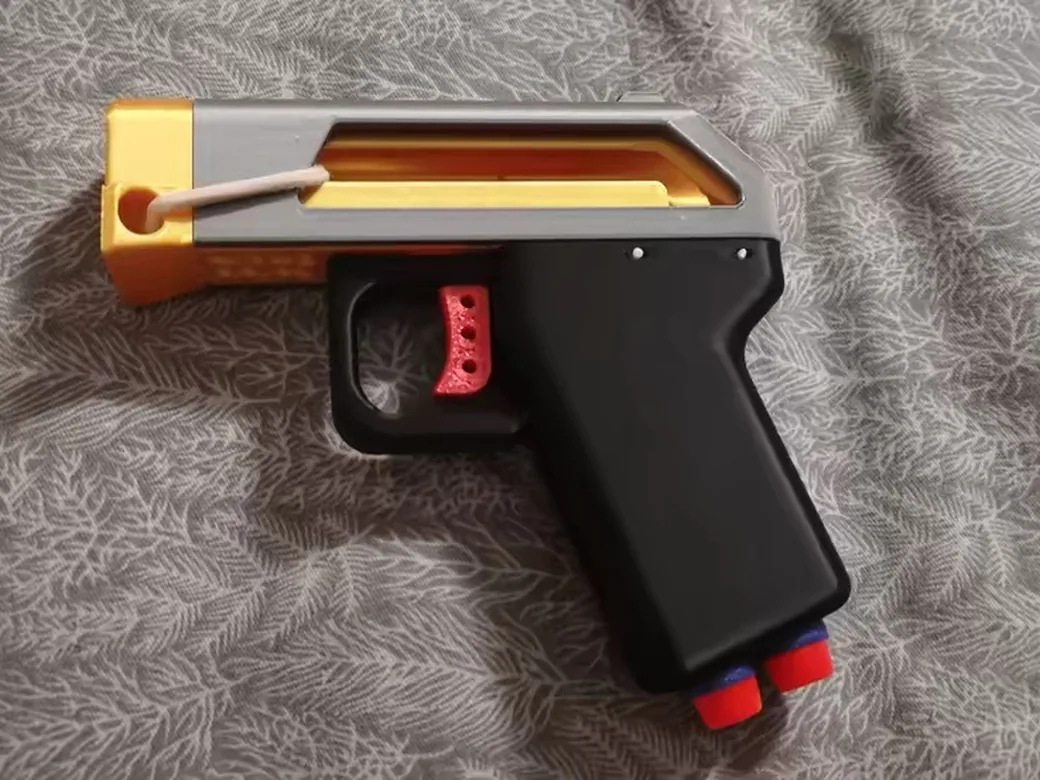
There is one habit that beats all of this, and it works on any site. Only download models that show real photos of a finished print. A render is a promise. A photo is proof. As one veteran maker said, look for models people have actually printed, so you know it works. That single filter cuts most of the disappointment on every platform.
Do You Need a Specific Printer to Use Them?
Short answer: no. All three sites work with any FDM printer. You download an STL or 3MF, slice it, and print. Nobody is locked out.
The longer answer is about convenience. The ecosystems are tuned to their parent brand. MakerWorld’s print profiles shine on Bambu machines. Printables feels smoothest in PrusaSlicer. Thingiverse stays neutral because it offers no slicer integration at all, which is exactly why it still suits mixed brands and older printers.
If you want the most frictionless start, a Bambu machine plus MakerWorld is the easiest on-ramp in 3D printing right now. We covered whether the entry model earns its keep in our Bambu Lab A1 Mini review. If you prefer maximum tinkering and universal STL compatibility, a Creality machine running files from Thingiverse is the classic combo.

- A1 mini + LED Lamp Kit for Creative Light Projects: Bring your ideas to life with the included LED Lamp Kit. Simply print compatible lamp models and…
- The Perfect 3D Printer for Beginners: A1 mini 3D Printer is designed to make 3D printing easy from day one with automatic calibration, simple setup…
- Experience the Bambu Lab Ecosystem: Access MakerWorld’s huge library of ready-to-print models, manage prints through the Bambu Handy app, and enjoy…
- Fast, Quiet, and Reliable Printing: Compact and beginner-friendly, A1 mini delivers high-speed, high-quality printing with quiet operation that fits…
- Made for Everyday Creativity: From toys and home décor to functional tools and personalized gifts, A1 mini makes it easy to turn ideas into real-life…

- 【250mm/s High-speed Printing】Creality Ender 3 V3 SE 3d printer supports a maximum printing speed of 250mm/s, 2500mm/s² acceleration.The speed has…
- 【Powerful “”Sprite”” Direct Extruder】Ender 3 V3 SE is the upgrade of ender 3, ender 3 v2, ender 3 pro, ender 3 neo, ender 3 v2 neo, ender 3 s…
- 【Worry-free CR Touch Auto Leveling & Strain Sensor】Creality Ender 3 upgraded 3d printer features a CR Touch sensor for auto leveling and a strain…
- 【Stable Dual Z-axis & Y-axis Linear Shafts】High-precision dual Z-axis lead screws reduce Z wobbling effectively, avoid printing deviation in…
- 【Quick Assembly & Easy to Use】Preassembly has solved those hassles and worries of parts assembly, It only takes 3 steps to complete the assemble…
Can You Actually Make Money? Creator Rewards Compared
If you design models, the platform you choose changes what you earn. This is where the three split hard.
MakerWorld pays in points that convert to filament, accessories, even whole printers. Printables pays through design contests and lets you run paid clubs with commercial licenses. Thingiverse offers almost nothing on this front, which is part of why creators have drifted to the newer sites.
The bigger picture is an arms race. Brands now treat model libraries as a way to sell printers, so the rewards keep climbing. According to creator coverage, Creality’s platform (rebranding to Flow Print) has floated a multi-million-dollar fund paying top models up to five figures, and Elegoo’s Next Print launched its own creator fund. Treat those exact numbers as creator-reported rather than official. The direction, though, is clear, and Bambu is in the same race with its own Let’s Make It creator fund.
One rule before you sell anything. Downloading a model does not give you the right to sell prints of it. Check the license on each model. Many are personal-use only, and commercial rights often require a paid license or the designer’s permission.
The Safety Angle Nobody Talks About
Here is what most comparison guides leave out. Not every download is just a model. Some are traps, and the risk is real enough that the platforms are actively fighting it.
The threat takes two forms. The first is malware disguised as a model. Attackers upload a file that contains no printable STL or 3MF at all. Instead the zip holds an .exe, or a Blender file with an embedded Python script. Open that .blend with auto-run scripts enabled, and it can plant itself in your startup folder and survive reboots. This is not theory. Printables has removed hundreds of malicious files and banned the throwaway accounts behind them.
The second is phishing. Creators have received comments claiming their account was suspended for a “violation” and demanding bank verification. The link looks like makerworld.com but uses a trick format, makerworld.com@something.gd, where your browser ignores everything before the @ and sends you to a fake site.
Four rules keep you safe on any platform:
- If the download has no STL or 3MF inside, delete it. A model without a printable file is not a model.
- Never run an .exe that ships with a “model.” There is no legitimate reason for one to exist.
- Turn off auto-run scripts in Blender unless you trust the source completely.
- No real platform asks for bank or card details in a comment. MakerWorld will never do this. Report and move on.
Stop Searching Three Sites One by One
Remember those three open tabs from the start? You do not have to live like that. The fix is a search aggregator.
The classic option is Yeggi. Think of it as Google for STL files. You search once, and it pulls results from across the major sites, free and paid. The catch is that it indexes everything, so low-quality and even sketchy listings can show up. You still vet what you click.
The community has built newer tools too. One maker, tired of searching each platform by hand, built 3dsearch.net, which indexes over six million models across eight platforms in a single search. You can filter by source, sort by downloads, and skip the tab juggling entirely. Two separate Reddit threads asking for exactly this tool pulled hundreds of upvotes, which tells you how common the frustration is.
Once you find the right file, the next step is dialing in your settings. Our print settings finder gives you a starting point for almost any filament and printer combo.
Which Should You Use? (By Scenario)
No single site wins for everyone. Match the platform to your situation.
- You own a Bambu printer: Start with MakerWorld. The print profiles and points system are built for you.
- You own a Prusa, or you value quality over quantity: Go with Printables. Best curation, least junk.
- You need an obscure or classic file: Check Thingiverse. The old back catalog runs deep.
- You want to earn from your designs: MakerWorld for points, Printables for contests and paid clubs.
- You are a nervous beginner: MakerWorld for the send-to-print ease, or Printables for reliable, tested models.
- You care about safety: Follow the four rules above. They matter on every site, not just one.
- You are tired of searching: Use Yeggi or 3dsearch.net and let one query cover every site.
Trying to decide whether a print is even worth the filament and time? Run the numbers first with our print cost calculator.
Frequently Asked Questions
Is MakerWorld free? Yes. Downloading and using models on MakerWorld is completely free. The points system is a bonus on top, earned by uploading or having your designs printed, and it converts to filament and accessories. You never pay to browse or download.
Which is better, MakerWorld or Thingiverse? It depends on your goal. MakerWorld is better for fresh models, print profiles, and a modern experience, especially on a Bambu printer. Thingiverse is better when you need something old or obscure from its massive back catalog. For everyday printing, most people now prefer MakerWorld.
Do I need a Bambu printer to use MakerWorld? No. Any FDM printer can download and print MakerWorld models. A Bambu machine just gets the extra convenience of one-click print profiles. On other printers, you slice the file yourself like you would anywhere else.
How do MakerWorld points work? You earn points by uploading models and by having other users print and review your designs. Those points cash out as filament, store credit, even hardware. Active designers have funded entire printers this way. Casual downloaders can ignore points entirely.
Are downloaded 3D models safe? Almost always, yes. But a small number of malicious uploads exist. Stick to files that contain only STL or 3MF data, never run an .exe bundled with a model, and ignore comments asking for personal or payment details. Follow those rules and your risk is very low.
Can I sell prints of models I download? Not automatically. Each model carries its own license, and many are personal-use only. To sell prints, check that the license allows commercial use, or buy a commercial license where the platform offers one. When in doubt, ask the designer.