
I earn a commission if you buy through links on this page, at no extra cost to you. As an Amazon Associate, I earn from qualifying purchases.
If you’ve been opening Reddit threads and YouTube videos trying to build a shopping list for your Kobra S1 Max, you’ve probably noticed the lists don’t agree with each other.
Here’s why. Search “Kobra S1 Max upgrades” and roughly half of what Google hands you is written for a completely different printer: the Anycubic Kobra Max, a 2023 bed-slinger with none of the S1 Max’s CoreXY frame or ACE Pro system. Even All3DP mixes them up. Buy parts for the wrong machine and you’ve wasted your money.
We run a Kobra S1 Max Combo in-house for our hands-on review, and every upgrade below is cross-checked against community testing and YouTube teardown reviews before it makes this list. Here’s what’s worth your money and what to skip.
Table of Contents
- First, Make Sure You’re Shopping for the Right Printer
- Anycubic Kobra S1 Max Upgrades at a Glance
- What Actually Counts as “Worth It” on the Kobra S1 Max Upgrades List
- The ACE Pro Riser (Do This First)
- A PTFE Tube Guard (Cheap, Divisive)
- A Ceramic or Hardened Hotend Upgrade
- A PEI Smooth Plate or Cool Plate
- A Better Filter for ASA and ABS
- A Lid Lifter or Door Prop
- Rinkhals Custom Firmware (For Power Users)
- Filament Hub Upgrades and Cable Management
- A Waste Chute for Purge Waste
- Worth Skipping (For Now)
- Before You Buy Anything, Do This
- Comparison Table: All Kobra S1 Max Upgrades Side by Side
- FAQ
First, Make Sure You’re Shopping for the Right Printer
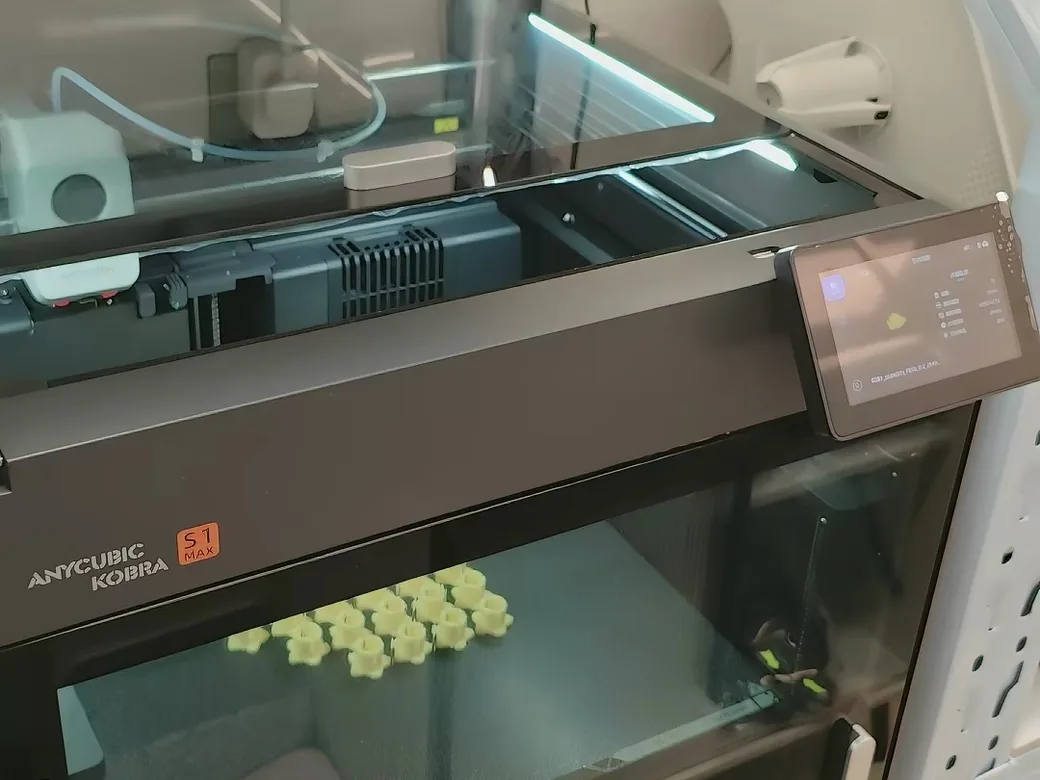
The Kobra Max and the Kobra S1 Max share a name but almost nothing else. Check your printer’s structure before you buy a single part.
| Kobra Max (2023) | Kobra S1 Max | |
|---|---|---|
| Frame | Bed-slinger (Y-axis moves the bed) | CoreXY |
| Build volume | 400 x 400 x 450mm | 350 x 350 x 350mm |
| Multi-material system | None | ACE Pro |
| Accessory ecosystem | Bondtech LGX Lite kits, generic bed-slinger parts | Anycubic’s dedicated S1 Max spare-parts line |
If your printer has an ACE Pro box on top and a fully enclosed CoreXY frame, you’re in the right place. If it’s an open-frame printer with the bed sliding forward and back, the parts in this guide won’t fit. Anycubic’s own FAQ page for the S1 Max confirms the specs in the table above if you want to double-check your machine.
Anycubic Kobra S1 Max Upgrades at a Glance
Cost tiers below: Free means a printable file, Budget runs under $35, Mid runs $35 to $50. Most free files show up quickly if you search the printer name (or “ACE Pro”) directly on Printables or MakerOnline.
| Upgrade | Type | Priority | Cost | Where to Buy |
|---|---|---|---|---|
| ACE Pro riser | Printed file | Do first | Free | Printables / MakerOnline |
| PTFE tube guard | Printed file | Do first | Free | Printables / MakerOnline |
| Ceramic hotend | Hardware | Optional | Budget | Amazon |
| PEI/Cool plate | Hardware | Optional | Mid | Official store or Amazon |
| Carbon filter mod | Printed file + hardware | Do first (ASA/ABS) | Free-budget | Community files |
| Lid lifter/door prop | Printed file | Optional | Free | Printables / MakerOnline |
| Rinkhals firmware | Firmware | Advanced | Free | GitHub |
| Filament hub + cable mgmt | Printed file | Optional | Free | Printables / MakerOnline |
| Waste chute | Printed file | Optional | Free | Printables / MakerOnline |
What Actually Counts as “Worth It” on the Kobra S1 Max Upgrades List
Not every mod on Reddit deserves your filament. Before you print or buy anything, run it through four questions:
Is this a one-time cost or does it need ongoing upkeep? Does installing it risk voiding your warranty or bricking the printer? Does it solve a problem you’ve actually run into on your own machine? And is a free printable file good enough, or do you genuinely need an official part?
Most of the mods below pass all four. A few, like firmware hacks, only pass for owners willing to accept some risk. If you want the same framework applied across any 3D printer, see our broader guide to 3D printer upgrades that are actually worth making.
The ACE Pro Riser (Do This First)
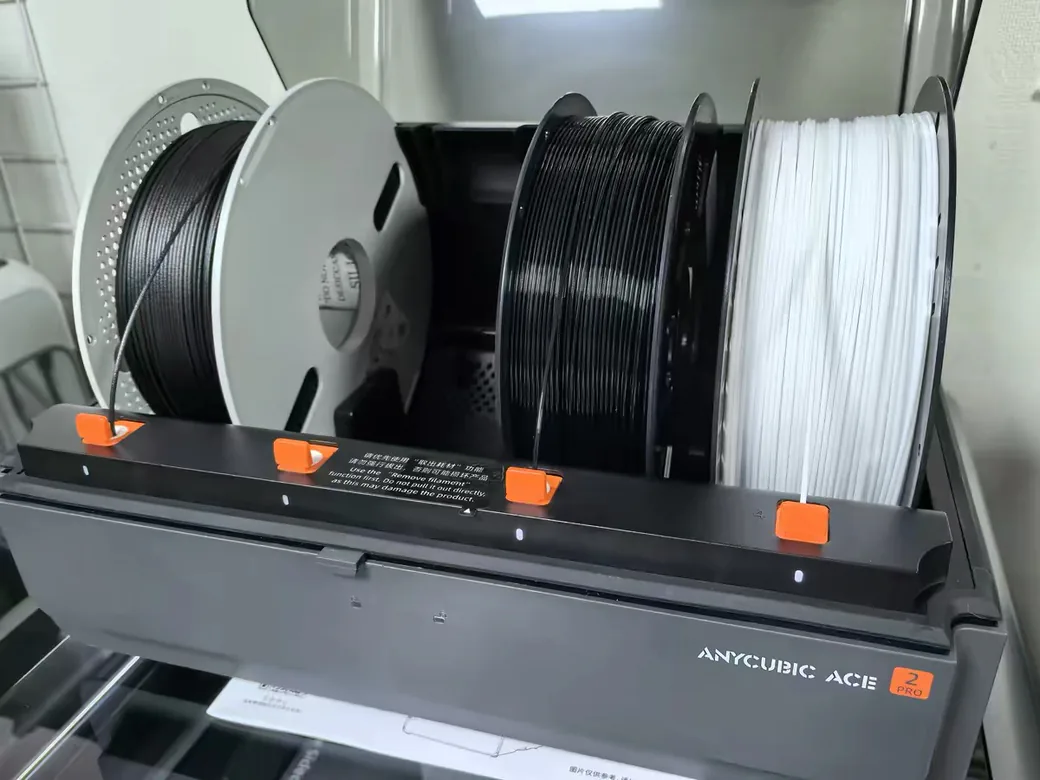
This is the first mod almost every S1 Combo and S1 Max owner ends up printing, and for good reason.
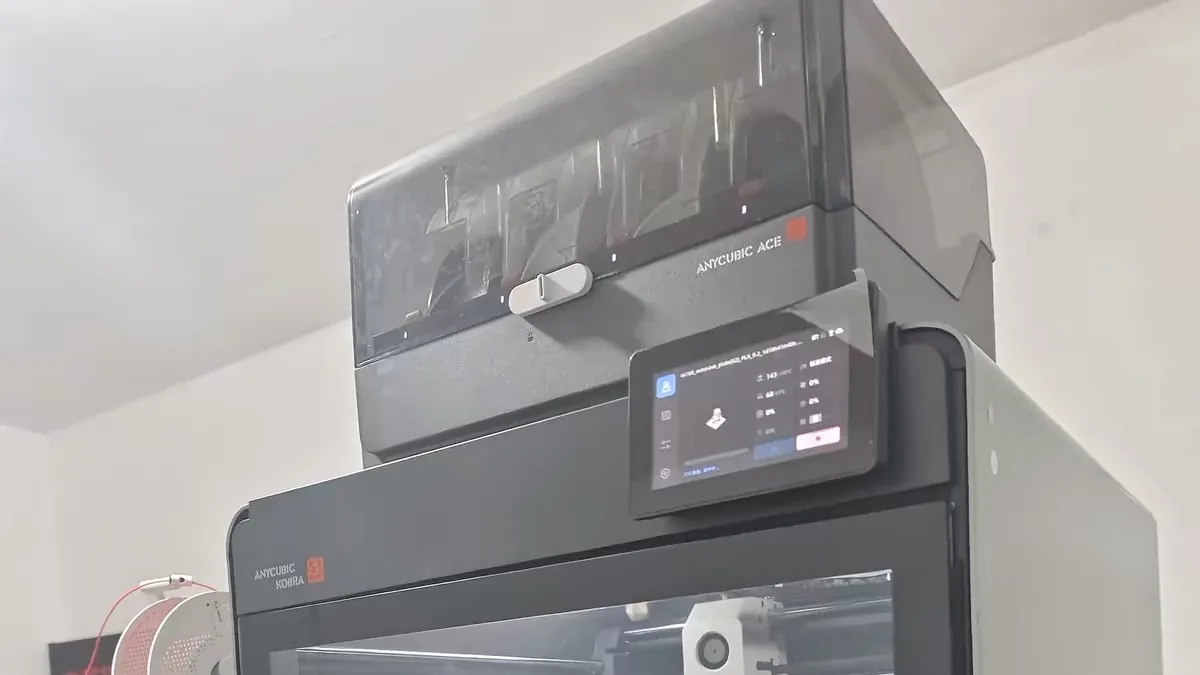
The ACE Pro sits on top of the printer, and the stock setup makes it awkward to reach the lid underneath. Multiple owners in the r/AnycubicKobraS1 community thread on must-have mods report that a simple riser fixes this in one print: it lifts the ACE Pro just enough to open the printer’s top lid for cooling, and to access it for drying cycles, without unplugging anything.
One German test channel, Molodos DIY, ran a side-by-side comparison of ten different mods for the Kobra S1 Combo and rated the ACE Pro riser one of only three that made a measurable, worthwhile difference. The S1 Combo and S1 Max share the same ACE Pro hardware, so the result carries over. Their other two winners: a rear waste-collection bin and a Skadis side-mount panel for tool storage, both covered below.
Where to Get It
Free printable files on Printables and MakerOnline. No purchase needed.
A PTFE Tube Guard (Cheap, Divisive)
Multiple Reddit owners call this the very first thing to print, and one warns not to skip it: the PTFE tube running to the top of the tool head can rub against the fan housing.
Here’s the honest read. That same Molodos DIY test found no measurable print-quality improvement from a tube guard. Both things can be true: the guard isn’t going to make today’s print look better, and it protects against slow mechanical wear, the kind that shows up months down the line.
This is a different PTFE part from the one covered in the hotend section below (that one is an internal liner exposed to nozzle heat; this is the external tube leading up to the tool head). The failure mode here is friction, not heat, so the fix is just keeping it away from the fan housing.
Where to Get It
Same two sources as the riser above: Printables and MakerOnline, free to print.
Skip This If…
You’ve physically checked the tube routing and it isn’t touching the fan housing at all.
A Ceramic or Hardened Hotend Upgrade
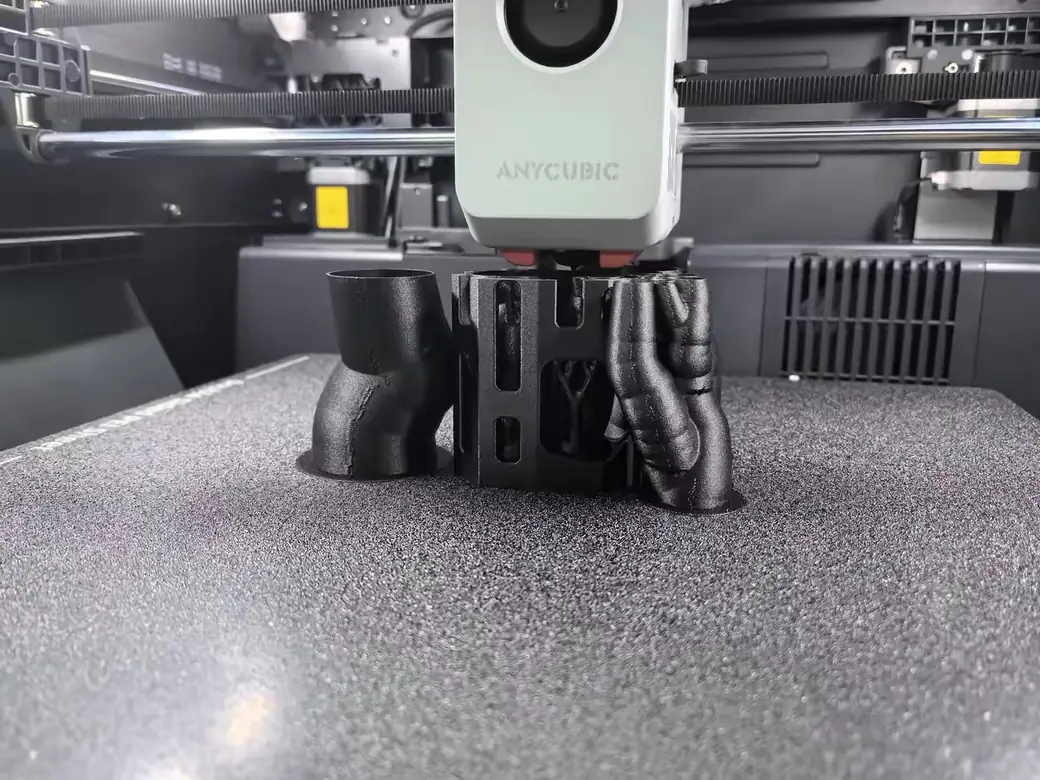
If you only print PLA or PETG, skip this section. The stock hotend already does that job better than most third-party swaps.
If you print ASA, ABS, or anything abrasive, the story changes. One YouTube teardown on the Kobra S1 found a real design flaw in the stock hotend: the PTFE tube shrinks at high temperature and can work itself loose, to the point where the reviewer had to heat the hotend to 320°C and force it back into place with pliers. The S1 and S1 Max use the same hotend design, so the flaw carries over. A ceramic replacement removes the PTFE section entirely, and one builder’s version shaved 7 grams off the hotend while heating faster.
That same builder’s warning is worth repeating: cheap ceramic hotends from marketplace sellers often arrive with no thermal paste applied. Clean the contact surface and reapply it yourself, or the upgrade won’t perform any better than stock.
There’s a real trade-off, too. A separate test swapped in a hardened-steel nozzle for PC prints and got worse results: lower thermal conductivity meant the actual extrusion temperature ran cooler than the set point, hurting layer adhesion and overhangs. Match the upgrade to the material you actually print, and expect to re-tune your temperatures after installing one.
Where to Get It
Check the official Anycubic store first. Third-party Amazon listings exist, but treat any single seller’s claims with caution and check for multiple listings that agree on fit and price before buying. If you buy there, an Anycubic coupon may take a bit off.
Skip This If…
You print PLA or PETG almost exclusively. Testing shows the stock brass hotend outperforms a ceramic swap at those temperatures.
A PEI Smooth Plate or Cool Plate
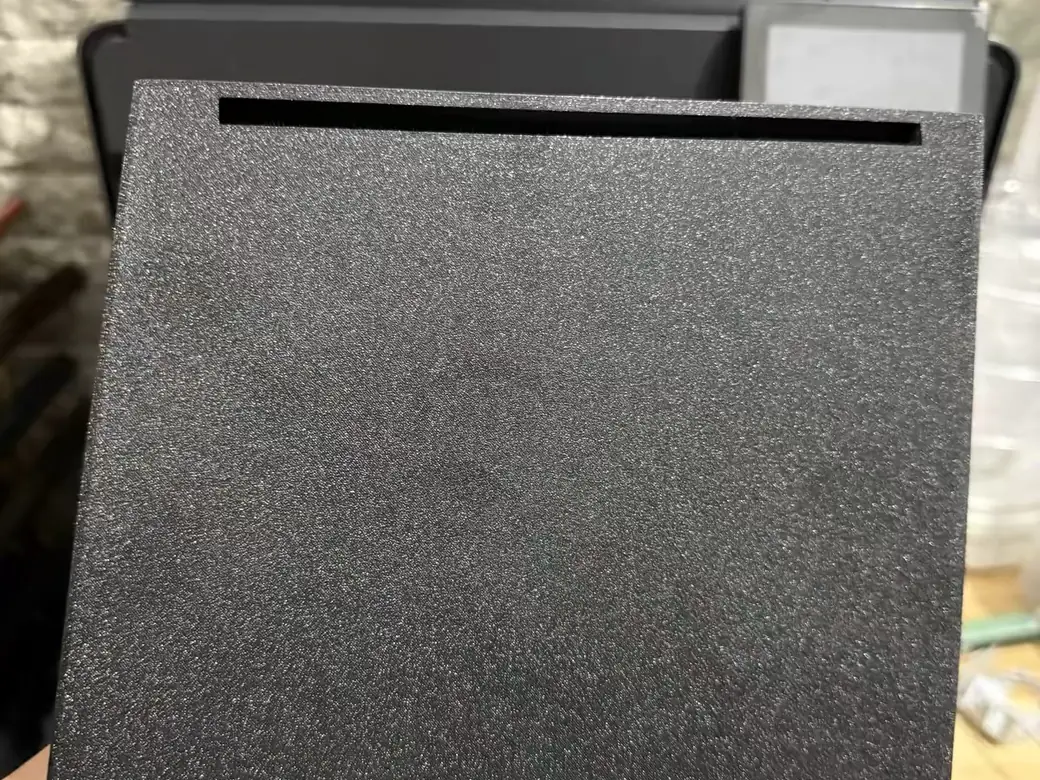
If you’re chasing fine layer heights or you’ve had first-layer adhesion problems, a cool plate is worth the money. If your prints already stick fine, save your cash.
A dedicated cool plate grips harder as the bed cools, which matters most for small, detailed prints at thin layer heights. Anycubic sells one directly for the S1 Max, and the same part is also listed through Amazon.

Where to Get It
Official Anycubic store or Amazon. Prices differ between the two, so check both before buying.
A Better Filter for ASA and ABS
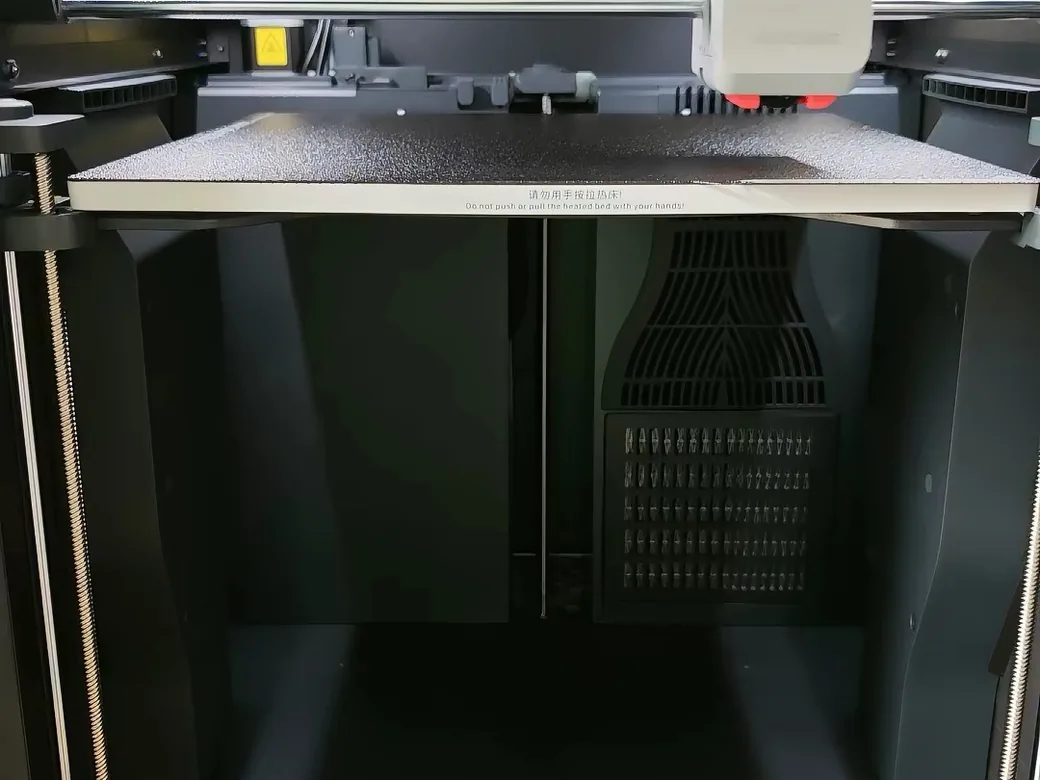
If you print ASA or ABS regularly, the stock carbon filter isn’t doing as much as Anycubic’s marketing implies.
I dug into this while updating our full Kobra S1 Max Combo review, and it’s worth repeating here. A Kobra S1 Max Combo owner on r/AnycubicKobraS1Max, posting as u/uk_uk, reported weak filtration and posted Anycubic support’s written replies. Anycubic’s own engineers admitted the stock filter has a real airflow problem: the two internal fans run in opposing directions, which creates more resistance through the filter than through the printer’s heater, so a chunk of the air just bypasses the carbon entirely. That same owner found the exhaust fan’s firmware caps it at roughly 40% of its rated speed, with or without a filter installed.
That’s the case for upgrading. The community’s answer is a printable carbon-filter mod that improves airflow and VOC reduction when printing ASA or ABS. PLA and PETG printers can skip this one entirely.
Where to Get It
Free printable files shared by the S1 Max community on Printables and MakerOnline.
A Lid Lifter or Door Prop
PLA and PETG both suffer in a fully sealed, actively heated chamber. Heat builds up faster than the stock chamber fan can pull it out, and that extra warmth is exactly what causes overhangs to droop on those two materials.
Multiple Reddit owners solve this the same way: a printed riser that props the lid open a crack, paired with a door holder, while printing PLA or PETG. Close everything back up for ASA or ABS, when you want the heat to stay in.
Where to Get It
Another free file, same two sites as above.
Rinkhals Custom Firmware (For Power Users)
Some videos transcribe this firmware’s name as “Ring” or “Rinko.” The real name is Rinkhals, and it’s the single biggest functional upgrade available for the S1 Max, if you’re comfortable with some risk.
Originally built by developer jbatonnet and now maintained by the open-source Rinkhals community, it gives you native Klipper access, SSH, and a direct connection to OrcaSlicer, Mainsail, or Fluidd, without disabling any of the printer’s stock functionality. The project’s own supported-firmware table lists “Kobra S1 Max (+ combo)” by name, alongside specific stock firmware versions it works with. Installation is a matter of copying the firmware onto a USB drive. One builder who tested it reported that a failed install still left the printer working on stock firmware, though you shouldn’t treat that as a guarantee.
The evidence in this section, both the gains and the rough edges, comes from testing on the Kobra S1 Combo. The two machines run the same ACE Pro system and closed firmware base, and the project’s own table confirms S1 Max support, but nobody on our team has run Rinkhals on an S1 Max yet.
The payoff can be significant. One builder used it to raise the extruder’s stepper current from 0.6A to 1.0A, which fixed false clog detection and under-extrusion. Another reported the ACE Pro’s color-change speed roughly doubling after installing it. Neither result is guaranteed on your machine.
Rinkhals still has rough edges, too:
- An incomplete bed mesh, with up to 0.7mm of variance after heat-soak
- No live Z-offset adjustment in the standard UI
- A 480p AI camera prone to false positives
- Roughly 20 minutes of hardcoded heating and cooling before a print starts
Reddit owners in that same thread flag one more thing worth knowing: installing custom firmware is the kind of change Anycubic could point to if you ever need warranty service. If you’re still within the warranty window and don’t want to gamble it, this is the section to skip.
Speeding up your printer changes what settings actually work. Our print settings finder can help you retune after installing Rinkhals, especially if you’re pushing print speeds beyond what the stock firmware allowed. For a broader look at what Klipper actually unlocks compared to the stock firmware most printers ship with, see our Klipper vs Marlin comparison.
Where to Get It
Free and open-source at github.com/rinkhals-community/Rinkhals (the project moved here from its original repo in mid-2026).
Skip This If…
The warranty clock hasn’t run out and you’d rather not gamble it, or you haven’t put a few weeks of stock printing behind you yet to rule out a hardware problem.
Filament Hub Upgrades and Cable Management
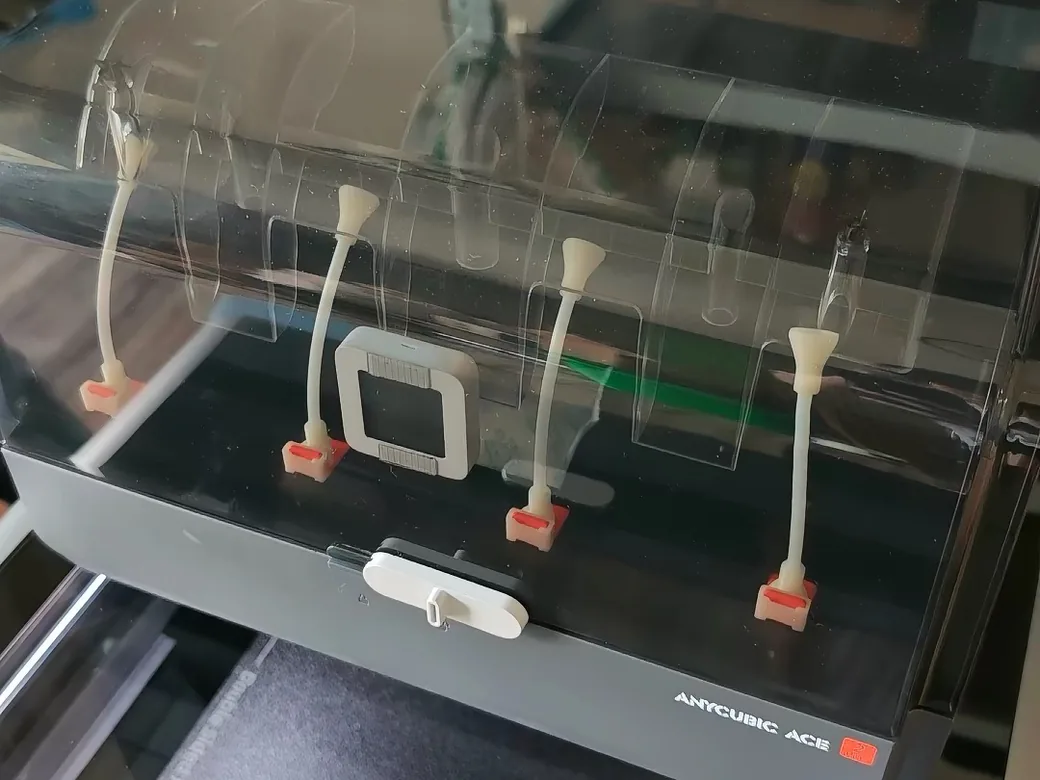
A cluttered filament path causes more jams than people expect, and it’s an easy fix.
Community-designed 8-in-1 and 4-in-1 filament hub replacements route material more cleanly into the ACE Pro, and they fit the entire Kobra 3 and S1 family, Max included. Pair one with a Skadis-style side-mounted panel (another of Molodos DIY’s three confirmed winners) to get your tools off the desk and onto the printer itself.

If you’re coming from a Bambu Lab background, the multi-material cable problem will look familiar. Here’s how P2S Combo owners handle the same multi-material cable mess, and most of the same principles apply.
Where to Get It
Same free source: Printables and MakerOnline.
A Waste Chute for Purge Waste
Some kind of waste catch is worth having the moment you start color-switching regularly. Multi-material printing means purge waste, and the ACE Pro doesn’t have anywhere elegant to put it. The Kobra S1 Max community came up with the nickname “poop chute” for this problem long before we wrote this guide. The fixes range from a repurposed cardboard filament box to dedicated magnetic waste ramps with a matching bin.
Pick whichever matches your patience for printing extra parts. A cardboard box costs nothing and works immediately. A printed ramp-and-bin combo looks better and installs cleanly, at the cost of a longer wait on your printer.
Where to Get It
Printables and MakerOnline have several versions, or use a cardboard box you already own.
Worth Skipping (For Now)
Not everything that shows up on a mod list earns its spot. Molodos DIY’s ten-mod test on the S1 Combo found two duds worth calling out by name: anti-vibration feet, which made no measurable difference to print quality in their side-by-side comparison, and a small internal waste bin meant to catch nozzle-wipe debris, which barely collected anything.
Two more from the community are worth a pause before you commit. Installing Rinkhals before you’ve ruled out a hardware problem makes it hard to tell whether a future issue came from the printer or from your firmware change. And swapping in a hardened or ceramic nozzle for low-temperature filament, as covered above, can hurt print quality on PC and similar materials.
Before You Buy Anything, Do This
Three checks cost nothing and catch more problems than half the mods on this list.
Check the lubrication on all rails and rods before your first print. Several owners report units arriving under-lubricated from the factory. Check your extruder gear tension too: one teardown found that loose tension alone caused visible gaps between layers, and tightening it solved the problem without any parts purchase.
If you ever disassemble the hotend, make sure the ceramic fitting sits flush with the metal around it. A gap there is a near-guaranteed clog.
Comparison Table: All Kobra S1 Max Upgrades Side by Side
| Upgrade | Priority | Cost | Risk | Where to Buy |
|---|---|---|---|---|
| ACE Pro riser | Do first | Free | None | Printables / MakerOnline |
| PTFE tube guard | Do first | Free | None | Printables / MakerOnline |
| Carbon filter mod | Do first (ASA/ABS) | Free-budget | None | Community files |
| Ceramic hotend | Optional | Budget | Disassembly | Official store / Amazon |
| PEI/Cool plate | Optional | Mid | None | Official store / Amazon |
| Lid lifter/door prop | Optional | Free | None | Printables / MakerOnline |
| Filament hub + cable mgmt | Optional | Free | Minor disassembly | Printables / MakerOnline |
| Waste chute | Optional | Free | None | Printables / MakerOnline / DIY |
| Rinkhals firmware | Advanced | Free | Warranty | GitHub |
FAQ
Is the Anycubic Kobra S1 Max good enough out of the box, or do you need to upgrade it?
It’s good enough to print well from day one. Most Anycubic Kobra S1 Max upgrades on this list target specific annoyances: chamber heat, filtration, cable clutter. Give it a few weeks of unmodified printing first so you know what, if anything, you actually need to fix.
Will installing Rinkhals or other firmware mods void my warranty?
It can. Reddit owners specifically flag this risk, and Anycubic has not published an official statement clearing custom firmware. If you’re still under warranty and not willing to risk it, skip this one until it expires.
Do Kobra S1 (non-Max) upgrades and accessories work on the Kobra S1 Max?
Many do, especially printed mods and filament hub replacements, since both machines share the ACE Pro system and a similar hotend design. The base S1 has a smaller 250 x 250 x 250mm frame, roughly 100mm tighter in every direction than the Max, so hardware parts sized for one chassis may not fit the other. Check dimensions before buying.
What’s the very first thing I should do before buying any upgrades?
Check the factory lubrication and extruder gear tension. Both are common out-of-the-box issues, and both are free to fix.
What’s the build plate size on the Kobra S1 Max?
350 x 350mm, with a matching 350mm of Z height. That’s smaller than the older Kobra Max’s 400 x 400 x 450mm bed, which is one more reason not to confuse the two printers when shopping for parts.
What’s the best slicer to use with the Kobra S1 Max?
Anycubic’s own slicer works out of the box. If you install Rinkhals, you gain direct access to OrcaSlicer as well, which most Klipper-based setups prefer for its more granular tuning options.
Can the Kobra S1 Max print carbon fiber filament?
Only in small doses without an upgrade. The stock brass nozzle wears down fast on carbon-fiber-filled material, which is exactly the abrasion problem the ceramic or hardened-steel hotend upgrade above addresses. Skip it if you print carbon fiber only occasionally.
How do I update the firmware on my Anycubic Kobra S1 Max?
Anycubic pushes stock firmware updates over Wi-Fi or via USB, through the printer’s own menu. Rinkhals is a separate thing entirely: it replaces the whole stock firmware layer and carries the warranty risk covered above.
CERTAIN CONTENT THAT APPEARS ON THIS SITE COMES FROM AMAZON. THIS CONTENT IS PROVIDED ‘AS IS’ AND IS SUBJECT TO CHANGE OR REMOVAL AT ANY TIME.
Price details
Product prices and availability are accurate as of the date/time indicated and are subject to change. Any price and availability information displayed on Amazon.com at the time of purchase will apply to the purchase of this product.