
I earn a commission if you buy through links on this page, at no extra cost to you. As an Amazon Associate, I earn from qualifying purchases.
You want the best 3D printer deals this Prime Day without overpaying. You also don’t want to miss a genuine discount because you waited too long. This roundup is part of our full Prime Day deals guide for makers.
Here’s the uncomfortable truth: most “Prime Day deals” lists just dump a pile of Amazon links at you. Half of them aren’t real discounts. Some are last month’s price with a bigger “was” number slapped on top.
This guide is different. Below are the printers actually worth buying around June 23 to 26, sorted by who they’re for. You get honest prices, hands-on notes where we have them, and the spots where the real savings hide.
When Is Amazon Prime Day 2026? (And Why the June Date Matters)
Amazon Prime Day 2026 ran June 23 to 26. That was four full days, and it was open to Prime members only.
Notice the month. Prime Day used to land in July. In 2026 it moved to late June, and a lot of buyers still haven’t caught up. If you’ve been waiting for “the July sale,” you’re already behind.
There was a second wrinkle. Early Prime Day deals went live weeks before the event, as several 3D printer brands started cutting prices ahead of the official dates. So the question isn’t just “what will be on sale.” It’s “should I grab an early deal or hold for the main event?”
The four-day format also matters. Longer events mean prices shift across the window. A printer that’s flat on day one sometimes drops further on day three, as brands react to each other. Patience can pay, but only if your model is still in stock.
We’ll show you how to play that next.
Is Prime Day Actually a Good Time to Buy a 3D Printer?
Short answer: yes, but not for the reason most people think.
Prime Day is good for buying a 3D printer because it pressures every brand to compete, not just the ones on Amazon. Elegoo, Bambu Lab, Creality, and Anycubic all run parallel sales on their own stores during the same window. That competition is where you win.
Here’s how I’d decide:
- Buy now (early deal) if a printer you already researched hits a price you’d happily pay. Early deals sometimes sell out before the main event.
- Wait for June 23 to 26 if you’re choosing between two models, or the current discount feels soft. Peak Prime Day pricing usually beats the early teasers.
- Check the brand’s own store before you check out on Amazon. On big-bed and combo machines, brand-direct bundles often add filament or an enclosure that Amazon listings skip.
I’ve tracked these sales across a few cycles now. The pattern is consistent: the headline FDM printers drop hard, last-gen models drop hardest, and accessories quietly follow a day or two later.
There’s also a timing trap worth naming. Brands love to launch a new model right before a sale, then “discount” the outgoing one to a price it was already heading toward. That’s not always a bad buy. A mature, well-supported printer at a real low can beat a brand-new one with teething issues. Just know which situation you’re in.
If you’re brand new and still weighing your first machine, start with our guide to the best 3D printers for beginners. It pairs well with this list.
One more tool before you spend. Run your filament and electricity numbers through the 3DPKit print cost calculator so you know the real cost of ownership, not just the sticker price.
How We Picked These Deals (What Counts as a Real Discount)
Not every “deal” earns a spot here. We used five filters.
- Real price history. The discount has to beat the genuine recent street price, not an inflated MSRP.
- A printer worth owning. A cheap bad printer is still a bad printer. Every pick is one we’d recommend at full price.
- Genuine savings. We favor models with a real drop, not a $10 token cut dressed up as an event.
- Availability. US stock first, with notes where UK and EU pricing differs. German readers especially: €prices and brand-store availability often differ from the US, so check your local Elegoo or Bambu store too.
- Hands-on or tested data. Where we’ve run the machine ourselves, we say so.
A quick warning on the “was-price” trick. A listing that reads “$699, now $499” means nothing if it sold for $499 all last month. We check price history, and you should too. More on spotting fakes near the end.
Every pick has been measured against our standard review methodology.
What to Expect on Price This Year
History rhymes, even if it doesn’t repeat. Here’s the pattern I’ve seen across recent sale cycles, so you know what a strong number looks like before you commit.
Entry-level machines, the sub-$300 crowd, usually shed 10 to 25 percent. The cuts look small in dollar terms. They still bring the best beginner printers within reach of almost any budget.
Mid-range workhorses move the most. Expect 15 to 30 percent off enclosed CoreXY models, especially last-generation hardware a brand wants to clear before a new launch. This tier is where the real value lives.
Flagship and large-format printers discount more cautiously. A 10 to 20 percent trim on a premium machine still equals hundreds of dollars, so it adds up. Just don’t expect a fire sale on the newest hardware.
Resin follows its own rhythm. Starter kits and mono-LCD machines often drop hard, sometimes past 20 percent, because that category is fiercely competitive.
Two timing notes worth remembering. Bundles tend to show their best pricing on opening day, while standalone printers sometimes dip further late in the four-day window. And brand stores occasionally match or beat Amazon, so keep that second tab open while you shop.
Prime Day 2026 3D Printer Deals at a Glance
Here’s the full shortlist. Scan it, then jump to whichever pick fits you.
| Printer | Best For | Type | Amazon |
|---|---|---|---|
| Elegoo Centauri Carbon | Best overall value | FDM (CoreXY) | Check price |
| Creality Ender-3 V3 SE | Best budget under $300 | FDM (bed slinger) | Check price |
| Bambu Lab A1 mini | Best for beginners | FDM (Cartesian) | Check price |
| Bambu Lab P1S | Best enclosed for ABS | FDM (CoreXY) | Check price |
| Creality K2 Plus | Best multicolor | FDM (CoreXY + CFS) | Check price |
| Anycubic Kobra S1 | Best all-in-one combo | FDM (CoreXY) | Check price |
| Elegoo Saturn 4 Ultra | Best resin deal | Resin (MSLA) | Check price |
Live prices sit in each product card below, so you always see the current number.
Best Overall: Elegoo Centauri Carbon
The Elegoo Centauri Carbon is our best overall pick, and on sale it is the easiest call on this list.
It’s an enclosed CoreXY machine at a bed-slinger price. The print area is a roomy 256 mm cube. Travel speeds reach 500 mm/s, and the hotend handles higher-temperature filaments without complaint. Input shaping and PID tuning are baked in, and the bed meshes itself automatically. For most makers, that combination at this price is hard to beat.
Key specs: an enclosed CoreXY frame, a 256 mm cube of print space, 500 mm/s travel, and a hotend rated for tougher materials.
Why it’s the deal: an enclosed CoreXY at close to bed-slinger money is genuinely strong. Last-gen open-frame bed slingers cost nearly this much without the enclosure or the speed.
Nik’s Take: I’ve run the Centauri Carbon for about four months. The auto calibration handles most of the work, but I learned one trick worth sharing. The default start G-code homes the printer before the bed is fully heated, which caused first-layer drift on cold mornings. I edited the start sequence to heat the nozzle to printing temp and wait for the bed before homing. First-layer problems vanished. I also set pressure advance manually to 0.034, which sharpened my outer walls more than any other tweak. At this price, the CoreXY design simply outclasses the old i3 style.
Best for: makers who want enclosed, fast, reliable printing without paying flagship money.

Best Budget Under $300: Creality Ender-3 V3 SE
If your budget tops out near $200, the Creality Ender-3 V3 SE is the safe, sensible deal.
It’s the modern version of the printer that taught a generation to print. The bed measures 220 x 220 x 250 mm. Leveling happens automatically through Creality’s CR Touch probe, and a sprung-steel PEI plate pops parts off with a flex. Print speeds reach about 250 mm/s, which is plenty for a first machine. Best of all, a huge community stands behind it.
On paper: a 220 x 220 x 250 mm bed, CR Touch auto-leveling, a removable PEI plate, and roughly 250 mm/s top speed.
Why it’s the deal: few printers under $200 are this well supported. You’ll never struggle to find a fix or a mod. That ecosystem also protects your money. A popular machine holds its value and stays useful for years.
Nik’s Take: this is the printer I point nervous beginners toward when money is tight. It won’t print fastest. It will print, and keep printing, while you learn the ropes.
Best for: first-time buyers on a strict budget. Students and tinkerers who like to mod will feel at home too.
For the wider field at this price, see our budget 3D printers under $300 guide.

Best for Beginners: Bambu Lab A1 mini
The Bambu Lab A1 mini is the best deal for a true beginner who wants things to just work.
It prints inside a compact 180 mm footprint and stays quiet enough for a bedroom desk. Calibration runs on its own. Setup takes minutes, not an afternoon. Add the AMS lite, and you unlock four-color printing on a starter machine, which almost nothing else offers at this size or price.
What you get: a 180 mm print footprint, hands-off flow and bed calibration, low noise, plus optional AMS lite for four colors.
Why it’s the deal: the A1 mini already punches above its price. On sale, it’s the lowest-friction path into modern 3D printing.
Nik’s Take: I’ve handed this machine to people who’d never touched a printer. Most had a clean first print within an hour. That’s rare, and it’s worth a lot when you’re starting out.
Best for: absolute beginners and families. Anyone who values “it works” over raw specs, really.
Want the full breakdown first? Read our take on whether the A1 mini is worth it for beginners.

Best Enclosed for ABS & Engineering: Bambu Lab P1S
Printing ABS, ASA, or engineering parts? The Bambu Lab P1S is the enclosed CoreXY to watch, and it’s one to watch during big sale events.
The enclosure holds heat, which is exactly what stubborn materials like ABS need to avoid warping and cracking. The build area matches its pricier siblings at 256 mm per side. CoreXY motion keeps it fast, and the AMS pushes it to 16 colors across four spools. It’s a proven platform with years of community tuning behind it.
Spec highlights: a sealed CoreXY chassis, a 256 mm build area, brisk motion, and AMS multicolor up to 16 shades.
Why it’s the deal: a real cut on a P1S brings flagship-class reliability into mid-range territory. Few enclosed machines this proven ever sell this low, so a genuine drop here is worth pouncing on.
Nik’s Take: the P1S is the machine I recommend when someone outgrows a beginner printer but doesn’t want to babysit a tuning project. It runs ABS without drama, and the enclosure earns its keep the first time you print a functional bracket that doesn’t curl.
Best for: makers ready for functional parts and serious materials like ABS or ASA.
If you’re cross-shopping the lineup, our P2S vs P1S upgrade comparison shows where the extra money does and doesn’t help.

Best Multicolor: Creality K2 Plus
For big, multicolor projects, the Creality K2 Plus is the deal to track.
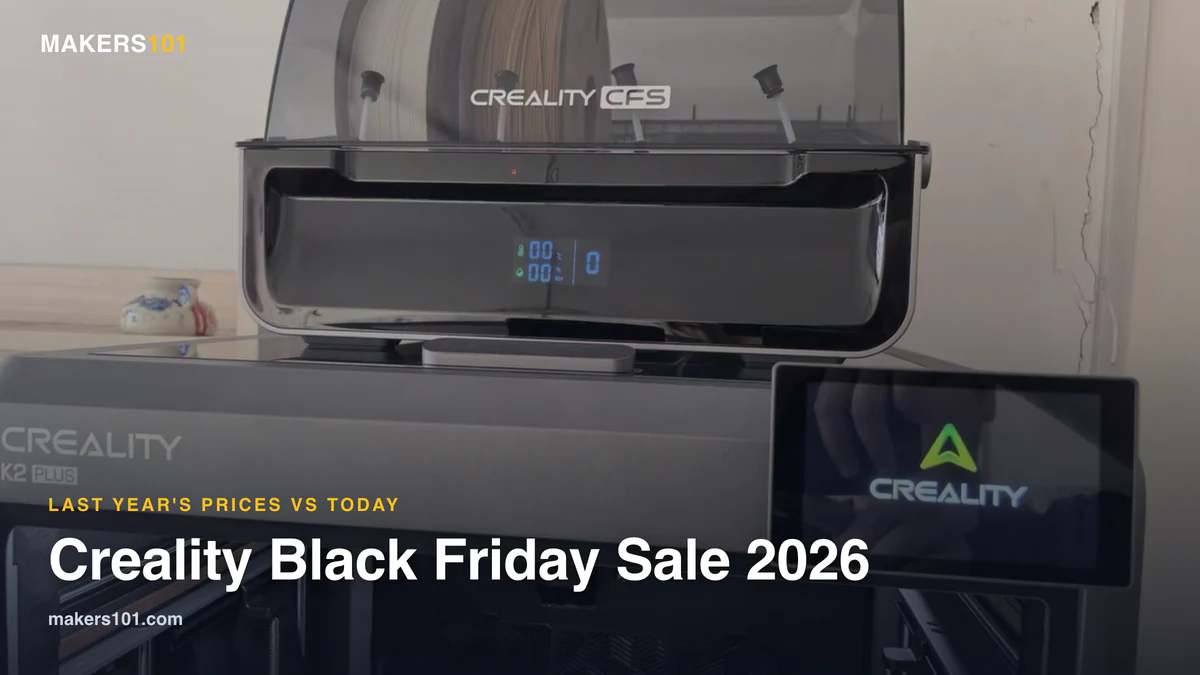
It pairs a large enclosed bed, 350 mm on every side, with Creality’s CFS filament system. That means multi-spool color and material changes on a printer with serious room to spare. CoreXY motion keeps speeds high even at that size.
The hardware: a 350 mm enclosed bed, CFS multicolor, fast CoreXY motion, plus an actively heated chamber.
Why it’s the deal: big multicolor machines rarely discount deeply. A real cut here is meaningful, because the K2 Plus normally sits well above $1,000. When a printer this size moves on price, the savings dwarf anything in the budget tier.
Nik’s Take: the K2 Plus is for people who already know they want size and color, not for first-timers. If that’s you, the value during a sale is strong, and the build volume opens up projects smaller printers can’t touch.
Best for: experienced makers printing large, multicolor, or batch work.

Best Anycubic Pick: Anycubic Kobra S1
The Anycubic Kobra S1 is the best all-in-one combo deal from Anycubic’s lineup.
It’s a fast, enclosed CoreXY with an integrated color system, aimed squarely at people who want one box that does everything. A 250 mm-per-side bed suits most home projects, and Anycubic claims top speeds near 600 mm/s.
Headline specs: a sealed CoreXY design, a 250 mm bed, a claimed 600 mm/s ceiling, and the ACE Pro color engine.
Why it’s the deal: Anycubic prices aggressively during sales, often undercutting rivals on similar specs.
Nik’s Take: Anycubic’s spec sheets read big, so I always check real-world results before trusting the numbers. The Kobra line has held up better than the spec-sheet skeptic in me expected, which is high praise from someone who’s seen plenty of optimistic marketing.
Best for: value hunters who want enclosed, multicolor printing without flagship pricing.

Best Resin Deal: Elegoo Saturn 4 Ultra
If you care about fine detail, like miniatures or jewelry, don’t skip the resin aisle. The Elegoo Saturn 4 Ultra is the resin deal to watch.
Resin captures detail that no FDM machine can match. The Saturn 4 Ultra brings a sharp 16K mono LCD to a generous print area of roughly 218 x 122 x 220 mm. Layers cure quickly, and a tilt-release mechanism peels them cleanly. It’s a longtime community favorite for a reason.
Worth noting: a 16K mono LCD, a print area near 218 x 122 x 220 mm, quick curing, and tilt-release peeling.
Why it’s the deal: resin printers see real Prime Day cuts, and the Saturn line is among the most recommended in the hobby.
Best for: detail work and tabletop miniatures. It also makes a great second machine next to an FDM printer.
A note before you buy: resin needs good ventilation and gloves, plus a wash-and-cure routine afterward. Budget for that, not just the printer.


How to Spot a Fake Prime Day “Deal”
Some Prime Day discounts are real. Some are theater. Here’s how to tell them apart in under a minute.
Check the price history. Tools like CamelCamelCamel show what an item actually sold for over time. If today’s “deal” matches last month’s normal price, it isn’t one.
Compare the brand’s own store. Open the Elegoo, Bambu Lab, or Creality site in another tab. Brand-direct sales sometimes beat Amazon, and they often bundle filament or an enclosure.
Ignore the inflated MSRP. A giant “was” number is the oldest trick in retail. Judge the deal by the street price, not the crossed-out one.
Watch the bundle math. A “combo” deal can hide a markup. Add up what the AMS, filament, and base printer would cost separately, then compare. Sometimes the bundle wins. Sometimes it doesn’t.
Over on Reddit, a popular r/prusa3d “Prime Day PSA” makes the same point every year. The community knows the traps. Now you do too.
For codes that stack on top of sale prices, bookmark our current 3D printing coupon codes page.
Don’t Buy a 3D Printer on Prime Day If…
A deal is only good if you need the thing. Skip the purchase if any of these fit.
- Your current printer still does the job. FOMO is not a reason to buy a third machine.
- The exact model you want isn’t actually discounted. Don’t settle for a worse printer just because it’s cheaper today.
- What you really need is filament or accessories. This is the big one. Many makers don’t need a new printer at all. They need to restock.
That last point deserves attention. Prime Day is the best time of the year to stock up on consumables. Think filament by the case, plus spare nozzles and a fresh build plate. A full shelf of PLA at a discount will serve you longer than a fourth printer gathering dust. Hardened nozzles and spare hotends are cheap insurance, and they almost never go on sale outside events like this.


Plan your restock with our best filaments to stock up on guide.
The Bottom Line
If you want one safe pick, go with the Centauri Carbon. It earns the top spot this year by giving you enclosed CoreXY printing at a price that used to buy a basic open-frame machine. Beginners should look hard at the A1 mini, and anyone printing ABS should watch the P1S. Missed June? We’re following the same printers into November on our Black Friday 3D printer deals page.
Beyond that, let your needs lead, not the countdown timer. The best deal is the one on a printer you’ll actually use. For the next big sale, see our Black Friday 3D printer deals guide.
FAQ
When is Amazon Prime Day 2026?
It takes place from June 23 to 26, 2026. That’s a four-day run, and it moved earlier from its usual July slot.
Do I need a Prime membership to get these deals?
Yes. Prime Day pricing on Amazon is for Prime members only. The good news: brand stores like Elegoo and Bambu Lab run their own sales without a Prime requirement, so check those too.
Are brand-direct deals better than Amazon on Prime Day?
Sometimes. On combo and large-format machines, brand stores often add filament or enclosures that Amazon listings skip. Always check both before buying.
Should beginners buy their first 3D printer during the sale?
Yes. Beginner-friendly machines like the Bambu Lab A1 mini and Creality Ender-3 V3 SE see real discounts, which lowers the cost of your first mistakes.
What’s the best budget 3D printer deal on Prime Day 2026?
The Creality Ender-3 V3 SE is our budget pick under $300. The Elegoo Centauri Carbon is the best overall value if you can stretch a little higher.
Will there be Prime Day deals on filament and accessories too?
Yes, and they’re easy to miss. Filament and build plates usually drop during the same window, alongside spare parts. For many makers, that restock is the smarter buy.
CERTAIN CONTENT THAT APPEARS ON THIS SITE COMES FROM AMAZON. THIS CONTENT IS PROVIDED ‘AS IS’ AND IS SUBJECT TO CHANGE OR REMOVAL AT ANY TIME.
Price details
Product prices and availability are accurate as of the date/time indicated and are subject to change. Any price and availability information displayed on Amazon.com at the time of purchase will apply to the purchase of this product.