
I earn a commission if you buy through links on this page, at no extra cost to you. As an Amazon Associate, I earn from qualifying purchases.
Table of Contents
- Which xTool Laser Should You Buy?
- At a Glance: xTool Laser Comparison
- How to Pick the Right xTool Laser
- xTool S1: The Best All-Around Desktop Diode Laser
- xTool M2: Best for Beginners and Multi-Craft Projects
- xTool M1 & M1 Ultra: Skip Them, Even at a Discount
- xTool F1: Discontinued, Buy the F2 Instead
- xTool F2: The Portable Upgrade Pick
- xTool F1 Ultra: Fiber Metal Marking Without the Flagship Price
- xTool F2 Ultra and F2 Ultra UV: When Metal and Glass Aren’t Optional
- xTool P2S: The CO2 Machine for Acrylic and Glass
- xTool P3: Built for Thick Materials and Small-Batch Production
- xTool X1: The Newest Flagship (And Why You Might Want to Wait)
- What About the xTool D1 and D1 Pro?
- Best xTool Laser by Scenario
- When to Buy an xTool Laser: Sale Timing and Today’s Prices
- Don’t Buy an xTool Laser If…
- FAQ: xTool Laser Buying Questions
Which xTool Laser Should You Buy?
It shouldn’t take an engineering degree to answer that question, but xTool’s own comparison page makes it feel that way. If you’ve spent even ten minutes on it, you know the feeling: eleven laser models, half a dozen spec columns, and a chart that somehow makes every single one look like the right answer.
That’s by design. A company selling this many lasers has no reason to talk you out of the expensive one.
You’ve probably also seen the Reddit threads. Someone asks “which xTool is worth it,” and forty replies later you still don’t have a straight answer, just a pile of anecdotes about machines that worked great and a few that didn’t.
This guide isn’t that. It’s independent: hands-on testing on three of these machines, verified specs and pricing on the rest, and real community feedback pulled in from owners (the good and the genuinely annoying parts). By the end you’ll know exactly which xTool laser fits your budget, your materials, and your patience for customer support.
At a Glance: xTool Laser Comparison
Every row here stands on its own: model, laser type and power, camera, current price tier, and who it’s actually for. Work area and current sale status are covered in each model’s own section below.
| Model | Laser Type & Power | Camera | Price Tier | Best For |
|---|---|---|---|---|
| xTool S1 | 40W diode | No | High-end | All-around desktop use |
| xTool M2 | 10W diode + full-color print | Dual | Mid-High | Beginners, craft/gift makers |
| xTool M1 | 10W diode + blade cutter | No | Mid | Skip unless clearance-priced |
| xTool F1 | 10W diode + 2W IR (galvo) | No | Refurb only | Discontinued; the F2 replaces it |
| xTool F2 | 15W diode + 5W IR (galvo) | Yes (50MP) | Mid-High | Portable, small-batch business |
| xTool F1 Ultra | 20W fiber + 20W diode (galvo) | Yes | High-end | Metal marking without the flagship price |
| xTool F2 Ultra / Ultra UV | 60W MOPA + 40W diode / 5W UV | Dual 48MP | Premium | Heavy metal work, glass, crystal |
| xTool P2S | 55W CO2 | No | High-end | Clear acrylic, glass |
| xTool P3 | 80W CO2 | No | Premium | Thick materials, small-batch production |
| xTool X1 | 55W CO2 + swappable modules | Yes | Unpriced | Wait and see |
| xTool D1 / D1 Pro | 10-20W diode | No | Discontinued | Don’t buy new |
How to Pick the Right xTool Laser
Four questions decide this: material, portability, camera, and budget. Nothing else on the spec sheet moves the needle as much.
What Material Are You Cutting With Your xTool Laser?
This is the single biggest factor, and it eliminates most of the lineup instantly. Wood, leather, and dark acrylic only need a diode laser: that covers the M2, S1, and F2 (plus the discontinued M1 and F1). Bare or shiny metal needs a fiber source, which means F1 Ultra or F2 Ultra. Clear acrylic, thick board, or stone need CO2 (P2S or P3), since transparent material just won’t cut cleanly under a diode or fiber beam.
Glass and crystal are a special case. Only the F2 Ultra UV can engrave inside a crystal block or mark glass without pre-treating it first.
xTool Portable Lasers vs. Desktop Models
The F2 and the now-discontinued F1 both weigh under five kilograms and pack a carry handle. That matters if you’re doing craft fairs or working out of a shared space. Everything else, S1, the Ultra tier, and the CO2 machines, is a desktop commitment. If your F2’s smaller bed starts feeling cramped, the natural upgrade path is the S1.
Does an xTool Laser With a Camera Matter for You?
The S1 ships without one, and so did the F1. You’re aligning materials by eye or with physical jigs. The M2, F2, F1 Ultra, and F2 Ultra all include camera-assisted positioning, and it’s a real quality-of-life upgrade if you’re doing repeat, precision work like jewelry or pre-printed labels.
xTool Laser Budget Reality Check
xTool’s lineup runs from a budget-friendly craft laser up to a premium production machine, and the jump between tiers is steep. Decide your ceiling before you start comparing specs, or the comparison page will talk you into the next tier up every time.
Read our full breakdown of diode, CO2, and IR laser types if you want the underlying physics before committing.
xTool S1: The Best All-Around Desktop Diode Laser
The S1 is the machine most hobbyists graduate to once a portable diode laser stops being enough. It just works.
Specs: 40W diode (20W version also available), 498×319mm work area, fully enclosed, touch-probe auto-focus with curved-surface support.
Best For: Anyone who’s outgrown a portable laser and wants one machine that handles most projects without a CO2-level price tag. No surprises.
Reddit users who’ve owned one consistently rank it above the F1 for build quality and software. One long-term owner’s blunt take: don’t expect a diode laser side hustle to replace a day job. The margins on materials, shipping, and your own time are thinner than the hype suggests. That’s honest advice worth hearing before you buy any laser. If you still want to try, these are the products that tend to sell.

xTool M2: Best for Beginners and Multi-Craft Projects
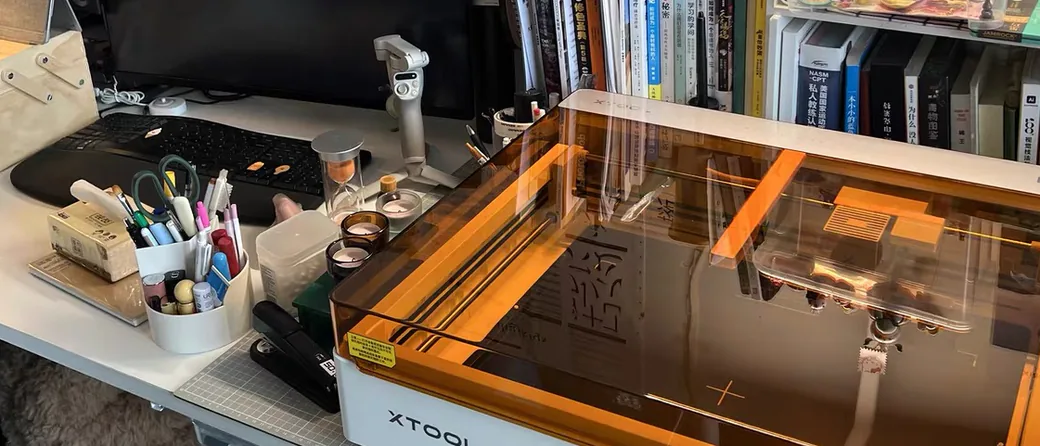
The M2 supersedes the older M1, and it’s the machine to start with if you’ve never touched a laser before.
Specs: 10W diode laser plus a full-color CMYK inkjet head, dual built-in cameras for real-time material preview, enclosed Class 1 design.
Best For: First-time buyers, gift makers, and anyone who wants color printing and cutting without learning two separate machines.

As of October 15, 2026, xTool’s store has the M2 10W at $499, down from $599. Check our live Amazon laser deals for current pricing before you buy.
xTool M1 & M1 Ultra: Skip Them, Even at a Discount
Be honest with yourself before chasing a deal on either of these. Both have effectively been discontinued.
The base M1 (10W diode plus a blade cutter for vinyl and paper) no longer has a product page on xTool’s own store. It’s gone from the catalog. As of this month, the only place still selling it is Amazon, and that has the feel of clearance inventory. The M2 replaces it with dual cameras and full-color printing the M1 never had.
M1 Ultra is further gone. No trace of it. Its official product page now redirects to xTool’s homepage, and no current Amazon listing exists under that name.
Buy the M2 instead. Unless you find one used or at a genuine clearance price with a real return window, there’s no reason to buy either machine new in 2026.
xTool F1: Discontinued, Buy the F2 Instead
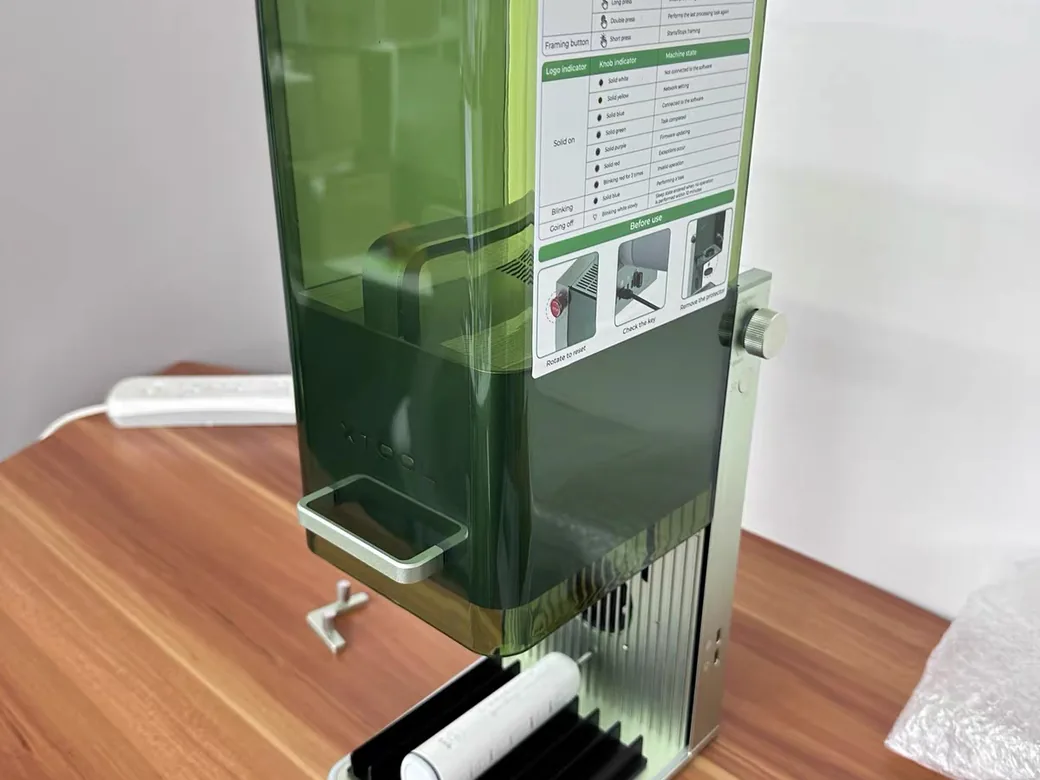
xTool has quietly stopped selling the F1 new. Its old product page on xTool’s store now redirects to the homepage, the only F1 left in the official catalog is a refurbished unit at $819, and Amazon lists it as currently unavailable with no restock date. It used to be the cheapest way into xTool’s galvo lineup. Today that job belongs to the F2.
Specs: 10W blue diode paired with a 2W infrared source, galvo-based positioning, a compact 115×115mm bed, and a carry handle on a 4.6kg body.
Best For: Buyers who find a refurbished or lightly used F1 well below F2 pricing and only make small, giftable items. Everyone else should go straight to the F2, which is $1,299 on xTool’s store as of October 15, 2026 and adds the camera the F1 never had.
xTool F2: The Portable Upgrade Pick
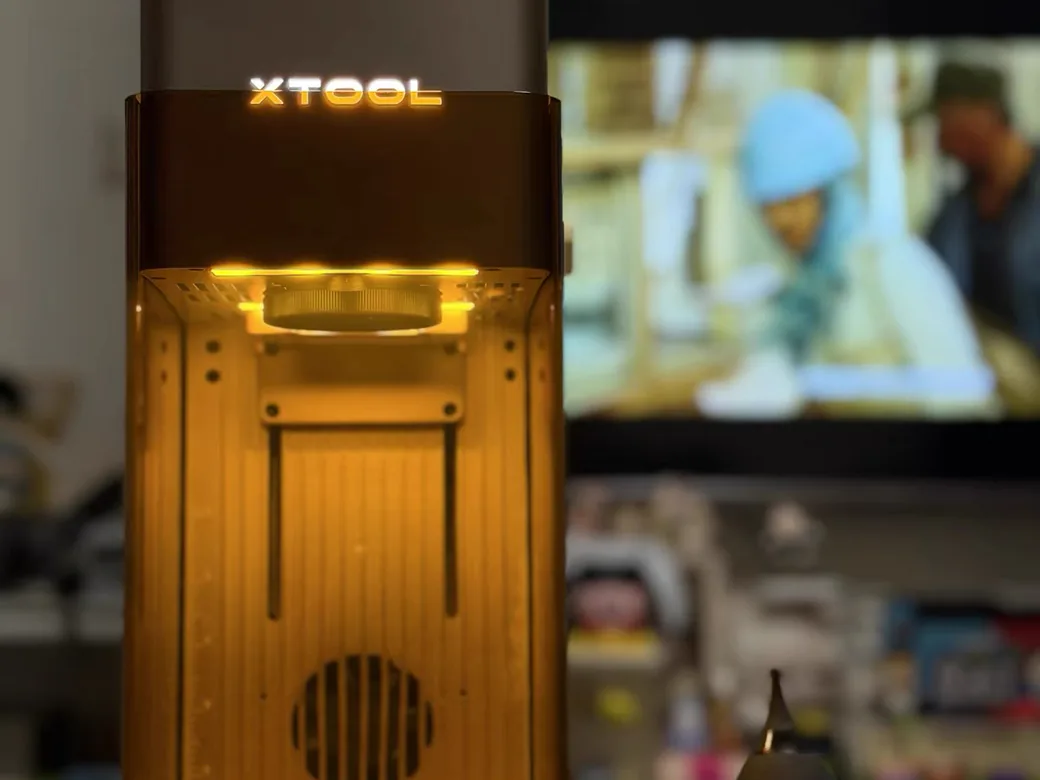
The F2 is what most people mean when they ask what to buy after outgrowing the F1.
Specs: 15W blue diode plus 5W infrared, galvo positioning, 50MP auto-focus camera, up to 6000mm/s, about 4.6kg with a removable base for curved objects.
Best For: Craft-fair sellers and small-batch makers who need speed, a camera, and portability in one machine.

Check the full F2 vs F2 Ultra breakdown if you’re weighing whether the jump to fiber power is worth it.
xTool F1 Ultra: Fiber Metal Marking Without the Flagship Price
The F1 Ultra sits between the F2 and the F2 Ultra in both price and power, and it exists specifically for people who need real metal work without the full production-scale investment.
Specs: 20W fiber plus 20W diode, galvo positioning, up to 10000mm/s, compatible with LightBurn and xTool’s own software.
Best For: Shops with steady metal-marking work who aren’t ready to jump straight to the F2 Ultra’s price tier.

See how the F1 Ultra compares to Creality’s Falcon T1 if you’re cross-shopping brands for small-batch metal work.
xTool F2 Ultra and F2 Ultra UV: When Metal and Glass Aren’t Optional
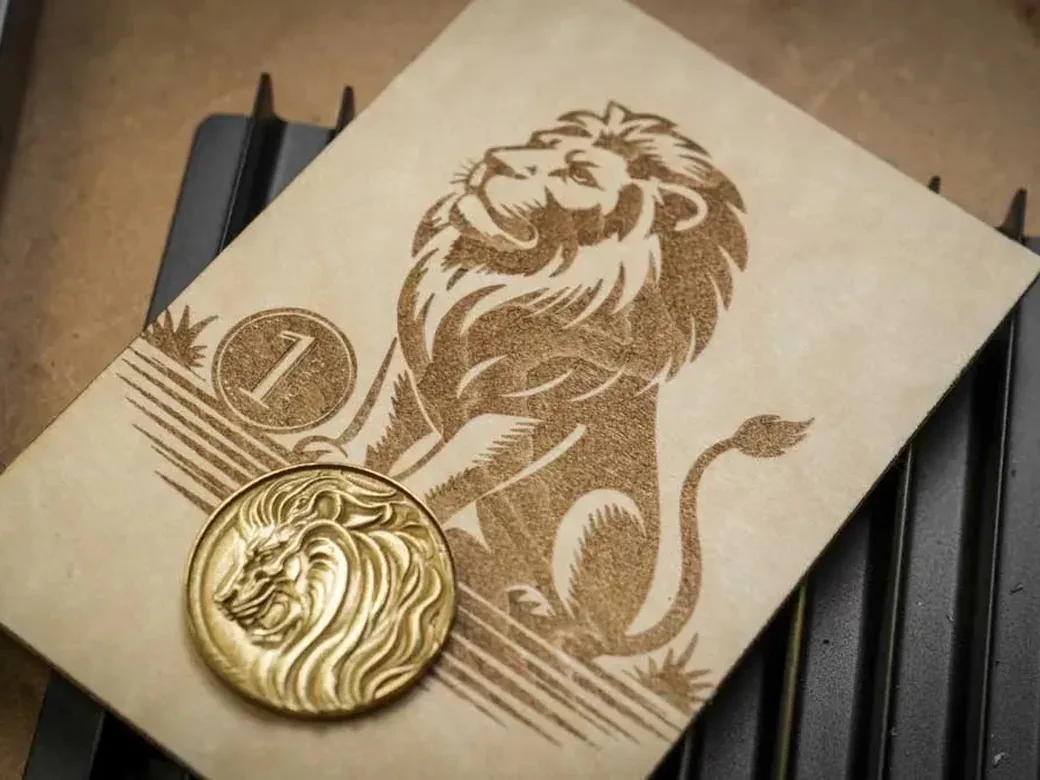
The F2 Ultra is the machine to buy once “good enough” metal marking stops being good enough, and the UV variant exists for one job nothing else in the lineup can do.
Specs: Standard F2 Ultra runs 60W MOPA fiber plus 40W diode, dual 48MP cameras, up to 15,000mm/s, with an optional conveyor extending the work area to 220×500mm. The separate F2 Ultra UV variant swaps in a 5W ultraviolet laser instead.
Best For: Small businesses doing volume metal engraving (standard F2 Ultra) or anyone working with glass, crystal, or colored plastics that other lasers can’t mark (F2 Ultra UV).

xTool P2S: The CO2 Machine for Acrylic and Glass
The P2S exists because diode and fiber lasers share one hard limit: neither can cut clean through clear acrylic, and the P2S can.
Specs: 55W CO2 laser, desktop footprint, xTool’s mid-tier CO2 offering (the older standalone P2 has been folded into this product line).
Best For: Makers who keep running into “sorry, can’t cut that” with a diode laser and need real CO2 capability without going flagship-sized. Bambu now sells a cheaper 55W CO2 rival, so we put the R1 and P2S side by side.

xTool P3: Built for Thick Materials and Small-Batch Production
The P3 is xTool’s answer to “I need to cut something a desktop laser normally can’t handle,” and independent testing backs that claim up with real numbers.
Specs: 80W CO2, xTool’s largest work area at roughly 91×46cm, built-in water cooling, automatic focus and material height sensing.
Best For: Small-batch production, furniture-scale projects, and anyone who’s already hit the material-thickness ceiling on a diode or fiber machine. Go big or skip it.

xTool X1: The Newest Flagship (And Why You Might Want to Wait)
xTool revealed the X1 in late August 2026 as its most ambitious machine yet: a 55W CO2 base with swappable fiber, UV, and diode modules that attach like a backpack.
The pitch is one machine replacing eight to ten single-purpose lasers, and the “flying galvo” positioning system is new territory for xTool. That’s the manufacturer’s framing. Independent testing hasn’t confirmed it yet.
xTool opened X1 deposits on October 12, 2026. The Single CO2 version launches at $3,399 and the CO2 + Diode Galvo version at $3,999, and a $100 deposit holds one. It’s refundable until final payment, which opens October 28. Shipping starts October 29.
What’s still missing is independent data on real-world speed against the P2S or F2 Ultra. If you’re deciding between an existing model and the X1, wait only if your project can sit until it ships.
Track the latest confirmed X1 details as they land.
What About the xTool D1 and D1 Pro?
Skip these too, and the evidence for that isn’t a guess. xTool’s own comparison chart mentions the D1 and D1 Pro a combined 26 times, against 84 to 240 mentions for every other current model, a strong signal they’re being phased out of the catalog. Independent owners on Reddit report the same thing: xTool has scaled back parts and accessory support for the D1 line. Buy a currently supported model instead.
Best xTool Laser by Scenario
- Best Overall: xTool S1, for the widest range of projects without CO2-level cost or footprint.
- Best for Beginners: xTool M2, because the dual cameras make mistakes hard to make.
- Best Budget Galvo: xTool F2, now that the F1 is discontinued.
- Best for Metal Marking on a Mid Budget: xTool F1 Ultra.
- Best for Heavy Metal Production: xTool F2 Ultra.
- Best for Glass and Crystal: xTool F2 Ultra UV, the only model built for it.
- Best for Acrylic and Glass Cutting: xTool P2S.
- Best for Thick Materials and Small-Batch Production: xTool P3.
When to Buy an xTool Laser: Sale Timing and Today’s Prices
xTool’s two big fall sales are already over. Its anniversary sale ran September 14 to October 4, and Amazon’s Prime Day event followed on October 6 and 7. Prices still move week to week, and several models are discounted on xTool’s own store right now. Black Friday is next. Last year xTool’s sale started November 3, and we lined up each model’s 2025 Black Friday price against today’s.
Here’s where official prices stand as of October 15, 2026. Amazon prices change too often to list here, so use the links to check today’s price before you buy.
| Model | xTool.com (Oct 15, 2026) | Amazon |
|---|---|---|
| xTool M2 10W | $499 | Check price |
| xTool F2 | $1,299 | Check price |
| xTool S1 40W | $1,699 (Basic Bundle) | Check price |
| xTool F1 Ultra | $2,999 | Check price |
| xTool P2S | $2,999 | Check price |
| xTool X1 (pre-order) | $3,399 | Not on Amazon |
| xTool F2 Ultra UV | $4,299 | Check price |
| xTool F2 Ultra | $5,299 | Check price |
| xTool P3 | $6,999 | Check price |
When the two stores are close, Amazon’s return policy is the tiebreaker many owners recommend (more on that below). When xTool’s store is clearly cheaper, you get xTool’s own return terms plus its 60-day price guarantee.
Don’t Buy an xTool Laser If…
Most buying guides skip this part because it doesn’t come from xTool’s own marketing. It’s not flattering.
Customer service is the most consistent complaint across independent xTool owners on Reddit. It shows up far more often than any complaint about a specific machine’s performance.
Multiple buyers report slow replies, shipping delays, and return processes that drag on for weeks, and xTool’s own support team has had to step in publicly on community threads to resolve specific cases.
One frequently repeated piece of advice: buy through Amazon. Its return policy gives you an easy exit if a unit arrives defective, and diode laser DOA rates aren’t as rare as you’d hope.
Don’t buy any diode laser expecting a reliable side income. Most don’t get one. The market’s crowded. The material costs, your own time, and a genuinely crowded market eat into margins faster than most first-time buyers expect.
And don’t buy a diode or fiber laser if clear acrylic is a core part of your plan. It’s a hard limitation across the entire non-CO2 lineup. No exceptions. Go CO2 (P2S or P3) instead, or you’ll be disappointed on day one.
FAQ: xTool Laser Buying Questions
Which xTool laser engraver is the best?
There’s no single best model, only a best fit. Which xTool laser should you buy depends on your material and budget, but for most hobbyists doing varied projects, the S1 is the strongest all-around pick. If you need metal marking, that’s the F1 Ultra or F2 Ultra. If clear acrylic or glass matters, only the CO2 or UV models will actually do the job.
Which xTool do I need?
Figure out whether you’re cutting wood and leather (diode), marking metal (fiber), or need to cut clear acrylic or glass (CO2 or UV). Then pick the cheapest xTool model in that category that fits your work area.
Which is better, xTool Creative Space or xTool Studio?
xTool Creative Space (XCS) is the free software most current xTool models ship with, and reviewers consistently call it approachable for beginners. Experienced users often prefer LightBurn instead once they outgrow XCS’s built-in templates, and most xTool galvo and CO2 machines support LightBurn as an alternative.
What are the pros and cons of xTool?
The hardware itself gets consistently solid reviews, especially the camera-assisted models and the newer galvo lasers. The recurring downside isn’t the machines, it’s customer service and shipping reliability, which multiple independent xTool owners describe as the weakest part of owning one.